Repository navigation
Prism 1.8.2

Prism 1.8.2: a lock screen player, RSS podcasts, your uploads and Explore
New options are off until you turn them on, unless it says otherwise, and nothing you've set changes on the update.
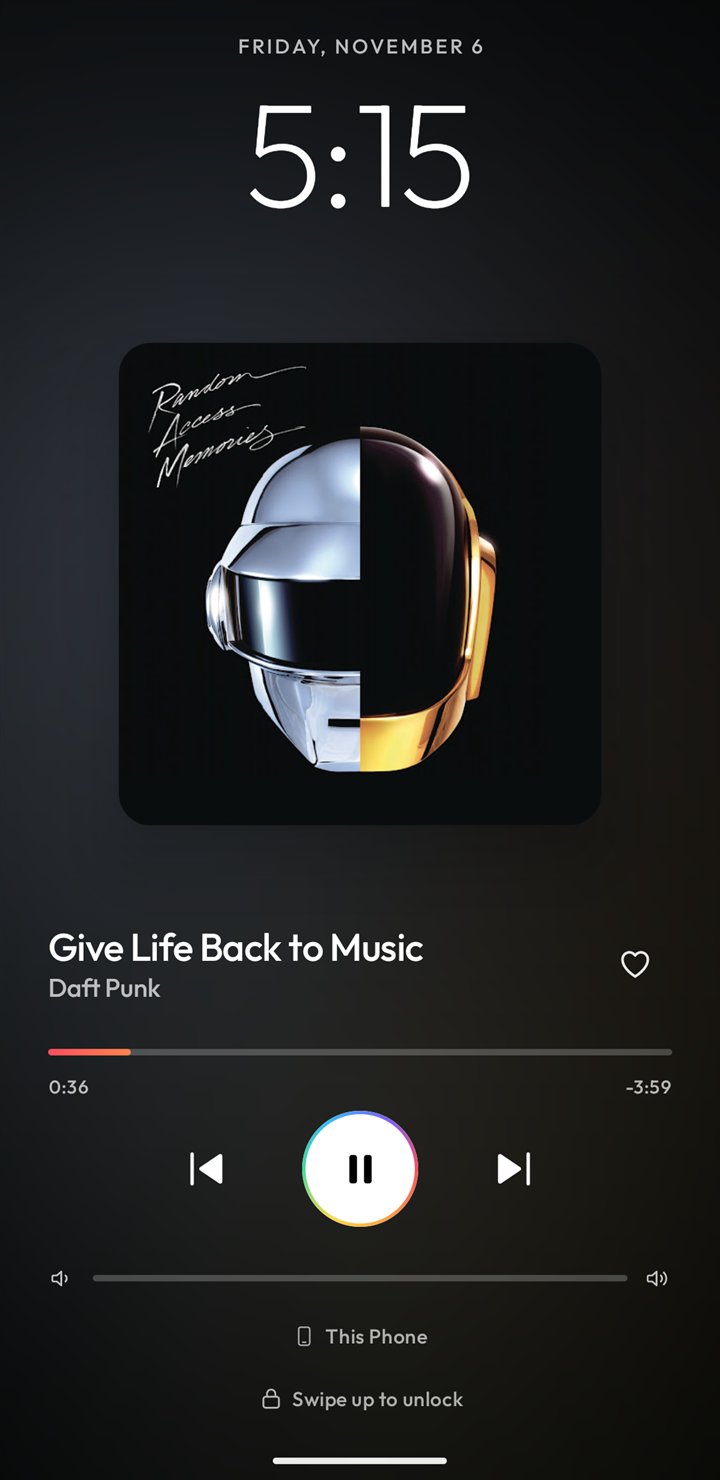
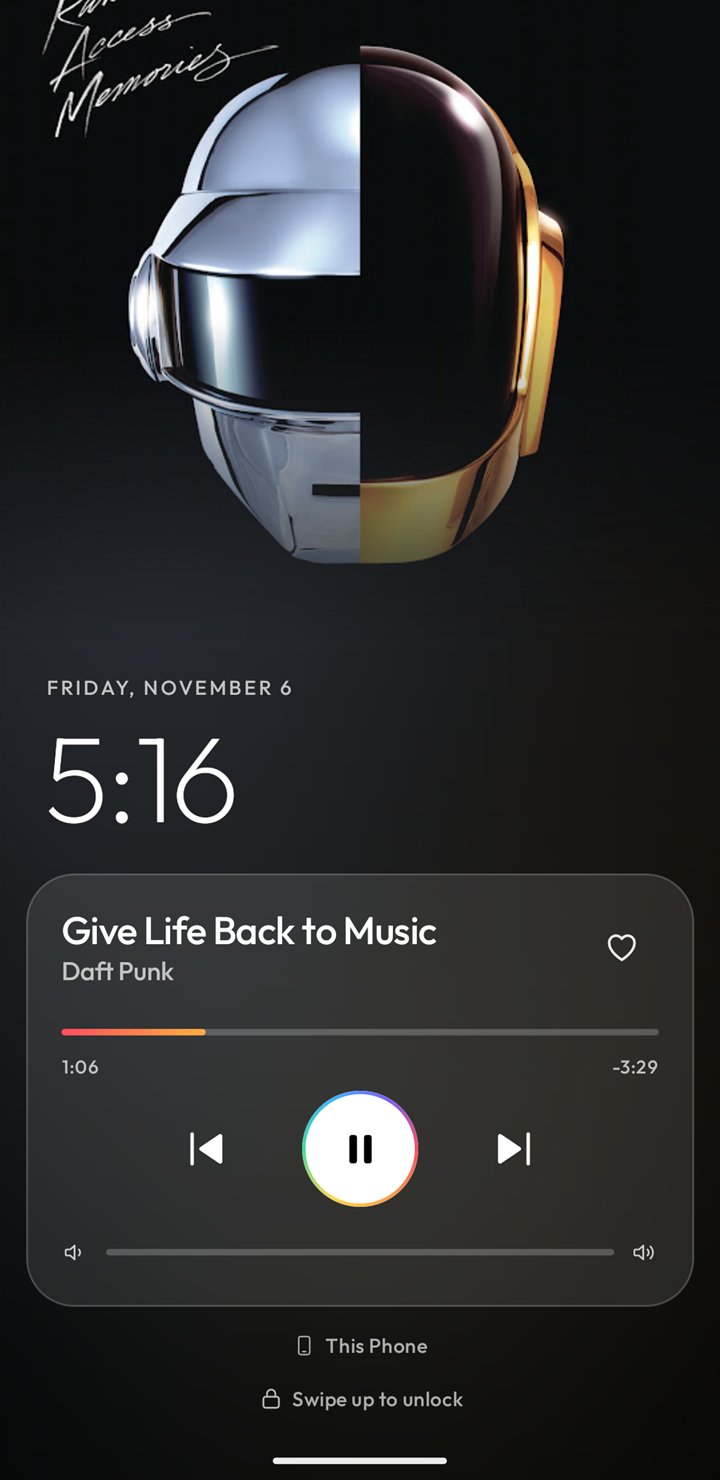
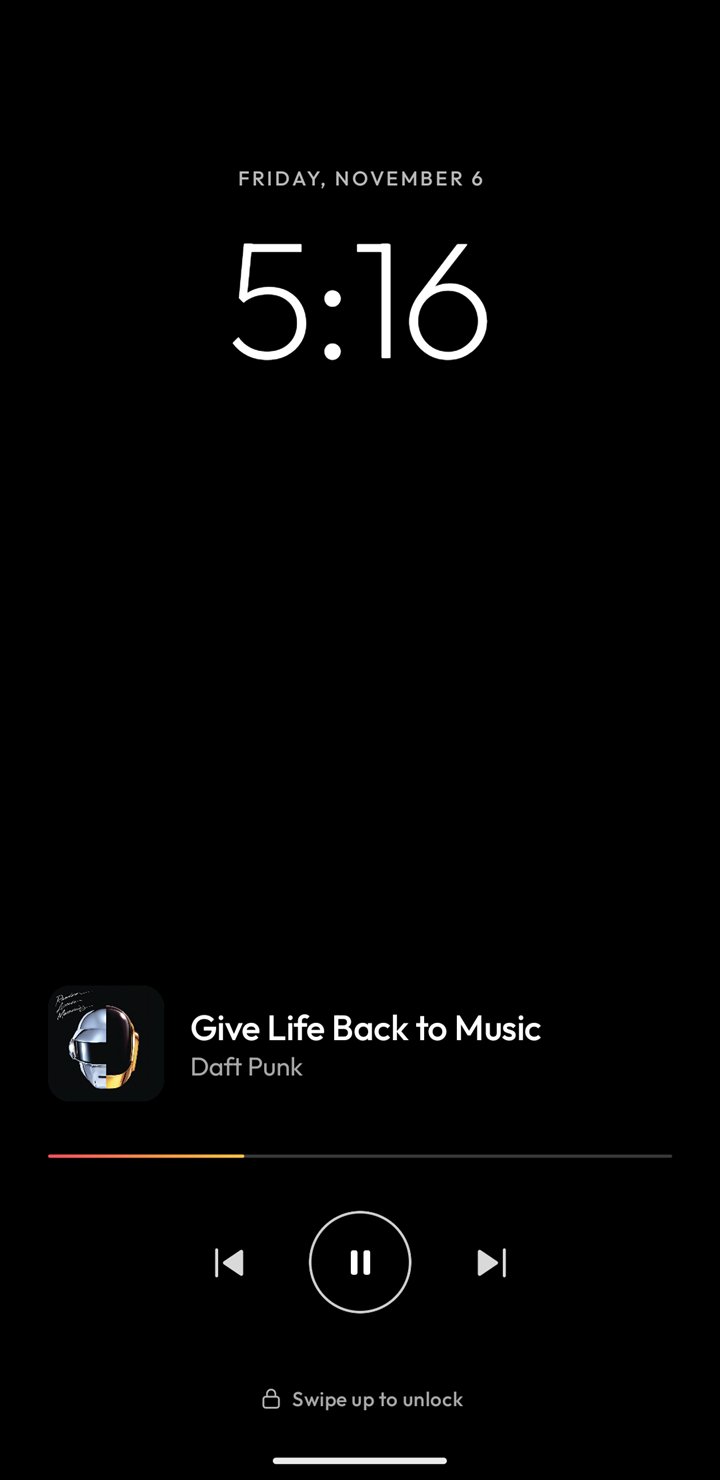
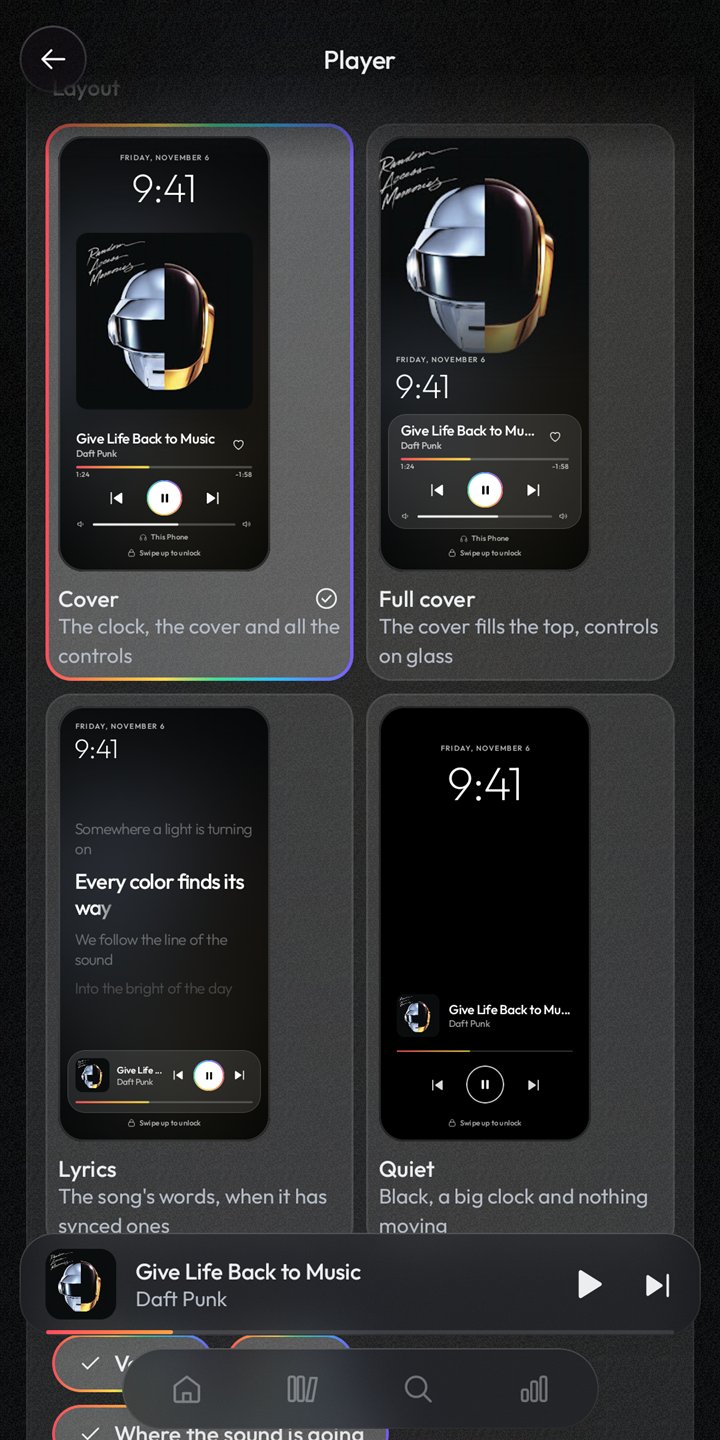
Lock screen
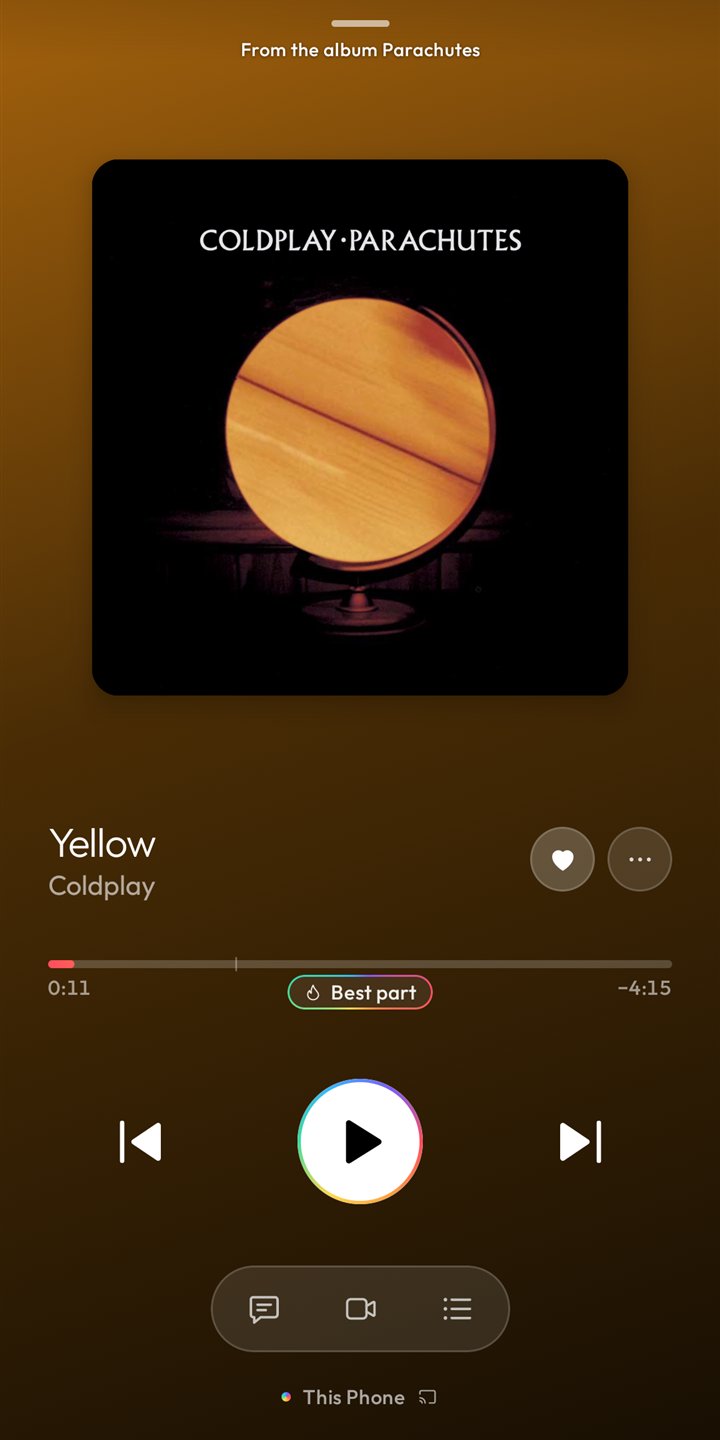
- Prism's player on your lock screen while music plays: Customize Prism → Player → Lock screen player. Cover, Full cover, Lyrics or Quiet, following your Look. Android's own media controls stay as they are.
- It only controls what's playing: like, previous, play and pause, next, seek and volume. No library, search, song menu or settings can be reached while the phone is locked. You can also hide the song's name and cover.
- Leaving it: swipe up to unlock, or tap the cover to unlock and open the full player. On a phone with an under-screen fingerprint reader, Android only takes your finger after that swipe or tap.
- It asks for "Display over other apps" (Android 10 and up), because Android only lets a screen come up by itself with that permission. Without it, some phones can still bring the player up a moment after waking, and others won't show it at all. Prism never draws over other apps with it. From Android 13, Android may first say "App was denied access", because Prism doesn't come from a store. The way through is on the setting's page: Prism's App info → ⋮ at the top right → Allow restricted settings, then allow the permission.
New
- New to you, Deep cuts and On this day: three new Home sections, from Customize Home.
- No repeats this session (#159) and Tune your radios: familiar or new, hits or deep cuts, calm or energetic.
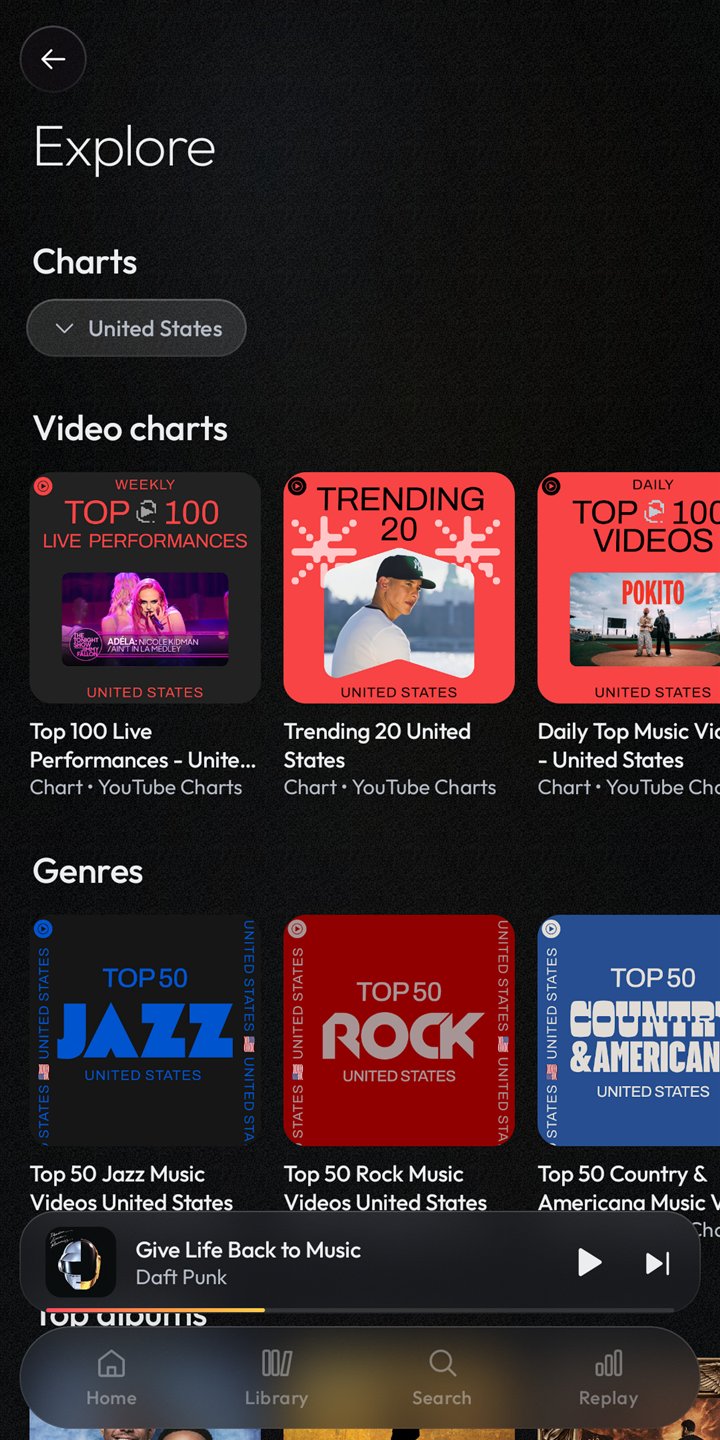
- Explore: at the end of Search, YouTube Music's charts by country, moods and genres, new releases and what's trending. On by default; Search's Arrange moves or hides it.
- Podcasts by RSS: paste a show's feed address. Episodes play straight from the podcast's own server, with no YouTube and no account.
- Your uploads in Library (#332, #101), signed in. Built without an account that has uploads, so if it's missing or looks wrong for you, please tell me.
- Artist pages work offline, and Android Auto's artist folders list what can play offline.
- Saved while playing (#159): songs that reached your phone in full, ready to play with no connection.
- Keep a playlist downloaded (#298, thanks to stuntsnakee, PR #304) and skip songs when a playlist downloads (#221).
- Lyrics from your own music files (#344) and leaving folders out of Local files (#207, #249).
- Song details (#211), and on artist pages, if you want them: You and this artist, Essentials for you and a Bio from Wikipedia.
- Cover gradient, a new player background (#232, #338), Blur and Frost sliders (#252) and glass on more of the screen (#326).
- Crossfades up to 30 seconds (#351), "Songs only" for skipping silence (#325), a longest song for Autoplay (#299) and no videos on mobile data (#281).
- Your player: gestures below the lyrics (#282), steadier lyrics and reopening on the last page (#280), the cover flying back (#223), more room for a full-bleed picture (#293) and a tidier queue (#294, #331).
Fixes
- Speakers and TVs on your network can be found again, Sonos among them (#239). There's no Sonos here to try it on: it was checked against a real Sonos One SL's own description. If yours doesn't show, Share diagnostics now says why.
- A song YouTube won't play no longer stops the music. Prism says which song it was and goes on to the next.
- A song stuck with no progress is tried again from the same place, twice, before Prism gives up on it. The cause on the phone that reported it isn't known yet; Share diagnostics now records it.
- Play and Shuffle from a playlist's long-press menu start right away (#356).
- Typing in Search and in Settings' search keeps up on slower phones (#355).
- Covers inside your own music files show in the notification and in the car (#350).
- Speed dial shows all of YouTube Music's tiles with "YouTube Music's only" on, and Quick picks can come from Prism or YouTube Music (#349).
- Liquid Glass: Clear and Regular no longer draw the same on the docked tab bar (#252), and it follows Prism's theme, not the phone's.
- Prism TV: Sing's lyrics stay on screen, leaving Sing goes back to the player, and Now playing fits every title and text size.
Full list in the changelog.
⬇ Download Prism.apk · Already on Prism? Tap the update banner on Home.
Android Auto features, including car lyrics, are for passengers and for use while parked only. Do not read lyrics while driving. Keep your eyes on the road and follow local laws.