Repository navigation
Prism 1.8.3

Prism 1.8.3: your library, smarter
Smart playlists, tags, picking many songs at once, and a search for your own library. Nothing you've set changes on the update, and the new lock screen buttons are off until you turn them on.
Your library
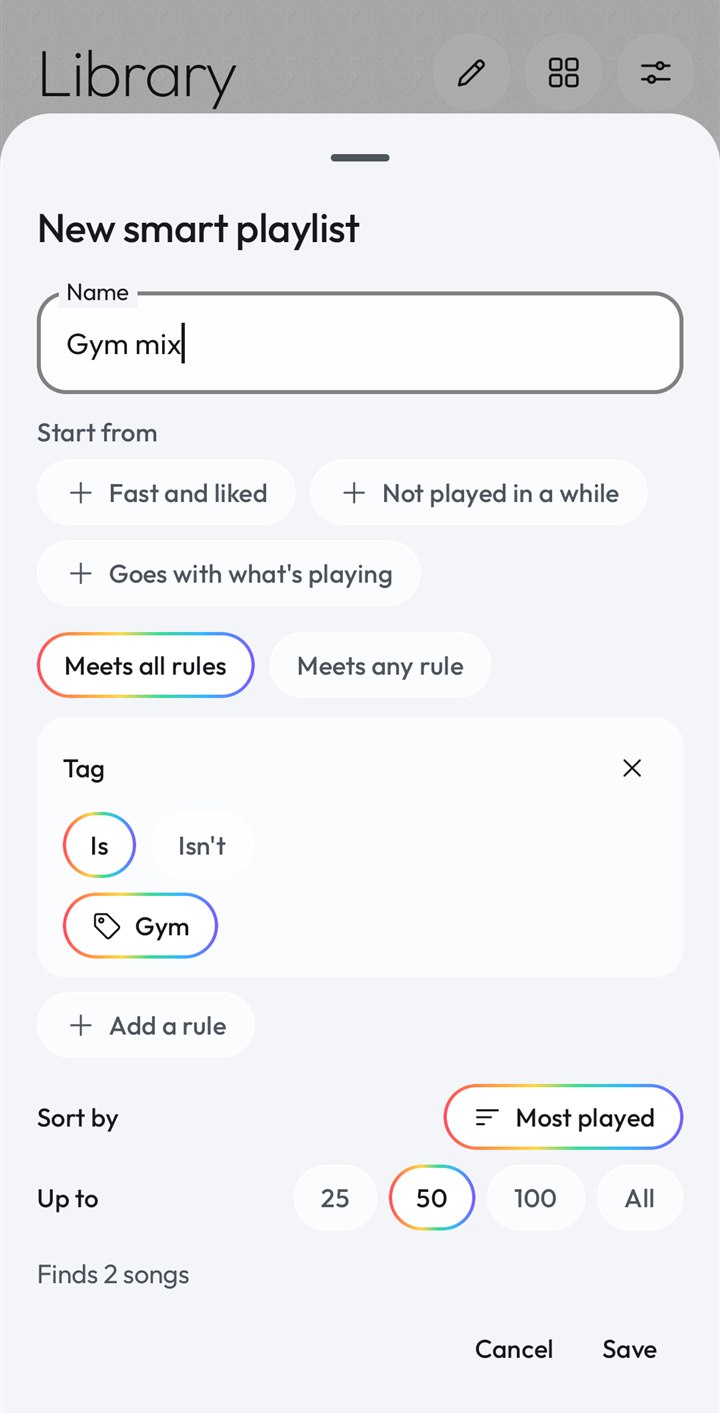
- Smart playlists. Library → Playlists → Smart playlist. A playlist made of rules that fills itself and keeps up as your library changes: tempo, key, energy and loudness; liked, downloaded, a tag, genre, artist or album; how often and how recently you played it. Three starters to pick from, and "Save a copy as a playlist" for a fixed copy. They stay in Prism and in your backups.
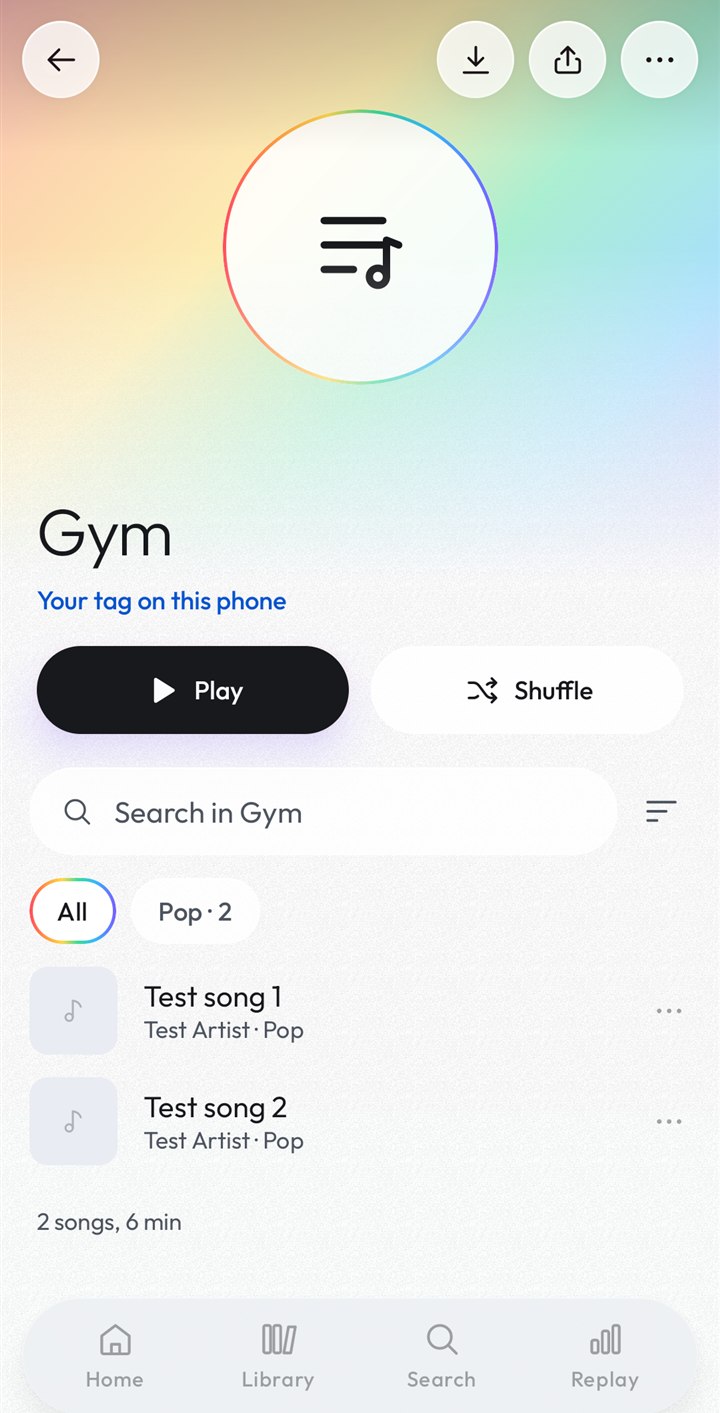
- Tags, your own labels like "gym" or "rainy day". A song's menu → Add a tag. Library → Tags shows each one as a page you can play or shuffle.
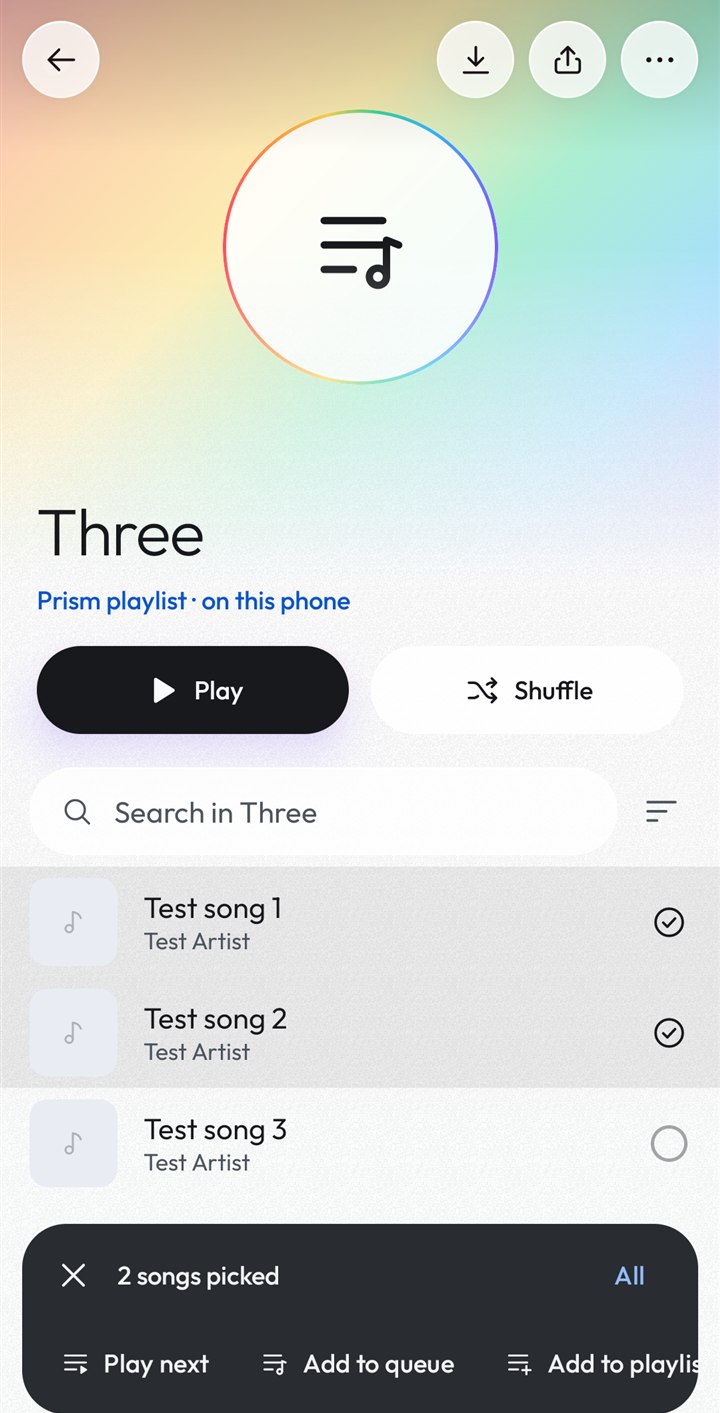
- Select many (#381). Hold a song in a list to start picking, then Play next, Add to queue, Add to playlist, Add a tag, Like, Download or Remove.
- Search your library. The search button at the top of Library, or "In your library" in Search, with filters for liked, downloaded and on this phone.
- Titles in other alphabets found in Latin letters (#363). "tori no uta" finds とりのうた. Japanese, Korean, Russian and Greek.
- Songs from the playlists you choose (#382). Library → Songs → Songs from: your likes, or any of your playlists together, each song once. Nothing gets liked.
- Find duplicates in a playlist's ⋯ menu, including a video and its song. Live versions and remixes are kept apart.
- A file on your phone as a song's version (#243). Play a different version lists matching files on your phone, or lets you pick one.
Also new
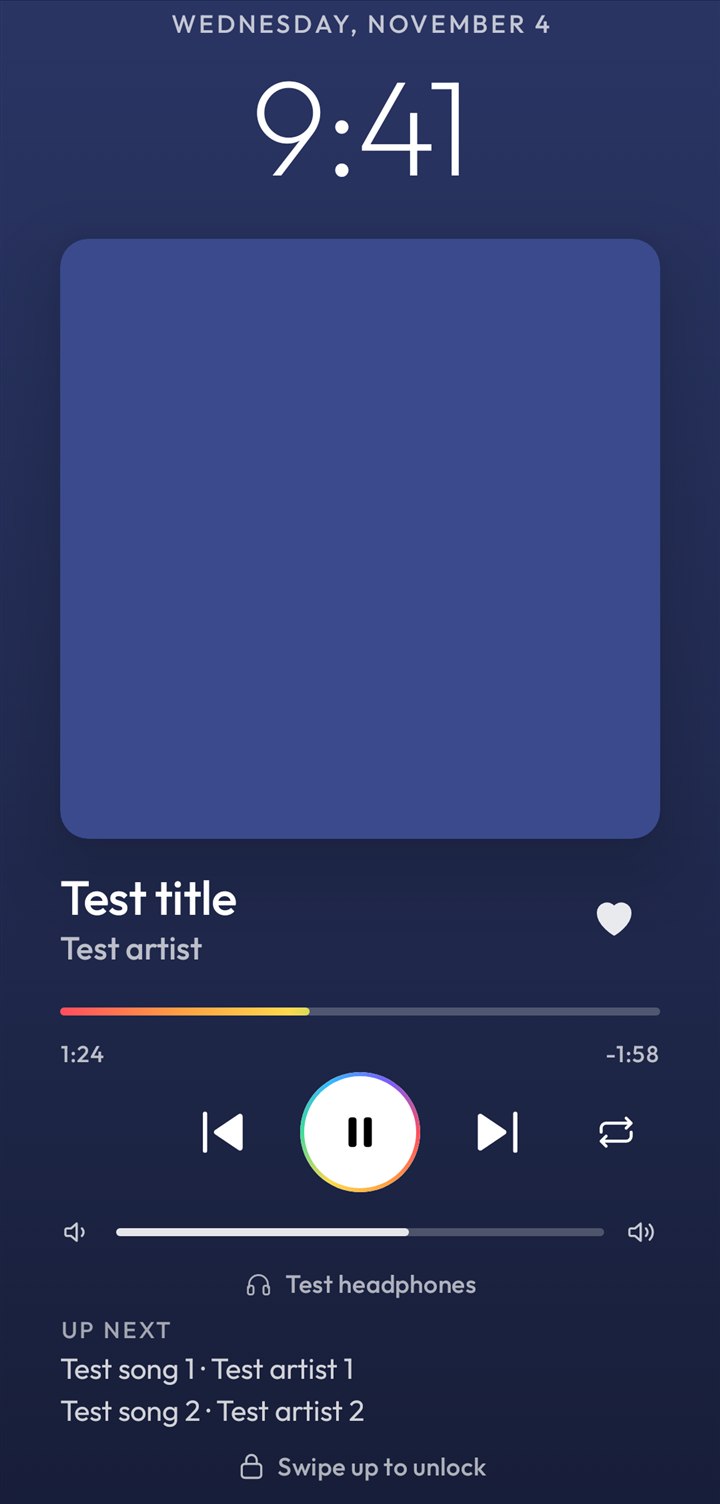
- Lock screen: Repeat and Up next, each its own switch in Customize Prism → Player → Lock screen.
- A pinned album or playlist as one tile on Home, instead of its song list.
- Upload and delete in Uploads: send a song file from your phone to your YouTube Music uploads, or delete one (with a check first).
- Smart Downloads can use less space: 256 MB and 512 MB.
- TV: seek with Left and Right on the player's progress line; hold to go faster.
Fixes
- After Prism is closed by the phone or crashes, the song carries on near where it was (#388).
- Opening and closing mixes no longer stutters with Show genres on (#228).
- The next song's animated cover shows (#384), and songs played from a file on your phone get the check mark everywhere (#385).
- Downloading a music video as audio saves the video's sound (#390).
- "Songs, not videos: Everywhere" works on more Home playlists (#383), with ⏮ and ⏭ on songs YouTube lists as episodes.
- Plays reach a brand account's YouTube history (#377).
- Casting to Sonos and other speakers keeps going in the background (#239).
- The lock screen player on vivo and Xiaomi (HyperOS) phones shows the extra permission those phones ask for.
- Moods & genres opens at once after the first time, dragging songs in the queue is smoother, and TV lyrics without timing stay where you scrolled.
Full list in the changelog.
⬇ Download Prism.apk · Already on Prism? Tap the update banner on Home.
Android Auto features, including car lyrics, are for passengers and for use while parked only. Do not read lyrics while driving. Keep your eyes on the road and follow local laws.