Repository navigation
Releases
Pocket 3 Controller 0.0.1 beta 2

Pocket 3 Controller 0.0.1 beta 2
English
Release notes for 0.0.1 beta 2, build 24, compared with beta 1 build 9. This release includes the verified local media workspace, selected video frames, area selection, immutable result exports and explicit observation/framing intent. Beta 1 remains immutable at its existing tag. Physical camera/audio/movement beyond the bounded checks, Developer ID signing and notarisation remain unfinished.
Work with local images, selected video frames and areas
Verified development build 23 extends build 22's image workspace. Choose Media file, then Open media, to select a readable local still image up to 8 MB or a local video with a video track. Replace media opens another file and clears the previous analysis and area. Video support depends on macOS decoding the file; an extension alone does not establish support.
For a video, use the Video time slider or −1 s / +1 s controls to choose one frame. Release the slider and wait for the preview to update before analysing. The displayed time returns to the decoded frame's actual presentation timestamp (PTS), which may differ from the requested time. The result describes that one frame only: this workspace does not play the video, analyse audio, summarise events across time or continuously track a subject.
Choose Select area and drag a rectangle inside the displayed image when only part of the image or frame is needed. Only the selected crop pixels are sent to the model or OCR. A location returned within the crop is mapped back to the original image for its marker. Whole frame removes the selection. Selecting, resetting, seeking or replacing media clears the old result; cancellation waits for the owned work to finish.
Choose Ask about image, Count objects, Locate a target, or OCR as appropriate. File analysis uses the selected Apple or MLX model, while OCR uses local text recognition. It does not acquire camera-control permission or turn a marker into a gimbal or autofocus command. Changing the observation source leaves an existing camera connection and its access setting unchanged; Privacy pause remains the way to release capture.
Counts, positions and answers remain model estimates that can be wrong. Wait for a cancelled operation to finish before starting another analysis. The final verification gate passed at source b2c32b86e6f552cf6c37a830a8bd5dae4a5f12bb with App executable SHA-256 4c719cc7cd9e78483c0aedf162a127732fae1323e79fb0bec5c83a11d4ff2f0e: 537 checks were listed, 534 executed and 3 opt-in checks skipped (Intelligence 44, Evaluation 1, Core 420, App 72). It also covered 59 UI captures in three languages, seven Yun files, copied-App MLX/Core AI inference and memory release, ZIP/DMG assembly and signatures. The media gate and manual smoke passed with synthetic image/video: ROI MLX count 1 with uncertain=true and a warning, Vision OCR FRAME B, Apple answer FRAME B, JSON/Markdown export, rapid-seek cancellation leaving actual video time 1.5 s, and three-language redacted renders. Camera frames, session and access stayed unchanged during the offline gate. See artifacts/offline-media-build23/final/verification-gate.json, artifacts/media-workspace-gate-1789044947/result.json and artifacts/media-workspace/build23-smoke-6/result.json for the recorded results.
Save an immutable result export
After a successful analysis, use Save Markdown or Save JSON in the Export result footer and choose a destination in the save dialog. The footer follows the shared Yun interface styles. Each export is a fixed snapshot of the completed analysis: source basename and type, submitted question and engine, task, answer, evidence and uncertainties, frame metadata, selected-area metadata when used, and result creation time. Video frame metadata records the decoded frame's actual PTS, and a crop retains its original-frame and region information. OCR records the Vision engine and no question.
Exports contain no image or video bytes, source URL, directory path or camera-action claim. They include the source basename and analysis text, which may contain visible personal information; review before sharing. Changing the question or engine after completion does not rewrite the earlier snapshot; run the analysis again for new settings.
Historical build 22 workspace and evidence
Build 22's actual App smoke test passed Apple questions, MLX counting and location, Vision OCR, cancellation, image replacement and stale-result clearing without a camera. Its offline software/package gate and three-language UI review, benchmark results and public UI-only screenshots remain historical evidence. Build 23's video, area and export additions are verified by the gates above; the published beta 1 remains build 9.
Choose observation or framing assistance explicitly
For the camera source, Observe only and Assist framing now describe the current task separately from standing camera permission. Apple observation no longer starts MLX merely because control permission is already available. Framing assistance can use the downloaded MLX control loop followed by Apple's answer, but only when the existing capability and access checks permit the action. MLX observation likewise receives no movement or zoom tools. No models are downloaded automatically.
CLI ask --intent observe|assistFraming defaults to observe; Debug evaluate-workflow uses the same intent for its simulated camera. These entries do not add an MCP ask wrapper: MCP retains its six basic camera tools. Roles and action results remain distinct; a controller role alone does not prove an adjustment occurred.
The mixed-model hardware record belongs to build 16: one raw-200 zoom task completed in 38.039 seconds with 11 checks passing. That historical case is not full build 22 or build 23 hardware acceptance. The workspace and task routing passed the build 22 offline software, packaged-App and UI checks; build 23's media additions passed the actual App smoke test and complete release gate.
Bounded build 23 hardware evidence
Separate hardware checks covered only the declared observation and framing paths. With standing control permission, an MLX observe-intent run used read_visible_text only: no write tools were used and pan, tilt and zoom did not change; manual access was restored on the same session. An Apple observe attempt hit the system safety guardrails and cleanup was verified. Assist framing used MLX camera_zoom_status → camera_set_zoom for raw target 110; independent readback was 109 within tolerance 1, then raw 100 and manual access were restored on the same session with no active motion. The camera format was 1920 × 1080 NV12 at 30 fps, with approximately 30 fps observed. These checks do not validate full gimbal, preset, focus or camera-settings behaviour.
Cancelling zoom now holds the camera's current zoom
Cancelling an in-flight zoom request now waits for a same-connection hold instead of merely clearing the App's moving state while the device continues towards the target. An expired settling deadline uses the same cleanup. A successful hold does not turn the original unfinished zoom into a successful adjustment; an unconfirmed hold blocks further zoom and pan/tilt commands until resolved.
On build 20, a real external MCP cancellation held raw zoom at 200 during a 100→400 request. Independent readbacks stayed stable for 1.090 seconds, without the client sending Stop, and the helper still served its six tools. Timeout cleanup has a deterministic fake-device regression; it has not been induced and verified on the real camera. These readbacks are not calibrated magnification or mechanical braking measurements.
Active capture can keep working without keeping the display lit
Active capture now holds a scoped macOS activity that prevents idle system sleep. It does not request that the display stay on or change system sleep preferences. Pause, stop, failure and device disconnection release the activity; a new capture session receives its own activity. Explicit system sleep still follows the existing Stop/suspend path.
The activity's acquisition, release and reconnection were checked on the real App while USB preview continued. Physical display-off, locked-session and remote-desktop disconnection behaviour still need separate verification. This remains a logged-in user App, not a service available before login.
The Yun interface is more consistent across languages
Engine cards, control rows, long MCP paths and settings labels now align more consistently at compact and larger window sizes. Camera and microphone icons align with their labels, and audio feedback and action history use the correct translated descriptions. The earlier camera, engine and settings surfaces received English, Traditional Chinese and Simplified Chinese visual review. Build 22 passed 59 UI captures with layout checks, and its new image workspace was visually reviewed in all three languages with imported images and analysis hidden. Documentation includes complete guides and separately versioned UI-only screenshots without camera photographs.
Offline development checks
The finite USB validation sequence now ends after an unconfirmed target, hold or return, retaining a partial report. A failed or cancelled report cannot unlock movement. Read-only imported-image diagnostics also gain typed count, point and presence results with range validation; this is an evaluation API, not a completed subject-tracking interface. Build 23 hardware evidence is bounded to the observe and assist-framing checks described above; full gimbal presets, focus and camera-settings validation remain unfinished.
Evidence and remaining limits
- Build 23 passed its complete verification gate at source `b2c32b86e6f552c...
Pocket 3 Controller 0.0.1 beta 1
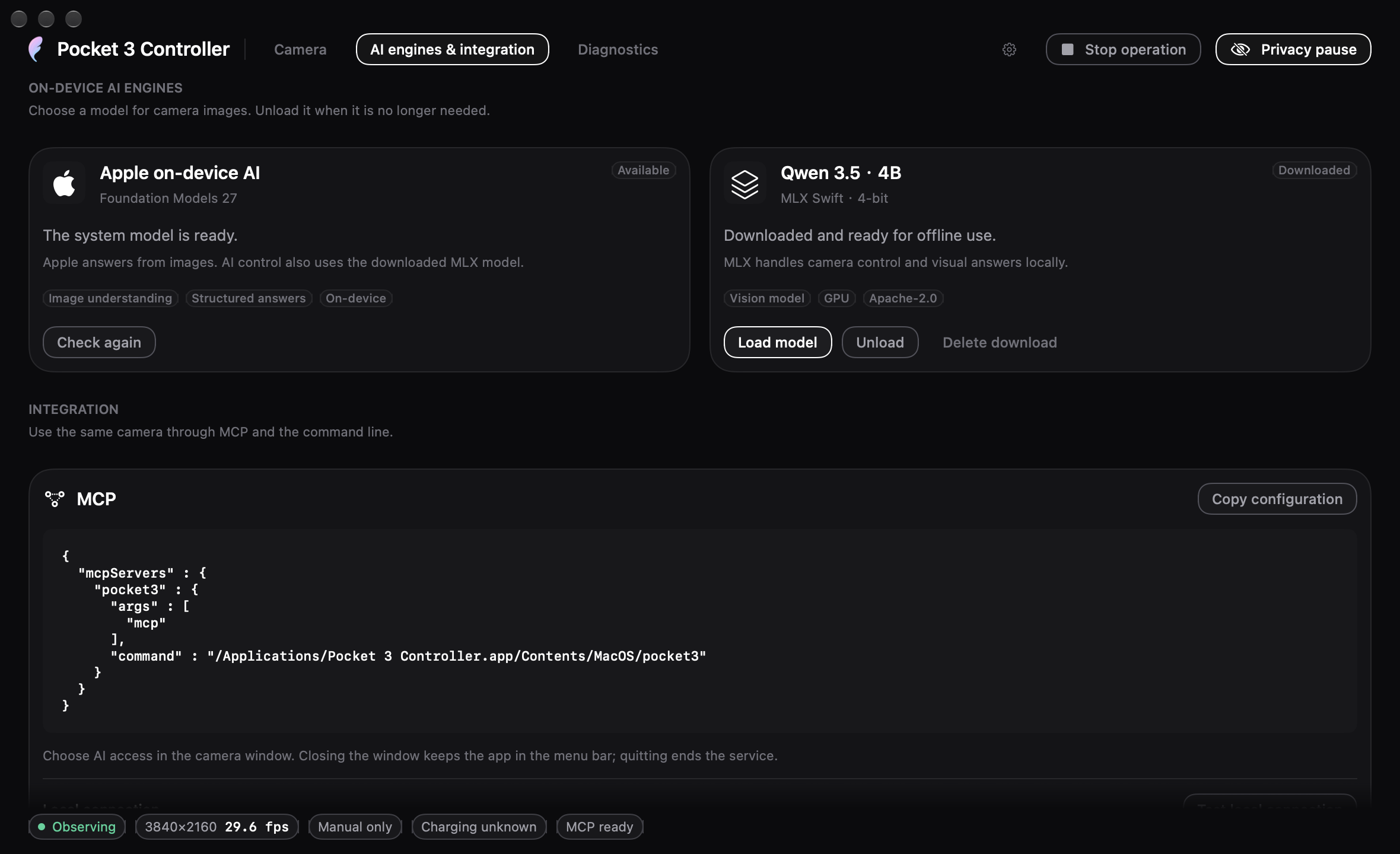
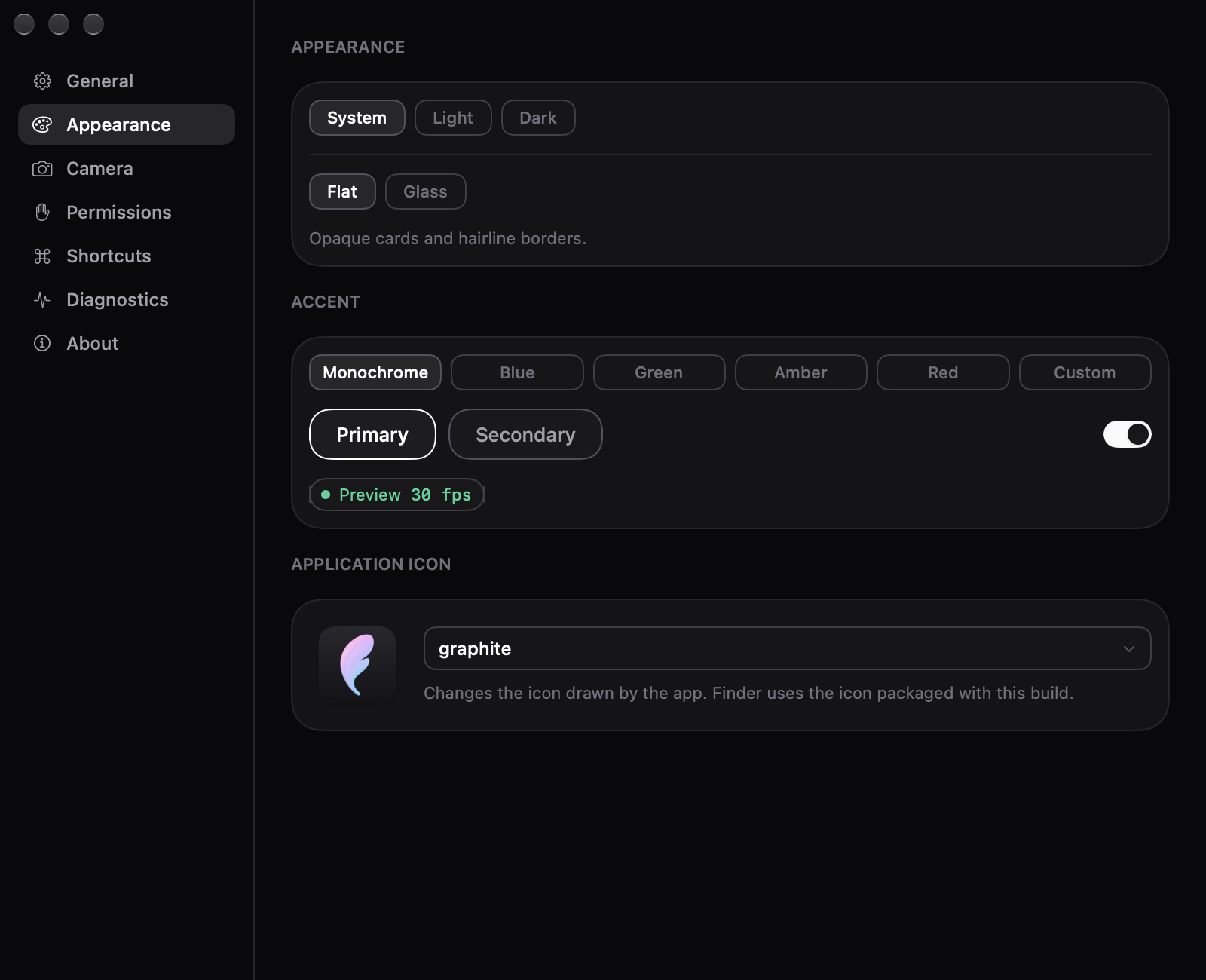
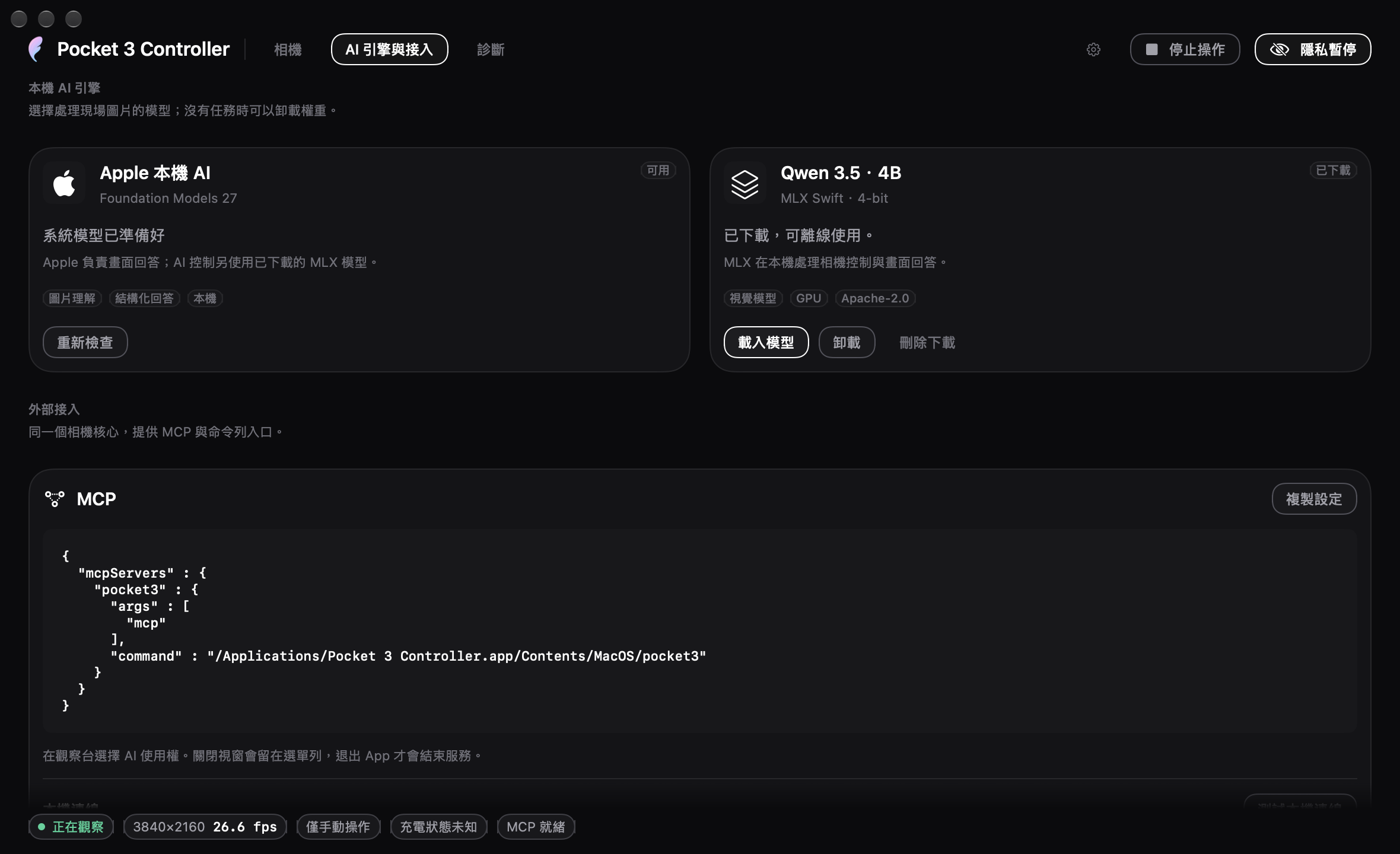
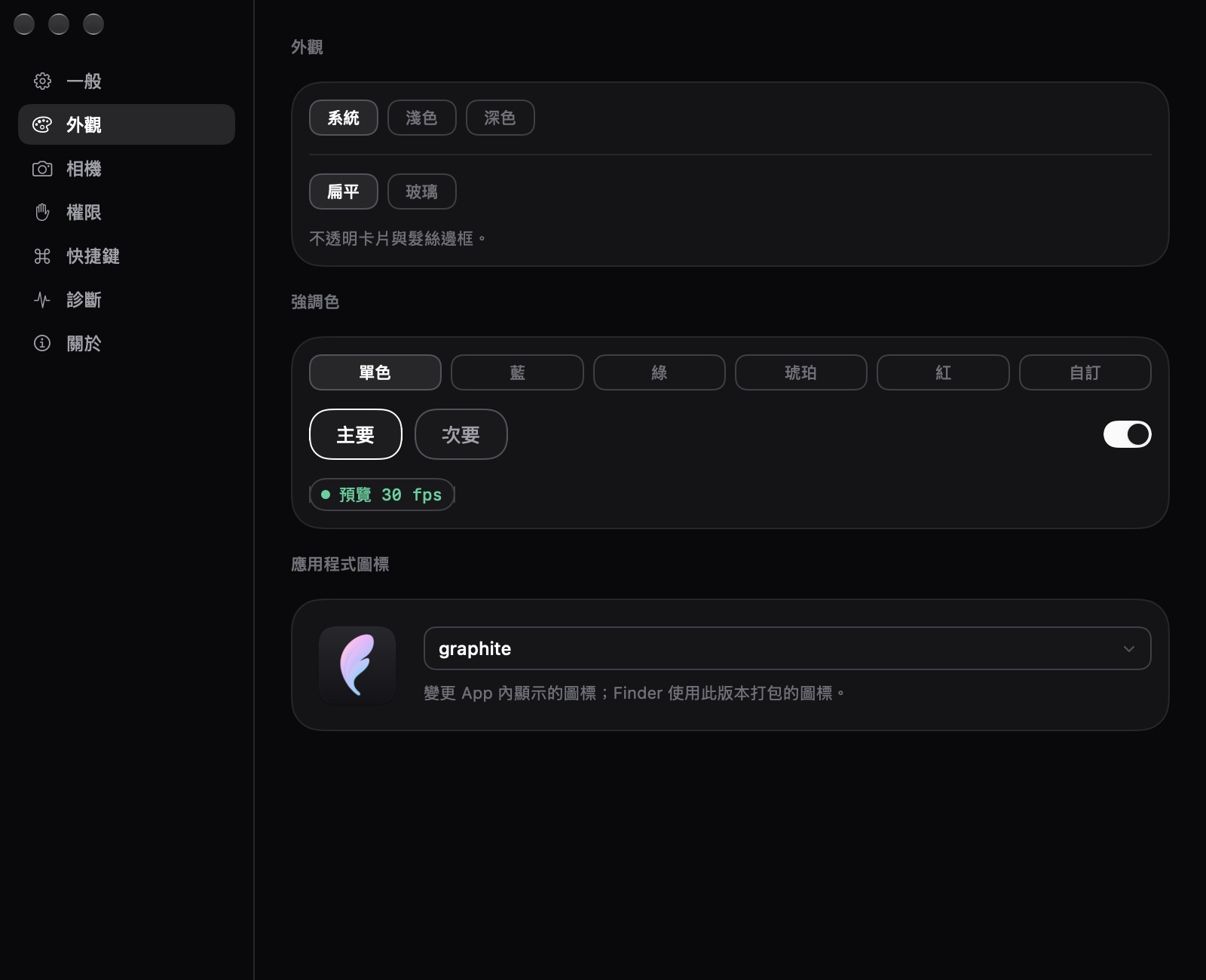
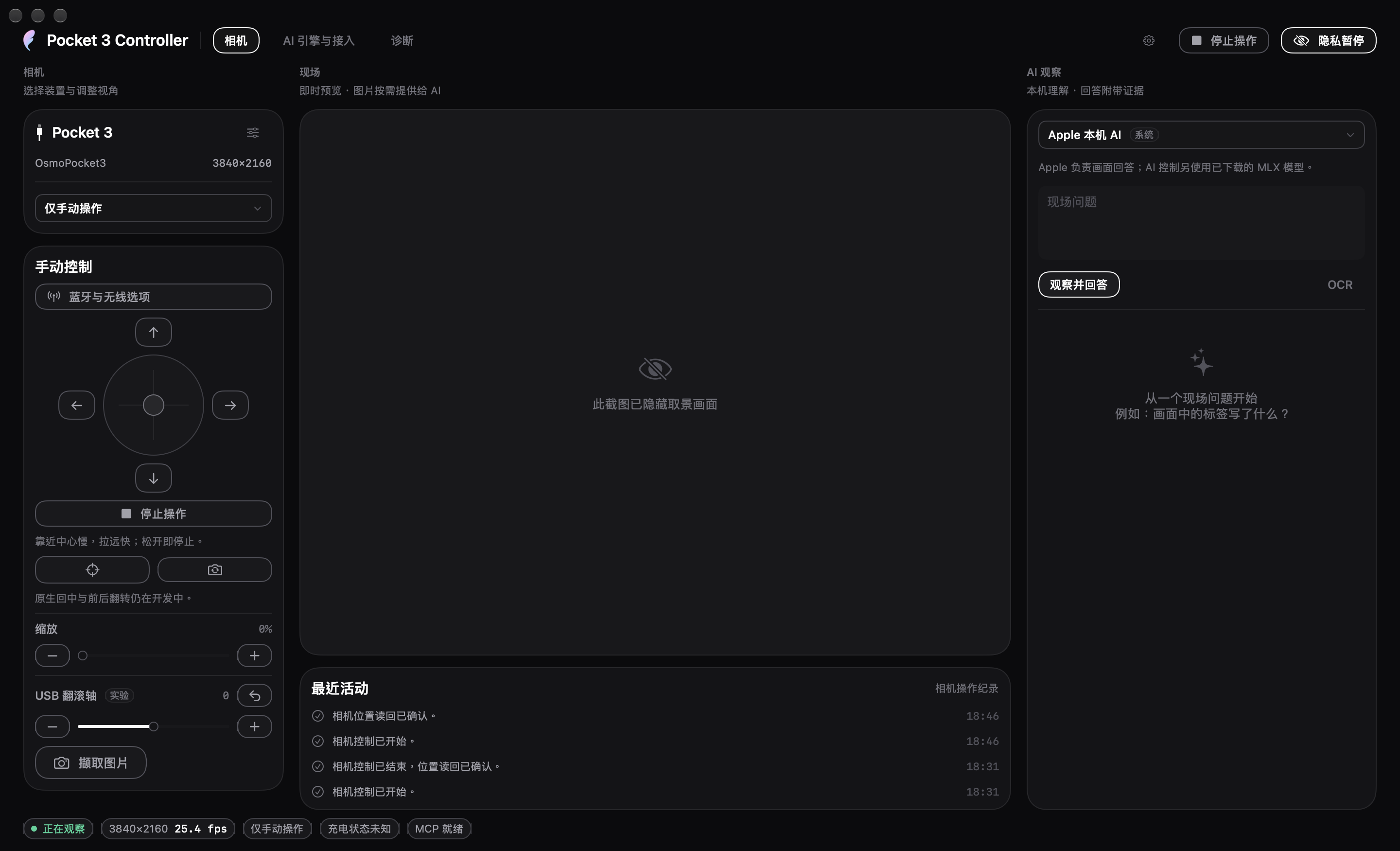
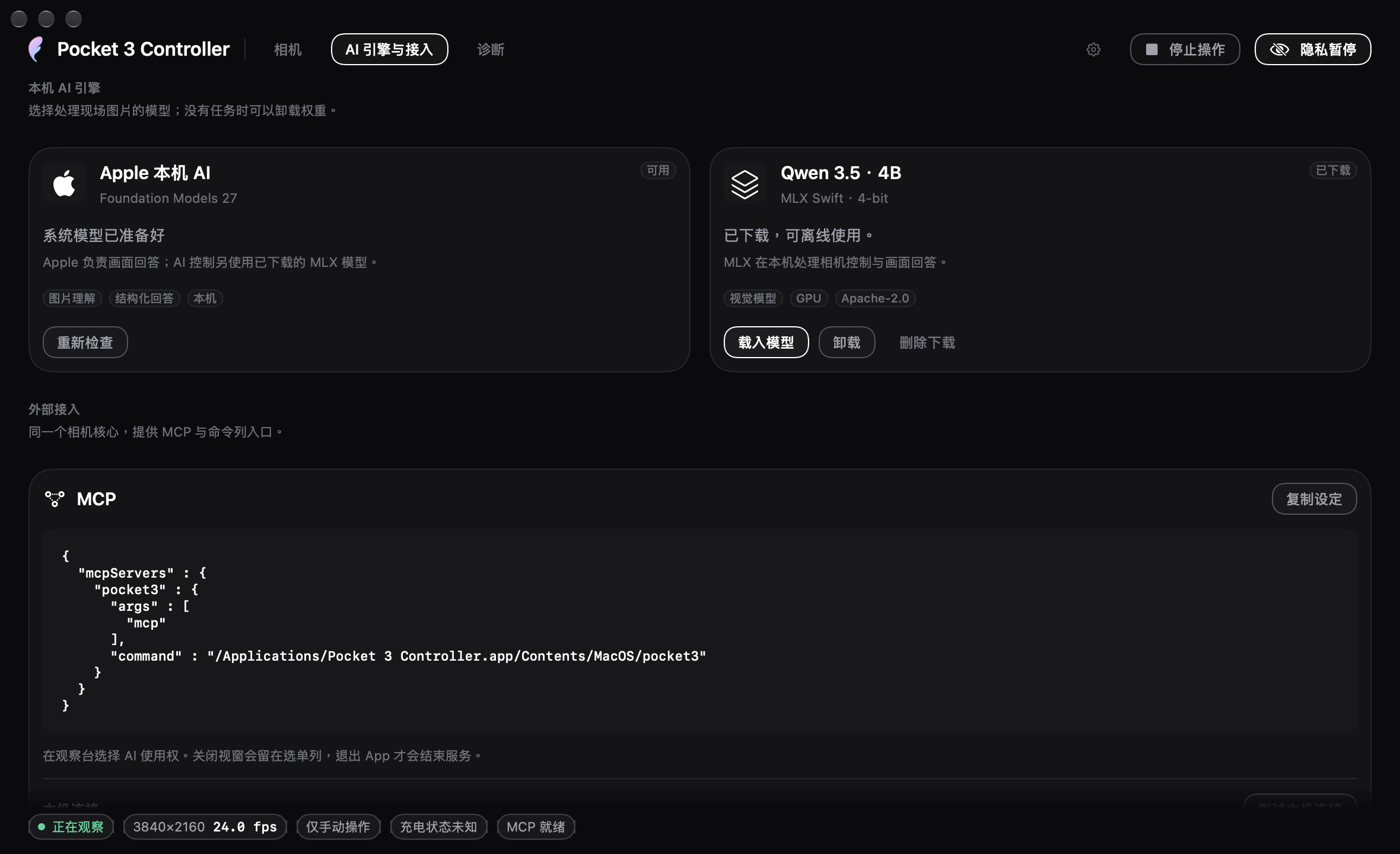
Interface images below show the beta 2 development UI (build 11), with camera previews omitted. Downloads are beta 1 build 9.
下方圖片為 beta 2 開發介面(build 11),已隱藏取景;下載仍為 beta 1 build 9。
下方图片为 beta 2 开发界面(build 11),已隐藏取景;下载仍为 beta 1 build 9。
Pocket 3 Controller 0.0.1 beta 1
Apple Silicon · macOS 27 · Build 9 · Early public beta
English
Pocket 3 Controller is Yuhuan Studio's native macOS companion for DJI Osmo Pocket 3: USB preview, manual gimbal control, local AI, CLI and MCP in the shared Yun interface. This is an independent project, not official DJI software.
Download: DMG · ZIP · SHA-256 checksums · English guide
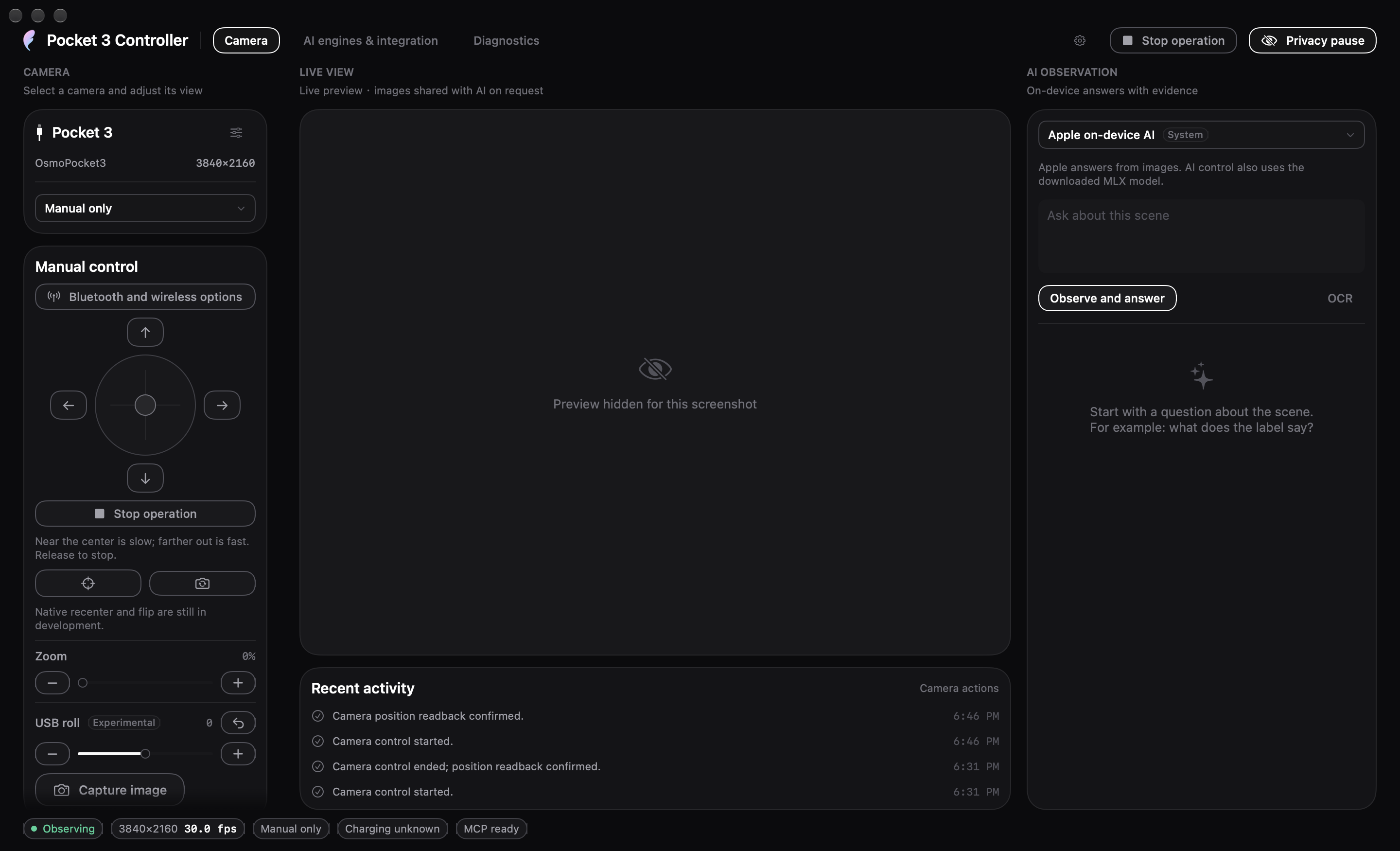
AI engines and integration · Appearance settings
Install and start
- Use an Apple Silicon Mac running macOS 27. Download either package and move Pocket 3 Controller.app to Applications.
- Open the App, connect Pocket 3 by USB, select Webcam on the camera, then select and connect the camera in the App. Your Mac stays on its current network.
- Allow camera access when requested. Bluetooth is optional and requires explicit pairing; microphone permission is used for the relevant audio features. Enable observation or control in the App before AI/MCP accesses the camera.
This beta uses a fixed development signing identity and is not notarized. If macOS blocks the download, review the source and follow System Settings → Privacy & Security → Open Anyway (Apple's instructions). Closing the window leaves the menu bar service running; Privacy Pause releases audio/video inputs, and Quit ends the service.
Available in beta 1
- USB preview and still snapshots, with device-advertised format selection.
- Hold direction buttons or drag the joystick to pan/tilt; distance from the centre controls speed. Release, focus loss or Stop ends the gesture.
- USB zoom through the App, CLI, MCP and local AI, using device raw values rather than calibrated optical magnification.
- Local image questions and OCR, plus MCP/CLI access through the running App.
- After explicit BLE pairing, read battery, charging state, pose and AF/white-balance/exposure status. Battery warnings describe the Bluetooth peer, not measured USB charging power.
Apple AI depends on the system model being available. Optional MLX uses Qwen 3.5 4B, downloaded separately in the App (about 3.1 GB); inference can run offline after download. USB preview and manual control do not require that model download.
Known limits and updates
Native rapid recenter/selfie flip and clicking the App preview to autofocus are still in development. USB Roll is experimental. BLE settings are read-only; pose and USB coordinates are not calibrated to each other. H.264, all format/frame-rate combinations, full physical range and stopping behaviour are not fully validated. A successful device readback is not a mechanical emergency-stop guarantee.
The signed beta update feed is now available. The published feed and GitHub ZIP have passed public-key signature verification. Automatic checks follow your preference; installing and restarting across versions, including preference retention, still needs end-to-end validation. Manual downloads remain available from this Release page.
Report a problem with the App version/build, macOS version and steps to reproduce. Sharing camera images or full diagnostics is optional. Source and third-party notices.
繁體中文
Pocket 3 Controller 是 Yuhuan Studio 為 DJI Osmo Pocket 3 製作的原生 macOS App,提供 USB 預覽、手動雲台、本機 AI、CLI 與 MCP,使用 Yun 共用介面。這是獨立專案,並非 DJI 官方軟體。
下載: DMG · ZIP · SHA-256 校驗碼 · 繁體中文指南
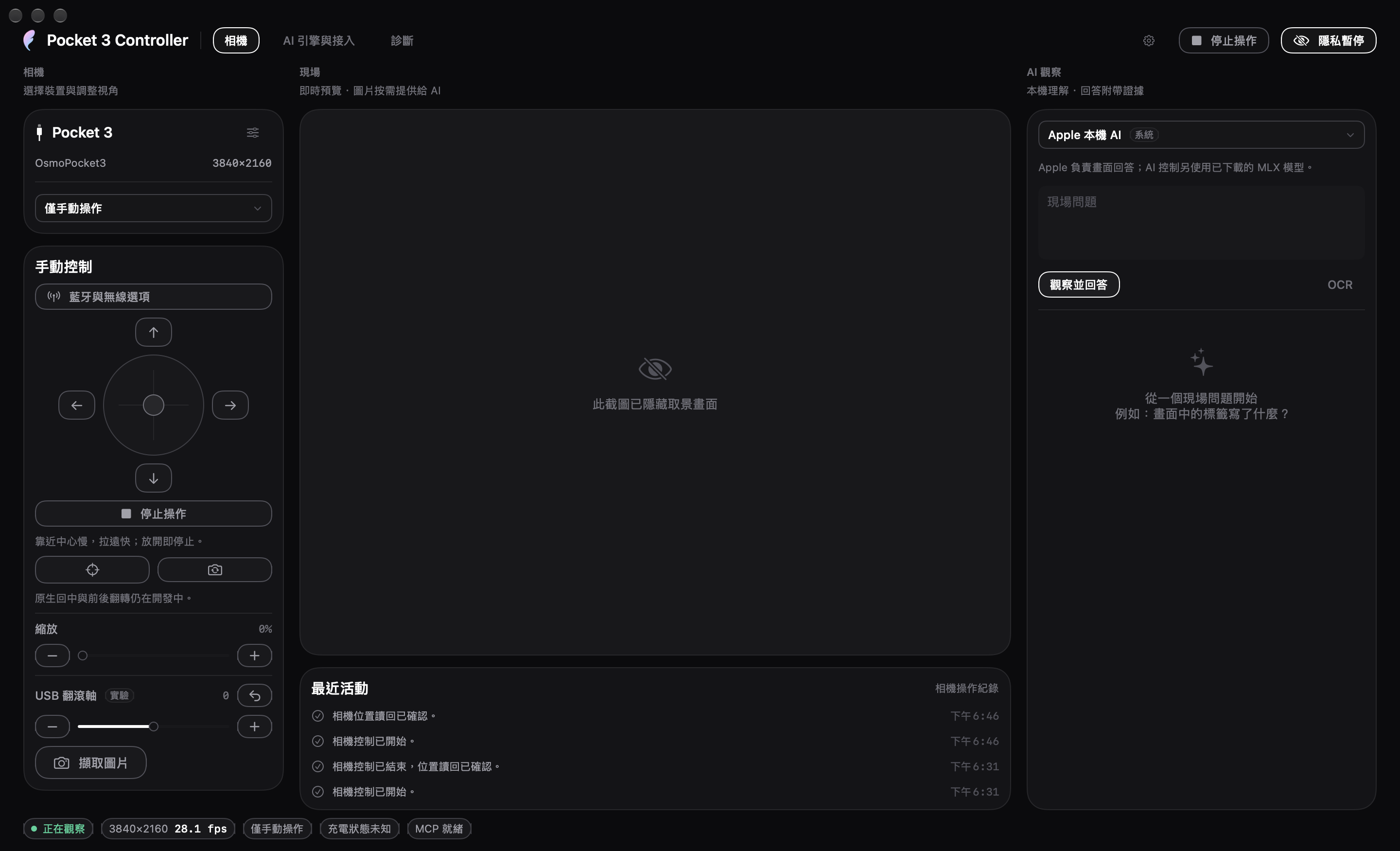
安裝與開始使用
- 需要 Apple Silicon 與 macOS 27。下載任一安裝包,將 Pocket 3 Controller.app 放入「應用程式」。
- 開啟 App,以 USB 連接 Pocket 3,在機身選擇 Webcam,再於 App 選取相機並連接。Mac 保留目前的網路連線。
- 按提示允許相機權限。Bluetooth 為選用功能,需明確配對;麥克風權限用於相應音訊功能。AI/MCP 存取相機前,需先在 App 開放觀察或控制權限。
此 beta 使用固定開發簽署身分,尚未 Apple 公證。若 macOS 阻擋下載版本,請先確認來源,再依「系統設定 → 隱私權與安全性 → 強制打開」處理(Apple 說明)。關閉視窗後,服務仍留在選單列;「隱私暫停」釋放影音輸入,退出 App 才會結束服務。
beta 1 可用功能
- USB 即時預覽、單張擷取,以及裝置宣告的影像格式選擇。
- 按住方向按鈕或拖曳搖桿調整 pan/tilt;離中心越遠越快,放開、失焦或按 Stop 結束手勢。
- App、CLI、MCP 與本機 AI 可操作 USB 縮放,使用裝置原始刻度,不宣稱已校準的光學倍率。
- 本機圖片問答、OCR,以及透過運行中 App 提供的 MCP/CLI 接入。
- 明確 BLE 配對後,可查看電量、充電狀態、姿態與 AF/白平衡/曝光讀值;電量提醒屬於藍牙相機,不是 USB 充電功率量測。
Apple AI 依系統模型可用性啟用。選用的 MLX 使用 Qwen 3.5 4B,需於 App 另外下載,約 3.1 GB;下載完成後可離線推論。USB 預覽與手動控制不需要先下載此模型。
已知限制與更新
原生快速回中/自拍翻轉與 App 預覽點按對焦仍在開發。USB Roll 為實驗功能。BLE 設定目前只讀,姿態也尚未與 USB 座標校準。H.264、所有格式/幀率組合、完整物理範圍與停止行為尚未全數驗收;裝置讀回成功不等同機械急停保證。
簽署的 Beta 更新來源已上線。 公開 feed 與 GitHub 下載的 ZIP 已通過公鑰驗簽。自動檢查依你的設定啟用;真實跨版本安裝、重啟與偏好保留仍待完整驗收,也可繼續由此 Release 頁手動下載。
回報問題時請附 App 版本/build、macOS 版本與重現步驟;是否分享相機照片或完整診斷由你決定。原始碼與第三方授權說明。
简体中文
Pocket 3 Controller 是 Yuhuan Studio 为 DJI Osmo Pocket 3 制作的原生 macOS App,提供 USB 预览、手动云台、本地 AI、CLI 与 MCP,使用 Yun 共用界面。这是独立项目,并非 DJI 官方软件。
下载: DMG · ZIP · SHA-256 校验码 · 简体中文指南
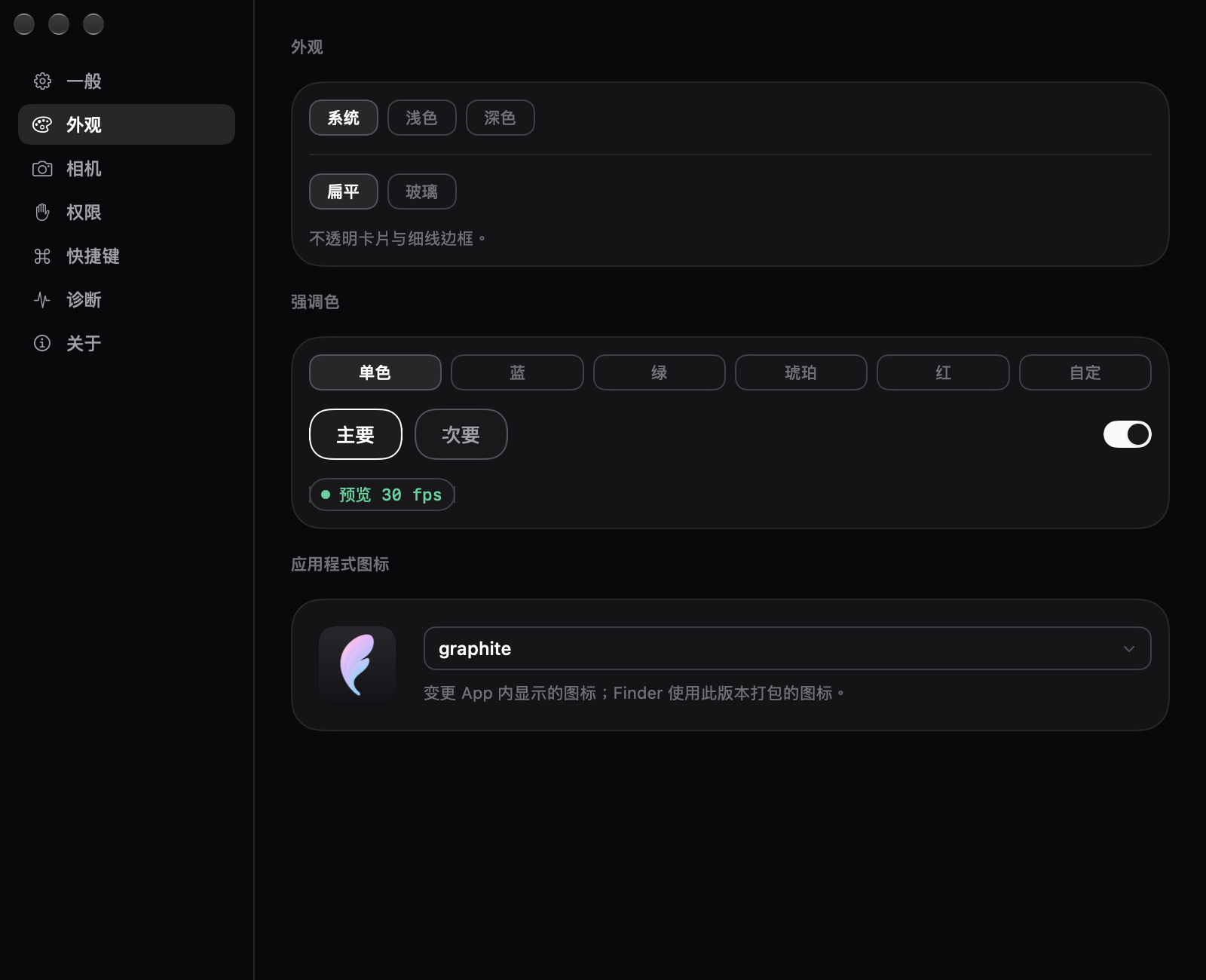
安装与开始使用
- 需要 Apple Silicon 与 macOS 27。下载任一安装包,将 Pocket 3 Controller.app 放入“应用程序”。
- 打开 App,通过 USB 连接 Pocket 3,在机身选择 Webcam,再于 App 选取相机并连接。Mac 保留当前的网络连接。
- 按提示允许相机权限。Bluetooth 是可选功能,需要明确配对;麦克风权限用于相应音频功能。AI/MCP 访问相机前,需要先在 App 开放观察或控制权限。
此 beta 使用固定开发签署身份,尚未 Apple 公证。若 macOS 阻止下载版本,请先确认来源,再按照“系统设置 → 隐私与安全性”中的允许打开提示处理(Apple 说明)。关闭窗口后,服务仍留在菜单栏;“隐私暂停”释放音视频输入,退出 App 才会结束服务。
beta 1 可用功能
- USB 实时预览、单张截图,以及设备声明的视频格式选择。
- 按住方向按钮或拖动摇杆调整 pan/tilt;离中心越远越快,松开、失焦或按 Stop 结束手势。
- App、CLI、MCP 与本地 AI 可操作 USB 变焦,使用设备原始刻度,不宣称已校准的光学倍率。
- 本地图片问答、OCR,以及通过运行中 App 提供的 MCP/CLI 接入。
- 明确 BLE 配对后,可查看电量、充电状态、姿态与 AF/白平衡/曝光读值;电量提醒属于蓝牙相机,不是 USB 充电功率测量。
Apple AI 根据系统模型的可用性启用。可选 MLX 使用 Qwen 3.5 4B,需在 App 另外下载,约 3.1 GB;下载完成后可离线推理。USB 预览与手动控制不需要先下载此模型。
已知限制与更新
原生快速回中/自拍翻转与 App 预览点击对焦仍在开发。USB Roll 是实验功能。BLE 设置目前只读,姿态也尚未与 USB 坐标校准。H.264、所有格式/帧率组合、完整物理范围与停止行为尚未全部验收;设备读回成功不等于机械急停保证。
签署的 Beta 更新来源已上线。 公开 feed 与 GitHub 下载的 ZIP 已通过公钥验签。自动检查根据你的设置启用;真实跨版本安装、重启与偏好保留仍待完整验收,也可继续从此 Release 页面手动下载。
反馈问题时请附 App 版本/build、macOS 版本与重现步骤;是否分享相机照片或完整诊断由你决定。源代码与第三方许可说明。
Build / 建置資訊 / 构建信息: 9 · local_development · notarized=false
Source / 原始碼 / 源代码: 21778c0e6ddec9ec9da017683f74c62177443985
App executable SHA-256: 5aa5587910e63c7e47d50d75fc9d14e9f07e3bcd8085573a37c8175ebf031cee