

Vavidly is a lightweight PC optimization tool designed to enhance your system’s performance with minimal effort. Featuring a beautiful Japanese sakura theme, Vavidly provides a series of optimizations for your PC’s background tasks, services, temporary files, gaming performance, and much more. It aims to reduce system overhead, improve responsiveness, and boost gaming FPS.
- Background Task Management: Disables unnecessary Windows Store app background tasks, reducing system load and memory usage.
- Service Optimizations: Disables non-essential services such as SysMain (Superfetch), DiagTrack (Telemetry), and others for improved disk performance and reduced background activity.
- Temporary Files Cleanup: Cleans up Windows temp, user temp, and Prefetch folders to free up storage space and improve system speed.
- Internet Settings Tweaks: Optimizes connection settings for faster browsing and better online performance.
- Power Settings: Modifies processor power management settings to prioritize performance over power saving.
- Explorer Settings: Optimizes visual effects and reduces startup delay for smoother navigation.
- Gaming Mode Optimizations: Disables unnecessary gaming features (like Game Bar and Game DVR) and tweaks settings for improved gaming FPS.
- Driver Settings: Prevents automatic driver searching, reducing unnecessary system overhead.
- Japanese Sakura Theme: A calming and visually pleasing theme featuring Japanese trees and sakura flowers to make optimization tasks a little more enjoyable.
- Restore all settings to their default values if necessary.
- Some optimizations, such as service and driver adjustments, require administrator privileges.
- Installer: Download the latest version of Vavidly from the Release Page.
- OS: Windows 10/11
- Architecture: x64
- Storage: At least 50 MB of free space for installation
- After installation, launch Vavidly.
- The main interface will present you with a Warning to create a Restore point before preceding to manage and apply various optimizations.
- After creating the restore point,A new interface will pop up with a Optimize button click at and the optimizations will start.
- Some optimizations may require a system restart to take full effect.
If you need to undo any optimizations, simply click Revert to restore all settings to their default values.
Certain optimizations require admin privileges (e.g., disabling services, modifying power settings). Vavidly will prompt you for admin access if needed.
Here are some screenshots of the Vavidly interface:
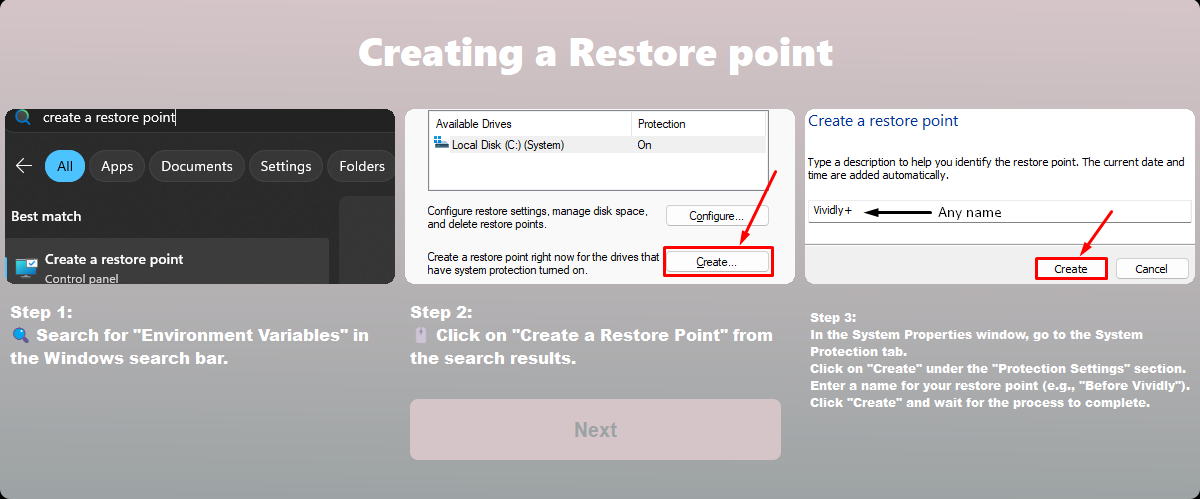
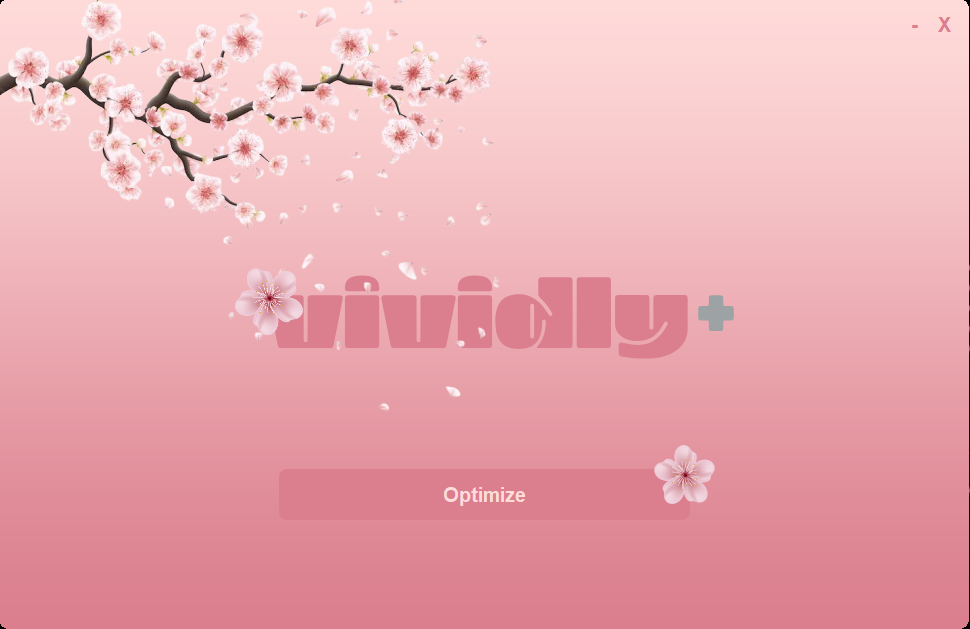
We welcome contributions! To contribute to Vavidly, follow these steps:
- Fork the repository.
- Clone your forked repository to your local machine:
git clone https://github.com/Z7LL/vavidly.git
- Create a new branch for your feature:
git checkout -b feature-name
- Make your changes and commit them:
git commit -m "Add new feature" - Push your changes:
git push origin feature-name
- Create a pull request.
Please ensure that your code follows the coding style of the project, and include tests where possible.
Vavidly is licensed under the MIT License.
- Thanks to Windows Package Manager for making it easy to distribute Vavidly via
winget install Vividly. - Special thanks to the contributors and the open-source community for helping improve the tool.
For any questions, suggestions, or issues, feel free to open an issue on the GitHub Issues page.
You can also reach out to us directly at:
Email: m9arwan9999@gmail.com
Website: https://z70l.itch.io/vividly