Repository navigation
Releases
v0.6.0-alpha.2: smoother start after updates

A native Discord client for the PS5: text chat, voice calls and Go Live on the TV, with a controller.
What's new in 0.6.0-alpha.2
- After an update, the app swaps in its new core before Home shows, so no more "Reconnecting" a few seconds after it opens.
- Signing out says "Signing out…", then goes back to the QR code.
From 0.6.0-alpha.1
- The update offer is shorter: it names the new version only.
- New guides: voice calls and Go Live step by step, and troubleshooting.
Already on 0.5.0 or 0.6.0? Settings, About, Updates, Check.
Highlights
- Sign in with your phone: scan a QR code with the Discord app; browser sign-in as a fallback
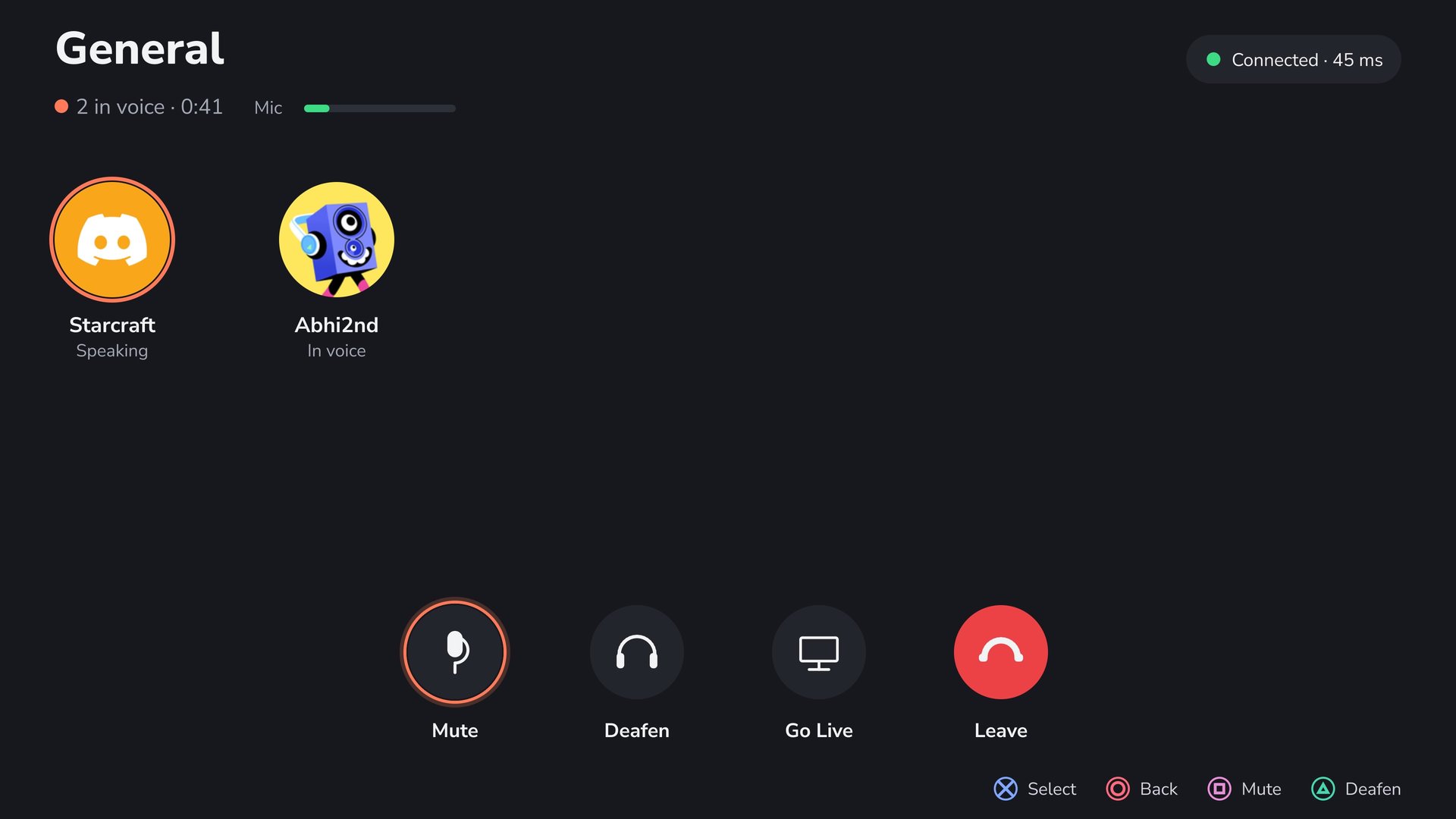
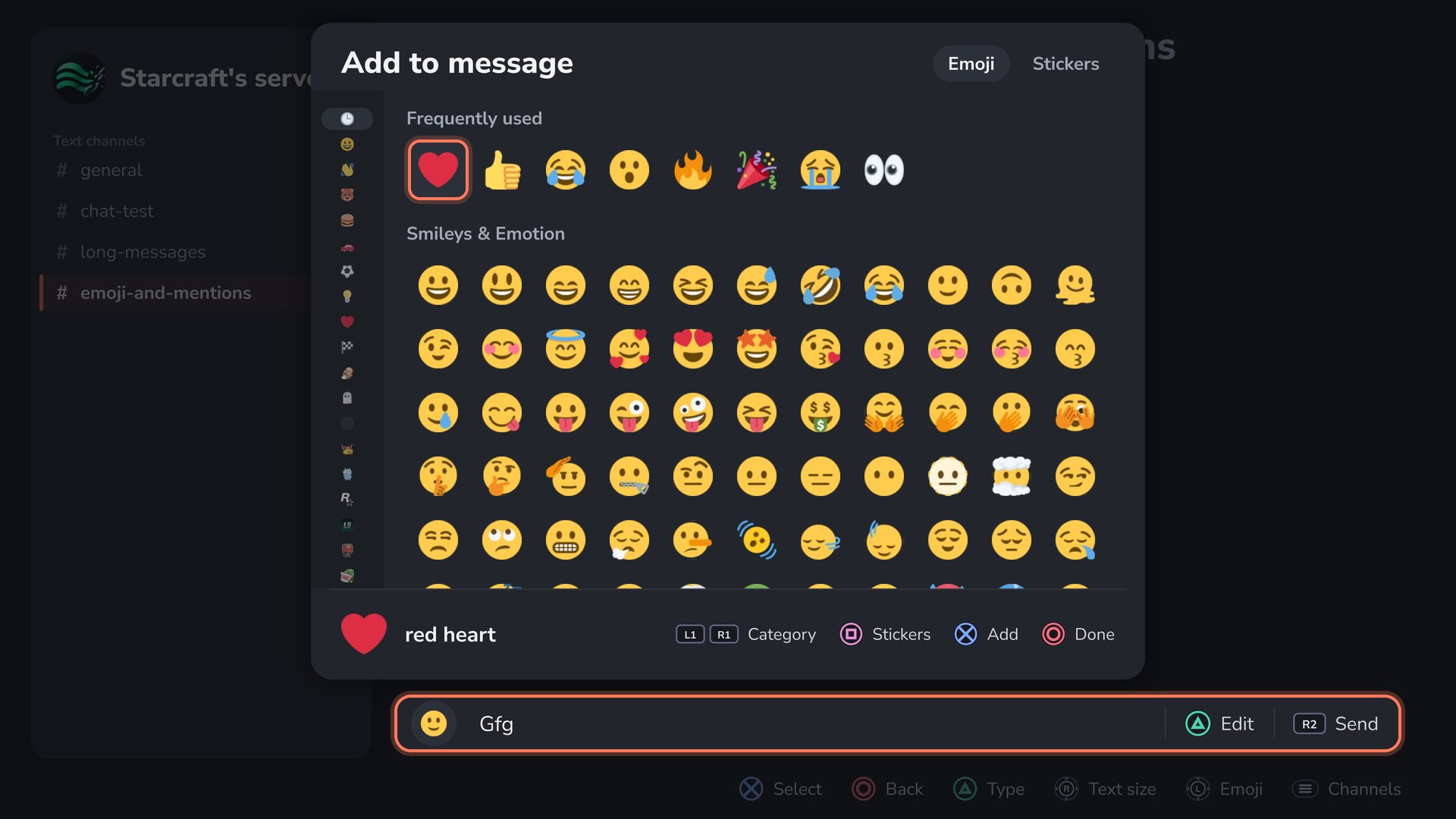
- Text chat: servers, channels and DMs; reply, react, edit, delete; colour emoji, the emoji picker and stickers
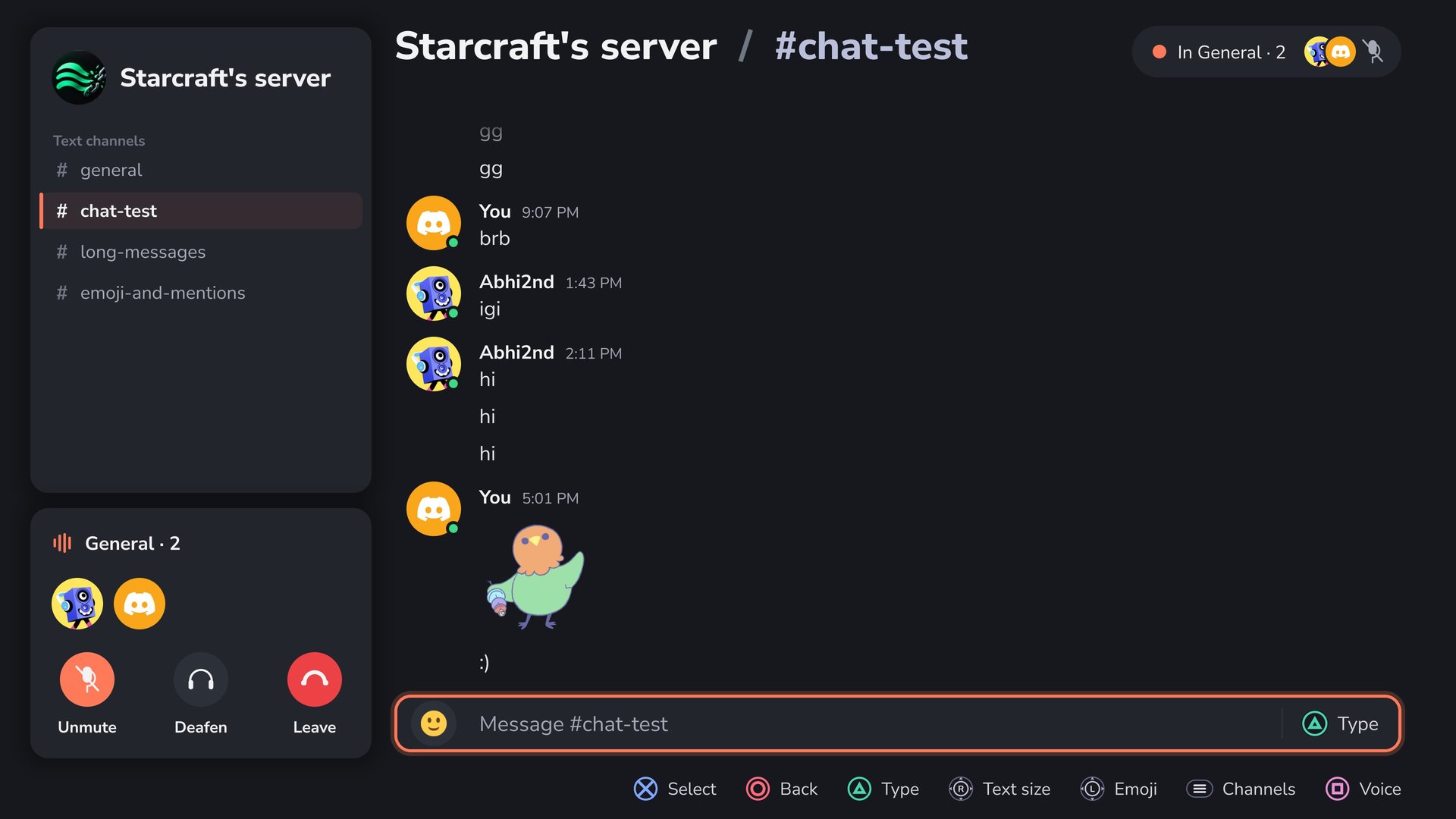
- Voice calls: server voice channels and DM calls, end-to-end encrypted (DAVE)
- Go Live: stream your game into the call, with the USB DualSense as your headset
- Notifications: banners in the app and PS5 alerts while you play, following Discord's mutes
- "Playing" on Discord: your friends see the game you are playing
- Updates from inside the app: signed releases only, with roll back to the previous version
 |
 |
 |
 |
Install
Download ps5-discord-app-v0.6.0-alpha.2.zip only. The background core is inside the app and starts by itself.
- Copy the
PPSA99072folder from the zip to/data/homebrew/on the console (FTP). - Run kstuff and ShadowMount, then open the app from the home screen. elfldr must be running on port 9021.
- Scan the QR code: Discord app, Settings, Scan QR Code.
Updating: from 0.5.0-alpha.1 or 0.6.0-alpha.1, use Settings, About, Updates, Check. From 0.2.0-alpha.1, install by FTP as above, over the old folder.
Requirements: a PS5 on firmware 13.00 (the only one tested). For Go Live: a DualSense on a USB cable, and Remote Play turned on for a user signed in to PSN.
Guides
Known issues
- When Discord asks for a captcha, the QR sign-in cannot show it: use Try browser login.
- You talk and hear in a call while the app is on screen; during a game, use Go Live.
- Replug the controller between Go Live streams (the app asks).
- No uploads or threads yet.
- A USB keyboard plugged into the console does not type.
Verify the download
577df9a20845e71c4d377726d620cee431df1aa0bd4d6ff821299b664482278e ps5-discord-app-v0.6.0-alpha.2.zip
SHA256SUMS lists every file. update.txt and update.sig are what the app's updater checks: the release is signed with the project's offline key, and the app installs nothing that is not.
Free software under the AGPL (LICENSE). Source: abhi245y/ps5-discord.
v0.6.0-alpha.1: guides and a cleaner update offer
A native Discord client for the PS5: text chat, voice calls and Go Live on the TV, with a controller.
What's new in 0.6.0-alpha.1
- The update offer is shorter: it names the new version only.
- New guides: voice calls and Go Live step by step, and troubleshooting.
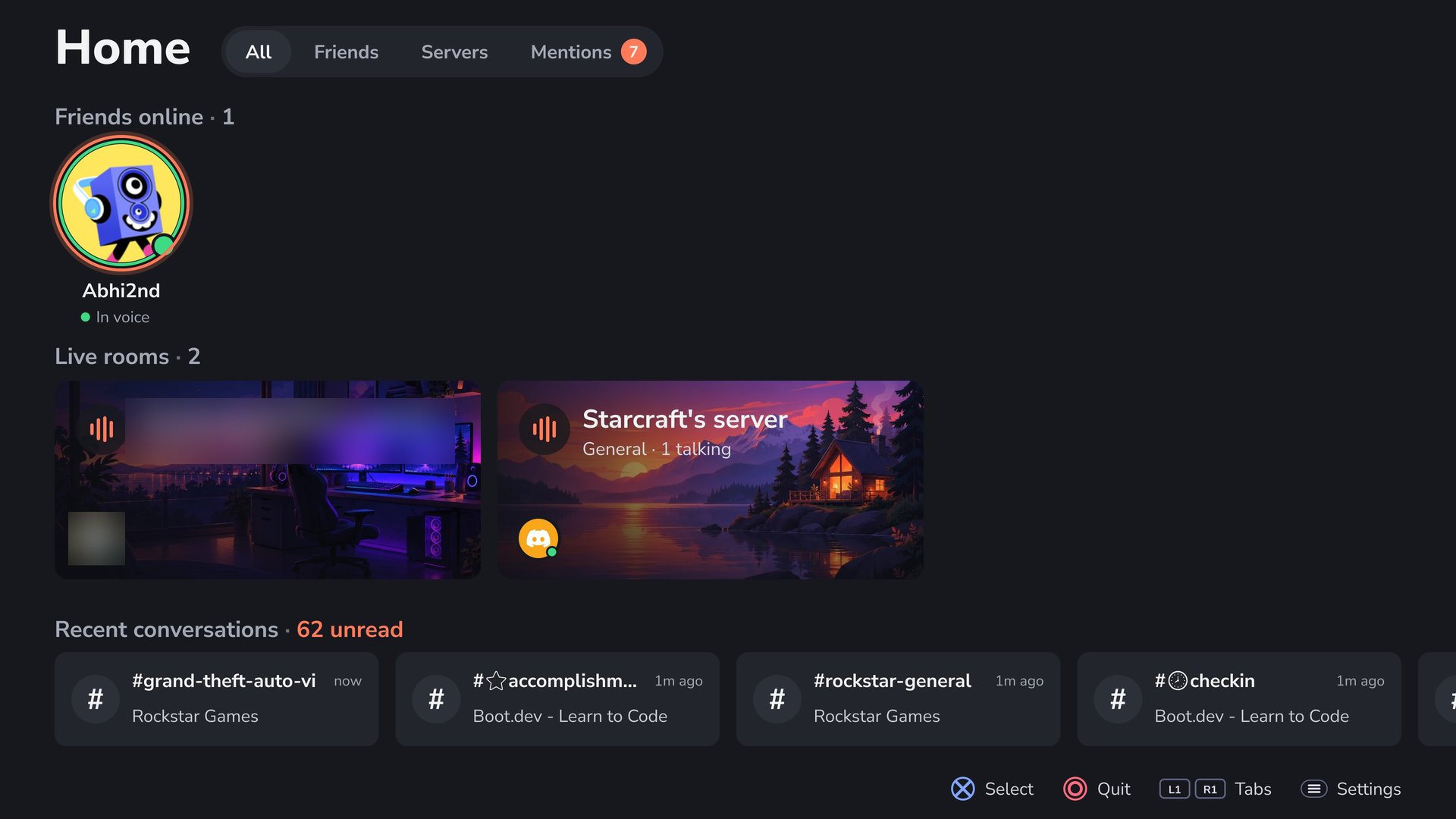
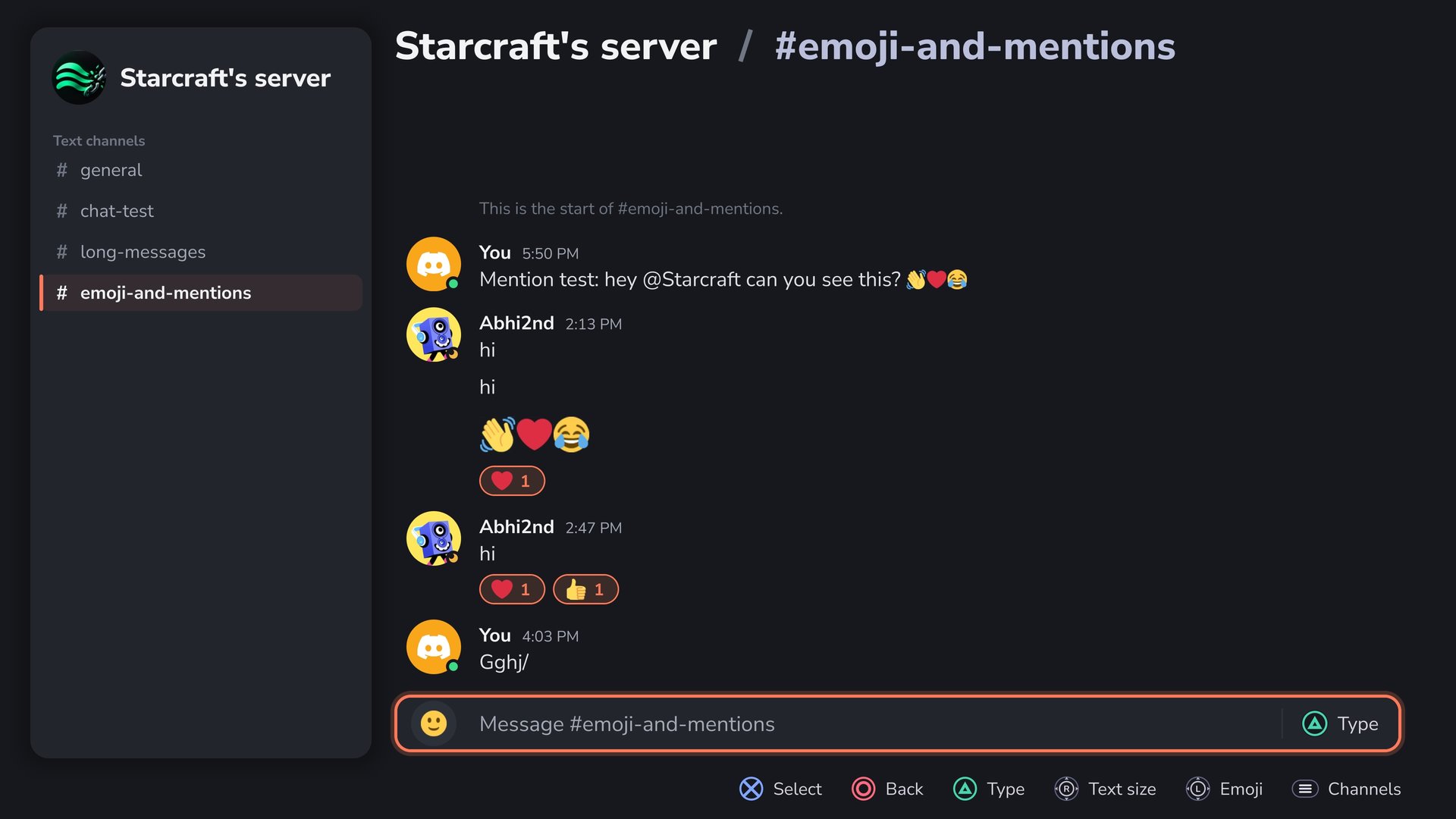
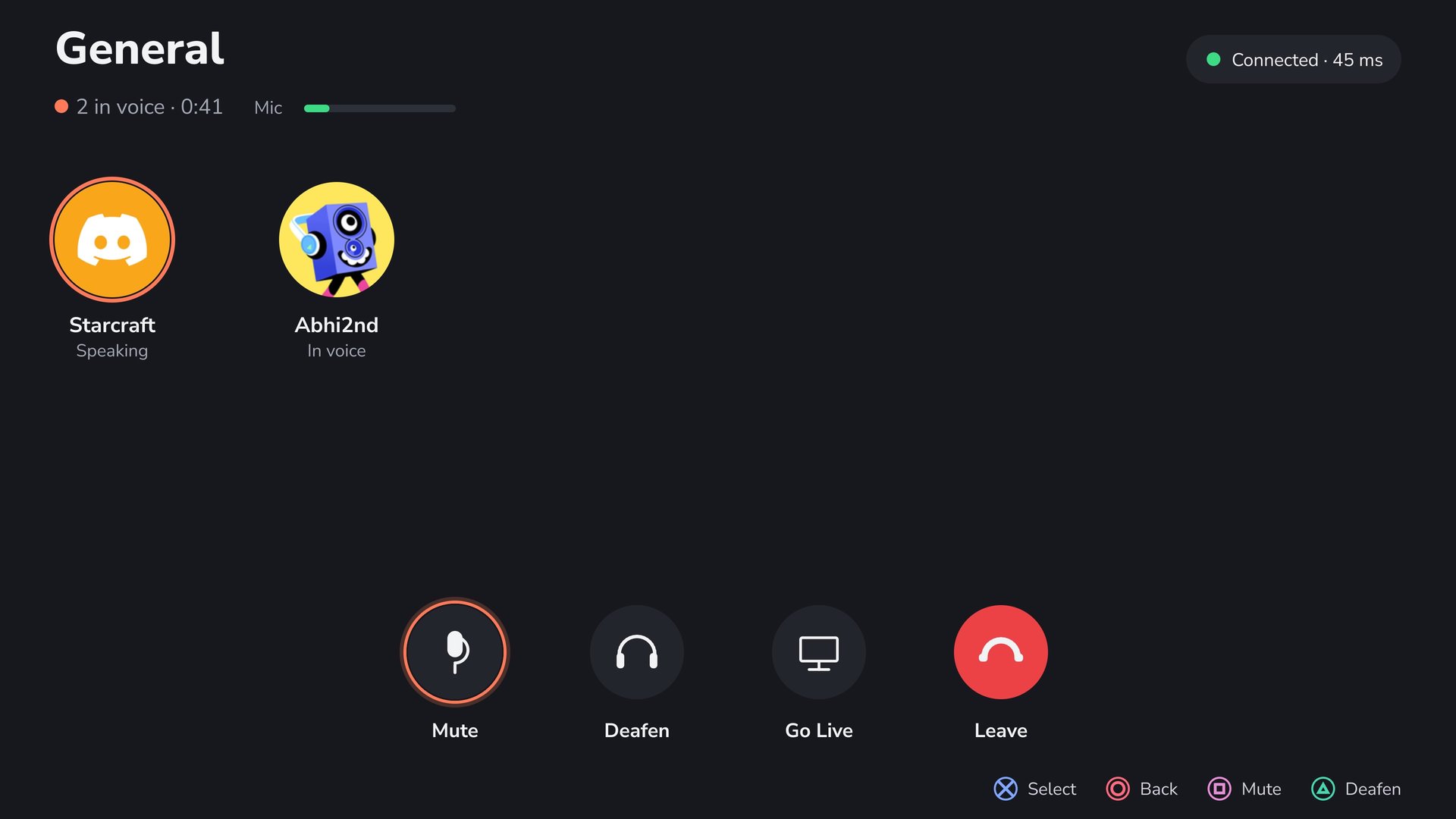
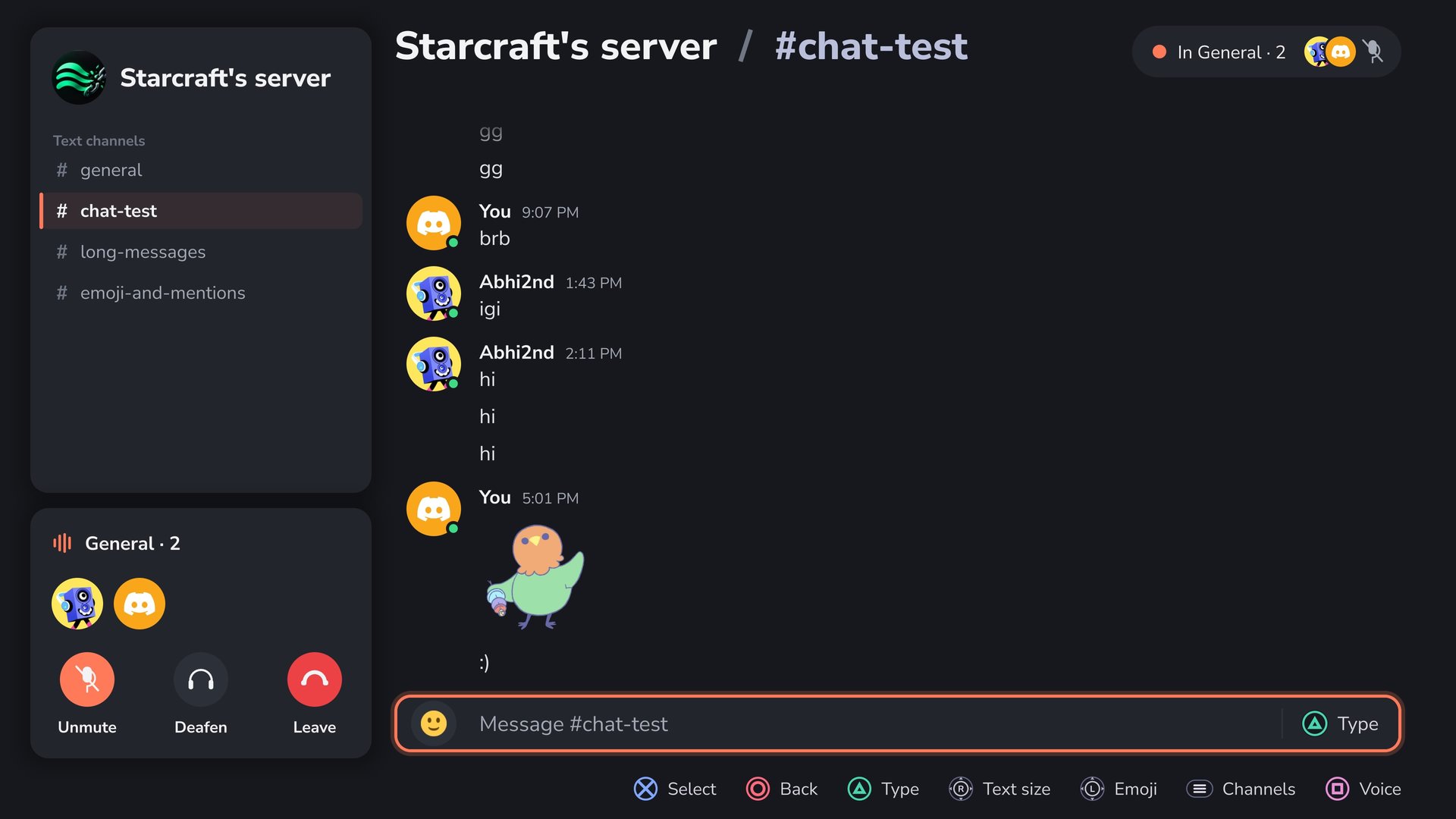
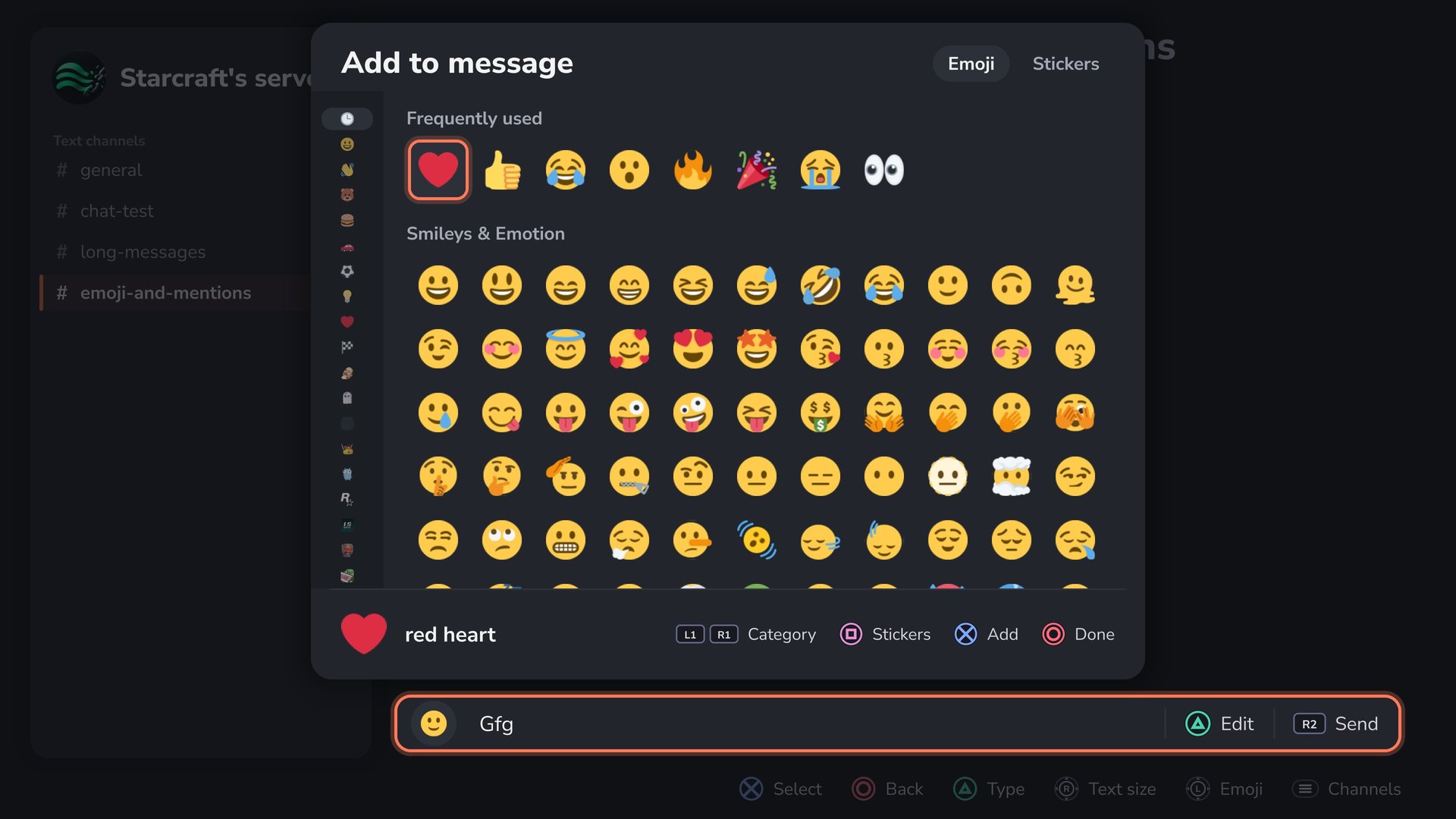
- Screenshots on the project page.
Highlights
- Sign in with your phone: scan a QR code with the Discord app; browser sign-in as a fallback
- Text chat: servers, channels and DMs; reply, react, edit, delete; colour emoji, the emoji picker and stickers
- Voice calls: server voice channels and DM calls, end-to-end encrypted (DAVE)
- Go Live: stream your game into the call, with the USB DualSense as your headset
- Notifications: banners in the app and PS5 alerts while you play, following Discord's mutes
- "Playing" on Discord: your friends see the game you are playing
- Updates from inside the app: signed releases only, with roll back to the previous version
 |
 |
 |
 |
Install
Download ps5-discord-app-v0.6.0-alpha.1.zip only. The background core is inside the app and starts by itself.
- Copy the
PPSA99072folder from the zip to/data/homebrew/on the console (FTP). - Run kstuff and ShadowMount, then open the app from the home screen. elfldr must be running on port 9021.
- Scan the QR code: Discord app, Settings, Scan QR Code.
Requirements: a PS5 on firmware 13.00 (the only one tested). For Go Live: a DualSense on a USB cable, and Remote Play turned on for a user signed in to PSN.
Guides
Known issues
- When Discord asks for a captcha, the QR sign-in cannot show it: use Try browser login.
- You talk and hear in a call while the app is on screen; during a game, use Go Live.
- Replug the controller between Go Live streams (the app asks).
- No uploads or threads yet.
- A USB keyboard plugged into the console does not type.
Verify the download
cb5f9f3cda043f4d6160d5b3214398d96615c823a075867e739aa59302b895e7 ps5-discord-app-v0.6.0-alpha.1.zip
SHA256SUMS lists every file. update.txt and update.sig are what the app's updater checks: the release is signed with the project's offline key, and the app installs nothing that is not.
Free software under the AGPL (LICENSE). Source: abhi245y/ps5-discord.
v0.5.0-alpha.1: voice, Go Live, in-app updates
Second alpha of the native PS5 app: voice, Go Live, notifications, and updates from inside the app. The project and app name may still change.
Download: ps5-discord-app-v0.5.0-alpha.1.zip only. The core payload is inside the app and starts by itself.
New
- Voice: server voice channels and DM calls (DAVE end-to-end encryption), mute and deafen; the call stays up while a game runs
- Go Live: stream the game into the call
- Notifications for DMs and mentions while the app is not in front (home screen, a game)
- "Playing" on Discord: the game you are playing shows on your profile (Settings, Privacy turns it off)
- Colour emoji, the emoji picker, reactions with any emoji, stickers, images full screen
- A Discord sign-in per console user; the sign-in is stored encrypted to this console
- Updates: Settings, About, Updates checks GitHub for a signed release and installs it; Previous version rolls back to the one before
Install
- Copy the
PPSA99072folder from the zip to/data/homebrew/on the console (FTP) - Run kstuff and ShadowMount, then open the app from the home screen (elfldr must be running on port 9021)
- Scan the QR code: Discord app, Settings, Scan QR Code
From this version on, later releases install from inside the app.
Tested on firmware 13.00 only.
Known issues
- Sign-in can fail when Discord asks for a captcha, which the app cannot show. Use browser sign in option if this happens.
- No uploads or threads
- A USB keyboard plugged into the console does not type
Full list: CHANGELOG.md
v0.2.0-alpha.1: native app, text chat
First alpha of the native PS5 app. Text chat works; voice does not exist yet. The project and app name may still change.
Download: ps5-discord-app-v0.2.0-alpha.1.zip only. The core payload is inside the app and starts by itself.
Works
- QR sign-in with the Discord phone app
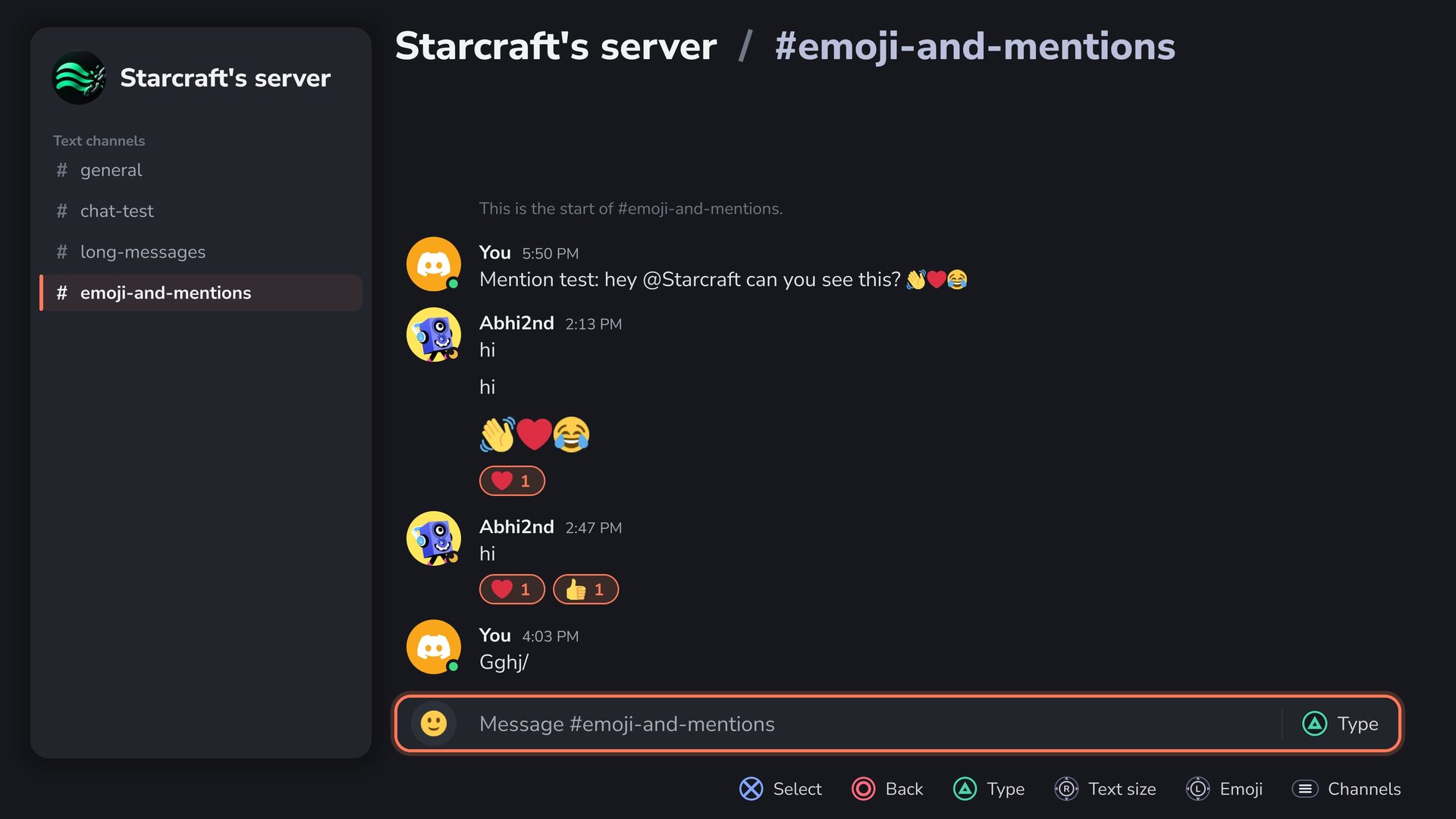
- Home (friends online, live voice rooms, recent chats), Friends, Servers, Mentions
- Server pages, channel chat and DMs: read, send, reply, react, edit and delete your own
- PS5 system keyboard on Triangle (the app's own keyboard as a fallback)
- Avatars, icons, banners, image previews, colour emoji, many scripts
- Toast and chime for DMs and mentions; text size on R3
Install
- Copy the
PPSA99072folder from the zip to/data/homebrew/on the console (FTP) - Run kstuff and ShadowMount, then open the app from the home screen (elfldr must be running on port 9021)
- Scan the QR code: Discord app, Settings, Scan QR Code
Tested on firmware 13.00 only.
Known issues
- No voice: rooms show who is in them, Join says "soon"
- Sign-in can fail when Discord asks for a captcha, which the app cannot show. Sign in once on discord.com in a browser, wait a while, then scan again.
- No uploads, threads, or notifications outside the app
- A USB keyboard plugged into the console does not type
- The session token is stored unencrypted on the console: use a throwaway account. Third-party clients break Discord's ToS.
Full list: CHANGELOG.md
v0.1.0: QR login and gateway session
First proof of concept of the background core payload.
Works
- QR code login with the Discord mobile app, no password or token typing
- Gateway session: zlib-stream, heartbeat, resume after drops
- Status web UI at
http://<ps5-ip>:9041: state, login QR, account, live log, stop
Use
- Send
ps5-discord-v0.1.0.elfto elfldr (port 9021) - Open
http://<ps5-ip>:9041and scan the QR code (Discord app: Settings, Scan QR Code)
Tested on firmware 13.00.
Known limitations
- Token stored unencrypted at
/data/ps5-discord/token: throwaway account only - Status UI is unauthenticated on the LAN
- No chat or voice yet (next: v0.2.0 text messages)