Repository navigation
Releases
Releases · adrianandin0/pyDCE
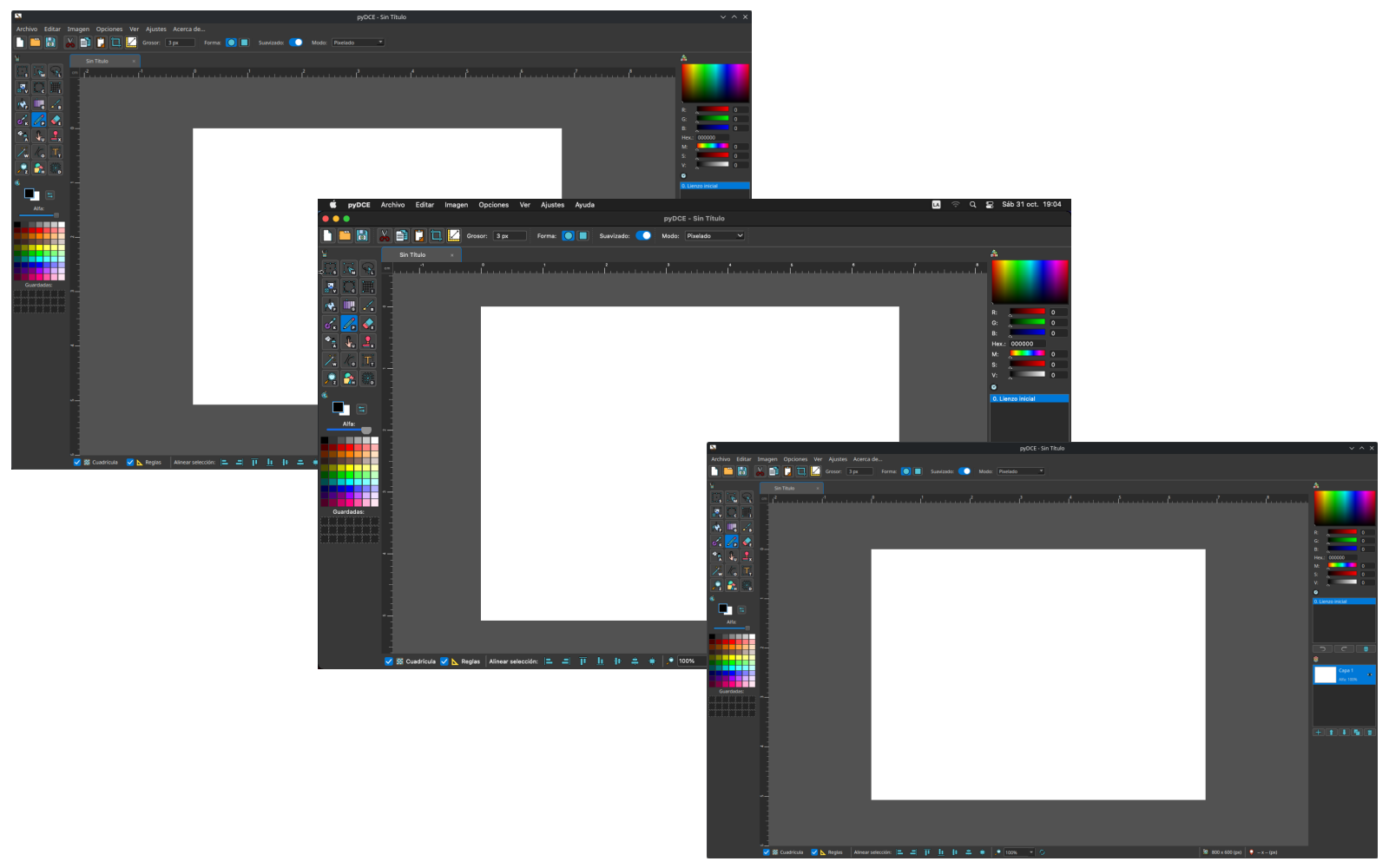
pyDCE v1.1.2b MacOS Support

ES:
- Ahora funciona en MacOS 11 en adelante!
EN:
- Now works on macOS 11 and later!
pyDCE v1.1.1
ES:
- Fix: Solución al comportamiento de los recortes al rotarlos, espejarlos o redimensionarlos.
- Fix: Solución al comportamiento del guardado cuando hay un recorte seleccionado en el lienzo.
- Ajuste: Mejoras de estabilidad y rendimiento.
EN:
- Fix: Resolved cropping behavior when rotating, mirroring, or resizing.
- Fix: Resolved saving behavior when a crop is selected on the canvas.
- Adjustment: Stability and performance improvements.
pyDCE v1.1.0
ES:
- Nuevo: herramienta de deformación por malla 2D con rejilla de 16 puntos de control para curvado suave de imágenes.
- Nuevo: motor de búsqueda de imágenes en internet basado en APIs oficiales (Serper, Pexels, Unsplash, Pixabay y Wikimedia) con gestión local de API Keys (*).
- Nuevo: soporte multilingüe (Francés, Portugués)
- Nuevo: modo opcional de lienzo acelerado por hardware mediante OpenGL para un rendimiento de renderizado mejorado.
- Ajuste: actualización de todos los íconos a resolución de 256x256 para preparar el software para el escalado en pantallas superiores a 1080p.
- Ajuste: eliminación del web scraping en favor de endpoints seguros y oficiales de API para la búsqueda de imágenes.
- Ajuste: estilo de transparencia unificado según el tema (claro/oscuro) en lienzo, miniaturas de capas y vistas previas.
- Ajuste: actualización y depuración de los créditos y atribución de íconos (Smashicons, Magnific, Flaticon, Pixel Perfect).
- Ajuste: actualización en tiempo real de miniaturas de capas sin desincronización visual.
- Fix: optimización de memoria Copy-on-Write (COW) para creación instantánea de documentos y menor consumo de RAM en Deshacer/Rehacer.
- Fix: antialiasing subpíxel externo en selecciones flotantes para evitar bordes dentados durante rotaciones y escalado.
- Fix: pipeline de entrada de lienzo unificado para eliminar pausas y garantizar respuesta a 60+ FPS en las herramientas. (**)
- (*) La búsqueda de imágenes en internet requiere claves de API ingresadas por el usuario o puede ejecutarse en modo gratuito usando Wikimedia Commons.
- (**) El rendimiento del renderizado a altas resoluciones está sujeto a las limitaciones de hardware de la CPU/GPU del sistema.
EN:
- New: 2D mesh warp transformation tool with 16-control point grid for smooth image warping.
- New: multi-pass text effects (simultaneous glow, stroke, and drop shadow).
- New: official API-based online image search (Serper, Pexels, Unsplash, Pixabay, and Wikimedia) with local API Key management (*).
- New: multi-language support (English, Spanish, French, Portuguese) with live hot-swapping without restarting.
- New: optional OpenGL hardware-accelerated canvas mode for improved rendering performance.
- Adjustment: updated all icons to 256x256 resolution to prepare the software for UI scaling on displays above 1080p.
- Adjustment: removed web scraping in favor of secure, official API endpoints for internet image search.
- Adjustment: unified dark/light theme transparency style across canvas, layer thumbnails, and search previews.
- Adjustment: updated and streamlined icon credits and attribution (Smashicons, Magnific, Flaticon, Pixel Perfect).
- Adjustment: real-time layer thumbnail updates without visual desynchronization.
- Fix: Copy-on-Write (COW) memory optimization for instant document creation and reduced RAM usage during Undo/Redo.
- Fix: added outer sub-pixel antialiasing to floating selections to prevent jagged edges during rotation and scaling.
- Fix: unified canvas input pipeline to eliminate delays and ensure 60+ FPS tool responsiveness. (**)
- (*) Internet image search requires user-provided API keys or can run in free-only mode using Wikimedia Commons.
- (**) High-resolution rendering performance remains subject to system GPU/CPU hardware capabilities.
pyDCE v1.0.9

ES:
- Nuevo: herramienta transformar.
- Nuevo: botón "Zoom" en la barra inferior con opción de restaurar al 100% el valor.
- Nuevo: botón de "ajustar a la ventana" en la barra superior.
- Nuevo: visualizador de tamaño del lienzo en la barra inferior.
- Nuevo: el buscador de imágenes en Internet ahora muestra el tamaño de los resultados.
- Nuevo: nuevas preferencias de usuario asociadas a la regla y cuadrícula de píxeles.
- Ajuste: se removió la herramienta "invertir selección" de la barra de herramientas lateral.
- Ajuste: se sumaron nuevas fuentes de imágenes a la herramienta de insertar imágenes desde Internet.
- Ajuste: cuando las reglas están activadas, la esquina superior izquierda permite cambiar la unidad de medida al hacer clic.
- Ajuste: se reemplazó la barra de suavizado por un botón de activado o desactivado.
- Ajuste: cambios en iconos varios para mejora estética.
- Ajuste: correcciones en la traducción al inglés de varias funciones.
- Fix: se estableció un tamaño máximo de lienzo acorde al programa (16384 x 16384). (*)
- Fix: se mejoró la velocidad de las herramientas en resoluciones muy altas. (**)
- Fix: comportamiento de las selecciones al aplicar nivel automático.
(*) El tamaño es teórico, no se recomienda trabajar en imágenes de tamaños tan grandes.
(**) Si bien se mejoró el rendimiento, el funcionamiento a altas resoluciones se ve atado a limitaciones de hardware.
EN:
- New: transform tool.
- New: "zoom" button on the bottom bar with an option to restore the value to 100%.
- New: "fit to window" button on the top bar.
- New: canvas size viewer on the bottom bar.
- New: internet image search now displays the size of the results.
- New: new user preferences associated with the ruler and pixel grid.
- Adjustment: removed the "invert selection" tool from the side toolbar.
- Adjustment: added new image sources to the insert images from the internet tool.
- Adjustment: when rulers are enabled, clicking the top left corner allows changing the unit of measurement.
- Adjustment: replaced the smoothing bar with an on/off toggle button.
- Adjustment: various icon changes for aesthetic improvements.
- Adjustment: corrections in the English translation of various functions.
- Fix: set a maximum canvas size according to the program (16384 x 16384). (*)
- Fix: improved tool speed at very high resolutions. (**)
- Fix: selection behavior when applying auto level.
(*) The size is theoretical, working on such large images is not recommended.
(**) While performance was improved, operation at high resolutions is tied to hardware limitations.
pyDCE v1.0.8

ES:
- Ajuste: herramienta aerosol ahora gotea si se satura el área pintada.
- Ajuste: herramienta lápiz tiene modo "realista" que permite ajustar dureza del lápiz y deja rastro de polvo al escribir.
- Ajuste: herramienta lupa ahora permite seleccionar un área.
- Ajuste: herramienta gotero ahora muestra la vista previa del color a seleccionar.
- Ajuste: gestor de archivos permite buscar y guardar favoritos.
- Ajuste: PaintNotNet ahora permite guardar en WEBP, GIF, TIFF, ICO, TGA y PPM.
- Ajuste: panel de color avanzado mejorado.
- Ajuste: se movió el icono de los atajos de teclado a la derecha del icono de cada herramienta.
- Ajuste: los atajos de teclado se pueden ocultar o mostrar desde el menú de preferencias de usuario.
- Ajuste: se reemplazaron algunos iconos para mejorar la apariencia.
- Ajuste: se solucionaron inconvenientes con la traducción de español a ingles en algunas ventanas y opciones.
- Ajuste: modificaciones estéticas y de paleta de colores.
- Nuevo: opción de reglas laterales.
- Nuevo: botones de alineación inferiores centrado horizontalmente, centrado verticalmente y centrado en ambos ejes.
EN:
- Adjustment: The spray paint tool now drips if the painted area becomes saturated.
- Adjustment: The pencil tool has a "realistic" mode that allows you to adjust the pencil's hardness and leaves a dust trail when drawing.
- Adjustment: The magnifier tool now allows you to select an area.
- Adjustment: The eyedropper tool now shows a preview of the selected color.
- Adjustment: The file manager allows searching and saving favorites.
- Adjustment: PaintNotNet now allows saving in WEBP, GIF, TIFF, ICO, TGA, and PPM formats.
- Adjustment: Improved the advanced color panel.
- Adjustment: The keyboard shortcuts icon was moved to the right of each tool's icon.
- Adjustment: Keyboard shortcuts can now be hidden or shown from the user preferences menu.
- Adjustment: Some icons were replaced to improve the appearance.
- Adjustment: Fixed Spanish to English translation issues in some windows and options.
- Adjustment: Aesthetic and color palette modifications.
- New: Side rulers option.
- New: Bottom alignment buttons for horizontal centering, vertical centering, and centering on both axes.
pyDCE v1.0.7
ES:
- Nuevo: se agrego forma de rombo, chispa, sol a las que ya existían. Se ajustó como se gestionan para poder modificaras luego de aplicarlas, cambiando color, grosor o tamaño.
- Ajustes: mejora en la herramienta de texto para gestión de colores de los efectos avanzados.
- Ajuste: se modificó el cursor dentro del programa para mostrar la herramienta seleccionada al utilizarla.
- Ajuste: se modificó el seguimiento del cursor y el área afectada por pincel / lápiz / goma de borrar / difuminado.
- Ajuste: se modifico el comportamiento de las selecciones/panel de texto para que el uso sea más intuitivo.
- Fix: se solucionó un bug que hacía que al aplicar la herramienta "ajustar a selección" la imagen de referencia se perdía
- Fix: se solucionaron duplicaciones y llamados a funciones duplicadas en el código.
- Fix: se solucionaron problemas en los ajustes y modificaciones de la herramienta linea.
- Fix: se solucionaron problemas en el comportamiento al rotar/re-dimensionar imágenes seleccionadas.
EN:
- New: Added diamond, sparkle, and sun shapes to the existing ones. Improved shape management to allow modifying color, thickness, or size after they are applied.
- Adjustment: Improved the text tool for better color management in advanced effects.
- Adjustment: Changed the in-app cursor to display the currently selected tool while using it.
- Adjustment: Tweaked cursor tracking and the affected area for the brush, pencil, eraser, and smudge tools.
- Adjustment: Modified the behavior of selections and the text panel to make them more intuitive to use.
- Fix: Resolved a bug where the reference image was lost when applying the crop tool.
- Fix: Cleaned up code duplications and redundant function calls.
- Fix: Resolved issues with adjustments and modifications in the line tool.
- Fix: Fixed behavioral issues when rotating or resizing selected images.
pyDCE v1.0.6b
ES:
- Fix: al abrir imagenes desde el gestor de archivos del SO, si hay una instancia de PaintNotNet abierta no se abre una nueva, crea una nueva pestaña.
- Fix: comportamiento erroneo de la herramienta de texto (subrayado y tachado).
- Fix: funcionamiento del dedo difuminador.
EN
- Fix: Opening images from the OS file manager now creates a new tab if an instance of PaintNotNet is already running.
- Fix: Text tool behavior issues (underline and strikethrough).
- Fix: Smudge tool functionality.
pyDCE v1.0.6
ES
- Nuevos ajustes: Exposición, Temperatura, Niveles, Sepia y Posterizado.
- Fix: Gestión de color para efectos de texto.
- Fix: Alineación de la selección con el lienzo.
- Fix: Las selecciones ahora se pueden mover con las flechas del teclado.
- Fix: Aviso de autoguardado.
- Ajustes estéticos menores.
- Agregado: Todos los ajustes ahora cuentan con atajos de teclado.
- Fix: La vista previa de las capas ahora es más grande.
- Fix: El historial ahora soporta más entradas.
- Fix: Limpieza de código y solución de errores heredados de versiones anteriores.
EN
- New adjustments: Exposure, Temperature, Levels, Sepia, and Posterize.
- Fix: Color management for text effects.
- Fix: Selection alignment with the canvas.
- Fix: Selections can now be moved using the arrow keys.
- Fix: Autosave notification.
- Minor visual tweaks.
- Added: All adjustments now have keyboard shortcuts.
- Fix: Layer previews are now larger.
- Fix: History now supports more entries.
- Fix: Code cleanup and resolution of legacy bugs from previous versions.
pyDCE v1.0.5b
ES
- Fix del renderizado de pincel/lapiz/borrado.
- Fix en ajustes de imagen.
- Fix al exportar en PDF o imprimir.
EN
- Fixed brush/pencil/eraser rendering.
- Fixed image adjustments.
- Fixed exporting to PDF or printing.
pyDCE v1.0.5
ES
- Fix en manejo de imagenes al rotar/redimensionar.
- Fix en herramienta linea para facilitar modificaciones.
- Fix en manejo de selección.
- ¡¡¡AUTOGUARDADO POR FALLO!!!
- Fix en traducción de algunas ventanas al ingles.
- Fix en herramientas que mostraban opciones innecesarias.
- Fix estético en panel de color avanzado.
- ¿¿¿YA MENCIONE EL AUTOGUARDADO???
EN
- Fixed image handling when rotating/resizing.
- Fixed the line tool to make modifications easier.
- Fixed selection handling.
- AUTOSAVE ON CRASH!!!
- Fixed English translations in some windows.
- Fixed tools showing unnecessary options.
- Visual fix in the advanced color panel.
- DID I ALREADY MENTION AUTOSAVE???