Repository navigation
Releases: aiwren/FleetingGleam
Release list
FleetingGleam v0.1.1

安装 / Install
需要 Apple Silicon(M 系列芯片)的 Mac,macOS 15 及以上。Intel Mac 暂不支持。
Requires a Mac with Apple Silicon (M-series) and macOS 15 or later. Intel Macs are not supported yet.
-
下载
.dmg,把 FleetingGleam 拖进“应用程序”。 / Download the.dmgand drag FleetingGleam into Applications. -
这个版本没有经过苹果公证。第一次打开前,在“终端”里执行一次: / This build is not notarised by Apple. Before opening it for the first time, run this once in Terminal:
xattr -cr /Applications/FleetingGleam.app
安卓 / Android:下载 FleetingGleam-android.apk,在手机上打开安装。需要 Android 12 及以上的 64 位 ARM 手机;安装时按提示允许浏览器安装应用。 / Download FleetingGleam-android.apk and open it on the phone. Needs Android 12 or later on a 64-bit ARM phone; allow your browser to install apps when asked.
照片只在你自己的设备上处理;应用只为下载模型、连接你自己设置的 NAS 或备份才联网。 / Your photos stay on your own devices; the app only goes online to download models and to reach a NAS or backup you set up yourself.
装好之后不用再回来:两端的应用都会自己发现新版本,在“设置 › 关于”里一键更新。 / After this you need not come back: both apps notice new versions themselves and update from Settings › About.
更新内容 / What's new
第一个公开版本,Mac 和安卓都有。
安卓版来了
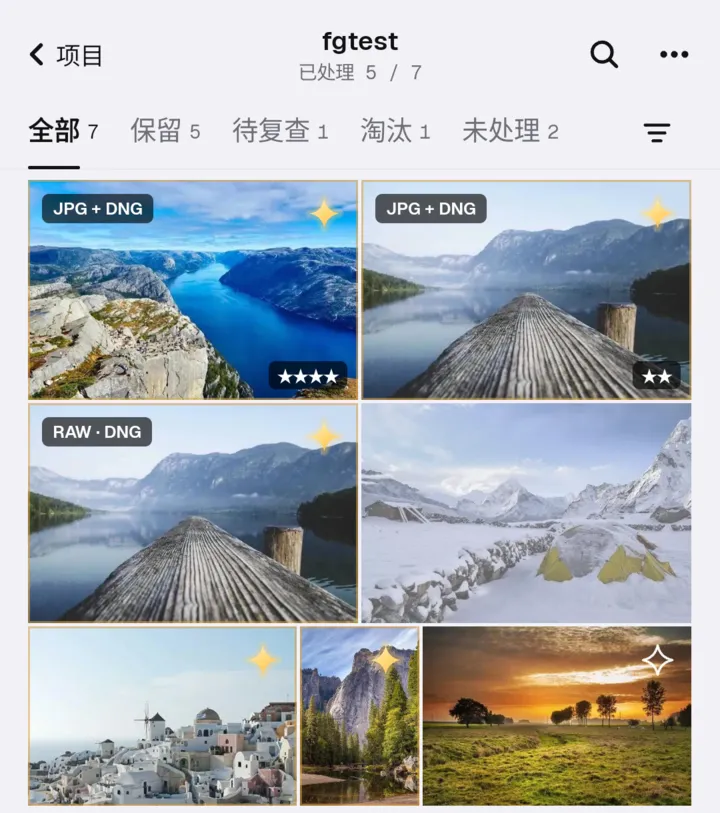
和 Mac 用同一套分析核心,分组、场景、取舍结果两端一致;高通手机上 CLIP 跑在 NPU 上。保留的照片导出到相册或任意文件夹,淘汰的进系统回收站,30 天内可以恢复。
选片更顺手
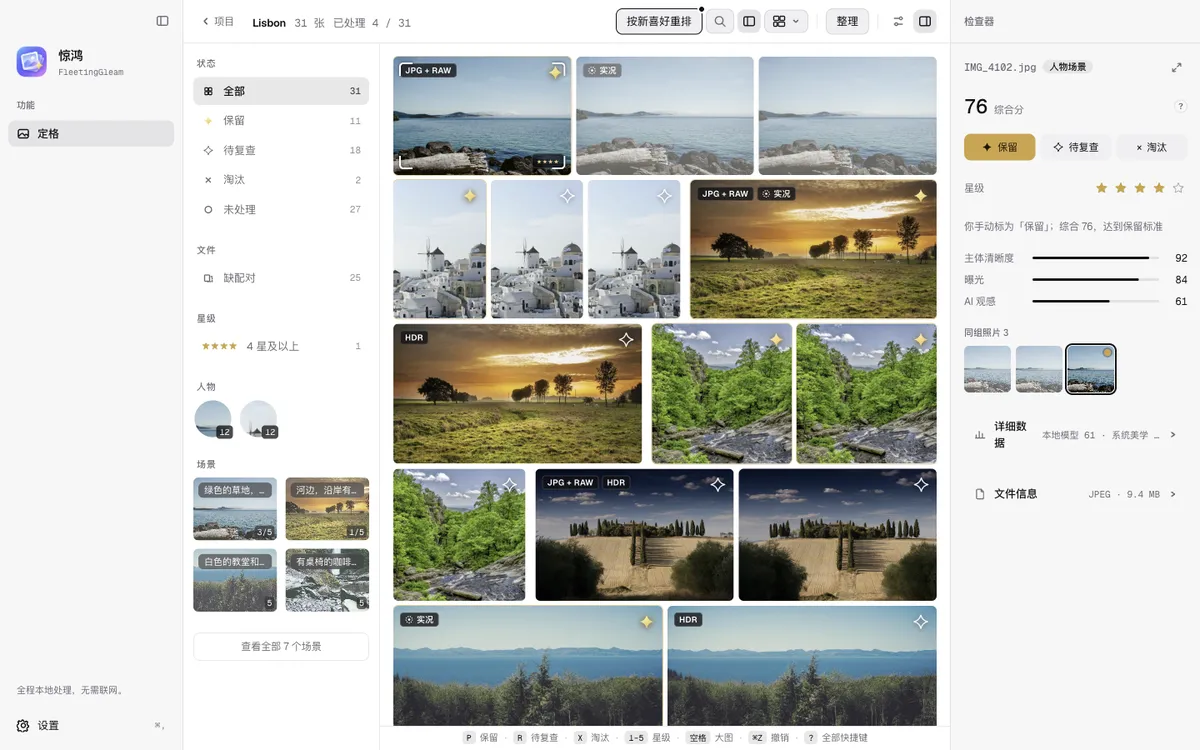
- 标题栏显示「已处理 x / N」,筛选面板多了「未处理」。
- 判定后自动跳到下一张,底部常驻一条按键提示。
- 按 1–5 打星,RAW 和同名 JPG 算一张照片一起处理。
- 评分和标记可以写回 Lightroom / Bridge(XMP)。
- 大 RAW 先用相机内嵌的预览,打开不用等。
对比时看得更清楚
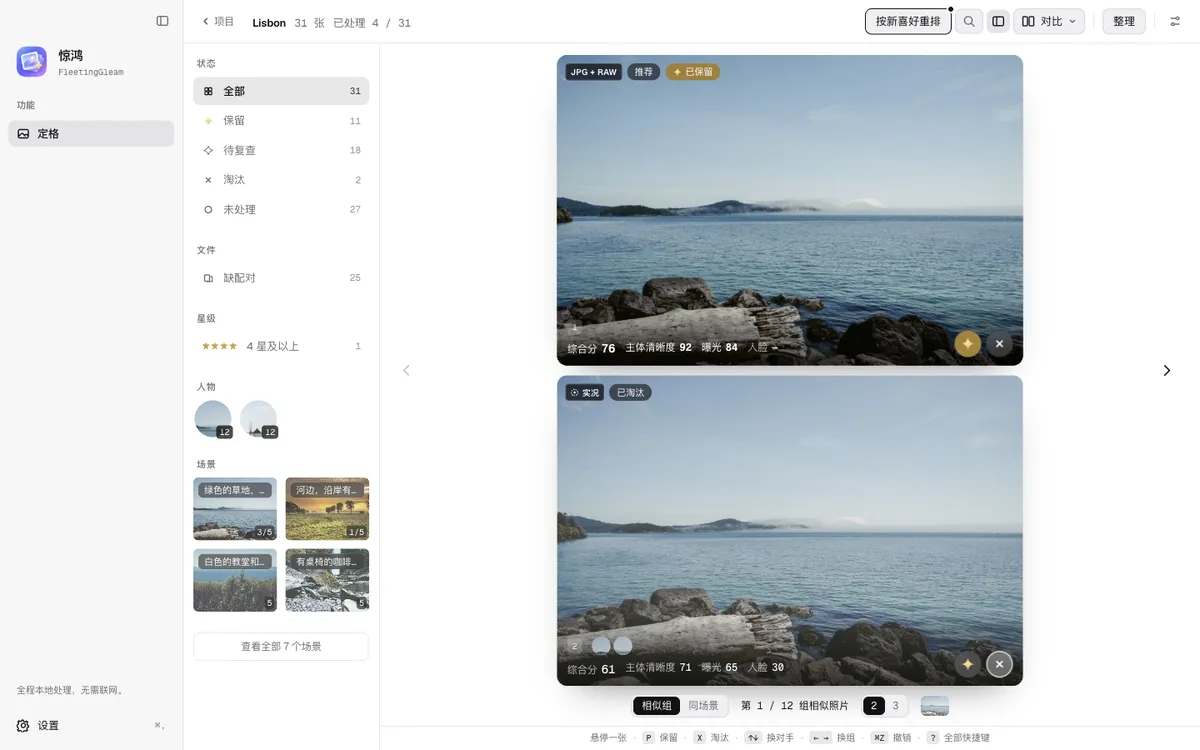
同组照片上下排开、同步放大,每张都列出综合分、主体清晰度和曝光。分析没跑完就能开始看、开始判定。
以后在应用里更新
两端都会自己发现新版本,在「设置 › 关于」里看更新内容、一键下载安装。自动检查可以关掉。
其它
- NAS:内置 SMB 客户端直连 NAS,保留的照片可以直接导出到 NAS。
- 备份:「我的设置与喜好」可以备份到你自己的 R2 存储桶,或导出成文件。
- 照片旋转、整理后一次撤销、Mac 菜单全中文,以及大量修复。
The first public release, for Mac and Android.
Now on Android
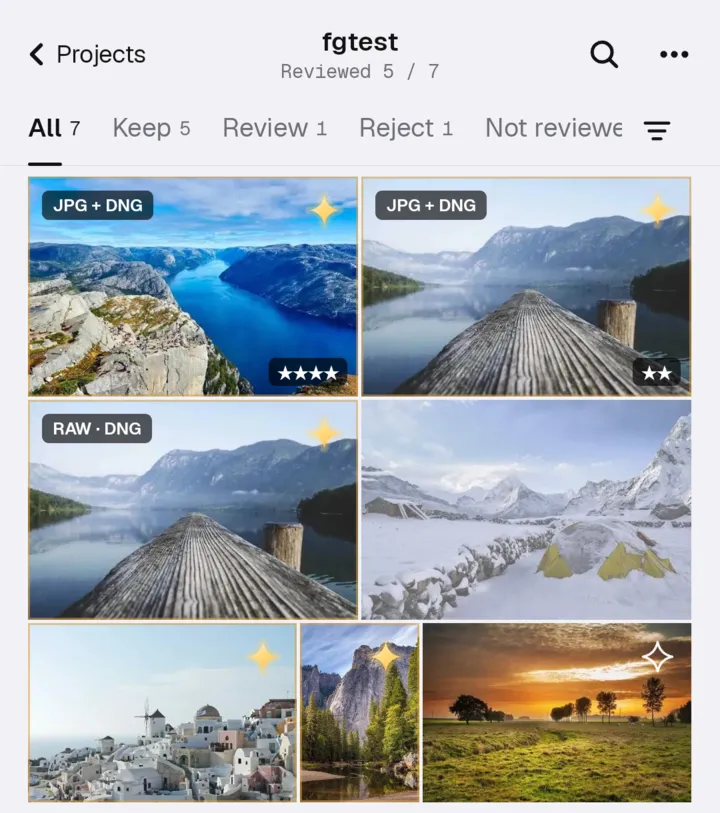
The same analysis core as the Mac, so groups, scenes and picks match on both. On Qualcomm phones CLIP runs on the NPU. Kept photos export to your gallery or any folder, and rejects go to the system trash, where they stay for 30 days.
Smoother culling
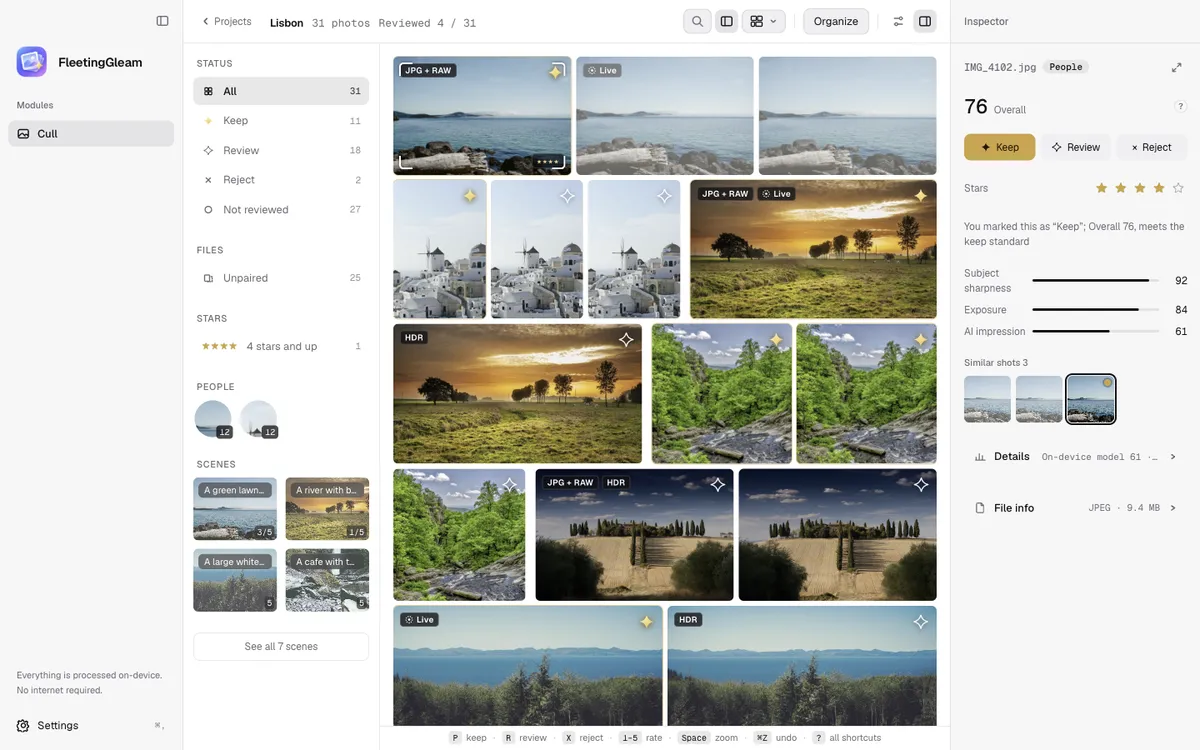
- The title bar shows "Reviewed x / N", and the filter panel has a "Not reviewed" row.
- After you mark a photo, the next one is selected. A key hint bar stays at the bottom.
- Rate with 1–5. A RAW and the JPG with the same name count as one photo.
- Write ratings and labels back to Lightroom or Bridge (XMP).
- Large RAW files open at once from the camera's embedded preview.
Clearer comparisons
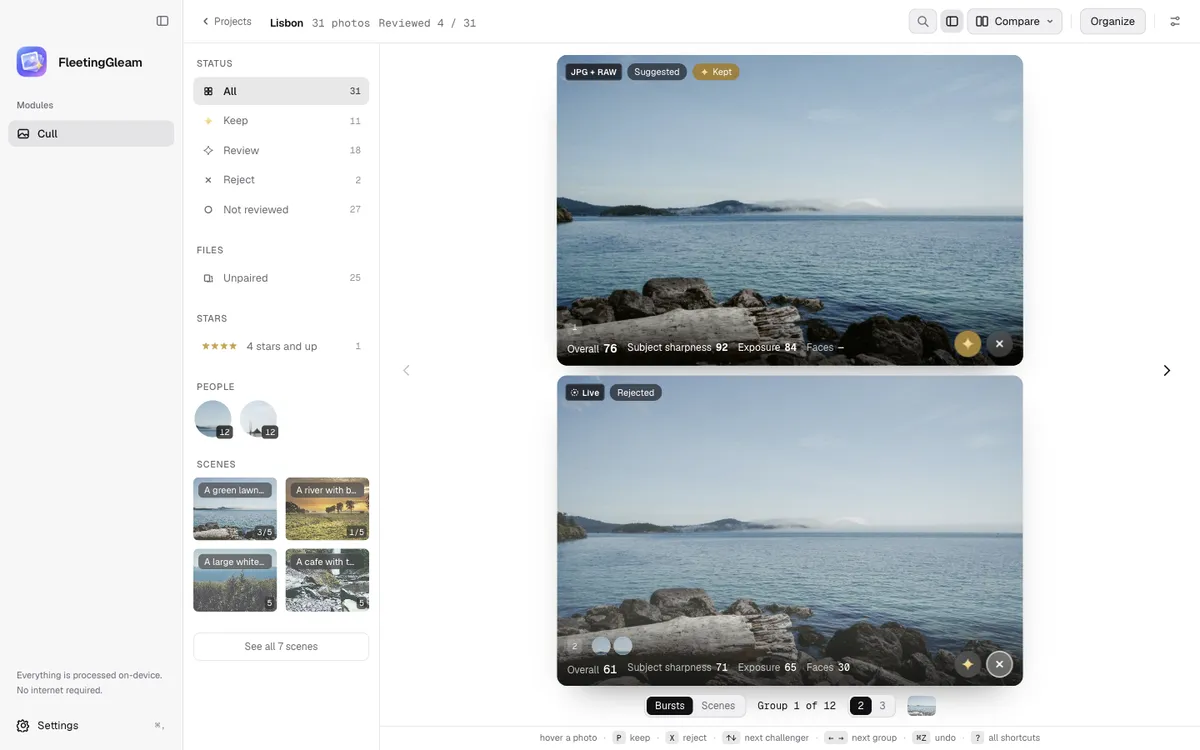
Photos from one group sit side by side and zoom together, each with its overall score, subject sharpness and exposure. You can start reviewing before the analysis finishes.
Updates inside the app
Both apps notice new versions themselves. Read what changed and install it from Settings › About. You can turn the automatic check off.
Also new
- NAS: a built-in SMB client connects straight to your NAS, and kept photos can be exported there.
- Backup: save your settings and taste to your own R2 bucket, or export them to a file.
- Photo rotation, one-step undo after organizing, and many fixes.
完整记录 / Full history: CHANGELOG.md