Repository navigation
Releases
Uzzy 0.4.0

What's Changed
- Claude, Codex and Cursor cards show the account's credit balance when it has one, apart from its usage limits and Claude's monthly usage credits. #202
- The Claude card shows cloud session credits and when they expire. #202
- On Cursor's unified plans, the card shows the weekly usage limit with its actual reset, instead of the legacy «Cursor Models» and «Other Models» rows. #200
Full Changelog: v0.3.1...v0.4.0
Uzzy 0.3.1
What's changed
- The Cursor card reads your usage limits again with Cursor 3.27 and later, which encrypts its session. Uzzy asks first: click Allow Access on the card to let it read Cursor's key from the Keychain, and withdraw it any time with Revoke… in Settings (#193).
- The Cursor card now shows the plan of accounts unified with xAI: Plus, Premium, Super and Ultra (#193).
Full Changelog: v0.3.0...v0.3.1
Uzzy 0.3.0
What's changed
- Each provider's logo now leads its card in the panel and its row in Settings, so Claude, Codex and Cursor are found at a glance (#171).
- The last reading says how long ago it was, such as "2 min ago", instead of a clock time. Hover over it for the exact day and time (#170).
Full Changelog: v0.2.0...v0.3.0
Uzzy 0.2.0
What's changed
- Uzzy now tells you when a newer version is published: an Update button appears next to the name in the panel and downloads the new
Uzzy.dmg. It asks GitHub once a day, sends nothing about you or your usage, and can be turned off in Settings (#164). - The countdown to a reset is shorter: it keeps one magnitude, such as days or hours, instead of listing days, hours and minutes. Settings lets you switch back to the detailed countdown (#162).
- Settings shows the installed version and build at the bottom (#163).
- The switch for each provider in Settings now reads "Turn On" instead of "Show" (#157).
Full Changelog: v0.1.1...v0.2.0
Uzzy 0.1.1
What's changed
- The Spanish copy now calls usage limits «límites de uso» (#141).
Full Changelog: v0.1.0...v0.1.1
Uzzy 0.1.0
The first public release of Uzzy: your Claude, Codex and Cursor subscription quotas, one click away in the macOS menu bar.
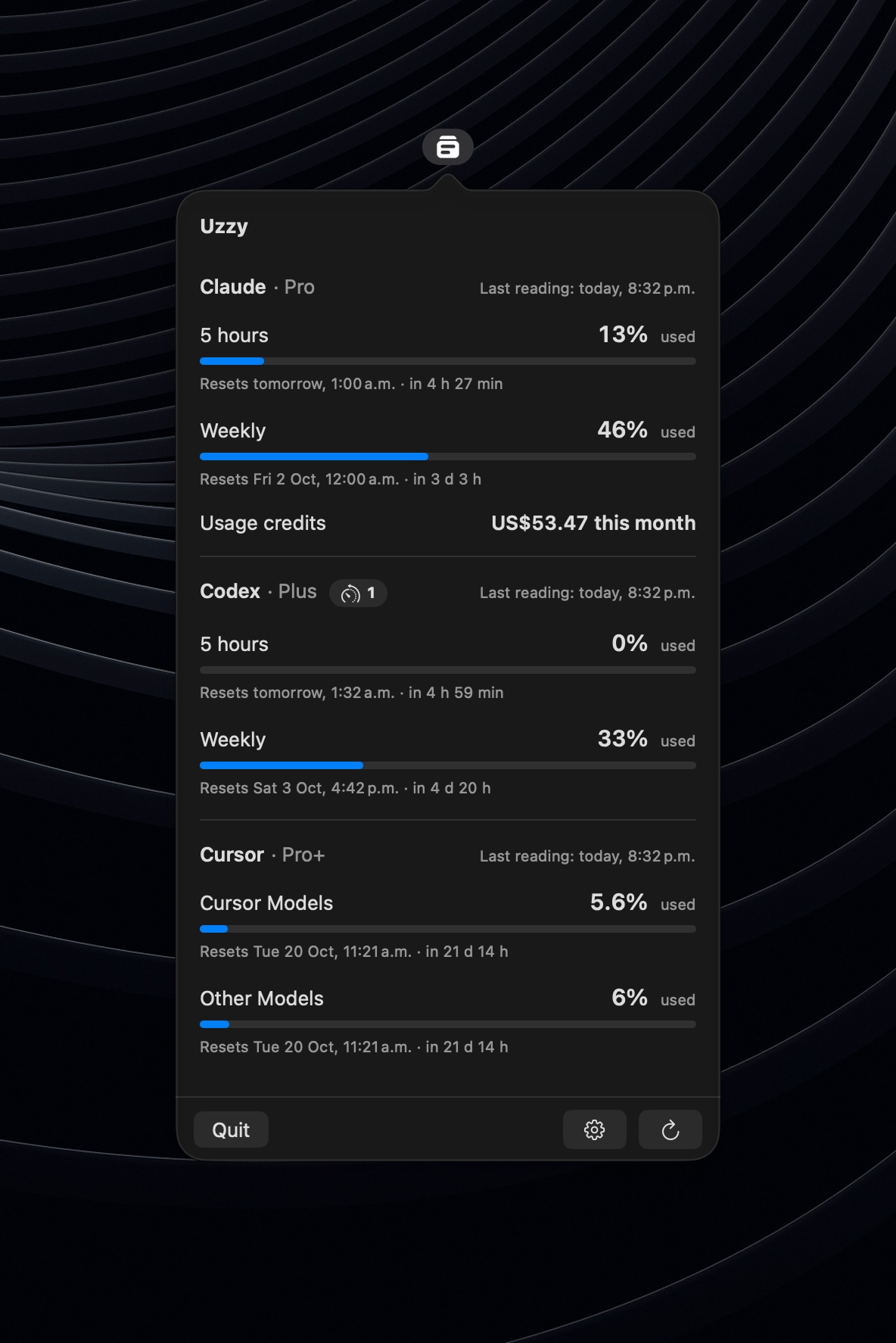
Install
Download Uzzy.dmg below, open it and drag Uzzy to Applications. It is signed with Developer ID and notarized by Apple, so it opens like any other app.
Requires macOS 27.0 or later on Apple Silicon.
Before you start
Uzzy reuses the sessions already on your Mac, so sign in to at least one of Claude Code, Codex CLI (ChatGPT mode) or Cursor. There is nothing to sign in to in Uzzy and no API key to paste.
Privacy
Uzzy reads those sessions read-only, has no telemetry and only connects to api.anthropic.com, chatgpt.com and api2.cursor.sh.