Repository navigation
Goodboy v0.29.3

Runs and agents read like a person wrote them, every agent shows its model by name, and every failure links to its transcript.
Improved
Runs and agents read in plain words
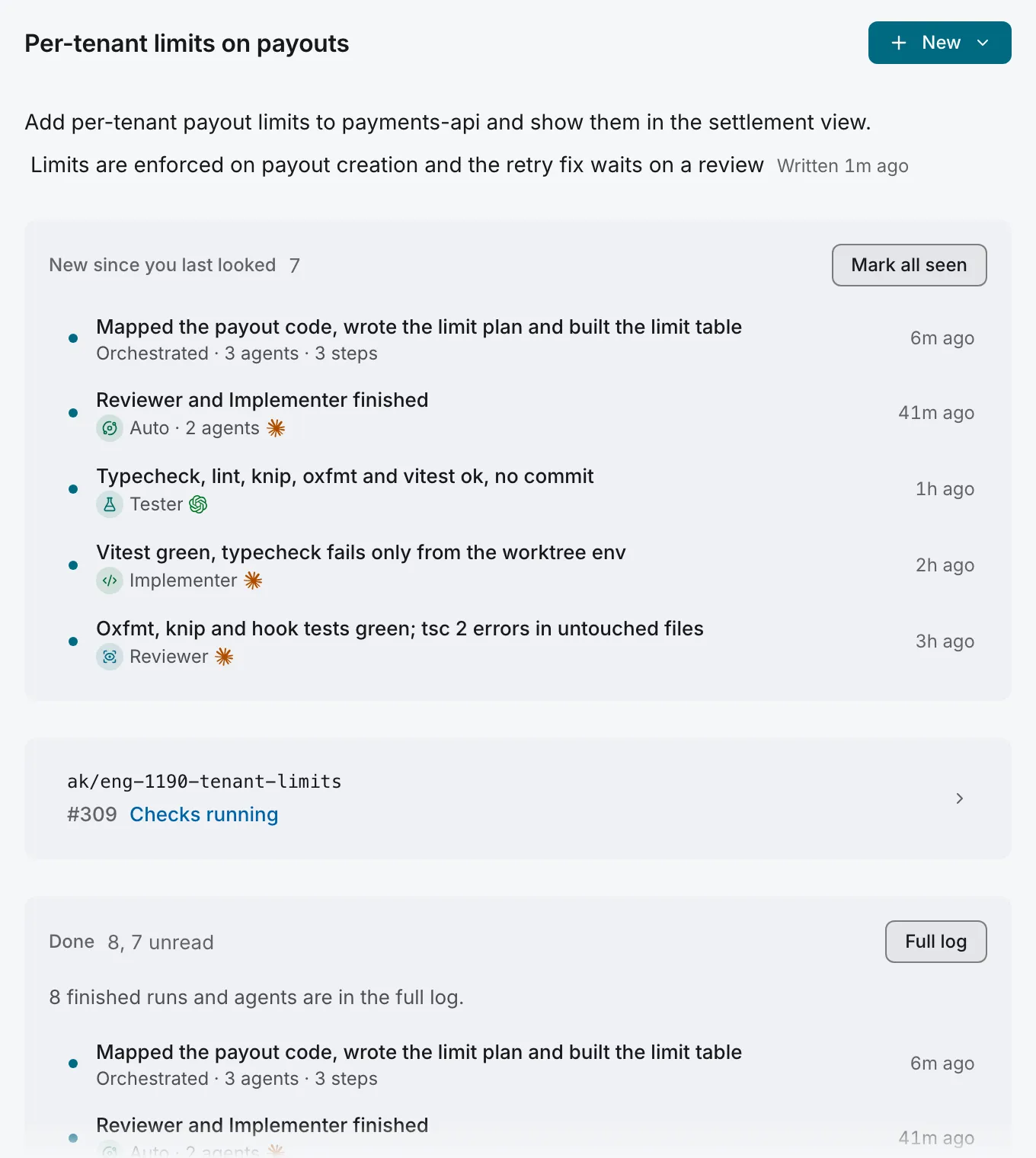
New since you last looked and Done show each run as its kind, its agent count and its progress, such as Orchestrated, 3 agents, 3 of 5 steps, and say only what needs you. Agent rows show their role and provider, and titles drop tags, hashes and slash lists.
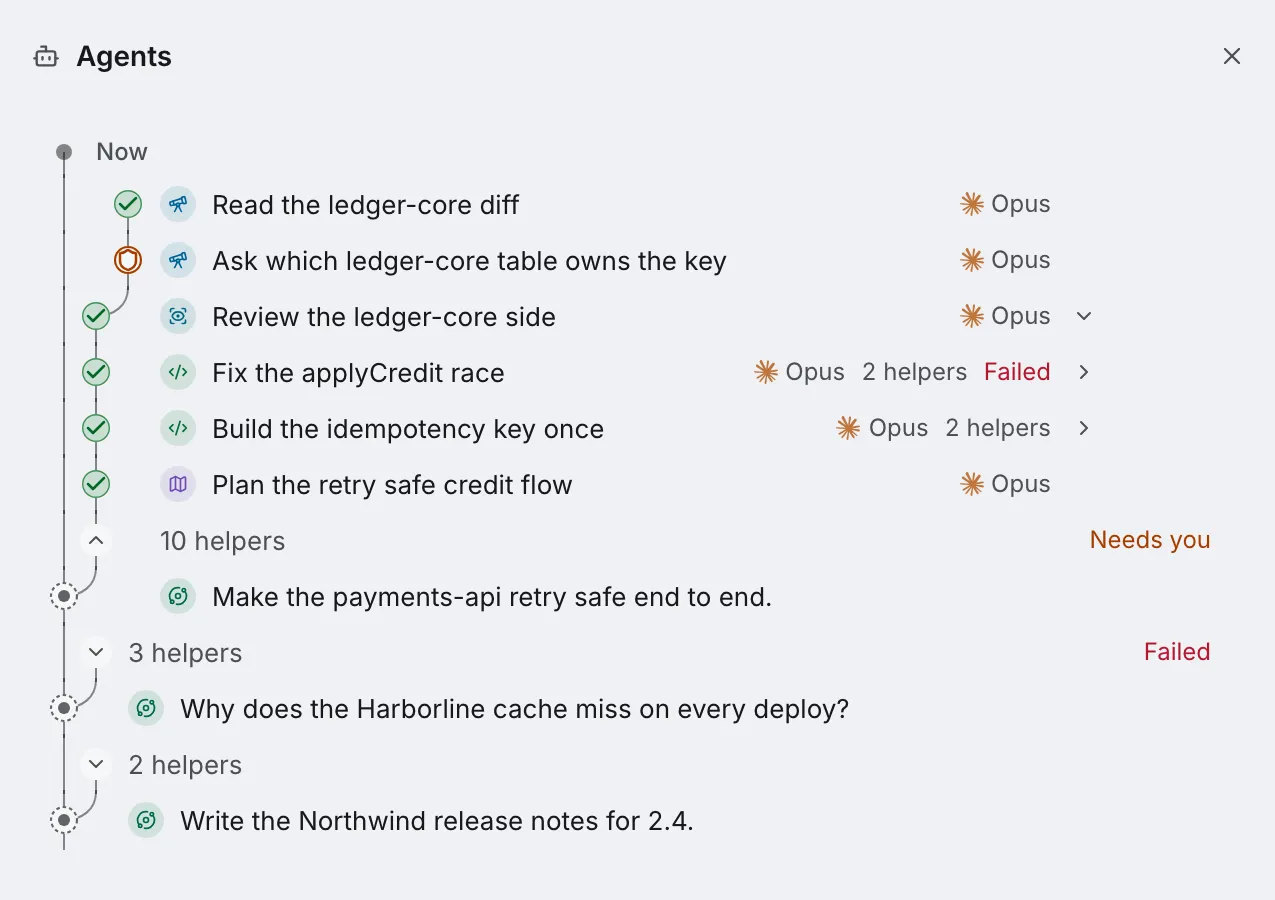
The Agents panel keeps every launch in view
A run you started never folds away. A finished run keeps one line under it with its helper count and the most urgent state, and an agent with helpers folds to a count such as 2 helpers, Failed. A fold opens by itself when a hidden helper needs you.
Agent cards name their model and open in one click
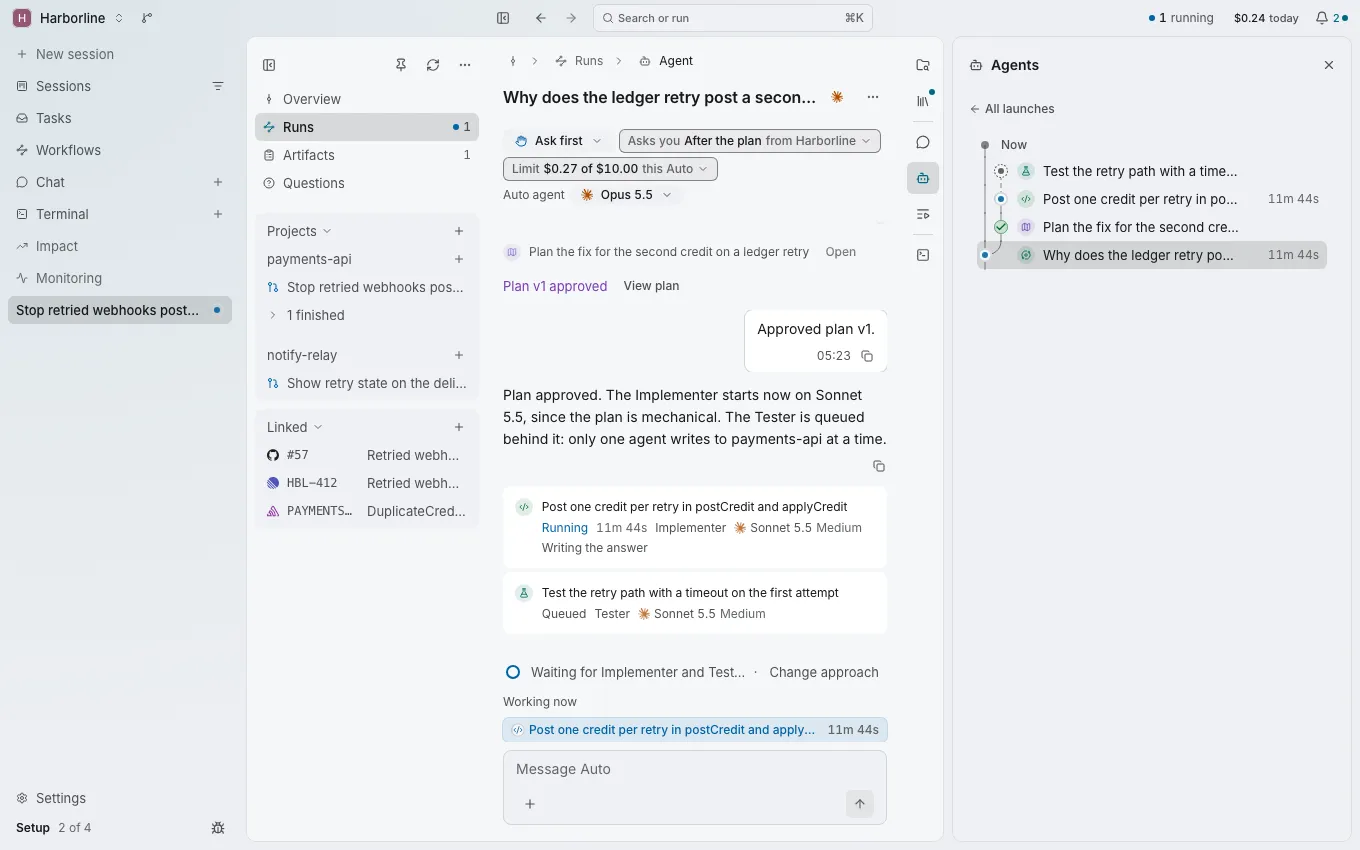
Auto's agent cards, the Agents panel and the Runs grid show the model by name with its effort, such as Sonnet 5.5 High, never a routing id. A whole Auto card opens its agent; Stop is in its right click menu and on the agent's page.
Fixed
- A failed turn has View transcript next to Retry, which opens the transcript at the call that failed.
- A blocked Auto run shows its whole reason on up to two lines, with the full text on hover or focus.
- A run that needs a human call offers View transcript.
- Retry, Stop and Message this agent each appear once on a screen instead of twice.
- A model Goodboy no longer lists keeps its name instead of showing its raw id.
- The limit chip reads Limit $5.00 and says default until you change it, and its menu names the run it limits.
- A single agent no longer shows a spending limit it would not stop at.
- Tooltips open beside what they describe and stay inside the window, and a cut title shows its full text on hover or keyboard focus.
- Model, run settings, Asks you and limit menus open next to their button at a steady width, never past the window edge.