Repository navigation
Releases
Releases · alfathony/stemmer
Stemmer 0.2.0

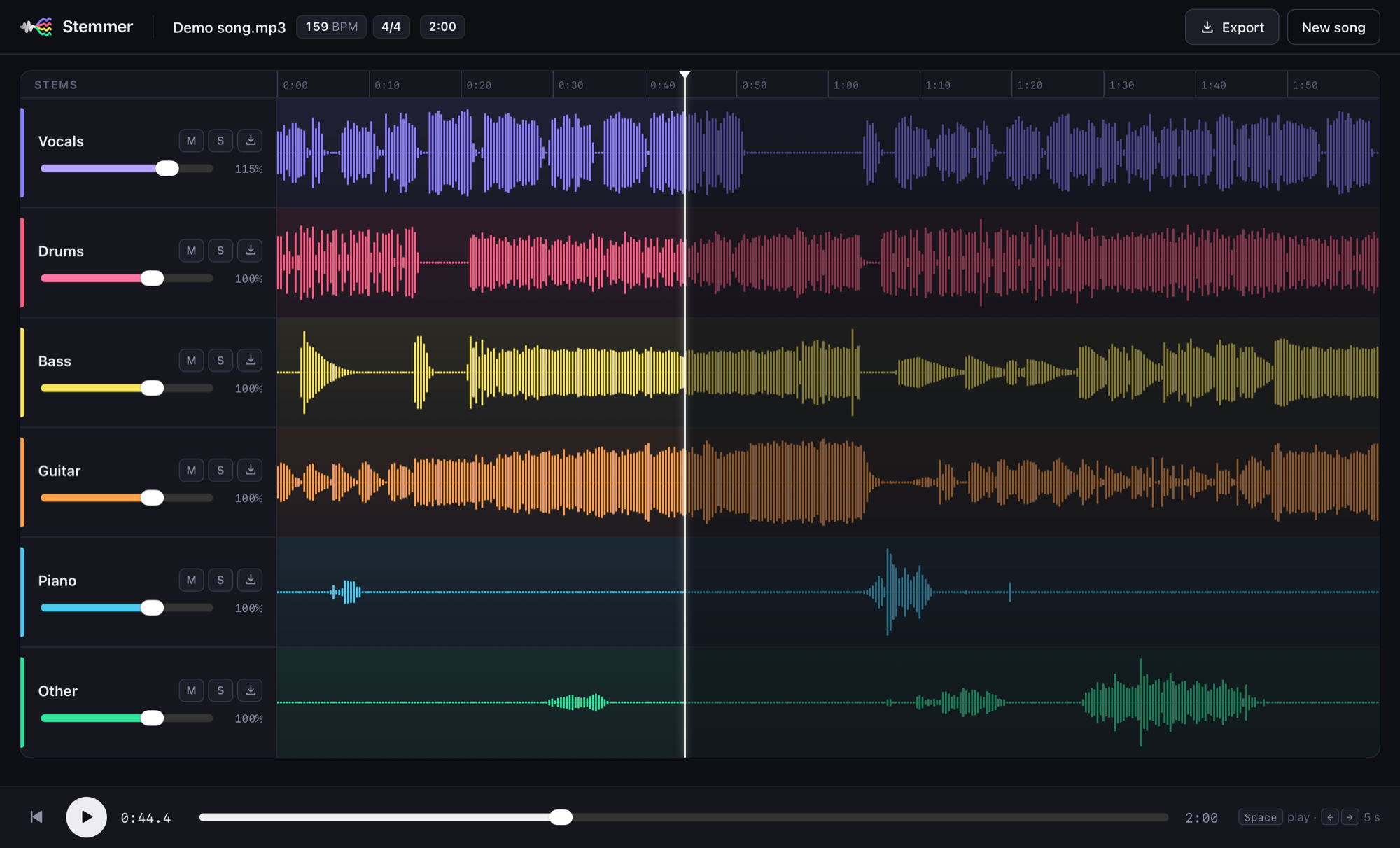
Stemmer 0.2.0: split any song or music video into vocals, drums, bass, guitar, piano and the rest, remix them, see the tempo and time signature, and export WAV. It runs entirely on your computer.
Download
| Your computer | File |
|---|---|
| Mac with Apple Silicon (M1 or newer), macOS 12+ | Stemmer-0.2.0-mac-arm64.dmg |
| Windows 10 (1809+) or 11, 64-bit | Stemmer-0.2.0-windows-x64-setup.exe |
Mac
- Open the
.dmgand drag Stemmer into Applications. - The first time, macOS blocks the app because it isn't signed by a registered Apple developer yet. Go to System Settings → Privacy & Security, click Open Anyway next to Stemmer, then Open. You only need to do this once.
Windows
- Run the setup
.exe. If Windows SmartScreen says "Windows protected your PC", click More info → Run anyway. The installer isn't code-signed yet. - Stemmer installs for your user account, with no admin rights needed, and adds a Start menu entry.
- On Windows the AI runs on the CPU, so expect a few minutes per song.
SHA256SUMS.txt lists checksums for both files.
Stemmer 0.1.1
Stemmer 0.1.1: split any song or music video into vocals, drums, bass, guitar, piano and the rest, remix them, see the tempo and time signature, and export WAV. It runs entirely on your computer.
Download
| Your computer | File |
|---|---|
| Mac with Apple Silicon (M1 or newer), macOS 12+ | Stemmer-0.1.1-mac-arm64.dmg |
| Windows 10 (1809+) or 11, 64-bit | Stemmer-0.1.1-windows-x64-setup.exe |
Mac
- Open the
.dmgand drag Stemmer into Applications. - The first time, macOS blocks the app because it isn't signed by a registered Apple developer yet. Go to System Settings → Privacy & Security, click Open Anyway next to Stemmer, then Open. You only need to do this once.
Windows
- Run the setup
.exe. If Windows SmartScreen says "Windows protected your PC", click More info → Run anyway. The installer isn't code-signed yet. - Stemmer installs for your user account, with no admin rights needed, and adds a Start menu entry.
- On Windows the AI runs on the CPU, so expect a few minutes per song.
SHA256SUMS.txt lists checksums for both files.
Stemmer 0.1.0

First release of Stemmer, an offline AI stem separator for Mac.
What's in it
- Split any song or music video into 4 stems (vocals, drums, bass, other) or 6 stems (+ guitar, piano) with Meta's Demucs
- Mixer with volume, mute, solo, waveforms and click-to-seek
- Tempo (BPM) and time signature detection
- Export one stem, all stems (ZIP) or your mix as WAV
- Runs fully on your Mac: no upload, no account, works offline
Install
- Download Stemmer-0.1.0-mac-arm64.dmg below, open it and drag Stemmer to Applications.
- The first time you open it, macOS blocks it because the app isn't signed by a registered Apple developer yet. Go to System Settings → Privacy & Security, click Open Anyway next to Stemmer, then Open. You only need to do this once.
Requires: a Mac with Apple Silicon (M1 or newer) and macOS 12 or later. Intel Macs aren't supported yet.
SHA-256: 1f0cb51a145b6969270e7a454ba5fed0187b4fadcc7ed0b460a39cce925090e8