Repository navigation
v5.45.0

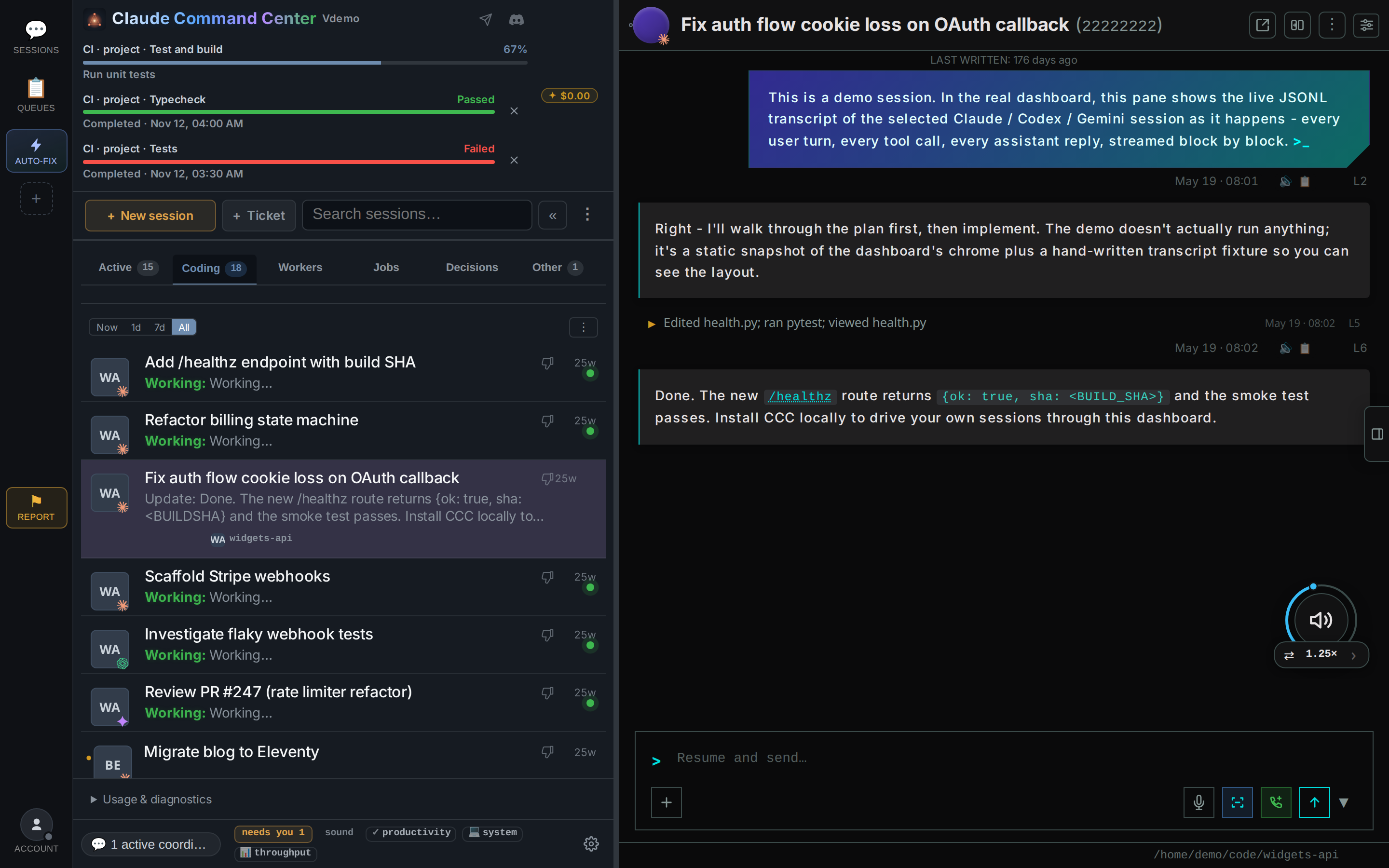
CCC v5.45.0 brings local CI into the dashboard and makes self-hosted runners easier to set up.
- CI at a glance, on desktop and phone. Follow active jobs and their current steps. Keep the two latest completed runs, with Passed, Failed, or Cancelled outcomes, until dismissed. Dismissals sync between devices.
- Set up a runner with your usual agent. Settings → CI runners starts a setup session using your saved new-session defaults.
- Expanded On-call preview. Setup checks, replayable examples, monitoring inputs, and clearer approval and reply handling. On-call stays opt-in and runs on your own machine.
- A clearer conversation view. Full assistant commentary and command text, steadier compaction progress, and fixes for phone menus, settings, and session restoration.
Download the signed macOS app below, use Homebrew, or update your source installation. After upgrading, previously queued work may show “needs reconciliation” once; use Reconcile in Settings → Maintenance if prompted.
[5.45.0] - 2026-11-12
Added
- Turn firing Alertmanager groups into tickets and add recovery evidence without closing a worker's ticket or claiming a fix.
- Add twelve command-first On-call guides with real local result captures, fast checks, and full isolated command and agent proofs.
- Add Settings → CI runners with a one-click setup agent using saved new-session defaults, plus read-only checks for GitHub access and local runner processes.
- File Docker health failures, restart loops, and nonzero exits with bounded, scrubbed recent logs.
- Add a dated feature comparison graphic, downloadable PDF, and linked evidence page to the website and README, with qualified research notes for four distinctive workflows.
- Add an isolated Linux prerequisite matrix with a quick mode and a report of measured first-run gaps.
- Auto-fix issues from production: a guided setup that connects your product to agents through GitHub issues. Your product opens an issue, a WatchTower queue picks it up, an agent works on it in your local checkout and closes it. The wizard checks that
ghand WatchTower are ready, lets you pick the repo, creates the queue, hands you copy-paste code (curl, Node.js, Python) for opening issues, then runs one real test issue and shows it travel through each stage live. It ends by opening the new queue on the Queues board, where the flow lives from then on. Open it from the Auto-fix button in the left rail, the starter card on the empty Sessions view, or the bolt at the top of Queues. Two modes: only issues carrying thewatchtower:playlabel (recommended for public repos and repos with existing open issues, since GitHub lets only collaborators add labels), or every new issue after a 3-minute grace period, with the option to leave already-open issues alone. - Show active self-hosted GitHub Actions jobs beneath the dashboard title, with step completion progress, the current step, and a link to the run. Refresh every ten seconds and hide the indicator when local runners are idle.
- Follow application files, journal units, or Docker logs and file scrubbed, grouped errors without replaying existing logs.
- Add isolated monitoring proofs for GlitchTip, HTTP health checks, and commands, with explicit PostHog contract-only results.
- Add local logs, Docker health, and Prometheus with Alertmanager repair proofs, plus Sentry burst and clock-skew checks.
- Add a Claude Code On-call plugin, a Codex hook installer and a local background service launcher, with terminal reply limits documented.
- Add an opt-in local On-call proof that runs one Codex WatchTower worker and checks its commit, test, ticket closure and approved reporter notice.
- Add an isolated On-call benchmark with scratch bug cases and observable result checks.
- Add isolated benchmark checks, record tool revisions, and make quick mode run its four cases once by default.
- Add opt-in On-call phone escalation with spoken alerts, replies through an existing SMS channel, quiet hours and a call-attempt cap. General channel tests skip calls;
ccc oncall test --callexplicitly places a call. - Added an isolated On-call crash proof and a report of tested recovery behavior and remaining limits.
- The On-call chaos proof adds a simulated month, reporter restart checks, and optional isolated worker and watcher fault stages.
- Add CI failure intake with branch selection, log excerpts and green-run recovery.
- Offer CI setup, optional flaky-run rechecks and GitLab pipeline intake.
- Add CI intake for allowed pull requests and verify fixes on Gitea and Forgejo.
- Add a local On-call walkthrough with a scripted worker and demo tickets, real message routing, terminal replies and optional Codex fixes.
- Record the customer demo as a terminal cast and, with Puppeteer and ffmpeg, an 800-pixel browser MP4 and GIF under 4 MB each.
- Show a refund hard stop in the customer demo using WatchTower policy, with a simulated local ledger that waits for an explicit answer.
- Add local CI and monitoring scenes to the On-call demo, with a one-key scene picker and an option to run all three scenes.
- Add command-configured escalation steps, backup reply permissions and an on-call rota.
- Added
ccc oncall filmto replay retained fixes locally as silent films, with a poster and an HTML fallback when ffmpeg is missing. - On-call can post questions, updates and fixed notices as comments on the GitHub issue a bug came from, each one only after you approve it, and it routes later comments from the issue author back to the ticket.
- On-call (preview): with On-call on, a desktop window opens on a quiet home screen with three lists (needs you, being worked on, fixed this week) where you can answer questions directly. The full dashboard is one click away, and the screen follows the light and dark themes.
- On-call question alerts on ntfy now carry up to three answer buttons taken from the session footer's NEXT_ACTION choices.
- On a phone, On-call is now the first entry in the More menu, so the home screen with what needs you, what is being worked on and what got fixed can be reached without a desktop.
- Add optional bounded phone replies through Claude Code and Codex hooks, with session-bound claims, cancellation and local proof scripts.
- On-call (preview, off by default): bugs from customers and monitoring become tickets that agents fix. Reports come from email, SMS, WhatsApp, GitHub issues, Sentry, PostHog, a URL check or your own command. CCC messages you on Telegram, email, ntfy, iMessage, SMS or WhatsApp only when an agent needs a decision or has stopped, and your reply there answers the agent. Agents can ask the person who reported a bug a question, with your approval. Turn it on with
ccc oncall setupor in Settings. Seedocs/oncall.md. - ccc oncall quiet sets, clears and zones the quiet hours; status prints them with their time zone.
- Add opt-in local On-call screen recording tools with labelled cuts between separate real runs, verified phone replies, and silent film exports.
- Add preview
ccc oncall replayto compare agent fixes with tests from closed public GitHub issues and save local reports. - On-call prunes completed history older than 13 months in small indexed batches while keeping open work and the full 52-week summary window.
- Add an isolated Linux server image and native user service for On-call, with headless setup and recovery proofs.
- On-call (preview) now messages you when a Claude Code or Codex agent ends its turn with a question for you and sits idle for two minutes, and when an agent is waiting for tool permission. Your reply answers the question; a permission prompt takes only
allowordeny. - Add an opt-in proof that starts an isolated dashboard and a real Codex session, and checks that a closing question reaches a local ntfy topic once after the idle wait and that the reply reaches the session.
- Add an optional daily On-call summary with a local time setting and the existing delivery limits.
- Add owner replies over Slack, Discord, Matrix and Mattermost, with a setup reply check and durable poll acknowledgments.
- Add weekly On-call counts and private post exports from saved reports and WatchTower records.
- Export private weekly On-call cards as SVG or PNG and eight-week pages as HTML.
- Connected agents can create a fresh session in the repository of an existing session, with local validation, retry protection, and an owner-confirmed creation receipt.
- Settings → Queues has a "+ Add" button: name the queue, pick its repository, save. New queues start manual, like queues created elsewhere.
- Add
ccc uxlabinteractive model usability sessions for disposable local apps, with guarded fresh browsers, replay evidence, standalone reports, and optional queue filing. - Add validated UX lab plans with trusted SHA-256-pinned login bootstrap before testers launch, temporary exact endpoint exceptions, authenticated starting paths and restart behavior, and an additive versioned findings export with reported token usage. Phone testers use touch scrolling and receive policy-block and remaining-time feedback; credential redaction preserves nonsecret routes.
- Voice mode: a microphone button in the call panel mutes your mic without ending the call.
- Voice mode: the call panel collapses to a small bar (state, timer, mute, end) and remembers the choice.
- Voice mode: type a message during a call instead of saying it; on a direct line it goes straight to the session.
- Voice mode: ask what is working right now (only unfinished turns, split into your own sessions and queue workers), hear what each waiting session asks with its reply options, answer by voice with no confirmation step, and open a direct line to a session ("bring me back, Bob" returns).
Changed
- Keep the two latest completed local CI runs with their final outcomes until dismissed, with dismissal shared across devices. Show CI activity and recent results at the top of both the mobile session list and conversation reader.
- The first-run welcome now says what CCC is for ("Your agents are on call. You are not."), tells you when no agent is installed and what to do next, links to what the daily ping sends, and no longer reappears on reload.
- Narrow and phone layouts: the menu button's list now ends with a pinned Settings item, and the left app rail is hidden whenever the bottom bar is shown, since the menu already lists every app.
- The seam between continued sessions now reads as a bold "New session" divider showing the new session's engine, model and effort, with changed values highlighted.
- On-call question and permission alerts name the session by display name and project folder, and no longer leave a blank line before the question.
- On-call alerts are reworded: they say who is asking, ntfy no longer repeats the title in the body, tasks that are not questions say so, and Fixed notices show only the outcome paragraph.
- The opt-in On-call agent proof now lets WatchTower start the fixing agent on its own instead of starting it itself, and runs its own isolated watcher so nothing is left running afterwards.
- Mention the local demo when On-call status is requested with the preview off, and make plain ccc oncall show status.
- Give the local demo a paced terminal walkthrough, boxed messages, fast mode and a phone thread with reply buttons and live ticket state.
- Use an isolated real WatchTower store and minor-decision policy in the local demo when the Python package is installed, with a disclosed fixture fallback.
- Add a render-only On-call film edit with larger real UI crops, readable captions, labelled cuts, and recorded crop and timing details while keeping the original films.
- On-call Fixed alerts lead with the ticket title instead of the ticket ref; the ref moves to a 'Ticket .' line.
- The README, the landing page and the in-app copy now describe what CCC is for: coding agents on call for your product. Bugs from customers and monitoring go to agents that fix them, and real decisions reach you by message. On-call itself is still a preview and off by default.
ccc oncall setupis shorter: it offers ntfy first (no account), makes up a private topic and the queue name for you, accepts piped answers, and ends by saying what is on and how to turn it off.ccc oncall statusmarks channels that are untested or send only.scripts/oncall-proof.pychecks ntfy and email end to end against local servers in Docker.- The landing page and the README now show CCC On-call instead of describing it: a phone thread with the decision message and your reply, a four-stage picture of how a bug moves, the five-step story as chat scenes, and channel cards. The link preview image carries the new headline.
- Read recent On-call queue activity through WatchTower time windows when supported, and refuse incomplete results.
- Waiting-task chips now offer Run verification or Continue work with the actual pending task, preserving its trigger and approval limits, instead of asking for a generic progress report.
- Settings: "Workspace" is now "Appearance" and is the first page, leading with Theme, Font, Font size and Simple mode. The "Layout & visibility" group is gone (its switches sit directly on the page). The preferences review and transfer tools moved to Advanced, condensed to one row per item, and the three separate reset buttons are replaced by one "Reset all settings" on Advanced.
- Settings: Launch defaults offer the favorite engine/model/effort chips for new sessions and queue workers, with "Apply to all queues" in one click; worker fallback and model profiles are edited on the Agents page instead of a pop-up.
- Settings: Queues rows can set each queue's model and effort, not only its engine.
- Settings: Repositories lists every repository from the new-session picker with its avatar ("Auto mode" when none is chosen), inline Upload/Auto, and "+ Add".
- Settings: notifications use plain on/off switches (no mode menu), agent config is four on/off switches, and Preview features and Optional capabilities live expanded on Advanced.
- Settings: Agents is now three pages. Agents holds the launch defaults (pick the engine, model and effort for new sessions and queue workers), Queues has its own page, and Engines is a one-row-per-engine list at the bottom of the menu.
- Settings: removed the "Where this applies" notes and page intro text, and the Workspace page now edits repository appearance, list presentation, text size and the queue sidebar in place instead of sending you to another screen.
- Settings shows voice, phone access, capability controls, engine steps, Vault advanced controls, and preference review details inline. Free model setup and Add forms remain collapsed.
- Settings: engine setup, Network access and Nodes & peers now open in place on their own page instead of as pop-ups over Settings, and Settings stays open.
- Settings: System shows health-check issues inline with a Fix button that jumps to the right Settings page, replacing "Open health checks".
- Settings opens on Appearance. Repository avatars moved to a new Repositories page. The list presentation and queue sidebar blocks are gone from Settings (they remain in their own menus). Advanced now shows a single Preferences row with Export and Import, and Free model setup starts collapsed.
- Settings → Usage & budgets: session limits appear only while sessions are actually waiting on a limit (and are no longer collapsed). Spare quota and free model setup moved to a new "Advanced" page, the last item in the Settings menu.
- Settings → Vault is now titled "Vault" and has a single "+ Add" button that opens a name and secret value form at the top of the page. Saved secrets are plain rows with Edit and Delete.
Removed
- Removed the send/newline keyboard hint below the conversation composer and its empty footer space.
Fixed
- The Decisions panel now lists auto-decisions whose record was never stored (rebuilt from the delivered answer), so failed follow-through is no longer hidden.
- Show follow-ups to busy sessions in the queued-message tray immediately, keeping them in place while the server confirms delivery instead of flashing through the conversation.
- Shorten the primary Codex account label so the conversation model name has room in narrow composer rows.
- Preserve Codex continuation links when an instruction preamble pushes the origin past the prompt preview, and expose the predecessor when opening a Codex conversation.
- A valid Codex form answer is no longer rejected as "exceeded the supported time limit" on a slow or busy machine; the two-second limit now covers only the validation itself, not the validator's start-up.
- Keep Codex Steer available despite stale session status or unknown writer attribution, including on touch devices; idle sessions use the existing send fallback.
- Starting a Codex session with the
gpt-6.1-terramodel no longer fails as an unknown model. - Stop the compaction progress card from flickering and jumping around live tool activity while its timer updates.
- On a phone, tablet or narrow window, "Continue in a new session" now opens above the message box and scrolls inside itself, so its Continue button is always on screen. Before, the button sat below the screen and could not be reached by scrolling.
- Open the All tab on each dashboard visit, including reloads and restored mobile tabs, instead of restoring a previous Features selection.
- Offer a Build chip for saved design-only handoffs awaiting implementation authorization, with fresh transcript checks and existing spending and launch limits preserved.
- Automatically preserve parent relationships for externally launched Codex helpers using verified process ancestry and held native writer locks, including launches under shared app servers.
- Keep unticketed child sessions in their parent's ticket group and render lane, retaining loaded ancestors within the row budget so the All tab builds complete nested family rows without duplicate standalone helpers.
- Conversation commentary, command headers, and result hints now wrap without truncation, including in compact view.
- Retry GlitchTip issue checks with its supported sort order and project route.
- Kept the hero phone glow within the page on narrow screens to prevent sideways scrolling.
- Opening a conversation containing a multi-megabyte pasted log no longer freezes for up to two minutes; long replies render the first 40k characters and fold the rest into a collapsed plain-text block.
- Closing an image with Back, Escape, or the viewer controls keeps the current session open on phones.
- Keep Codex queued-message Steer and Steer all available immediately after sending. Early clicks wait for queue confirmation and avoid resending messages already delivered.
- The installer explains how to recover when it cannot write settings in the home directory.
- Improve purple orchestration and conversation annotation chip text contrast on light themes and conversation backgrounds.
- Codex and Kimi sessions are readable in the light theme: agent text, tool rows and borders now follow the light conversation background instead of a fixed dark palette that left pale text on a pale page.
- Include required runtime files in the wheel preview and document current wheel selection and Linux prerequisites.
- Installation stops with a recovery step when the required WatchTower setup script is missing.
- Honour monitoring servers' Retry-After delays across polls and restarts, including when clocks disagree.
- Keep the More menu compact by grouping workspace tools, group chat/view controls, and help/setup links into expandable sections while preserving their actions and keyboard access.
- On-call alerts identify sessions by name or first request, include readable prompt context and accepted replies, render and translate structured or numbered choices, and show honest unreadable-content guidance after one extra observation. Home cards mask secrets in context and choices; transcript reads use persisted modification-time and size caching behind candidate gates.
- On-call reserves each owner answer before applying it, so an interrupted approval cannot be applied again by a duplicate reply.
- Show fixing agents the single comma-separated attestation argument so reversible choices do not lose safety checks.
- State benchmark return types explicitly, check hard stops before the owner answer, and retain private failure evidence.
- Reject old benchmark result directories so a failed retry cannot reuse a previous successful case.
- Keep CI findings through crashes and scan bursts across bounded pages.
- On-call:
ccc oncall source add cifailed withbad-jsonon repositories whose list of the last 100 workflow runs is larger than 1 MB (most active GitHub repositories). The run list is now read whole; job logs keep their 1 MB bound. - On-call keeps the hourly alert budget across backward clock changes without holding messages until the old wall time returns.
- On-call resumes scheduled checks after the clock moves backward instead of waiting for the old time.
- On-call checks closed tickets with one listing per queue and rotates report batches so older reports are not skipped.
- On-call treats command exits after a send as uncertain and limits the possible-repeat owner alert to one retry.
- On-call rotates small batches of unsent alerts so old alerts are not hidden behind newer sent messages.
- Keep demo ticket closure inside the temporary store, without running WatchTower's installed-checkout deployment sync.
- The portable On-call demo supports paged closed-ticket checks and skips unattended queue-health checks.
- Limit browser demo recording encoders to two threads as well as limiting their decoders.
- Let the demo phone recover from a failed refresh without losing its reply buttons.
- Fix isolated On-call demos with user-installed WatchTower, report bridge failures with their cause, and detect proof listeners on macOS.
- On-call: a report or monitoring finding is now linked to its ticket in seconds. Filing used to wait for WatchTower to start a worker, could time out after the ticket existed, and then no "fixed" notice was sent for it. A slow answer is no longer reported as "CCC is not running".
- On-call settings remain usable when decision history cannot load, including when small decisions are off. History shows an unavailable message until loading succeeds again.
- On-call skips closed-ticket listings when no filed report needs them.
- On-call (preview) still alerts when an agent's permission prompt cannot be safely answered from a phone; the alert says to answer it in the session and accepts no reply.
- Resolve log file paths from the terminal folder before sending them to the dashboard.
- Tell fixing agents how to record a small reversible choice with a verified commit and an exact undo when minor decisions are on.
- Keep minor-decision instructions accurate for WatchTower versions that support repeated attestations.
- Clarify that minor decisions are for discretionary choices, not another approval step for routine fixes or an answered owner request.
- On-call accepts late ntfy replies newer than its initial baseline even when a newer reply arrived first.
- On-call retries an uncertain owner alert once after two minutes and marks it as a possible repeat; customer messages still wait for review.
- On-call preserves the single warned owner retry for uncertain attempts saved before the retry policy changed.
- On-call records owner send attempts before delivery and holds interrupted attempts for review instead of sending them again.
- On-call accepts a plain reply after the first channel receives an alert, even when the message cap holds delivery to another channel.
- On-call saves received channel messages and polling cursors in one transaction, so a restart cannot skip a fetched reply.
- On-call service ownership and supervisor health checks use the shared process liveness helper so probing a process cannot terminate it on Windows.
- On-call re-raises an identical session question only after the earlier alert was answered by the owner, not when it merely cleared.
- On-call no longer re-sends an unchanged session question every turn; it alerts again only when the question text changes.
- On-call keeps reply thread context after interrupted delivery so owner review can identify the original conversation.
- On-call home preserves reply drafts, errors and keyboard focus during refresh, explains empty replies inline, and labels its settings link. Setup documentation distinguishes an accepted test send from receipt on a phone.
- On-call shows an owner alert for replies whose delivery failed or was interrupted, without applying them twice.
- Stop claiming a worker will start when a bug report has only been filed.
- On-call bounds log cleanup per tick and protects recent summary records when clocks move.
- The On-call sandbox proof stops child process groups on timeout or termination before removing its temporary workspace.
- Improve On-call security proof tool-call evidence and add synthetic attack cases.
- On-call settings keep channel test results and save errors visible, show the ntfy subscription address and persistent setup field labels, and retain decision history when small decisions are turned off. History includes the question and follow-through state.
- On-call setup now turns alerts off if every test message fails, including when setup is run again.
- On-call email channels can use implicit TLS on a custom SMTP port with
smtp_security=tls. - Rechecking logs and Alertmanager connections preserves new errors for the next poll.
- Fix On-call cleanup on newer SQLite versions, including macOS installations, and upgrade existing retention indexes without expiring waiting work.
- Running the test suite on a machine with On-call turned on no longer raises test alerts in your real On-call list or sends them to your phone.
- Give disposable On-call mail servers a 30-second startup limit to avoid partial initialization under load.
- Give a pending minor decision five seconds to settle before alerting, while explicit refusals and owner questions still arrive immediately.
- On-call retries refused owner deliveries after long outages but holds uncertain transport failures to avoid duplicate messages.
- On-call keeps failed or interrupted reporter sends for owner review and does not retry them automatically.
- On-call holds an uncertain WhatsApp fallback for owner review instead of sending it again after a restart.
- On-call reports a stuck WatchTower queue once per incident and clears the alert when progress resumes.
- Keep the phone's Task actions menu inside the viewport when its button sits near the left edge, so action labels remain readable.
- Read all PostHog baseline pages before accepting new groups, and stop with an error when the baseline exceeds 2,000 groups.
- Drain new PostHog exception groups beyond the first page with at most four queries per poll.
- Fix unreadable question dialog text in light mode and match answer fields, links, dividers, and keyboard focus to the active theme.
- Queued messages stay visible during live transcript updates, preventing the panel and conversation from jumping between refreshes.
- Restart recovery tests now isolate all default state paths and reject JSON access outside their temporary directory, preserving the dashboard's real shutdown classification history.
- Restore (Move to Active) and Archive respond faster: the server no longer deep-copies the whole Codex thread registry or rewrites ticket state when no ticket is involved.
- Automatically retry conversation sends up to twice after HTTP 502 gateway failures, preserving the request ID to avoid duplicate delivery.
- Review requests now show Open review when the current answer supplies one clearly labeled review link outside its session-state footer, without sending a reply or approving a rollout.
- Keep older Sentry issues out of the queue when they move onto the first page after setup.
- Read Sentry issue bursts across bounded page scans and compare baseline dates using the server's clock.
- Settings → System → Agent config access: Review now opens over Settings and returns to it on Close or Esc, instead of closing Settings and leaving you on the dashboard.
- Show weekly beacon version counts on the public stats page, with small version buckets grouped as other and legacy ping versions labeled separately.
- Add a Check progress chip to idle agent callback waits, requesting status without restarting jobs or authorizing the waiting action.
- Failed WatchTower setup stops installation with a retry step instead of a queue fallback promise or startup traceback.
- Wheel installs now include the ccc command used by the On-call guide.
Security
- On-call refuses unknown alert numbers and replies whose number conflicts with their thread.
- On-call limits direct owner replies to 20 per day across channels while keeping decision alerts queued under the shared hourly cap.
- On-call holds unverified email and requires a verified sender and private thread token for email follow-ups.
- Repeated replies cannot grow a held On-call report beyond its 20,000-character intake limit.
- Count owner messages across channels and preserve hourly and held-report limits after delivery or filing.
- On-call keeps reporter names and source links on one line so they cannot forge report markers.
- On-call masks detected secrets in owner alerts and acknowledgements as well as reporter messages.
- Email decisions require a matching private alert token, and closed tokens cannot pause or resume On-call.
- Bind On-call permission answers to the exact pending request.
- On-call reads and writes require a local browser origin for this server, or a direct local program without an Origin header.
- On-call channel requests refuse redirects, and monitoring redirects drop credentials when the scheme or host changes.
- On-call rejects customer thread replies from a different sender or channel.
- On-call rejects HTTP channel responses larger than one MiB before parsing them.
- Clarified On-call reporter approval and held messages and monitoring evidence that contain possible secrets for review with secrets masked.
- Telegram group members cannot answer On-call alerts as the owner; use a private bot chat for replies.
Full changelog: v5.44.0...v5.45.0