Repository navigation
Getting started with GuScript
Even thought the first focus of GuPM was dependencies, the project quickly moved to the conclusion that it wasn't enough to be able to be a fully pledged "global" solution. Building and distributing project is a long dated problem where various generations and groups of developers came up with a very wide range of solution. Usually they can be grouped in 2 categories:
-
Use a plug n'play software. Those are usually technology specific, and package basic logic in a more or less customisable way, usually specific to the kind of project you are working on. Example are Gulp, Maven, Rack, etc... The downside to those tools is that they are usually very specific to what you are currently doing (I've never seen a ruby dev pack their builds with Maven)
-
Write scripts in Bash or in your current language. It is as common to see developers write scripts in Bash to package their build, or directly in the language they are currently writing the project in (But this approach usually means adding a lot of dependencies to cater for missing feature in languages that are not design for that purpose, like the ability to pack-up zip files or make FTP uploads). The issue with that approach, is that as soon as you start writing bash, or at least calling CLI tools, you're most likely going to write a very system-specific script, that is gonna be hard to hand over / port / maintain. (also who wants to write Bash?)
Based on those conclusion, it seems two major pain points are to be catered for: portability/maintainability on one side, and ease of use in the other. That's essentially why GuPM emboard GuScript: it is a subset of Javascript purely designed to allow developer to write project management scripts in a very portable way.
Note: the gupm_rc.gs file is also written with gs.
GuScript is easy to start with: it is based on JS. The language isn't typed, you can create function, and manage hashmap/array easily.
function sayHello(name) {
 console.log(name);
}

sayHello("yann");
you can save this file under test.gs and execute it with g test.
GS does not support any fancy ES6 feature. It is also recommended for you to associate .gs extension with javascript in your IDE to get syntax highlighting until it is more widely spread.
GS will give you all standard JS functions + you can check the whole list of additional functions available to you from GuPM, in here : https://github.com/azukaar/GuPM/wiki/GuScript-references
They range from HTTP, Git, file management to simple cli-like tools like symlinks and pwd.
One other specificity of GS is the ability to manage input/output.
Just like Bash, any arguments you pass into your script when you call it is available to your script.
- Anonyms :
// g test yann
console.log("Hello " + $1);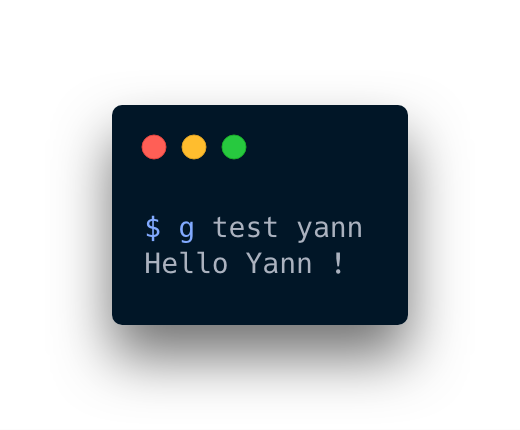
- Named (don't forget the capital case) :
// g test --name yann
console.log("Hello " + Name);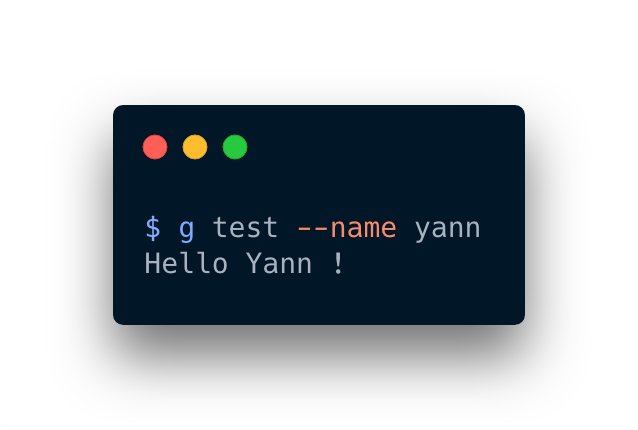
Specifically for plugins, anything you add at the end of your script will be returned to GuPM.
var a = "123";
a; // GuPM will read a as a result of your scriptGuScript is a very useful tool for every day devs. Please check out the article "Your everyday pipeline using GuPM" for details on how to set-up your project using GS. Note that plugins are also written in GS and can tap into special hook to change the behaviour of various commands.