Repository navigation

Talk to Claude Code without making a sound. Press a button above the prompt, mouth a phrase at your webcam, press again, and the words appear in the prompt box. A lip-reading model runs locally on your Mac: no audio is recorded and no video leaves your machine.
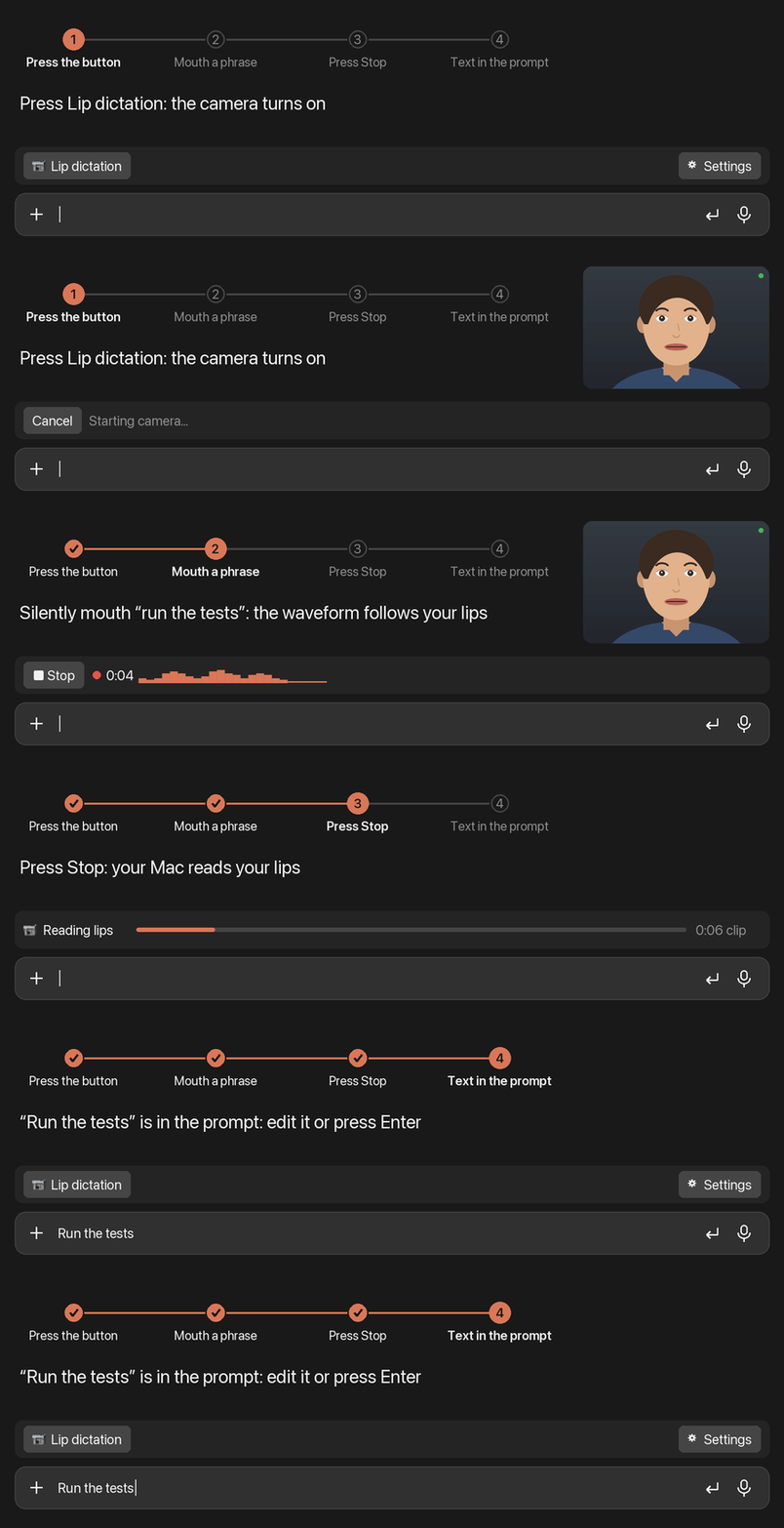
This is the first public release, and a prototype: lip reading is hard, so expect word errors, especially on technical terms. Short phrases work best.
What's in it
- Silent dictation into the prompt of Claude Code, in the terminal and the desktop app. The recognized text lands at the cursor; nothing is sent until you press Enter.
- Train on my lips: record short phrases and train a small personal adapter (LoRA on the encoder) in a few minutes on your Mac. A held-out check reports the word error rate before and after, and the personal model is used only when it helps. Switch it on and off in ⚙ Settings.
- History: what the model read, the other readings it considered, and whether you sent the text as read or edited it.
- Claude knows which words were lip-read, with the model's other readings, so it reads them in context and asks before anything destructive.
- One-step setup: press Set up, and it fetches what is missing (Python, packages, the model, about 1.5 GB) with a progress bar. Encoder on the Mac's GPU; after the first dictation the next one is loaded ahead, so the camera starts at once.
Install
/plugin install lip-dictation --marketplace batanus/lip-dictation
Requirements: macOS on Apple Silicon, a webcam, Claude Code 2.1.287 or newer. English only for now.
Help wanted
Tell me how well it reads your lips with the My results template, and share ideas in Discussions. PRs welcome.
The pretrained weights come from Auto-AVSR and are for research and non-commercial use; setup shows their terms before downloading.