Repository navigation
eBIRForms 0.1.0 (beta)

Warning
Outdated. Get the latest version instead. This version cannot update itself. On a Mac, Submit and BIR's messages silently do nothing, so validation errors are hidden. On every computer, this version never sends anything to BIR, even when Submit says it will send later: a return made here is not filed. To file, print it and file at your bank or RDO, or open the saved file in BIR's own eBIRForms app on Windows and submit it there.
BIR's Offline eBIRForms Package, rebuilt to run on Windows, macOS and Linux. Fill in, save and print BIR's 84
forms offline. The saved files are the same as BIR's own app makes. This app is free and not affiliated with BIR.
Which file do I download?
| Your computer | Download |
|---|---|
| Windows 10 or 11 | ..._Windows_x64_setup.exe |
| Mac (Apple Silicon or Intel), macOS 12 or later | ..._macOS_universal.dmg |
| Ubuntu, Debian, Linux Mint | ..._Linux_amd64.deb |
| Any other Linux | ..._Linux_x86_64.AppImage |
Windows
-
Open the
setup.exeyou downloaded. -
If Windows shows Windows protected your PC, click More info, then Run anyway. Windows shows this for
new apps that are not signed yet.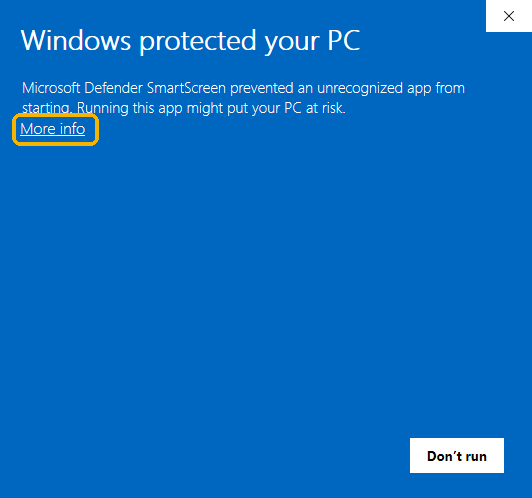
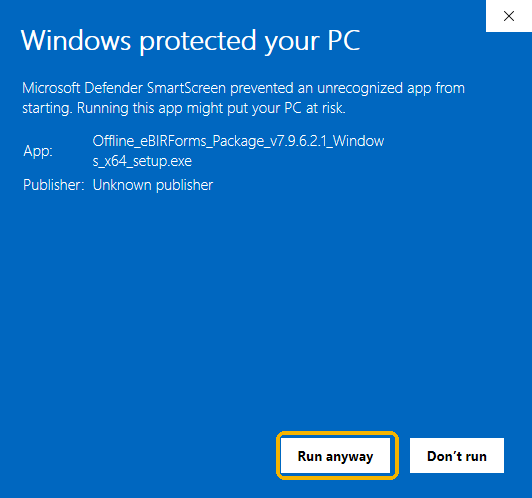
-
Click Next on each screen, then Finish. You don't need an administrator account.
Mac
-
Open the
.dmgand drag eBIRForms into Applications. -
Open eBIRForms. macOS stops it the first time. Click Done.
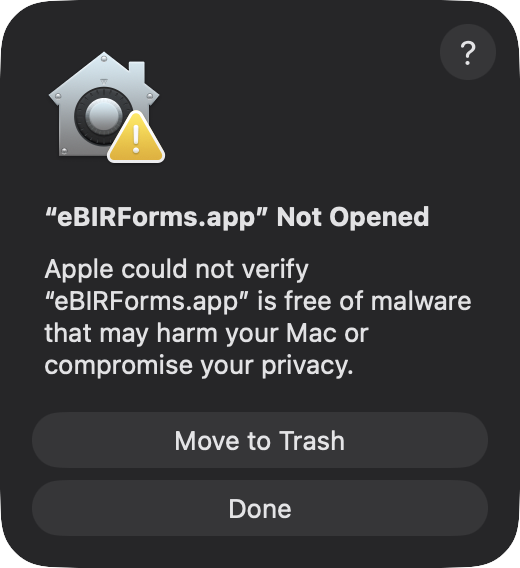
-
Open System Settings, then Privacy & Security. Scroll down and click Open Anyway.

-
Click the grey Open Anyway (not the blue Move to Trash), then enter your Mac password.
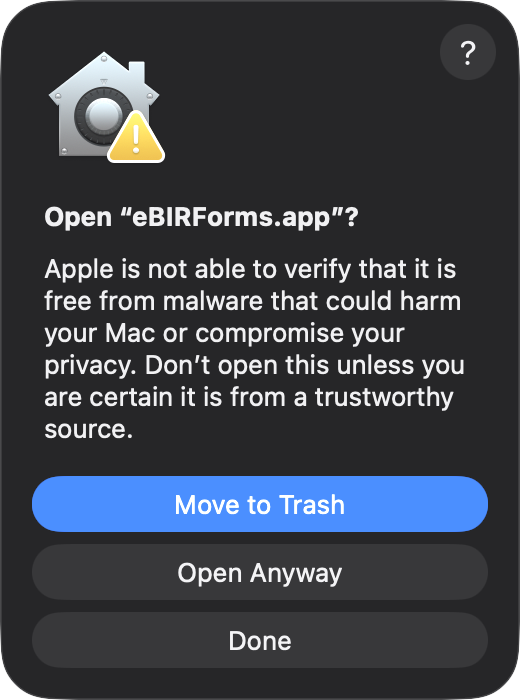
You only do this once. On macOS 12 to 14, you can instead right-click eBIRForms in Applications and choose Open.
Linux
-
.deb(Ubuntu, Debian, Mint): in a terminal, in the folder you downloaded it to, run
sudo apt install ./Offline_eBIRForms_Package_*_Linux_amd64.deb. Then open eBIRForms from your app list. -
.AppImage(any distribution): right-click the file and open Properties. Turn on Executable as
Program (Ubuntu 24.04 and later). On Ubuntu 22.04, open the Permissions tab and tick Allow executing file
as program. Or runchmod +xon it. Then double-click it.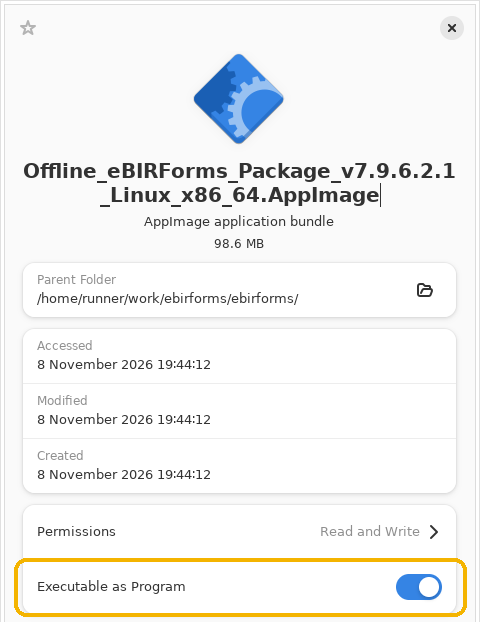
After installing
Fill in your profile, pick a form, click Fill-up, and Save, the same as in BIR's app. Found a problem?
Open an issue.