Repository navigation

This version is a full rewrite. The goal is a node editor that is easy to read and learn from. The old code is at the tag v0.1.0.
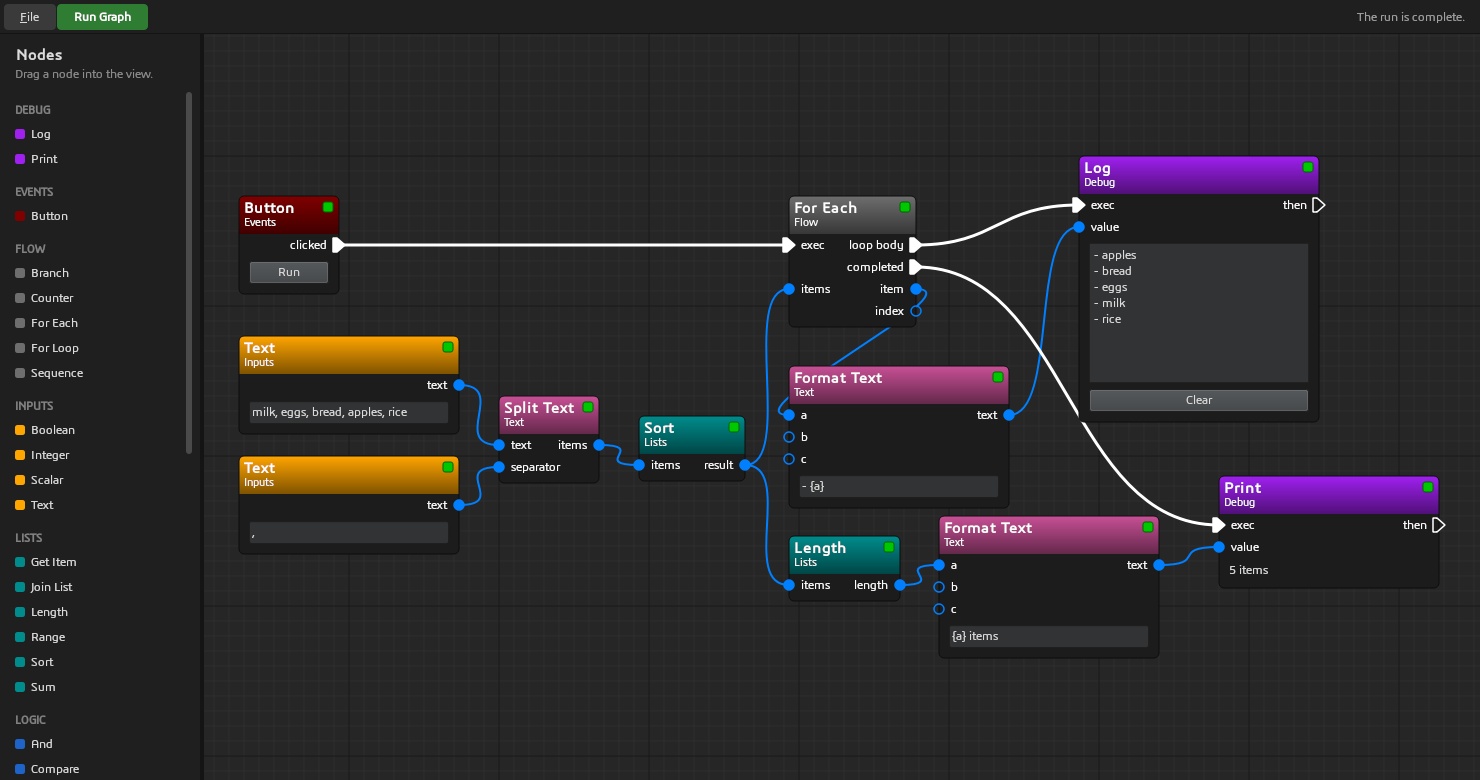
What is new
- Model and GUI are separate. The model (
node_editor/) is pure Python and does not import Qt. The GUI (node_editor/gui/) shows the model. - Exec pins and data pins, as in Unreal Engine Blueprints. A pure node runs when another node needs its values.
- Branches and loops. A node can choose which exec outputs run, and how many times. See Branch, For Loop and For Each.
- 41 example nodes in 8 groups: Events, Inputs, Math, Logic, Text, Lists, Flow and Debug.
- 7 example graphs: add two numbers, temperature, word count, pass or fail, times table, two dice and shopping list.
- A new dark UI: one toolbar at the top, and a node list with groups and colors.
- Save and open graphs as JSON. When you open a file, the editor skips unknown node types and bad connections, and writes a warning.
- A new README. It tells how the code works, and shows an image of each example graph.
- Tests and tools: pytest, pytest-qt, ruff, mypy (strict), pre-commit, and GitHub Actions on Linux and Windows.
Requirements
Python 3.10 or newer, and PySide6 6.5 or newer.
Changes that break old code
Example_Projectis nowexample_project, and the node classes have new names.- Node classes and graph files from v0.1.0 do not work with this version.
Quick start
Download python-node-editor-1.0.0.zip below, and extract it. Then, in the extracted folder:
python -m venv venv
venv/bin/pip install -r requirements.txt     # On Windows: venv\Scripts\pip install -r requirements.txt
venv/bin/python main.py                      # On Windows: venv\Scripts\python main.py
Click Run Graph. To open the other example graphs, use File > Open.