Repository navigation

Rikugan 2.0 is a rewrite. The Python plugin is gone, and Rikugan is now a native C++ plugin for IDA Pro 9.2 or later
and Binary Ninja, on Linux, macOS and Windows, with omc as its new backend. It
is still an agent that lives inside your disassembler and works on your database, and almost everything around that
has changed.
What's new
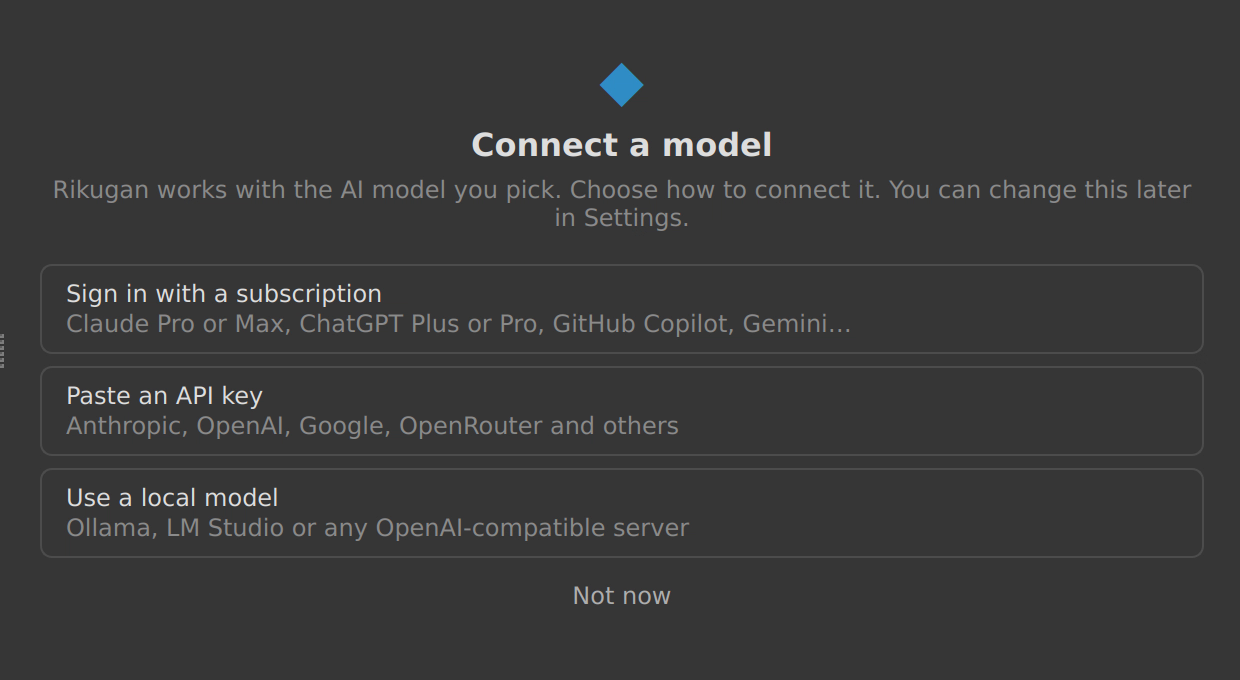
Any model
You can sign in with a subscription you already pay for (Claude, ChatGPT/Codex, Gemini, GitHub Copilot and dozens
more), paste an API key, or point Rikugan at a local server such as Ollama, LM Studio, llama.cpp or any
OpenAI-compatible endpoint. A new install opens on Connect a model, and the model works without a restart. When the
browser runs on another machine, such as IDA in a VM, you paste the address it ended on and the login finishes. A
private inference server can bring its own certificate, and Test connection tells you whether Rikugan reaches it.
Claude Code and Codex logins on the same machine can be shared once you confirm, and Ctrl+M switches the model and
thinking level at any time.
The panel
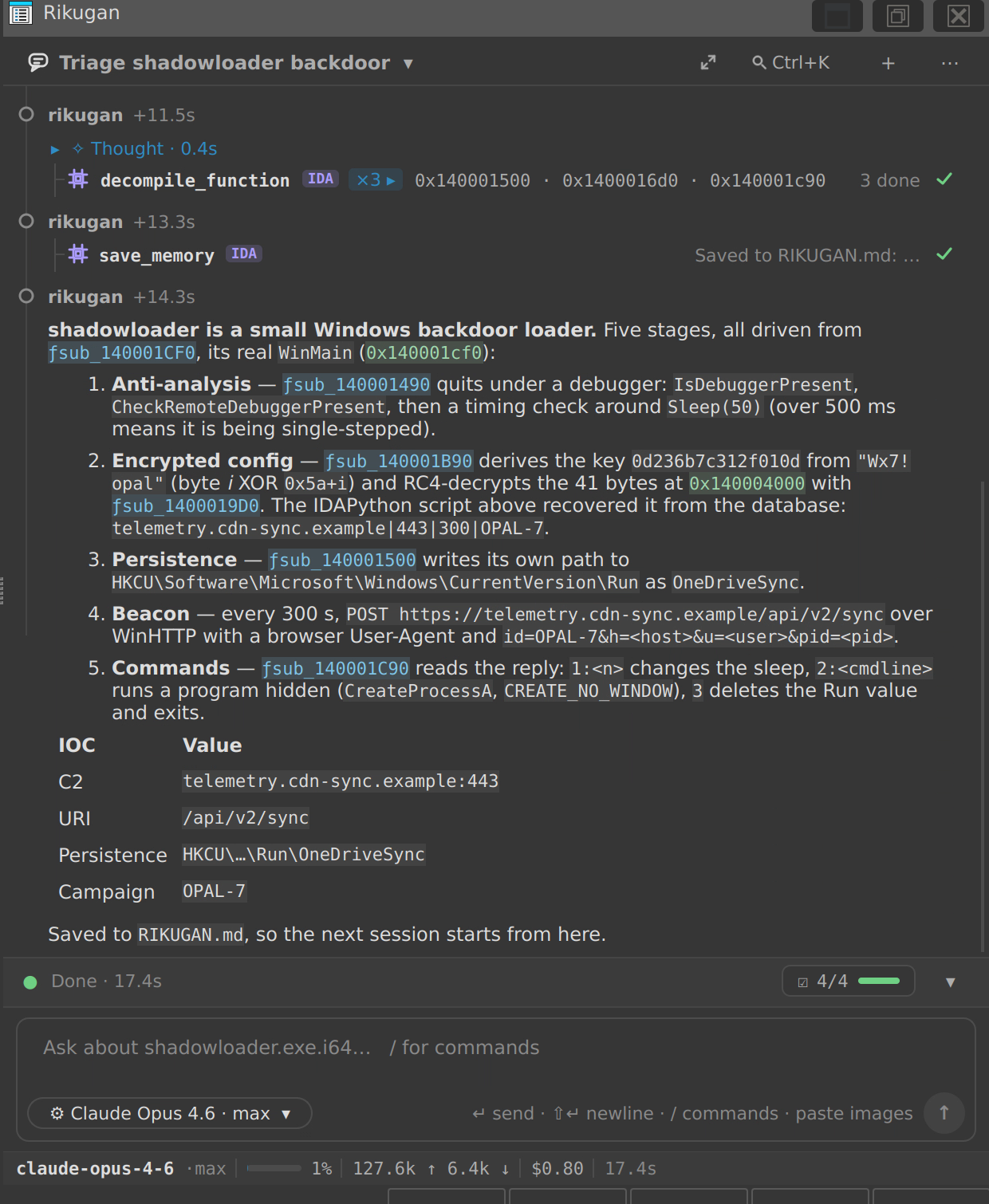
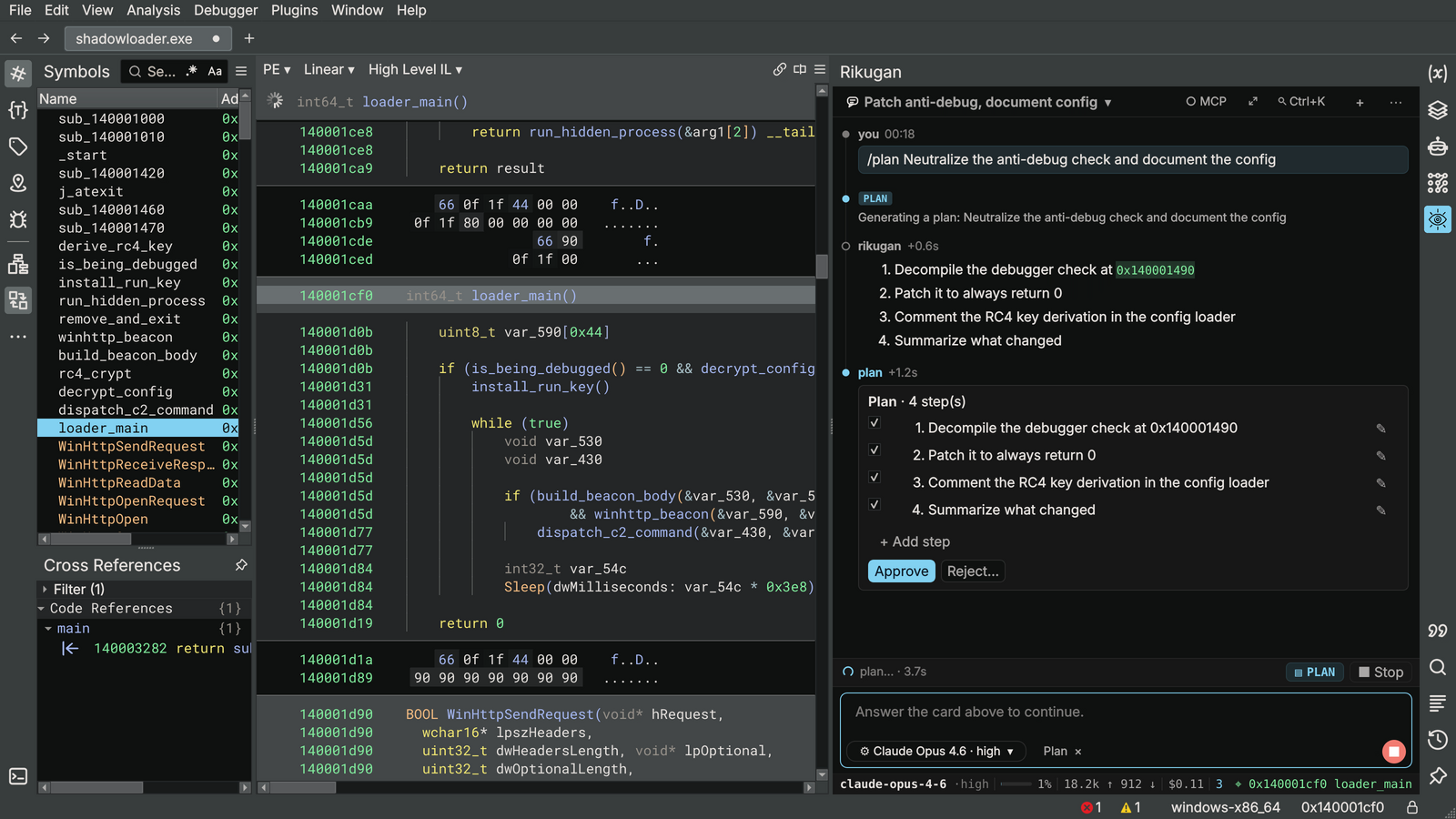
Each turn shows as a timeline of the model's thinking, every tool call with its result, subagents with their live
progress, and the permission, approval and plan cards. Click an address or a symbol in it to jump there. The strip
above the timeline shows what Rikugan is doing, its todo list and the goal it works toward. Ctrl+K opens every command
and Ctrl+J the agents, which you can steer or stop. Chats are named after their first exchange, and the colours follow
the host's theme.
Tools
More than 60 native tools cover navigation, the decompiler, disassembly, cross-references, strings, types,
annotations, scripting and each host's IL or microcode, and Rikugan calls them in parallel where that is safe. It can
also read, write and edit files, run shell commands and search the web, and each kind of access asks the first time in
a chat.
Changes you control
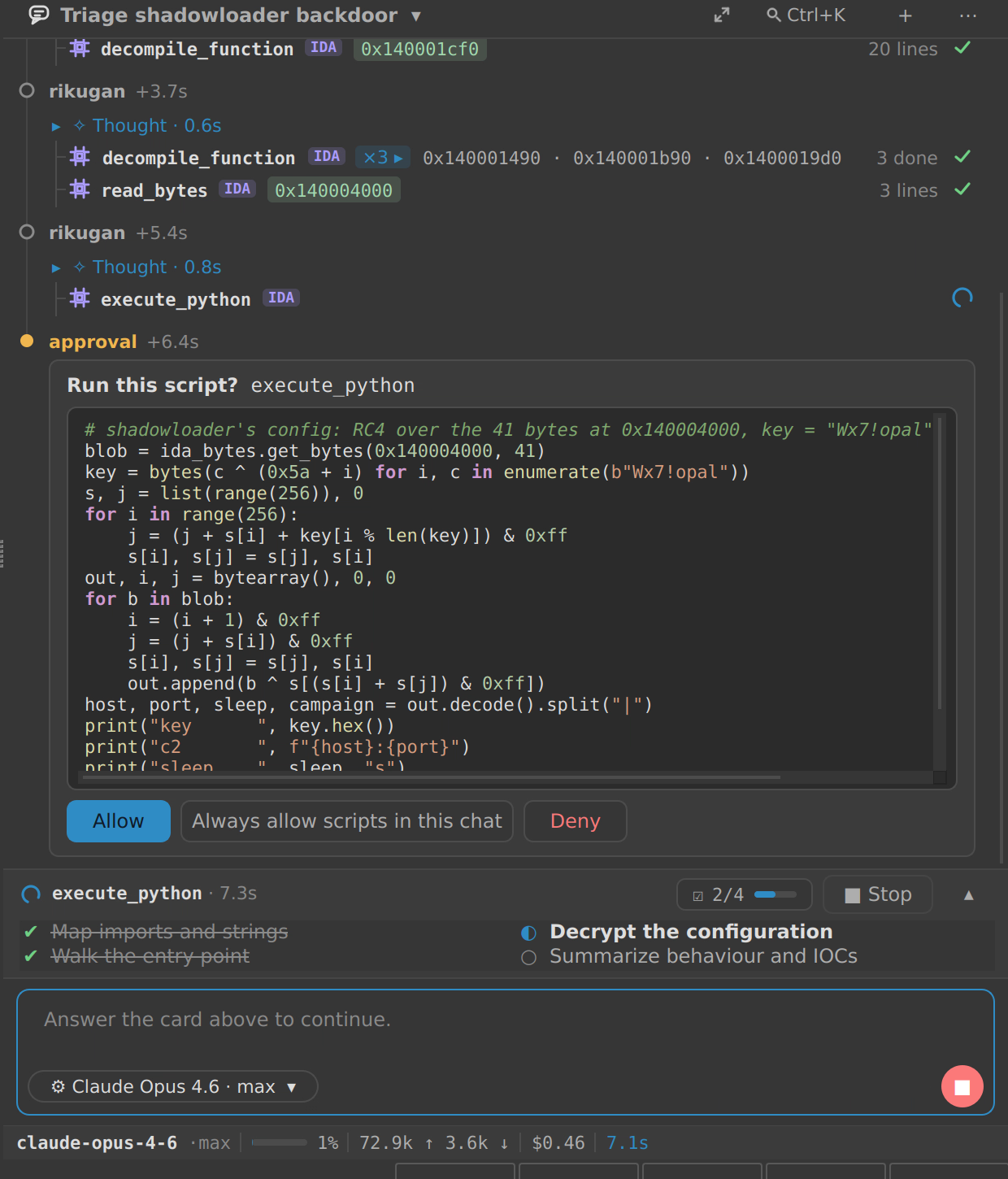
Renames, types, comments and patches can ask before they land, once or for the whole chat. Each reversible change has
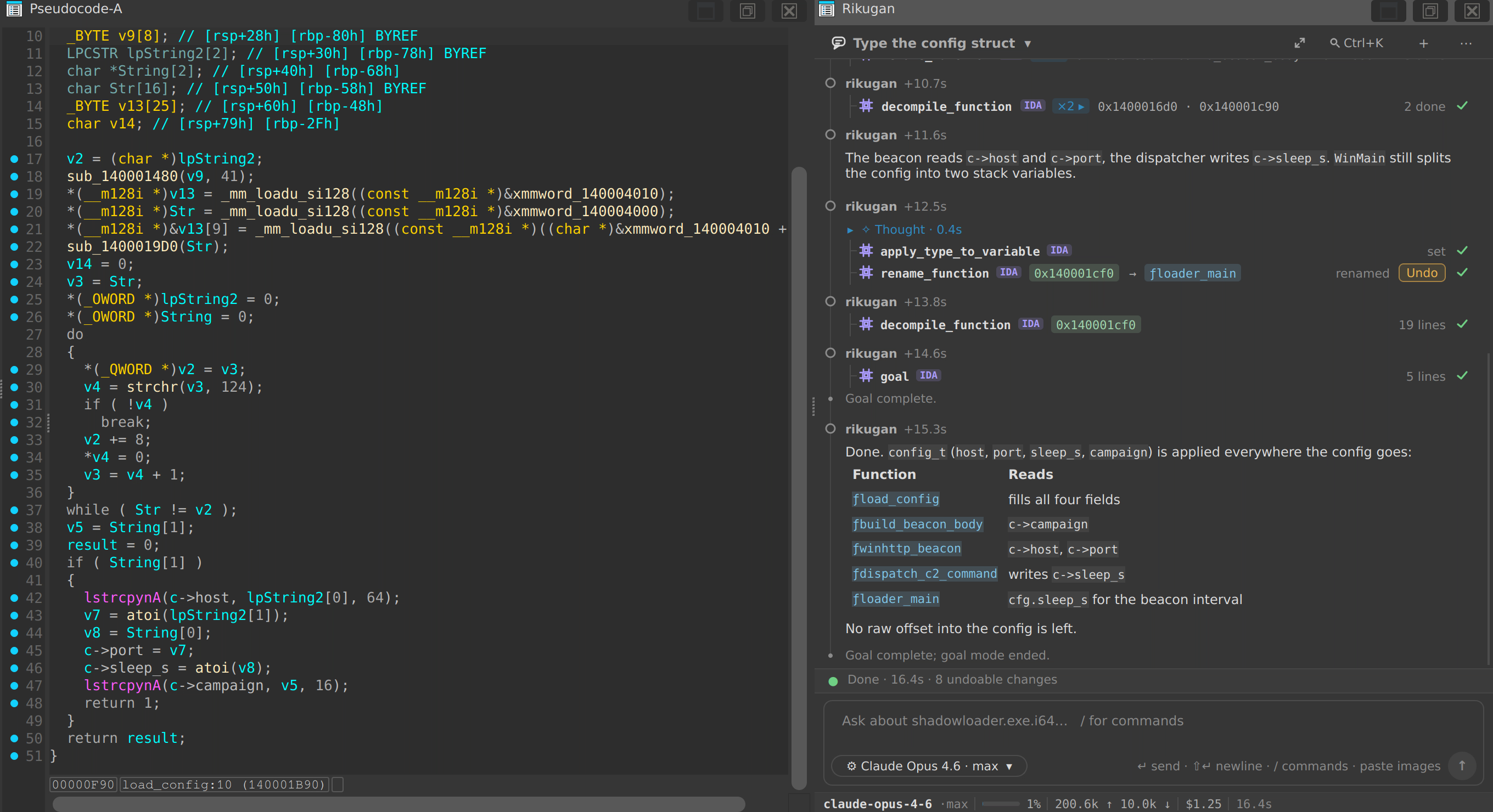
its own Undo, and /undo takes back the last ones. In IDA the decompiler redraws as each change lands.
Modes and goals
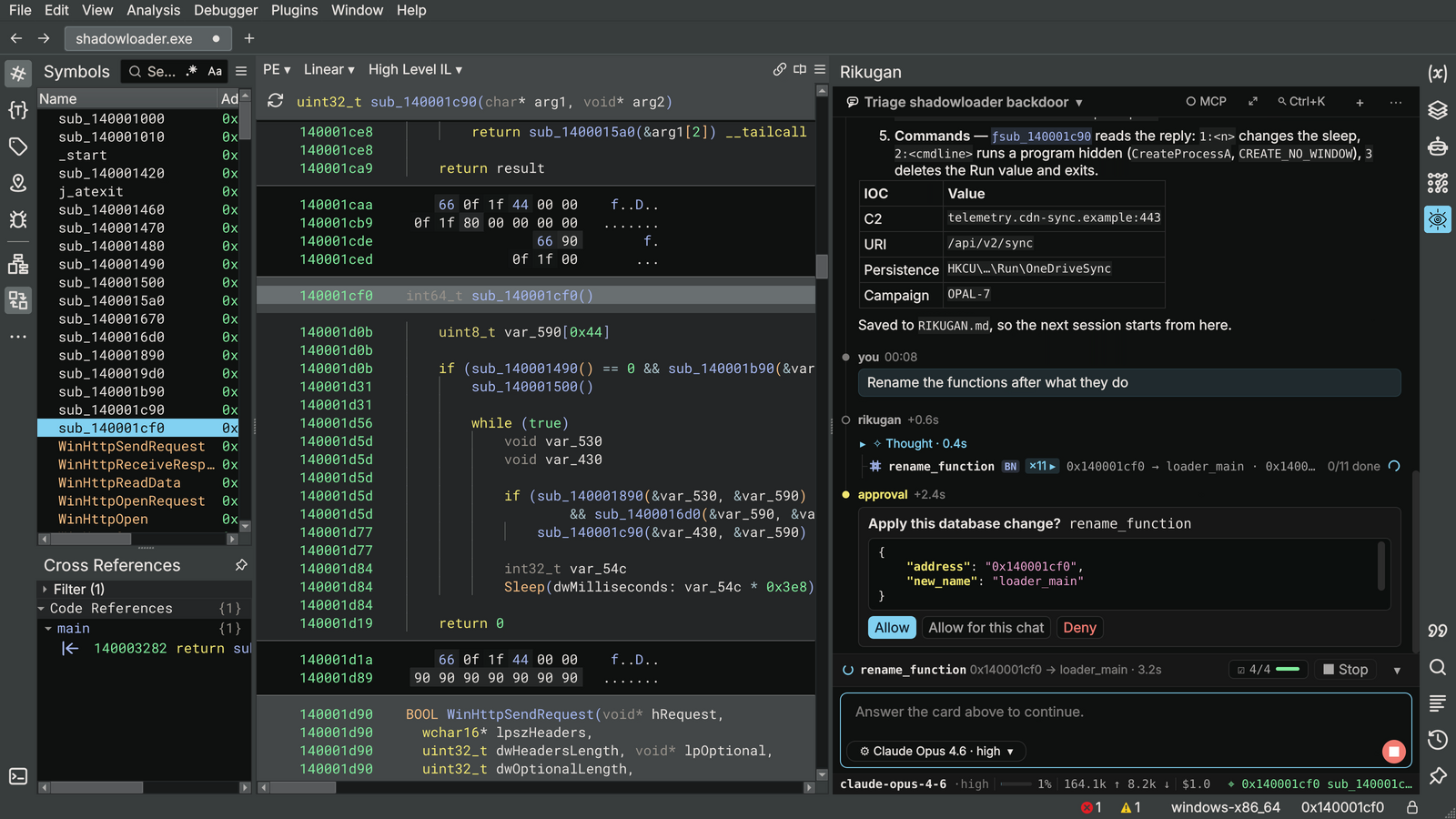
/plan writes a read-only plan you can edit before it runs. /explore investigates and ranks what it finds. /modify
explores, plans and patches, then asks whether to keep the patches. /research writes linked notes next to the
database. /goal <objective> keeps Rikugan working on its own, turn after turn, until it has checked that the objective
is met, for example recovering a struct and typing every function that uses it. The panel shows the goal and the time
spent on it, with Pause and Clear.
Subagents and other databases
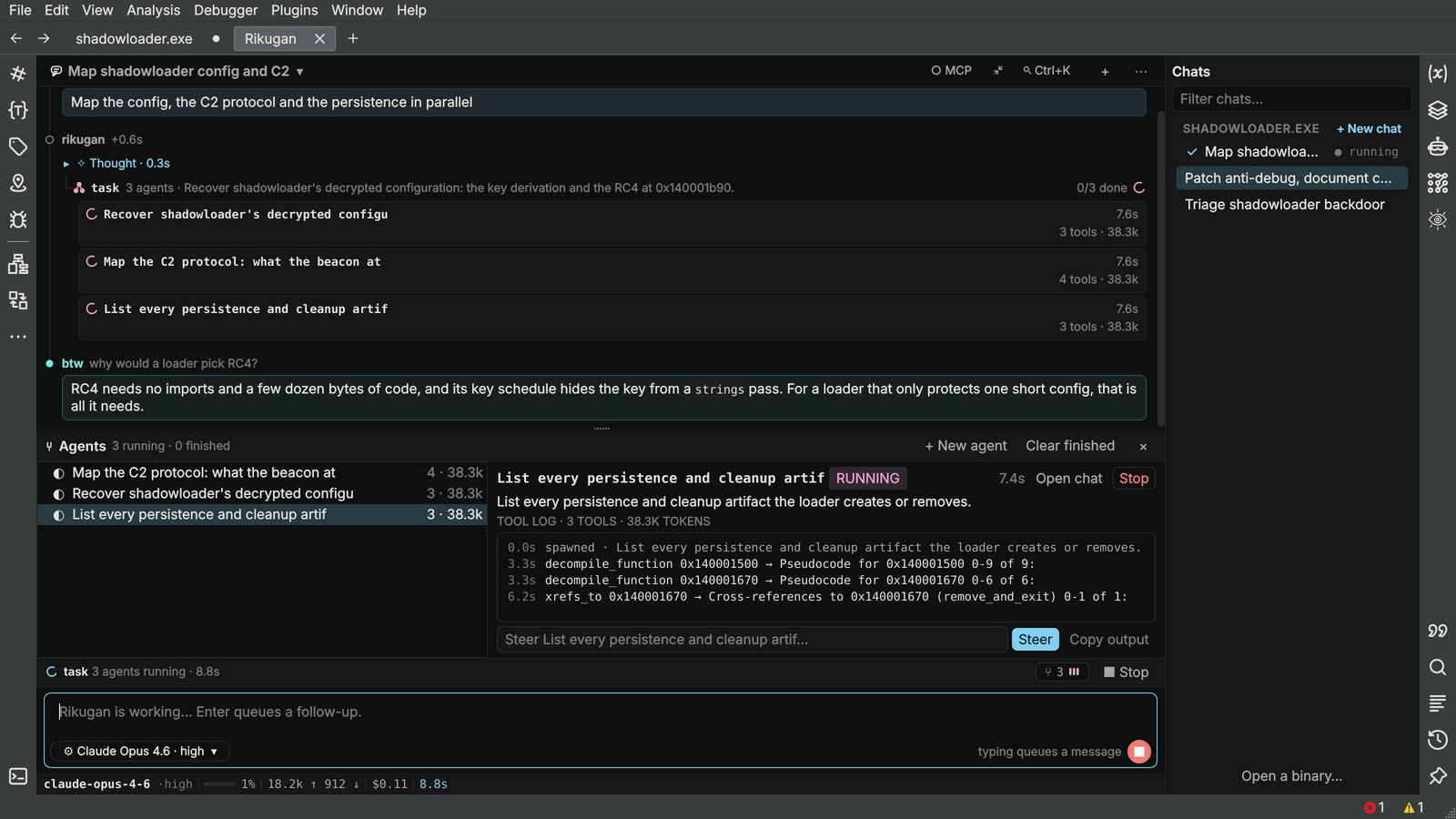
Rikugan can split work across subagents that run in parallel, each in its own context, and you can follow, steer or
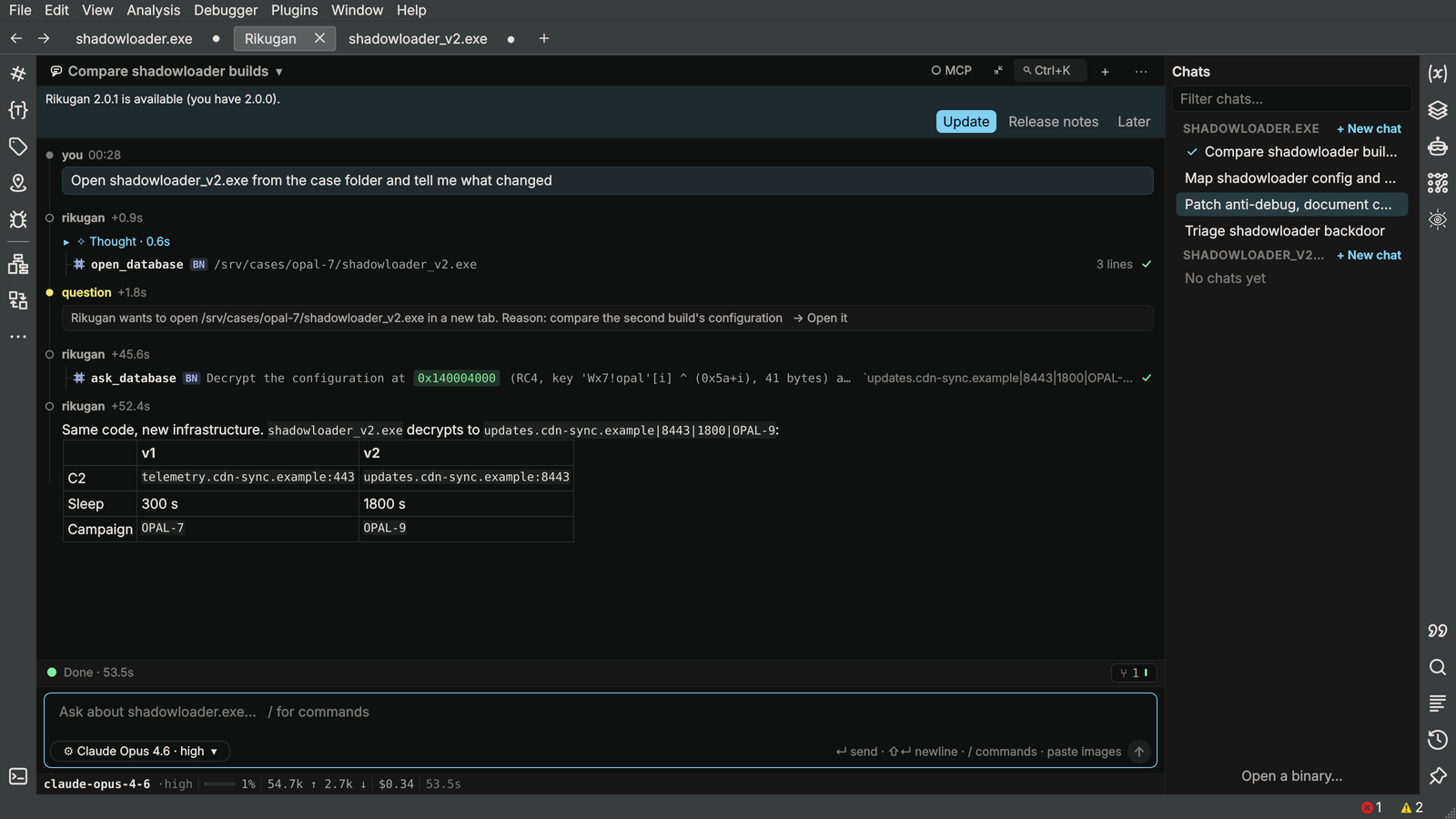
stop each one. /btw asks a side question while a run goes on. In Binary Ninja, Rikugan can open another file in a new
tab once you agree and ask it questions, to compare two builds or look something up in a library. The full-window view
puts the chat in a tab, with the chats of every open database beside it.
And more
You can paste or drop images into a message. Findings persist in RIKUGAN.md next to the database. Rikugan ships with
12 skills and takes your own, works with your MCP servers, and in Binary Ninja can switch to Binary Ninja's own MCP
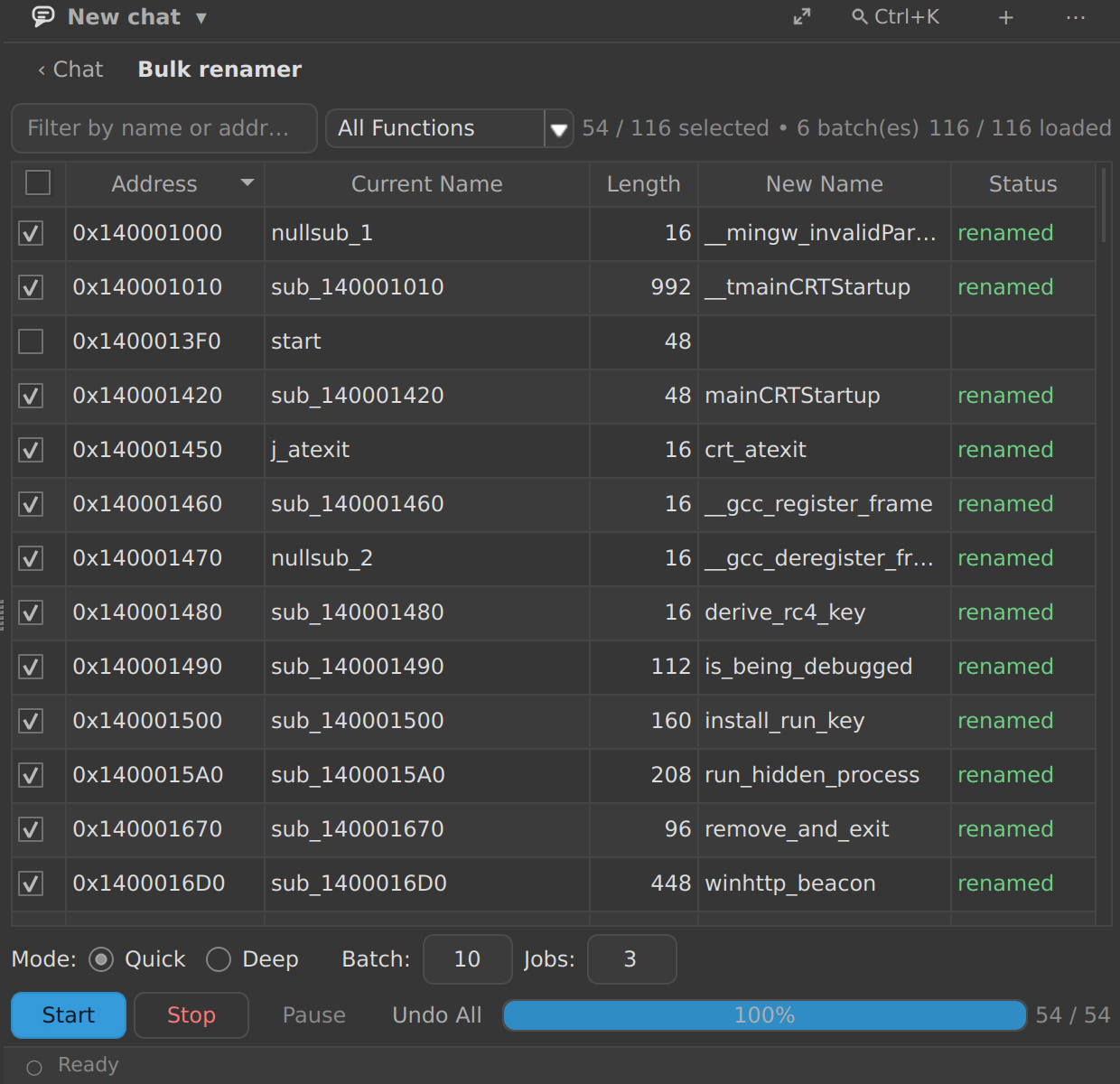
server with one button. The bulk renamer names every function in batches on parallel workers. Profiles apply IOC
filters and tool limits to every tool result. Both hosts get right-click actions such as Explain this, Rename with
Rikugan, Deobfuscate and Find vulnerabilities. A crash writes a log to ~/.rikugan/logs/ and saves a recovery copy of
each open database.
Updates
Rikugan checks for a newer release once a day and installs it only when you click Update. It downloads the package for
your host and platform, checks its SHA-256 and its version, and replaces the plugin, which the host loads at its next
start. Settings › Behavior › Updates turns the daily check off.
Upgrading from 1.x
Run the installer below. If it finds a Rikugan 1.x (Python) install for the same host, it moves it to
~/.rikugan-1.x-backup/ before it installs 2.0. Rikugan 1.x cannot update itself, so this one install is by hand.
Chats and settings from 1.x are not carried over, so connect a model again from the panel.
Some things went away with the Python version: Rikugan's own provider layer (omc covers far more providers and logins),
encrypted API keys (credentials now sit in Rikugan's settings folder, readable only by you on Linux and macOS),
importing Claude Code and Codex skills and MCP servers, the research-note reviewer chain, resuming a cancelled mode, the
allowed_tools skill setting and undoing file writes.
Install
The installer finds IDA Pro and Binary Ninja on your computer, downloads this release's plugin for each, checks it
against its published SHA-256 and puts it in the host's plugins folder. Restart the host afterwards.
On Linux and macOS:
curl -fsSL https://raw.githubusercontent.com/buzzer-re/Rikugan/main/install.sh | RIKUGAN_VERSION=2.0.0 bashOn Windows, in PowerShell:
$env:RIKUGAN_VERSION = '2.0.0'; irm https://raw.githubusercontent.com/buzzer-re/Rikugan/main/install.ps1 | iex| Package | Host | Runs on |
|---|---|---|
rikugan-2.0.0-ida-linux-x86_64.tar.gz, rikugan-2.0.0-binja-linux-x86_64.tar.gz |
IDA Pro 9.2+, Binary Ninja | Linux x86_64, glibc 2.35+ and OpenSSL 3 (Ubuntu 22.04+, Debian 12+, Fedora 36+) |
rikugan-2.0.0-ida-linux-arm64.tar.gz, rikugan-2.0.0-binja-linux-arm64.tar.gz |
IDA Pro 9.3+, Binary Ninja | Linux arm64, glibc 2.39+ and OpenSSL 3 (Ubuntu 24.04+, Debian 13+, Fedora 40+) |
rikugan-2.0.0-ida-macos-arm64.tar.gz, rikugan-2.0.0-binja-macos-arm64.tar.gz |
IDA Pro 9.2+, Binary Ninja | macOS on Apple silicon (OpenSSL is built in) |
rikugan-2.0.0-ida-macos-x86_64.tar.gz, rikugan-2.0.0-binja-macos-x86_64.tar.gz |
IDA Pro 9.2+, Binary Ninja | macOS on Intel |
rikugan-2.0.0-ida-windows-x86_64.zip, rikugan-2.0.0-binja-windows-x86_64.zip |
IDA Pro 9.2+, Binary Ninja | Windows 10 and 11, x64 |
Each package holds only the files that go into the host's plugins folder. SHA256SUMS lists every package. To check
and install a package by hand:
sha256sum -c SHA256SUMS --ignore-missing      # macOS: shasum -a 256 -c SHA256SUMS --ignore-missing
tar -xzf rikugan-2.0.0-binja-linux-x86_64.tar.gz -C ~/.binaryninja/plugins
The macOS plugins are not notarized. A copy you download with a browser needs xattr -d com.apple.quarantine <file>
once. The installers and the updater download with curl, which does not mark the file.