Repository navigation
Components Bots
فارسی · Components · Home
Accounts on your server that do things: answer with AI, remind you, run a helpdesk, keep spammers out.
How to add any of these: Components.
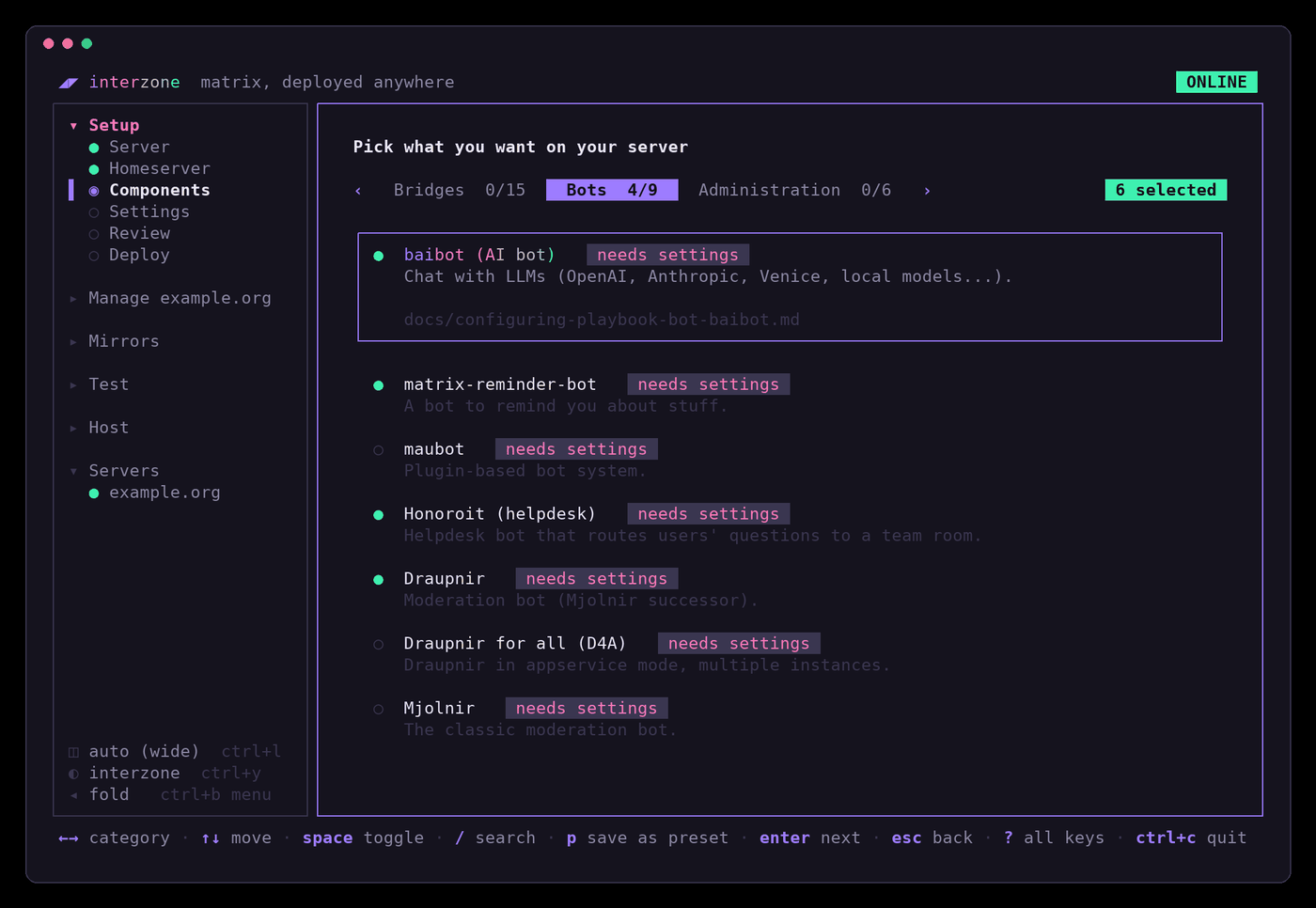
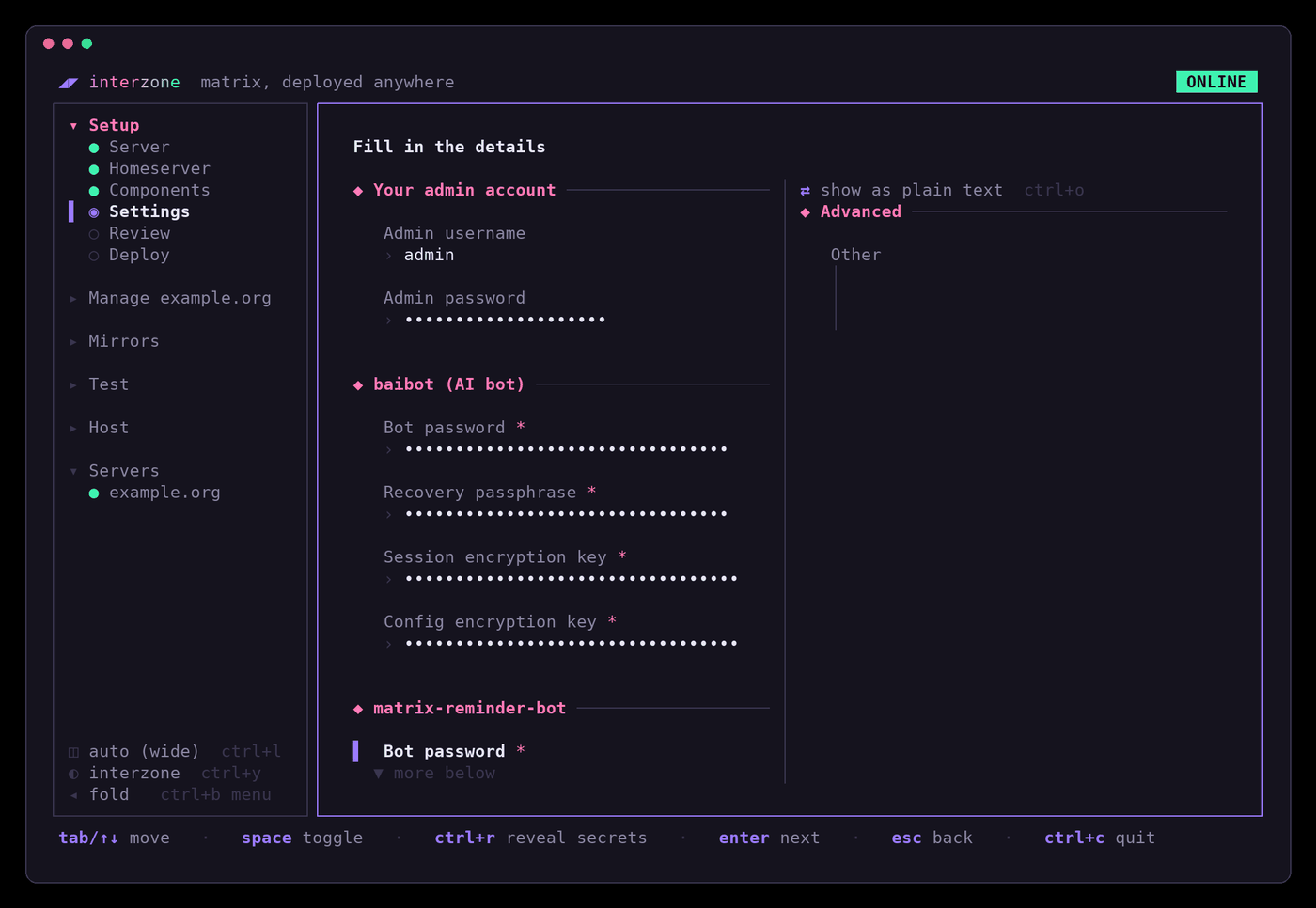
Bots live on your base domain like bridges: @baibot:example.org, not
…:matrix.example.org. Bot passwords are made up for you; ctrl+r on
Settings shows them.
Getting a bot's access token, which some ask for: make the account with
Manage › Add a user (a) (after the first deploy), sign in as it in
Element (a private browser window helps), copy the token from Settings ›
Help & About › Advanced › Access Token, then close the window without
signing out: signing out ends the token. Draupnir is the exception; see
below.
Chat with AI models (OpenAI, Anthropic, Groq, Mistral, a local Ollama and more) in any room: text, images, speech to text and back.
Bot: @baibot:example.org
Settings: a bot password, recovery passphrase and two encryption keys, all made up for you; keep them, the bot's encrypted data needs them.
Use: invite the bot to a room; it introduces itself. Send !bai help.
Before it can answer, its administrator (your admin account) adds an
agent: an AI provider with your API key for it. Send !bai agent and
follow the bot; the agents guide
lists the providers. Everyone on your server may use it by default.
Doc ·
baibot docs
Bot: @bot.matrix-reminder-bot:example.org
Settings: a bot password (made up for you) and your timezone,
e.g. Asia/Tehran.
Use: start a chat with it, or invite it to a room, and send
!remindme in 2 hours; call mum. !help reminders lists the rest, with
repeating reminders and alarms.
Doc
A home for plugin bots: dice, polls, RSS, translations, GitHub, karma and many more.
Settings:
-
Bot password: for its account
@bot.maubot:example.org, made up for you. -
Management UI admins: who can sign in to the web interface, as
- username: password. ChangeCHANGE_MEto a real password.
Use: open https://matrix.example.org/_matrix/maubot/ and sign in with
that username and password. Then:
-
Clients, +: the Matrix account a bot speaks as.
@bot.maubotwith its access token (see above) is ready to use. -
Plugins, +: upload a plugin's
.mbpfile. - Instances, +: put a client and a plugin together. That's the bot. Doc · maubot docs
People message the bot; each conversation becomes a thread in your team's room, and your team's answers go back to them.
Settings:
- Bot password: made up for you.
-
Helpdesk room ID: make the team's room first, then copy its ID from
Room settings › Advanced (it looks like
!abc123:example.org).
Use: invite @honoroit:example.org to that room. Anyone who messages the
bot opens a thread there. !ho help lists the commands.
Doc
A moderation bot: bans spammers across all your rooms at once, follows community ban lists, and has protections such as locking a room when a flood of accounts joins.
It needs an account and an access token, so add it after the first deploy:
-
Manage › Add a user (
a):bot.draupnir, not an admin. -
Get its access token with curl, not from Element (Draupnir rejects a token that has touched encryption). On your computer:
curl -X POST https://matrix.example.org/_matrix/client/v3/login \
  -d '{"type":"m.login.password","identifier":{"type":"m.id.user","user":"bot.draupnir"},"password":"THE_PASSWORD"}'
Copy
access_tokenfrom the answer. -
Tick Draupnir and fill in Initial manager MXID (you,
@admin:example.org) and Bot access token. Deploy.
Use: the bot creates a management room and invites you; you command
it from there. For each room to protect: invite the bot, make it
Administrator, and send !draupnir rooms add !ROOMID:example.org in the
management room. Follow a community ban list with
!draupnir watch #community-moderation-effort-bl:neko.dev; ban with
!draupnir ban @spammer:example.com my-bans spam (after
!draupnir list create my-bans my-bans-bl). !draupnir help has the rest.
Doc ·
Draupnir docs
Draupnir as a service: one installation gives a separate Draupnir to each community that asks. Alpha quality; for one community, plain Draupnir is simpler.
Settings: Initial manager MXID: you.
Use: the bot invites you to its admin room. Allow someone with
/plain !admin allow @alice:example.org (or @*:example.org for all your
users), then give them a bot with !admin provision @alice:example.org.
Doc
The older moderation bot Draupnir grew out of. Choose Draupnir for a new server.
Settings:
-
Bot access token: make
bot.mjolnirwith Add a user and get its token as above. - Management room ID: make a private room, invite the bot, and copy the room's ID from Room settings › Advanced.
Use: in the management room, !mjolnir help. Make the bot Administrator
in rooms it protects.
Doc ·
Mjolnir quickstart
A moderation bot from the mautrix developers that reads the same ban lists as Draupnir and Mjolnir, and lets your own list overrule a community one.
Settings: Bots: the example makes one bot, @meowlnir_bot, and its
management room, and invites your admin account there; it can stay as it is.
Use: accept the invite. In the management room, !lists subscribe #community-moderation-effort-bl:neko.dev cme follows a ban list. To protect
a room, invite the bot, give it power level 100, then send
!rooms protect !ROOMID:example.org.
Doc ·
Meowlnir docs
Posts what people send through a form on your website into a Matrix room.
DNS: buscarron.example.org.
Settings:
- Bot password: made up for you.
-
Forms: one block per form.
nameis the form's address (https://buscarron.example.org/contact),roomthe ID of the room it posts to,redirectwhere the visitor goes afterwards.
Use: invite @bot.buscarron:example.org to the room, and point your form
at it: <form method="POST" action="https://buscarron.example.org/contact">.
It bans anyone who opens its home page or posts to a wrong form, to keep spam
out; don't test it that way.
Doc