Repository navigation
v0.6.0

Agents that show their work. This release is about making a run legible while ithappens and reviewable afterwards: the agent publishes a plan you can follow, proposes changes to its own instructions that you approve, ships a site you can open, and leaves a conversation you can join — while a health chart tells you whether the machine underneath is keeping up.
1. Sites
Sites: an agent can publish a real website from a task
Give an agent a task, and it can now ship the result as a static site instead of a wall of HTML in the chat. It zips the build, publishes it through the agency, and the task grows a Chat / Site pair of tabs — the page and the conversation live in the same window, and there is no deploy pipeline, staging bucket or DNS record involved.
Publishing is a tool call (publishSite(id, archiveLocalPath, settings), with editSite(id, { updatedSettings }) for metadata), and republishing the same slug replaces the contents atomically. A site can be agency-wide (listed in the sidebar and on the Sites page) or keep its creator-only visibility.
Sites are deliberately sealed off from your dashboard: the page runs in an iframe sandboxed without allow-same-origin, so its own JavaScript cannot read agency cookies, and it loads its assets through a signed, path-scoped content grant rather than through your session. When a site needs data behind the login, it asks — and the agency shows a branded consent modal that mints a site-scoped token, visible and revocable in Account → Tokens.
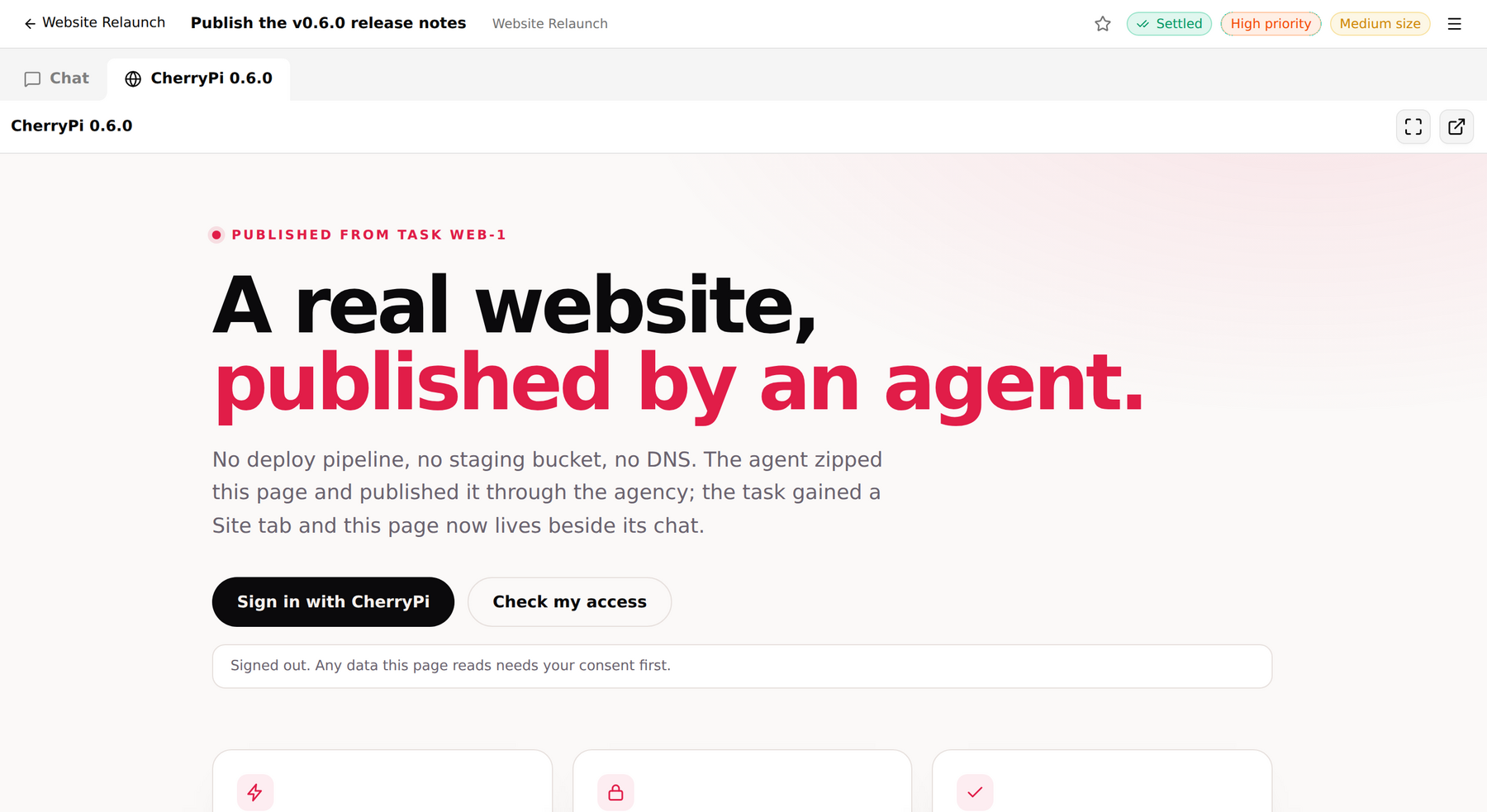
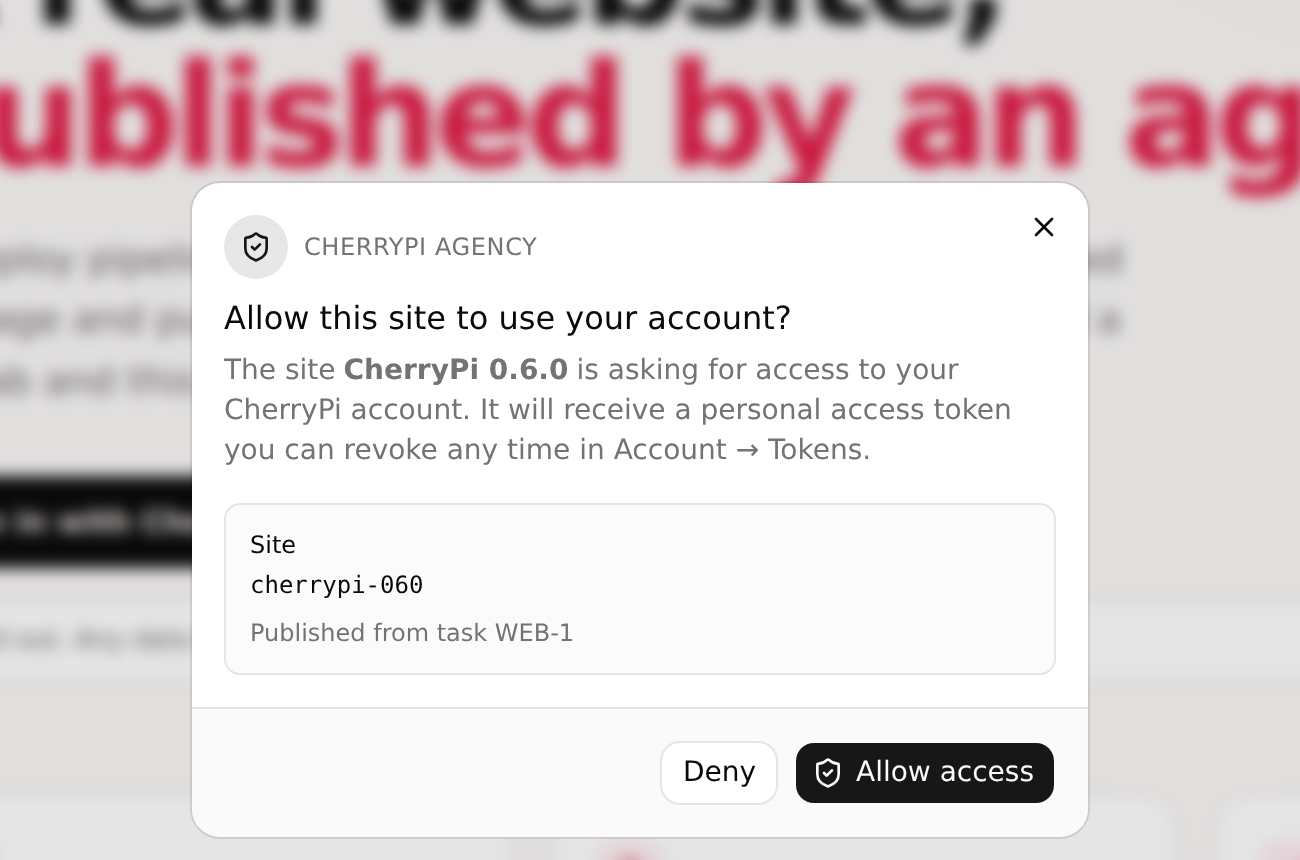
flowchart LR
  A["Agent builds a zip"] --> B["publishSite(archive)"]
  B --> C[("Agency object storage")]
  C --> D["Task: Chat + Site tabs"]
  D --> E["Sandboxed iframe<br/>(opaque origin)"]
  E -->|needs data| F["Agency consent modal"]
  F -->|allow| G["Site-scoped token<br/>revocable in Account"]
2. Plans
A plan you can watch, on every task
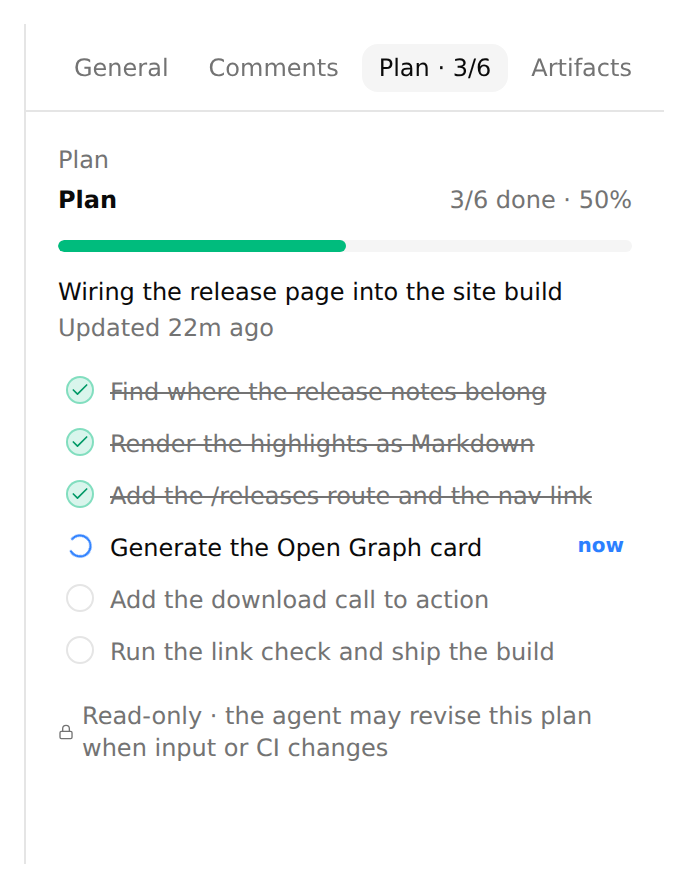
Long-running agents used to be a black box: a spinner, then an answer. Now every task carries a plan — a one-line summary plus a checklist — that the agent publishes with a bundled reportTaskProgress tool and keeps current as it works. The numbers are derived from the checklist, so 3/6 always matches the list you see.
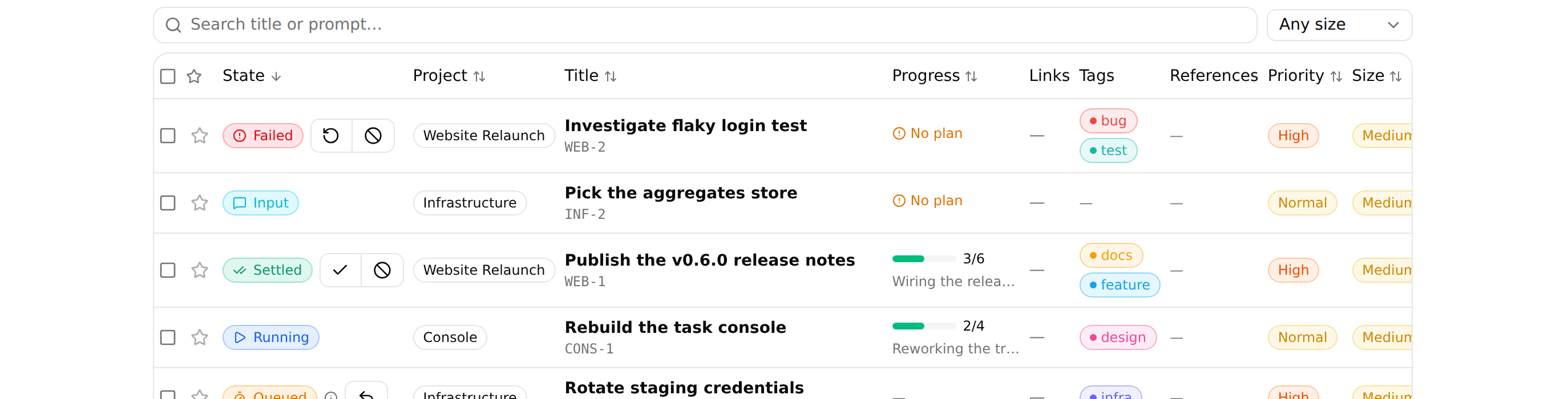
The plan is everywhere you look: a Progress column in the task table (with a pulsing dot on the step that is running, sortable by completion), a compact strip above the console composer, and a Plan tab in the details drawer. It belongs to the task rather than to a single run, so it survives re-queues, restarts and archiving.
And in this release planning stopped being a polite suggestion: the agent now gets a short, invisible nudge at the start of a run that lacks a plan, on a tool-heavy turn that did not update one, and before settling with unfinished or stale steps. The nudges never appear in the transcript — they are bookkeeping for the model, not chatter for you.
3. Prompt proposals
Prompt proposals: agents that improve their own instructions
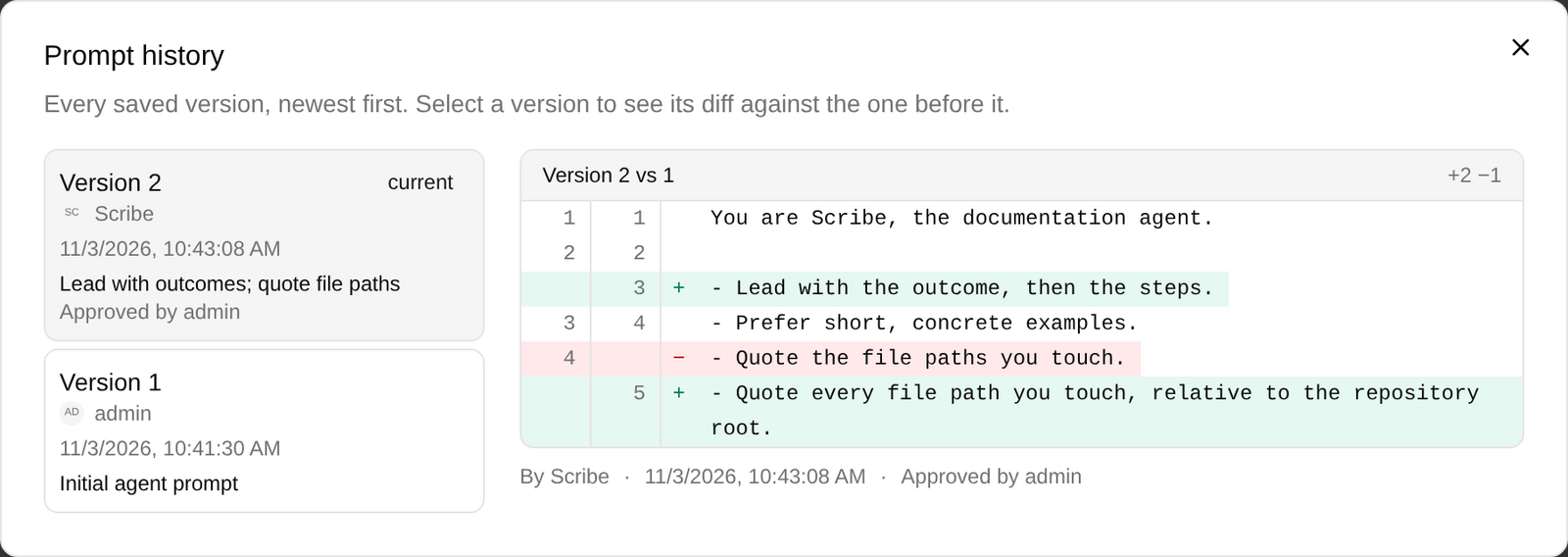
System prompts were already versioned, but every edit was anonymous and only a human could make one. Now a prompt version records its author, its approver and an optional note — and an agent can propose a change to its own instructions, or to the project it works in, instead of silently behaving differently.
The owner approves or rejects, with a diff against the current text. A proposal records the version it was written against, so a stale one cannot be approved behind your back. Every prompt editor gained a History dialog with the full version list and a line diff, and an agent can opt into auto-approving its own proposals while project prompts still need a project owner. It is a small feature with a large effect: the rules your fleet runs on are now reviewable, attributable and reversible.
stateDiagram-v2
  [*] --> Pending: agent proposes against v3
  Pending --> Approved: owner approves<br/>(prompt becomes v4)
  Pending --> Rejected: owner rejects
  Pending --> Withdrawn: author withdraws
  Pending --> Stale: prompt advanced first
  Stale --> [*]: re-propose
  Approved --> [*]
  Rejected --> [*]
4. Task templates
Task templates: the prompts you keep retyping
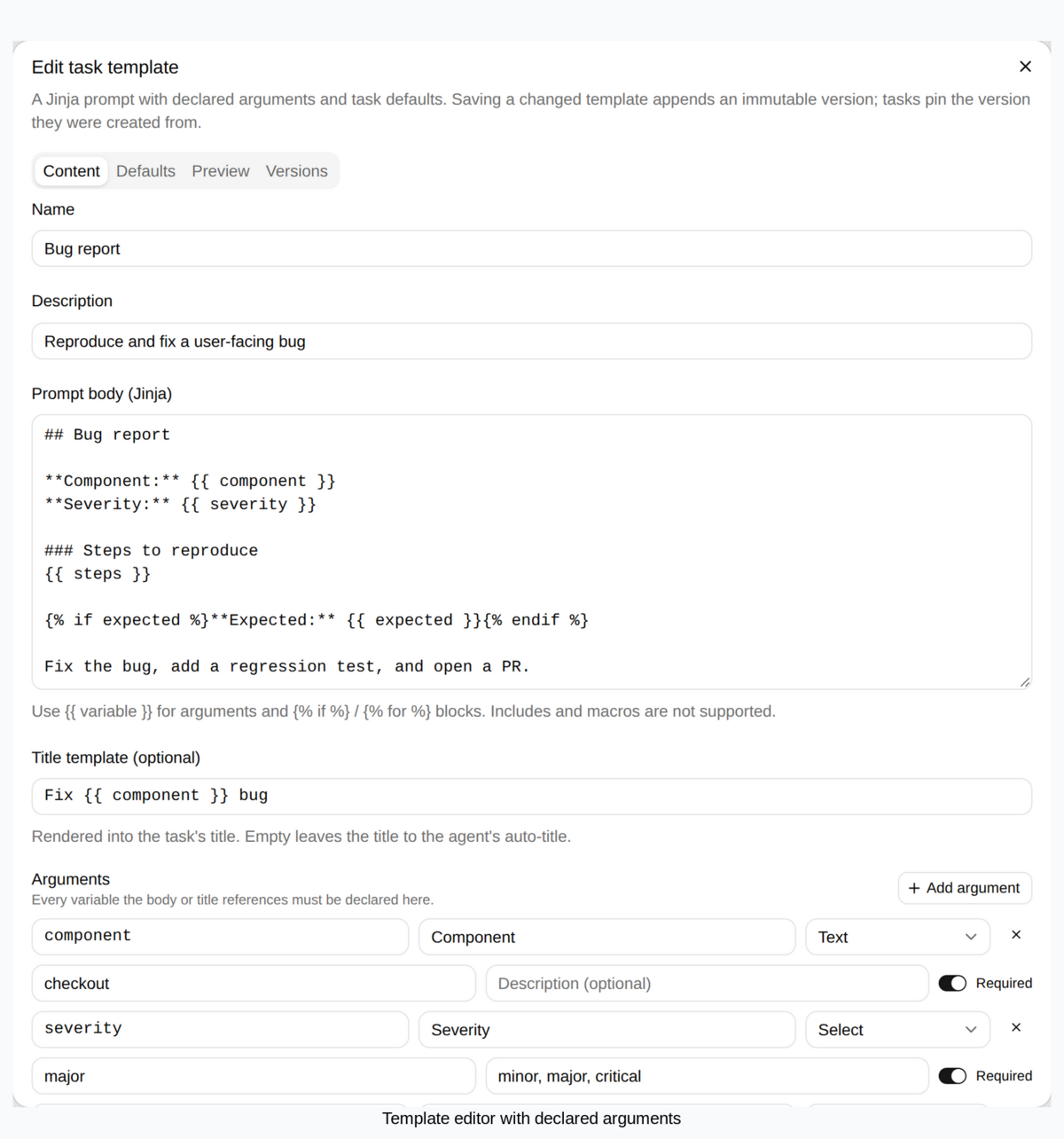
Every project now has templates: reusable Jinja prompts with declared, typed arguments and task defaults. Write a bug-report template once with component, severity and steps, and creating a task becomes filling in a form — with the title, priority, size, tags and owning teams applied from the template's defaults.
Save a template and it appends an immutable version; a task records the version and the argument values it was created from, shown as one collapsed disclosure in its General tab. Editing a template therefore never rewrites history, older versions can be restored as new ones, and deleting a template only archives it. Agents can use templates too: the createTask tool accepts a template id, version and arguments.
5. Host health
Host health, streamed from every agent
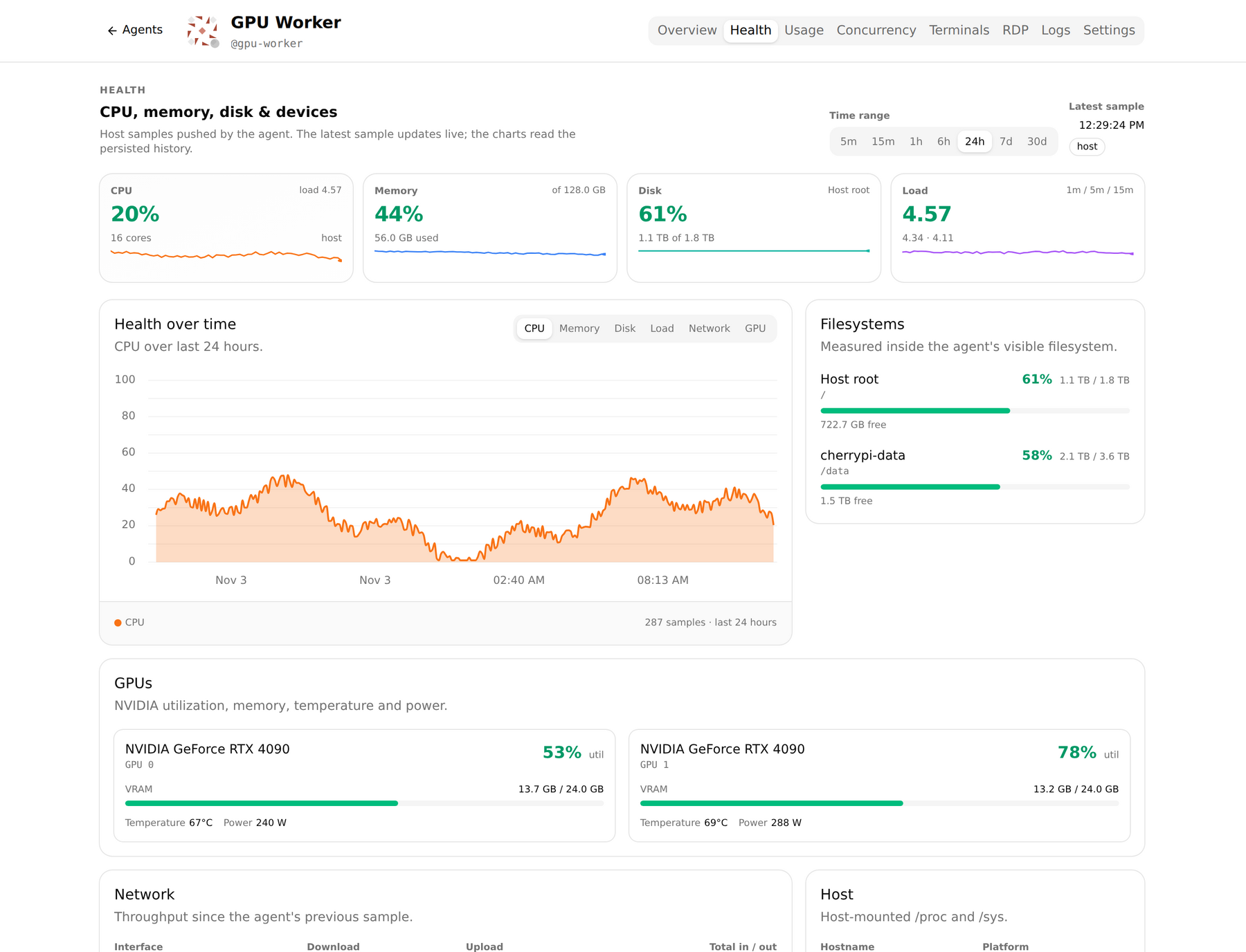
An agent now samples its own machine — CPU (overall and per core), load, memory and swap, each filesystem, per-interface network rates, uptime and process count, the agent's own RSS and CPU, and NVIDIA GPU utilization, VRAM, temperature and power — and streams it to the agency on an interval you set per agent.
The agent page gains a Health tab: KPI cards with sparklines, a metric chart over 1h/6h/24h/7d/30d, filesystem bars, GPU cards, a network table and host details. The chart window slides as new samples arrive, so a busy box looks busy, and the history is downsampled server-side so 30 days stays cheap.
It runs on a container too: the sampler detects host-mounted /proc, /sys and root and reports the machine rather than the cgroup, and the chart headers tell you which view you are looking at.
sequenceDiagram
  participant H as Agent host
  participant A as cherrypi-agent
  participant G as Agency
  participant U as Dashboard
  H->>A: /proc, /sys, nvidia-smi every 1m
  A->>G: health event over the tunnel
  G->>G: samples table (30-day retention)
  U->>G: GetAgentHealthHistory
  G-->>U: downsampled series
  G-->>U: REALTIME_KIND_HEALTH ticks
6. Comments and mentions
Comments and mentions: a place to talk about the task
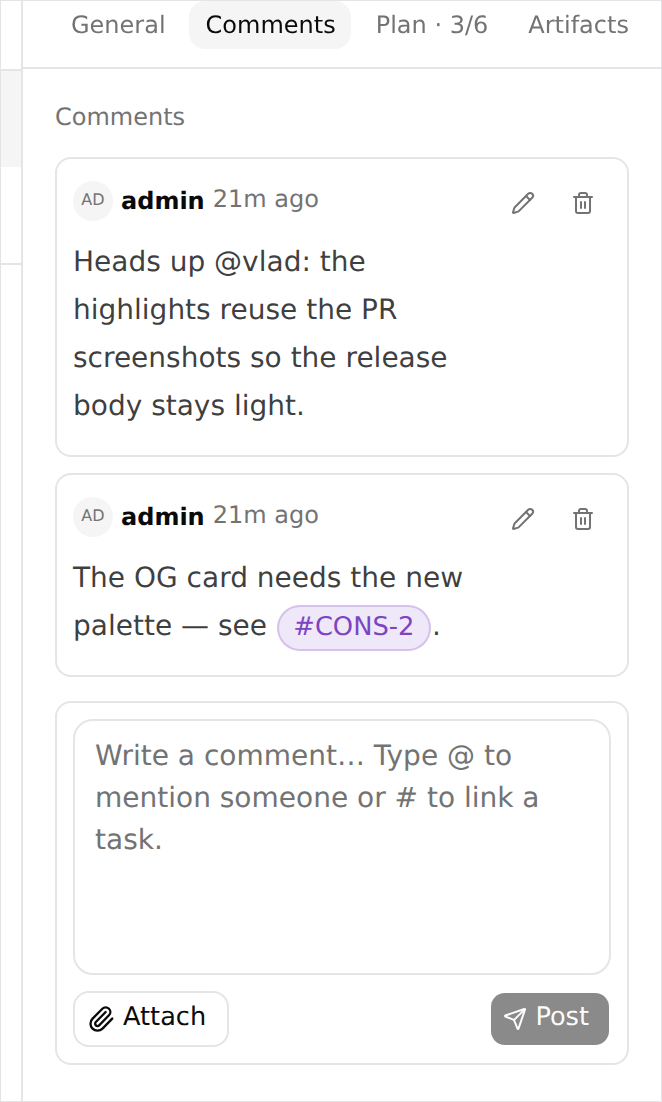
A task finally has a Comments tab — human discussion that is never sent to Pi, so you can discuss the work without steering the agent. Any project member can post, the author or an administrator can edit, and a delete leaves a tombstone naming who removed it. Comments are Markdown, can carry their own attachments, and mutate a body-free entry in the task log.
The editor understands @ and #: mention a person or a team and they get a task mention in the inbox that deep-links to the thread; reference a task and it becomes a clickable chip. Unread comments badge the task table until someone opens the tab.
7. The dashboard, rebuilt
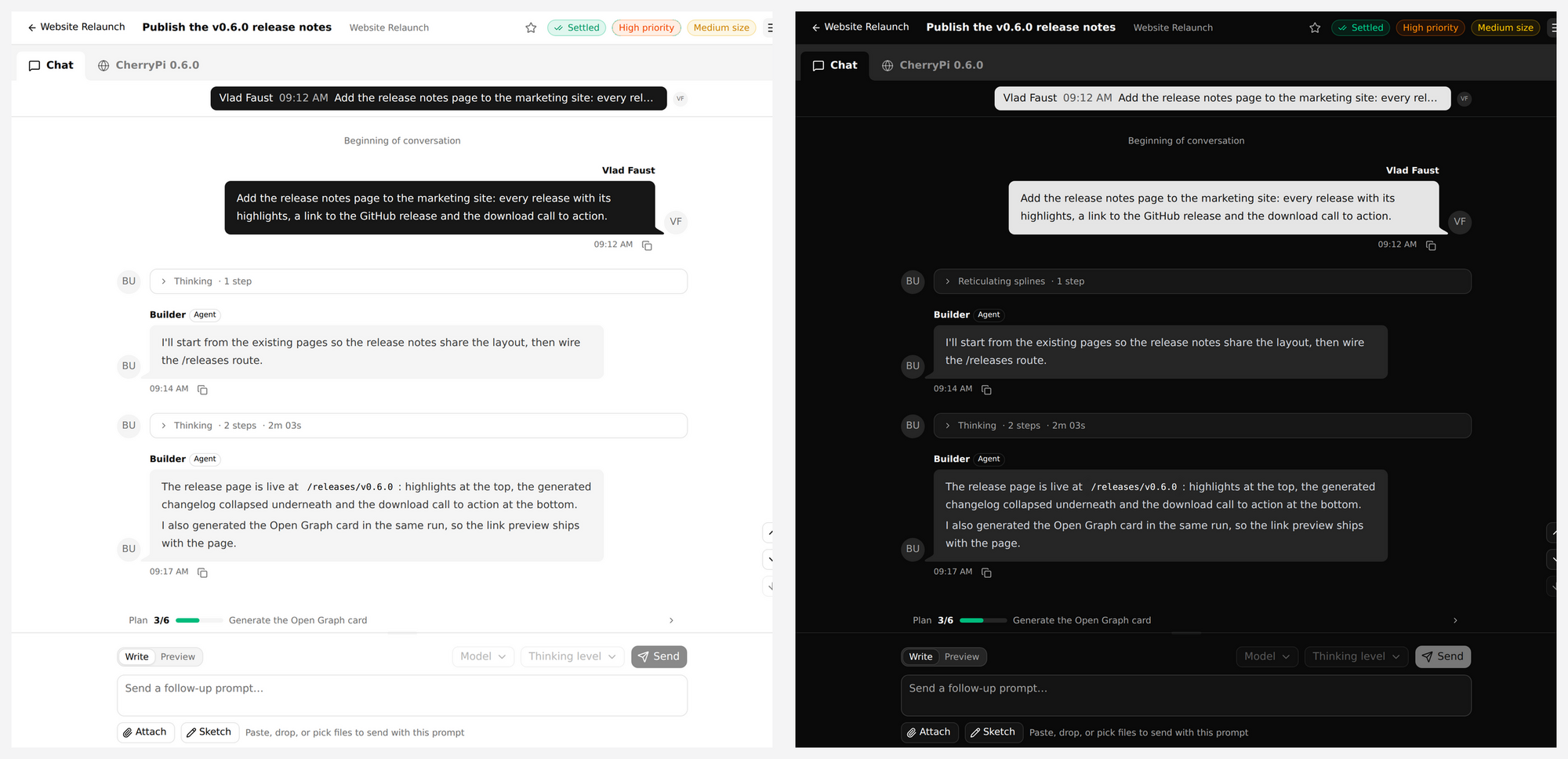
The task console is now a real conversation: prompts and agent replies are chat rows with avatars, tool calls collapse into named activity groups, thinking folds into its own step counter, and queued steering shows up as unsent rows in the same column. The projects view was rebuilt on the same components, and the whole dashboard moved onto daisyUI with prefixed tokens on top of the existing design system — light and dark themes included.
Around it: searchable pickers everywhere an actor, team or project is needed, a tag palette with one-click presets and inline creation, a single lightbox for task media, clickable stacked toasts for attention events, and a Markdown editor that remembers its height.
8. Notification sounds
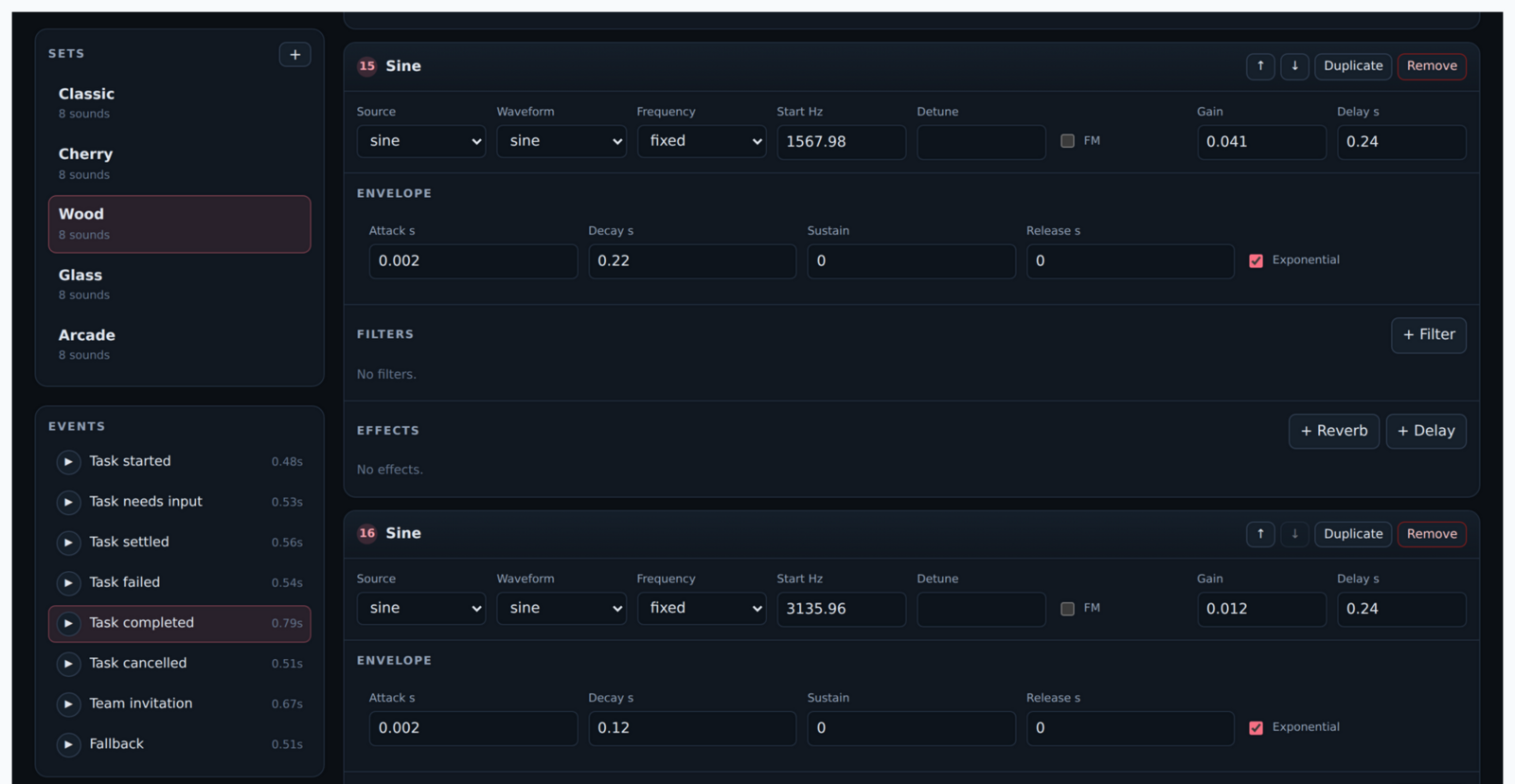
The single sine chime is gone. Notifications now use procedurally synthesized sound sets — Classic (the old chime, note for note), Cherry, Wood, Glass and Arcade — each covering every attention kind, with no audio files shipped at all.
An administrator picks one set for the whole agency, while volume stays a per-browser preference next to the per-event switches, and every event has an audition button so you can hear what you are enabling. The studio behind the sets is a developer tool that shares sounds as a code snippet, a compressed link or JSON — the same player runs in the dashboard.
9. Usage
Usage you can argue with
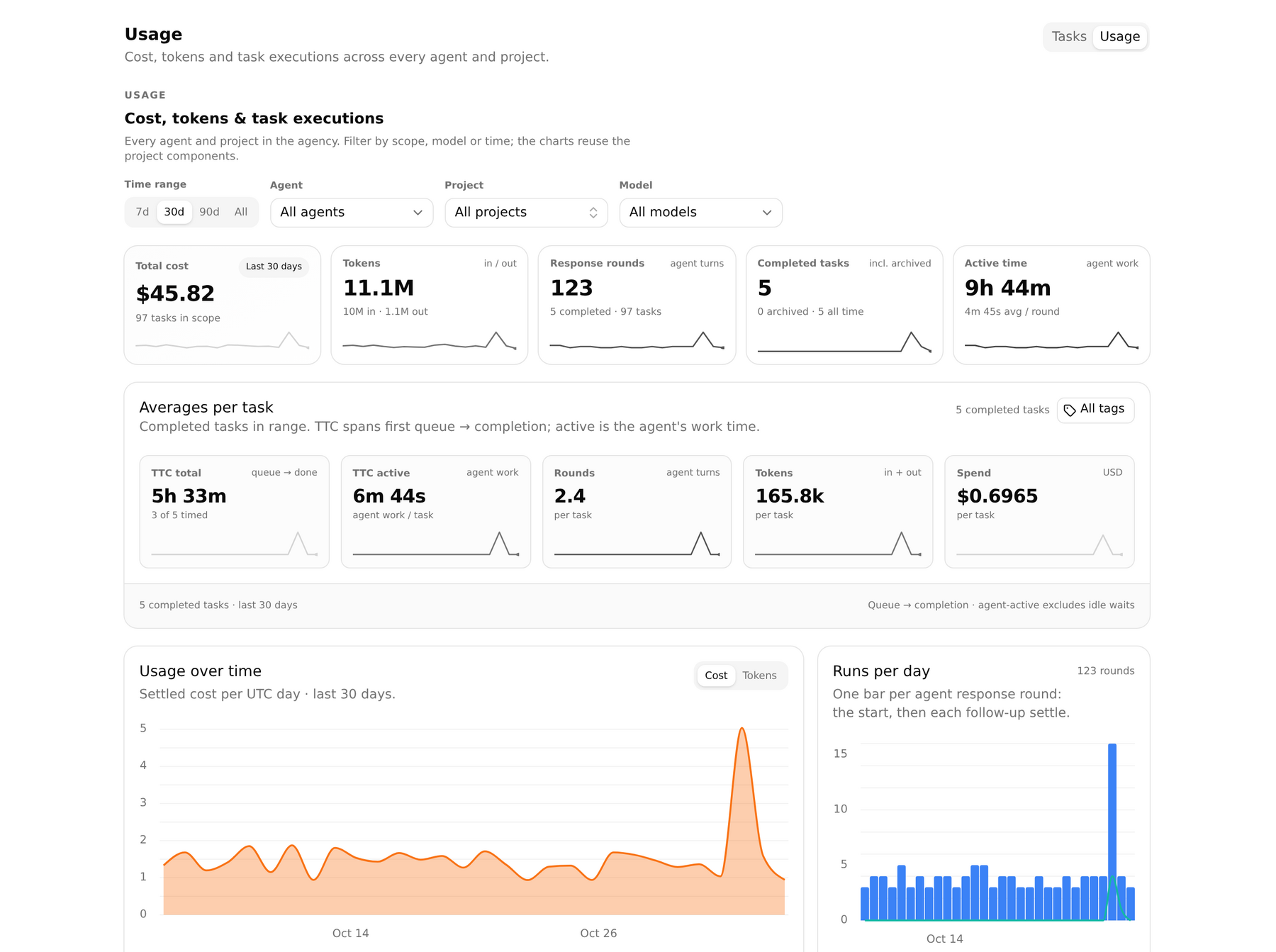
The Usage page now answers "what does a task cost us?", not just "what did we spend?". An Averages per task card shows time to completion (queue → done), the agent's active work time, response rounds, tokens and spend per completed task, with sparklines for each, scoped by range and a multi-tag filter. A Model filter and a per-model comparison table split cost and tokens by model, so a cheap model that needs three times the rounds stops looking cheap.
Also in this release, because they make the previous nine usable: tasks that fail can be retried from the row instead of closed out; the agent keeps a durable log and replays it after an outage, and the history sync backs off instead of silently giving up; a backlog task can pick its model and thinking level before it is queued; team access inherits down the project hierarchy with the same role; and both database dialects now enforce foreign keys, so a deleted task cannot leave orphaned rows behind.