Repository navigation
Releases
Releases · codalio/Codalio_Studio-releases
Codalio Studio 1.0.0

Codalio Studio 1.0.0 installers.
Which file to download
| Your system | Download |
|---|---|
| Windows |  |
| macOS (Apple Silicon: M1 and newer) |  |
| Linux |  (run chmod +x on it first) |
SHA256SUMS.txt lists the checksums if you want to verify a download.
Installing Codalio Studio
If your browser, Windows or macOS shows a warning or blocks the installer, use the steps below to continue.
Browser: "isn't commonly downloaded"
Chrome or Edge may flag the file after you click download.
- Open the downloads list and find the file.
- Click the ⋯ menu next to it, then Keep.
- If asked, click Show more, then Keep anyway.
Windows
If you see "Windows protected your PC":
- Click More info.
- Click Run anyway.
If Run anyway is missing, your organization's policy blocks the installer. Ask your IT admin to allow it.
macOS
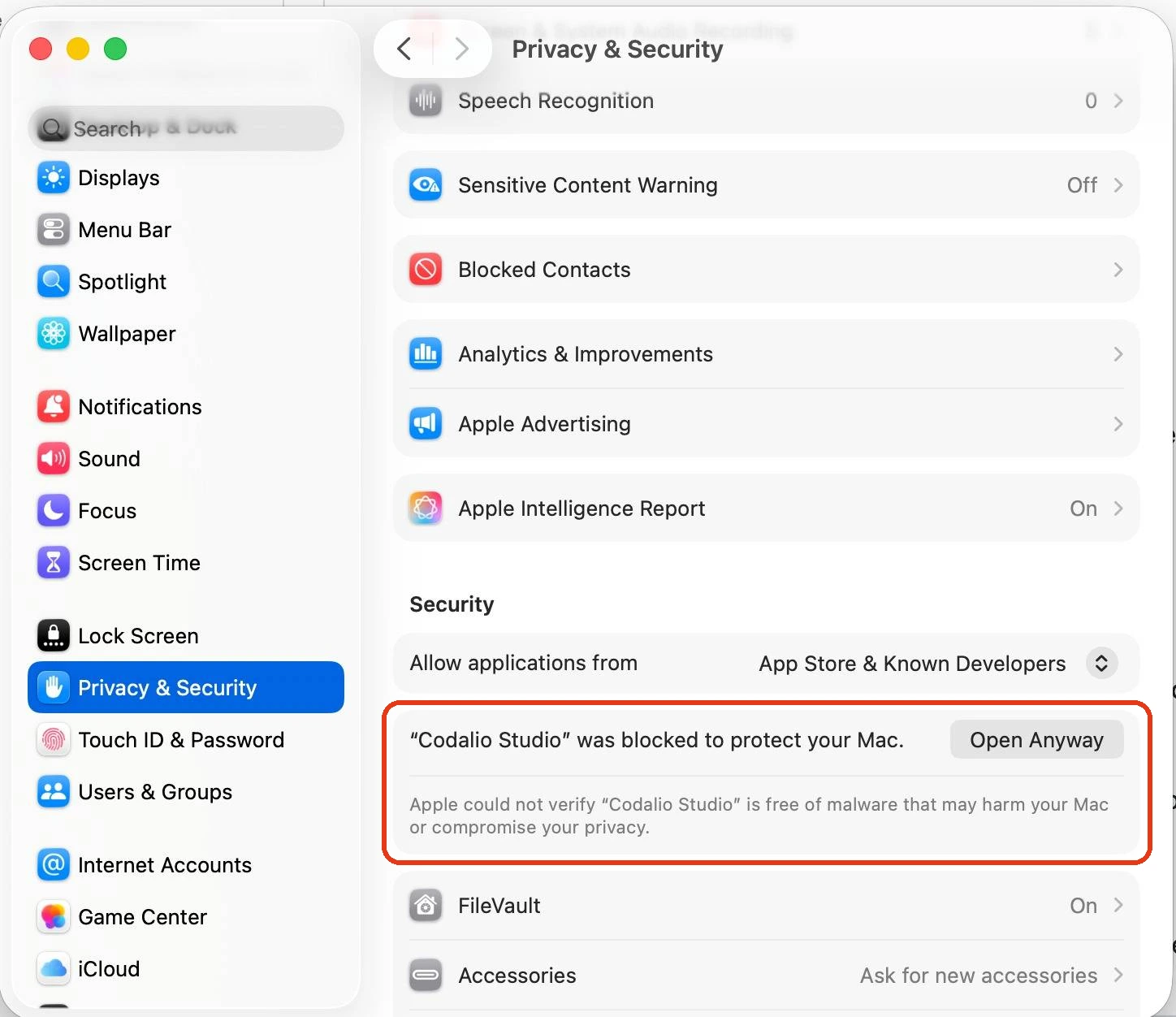
If you see "can't be opened" or "cannot be verified":
- Open System Settings → Privacy & Security.
- Scroll to Security and click Open Anyway next to the Codalio Studio message.
- Confirm with your password, then open the app again.
On older macOS versions you can instead right-click the app and choose Open.
Still stuck?
Email support@codalio.com and include your operating system and the exact message you see.