Repository navigation
v2.1.0


Animated Diagrams 2.1.0
The first public release. Draw an architecture diagram, animate how requests flow through it, and show
it anywhere: GIF, video, PowerPoint or an interactive web player.
✨ Highlights
Animate request flows
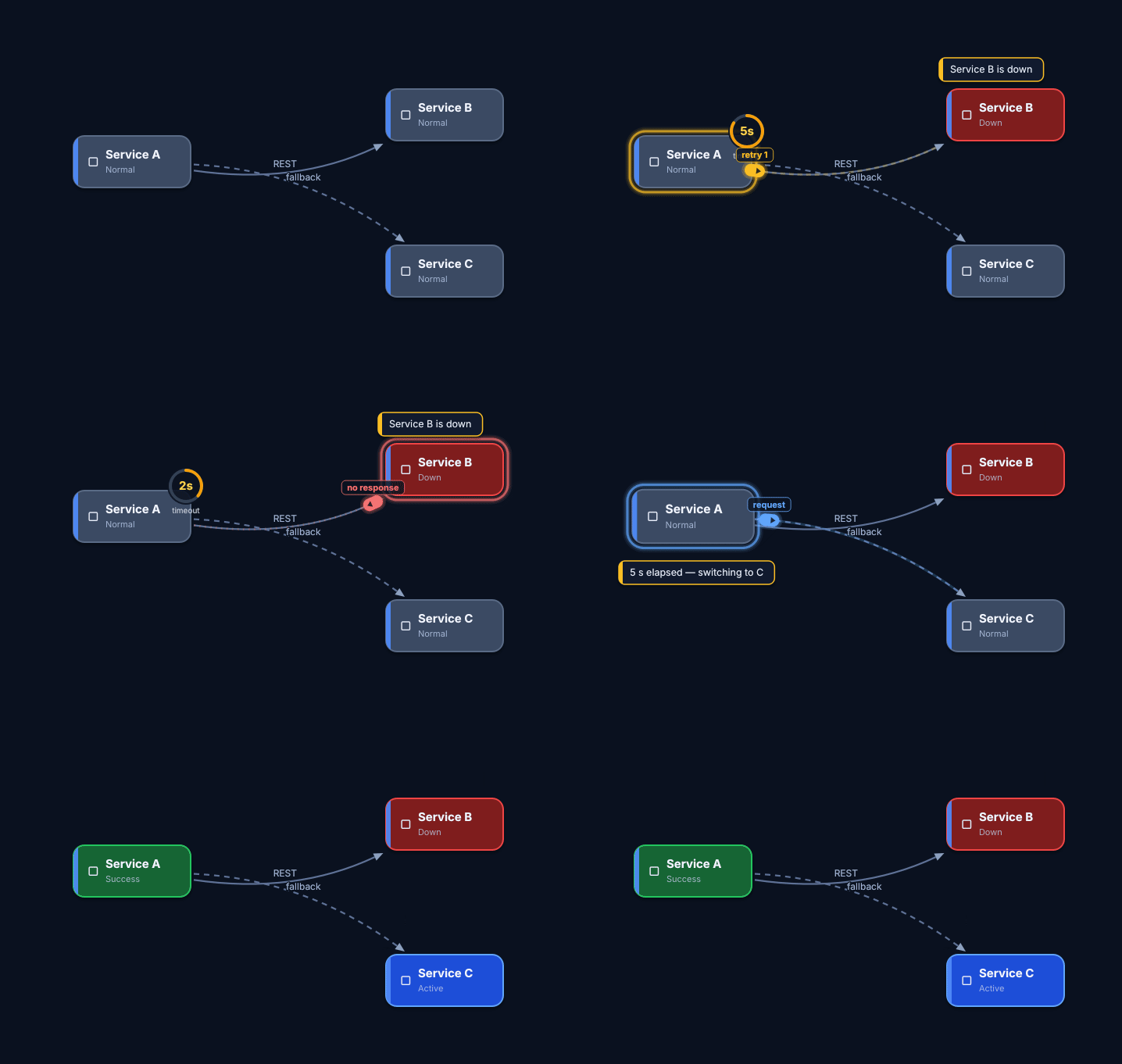
- Timeline steps: messages along edges (packets, curves, trails), node states (down / active / success),
timers and timeouts, notes, actions, edge animations, key-frame effects. - Templates with roles: retries, timeout + fallback, pub/sub, cache-aside and more.
- Markers split the scenario into chapters; presenter mode (
F5) plays chapter by chapter on click.
Export anywhere
-
GIF (one palette for the whole animation), WebM (VP9 / AV1), MP4 (H.264), PNG frames.
Encoding runs in-process; no externalffmpegis needed. -
PowerPoint (.pptx), four kinds of slides:
- auto-playing video;
- animated GIF (works in Google Slides too);
- editable shapes with native PowerPoint animations;
- key frames with the Morph transition.
One slide per chapter; slides can be added to an existing presentation.
-
Interactive HTML player: one self-contained page (the engine compiled to WebAssembly) for
reveal.js, Slidev, Marp or an<iframe>. -
Exports run in the background while you keep editing.
Make it yours
- Design systems: color tokens, state and message colors, fonts, default styles. One choice restyles
the diagram and the editor's own interface. - A library of element types, effects and animation templates.
- Plugins: JSON packs you can build in the editor. Bundled: Cloud kit, Data platform (PostgreSQL,
ClickHouse, Kafka, CDC) and Security kit (OAuth, JWT, WAF).
AI-ready
- A built-in MCP server (stdio and HTTP) lets an agent build, check and export diagrams. A skill
for agents is included.
Everyday comfort
- Tabs with session restore, dockable panels, palette favorites, undo / redo.
- draw.io import, including compressed and multi-page files.
- English and Russian interface.
- Crash reports with stack traces.
📦 Downloads
| Platform | File |
|---|---|
| Windows 10 / 11 (x64) | animated-diagrams-2.1.0-win64.exe (installer) or animated-diagrams-2.1.0-win64.zip (portable) |
| Ubuntu 24.04 | animated-diagrams_2.1.0-1ubuntu24.04_amd64.deb |
| Debian 13 | animated-diagrams_2.1.0-1debian13_amd64.deb |
| Fedora 43 | animated-diagrams-2.1.0-1.fc43.x86_64.rpm |
Checksums are in SHA256SUMS.txt.
sudo apt install ./animated-diagrams_2.1.0-1ubuntu24.04_amd64.deb   # Ubuntu 24.04
sudo apt install ./animated-diagrams_2.1.0-1debian13_amd64.deb      # Debian 13
sudo dnf install ./animated-diagrams-2.1.0-1.fc43.x86_64.rpm        # Fedora 43
sudo dnf install ./animated-diagrams-2.1.0-1.fc43.x86_64.rpm        # Fedora 43
Windows installer.
- Future versions install over this one and update it in place: same folder and shortcuts, settings
and user plugins kept. - The wizard is in English or Russian.
- Silent install:
animated-diagrams-2.1.0-win64.exe /VERYSILENT /SUPPRESSMSGBOXES.
⚠️ Known limitations
- The Windows installer is not code-signed. SmartScreen may warn: More info → Run anyway.
- PowerPoint files are checked against the ECMA-376 schemas, python-pptx and LibreOffice. Morph slides
need PowerPoint 2019 / 365; older versions show a fade instead. - The HTML player needs a browser with WebAssembly exceptions (Chrome / Edge 95+, Firefox 100+,
Safari 15.2+). Web fonts are not embedded. - The detailed guides in
docs/are in Russian for now.
Documentation: README ·
Presentations guide
Full Changelog: https://github.com/codeRATny/AnimatedDiagrams/commits/v2.1.0