Repository navigation
Releases
OxyBrush 4.0.0-beta.11

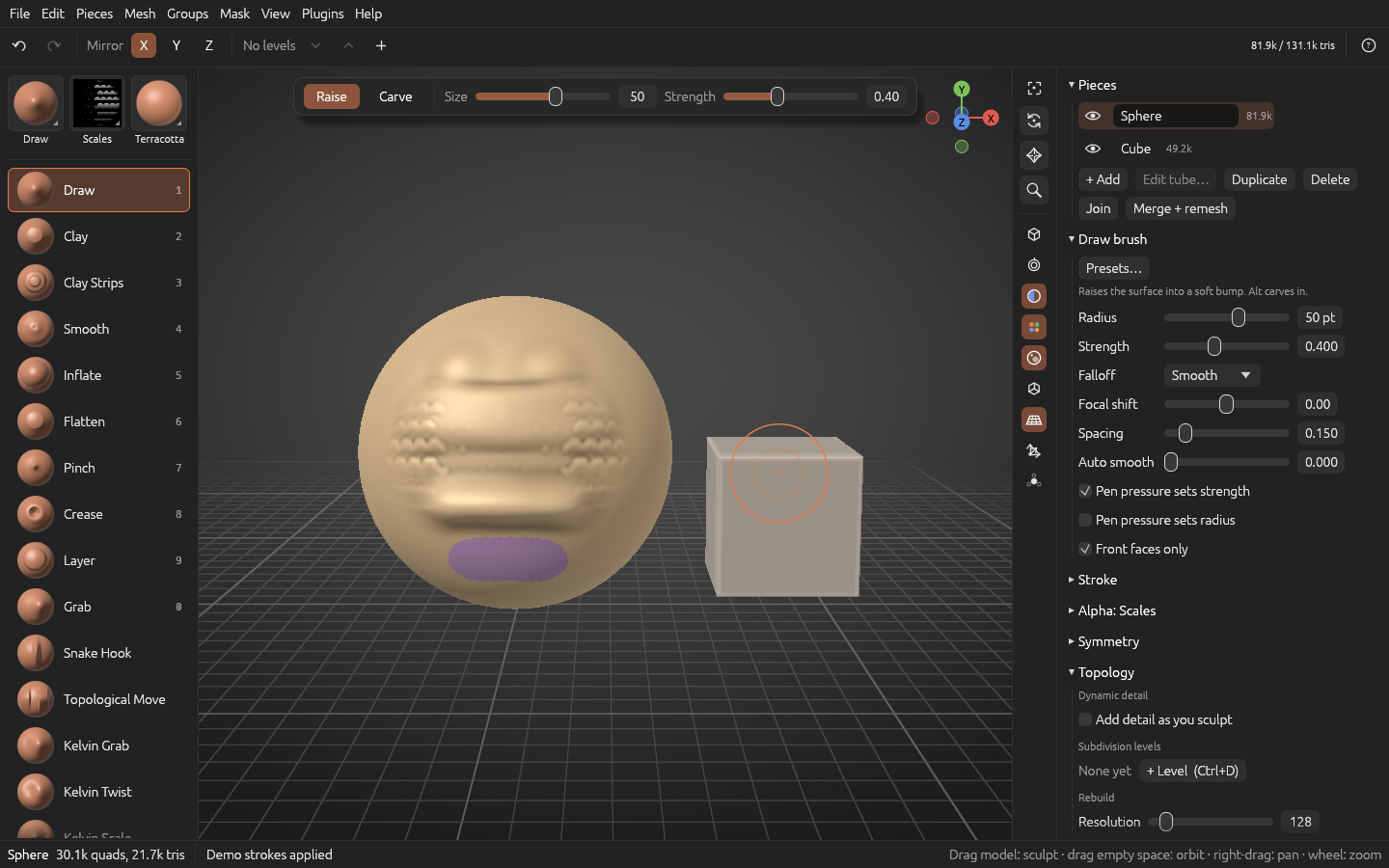
OxyBrush 4.0.0-beta.11 lets you orbit around the point under the cursor, adds twisted, coiled and braided tubes, opens glTF/GLB files, exports them compressed, keeps UVs from import to export, and adds the Sharp Crease brush and sculpt layers you make ahead of time. It also fixes the brush cursor not following a hovering pen on Windows. It's still a beta: please report issues (or use Help > Report a bug… in the app), or talk about it on Discord.
Downloads
| Platform | File |
|---|---|
| macOS 11+, Apple Silicon and Intel (universal) | OxyBrush-4.0.0-beta.11-macos-universal.dmg |
| Windows 10/11 x64, installer | OxyBrush-4.0.0-beta.11-windows-x86_64-setup.exe |
Windows, portable (includes oxybrush-cli.exe) |
OxyBrush-4.0.0-beta.11-windows-x86_64-portable.zip |
| Linux, Flatpak | OxyBrush-4.0.0-beta.11-linux-x86_64.flatpak → flatpak install --user OxyBrush-4.0.0-beta.11-linux-x86_64.flatpak |
Linux, portable (includes oxybrush-cli) |
OxyBrush-4.0.0-beta.11-linux-x86_64.tar.gz |
Verify downloads with SHA256SUMS.txt.
First launch:
- macOS: open the
.dmg, drag OxyBrush to Applications, and open it from there. If macOS shows an untrusted developer warning, go to System Settings > Privacy & Security, scroll down and click Open Anyway.
New
- Orbit around the cursor (Preferences > Orbit around). Orbiting now turns around the point of the model under the pointer where you start it. That point stays put on screen, so you can turn around any spot just by pointing at it. Starting from empty space turns around the nearest part of the model. You can choose Last stroke (where your last stroke ended) or Centre of the view (as before) instead. F goes back to the centre until you orbit or sculpt again.
- Tube Twist, Spin and Braid (Tube window):
- Twist turns the tube along its length.
- Spin coils it around its path like a spring, with a coil size and number of turns.
- Braid weaves three round strands, from tight to loose (Spread), with as many weaves as you like (Turn). The strands never pass through each other.
- They combine, and Edit tube… reopens them.
- glTF/GLB import. Open
.glband.gltffiles (File > Open, Import, or drag and drop). Each mesh becomes a piece, placed where its scene puts it, with vertex colors. Files compressed with meshopt or quantization open too. Draco-compressed files can't be opened yet, and OxyBrush says so. - Compressed glTF/GLB export (File > glTF compression): Quantized, or Meshopt for files about a quarter of the size, with no visible difference. A tester's character went from 1.08 MB to 0.27 MB. The importing app needs to support the extension (Blender, three.js, Babylon.js and most engines do), so it's off by default.
- UVs are kept from OBJ and glTF imports through sculpting, saving and export, including UDIM layouts, so a model can go back to texturing or baking with its UV layout intact. Remesh, dynamic detail, decimate and subdivision drop the UVs for now and tell you so. Undo brings them back.
- Sharp Crease brush: a crisp V-shaped fold along the stroke, for seams and panel lines. Alt raises a sharp ridge.
- Sculpt layers made ahead of time (Mesh > Strokes…, with Living strokes on): + New layer and Sculpt into let you make a "Wrinkles" layer first, then sculpt on it.
- Keep this level only (Topology, and the Mesh menu): turns the subdivision level you see into the piece's mesh, so dynamic detail can work on it.
- Python plugins say they're plugins: they no longer turn on the local AI agent setting, and their undo steps are named after them.
Fixed
- With a pen on Windows, the brush cursor follows the pen while it hovers. Before, it stayed where the pen last touched the tablet until you pressed again.
- Clay Strips has a round cursor like every other brush.
- Dynamic detail after subdividing: it's off on pieces with subdivision levels, because it would delete them. The Topology section now says so, with a Keep this level only button. Before, a status-bar line was the only sign.
See the changelog for details.
Project files
Projects from earlier betas open unchanged. This beta adds two new project sections. Older versions open files that have them as follows:
| New section | What it saves | In older versions |
|---|---|---|
UVCO |
Texture coordinates (UVs) | Open without UVs |
TUBX |
A tube's Twist, Spin and Braid | The tube opens as ordinary mesh (it can't be reopened with Edit tube…) |
OxyBrush 4.0.0-beta.10
OxyBrush 4.0.0-beta.10 lets each piece have its own material, completes Living strokes with Mirror copy, Split by side and groups exported as shape keys, opens living strokes to plugins and agents, and fixes the voxel remesh tearing the toes of posed characters. It's still a beta: please report issues (or use Help > Report a bug… in the app), or talk about it on Discord.
Downloads
| Platform | File |
|---|---|
| macOS 11+, Apple Silicon and Intel (universal) | OxyBrush-4.0.0-beta.10-macos-universal.dmg |
| Windows 10/11 x64, installer | OxyBrush-4.0.0-beta.10-windows-x86_64-setup.exe |
Windows, portable (includes oxybrush-cli.exe) |
OxyBrush-4.0.0-beta.10-windows-x86_64-portable.zip |
| Linux, Flatpak | OxyBrush-4.0.0-beta.10-linux-x86_64.flatpak → flatpak install --user OxyBrush-4.0.0-beta.10-linux-x86_64.flatpak |
Linux, portable (includes oxybrush-cli) |
OxyBrush-4.0.0-beta.10-linux-x86_64.tar.gz |
Verify downloads with SHA256SUMS.txt.
First launch:
- macOS: open the
.dmg, drag OxyBrush to Applications, and open it from there. If macOS shows an untrusted developer warning, go to System Settings > Privacy & Security, scroll down and click Open Anyway.
New
- A material per piece (material picker and View > Material: For: piece only). Give the active piece its own matcap, built-in or one you loaded, to tell parts apart: a jade eye, a bronze armour plate. Hovering previews it on that piece only, and Use the scene's material puts it back. Up to 8 different piece materials show at once.
- Living strokes, third phase (Mesh > Strokes…, with Living strokes on in Preferences > General):
- Mirror copy puts the selected strokes on the other side of the piece's symmetry plane (X, Y or Z), as new strokes you can fade on their own. It works where the piece is symmetric.
- Split by side turns a stroke made with symmetry on into one stroke per side, so you can fade or delete just one side. Nothing on the model moves.
- glTF/GLB export writes each stroke group as a shape key named after it, so the groups become sliders in Blender or a game engine. The file still looks like the viewport.
- Living strokes for plugins and agents. Plugins (API 4) can read the strokes and groups and run any Strokes window action, for example fading every stroke in a group. The agent (MCP) gets
list_strokesandedit_strokes. See the plugin API reference.
Fixed
- Voxel remesh of posed or rigged models. Toes no longer come out hollow and torn. Bending toes down in a rig can fold the skin under them back through the sole, and the remesh read those folds the wrong way. Meshes whose normals all face inward (some exports) also remesh correctly now. Very sharp folds can still leave a small tunnel.
- The material picker stays open until you click outside it.
See the changelog for details.
Project files
Projects from earlier betas open unchanged. This beta adds one new project section, and older versions open files that have it as follows:
| New section | What it saves | In older versions |
|---|---|---|
MATL |
A piece's own material | Show the scene's material |
Strokes made with Mirror copy or Split by side are saved in the existing STRK section, so beta.9 opens them as editable strokes too.
OxyBrush 4.0.0-beta.9
OxyBrush 4.0.0-beta.9 makes subdivision levels out of quads, so a quad model keeps its edge loops as you add detail, and adds ways to put resolution exactly where you want it: a Smooth toggle for levels that keep the shape, and Subdivide masked for one part only. Living strokes can now be grouped into layers and are saved with the project, there's a new Disc primitive, and the voxel remesh keeps close fingers and toes apart. It's still a beta: please report issues (or use Help > Report a bug… in the app), or talk about it on Discord.
Downloads
| Platform | File |
|---|---|
| macOS 11+, Apple Silicon and Intel (universal) | OxyBrush-4.0.0-beta.9-macos-universal.dmg |
| Windows 10/11 x64, installer | OxyBrush-4.0.0-beta.9-windows-x86_64-setup.exe |
Windows, portable (includes oxybrush-cli.exe) |
OxyBrush-4.0.0-beta.9-windows-x86_64-portable.zip |
| Linux, Flatpak | OxyBrush-4.0.0-beta.9-linux-x86_64.flatpak → flatpak install --user OxyBrush-4.0.0-beta.9-linux-x86_64.flatpak |
Linux, portable (includes oxybrush-cli) |
OxyBrush-4.0.0-beta.9-linux-x86_64.tar.gz |
Verify downloads with SHA256SUMS.txt.
First launch:
- macOS: open the
.dmg, drag OxyBrush to Applications, and open it from there. If macOS shows an untrusted developer warning, go to System Settings > Privacy & Security, scroll down and click Open Anyway.
New
- Subdivision levels make quads (Ctrl+D, Mesh > Subdivide, the retopology tool's Subdivide and project). Every polygon becomes quads, so the human base meshes, Poly Edit models, retopology meshes and quad spheres keep their edge loops at every level, the quad count is exact and OBJ export writes quads. Poly Edit creases stay sharp in the levels. The old triangle subdivision (Loop) is still there: Topology > Subdivision levels > Makes: Triangles, chosen before the first level.
- Smooth toggle (Topology > Subdivision levels, on by default). Off, a new level or Subdivide only splits the faces and keeps the shape exactly: for hard-surface parts, or more resolution without softening. Each level keeps how it was made.
- Subdivide masked (Mask and Mesh menus). More resolution only where you mask, for example one feather of an imported model: Groups > Group by islands, Ctrl+M on the part, then Subdivide masked. The rest of the model doesn't move. Step by step: Adding detail to one part of a model.
- Living strokes, second phase (Mesh > Strokes…, with Living strokes on in Preferences > General):
- Groups, used like sculpt layers, each with its own strength slider and show/hide box. You can rename, merge and ungroup them.
- Keep only where unmasked takes away the masked part of a stroke.
- Strokes are saved with the project, so they stay editable after you reopen it.
- Disc primitive (Pieces > + Add > Disc): a flat round plate of quads, a ring with a hole (Inner radius), or a slice of either.
Fixed
- Voxel remesh no longer bridges close parts. Fingers, toes, lips and nail folds that came within about a voxel of each other were pinched together. Smoothing could then tear those spots into shreds. They now stay apart and the surface is clean. Parts closer than about a voxel still join, so raise the resolution to keep them apart.
See the changelog for details.
Project files
Projects from earlier betas open unchanged. This beta adds three new project sections, and older versions open files that have them as follows:
| New section | What it saves | In older versions |
|---|---|---|
MRCC |
Quad subdivision levels | Open the current level as a plain mesh |
MRLN |
Levels made without smoothing | Read the same points |
STRK |
Living strokes | Open with the strokes fixed in place |
OxyBrush 4.0.0-beta.8
OxyBrush 4.0.0-beta.8 brings Living strokes, an option that keeps every stroke editable after you make it, and fills out Poly Edit with rounded bevels, bridges, creases and a live smooth subdivision preview. You can now start from a human base mesh or a quad sphere, and the voxel remesh handles overlapping parts and holes. It's still a beta: please report issues (or use Help > Report a bug… in the app), or talk about it on Discord.
Downloads
| Platform | File |
|---|---|
| macOS 11+, Apple Silicon and Intel (universal) | OxyBrush-4.0.0-beta.8-macos-universal.dmg |
| Windows 10/11 x64, installer | OxyBrush-4.0.0-beta.8-windows-x86_64-setup.exe |
Windows, portable (includes oxybrush-cli.exe) |
OxyBrush-4.0.0-beta.8-windows-x86_64-portable.zip |
| Linux, Flatpak | OxyBrush-4.0.0-beta.8-linux-x86_64.flatpak → flatpak install --user OxyBrush-4.0.0-beta.8-linux-x86_64.flatpak |
Linux, portable (includes oxybrush-cli) |
OxyBrush-4.0.0-beta.8-linux-x86_64.tar.gz |
Verify downloads with SHA256SUMS.txt.
First launch:
- macOS: open the
.dmg, drag OxyBrush to Applications, and open it from there. If macOS shows an untrusted developer warning, go to System Settings > Privacy & Security, scroll down and click Open Anyway.
New
-
Living strokes (Mesh > Strokes…, first phase; off by default, turn it on in Preferences > General or with the button in the Strokes window). Each stroke stays editable after you make it. Pick one or several in the list and:
- fade them with the Strength slider (0–150%, live while you drag),
- delete them,
- or solo one to see it without the strokes made after it.
Later strokes keep what they did. Anything that changes the triangles (a remesh, subdivision, dynamic detail) keeps the surface and clears the list, and so does Bake all. Strokes aren't saved with the project yet.
-
More Poly Edit (Mesh > Poly Edit):
- Faces: Bevel, Bridge two faces with a tube (with rows and twist), Equalize the spacing of points.
- Edges: Bevel, Slide along the edges beside them, Spin within their two faces, Crease.
- Points: Split face between two points of a face, Crease.
- Rounded bevels: Bevel rows (1–16) and a Profile from flat to round, for both face and edge bevels.
- Smooth: a live Preview of smooth subdivision (up to 3 levels) while you edit. Subdivide (smooth) applies it; Smooth and sculpt applies it and closes Poly Edit. Creased edges stay sharp, or round off slowly at lower weights.
- Repeat (Y) applies the last action to what's under the pointer. Bridge and Split face follow Mirror across X too.
-
Human base meshes (File > New, the Welcome window and + Add): a realistic female and male body in quads, with the body parts as face groups. They come from Blender's Human Base Meshes bundle, released under CC0 by the Blender Foundation, and are credited in Help > About.
-
Quad and UV spheres (+ Add > Sphere > Kind): Quads, now the default there, is an even ball of quads with no poles; UV (rings) has segments and rings; Triangles is the sphere it used to be.
-
Shell for the voxel remesh (Topology > Rebuild > Shell): a wall of a chosen Thickness, outward, inward or both sides, instead of a solid. An open sheet gets that thickness; a closed model comes out hollow.
-
Keep the gizmo pivot in place (gizmo bar > Pivot > Follow the mask, on by default): untick it and the pivot stays where it is while you mask and unmask.
Changed
- Remeshing a model with holes fills it instead of making a thin wall around its surface. An open sheet isn't remeshed into a thin wall any more: the status bar suggests Shell.
Fixed
- Voxel remesh of overlapping parts (#174): pieces whose parts overlap or fold through each other remeshed with holes and inner walls, or as a thin shell. The remesh now follows the outside only, and hollow models keep their cavity. Merge + remesh and the booleans get the same fix.
See the changelog for details.
Project files
Projects from earlier betas open unchanged. Poly Edit creases are saved in a new project section; earlier betas open those files without the creases.
OxyBrush 4.0.0-beta.7
OxyBrush 4.0.0-beta.7 brings the first steps of Poly Edit, a new tool for modeling low-polygon pieces. It also adds a brush size that stays fixed on the model, vertex colors in imports, and a transform gizmo that shows and takes exact values. It's still a beta: please report issues (or use Help > Report a bug… in the app), or talk about it on Discord.
Downloads
| Platform | File |
|---|---|
| macOS 11+, Apple Silicon and Intel (universal) | OxyBrush-4.0.0-beta.7-macos-universal.dmg |
| Windows 10/11 x64, installer | OxyBrush-4.0.0-beta.7-windows-x86_64-setup.exe |
Windows, portable (includes oxybrush-cli.exe) |
OxyBrush-4.0.0-beta.7-windows-x86_64-portable.zip |
| Linux, Flatpak | OxyBrush-4.0.0-beta.7-linux-x86_64.flatpak → flatpak install --user OxyBrush-4.0.0-beta.7-linux-x86_64.flatpak |
Linux, portable (includes oxybrush-cli) |
OxyBrush-4.0.0-beta.7-linux-x86_64.tar.gz |
Verify downloads with SHA256SUMS.txt.
First launch:
- macOS: open the
.dmg, drag OxyBrush to Applications, and open it from there. If macOS shows an untrusted developer warning, go to System Settings > Privacy & Security, scroll down and click Open Anyway. - Windows: SmartScreen warns about an unknown publisher: click More info, then Run anyway.
New
-
Poly Edit (Mesh > Poly Edit (model polygons)…, first steps). It models a low-polygon piece, such as a primitive from + Add, a retopology mesh or anything up to 400,000 triangles. Point at a face, an edge or a point, and what its action would change lights up.
- Faces: drag to extrude or inset them, drag to move them, or click to delete them. Reach spreads the action to a face loop, a face group, a flat region or the whole island.
- Edges: click to insert an edge loop (drag to slide it first), delete edges or whole loops, drag a border edge to extrude it, or click a hole's edge to close it.
- Points: drag a point to move it, and drop it on another to weld the two; or delete it.
Mirror across X does the other side too. Each change is one undo step, and Escape cancels a drag. Bevel and bridge come next.
-
Brush size on the model (Brush settings > Size > On the model, for all brushes). The brush keeps its size on the model as you zoom: zoom in and the circle grows with the model, so a stroke covers the same area at any zoom. On screen stays the default.
-
Vertex colors in imports. OBJ files bring their colors, whether written after each vertex or in the
#MRGBcomment blocks some sculpting apps write. PLY files can now be imported too, with their colors. Nothing needs turning on: paint over the colors as usual. -
Exact values in the transform gizmo.
- The move/turn/scale fields update live while you drag. Type a value and press Enter to land exactly on it.
- A second row shows the actual size and centre of what the gizmo moves, and you can type those as well.
- Apply keeps the changes and Cancel puts them back.
-
Fill mask (Mask menu) masks the whole visible surface.
Changed
- Ctrl+plus / Ctrl+minus zoom the view, not the interface (Cmd on macOS). Ctrl+0 frames the active piece. The interface size is set only in View > Theme > Size.
- Ctrl+W is Group from mask: the masked faces become a new face group. With nothing masked, it groups the visible faces as before.
- Done keeps your gizmo changes, as before. If you'd rather Done put back what you didn't apply, turn on Preferences > General > Closing the gizmo puts back changes not applied.
- The Deform window keeps up on very large pieces: the bar follows the pointer while the model catches up, and a quick flick now applies.
- Invert mask leaves hidden parts alone.
Saved keymaps are updated as they load: if you never changed Ctrl+W or F, you get the new keys; keys you chose yourself are kept.
See the changelog for details.
Project files
Projects from earlier betas open unchanged. Poly Edit pieces with polygons of more than four corners save them in a new project section; earlier betas open those files with the larger polygons split into triangles.
OxyBrush 4.0.0-beta.6
OxyBrush 4.0.0-beta.6 answers two tester requests: undo on one piece without touching the others, and turning a stroke into a curve. It's still a beta: please report issues (or use Help > Report a bug… in the app), or talk about it on Discord.
Downloads
| Platform | File |
|---|---|
| macOS 11+, Apple Silicon and Intel (universal) | OxyBrush-4.0.0-beta.6-macos-universal.dmg |
| Windows 10/11 x64, installer | OxyBrush-4.0.0-beta.6-windows-x86_64-setup.exe |
Windows, portable (includes oxybrush-cli.exe) |
OxyBrush-4.0.0-beta.6-windows-x86_64-portable.zip |
| Linux, Flatpak | OxyBrush-4.0.0-beta.6-linux-x86_64.flatpak → flatpak install --user OxyBrush-4.0.0-beta.6-linux-x86_64.flatpak |
Linux, portable (includes oxybrush-cli) |
OxyBrush-4.0.0-beta.6-linux-x86_64.tar.gz |
Verify downloads with SHA256SUMS.txt.
First launch:
- macOS: open the
.dmg, drag OxyBrush to Applications, and open it from there. If macOS shows an untrusted developer warning, go to System Settings > Privacy & Security, scroll down and click Open Anyway. - Windows: SmartScreen warns about an unknown publisher: click More info, then Run anyway.
New
-
Undo on this piece (Ctrl+Alt+Z, redo Ctrl+Alt+Shift+Z, also in the Edit menu). It takes back the last change to the active piece only, even if you've changed other pieces since; their changes stay. To make plain Ctrl+Z work this way, turn on Preferences > General > Undo works on the active piece; Edit > Undo in whole scene then does the usual undo. The History section can show only the active piece's changes.
A change that touched several pieces at once (Join, Merge, Split…) can only be undone this way when nothing came after it; the status bar tells you when to use whole-scene undo instead.
-
Edit > Last stroke: right after a Freehand stroke, reopen it as an editable curve with the same brush (drag its points, then press Enter), or use its path as a Curve Move curve or a tube path. The path lands where you drew it even if you've turned the view since. Edit as curve can also be given a key in the keymap.
See the changelog for details.
Known limitations
- Only the most recent Freehand stroke can be reopened, and only while it's still the newest change on its piece. Reopening any earlier stroke is planned as Living strokes.
- Pieces created by Join, Duplicate or Split can't have their creation undone per piece; use whole-scene undo.
Project files
Projects from earlier betas open unchanged; this release doesn't change the project format.
OxyBrush 4.0.0-beta.5
OxyBrush 4.0.0-beta.5 adds a Deform window with 25 whole-piece deformers, two new masking commands, Mask border and Mask group borders, and a new, easier-to-read interface font. It's still a beta: please report issues (or use Help > Report a bug… in the app), or talk about it on Discord.
Downloads
| Platform | File |
|---|---|
| macOS 11+, Apple Silicon and Intel (universal) | OxyBrush-4.0.0-beta.5-macos-universal.dmg |
| Windows 10/11 x64, installer | OxyBrush-4.0.0-beta.5-windows-x86_64-setup.exe |
Windows, portable (includes oxybrush-cli.exe) |
OxyBrush-4.0.0-beta.5-windows-x86_64-portable.zip |
| Linux, Flatpak | OxyBrush-4.0.0-beta.5-linux-x86_64.flatpak → flatpak install --user OxyBrush-4.0.0-beta.5-linux-x86_64.flatpak |
Linux, portable (includes oxybrush-cli) |
OxyBrush-4.0.0-beta.5-linux-x86_64.tar.gz |
Verify downloads with SHA256SUMS.txt.
First launch:
- macOS: open the
.dmg, drag OxyBrush to Applications, and open it from there. If macOS shows an untrusted developer warning, go to System Settings > Privacy & Security, scroll down and click Open Anyway. - Windows: SmartScreen warns about an unknown publisher: click More info, then Run anyway.
New
-
Deform window (Mesh > Deform…). It changes the whole piece at once, or only its unmasked part:
- Shape: move, rotate, scale, bend, S-bend, skew, S-skew, flatten (three kinds), twist, taper, squeeze, perspective and sag.
- Surface: noise, inflate, inflate keep size and spherize.
- Smoothing: smooth, polish (plain, or keeping detail, group edges or sharp edges) and relax.
Each deformer is a bar with large X / Y / Z buttons for its axes. Drag the bar left or right to see the result live, and let go to apply it as one undo step; the bar springs back so you can drag again, and Escape cancels. Repeat on this piece and Repeat on other pieces apply the last one again, and Fit to standard size centres a piece and scales it to a standard size.
-
Mask border and Mask group borders (Mask menu, #170): mask the edge of the visible surface (an open mesh's border, or the edge of what's left after hiding part of it), or the lines where face groups meet. Use Mask > Grow to widen them.
Changed
- New interface font: Inter. It replaces the toolkit's thin default font and is sturdier and easier to read on dark panels. Text in the dark themes is also a little softer, and headings and highlighted text are no longer pure white.
- Larger Mirror X / Y / Z buttons in the toolbar and the Symmetry section, easier to hit with a mouse or a pen.
See the changelog for details.
Project files
Projects from earlier betas open unchanged; this release doesn't change the project format.
Known limitations
- Deform window:
- Only Twist has been tried in the running app; the other deformers are covered by automated tests. Please tell us if one behaves oddly.
- The X / Y / Z choices reset when you restart.
- Strong smoothing previews slowly on very dense meshes (about a tenth of a second per update at a million triangles).
- The new font has only been checked on Linux. Tell us how it looks on Windows and macOS.
- Pen gestures (from beta.3), and the retopology pins and macOS icon fix (from beta.2), still haven't been confirmed on real tablets or Macs.
- Alphas carry over between projects in one session: alphas from a project you closed stay in the list and are saved with the next project too.
- Dynamic detail is smooth up to a few hundred thousand triangles and lags behind the brush around a million.
- macOS is not notarized; pen pressure and touch gestures are untested on many tablets.
OxyBrush is an independent project, not affiliated with any commercial sculpting software vendor.
OxyBrush 4.0.0-beta.4
OxyBrush 4.0.0-beta.4 adds Symmetrize (mirror one half of a piece onto the other and weld the seam), Split masked, Join for combining pieces without remeshing, and custom button and brush icon colors. It also adds five new bundled plugins and fixes the retopology tool's Tab+drag. It's still a beta: please report issues (or use Help > Report a bug… in the app), or come and talk about it on the new OxyBrush Discord.
Downloads
| Platform | File |
|---|---|
| macOS 11+, Apple Silicon and Intel (universal) | OxyBrush-4.0.0-beta.4-macos-universal.dmg |
| Windows 10/11 x64, installer | OxyBrush-4.0.0-beta.4-windows-x86_64-setup.exe |
Windows, portable (includes oxybrush-cli.exe) |
OxyBrush-4.0.0-beta.4-windows-x86_64-portable.zip |
| Linux, Flatpak | OxyBrush-4.0.0-beta.4-linux-x86_64.flatpak → flatpak install --user OxyBrush-4.0.0-beta.4-linux-x86_64.flatpak |
Linux, portable (includes oxybrush-cli) |
OxyBrush-4.0.0-beta.4-linux-x86_64.tar.gz |
Verify downloads with SHA256SUMS.txt.
First launch:
- macOS: open the
.dmg, drag OxyBrush to Applications, and open it from there. If macOS shows an untrusted developer warning, go to System Settings > Privacy & Security, scroll down and click Open Anyway. - Windows: SmartScreen warns about an unknown publisher: click More info, then Run anyway.
New
- Mesh > Symmetrize. Makes a piece symmetric after the fact: it keeps one half, replaces the other half with its mirror image and welds the two along the middle, so you get one closed surface with no seam.
- Choose +X onto −X or −X onto +X (and the same for Y and Z). The + side is where the axis gizmo's colored end points.
- It mirrors about the piece's symmetry centre, the same one X symmetry uses.
- Mask, vertex color and face groups are mirrored too. It's one undo step and removes subdivision levels.
- Split masked (Mask menu, Mesh menu, masking tools). Moves the masked part of a piece into a new piece and keeps the rest in the original. To split off the unmasked part instead, invert the mask first.
- Join (Pieces panel and menu). Combines the active piece and the other visible pieces into one piece, exactly as they are: nothing is remeshed or welded. Each piece keeps its own face groups, so you can still hide or select it.
- Button and brush icon colors. View > Theme… > Colors now lets you give buttons and other controls a color of your own, and color the brush icons to match your accent or any color you like (or keep the terracotta clay).
- Five new bundled plugins in the Plugins menu: Group by Angle, Hide Faces by Angle, Color by Group, Fill Holes and Simplify Mesh.
Changed
- Merge is now "Merge + remesh". It always fused the visible pieces into a new surface with a voxel remesh, but the Pieces panel's button just said "Merge". Use Join to combine pieces without remeshing.
Fixed
- Retopology: Tab+drag pulls out a new quad. Tab+drag on a border edge never worked in the app; it now does. If you drag so far that the new quad would leave the model, the status bar now says so.
See the changelog for details.
Project files
Projects from earlier betas open unchanged; this release doesn't change the project format.
Known limitations
- Symmetrize welds only points that lie on the middle line. Parts that don't reach the middle (two separate eyes, say) are mirrored but not joined, and both halves get the same face groups.
- Split masked follows the existing triangles, so the cut edge is as jagged as the mesh is there.
- Pen gestures (from beta.3) and the retopology pins and macOS icon fix (from beta.2) still haven't been confirmed on real tablets or Macs.
- Alphas carry over between projects in one session: alphas from a project you closed stay in the list and are saved with the next project too.
- Dynamic detail is smooth up to a few hundred thousand triangles and lags behind the brush around a million.
- The Blender bridge add-on still hasn't been run inside Blender.
- macOS is not notarized; pen pressure and touch gestures are untested on many tablets.
OxyBrush is an independent project, not affiliated with any commercial sculpting software vendor.
OxyBrush 4.0.0-beta.3
OxyBrush 4.0.0-beta.3 brings one Theme window for everything about how OxyBrush looks, a slider thickness option, and pen gestures: with a pen you can now scroll panels by dragging them, and hold the pen still to open menus. It also brings the 4.0.0-beta.2 changes, which never had their own download: retopology pins, dragging the axis gizmo, and fixes for opening files. It's still a beta: please report issues (or use Help > Report a bug… in the app).
Downloads
| Platform | File |
|---|---|
| macOS 11+, Apple Silicon and Intel (universal) | OxyBrush-4.0.0-beta.3-macos-universal.dmg |
| Windows 10/11 x64, installer | OxyBrush-4.0.0-beta.3-windows-x86_64-setup.exe |
Windows, portable (includes oxybrush-cli.exe) |
OxyBrush-4.0.0-beta.3-windows-x86_64-portable.zip |
| Linux, Flatpak | OxyBrush-4.0.0-beta.3-linux-x86_64.flatpak → flatpak install --user OxyBrush-4.0.0-beta.3-linux-x86_64.flatpak |
Linux, portable (includes oxybrush-cli) |
OxyBrush-4.0.0-beta.3-linux-x86_64.tar.gz |
Verify downloads with SHA256SUMS.txt.
First launch:
- macOS: open the
.dmg, drag OxyBrush to Applications, and open it from there. If macOS shows an untrusted developer warning, go to System Settings > Privacy & Security, scroll down and click Open Anyway. - Windows: SmartScreen warns about an unknown publisher: click More info, then Run anyway.
New
-
One Theme window. View > Theme… (also in the command palette and in Preferences > Interface) has three tabs:
- Themes: the nine themes, each drawn in its own colors, plus three ready-made looks (Classic, Workstation, Midnight).
- Colors: the accent color and the viewport background.
- Size & shape: interface scale, corner style and slider thickness.
Reset everything goes back to the default look. This replaces the long Preferences > Appearance tab and View's Background menu; Preferences > Appearance is now Preferences > Interface.
-
Slider thickness. Choose Thin, Normal or Thick slider bars under Theme > Size & shape. Only the bars change, not the rest of the interface. Thick bars are easier to see and to hit with a pen.
-
Pen gestures. Several testers couldn't scroll panels with a pen. Now, once OxyBrush has seen pen pressure:
- Drag to scroll: dragging over the brush list, the right panel or a window scrolls it. Sliders and other controls still take the drag as before.
- Press and hold: holding the pen still for about a second works as a right-click. It opens menus and shows a control's tooltip.
- Side buttons: holding a side button and dragging over a panel scrolls it too.
- Pen in panels in Preferences > Pen & tablet switches this between pen only (the default), always (also for a mouse) and off.
-
Pen side buttons navigation preset. In Preferences > Keymap, this preset orbits with the side button that acts as a right-click (Shift pans, Ctrl zooms) and pans with the one that acts as a middle-click.
Also in this release (from 4.0.0-beta.2)
4.0.0-beta.2 was never published as a download, so if you're coming from 4.0.0-beta.1, these are new too:
- Pin points in the retopology tool. Alt+click a point, edge or face to pin its points; with Mirror across X on, their mirror images are pinned too. Shift+drag relax leaves pinned points where they are, and you can still drag them by hand. Pinned points show as small squares in your accent colour. Alt+click again, or Unpin all in the Retopology window, frees them. Pinning is an undo step, and pins are saved with the project.
- Drag the axis gizmo to orbit. Drag anywhere on the axis gizmo at the top right of the viewport to turn the view freely (hold Shift to step by 45°). Clicking an axis end still snaps to that side.
- Fixed: opening a file no longer leaves the Home window on top. With Show at startup on, a project you double-clicked (or opened with Open With, or dropped on the window) opened behind the Home window. Opening a file now closes it.
- Fixed on macOS: project files showed a "?" icon. OxyBrush now registers itself with macOS each time it starts from Applications. Open it once from Applications after updating; Finder may take a moment, or a restart (
killall Finder), to redraw icons it has already shown.
See the changelog for details.
Project files
Projects from 4.0.0-beta.1 open unchanged. Pinned retopology points (from beta.2) are saved in a new section; older versions skip it and open the project with nothing pinned. Settings files from earlier versions load unchanged too. Older versions ignore the two new settings (slider thickness and pen in panels).
Known limitations
- Pen gestures haven't been tried on a real tablet yet. They were tested with simulated pen input only. Please tell us how they behave on your tablet and operating system, and whether the 1-second hold feels right. If a gesture gets in the way, set Pen in panels to Off.
- Retopology pins, axis-gizmo dragging and the macOS icon fix (from beta.2) haven't been tried by testers yet; the icon fix in particular needs confirming on a real Mac.
- Looks no longer change your shortcuts, navigation or material; set those in the Keymap and the material picker.
- Alphas carry over between projects in one session: alphas from a project you closed stay in the list and are saved with the next project too.
- Import scaling goes by size alone, so an import that really is meant to be 10× the scene gets scaled too: press Undo once to keep its original size.
- The box and lasso hide/show tools don't follow symmetry yet (masking does).
- Dynamic detail is smooth up to a few hundred thousand triangles and lags behind the brush around a million.
- The Blender bridge add-on still hasn't been run inside Blender.
- macOS is not notarized; pen pressure and touch gestures are untested on many tablets.
OxyBrush is an independent project, not affiliated with any commercial sculpting software vendor.
OxyBrush 4.0.0-beta.1
OxyBrush 4.0.0-beta.1 makes alphas captured from view sharper (up to 4096 px), saves them with your project, and lets you export any alpha to edit in a 2D app. A new project started from File > New > Cube no longer has open seams. OxyBrush now uses semantic versioning: this is the first beta of 4.0.0 (it follows 3.0.8-beta). Betas count up as 4.0.0-beta.2, -beta.3… until 4.0.0 is stable; the in-app updater orders them correctly. It's still a beta: please report issues (or use Help > Report a bug… in the app).
Downloads
| Platform | File |
|---|---|
| macOS 11+, Apple Silicon and Intel (universal) | OxyBrush-4.0.0-beta.1-macos-universal.dmg |
| Windows 10/11 x64, installer | OxyBrush-4.0.0-beta.1-windows-x86_64-setup.exe |
Windows, portable (includes oxybrush-cli.exe) |
OxyBrush-4.0.0-beta.1-windows-x86_64-portable.zip |
| Linux, Flatpak | OxyBrush-4.0.0-beta.1-linux-x86_64.flatpak → flatpak install --user OxyBrush-4.0.0-beta.1-linux-x86_64.flatpak |
Linux, portable (includes oxybrush-cli) |
OxyBrush-4.0.0-beta.1-linux-x86_64.tar.gz |
Verify downloads with SHA256SUMS.txt.
First launch:
- macOS: open the
.dmg, drag OxyBrush to Applications, and open it. If macOS shows an untrusted developer warning, go to System Settings > Privacy & Security, scroll down and click Open Anyway. - Windows: SmartScreen warns about an unknown publisher: click More info, then Run anyway.
New
- Capture from view at up to 4096 px. A size picker next to Capture from view offers 256, 512, 1024 (the new default; it used to be a fixed 256), 2048 and 4096 px, so captured alphas have smooth edges instead of blocky ones. Capturing is also much faster: 4096 px takes about a second on a 1.3-million-triangle sculpt, and the app stays responsive while it works. The size you pick is remembered.
- Alphas are saved with the project. Alphas you capture or load from an image are stored in the
.oxband come back when you open it. A new alpha counts as unsaved work, so you're asked to save before closing. - Export alpha… (in the Alpha section, or the command palette) saves the selected alpha as a 16-bit grayscale PNG, to touch up in a 2D app and bring back with Load image….
Fixed
- File > New > Cube made a cube with open seams. Some points where two faces met weren't joined, so the cube shaded and sculpted badly along its edges; a cube added with Pieces > Add was fine. New cubes are now closed. A project already started from the broken cube keeps its seams; a voxel remesh repairs them.
See the changelog for details.
Project files
Projects from 3.0.8-beta open unchanged. Alphas are saved in a new section; older versions skip it and open the project without them.
Known limitations
- Not yet tried by testers: everything above. A 4096 px alpha adds up to about 32 MB to a project before compression; how much it compresses depends on the image.
- Alphas carry over between projects in one session: alphas from a project you closed stay in the list and are saved with the next project too.
- macOS shows a "?" instead of the OxyBrush icon for some testers. On a clean macOS 26 machine the app and
.oxbfiles show the right icon, so this is most likely macOS's icon cache: move OxyBrush to Applications, eject the disk image, remove old Dock entries and open it from Applications; if needed, log out and back in. - Import scaling goes by size alone, so an import that really is meant to be 10× the scene gets scaled too: press Undo once to keep its original size.
- The box and lasso hide/show tools don't follow symmetry yet (masking does).
- Dynamic detail is smooth up to a few hundred thousand triangles and lags behind the brush around a million.
- The Blender bridge add-on still hasn't been run inside Blender.
- macOS is not notarized; pen pressure and touch gestures are untested on many tablets.
OxyBrush is an independent project, not affiliated with any commercial sculpting software vendor.