Repository navigation
Releases
Calendar for Omarchy 1.3.0


Set the bar's date, time and event in semibold, set any switch from a terminal, and get a round of safety and privacy fixes for links, reminders and live sync.
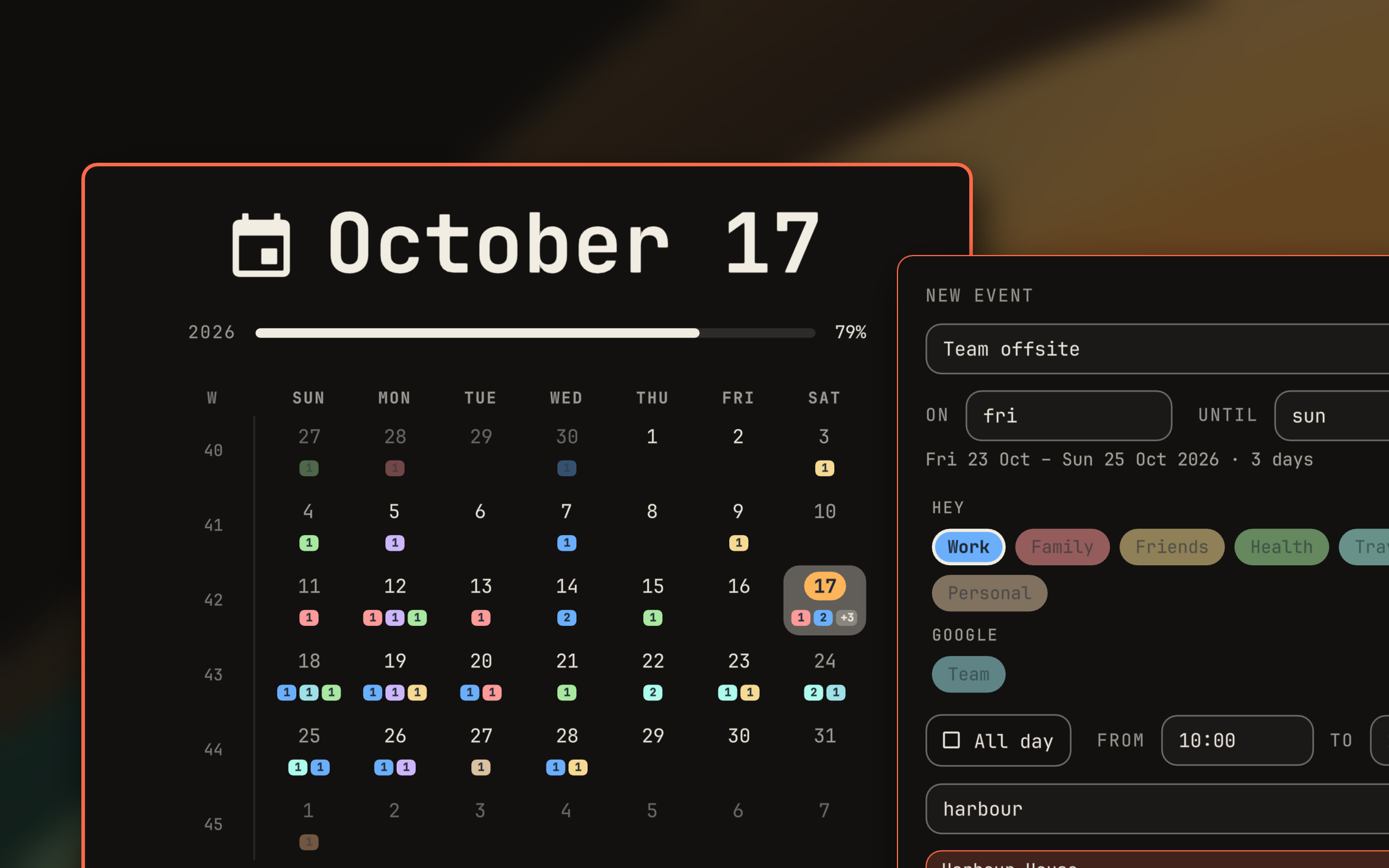
New
- Bold in the bar. Turn on Bold in the bar in Calendar for Omarchy's settings, or set
barBoldtotrue, and the date, time and event in the bar are set in semibold. The label keeps the stock clock's size, centering and press feedback. By @crmne.

Fixed
- Links say where they go, and links that hide their host are dropped. A link like
https://meet.google.com@evil.example/opens evil.example, and Calendar for Omarchy used to let it through. A link with a username in it is now no link at all. Hovering Join or Open in HEY names the host, and so does a reminder with a meeting link. By @crmne, from #17 by @robsquared82. - Reminders show their text as written, and stay out of shared folders. A place such as
AT&T <HQ>could be read as markup by a notification daemon. WithoutXDG_RUNTIME_DIR, reminders were written under/tmp, where another user could get there first; they are now skipped instead. By @crmne, from #15 by @robsquared82. - Less of your calendar is written to disk or handed to the shell. Fetching a HEY week no longer writes notes, guests and journal text to a temporary file, only what the calendar shows, and live sync passes the shell only the kind of each change in HEY, not the whole event. By @crmne, from #14 and #13 by @robsquared82.
- Switches set from a terminal work.
omarchy bar set crmne.omacal barBold truestores the text "true", which every switch read as off, and "false" could not turn off a switch that is on by default. Both spellings now work for every switch. By @crmne.
Known limitations
- Bold is for horizontal bars. On a vertical bar the label keeps its normal weight.
Install
omarchy plugin add https://github.com/crmne/omarchy-calendar.git --enable
omarchy plugin disable omarchy.clock
Already installed: omarchy plugin update crmne.omacal.
Thanks
@crmne implemented the changes. Thanks to @robsquared82 for the security and privacy review and the pull requests behind three of these fixes.
Calendar for Omarchy is an independent project, not created by, affiliated with, or supported by HEY, 37signals or Google.
Full changelog: v1.2.1...v1.3.0
Contributors

Assets 3
Calendar for Omarchy 1.2.1
OmaCal is now Calendar for Omarchy. Installs keep updating as before, and calendar feeds can no longer get past the download limit.
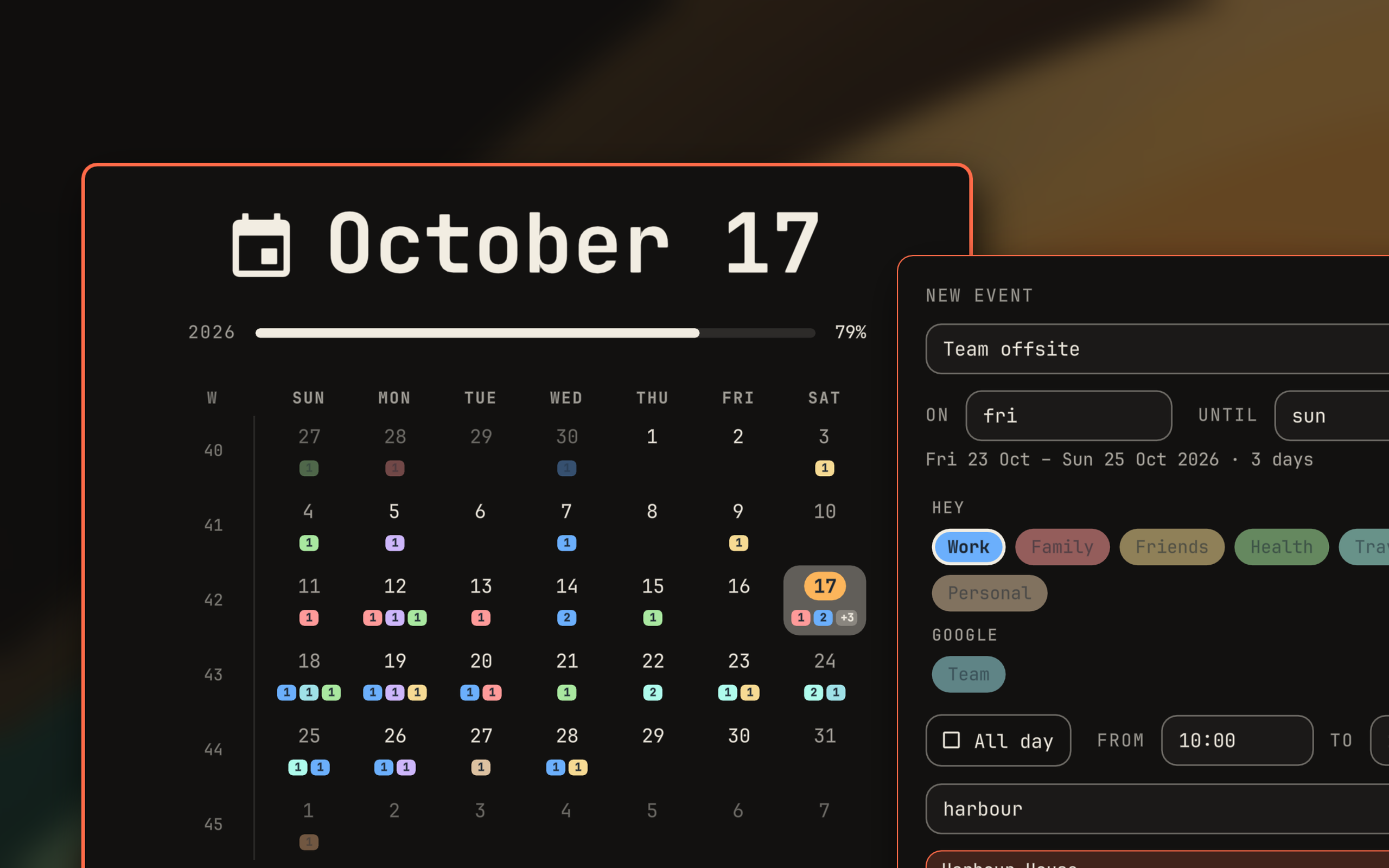
New
- A new name: Calendar for Omarchy. OmaCal was also the name of x3me's OmaCal app, so the plugin is renamed to keep the two apart. The repository moved to crmne/omarchy-calendar, and the old address redirects there. The plugin id is still
crmne.omacal, so existing installs, settings, feeds and the bar's layout stay as they are, and searching for "omacal" in the bar's widget list still finds it. By @crmne; thanks @jondkinney for raising it in #5.
Fixed
- Calendar feeds stay within the 20 MiB limit, even when they redirect. A feed address that redirected could send an unlimited amount of data first, because Python reads a redirect's whole response before following it. Calendar for Omarchy now skips that response. By @crmne; thanks @HANCORE-linux for finding it in marketplace #11988.
Install
omarchy plugin add https://github.com/crmne/omarchy-calendar.git --enable
omarchy plugin disable omarchy.clock
Already installed: omarchy plugin update crmne.omacal.
Thanks
@crmne implemented the changes. Thanks to @jondkinney for pointing out the name clash, to @x3me for OmaCal the app, and to @HANCORE-linux for the marketplace review.
Calendar for Omarchy is an independent project, not created by, affiliated with, or supported by HEY, 37signals or Google.
Full changelog: v1.2.0...v1.2.1
Contributors


Assets 3
OmaCal 1.2.0
See Google Calendar and any calendar feed next to HEY, in one grid and one bar.
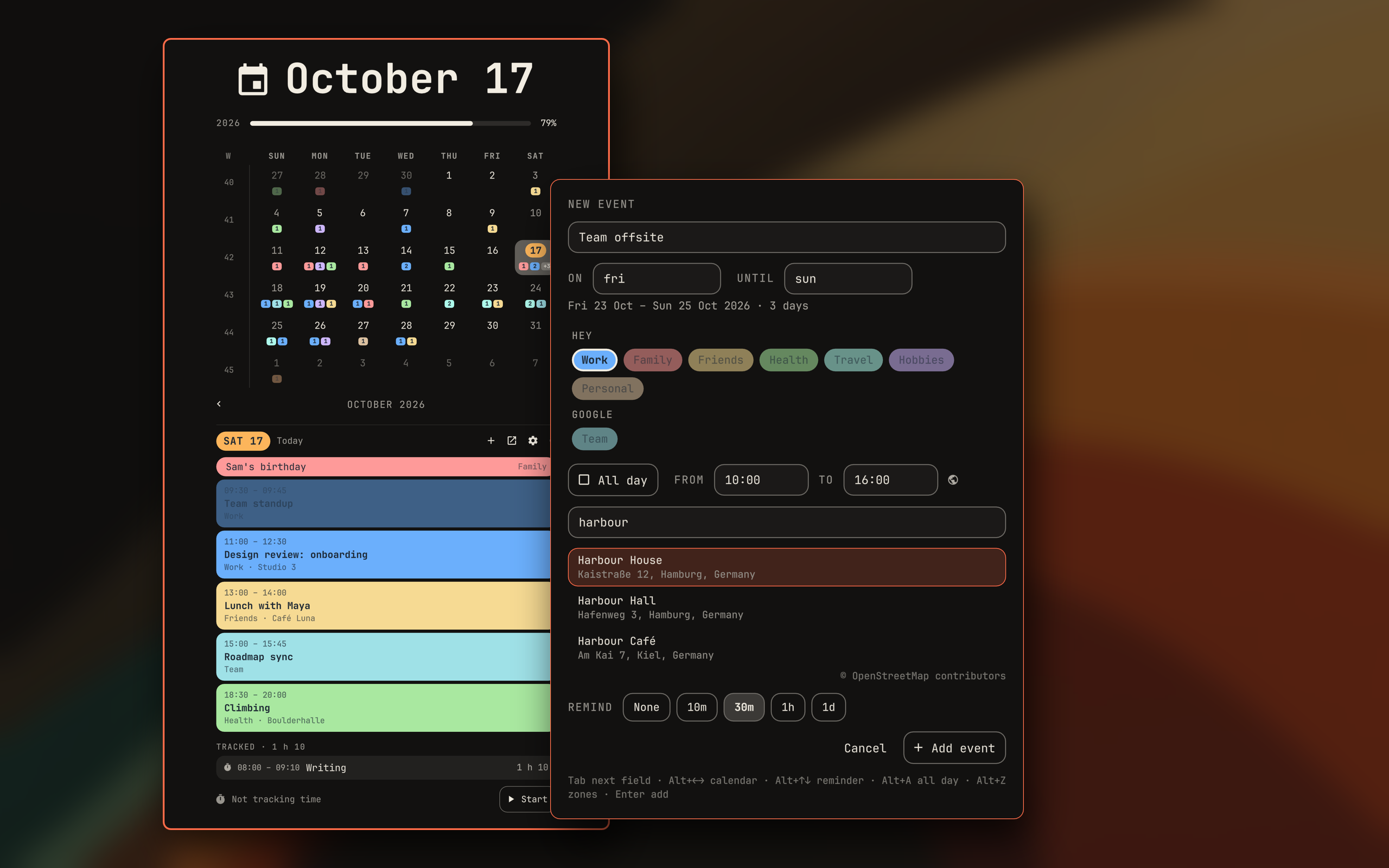
New
- Google Calendar, read and written directly. Turn on Google Calendar under Calendars from in OmaCal's settings. It shows every calendar switched on in Google Calendar. New events can go on any Google calendar you can write to. You can edit them for one day or the whole series, including removing reminders, and delete one-off events. No invitations are sent. Signing in is done by gws, Google's Workspace CLI (
sudo pacman -S googleworkspace-cli, thengws auth setupandgws auth login -s calendar), so OmaCal stores no Google credentials. Event text goes to Google over HTTPS, never on a command line. By @crmne, building on @dpaluy's approach in #2. - Calendar feeds. Paste a
webcal://orhttps://address into Calendar feeds in the settings: a Google calendar's secret address, iCloud or Outlook, a holiday calendar. OmaCal works out repeating events itself, including skipped and moved days and each event's time zone. Feed addresses work like passwords, so they are kept in~/.config/omacal/feeds.json, readable only by you. By @crmne. - Every service in one place. HEY, Google and feeds share the grid, the day view, the bar and reminders. If one service fails, the others keep showing. The settings and the event form list each service's calendars under its name, and every change goes to the service the event belongs to. By @crmne.
- HEY is optional. Turn off what you do not use. With HEY off, or hey-cli not installed, OmaCal works with Google and feeds alone. By @crmne.
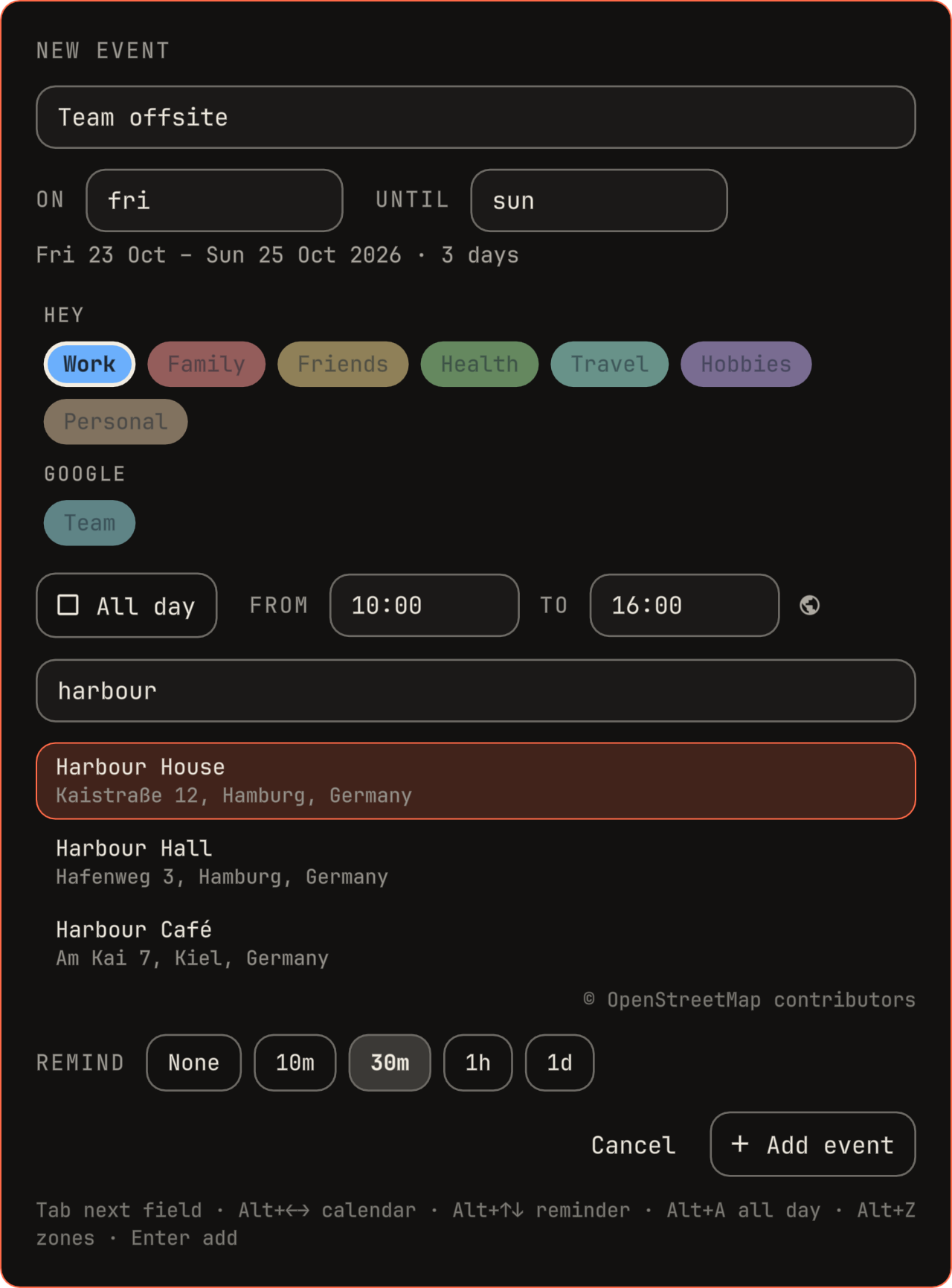
Fixed
- Hiding a calendar hides only that one. Turning off a calendar in the settings no longer also hides a calendar with the same name on another service. Names typed into
hiddenCalendarsby hand still hide that name everywhere. By @crmne. - Calendars HEY subscribes to are not offered for new events. HEY cannot write to them (a Google or Todoist calendar added to HEY, for example), so adding an event there used to fail. By @crmne.
- Error messages show the real exit status. Messages that included a command's exit status used to say "undefined". By @crmne.
Known limitations
- Some Google changes are still Google Calendar's. For events with guests, OmaCal changes only the reminder, because Google Calendar is where you choose whether guests are emailed. Deleting a repeating event is also left to Google Calendar.
- Google is checked every few minutes, not live. Google only pushes changes to a public web address.
- Signing in to Google needs your own OAuth client.
gws auth setupcreates one in a Google Cloud project of yours. - Feeds are read only, and are fetched at most every two minutes.
- A HEY calendar that copies Google shows its events twice once Google is on. Turn off that HEY calendar in the settings.
Install
omarchy plugin add https://github.com/crmne/omacal.git --enable
omarchy plugin disable omarchy.clock
Already installed: omarchy plugin update crmne.omacal.
Thanks
@crmne implemented the changes. Thanks to @dpaluy for the first Google Calendar implementation through gws in #2, which set the direction for this release.
OmaCal is an independent project, not created by, affiliated with, or supported by HEY, 37signals or Google.
Full changelog: v1.1.0...v1.2.0
Contributors

Assets 3
OmaCal 1.1.0
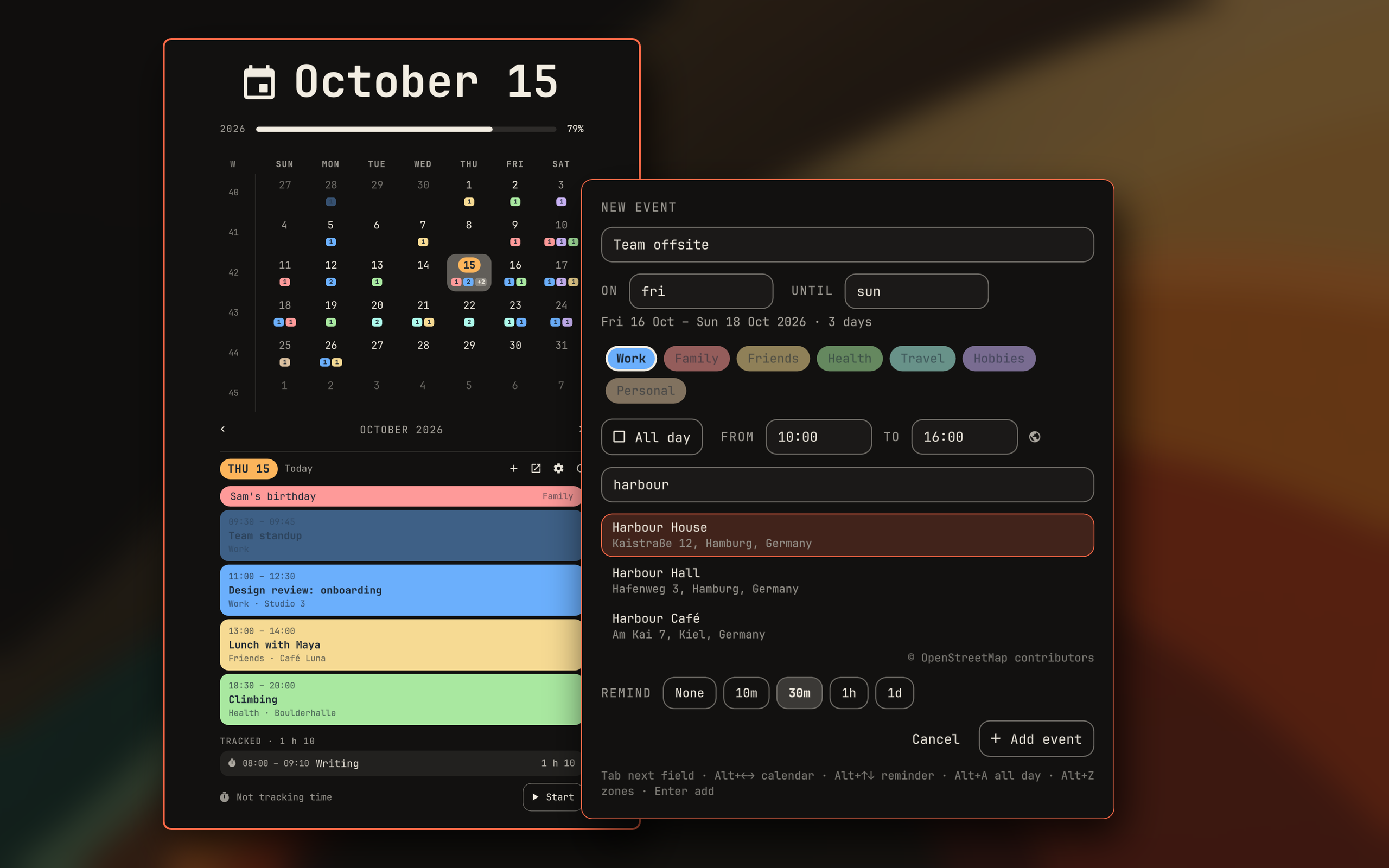
Plan events across several days, find places as you type, and keep calendar text out of the process list.
New
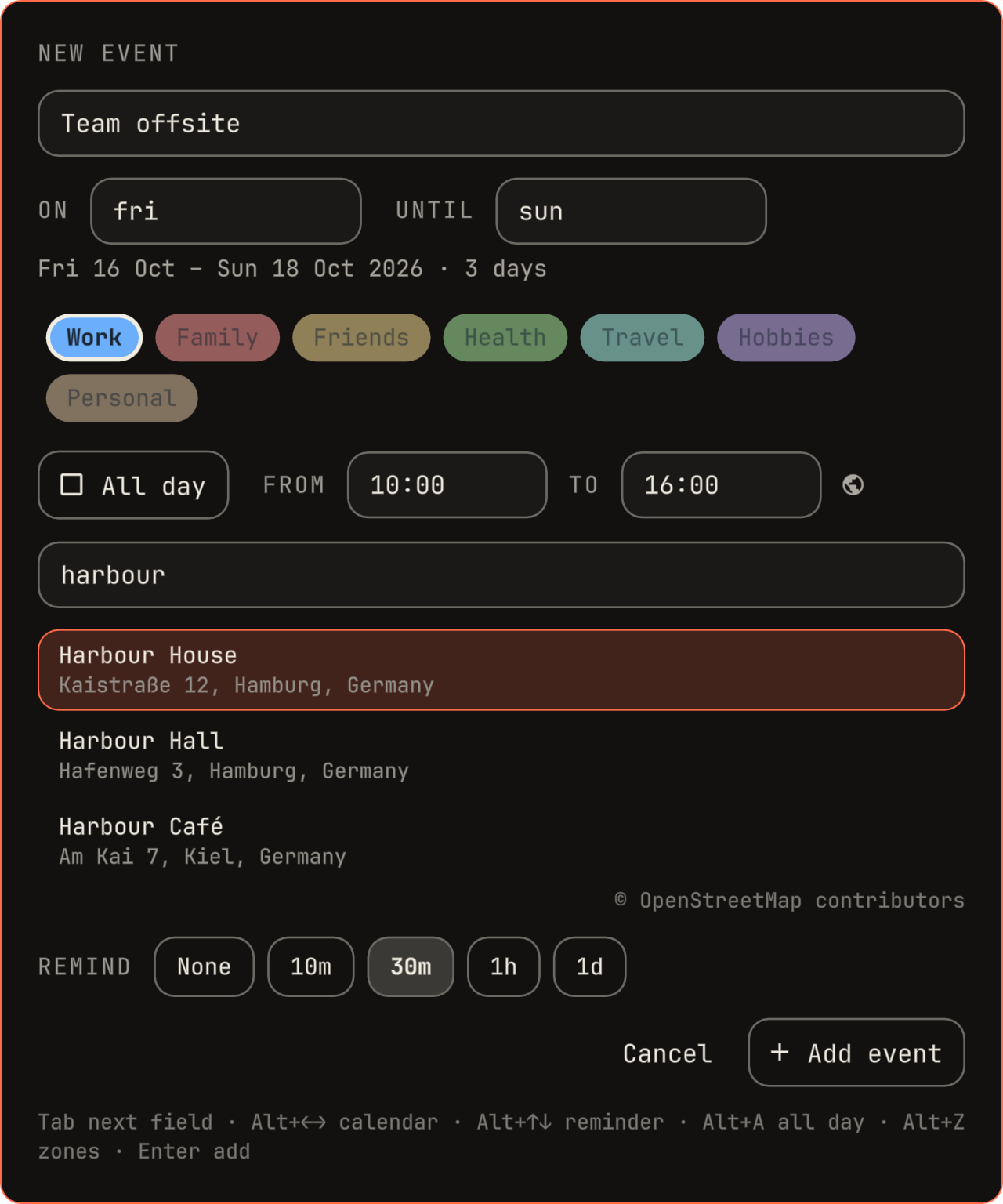
- Events can span several days. Give the last day under until, using a date,
sun, or+2. The end time falls on that day, and moving the start carries the span with it. By @crmne. - Where? suggests places. With a Google Maps key, suggestions come from Google Places. Without one, they come from OpenStreetMap through Komoot's Photon service. Typed location text is sent to the selected provider. Set a Places API (New) key in OmaCal's settings; it is stored in
~/.config/omacal/google-places-key. Turn Suggest places off to stop these requests. By @crmne. - Each end can keep its own time zone. A Berlin-to-New York flight now stores both zones directly in HEY, without converting the end onto the start's clock. By @crmne.
Fixed
- Event titles, places and track names stay out of process arguments. Creates, edits and track renames now go directly to HEY over HTTPS, using a token read from hey-cli's stdout and kept in memory. Edits carry forward existing reminders, links, attached emails, note text and countdowns. By @crmne; thanks @HANCORE-linux for reporting the command-line exposure in marketplace #9294.
- Text fields read the clipboard only when you paste. Fields now handle keys themselves, with bounded clipboard reads only on
Ctrl+VorShift+Insert. Native Qt text inputs could read another application's clipboard automatically, even while hidden. By @crmne; thanks @HANCORE-linux for identifying this during plugin reviews.
Known limitations
- Editing keeps note text but loses formatting. HEY's API returns notes as plain text. Use HEY for edits where the original note formatting must stay intact.
- Some changes are still HEY's. The form cannot remove every reminder, change notes, guests or repeats, or move a whole series to another day. An unreadable countdown or a stored time that cannot be preserved also needs HEY.
- Text entry has keyboard limitations. Compose/dead keys, IME input and mouse selection are not supported yet.
- The editor opens times on this machine's clock. Saving new times uses the zones shown in the form.
Install
omarchy plugin add https://github.com/crmne/omacal.git --enable
omarchy plugin disable omarchy.clock
Already installed: omarchy plugin update crmne.omacal.
Thanks
@crmne implemented the changes. Thanks to @HANCORE-linux for the privacy findings and marketplace review.
OmaCal is an independent project, not created by, affiliated with, or supported by HEY or 37signals.
Full changelog: v1.0.6...v1.1.0
Contributors
Assets 3
OmaCal 1.0.6
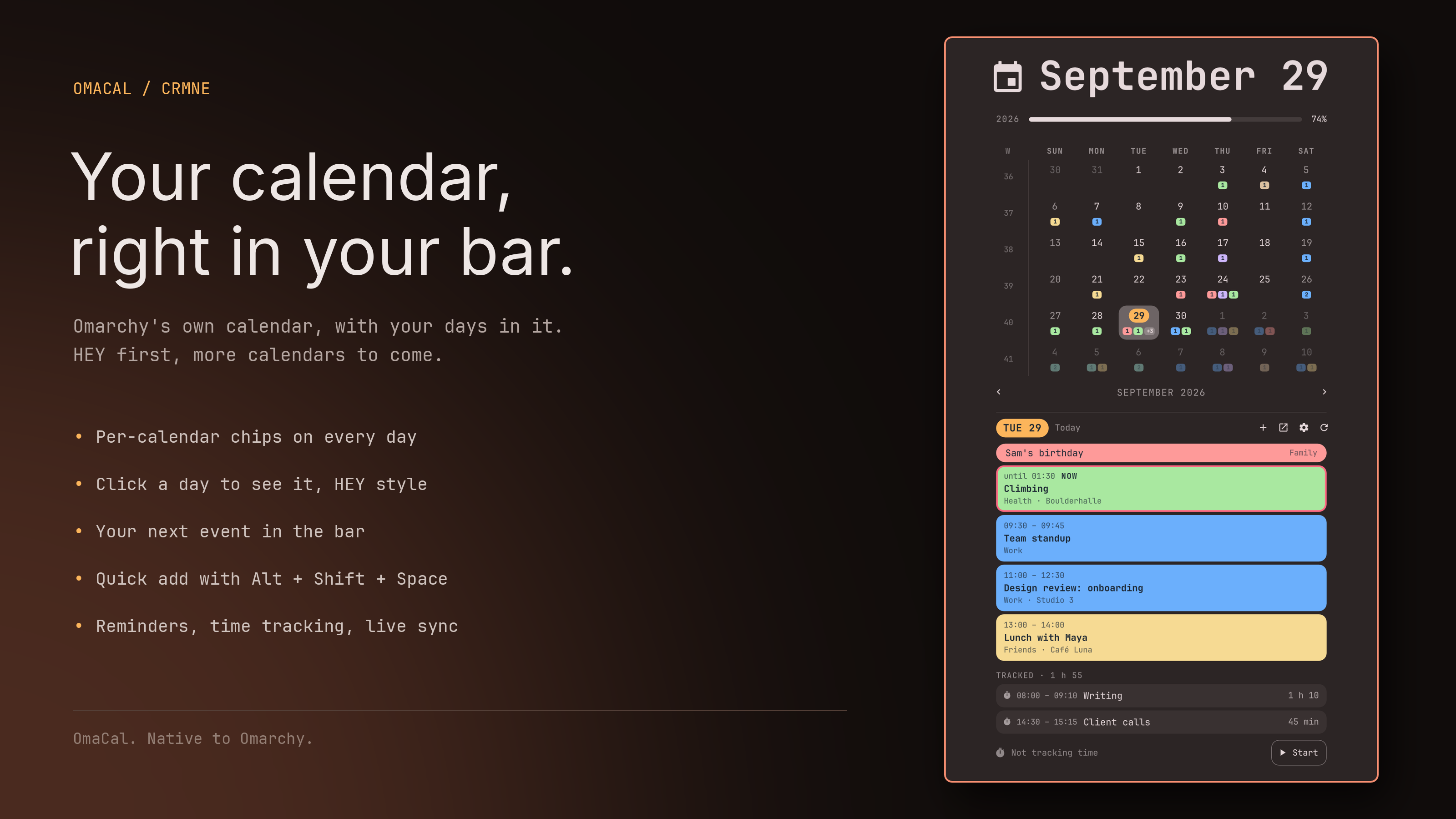
Edit events in OmaCal itself, without a trip to HEY's web page.
omacal-launch.mp4
New
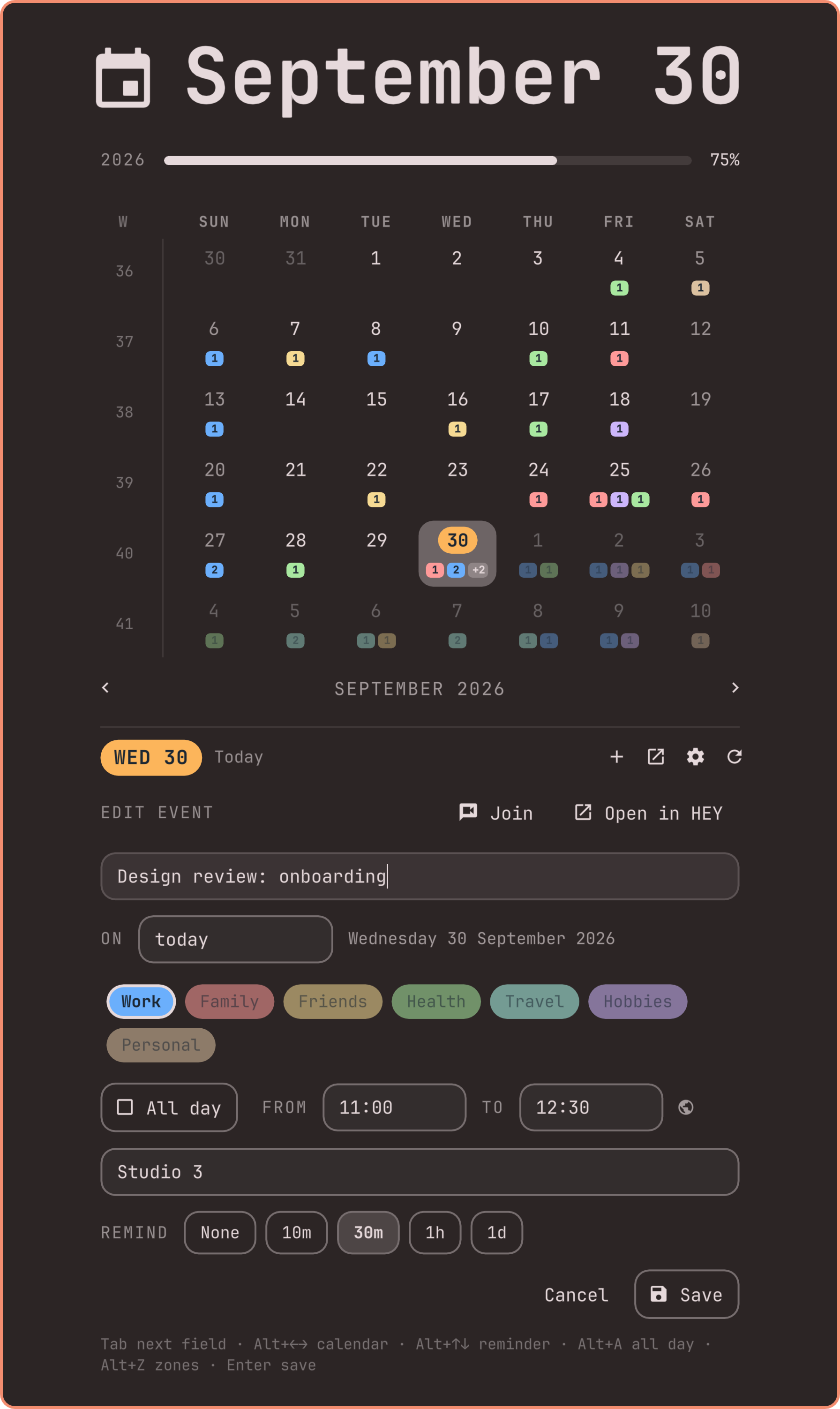
- Edit events in the panel. Clicking an event now opens it in the event form, ready to change: title, day, times, time zones, place, calendar and reminder.
Edoes the same for the event under way (or the next one), and1to9for that event of the day. Only what you change is sent to HEY, so everything else on the event stays as it was. Join and Open in HEY sit at the top of the form, for the meeting and for what the form does not cover (notes, guests, repeats). - This day or every day. On a repeating event the form asks whether a change is for this day or for every day of the series. Changing one day needs hey-cli 1.6.0 or newer; with Omarchy's hey-cli 1.3.0 the form offers every day only.
- Join from the day view. An event with a meeting link shows a join button on hover, and while it is under way.
Jjoins the meeting of the event under way, or the next one.
Fixed
- Multi-day all-day events show on their last day. A trip from the 24th to the 26th showed on the 24th and 25th only. HEY stores the last day as the end date, and OmaCal read it as the day after.
Known limitations
- Some changes are still HEY's. The form cannot remove every reminder from an event, change its notes, guests or repeats, or move a whole series to another day. Open in HEY is one click away for those.
- Times are shown on this machine's clock. HEY's listings do not say which zone an event was written in, so an event created in another zone opens in local time. Saving new times writes them in the zones the form shows.
Install
omarchy plugin add https://github.com/crmne/omacal.git --enable
omarchy plugin disable omarchy.clock
Already installed: omarchy plugin update crmne.omacal.
OmaCal is an independent project, not created by, affiliated with, or supported by HEY or 37signals.
Full changelog: v1.0.5...v1.0.6
OmaCal 1.0.5
Time zones in the new-event form now work the way HEY's own form does.
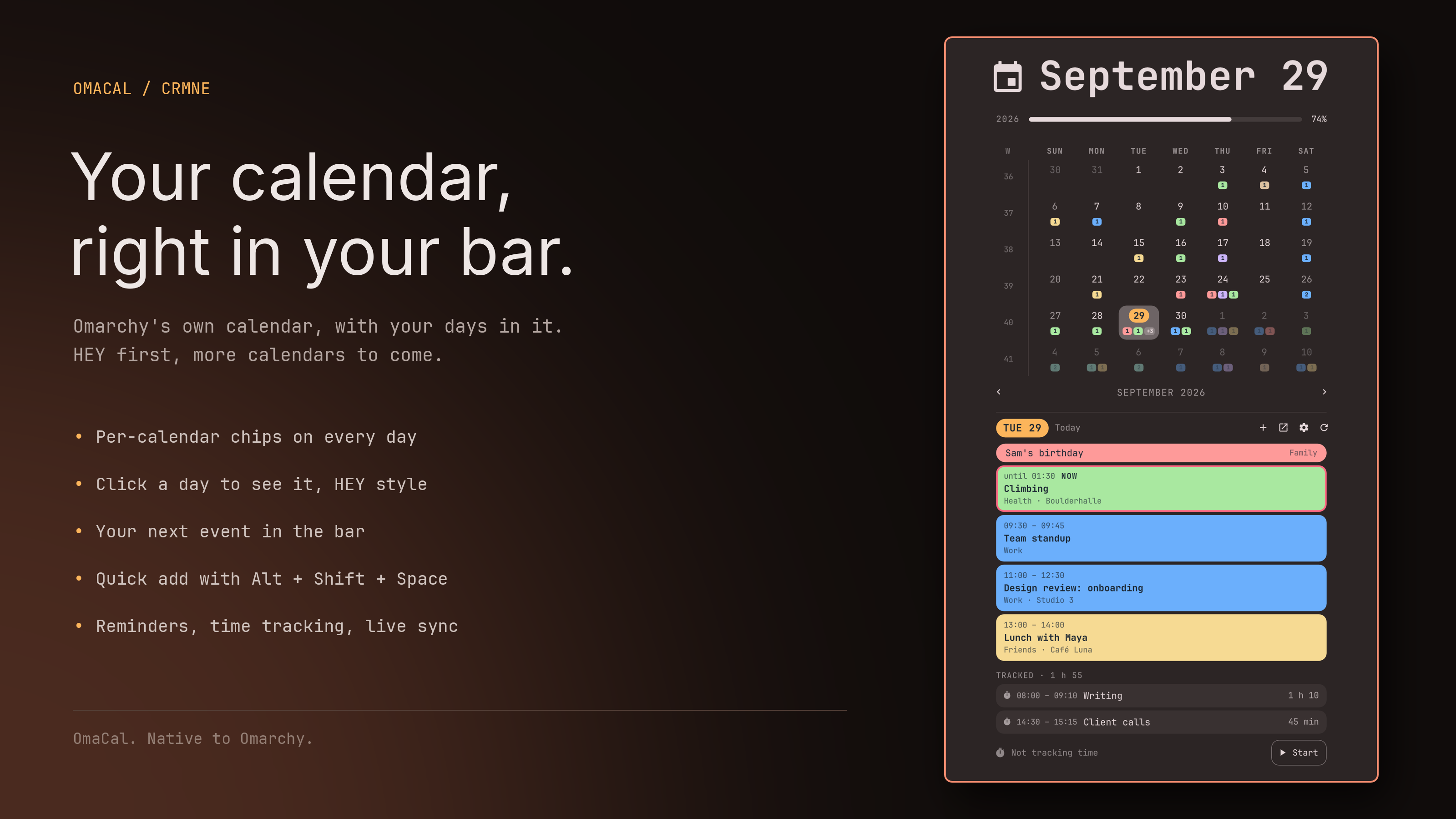
omacal-launch.mp4
Changed
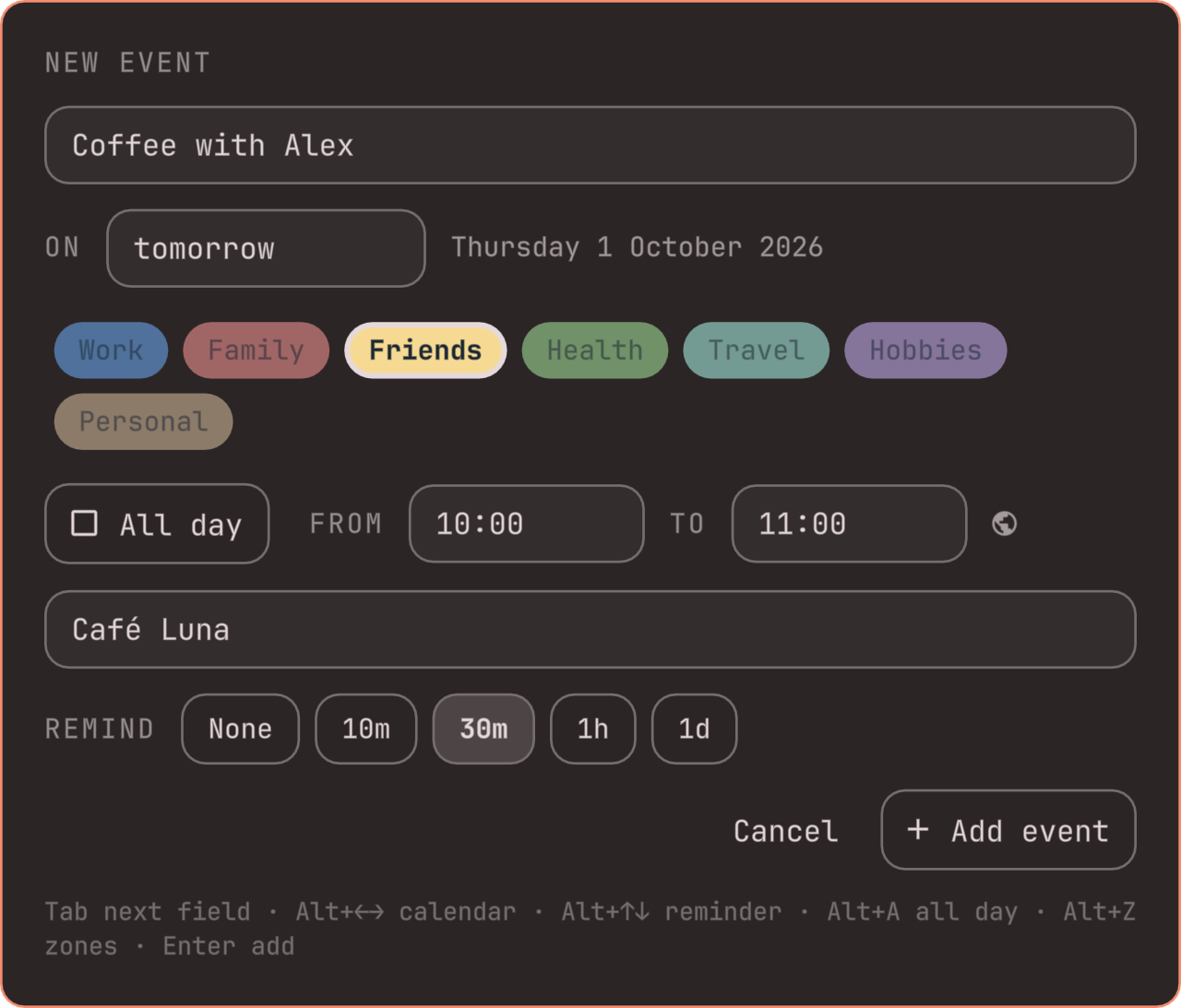
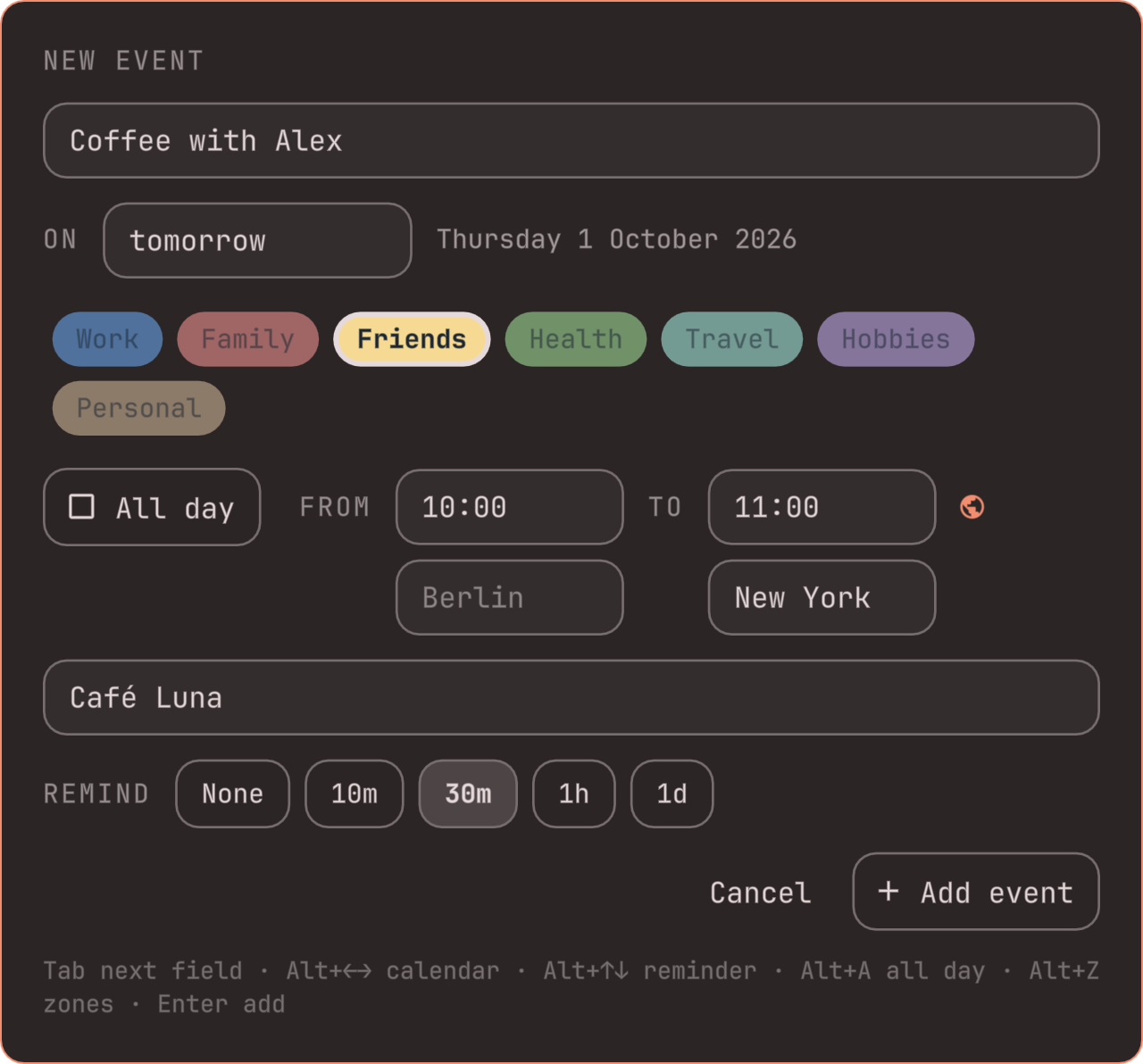
- Zones sit under their times, behind a globe. 1.0.4 put a start zone and an end zone on rows of their own, always showing. As in HEY, the form now shows just the times and a globe. Click the globe, or press
Alt+Z, and each time gets its zone underneath, shown as a city (Berlin). Type over a city to pick another zone (new york,tokyo), with↑↓to choose among the matches. The end's zone follows the start's until you give it its own. Hiding the zones again puts both times back on local time, so a hidden zone is never what gets sent.
| Zones hidden | Zones shown |
|---|---|
 |
 |
Known limitations
- HEY shows an end with its own zone on the start's clock.
hey event addtakes one time zone for both ends, so OmaCal saves the end at the right moment, converted to the start's zone. A flight from Berlin at 10:00 to New York at 13:00 is stored correctly, but HEY shows its end as 19:00 Berlin time.
Install
omarchy plugin add https://github.com/crmne/omacal.git --enable
omarchy plugin disable omarchy.clock
Already installed: omarchy plugin update crmne.omacal.
OmaCal is an independent project, not created by, affiliated with, or supported by HEY or 37signals.
Full changelog: v1.0.4...v1.0.5
OmaCal 1.0.4
The start and the end of a new event each get a time zone, as in HEY's own form.
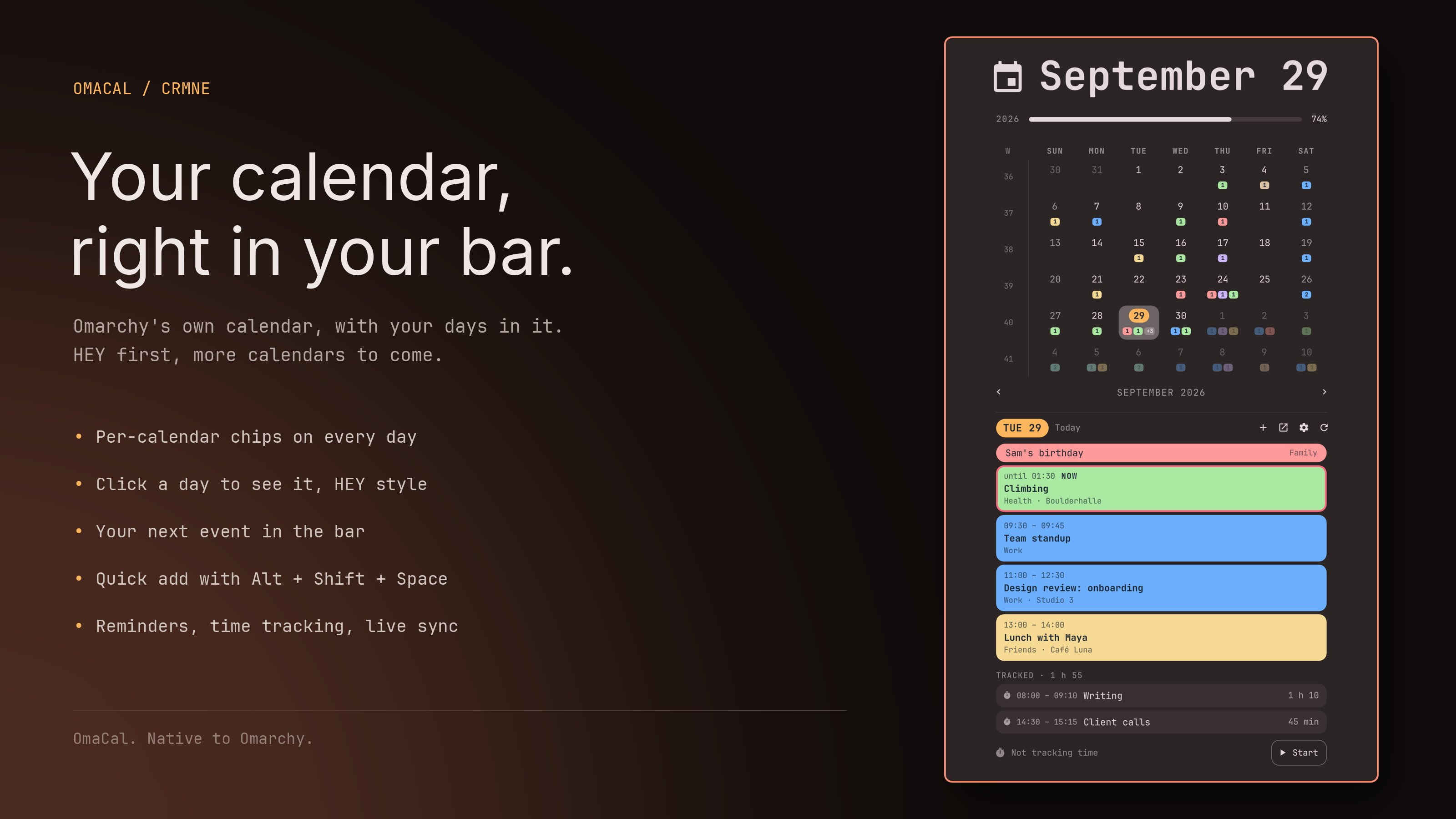
omacal-launch.mp4
New
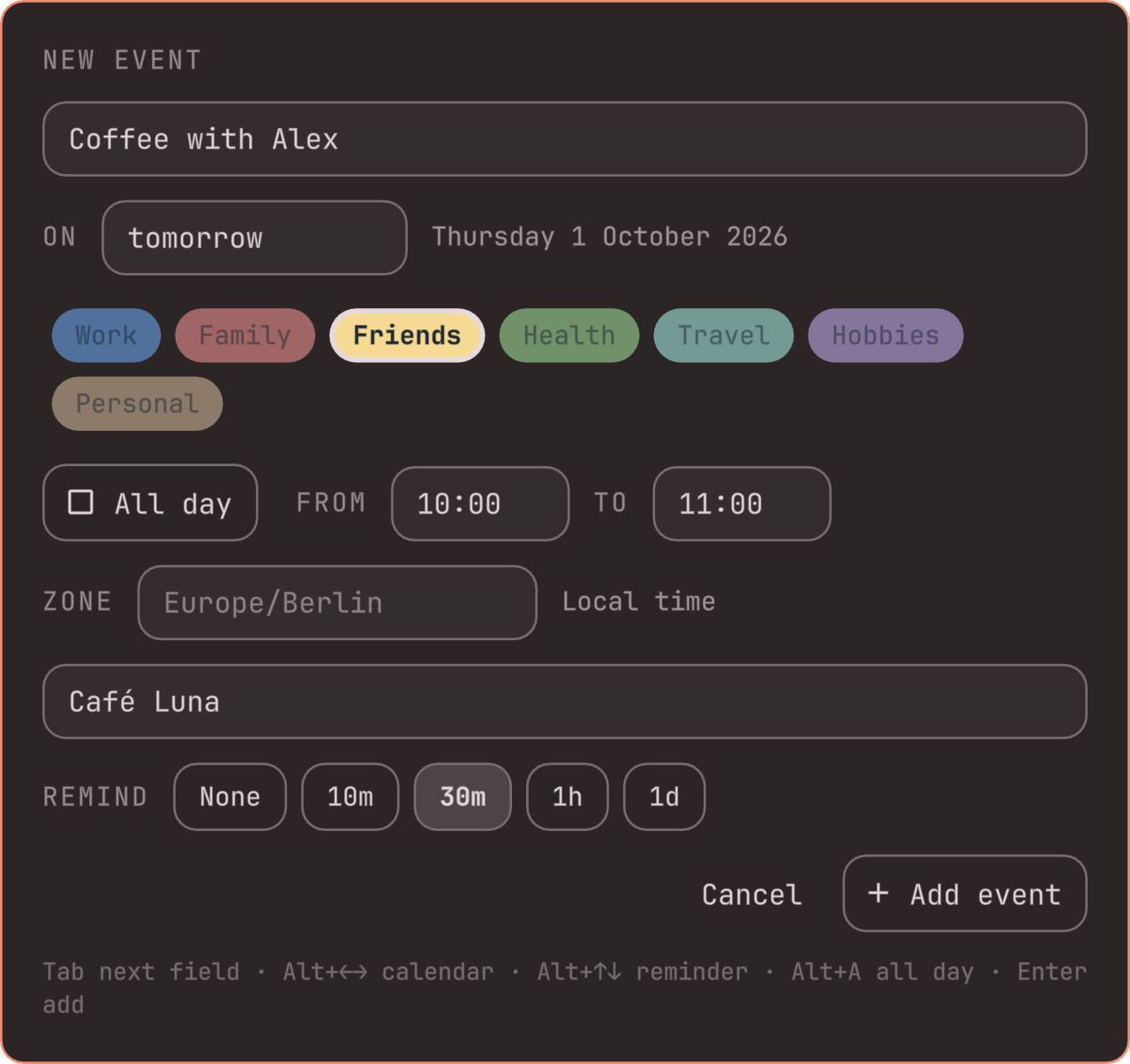
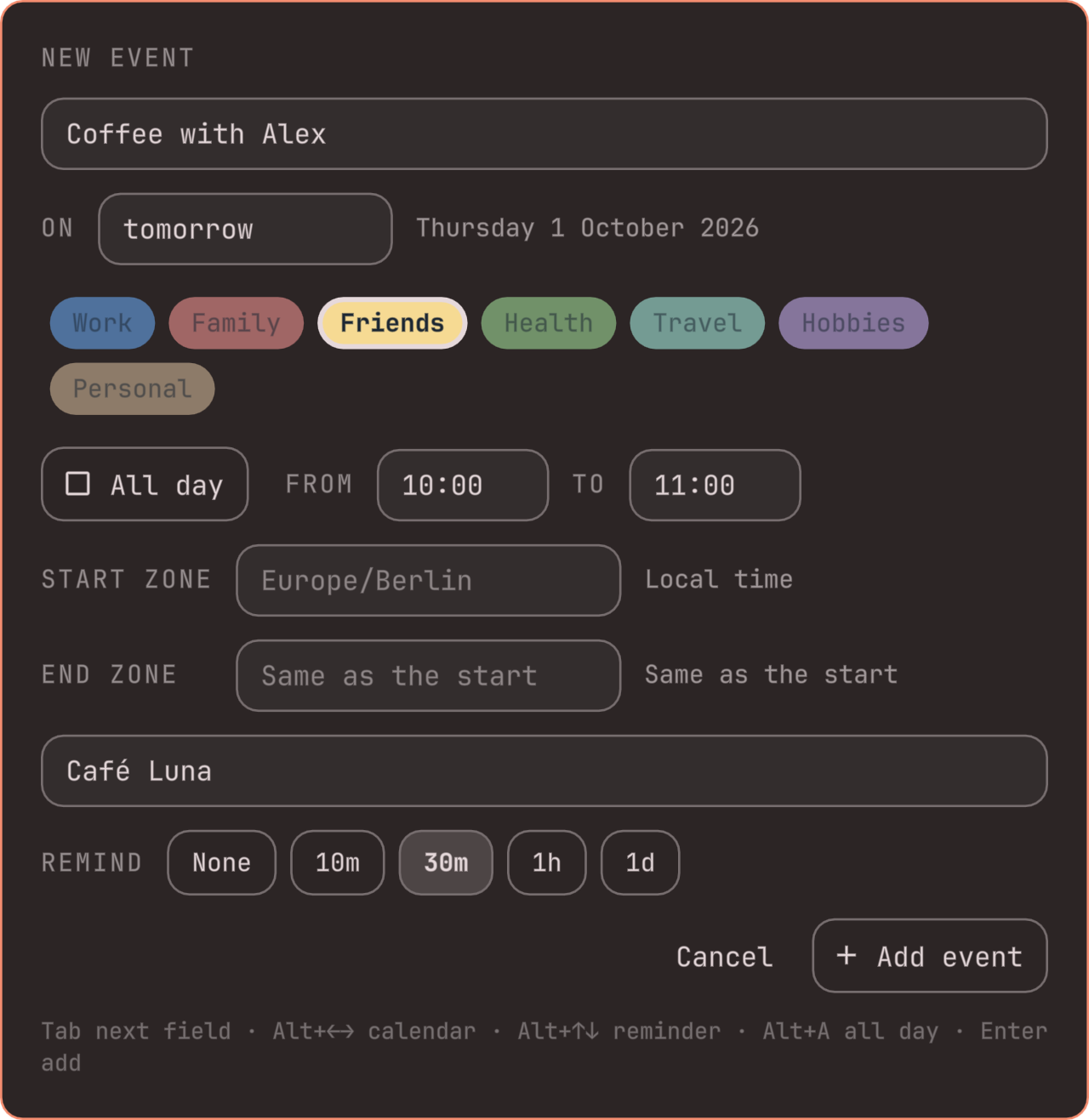
- A zone for the start and one for the end. 1.0.3 gave the new-event form a single zone for both times. HEY keeps one for each, so the form now has a start zone and an end zone. The start is this machine's local time unless you type a city; the end is the start's zone unless you give it its own. A flight from Berlin at 10:00 to New York at 13:00 is saved as nine hours long. If the end is earlier than the start on the same day, the end goes on the next day.
| 1.0.3 | 1.0.4 |
|---|---|
 |
 |
Known limitations
- HEY shows an end with its own zone on the start's clock.
hey event addtakes one time zone for both ends, so OmaCal saves the end at the right moment, converted to the start's zone. The flight above is stored correctly, but HEY shows its end as 19:00 Berlin time, not 13:00 New York time.
Install
omarchy plugin add https://github.com/crmne/omacal.git --enable
omarchy plugin disable omarchy.clock
Already installed: omarchy plugin update crmne.omacal.
OmaCal is an independent project, not created by, affiliated with, or supported by HEY or 37signals.
Full changelog: v1.0.3...v1.0.4
OmaCal 1.0.3
New events land at the time you typed, and can be written in another time zone.
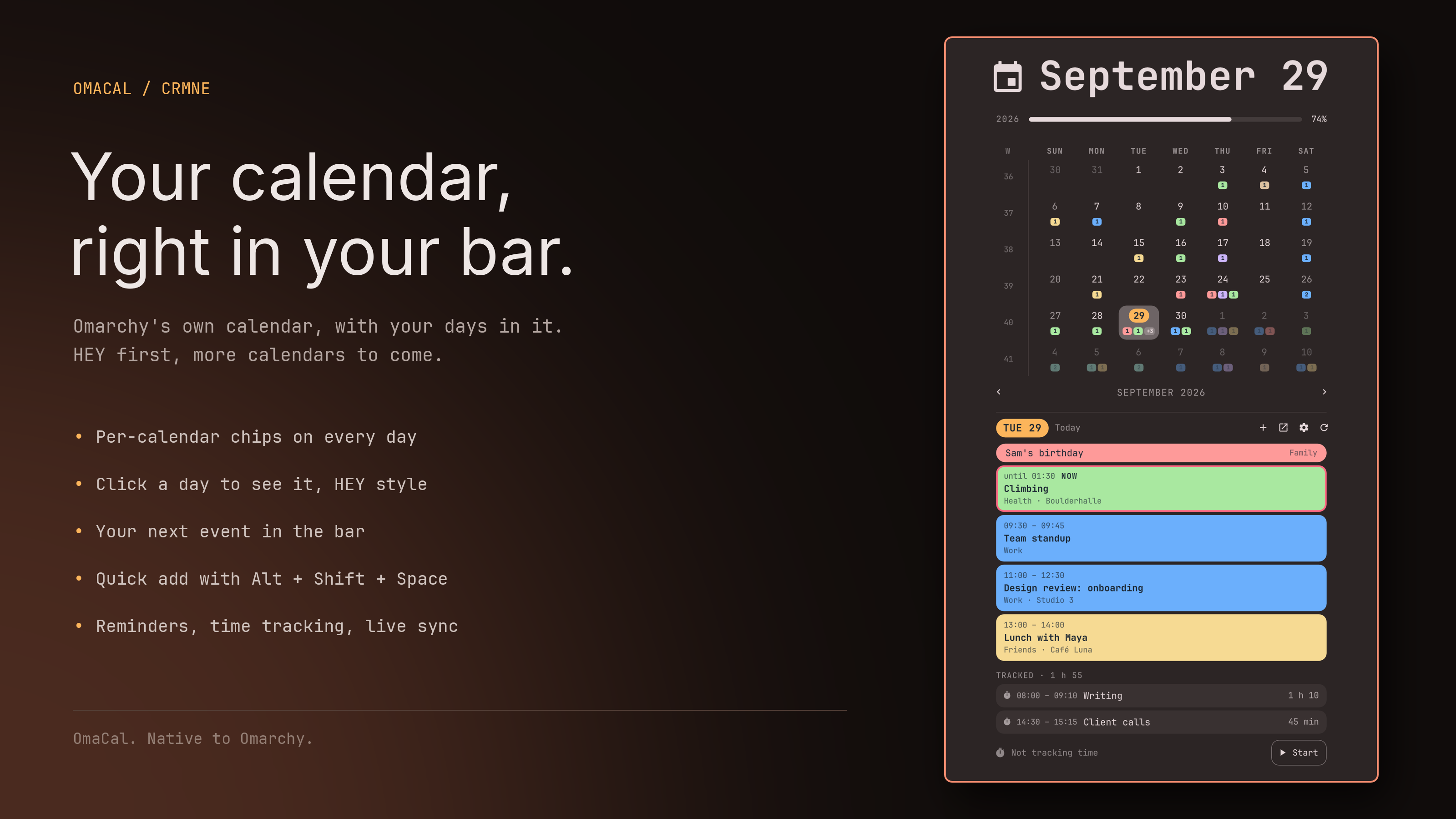
omacal-launch.mp4
Fixed
- New events keep the time you typed. An event added from OmaCal could land hours off: 18:30 to 20:00 typed in Berlin was saved as 20:30 to 22:00. hey-cli up to 1.7 sends no time zone on a machine without
$TZset, and HEY then reads the times as UTC. OmaCal now always sends the zone, so this works with every hey-cli from the 1.3.0 Omarchy ships. Events added with an earlier OmaCal keep their wrong time until you move them in HEY.
New
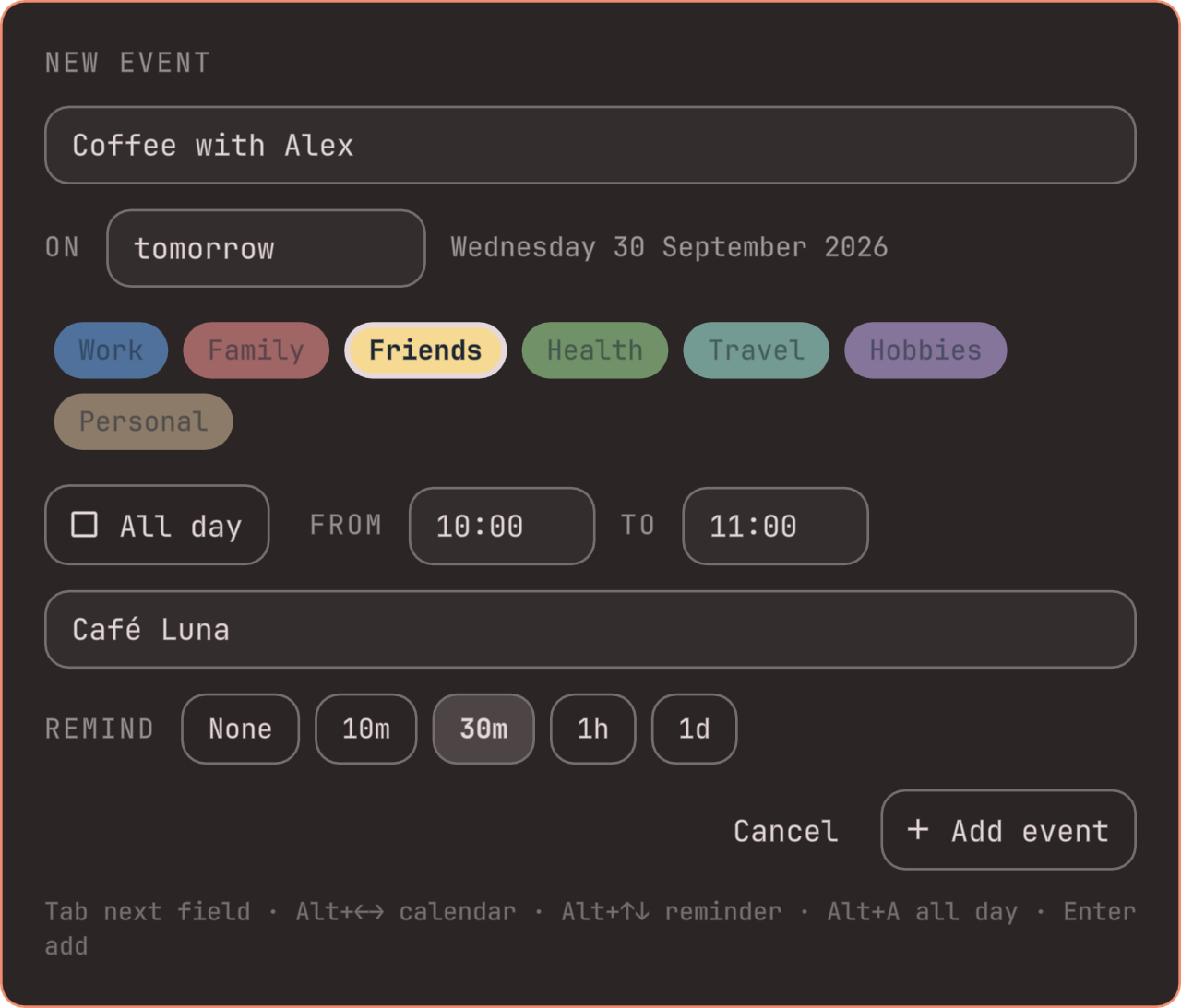
- A time zone for each event. The new-event form has a zone field under the times. Left empty it is this machine's local time. Type a city (
new york,tokyo) to write the times in that zone, as in HEY's own form;↑↓pick among the matches.
| Before | After |
|---|---|
 |
|
Install
omarchy plugin add https://github.com/crmne/omacal.git --enable
omarchy plugin disable omarchy.clock
Already installed: omarchy plugin update crmne.omacal.
OmaCal is an independent project, not created by, affiliated with, or supported by HEY or 37signals.
Full changelog: v1.0.2...v1.0.3
OmaCal 1.0.2
Reminders arrive once, with a proper icon.
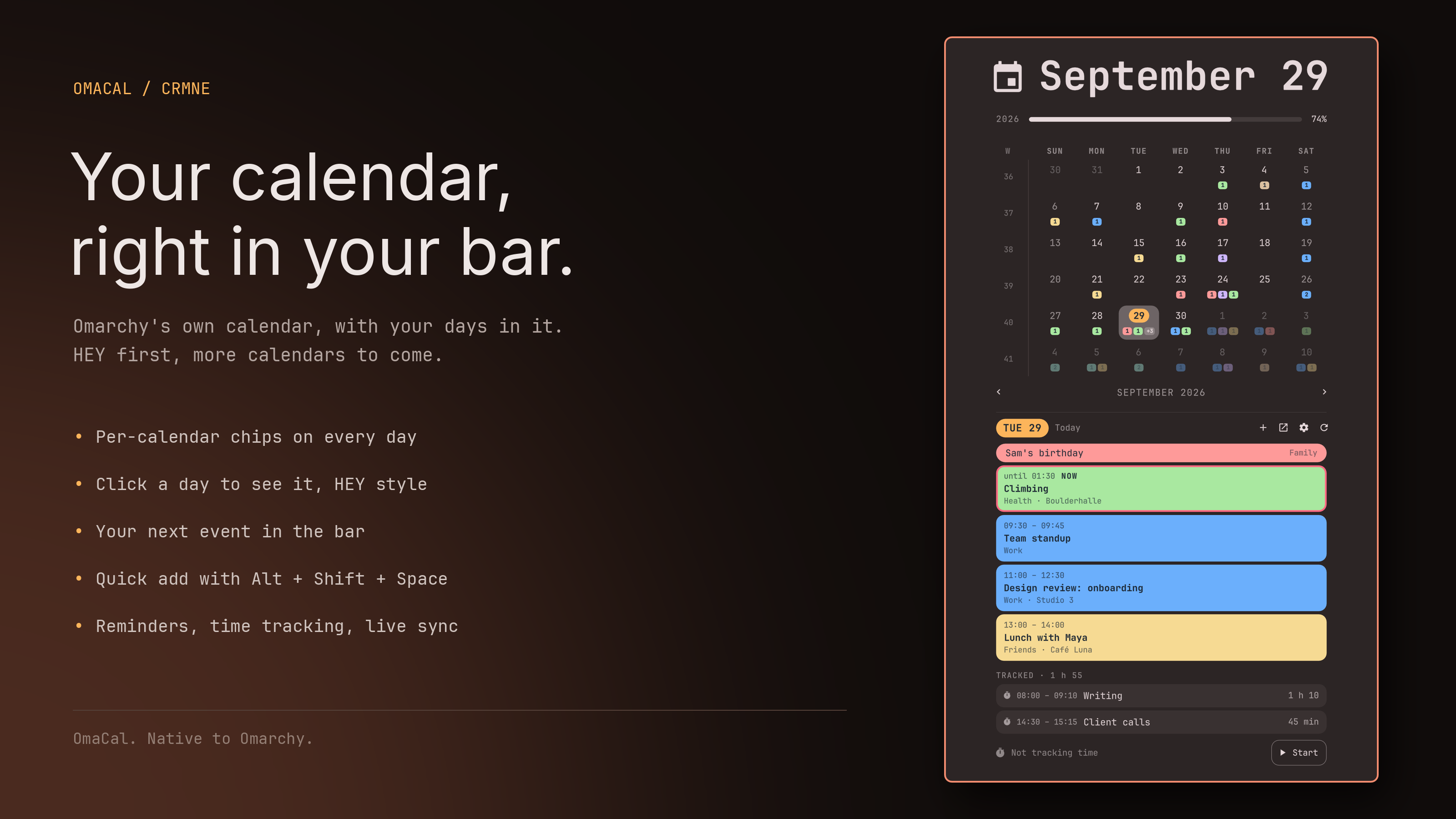
omacal-launch.mp4
Fixed
- One notification per reminder. With a bar on more than one monitor, every bar's OmaCal sent the same reminder, so it arrived once per monitor. The first to claim a reminder now sends it and the others stay quiet.
- Reminders have an icon. The notification asked for a stock calendar icon that many icon themes don't have, so it often showed none. It now shows a small calendar page in the event's calendar colour, with its day on it.
Install
omarchy plugin add https://github.com/crmne/omacal.git --enable
omarchy plugin disable omarchy.clock
Already installed: omarchy plugin update crmne.omacal.
OmaCal is an independent project, not created by, affiliated with, or supported by HEY or 37signals.
OmaCal 1.0.1
A fix for the new-event form in 1.0.0.
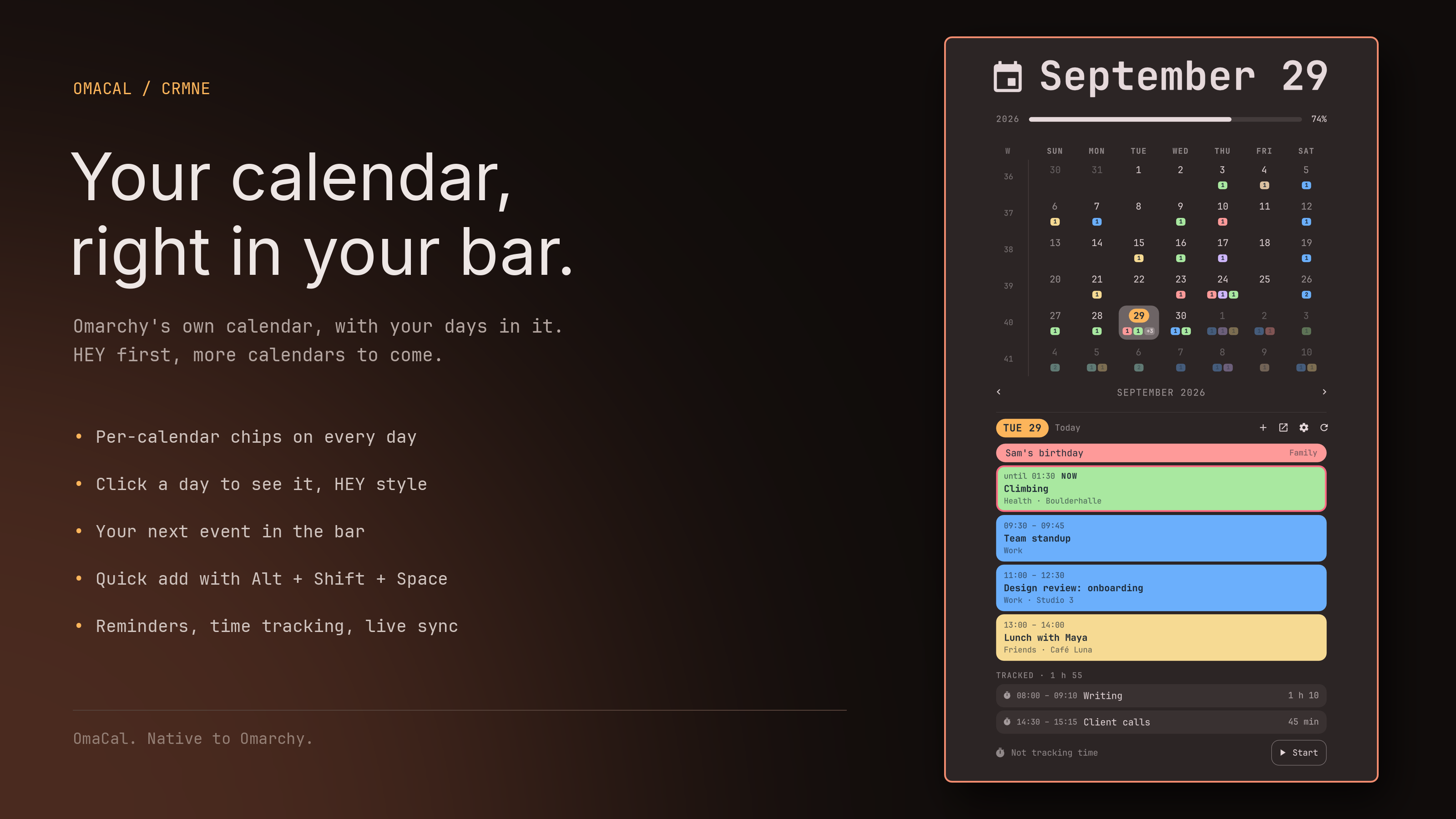
omacal-launch.mp4
The launch video, also in 1080p60.
Fixed
- New events start clean again. In 1.0.0, opening the form (the panel's +,
N, a double-clicked day, or Alt+Shift+Space) did not reset the day and times or put the cursor in the title, because one of the form's fields shared its name with the function that fills it in. Found by the screenshot renderer, which now fails on any script error in the plugin.
Install
omarchy plugin add https://github.com/crmne/omacal.git --enable
omarchy plugin disable omarchy.clock
Already installed: omarchy plugin update crmne.omacal.
OmaCal is an independent project, not created by, affiliated with, or supported by HEY or 37signals.