Repository navigation
Releases
0.15.0: Compact shared cards

Shared cards: compact view
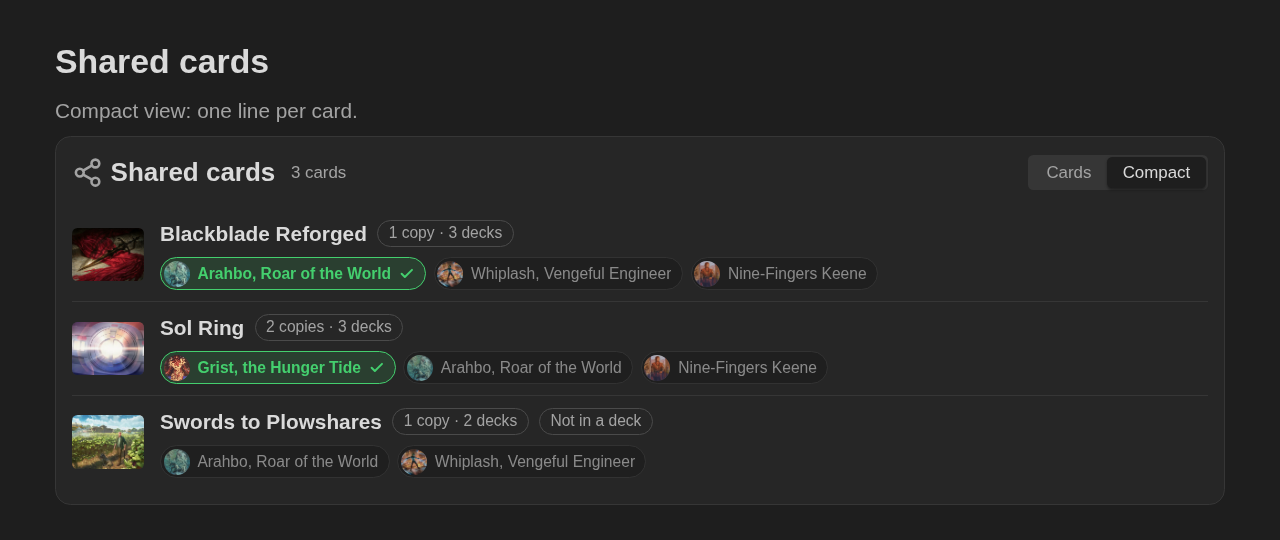
The mtg-shared block has a Cards / Compact switch in its header (saved in the block as view: compact). The compact view shows each card on one line: its art, its name, how many copies and decks, and a pill per deck with the commander's art. The deck that has the card is green with a check; click another pill to move the card there.
Fixes
- Moving a shared card, or switching the view of a decklist, hand or sideboard block, no longer sends the cursor and the scroll to the top of the note in the editor.
0.14.0: Shared cards
Shared cards
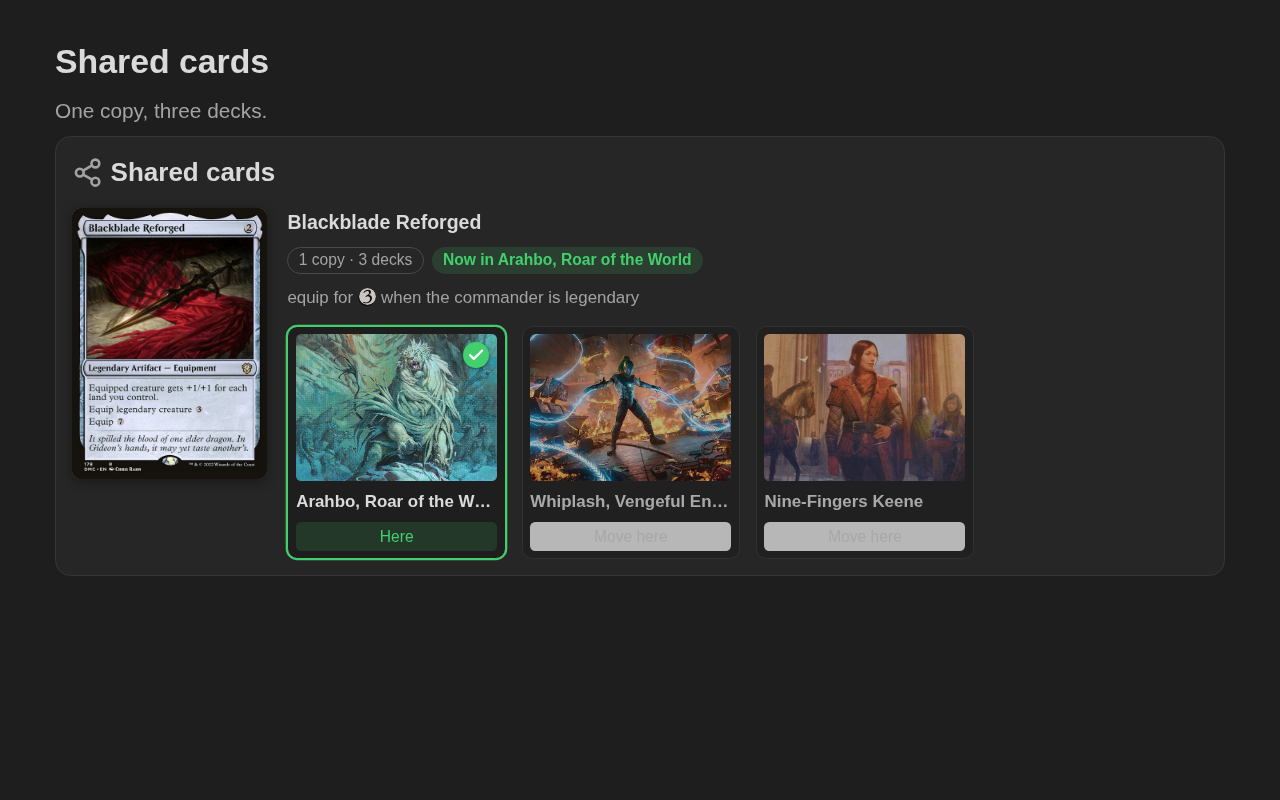
Own one copy of a card for several decks? The new mtg-shared block lists the card, the decks that share it, and the deck that has it right now.
```mtg-shared
1 Blackblade Reforged
- [x] Arahbo, Roar of the World
- [ ] Whiplash, Vengeful Engineer
- [ ] Nine-Fingers Keene
```
- Where it is now:
- [x]marks the deck that has the card. Each deck shows its commander's art; the one holding the card has a green border and a check. - Move here: click it when the card changes decks, and the note is updated. With more than one copy, each deck is switched on its own, and the block warns when more decks are marked than the copies you own.
- Open the deck: clicking a deck's art opens its deck primer (or the note you linked, or the commander's primer).
- Several cards in one block, each followed by its decks, or all on one line:
Card -> Deck A; Deck B.
Full syntax in docs/shared.md.
0.13.0: Opening hands
Opening hands
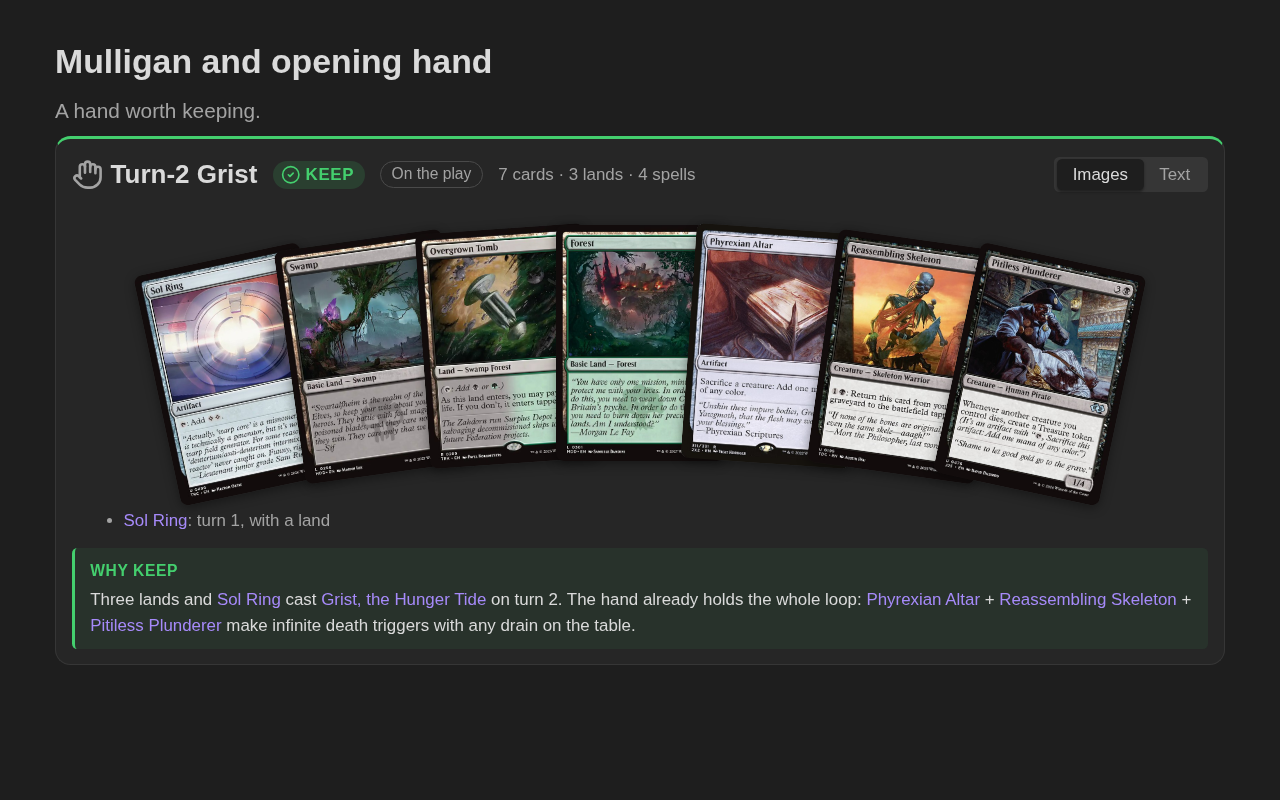
The new mtg-hand block shows an opening hand fanned out, the way you hold it, with the decision: Keep or Mulligan, and why.
```mtg-hand
keep
on the play
Sol Ring — turn 1, with a land
Swamp
Overgrown Tomb
Forest
Phyrexian Altar
Reassembling Skeleton
Pitiless Plunderer
why:
Three lands and [[Sol Ring]] cast [[Grist, the Hunger Tide]] on turn 2.
```| Keep | Mulligan |
|---|---|
 |
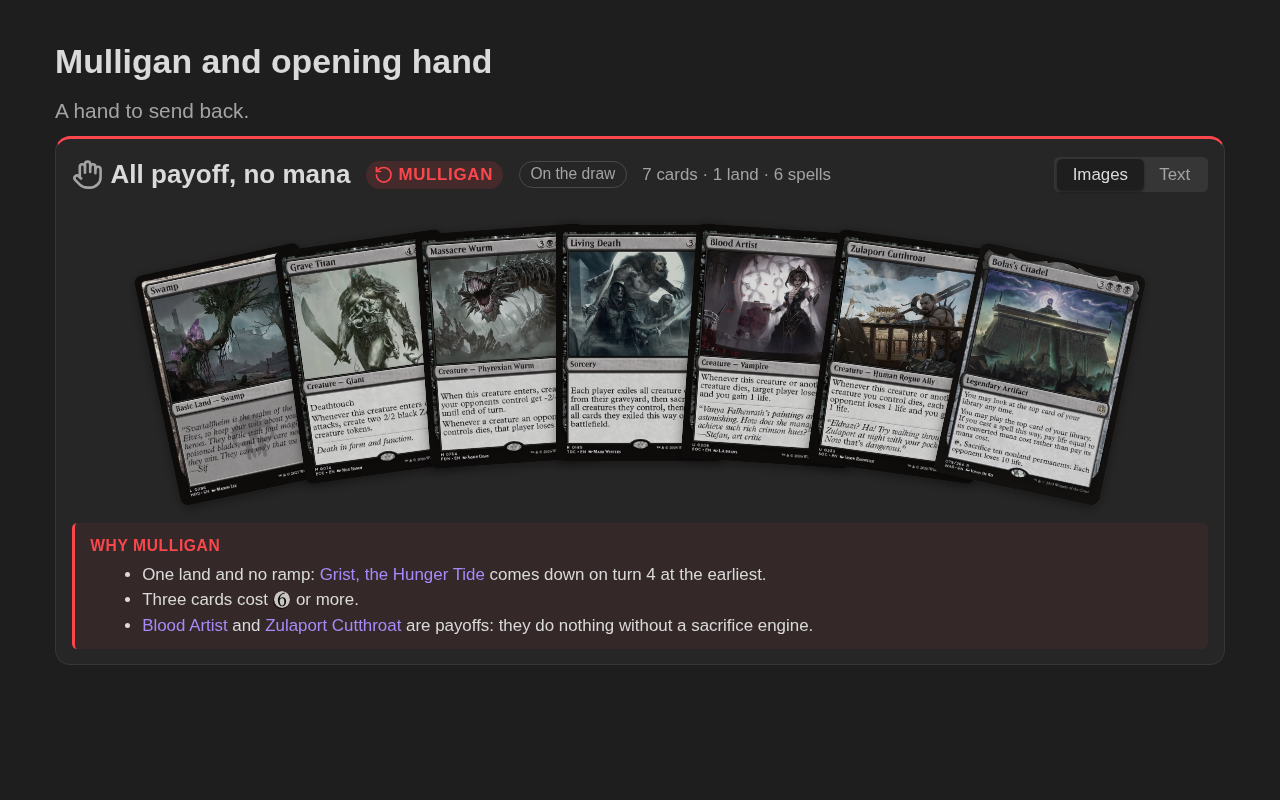 |
- Keep or mulligan: a green Keep badge, or a red Mulligan badge with the cards faded. Also
manter/mulligar. - On the play or on the draw, and a count of cards, lands and spells in the header.
- Notes:
Sol Ring — turn 1explains one card; everything afterwhy:is the explanation, in Markdown with links and mana symbols. - Images or text: the text view lists spells and lands with mana costs and hover previews. Click a card to open its primer.
The Mulligan and opening hand section of the default deck template now starts with an mtg-hand block.
Documentation
The README is shorter, with one paragraph per feature. Every option and example now lives in its own page under docs/.
0.12.1: Popout window fixes
Fixes
- Popout windows: card previews on hover now work in popout windows that were already open when the plugin loaded.
- Turning the plugin off removes the rarity gradients of set symbols from every open window, not only the main one.
Development
eslint-plugin-obsidianmdupdated to 0.5.1. It no longer pulls in an old copy ofmomentwith a security advisory. This only affected the development tools, not the plugin.
0.12.0: Sideboard and deck changes
Sideboard and deck changes
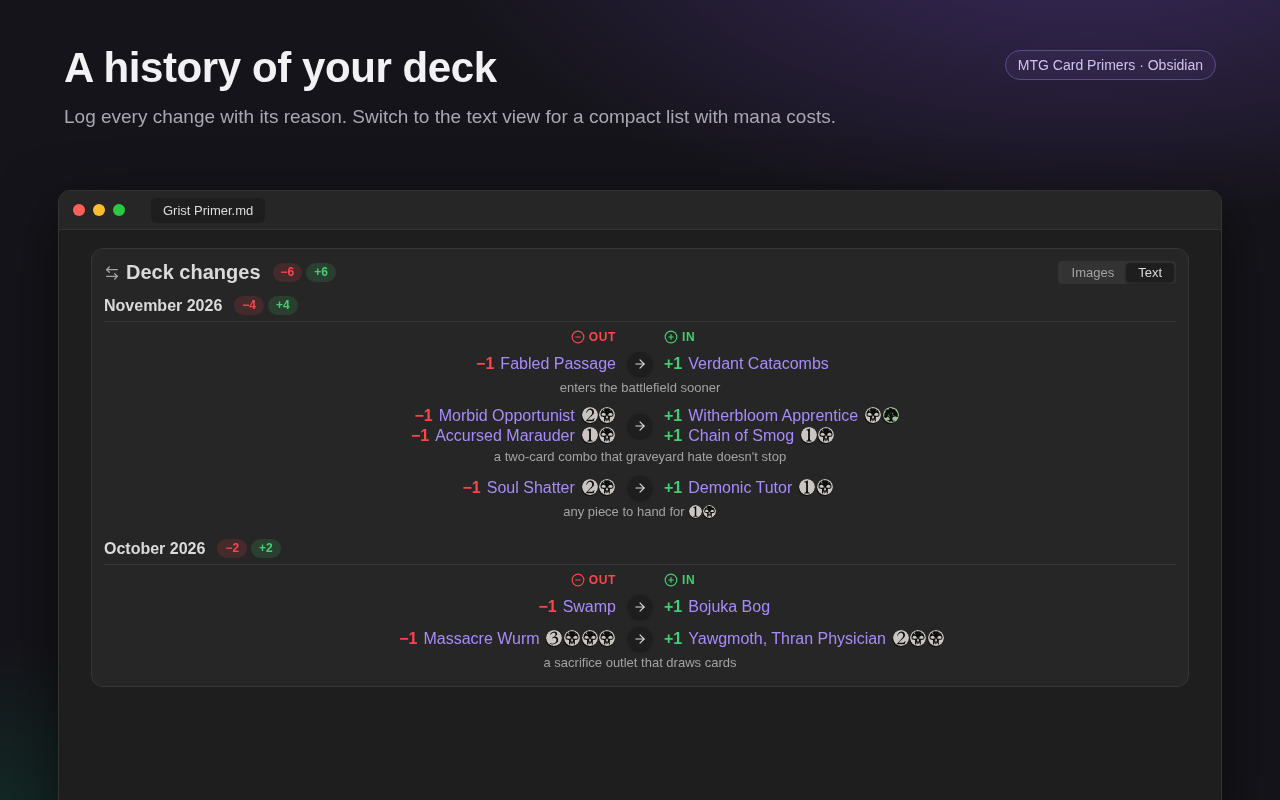
Two new blocks show what comes out of the deck and what goes in, with an arrow between the cards: mtg-sideboard for a sideboard guide, and mtg-changes to log the changes you make to a deck.
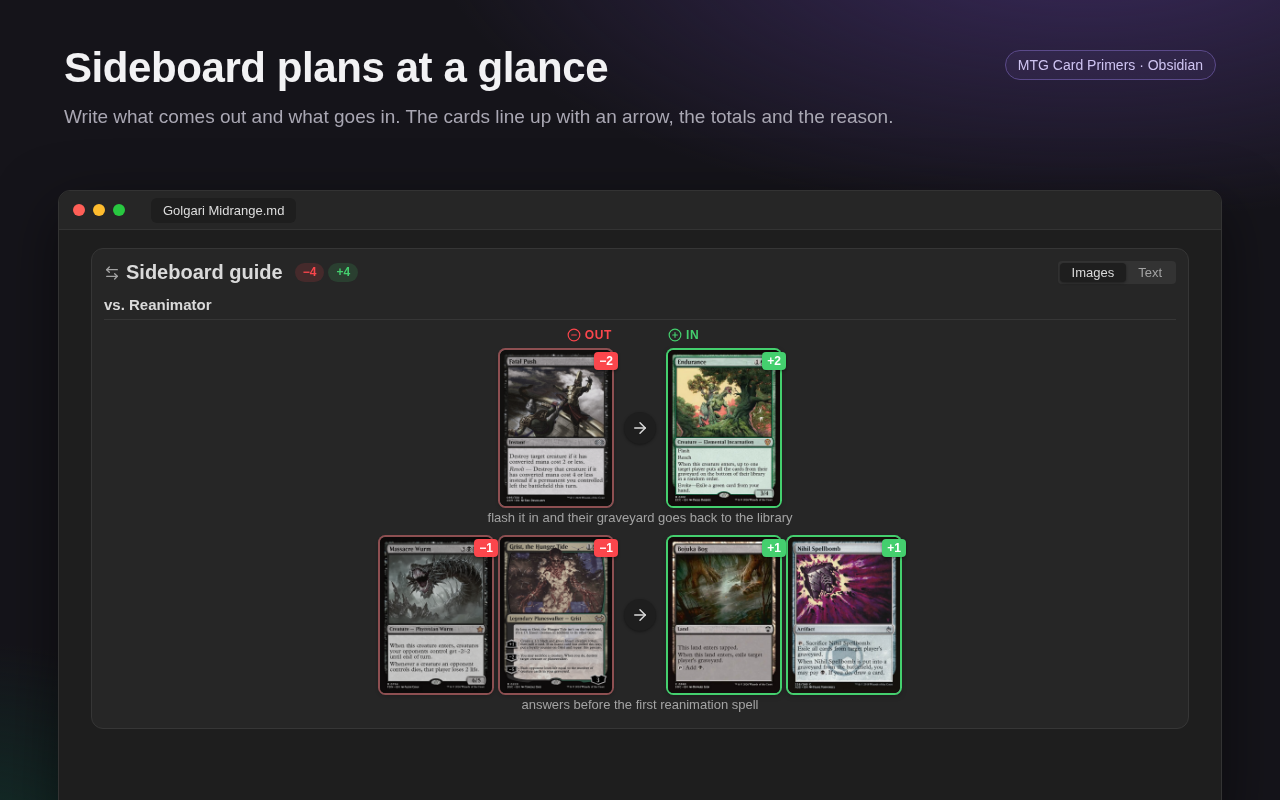
```mtg-sideboard
vs. Reanimator:
2 Fatal Push -> 2 Endurance — flash it in and their graveyard goes back to the library
Sol Ring ->
-> Rest in Peace
```- One change per line:
Out -> In(also→,=>), with quantities (2 Shock,Shock x2) and several cards on a side joined by+.Card ->only comes out,-> Cardonly goes in. - Other ways to write it: Moxfield-style
-1 Card/+1 Cardlines, orout:/in:lists (alsosai:/entra:). - The reason after
—is shown under the change, with links and mana symbols. - Groups:
vs. Aggro:or a## headingstarts a group with its own totals, for each matchup or each update of the deck. - Totals: the header counts the cards out and in, and warns when the deck ends bigger or smaller (
deck −1). - Images or text: the text view is a compact list with mana costs and hover previews. Click a card to open its primer.
Deck primers
The Deck changes section of the default deck template now starts with an empty mtg-changes block.
0.11.0: Combos and deck primers
Combos
A new mtg-combo block draws a combo the way it sits on the table: each card as an image, in the zone where it has to be.
```mtg-combo
title: Gravecrawler loop
keyword: infinite mana, win the game
battlefield:
~Phyrexian Altar - Gravecrawler + Grave Titan + Blood Artist > each opponent
graveyard:
Reassembling Skeleton
how:
1. Sacrifice Gravecrawler to [[Phyrexian Altar]] for {B}.
2. Cast it again from the graveyard with that {B}.
weak:
- [[Rest in Peace]] and [[Grafdigger's Cage]] stop it.
result: infinite death triggers, infinite drain
```- Zones: battlefield, hand, stack, graveyard, exile, library and command zone (also in Portuguese). Graveyard, exile and library sit in a side column, like on a playmat.
- Operators:
+works with,-sacrificed or removed,*on the stack,~tapped,or/|for alternatives. - Targets:
> each opponent,> me,> target creatureor> Another Card. - Tokens:
[Zombie 2/2],[3x Insect 1/1 BG],[Treasure], with the token's image from Scryfall. - Keywords and results: coloured badges and chips (win, damage, mana, life, death, tokens, cards).
- How it works and Weak points: collapsible Markdown sections with links and mana symbols.
- Note format:
### Combo 1 — [[A]] + [[B]]followed by numbered steps also works.
The README has a full guide with many examples.
New deck primer
The New deck primer command asks for a commander and creates <Commander> Primer.md with sections for the decklist, how the deck wins, combos, tutors, the mulligan and what shuts the deck down.
- Settings: Deck primers folder (default
MTG/Decks) and Deck primer template.
Card primers
- Combos section: new card primers have a Combos section with a starting
mtg-comboblock. - Custom templates: put
{{combo}}where you want the block.
0.10.0: Decklist in new primers
Decklist in new primers
New primers now end with a Decklist section: an mtg-deck block that already has the card in it, in the same edition as the primer.
- Commanders: a card that can be your commander (a legendary creature, or one whose text says so) goes under
Commander, with an emptyDeckbelow it for the rest of the list. - Other cards go under
Deck.
```mtg-deck
Commander
1 Grist, the Hunger Tide (MH2) 202

Deck
```- Setting: turn off Decklist in new primers to leave the section out.
- Custom templates: put
{{decklist}}where you want the block.
MTG Card Primers 0.9.9 — compatibility and signed releases
Compatibility and quality release. Nothing changes in how the plugin is used.
Changes
- Symbols drawn as inline SVG: set symbols, loyalty shields and level bands no longer use CSS
maskandclip-path, which older Obsidian versions support only partially. They look the same. Set icons from Scryfall are rebuilt from basic drawing elements only. - Decklist Text view: the columns are laid out by the plugin instead of CSS multi-column. Groups are never split between columns, and the layout adapts when the note's width changes.
- Settings search: on Obsidian 1.13 and later, the plugin's settings use the new declarative API, so they show up in the settings search. Older versions keep the current settings screen.
- Faster styles: the
:has()selector was removed. - Signed release files:
main.js,manifest.jsonandstyles.cssnow come with GitHub build provenance attestations. Check them withgh attestation verify main.js -R diogoleal/mtg-card-primers.
MTG Card Primers 0.9.8 — sort decklists, edit primers beside the deck
More decklist improvements.
Sort the deck
A Sort menu next to the view buttons groups the deck by:
| Sort | Groups |
|---|---|
| Type (default) | Creatures, Instants, Sorceries, Artifacts, Enchantments, Lands… |
| Name | one A–Z list |
| Mana value | 0, 1, 2… 7+, then Lands |
| Color | White, Blue, Black, Red, Green, Multicolor, Colorless, Lands |
The choice is saved in the block as sort: type | name | cmc | color, and it works in all three views (Text, Images and Grid).
Edit primers next to the deck
Click a card in the decklist to open its primer in the right sidebar. You can edit it while the deck stays in view.
- One panel: clicking another card shows that card's primer in the same panel.
- New primers: if the card has no primer yet, it is created with the card's data.
- New tab: Ctrl/Cmd-click opens the primer in a new tab.
Fixes
- Lists without a "Deck" header: in lists like
Commander/1 Grist, the Hunger Tide/ blank line / the 99, everything was counted as the commander. A blank line after the commander now starts the deck.
MTG Card Primers 0.9.5 — decklist viewer
Decklist viewer
Paste a decklist exported from Moxfield, Arena or MTGO inside an mtg-deck block:
```mtg-deck
title: Hunger Tide Aristocrats

Commander
1 Grist, the Hunger Tide (MH2) 199 *F*

Deck
1 Sol Ring (C21) 263
4 Swamp
```- Three views, switched with the buttons in the block's header:
- Text: columns by type, sorted by mana value, with mana costs. Names preview the card on hover and open its primer on click.
- Images: one stack per type. Cards overlap so only their name bars show, and hovering a card shows it whole.
- Grid: every card whole, grouped by type.
- Header and footer: colour identity and card count at the top, mana curve at the bottom.
- Pick each card's edition: in Images or Grid, use the edition button on a card, or right-click it. The choice is saved in the card's line as
(SET) 123. - The chosen view is saved in the block (
view: text | images | grid). - Foils:
*F*(foil) and*E*(etched) get a shine on the card and a tag in the text list. - List formats: sections (
Commander,Deck,Sideboard,// Sideboard,SIDEBOARD:…), quantities (4x), names in any language and typos all work. Lines that resolve to the same card are added together. - Fast loading: cards are fetched from Scryfall in batches of 75, one request per batch.
Other changes
- The edition picker in Insert full card image now shows which editions exist in foil or etched.
- Better plugin description.