You signed in with another tab or window. Reload to refresh your session.You signed out in another tab or window. Reload to refresh your session.You switched accounts on another tab or window. Reload to refresh your session.Dismiss alert
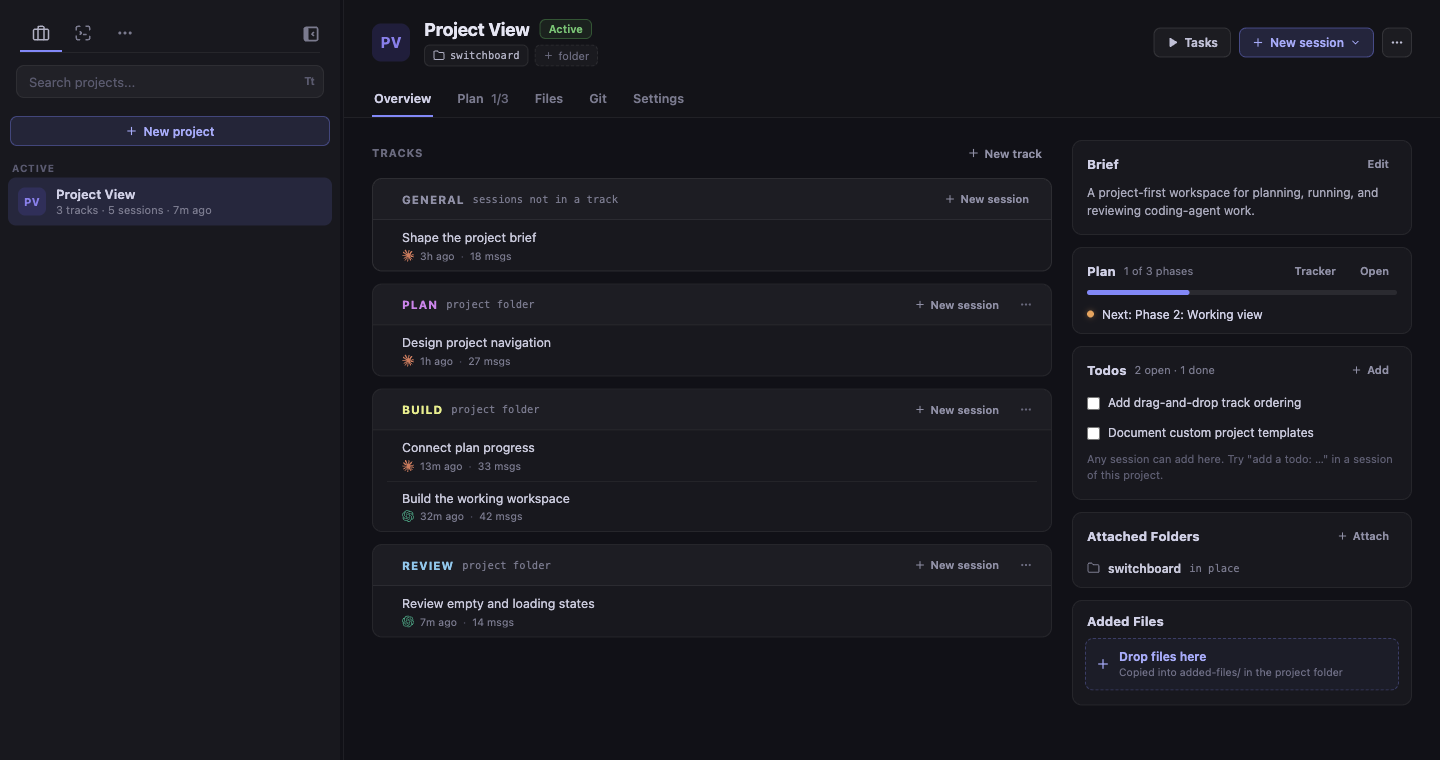
New Projects tab groups sessions by the work they belong to, not the folder they run in. Each project gets its own folder with a brief the agent reads, plus a plan, todos, and memory files.
A project's Overview shows plan progress, open todos, recent files, attached folders, and a card for each track with its latest sessions.
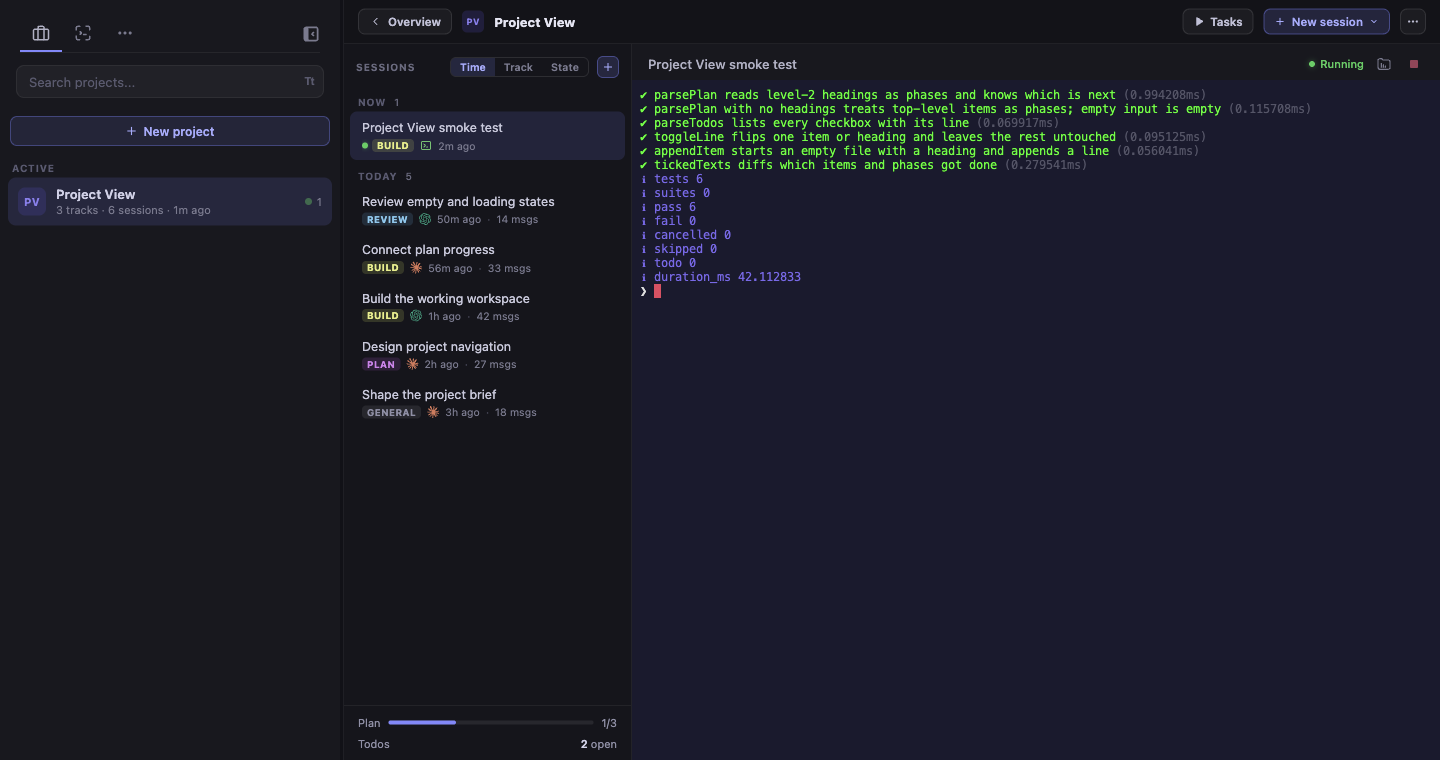
Opening a session shows the project's session list beside the terminal. Group it by time, track, or state. The list no longer jumps around when you click a session.
Plan tab: tick off plan items and todos, or start a session from any of them.
Attach a git repository as it is, or give the project its own worktree. .env files, including ones in subfolders, are copied into the worktree.
Each attached folder shows its current branch, and whether it has uncommitted changes.
Search titles and full conversations within a project, archived sessions included.
Snooze a project for an hour, until this evening, until tomorrow, until next week, or until a time you pick. It comes back early if a session needs you, marked with a violet dot.
Stop all in a project's menu stops every running session and task in it.
A welcome tour introduces Projects on first launch.
Scheduled Tasks
Schedules are now created and managed in the app: every 15 or 30 minutes, hourly, daily, weekdays, or weekly. They can run in a project, a track, or any folder.
Each schedule can be edited, run now, turned off, or deleted. Sessions it starts are marked with a clock.
Existing schedules are imported automatically, with their permission mode, allowed tools, directories, system prompt, and model.
File Viewer
Images, PDFs, PowerPoint decks, and HTML pages (in a sandbox) now open as previews.
JSON and JSONC files open as a collapsible tree. For a broken file, it shows where the error is.
Create, rename, and trash files and folders. An open file keeps your unsaved edits when you rename it.
File paths in terminal output are clickable and jump to the line.
Files the viewer can't show open in their default app.
Sessions
Pick a model and effort level for each session or schedule, on Claude and Codex. For Codex, only effort levels the chosen model supports can be picked.
Optional launch settings now sit under More options.
Unread and needs-input markers now stay after a restart. They clear when you open the session or mark it read.
Plain terminal sessions now show when a command is running.
Session titles in the sidebar get their own line. Less-used actions moved into a menu.
New Copy session ID menu item.
Search now covers the full text of every message, not just the start of each one.
Tasks
A failed task shows its error in the task menu, with View log and Retry buttons.
Running tasks have a restart button next to stop.
Bug Fixes
Marking a session unread no longer hides that it's still working.
Quota reset times on the next day now say "tomorrow at…" instead of showing only a time that looks like it already passed.
Setting a project option back to "Default" now overrides the global setting instead of being ignored.
Stats show a notice when a refresh fails instead of quietly showing old numbers. The refresh also gets through Claude's folder trust prompt reliably.
Performance
Long Claude sessions are indexed incrementally, so loading and refreshing are faster.