Repository navigation
LyricsEditor v0.0.5


🌟 What's New
Full Changelog: v0.0.4...v0.0.5
- Enhanced Navigation Suite: Added high-precision "Jump to Line" (G) and "Jump to Word" (W) modals with vertical adjustment controls for lightning-fast timeline navigation.
- Advanced Loop Controls: Expanded looping capabilities with dedicated modes for Individual Words (L) and Entire Song (O) (previously only available for Line (R)). Features a "Loop Lock" mechanism to prevent synchronization drift during word-level editing.
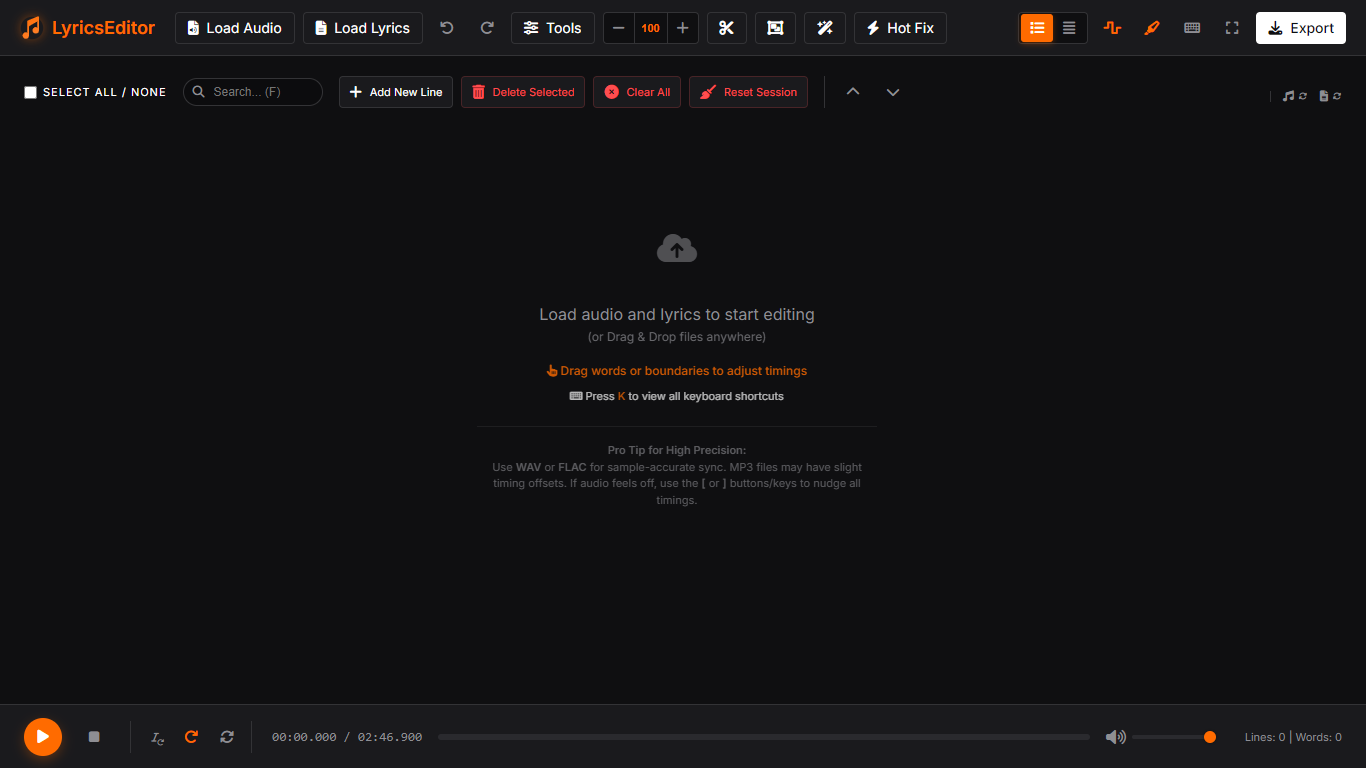
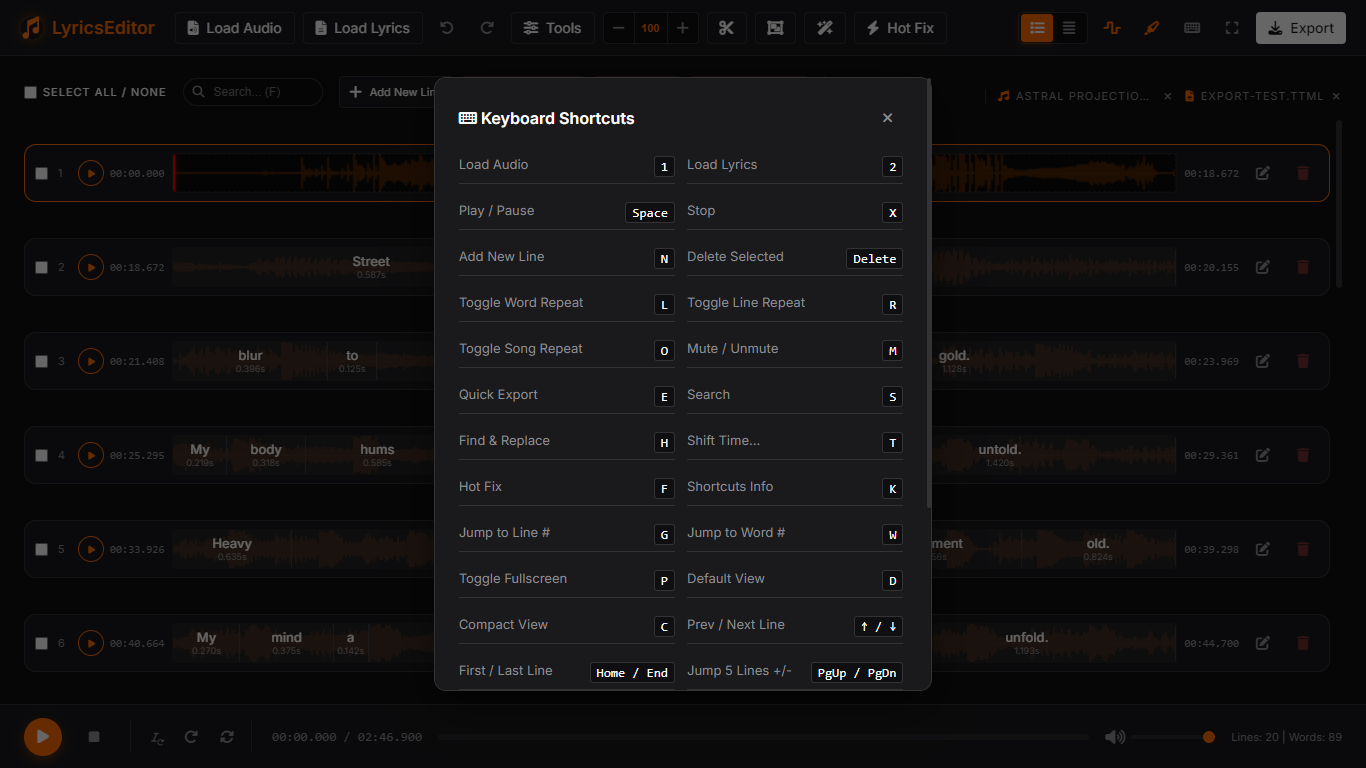
- Shortcuts Refinement: Reassigned core shortcuts for better mnemonics (e.g., P for Fullscreen, O for sOOOOOng loop) and added keyboard shortcut tips to the initial placeholder screen.
- UI Polishing: Redesigned numeric input controls in modals to remove browser default spin buttons, replacing them with a custom premium vertical UI.
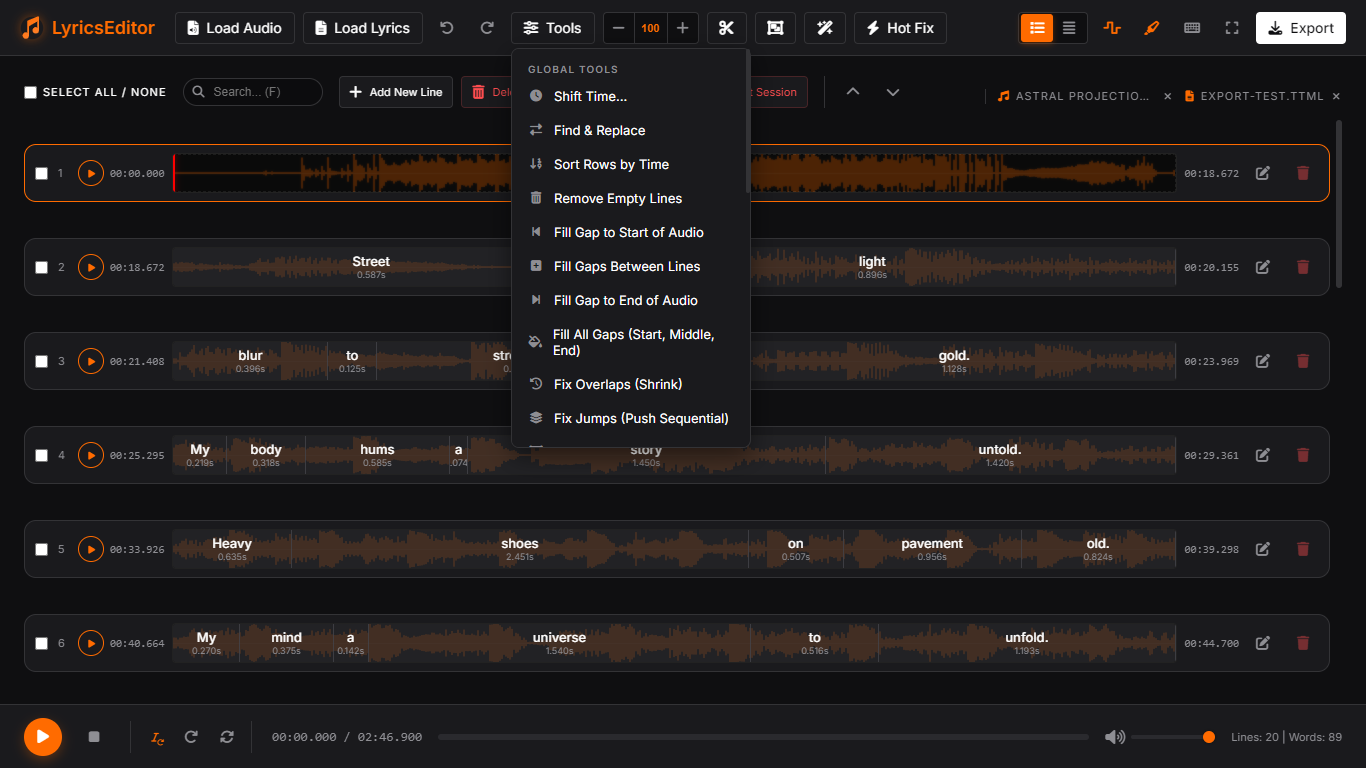
- Comprehensive Gap Filling: Expanded the gap-filling suite with "Fill Gap to Start of Audio" and "Fill All Gaps" (Start, Middle, and End). These tools ensure your lyrics cover the entire audio timeline perfectly, preventing unintended "blank screens" during playback.
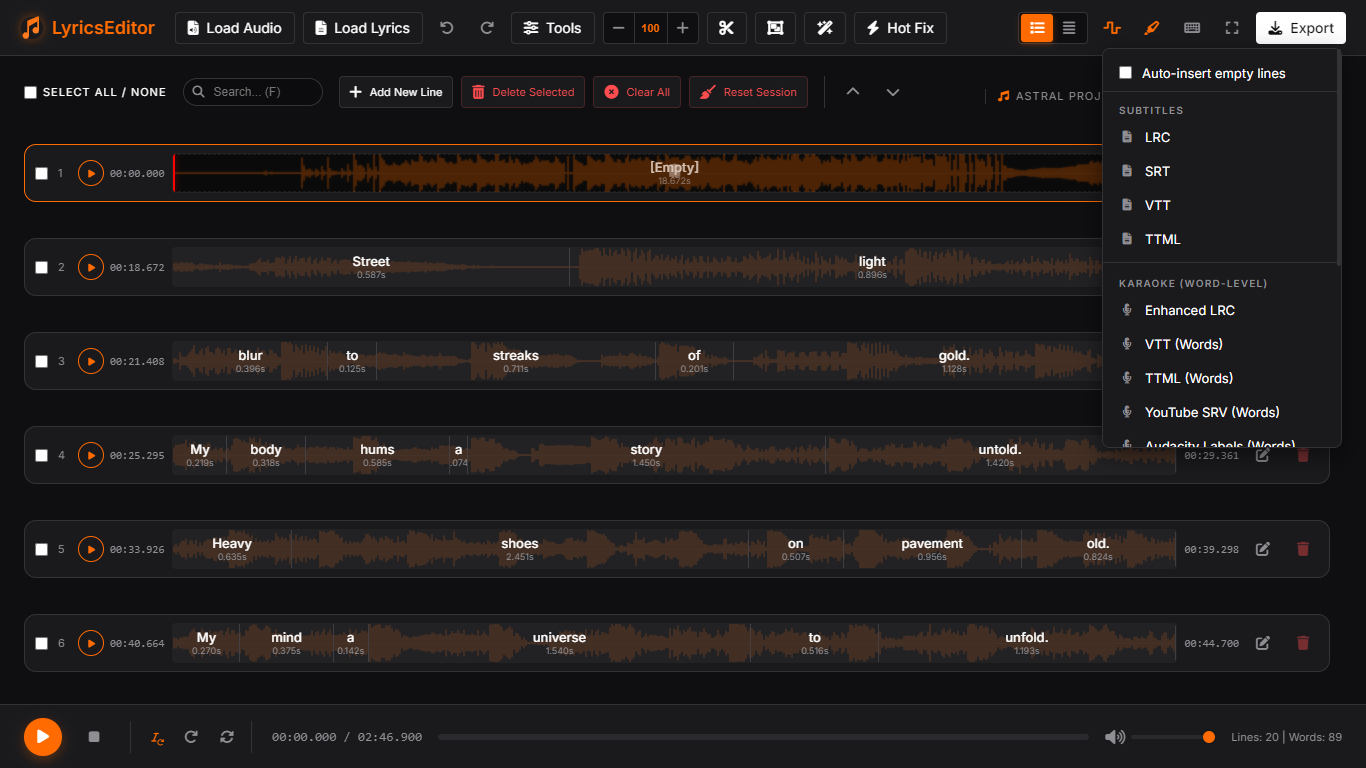
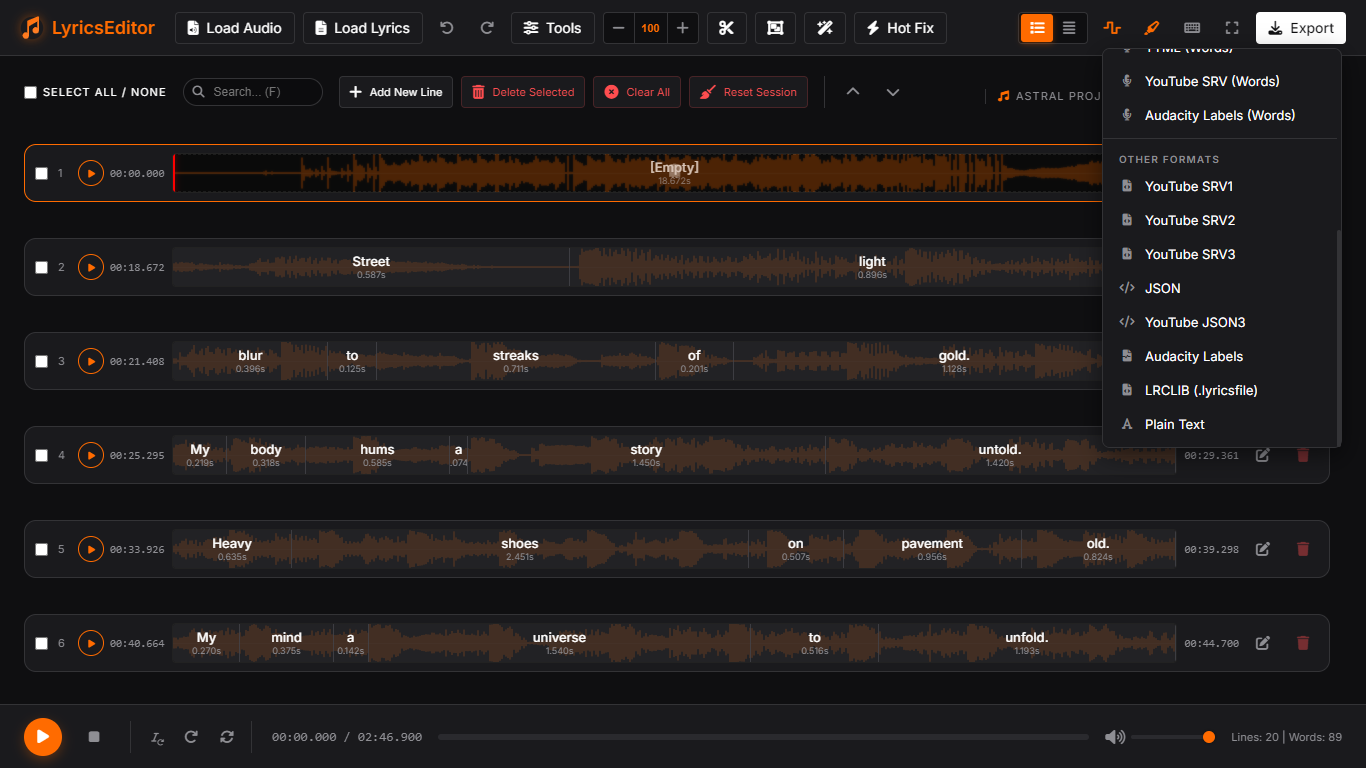
- Audacity Labels Power-Suite: Full support for importing and exporting Audacity Label formats. Includes a specialized Word-Level Export mode that generates individual labels for every word in the timeline.
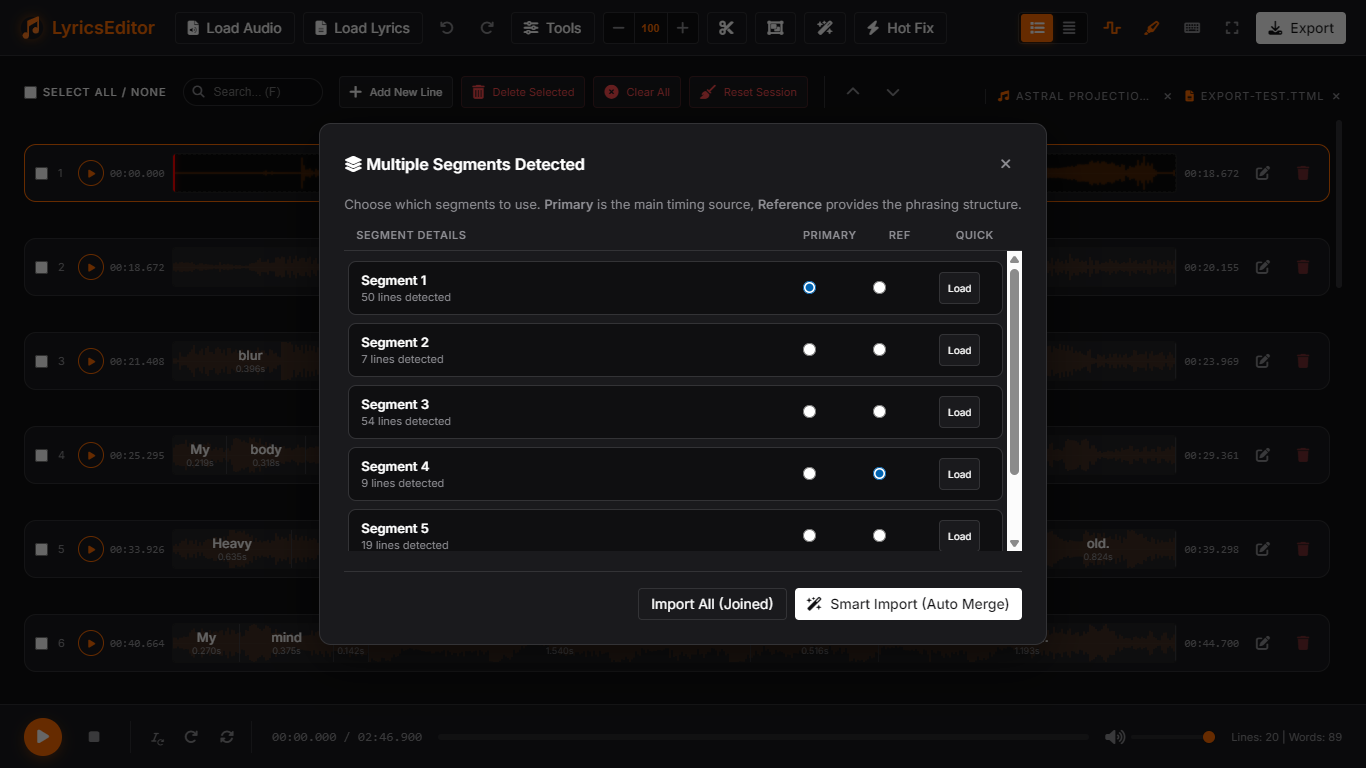
- Advanced Multi-Segment Import: Automatically detects multiple tracks or segments within VTT, SRT, and Audacity Labels files. New modal allows selecting specific tracks, joining all, or using Smart Import.
- Manual Smart Import (Integrated Smart Merge): Manually pick your "Primary" timing track and "Reference" phrasing track from a single multi-segment file. This feature leverages the Smart Merge logic to automatically fix AI-generated line breaks by realigning word timings to your preferred structure, featuring line-count validation and similarity checks.
- Real-Time Audio Waveform Background: Added professional-grade audio waveform visualization behind every line in the timeline. Features symmetric peaks, auto-normalization, and layout-safe rendering for high-precision synchronization.
- Intelligent Blank-Word Management:
- Auto-Conversion: Empty lines automatically become "Ghost" blocks when merged into other lines to preserve silence.
- Smart Normalization: Lines containing only blank words automatically revert to clean
[Empty]placeholders after structural operations.
- Advanced Timeline Integrity Tools:
- Upgraded Hot Fix: A one-click solution that now resolves word overlaps, fills timing gaps, and cleans up whitespace in a single pass.
- Fix Jumps (Push Sequential): A new cascading shift tool that resolves line collisions by pushing subsequent lines forward, preserving original durations and phrasing.
- Strict LRC Parsing: The engine now strictly enforces line boundaries during import, automatically clamping word timestamps to prevent "backward jumps."
- Edit Modal Enhancements:
- Smarter Deletion: Deleting words or placeholders (
\) in the text modal now automatically merges their duration into the preceding word to fill the gap. - Partial Joining: The "Join Words" tool now supports selected text ranges for granular syllable merging.
- Refined Blank Removal: The "Remove Blanks" tool now rejoins syllables perfectly without leaving orphaned spaces.
- Improved Tokenization: Special symbols (
\,") are now treated as independent tokens even when attached to words, preventing accidental word merging.
- Smarter Deletion: Deleting words or placeholders (
- UI/UX Refinements:
- Scroll Preservation: Maintains scroll position during all structural operations (merge, split, edit).
- Muted Ghost Visuals: Blank blocks now feature a muted background with a backdrop blur to make the background waveform less distracting.
- Performance Optimization: Waveform caching and 60fps rendering ensure a lag-free experience even on low-end devices.
- Toolbar Refinement: Synchronized action icons across the UI and added direct "Split" and "Smart Merge" buttons to the header toolbar. Improved mobile responsiveness for tool-heavy layouts.
 |
 |
 |
 |
 |
 |