Repository navigation
Releases
OpenHW 1.0.7 - Fleet Command Launcher and Community Fixes

OpenHW 1.0.7 - Fleet Command launcher and community fixes
Download the 1.0.7 patch | Cumulative source | Updater.exe | SHA-256 checksums
Install OpenHW and all patches through 1.0.6 first. Close OpenHW.exe, OpenHW-Daignostics.exe and Launcher.exe. Put OpenHW-Patch-1.0.7.exe in the existing OpenHW folder and run it; if prompted, select that same folder. The patch installs Launcher.exe beside OpenHW.exe automatically, including on installations without a launcher. It is not a replacement for the base installer.
Manual order: 1.0 -> 1.0.1 -> 1.0.2 -> 1.0.3 -> 1.0.4 -> 1.0.4.5 -> 1.0.5 -> 1.0.6 -> 1.0.7. Updater.exe installs the required chain. The updater refresh in this release is 1.0.1 (protocol 2); older updaters obtain it and restart before installing 1.0.7. If refreshing the updater is blocked, download the new Updater.exe beside OpenHW.exe and run it. The base installation and its runtime are required.
Saves, Homeworld.cfg, mods, load order and authored maps/clouds/lighting are preserved. Downloads, logs, runtimes and backups remain under Development. No separate Python install, Windows font install or AppData profile is needed. Allow about 400 MB of additional working space for the patch and backup, plus up to 150 MB for the launcher's private runtime on first use; base conversion space is separate.
Changes
- Portable Fleet Command launcher: normal or diagnostics launch, a searchable settings catalogue, official updates, local shader-cache reset, mod activation/load order and owned localized voice-pack import. Includes the custom chrome, concept-art background and bundled fonts.
- Menu redesign: compact Multiplayer navigation inside the left panel; Fleet Workshop actions in a matching right panel; centered Story setup with race selection, saves and Player Setup.
- Live interceptor: Story/Player Setup use one selected-race 3D interceptor, live hull/stripe paint, orbit/zoom and a maximum-speed trail preview. The viewer now presents it horizontally using a menu-only transform. Preview colour palettes and texture limits do not alter gameplay materials or quality.
- Individual ship appearance: COLORS beside PILOT controls six inheritable channels. Apply affects only that ship, Reset All restores inheritance, and Cancel/Escape discard pending edits. Fixes the modal input layer that previously swallowed all clicks. The nested colour picker stays above the panel/HUD. Overrides survive save/load in both game executables and remain a local visual customization.
- Keyboard and language: Windows/automatic, US QWERTY, French AZERTY, German QWERTZ, Spanish, Italian and US Dvorak shortcut layouts; classic English/French/German/Spanish/Italian text/subtitles with fallback. Newly written OpenHW labels remain English. Localized voices require an owned matching Classic speech bank and lookup tables; no voice files are downloaded or bundled.
- Build/Sensors input: wheel input is captured across the complete docked Build panel; command/formation/tactics menus opened in Sensors remain children of that view, addressing the black screen when closing them.
- Starting Resource Fleet: choose mission defaults or top up fresh campaign arrivals to at least three collectors and two controllers. Larger carried fleets remain intact; loading an existing save does not inject ships.
- Docking and nav lights: Kushan Support Frigate lights use native HOD joints; captured frigates use a holding point near the mothership's actual frigate hangar. Named docking-point searches are bounded. Existing berth reservations and collision avoidance remain active; no blanket docking-speed multiplier is applied.
- Skirmish AI: the economy AI can request a carrier after establishing resource collection when research, caps and reserves allow it; existing queued carriers prevent duplicate requests.
- Materials and texture lifetime: private palettes for edited ships, matching classic/RM paint masks and alpha, path-traced surface variants, full-palette fallback and a corrected 64-bit texture-unregister guard.
- Both Windows x64 game builds and the complete cumulative 1.0 through 1.0.7 source are supplied. OpenHW.exe has diagnostic logging compiled out; OpenHW-Daignostics.exe has full logging under Development.
Graphics recommendation
AMD FSR upscaling and FSR frame generation remain recommended. DLSS has known visual issues; Intel upscaling is not recommended. NVIDIA and Intel frame generation are not implemented. This release does not change those support claims or promise an additional measured FPS gain.
Checks and remaining verification
The normal/diagnostics x64 builds and offline input, layout, palette, texture lifetime, keyboard, launcher/updater and save-extension checks passed. Packaging checks include an isolated patch install that creates Launcher.exe and frozen runtime self-checks; no automated gameplay or camera manipulation was performed. Busy hangar timing and multi-computer gameplay still need player feedback. The supplied white-model editor references are not a claim of a fixed editor texture issue.
When a future patch replaces Launcher.exe itself, close the launcher and use the standalone Updater.exe. The launcher can install other game updates directly; a replacement of its own running file is refused before game files change.
Illustrated feature tour
All sixteen supplied development images are included. Some show 1.0.6; captions identify pre-fix and editor-reference views.
Portable Fleet Command launcher
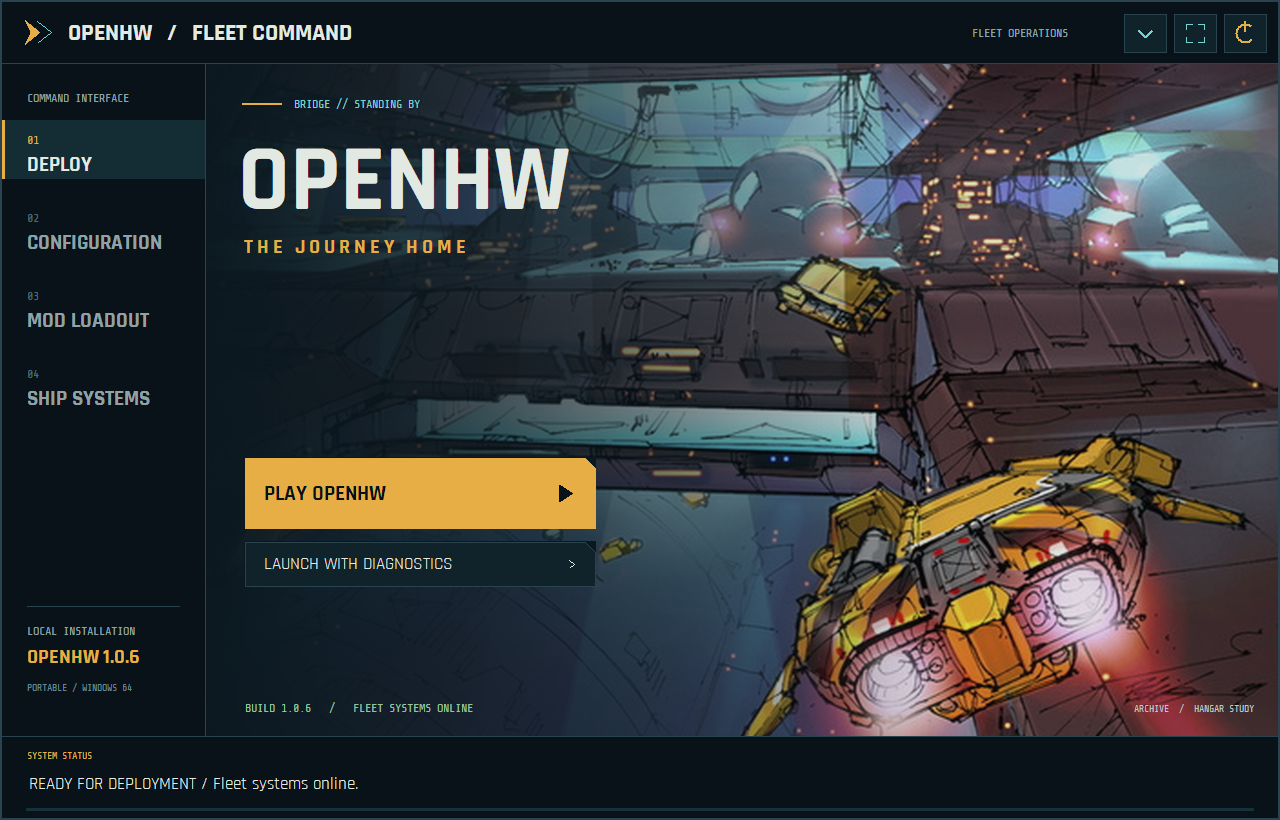
Deploy
The portable launcher starts normal OpenHW or the full diagnostics executable. The custom border, hangar artwork, bundled fonts and amber/cyan controls carry the game styling into the desktop launcher.
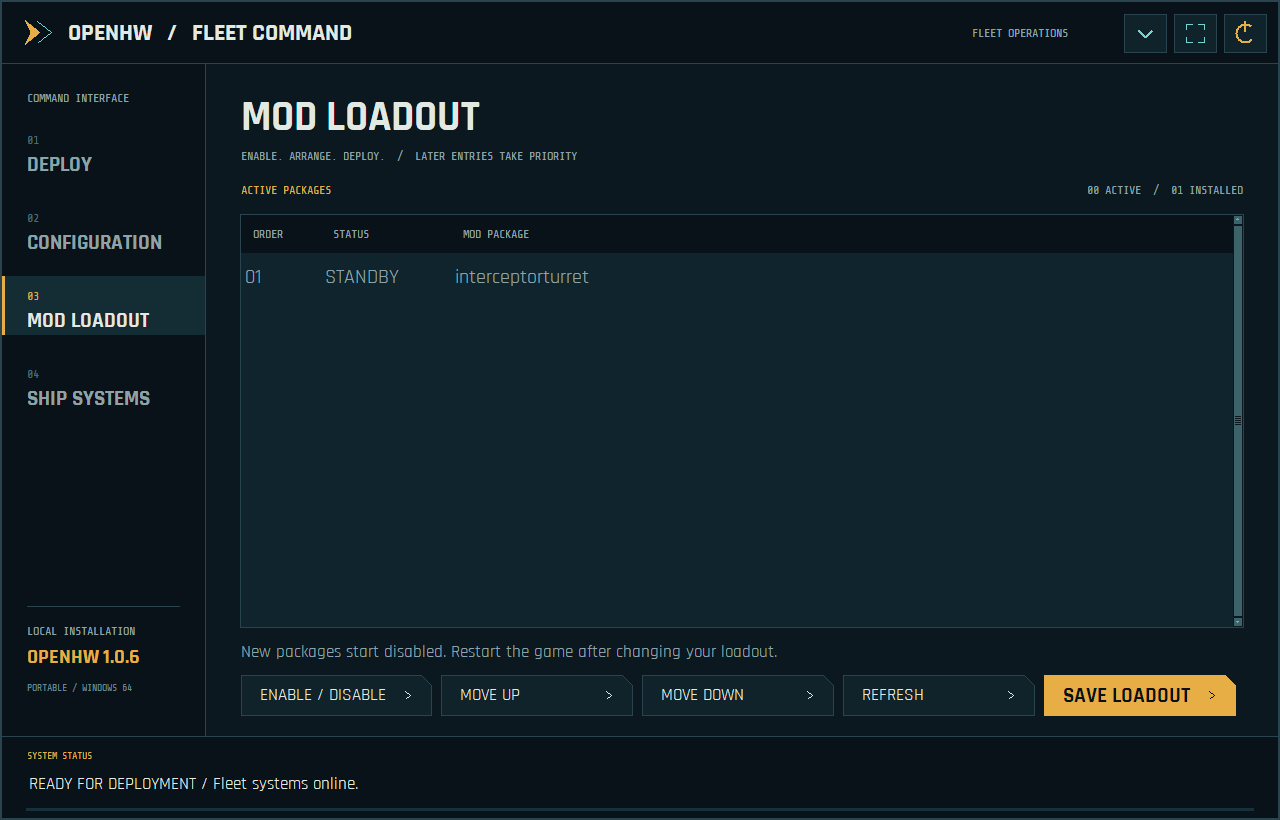
Mod Loadout
Enable or disable installed mods and move them up or down in the load order. Later enabled entries take priority; newly discovered mods start disabled. Save the loadout and restart the game to apply changes.
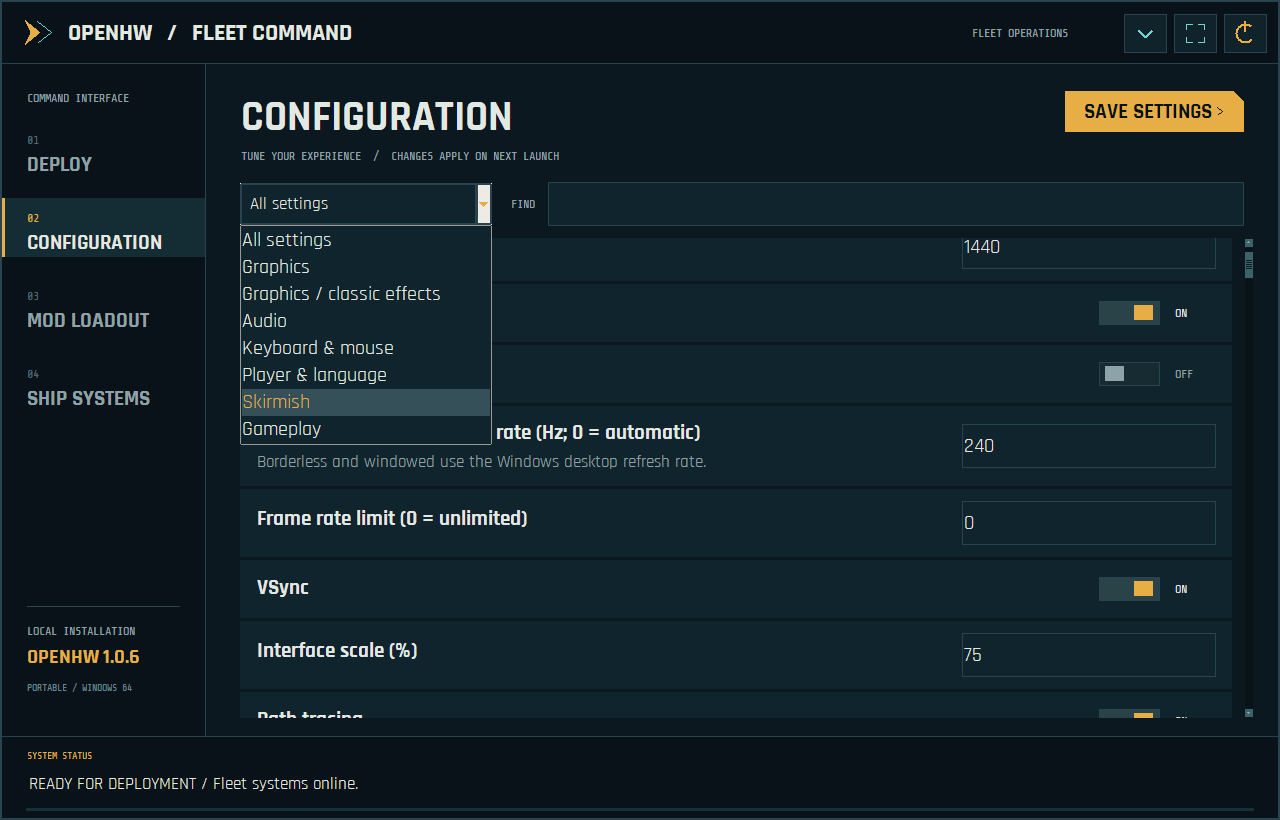
Configuration
Browse or search display, graphics, classic effects, audio, keyboard/mouse, player/language, skirmish and gameplay settings. Save them before launching. Shift+F11 authoring documents remain in the in-game editors.
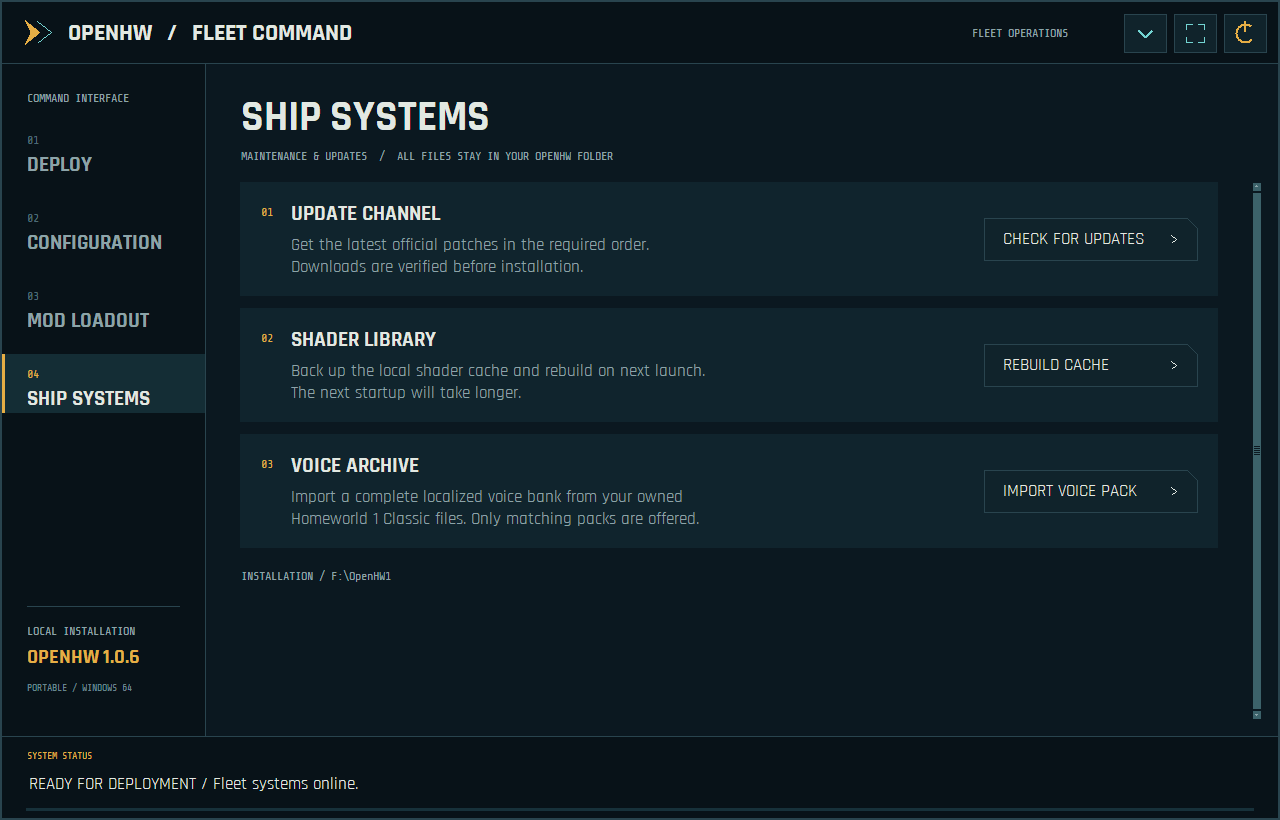
Ship Systems
Check for official updates, back up and rebuild the local shader cache, or import a matching voice bank from an owned localized Classic installation. Downloads, runtime files and backups stay in the OpenHW folder.
Menus and live fleet preview
Main menu
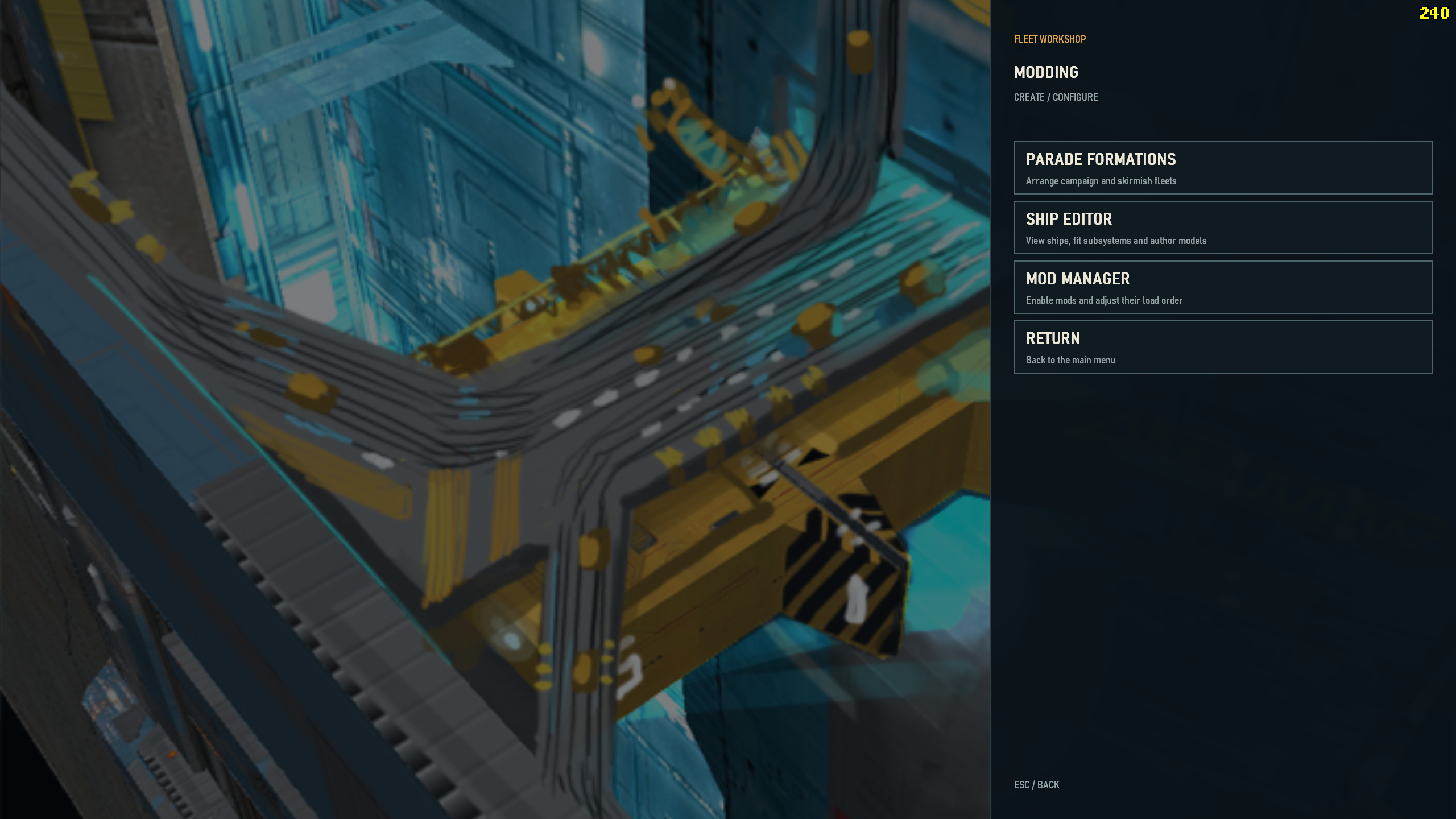
The fleet command menu groups Story, Training, Multiplayer, Settings, Archive and Modding on the navy overlay while leaving the background artwork visible.
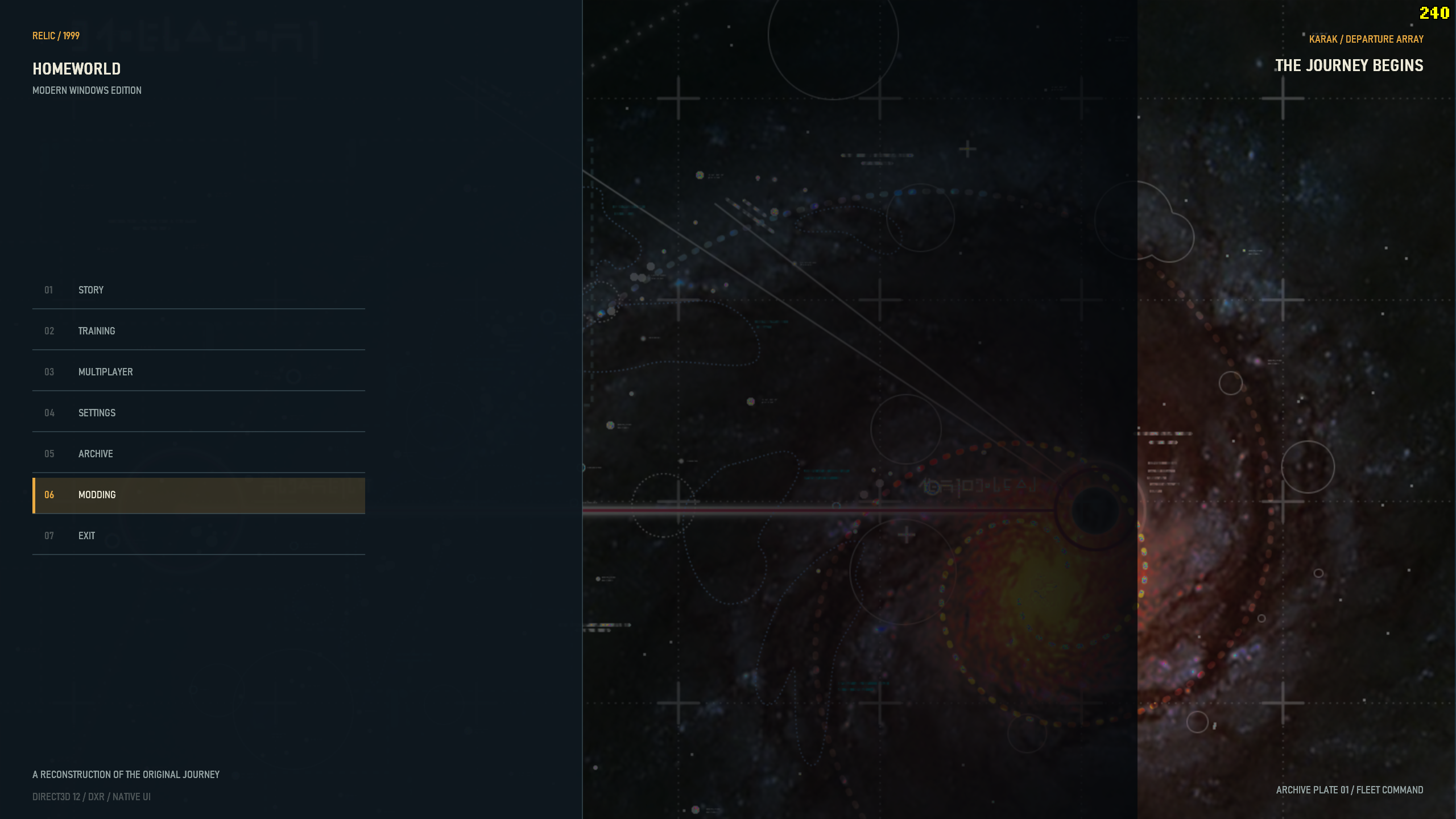
Story setup and live interceptor
Centered Story setup combines race selection, saves, Player Setup and a real 3D interceptor. Orbit and zoom the preview; simulate maximum speed to inspect its engine trails. This supplied screenshot predates the 1.0.7 axis correction: the released menu viewer presents the ship horizontally. Gameplay model orientation is unchanged.
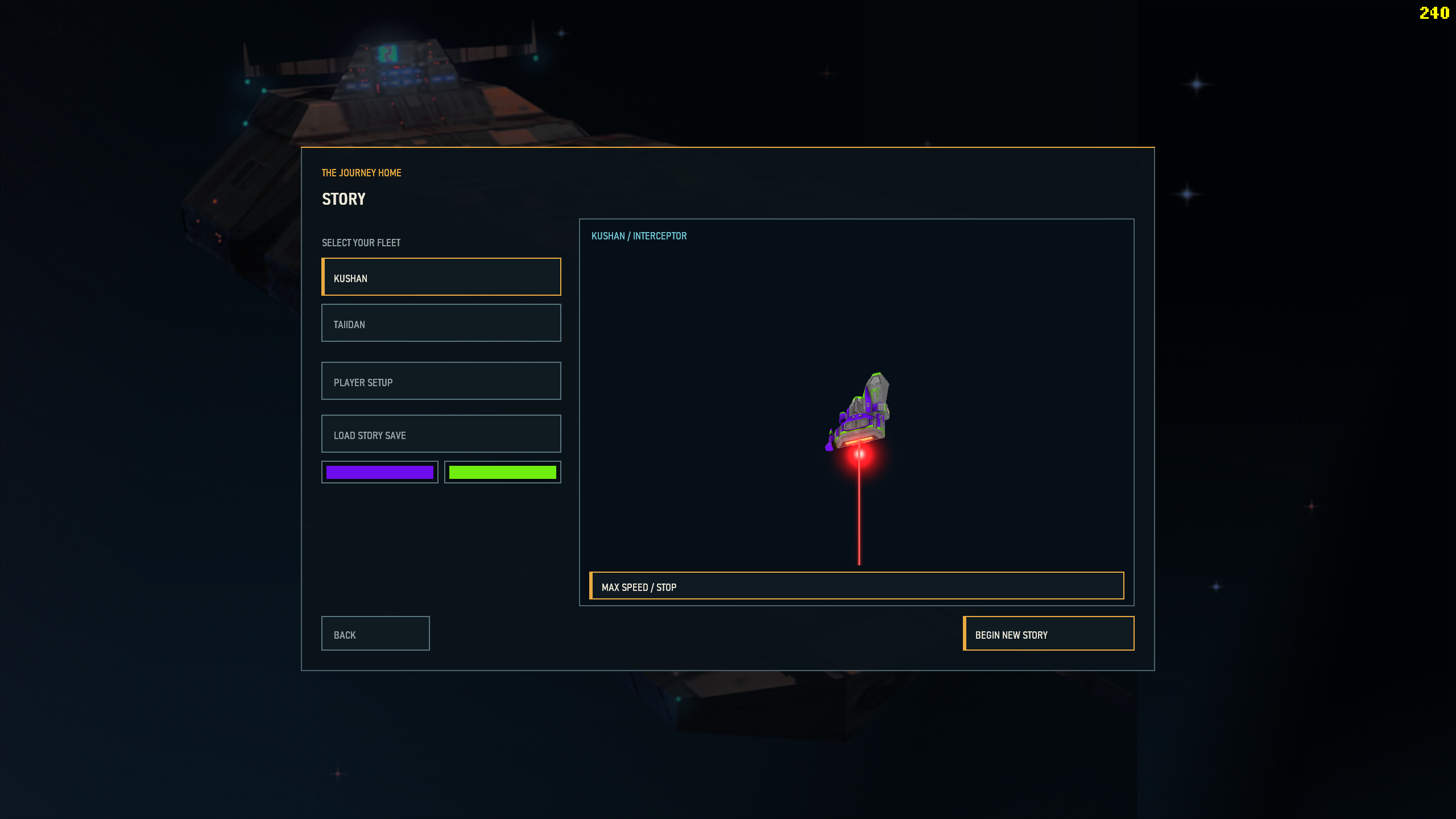
Multiplayer navigation
Compact skirmish, saved battle, LAN, online-services and replay actions sit inside the left overlay. Existing connection modes retain their individual availability; this menu redesign does not imply a new online backend or verified multi-computer synchronization.
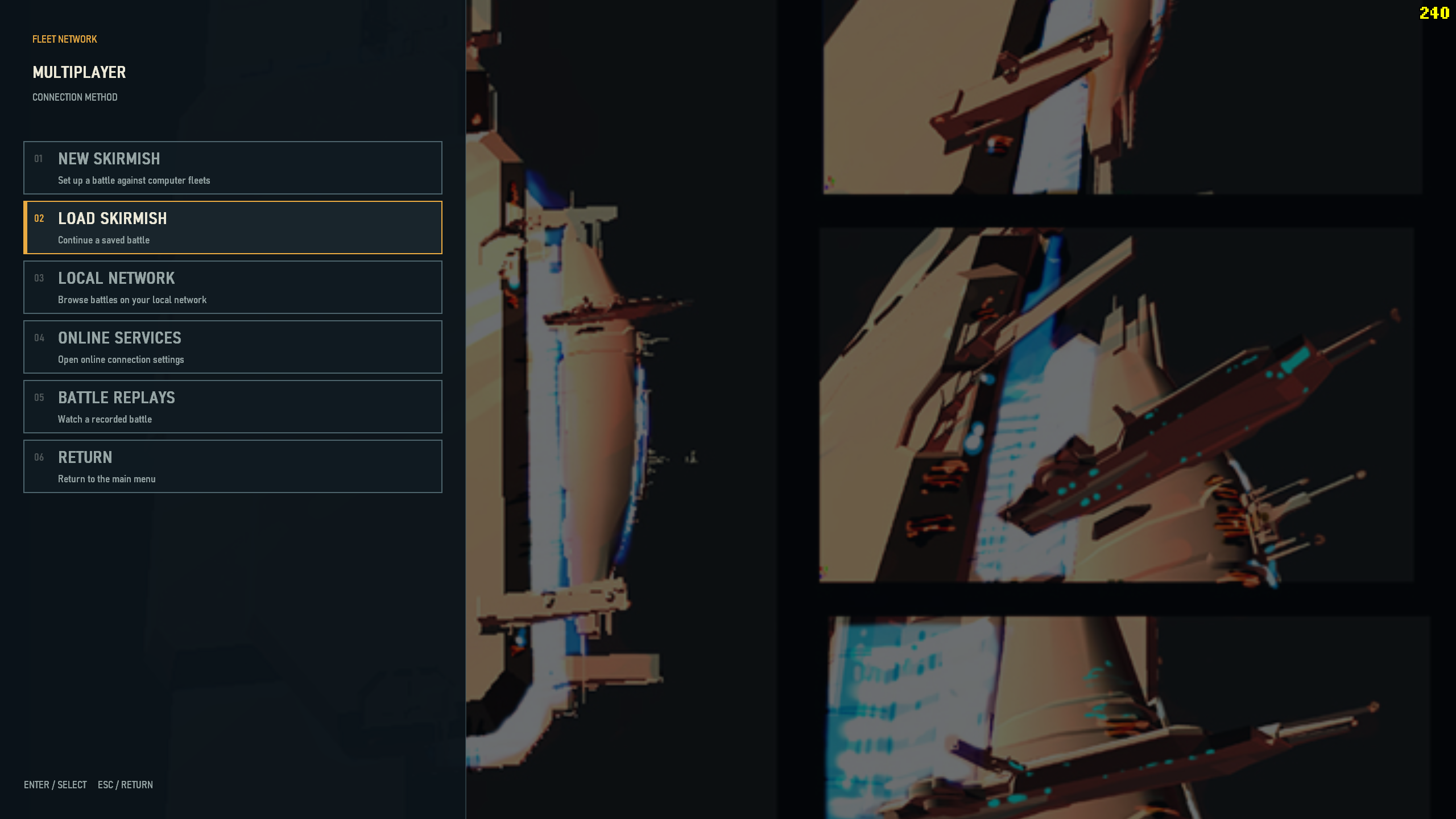
Fleet Workshop
The right-hand panel opens Parade Formations, the Ship Editor and Mod Manager without covering the engineering artwork. Use the workshop to arrange fleets, fit subsystems and manage custom content.
Authoring tools
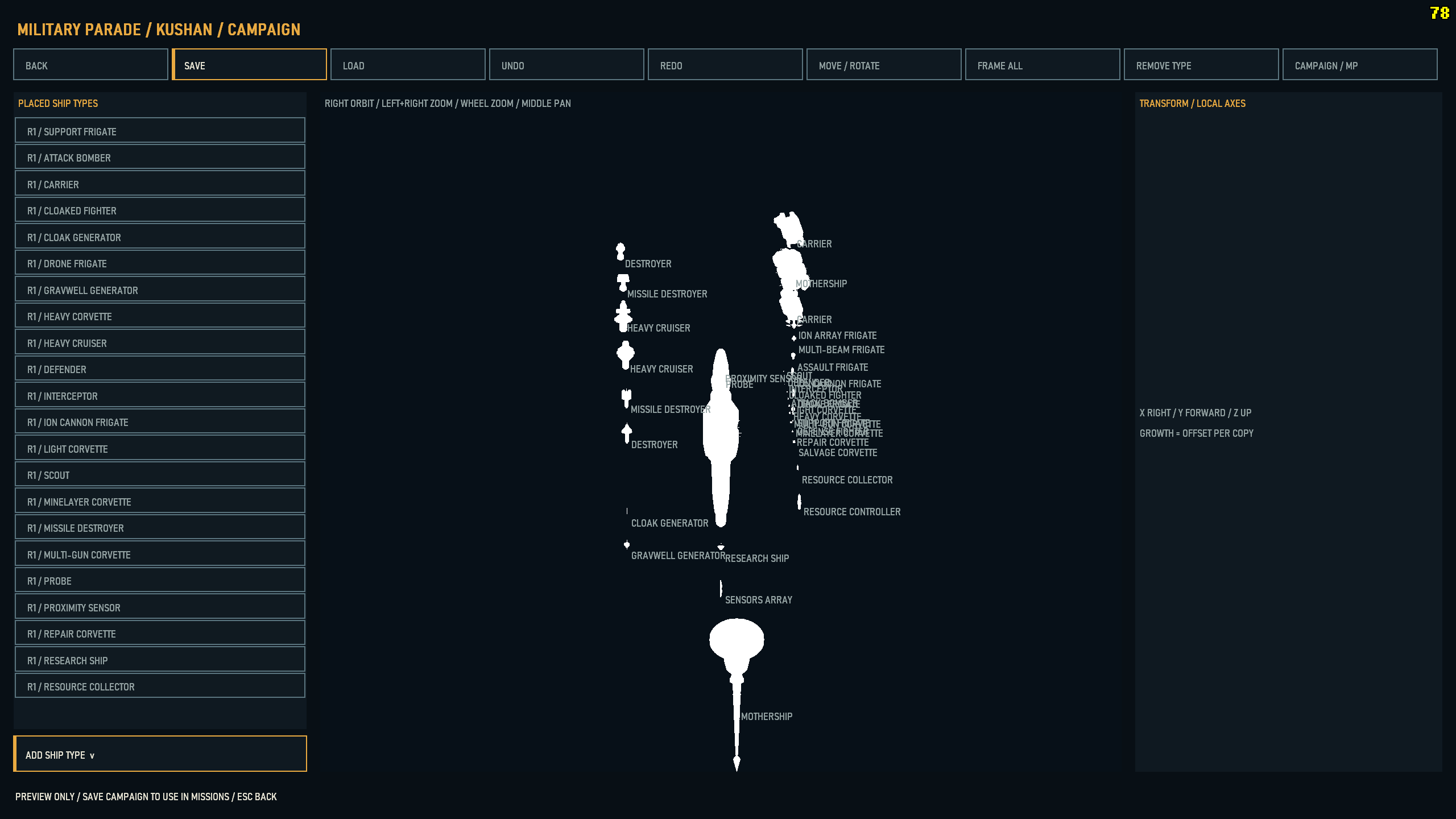
Military Parade editor
Arrange campaign or multiplayer parade offsets, move/rotate entries, frame the fleet and save separate race/mode presets. This development reference has white model silhouettes; it illustrates the placement interface, not final textured-model appearance.
Ship Editor and subsystem authoring
Inspect the hull/joint tree, transforms, attachment points and material slots. Copy, paste and place subsystem/turret chains, import geometry and save or append a mod. Source HODs remain read-only. This supplied white-model reference demonstrates the editor layout; this release does not claim to fix those editor silhouettes.
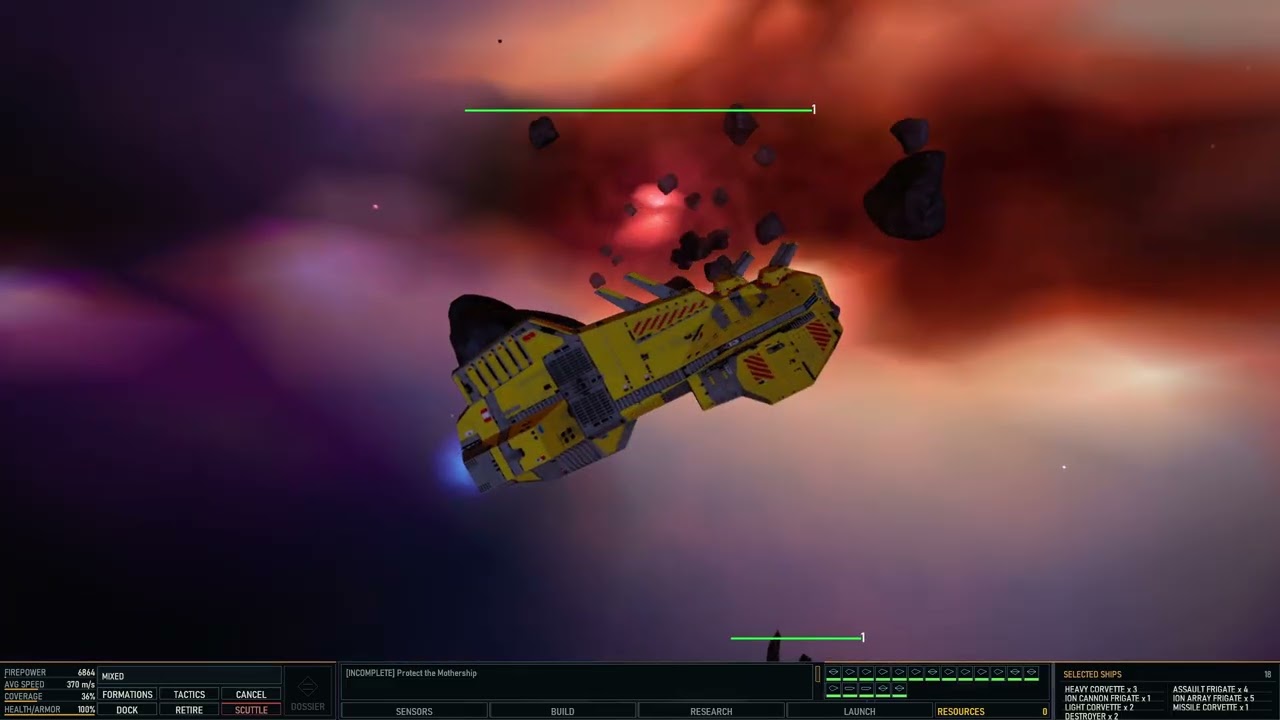
The video shows the earlier Homeworld RTX development; this release's instructions supersede its older installation advice.
Package contents
- OpenHW-Setup.exe — the single-file installer; choose your own Remastered Collection.
- OpenHW-1.0-Source.zip — the complete working source and installer factory, excluding generated dependency/build caches and retail game data.
- SHA256SUMS-1.0.txt — download verification hashes.
- OpenHW-1.0-Documentation.zip — current README, release notes, installation, editing, modding, limitations and build guides for offline reading.
Setup produces OpenHW.exe (diagnostic logging compiled out) and OpenHW-Daignostics.exe (full diagnostics, spelling intentional). Diagnostic/setup output is under Development in the game folder. The experimental extra-turret Kushan Assault Frigate modification is not a release gameplay override.
Verification
- Both source-built game variants passed 68/68 compiled tests in the release build.
- Release packaging tests and earlier offline installer self-checks passed. The final installer received a content/hash audit; installation and gameplay testing are performed by the project owner.
- Installer audit checks the two executables' logging separation, first-boot display detection, global 29% non-PT glow default, content inventory, disabled developer mods and authored mission hashes.
- All 16 maps and 15 available lighting overrides are verified against the effective working-build authoring and physical loader paths.
- These are build/offline checks, not a claim that every GPU, mission interaction or mod combination is bug-free.
Installation
- Install your legally owned Homeworld Remastered Collection, including Homeworld 1 Classic and the required English archives.
- Place OpenHW-Setup.exe in the writable folder where you want OpenHW to live, such as
D:\Games\OpenHW. - Run it and select the Collection root, HomeworldRM or its Data directory. Setup also locates Classic data. The destination is the folder containing the installer.
- Wait for extraction, conversion, package construction and validation to complete. No manual music/voice copying is required. Original Collection files are read-only inputs.
- Launch OpenHW.exe. Resolution and refresh rate are detected at first boot, not fixed to the author's monitor.
All application-owned settings, saves, mods, exports and working files remain inside the installation folder. Development holds diagnostics and setup/cache data. Successful setup removes its temporary conversion copies; failed setup retains work for recovery. Windows/driver system caches remain controlled by those components. Setup does not auto-launch the game.
Disk space: allow approximately 120 GB free during conversion as a conservative planning estimate; the exact peak of this compact installer has not been measured. The download is about 473 MB and the main generated game archive is about 34 GB, plus loose resources and user data. Setup reads the original Collection archives directly, stages selected HW1 resources and removes intermediate conversion caches. The original Collection and source-build dependencies occupy separate space.
Documentation
Start with the current documentation index, user guide, editing guide, modding guide, and source build guide. Historical original-source notes remain included and may not describe current behavior.
Immediate future updates and player reports
Priorities are completing NVIDIA DLSS and Intel technologies, fixing bugs/visual glitches reported by players, improving the ship editor and continuing performance work. Cataclysm and multiplayer support are planned as more issues are resolved and performance improves; they are not supported 1.0 modes and have no announced release date.
Reports from people playing the mod are important. Tell the author what happened, the mission, exact steps, GPU/driver, resolution, PT state, upscaler and frame-generation settings; screenshots/video and relevant diagnostics help. Use GitHub Issues. Never attach retail archives, extracted game asset...