Repository navigation
Releases
LUFS VU 1.0.1

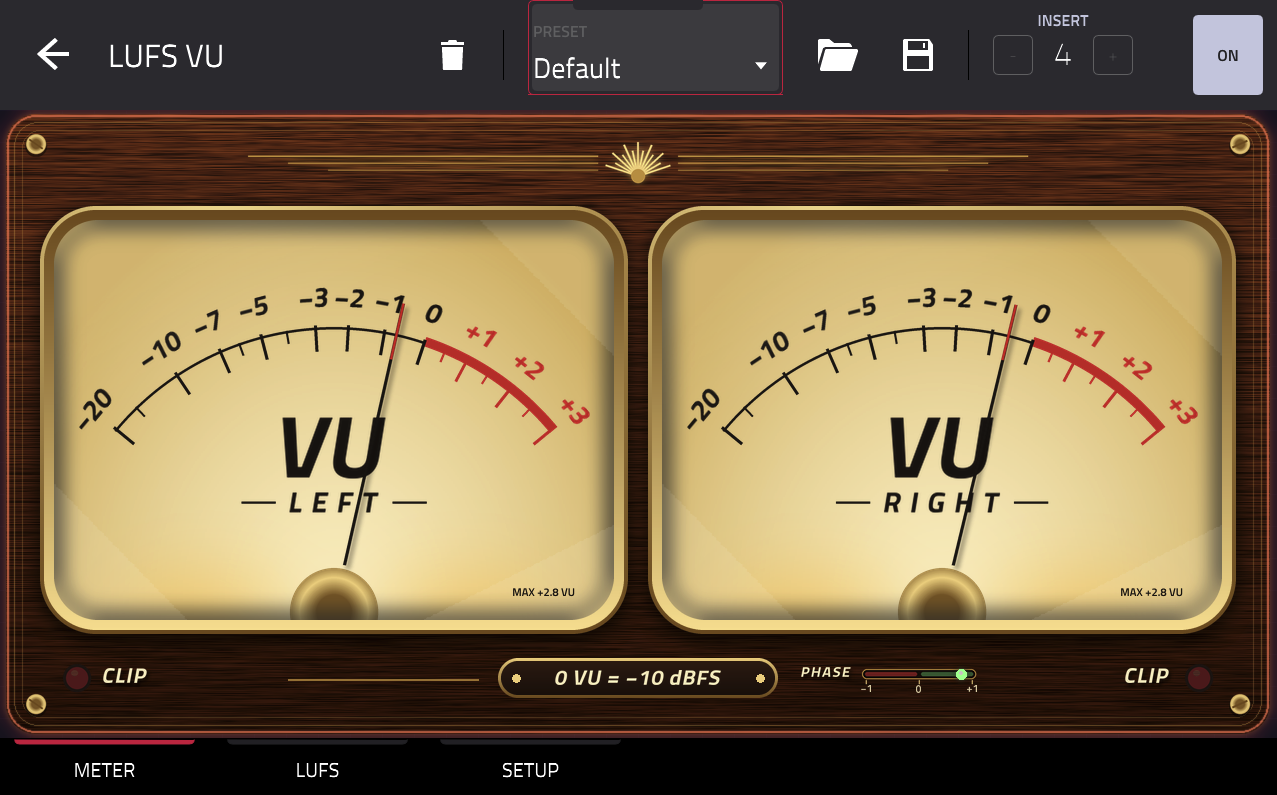
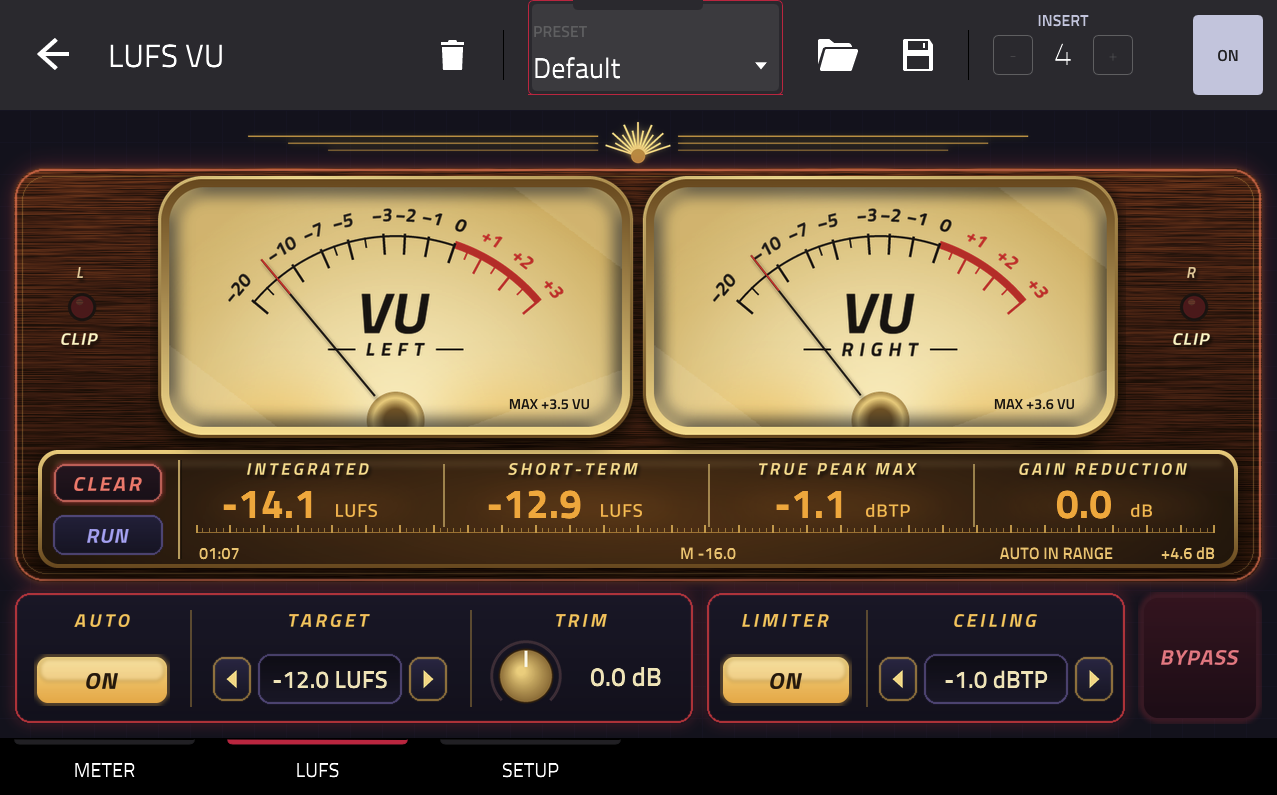
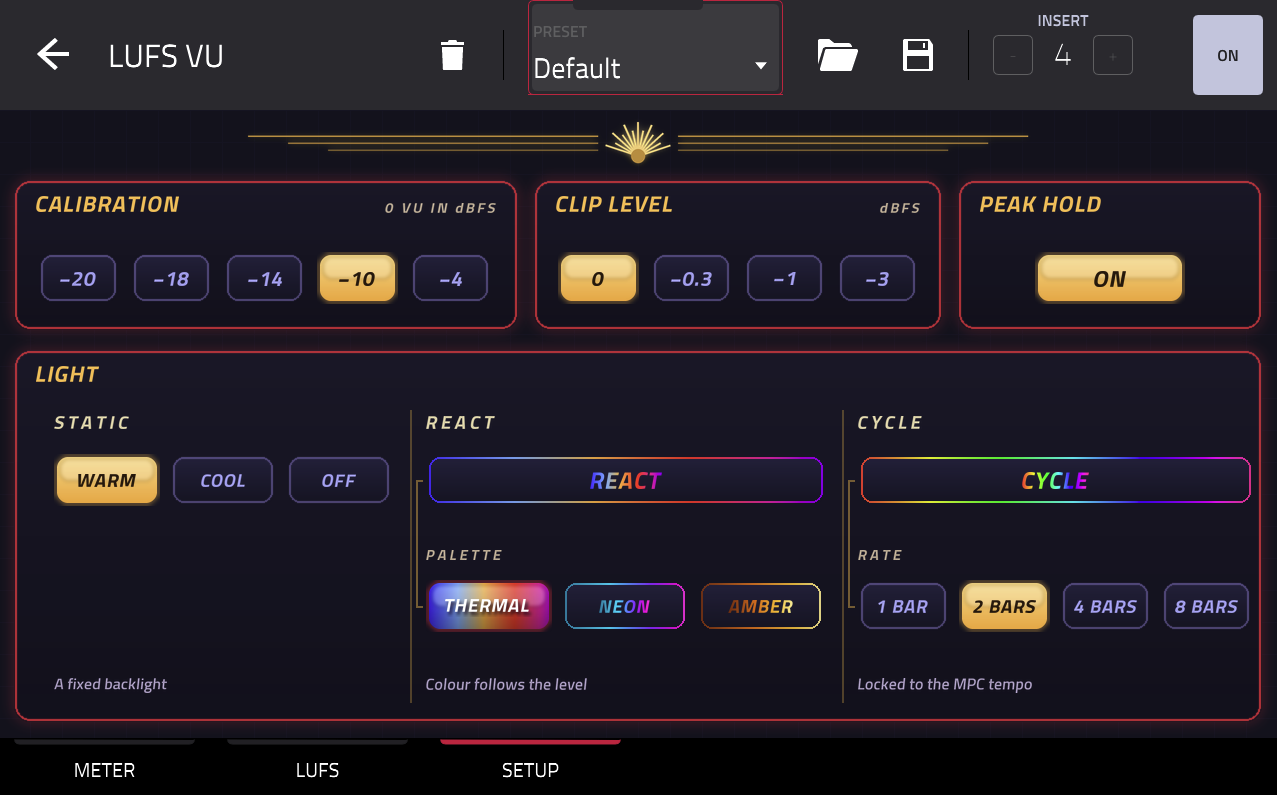
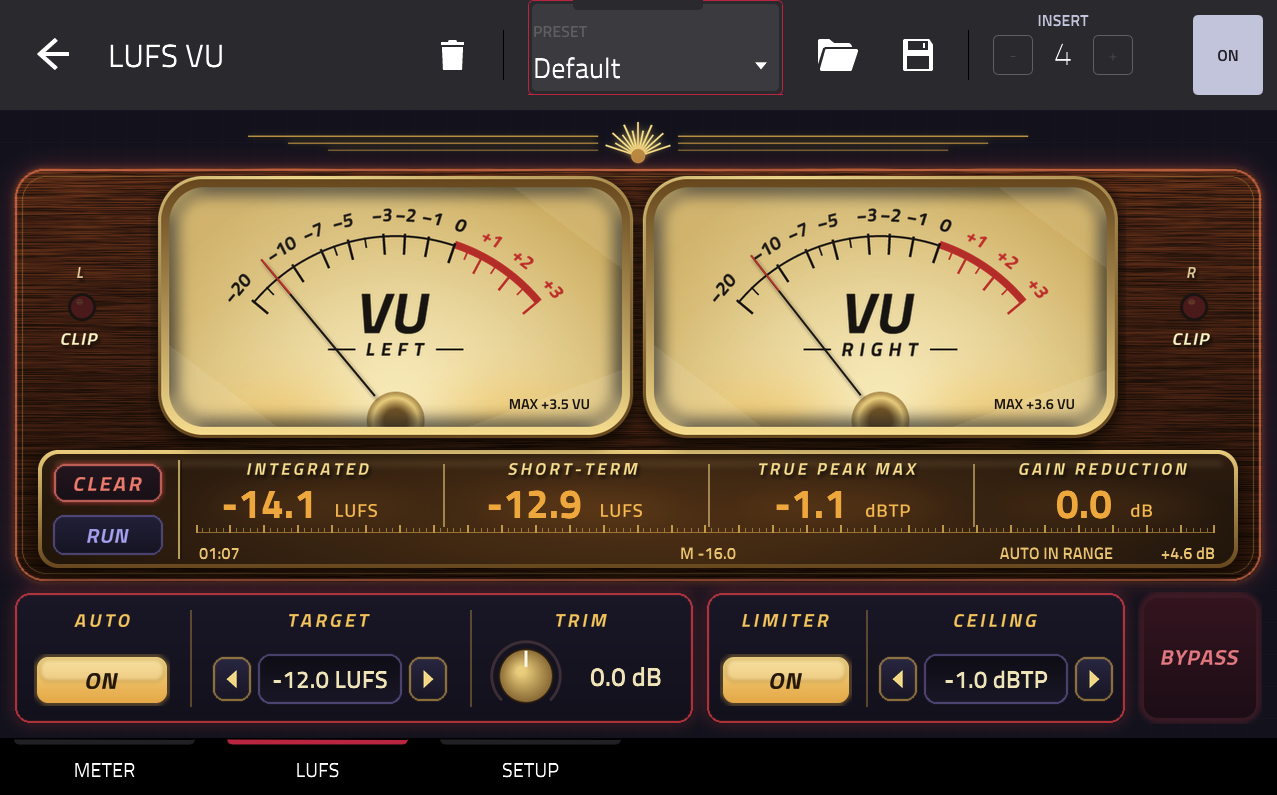
Analog VU meters, EBU R 128 loudness and a true-peak limiter: an insert effect for Akai MPC standalone (MPC OS 3.10.1+). Formerly "VU Meter".
| METER | LUFS | SETUP |
|---|---|---|
 |
 |
 |
Install
- Download lufs-vu-1.0.1-mpc.zip below and unzip it.
- Copy the
Slow Ops - VST - LUFS VUfolder into a folder namedVST2 Pluginsat the top level of a USB drive, SD card or the MPC's internal drive. - On the MPC: Preferences → Enhancements (Beta), then turn on Enable Enhancements and External Plugin Support. Restart the MPC.
- Add Slow Ops › LUFS VU as an insert effect (plugin browser → External Plugins).
The zip also contains LUFS VU User Guide.html, a one-page manual covering every control.
Updating from "VU Meter": delete the old Slow Ops - VST - VU Meter folder, then add LUFS VU again on any track that used it.
Tested on
- MPC Live III (Gen2), MPC OS 3.10.1, 2026-11-16
- MPC XL (Gen2), MPC OS 3.10.1, 2026-11-16
1.0.1
- Adds the MIT
LICENSEto the repository and to the release zip (LICENSE.txt). The audio, the controls and the skin are the same as in 1.0.0.
What's new in 1.0.0
- LUFS tab: INTEGRATED, SHORT-TERM, MOMENTARY and TRUE PEAK MAX (ITU-R BS.1770 / EBU R 128), GAIN REDUCTION, CLEAR and RUN/HOLD. Verified against EBU Tech 3341 and FFmpeg
ebur128. - AUTO loudness: steers the integrated loudness towards a TARGET (−23 to −9 LUFS), at most 0.5 dB/s, within ±12 dB.
- True-peak LIMITER with a CEILING of −6.0 to −0.1 dBTP. It adds about 3.2 ms of latency, reported to the MPC, only while it is on.
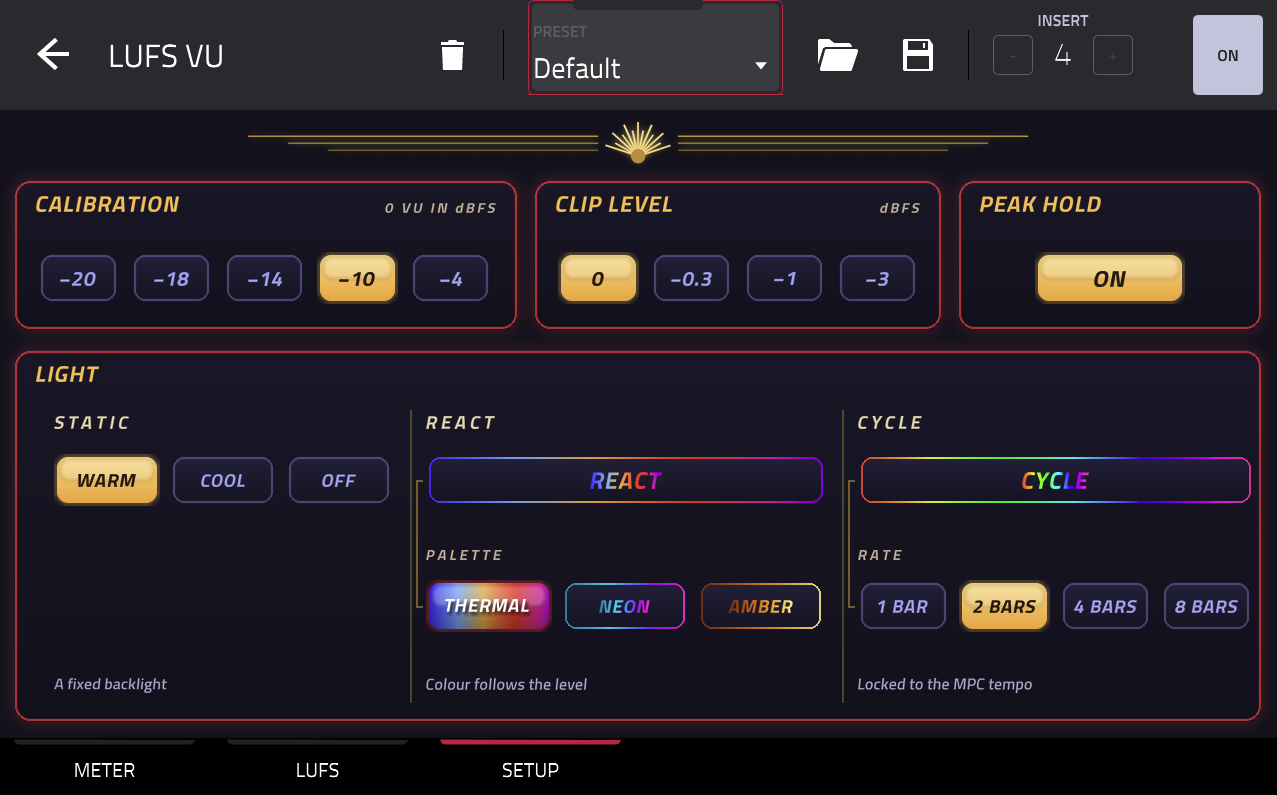
- METER: the walnut cabinet fills the page with larger dials. PEAK HOLD moved to SETUP; BYPASS and TRIM are on the LUFS tab (TRIM is also on Q-Link 15).
- CALIBRATION adds 0 VU = −10 and −4 dBFS for dense, loud masters.
- Data wheel: touch any control and turn the main data wheel; press it for the large editor.
Third-party plugins are not supported by inMusic / Akai. Save your work often.
Downloads
- lufs-vu-1.0.1-mpc.zip: the plugin folder, an install guide and the user guide (recommended for MPC OS 3.10.1+).
- LUFS-VU-1.0.1-mpc-sdk.zip: the same plugin folder alone, in the format the Open MPC catalog lists.
- LUFS-VU-1.0.1-mpc-armv7.zip / LUFS-VU-1.0.1-mpc-aarch64.zip: Open MPC catalog packages (Gen1 / Gen2), with
install.shfor modded units. These are used by the Open MPC Plugin Manager and installers.
LUFS VU 1.0.0
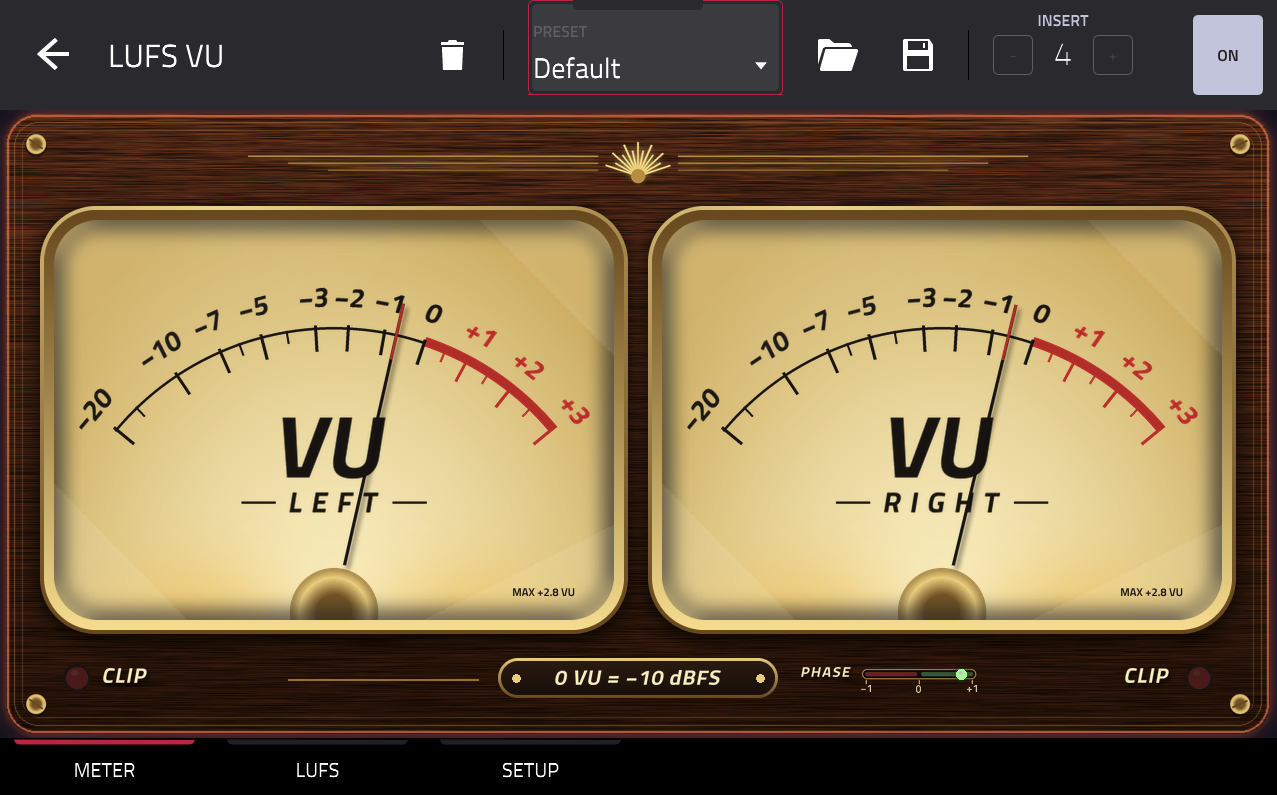
Analog VU meters, EBU R 128 loudness and a true-peak limiter: an insert effect for Akai MPC standalone (MPC OS 3.10.1+). Formerly "VU Meter".
| METER | LUFS | SETUP |
|---|---|---|
 |
 |
 |
Install
- Download lufs-vu-1.0.0-mpc.zip below and unzip it.
- Copy the
Slow Ops - VST - LUFS VUfolder into a folder namedVST2 Pluginsat the top level of a USB drive, SD card or the MPC's internal drive. - On the MPC: Preferences → Enhancements (Beta), then turn on Enable Enhancements and External Plugin Support. Restart the MPC.
- Add Slow Ops › LUFS VU as an insert effect (plugin browser → External Plugins).
The zip also contains LUFS VU User Guide.html, a one-page manual covering every control.
Updating from "VU Meter": delete the old Slow Ops - VST - VU Meter folder, then add LUFS VU again on any track that used it.
What's new in 1.0.0
- LUFS tab: INTEGRATED, SHORT-TERM, MOMENTARY and TRUE PEAK MAX (ITU-R BS.1770 / EBU R 128), GAIN REDUCTION, CLEAR and RUN/HOLD. Verified against EBU Tech 3341 and FFmpeg
ebur128. - AUTO loudness: steers the integrated loudness towards a TARGET (−23 to −9 LUFS), at most 0.5 dB/s, within ±12 dB.
- True-peak LIMITER with a CEILING of −6.0 to −0.1 dBTP. It adds about 3.2 ms of latency, reported to the MPC, only while it is on.
- METER: the walnut cabinet fills the page with larger dials. PEAK HOLD moved to SETUP; BYPASS and TRIM are on the LUFS tab (TRIM is also on Q-Link 15).
- CALIBRATION adds 0 VU = −10 and −4 dBFS for dense, loud masters.
- Data wheel: touch any control and turn the main data wheel; press it for the large editor.
Third-party plugins are not supported by inMusic / Akai. Save your work often.
Downloads
- lufs-vu-1.0.0-mpc.zip: the plugin folder, an install guide and the user guide (recommended for MPC OS 3.10.1+).
- LUFS-VU-1.0.0-mpc-sdk.zip: the same plugin folder alone, in the format the Open MPC catalog lists.
- LUFS-VU-1.0.0-mpc-armv7.zip / LUFS-VU-1.0.0-mpc-aarch64.zip: Open MPC catalog packages (Gen1 / Gen2), with
install.shfor modded units. These are used by the Open MPC Plugin Manager and installers.