Repository navigation
Releases
Trackyard v1.2.0

Download
- Mac (Apple Silicon):
Trackyard-1.2.0-arm64.dmg - Windows (64-bit):
Trackyard-Setup-1.2.0.exe
Install over the old version; your songs, settings and downloaded models stay. The app isn't signed by a registered developer: see the README for the first start.
New: pad sounds for Beat-Train
Beat-Train can mute the drum stem and play a real drum sound on each pad strike instead. In the editor, the ♪ button right of each row picks that row's sound from the song's own drum stem:
- It steps through the row's hits (‹ › or ←/→), best first: as few other drums at the same time as possible, ringing out freely, no ghost notes. Each one plays, and the cut is marked in its row.
- Use this picks it, No sound removes it; undo works as for notes.
- Save writes the picks to
sounds/in the song folder:kick.wav,red.wav,yellow.wav,blue.wav,orange.wav,green.wav, named after the row colours.
A sound starts 1 ms before the hit's attack in the drum stem, found to the sample, and lasts as long as the hit rings, up to the next hit. With pad sounds on, Beat-Train mutes the whole drum stem, so a pad without a sound stays silent. Songs without a drum stem can't get pad sounds.
Trackyard v1.1.1
Download
- Mac (Apple Silicon):
Trackyard-1.1.1-arm64.dmg - Windows (64-bit):
Trackyard-Setup-1.1.1.exe
Fixed
- macOS: "damaged" app. The Mac app is now signed ad hoc, so macOS no longer calls it damaged and only offers the bin. It is still not signed by a registered developer: start it once, click Done, then System Settings → Privacy & Security → Open Anyway, and start it again. See the README.
Nothing else changed since 1.1.0; the Windows app is the same.
Trackyard v1.1.0
Download
- Mac (Apple Silicon):
Trackyard-1.1.0-arm64.dmg - Windows (64-bit):
Trackyard-Setup-1.1.0.exe
Install over 1.0; your songs, settings and downloaded models stay. The app is still unsigned: see the README for the first start.
Fixed
- Regenerate after a tempo change: Regenerate… and the level controls now use the tempo map you are editing. Before, after an unsaved tempo or offset change, the shortest-gap rules of Hard, Medium and Easy worked with the old timing.
- Beat grid to the end of the song: the grid and the metronome now run to the end of the audio, not just a few beats past the last note.
Changed
- Saving refuses notes a chart file can't hold, like a cymbal on one difficulty where another has a tom at the same spot, instead of quietly turning one of them into the other.
- Under the hood: chart reading and writing, the song folder, and the editor's document, tempo map and playback each live in one module now, with tests for the editor's JavaScript.
Trackyard v1.0.0
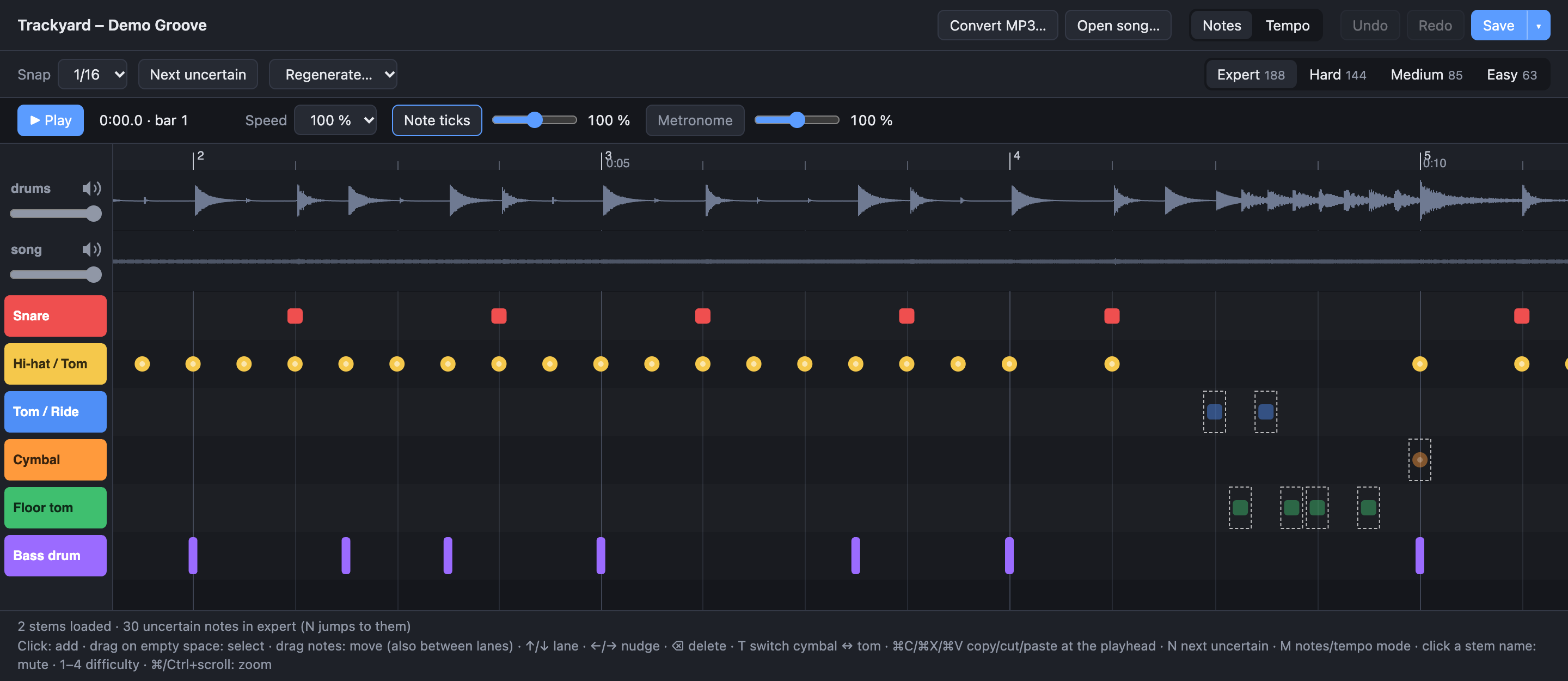
The first release of Trackyard: it turns MP3s (or WAV, OGG, FLAC) into drum charts for Beat-Train on the MPC Sample and Clone Hero, with an editor to fix what it got wrong.
Download
- Mac (Apple Silicon):
Trackyard-1.0.0-arm64.dmg - Windows (64-bit):
Trackyard-Setup-1.0.0.exe
Python, PyTorch and ffmpeg are included; the first conversion downloads the models once (about 160 MB). The app isn't signed yet, so the first start shows a warning: see the README for how to open it.
A song takes about 1 minute on an Apple Silicon Mac or an NVIDIA graphics card, 3–4 minutes on a Windows CPU. With an NVIDIA card, the start screen offers GPU support as a one-time 2 GB download.
What it does
- Separates the drums (Demucs), detects the hits (ADTOF) and the beat (Beat This!), and writes Expert plus generated Hard, Medium and Easy
- Editor: notes on lanes, uncertain notes marked, playback with note ticks and metronome, per-stem mute and volume, tempo map and offset editing
- Saves to a song folder or straight to the MPC's SD card (
BeatTrain/Songs)