Repository navigation
Releases
Downer 2.2.1

Downer 2.2.1
New
- Playlist folders. A whole playlist is saved in a folder named after it, so its videos are easy to find among your other downloads. Turn it off in Settings → Downloads → Playlist folders. Single videos, and "just the video" from a playlist link, are saved as before. (#20)
- Show in Finder in the menu bar window. When a download finishes, the button now appears there too, as it does in the main window. (#20)
Improved
- Cancelling cleans up. The unfinished files a cancelled download leaves behind (
.part,.ytdl, the separate video and audio pieces) are removed. Videos that already finished are kept, and a failed download keeps its pieces so Retry can carry on. (#20) - The window remembers where you left it, and its size, when you reopen Downer. (#20)
SHA-256 is in Downer-2.2.1.dmg.sha256.
Downer 2.2.0
Downer 2.2.0
New
- Video or playlist? A YouTube link to a video playing inside a playlist or Mix, such as
watch?v=…&list=…&start_radio=1, used to download the whole list (sometimes more than 100 videos). Downer now asks first: Download Video (the default, or press Return), or Download Playlist / Download Whole Mix. Nothing is looked up or downloaded until you choose. (#18) - Settings → Downloads → Video in a playlist: Ask Each Time (the default), Just the Video, or The Whole Playlist. Remember my choice on the question sets it for you.
- Mixes are never downloaded whole without asking. YouTube makes them on the fly, so one link can hold 100+ videos that change each time. Whatever the setting, a whole Mix is always your explicit choice.
- Large playlists are confirmed first. A playlist of 200 or more videos, or one too long to list in time, asks once before it starts. If that happens after you've closed the window, the popover opens with the question.
- A link to a whole Mix (
playlist?list=RD…) asks before it downloads. - Several links at once: links that need a choice wait in the queue with Video and Playlist buttons, plus All: Just Videos and All: Whole Lists. Other downloads carry on meanwhile.
- Picked the wrong one? Swipe the row to queue the other choice, without pasting the link again.
- Links dropped on the menu bar icon open the popover on the question.
Improved
- A long playlist whose look-up runs out of time now keeps the titles it found, instead of starting without them.
embed/videoseries?list=…links are recognised as whole playlists.--no-playlistand--yes-playlistare refused in Extra arguments with a pointer to the new setting, so the two can never disagree.
SHA-256 is in Downer-2.2.0.dmg.sha256.
Downer 2.1.0
Downer 2.1.0
New
- Sign in for videos that need it. YouTube's "confirm you're not a bot" and age checks (and other sites that ask you to sign in) can now be passed using your browser's sign-in. It is off by default, and turning it on shows a consent screen that explains what happens first. Downer always tries without cookies, and only uses the chosen browser's cookies when a site says sign-in is required. Downer never saves, copies, uploads or logs cookies, and
yt-dlpconfig files can't turn cookies on behind its back. For Safari, Settings shows whether Downer has Full Disk Access and has a button that opens the right pane. (#16, #15) - Best Compatibility. One switch for MP4s that play in QuickTime, on iPhone and everywhere else. It fixes files that play sound but show no picture (AV1 or Opus inside an MP4). Most YouTube videos offer this only up to 1080p, and files are larger. The Information section explains it. (#14, #15)
- MOV container, next to MP4, MKV and WebM. MOV and WebM downloads are more robust too: WebM falls back to MKV when a site has nothing WebM can hold.
- Extra yt-dlp arguments in Settings → Advanced, limited to a list of common options such as
--limit-rate 2Mor--embed-subs. Anything else is refused, with the reason shown, so arguments can't break progress tracking, run commands or expose cookies. (#14) - deno, recommended for YouTube. It can be installed from Settings and is passed to yt-dlp 2025.11.12 or newer automatically.
- Update buttons for yt-dlp, ffmpeg and deno, using Homebrew or self-update depending on how each was installed. They are disabled while a download runs, and tools Downer downloads itself are checked against their published checksum.
- Downer updates itself. It uses Sparkle. When it starts (and once a day, which you can turn off in Settings) Downer looks for a new version. A window appears on launch only if there is one, with Install Update, Remind Me Later and Skip This Version. Updates are signed and verified, Downer relaunches itself, and it waits for running downloads to finish first. Check now is in Settings.
Improved
- Clearer errors. Failures now say what to do: turn on Sign-in, update yt-dlp, grant Safari Full Disk Access, allow the Keychain prompt, or that the video is unavailable. Messages are shorter and wrap instead of being cut off.
- Cancelling a link while it is being looked up now stops the look-up.
- Errors like "Unable to download webpage: HTTP Error 503" are now retried automatically, as other network hiccups already were.
Updating from 2.0.x
Earlier versions can't update themselves, so download this DMG once. From here on, Downer updates itself.
SHA-256 is in Downer-2.1.0.dmg.sha256.
Downer 2.0.3
Downer 2.0.3
Fixed
- After a download finishes, Show in Finder no longer spills out of the bottom panel. The panel grows to fit whatever it holds.
- The resolution, container, quality and format pickers are back to the original menus.
Everything from 2.0.2 (trackpad gestures, swipe actions, drag to reorder, link drops, glass switcher) is unchanged.
SHA-256 is in Downer-2.0.3.dmg.sha256.
Downer 2.0.2
Downer 2.0.2: made for the trackpad
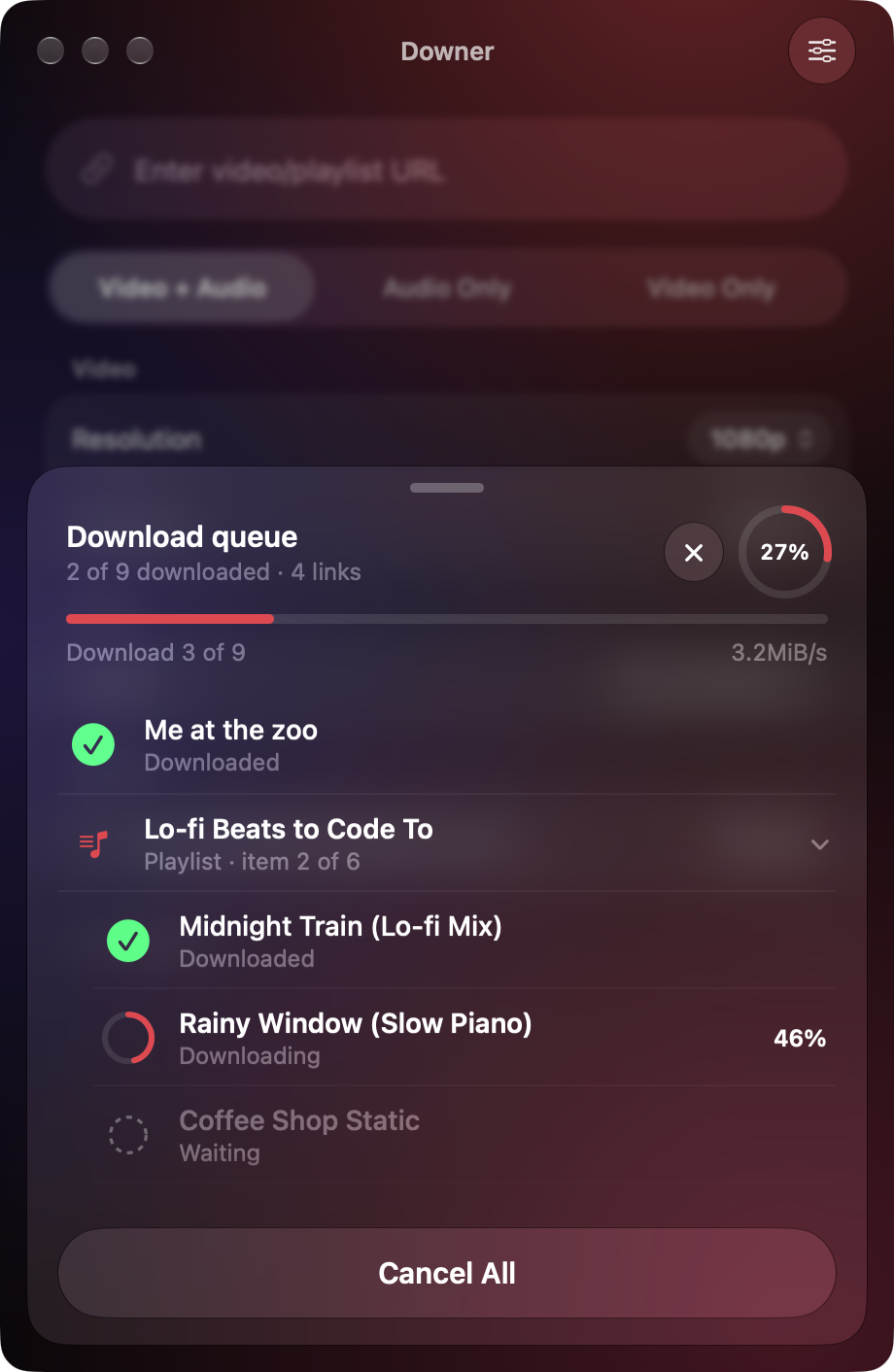
Gestures
- Two-finger swipe on the tray. Swipe up to open the queue, down to tuck it away. It follows your fingers, glides to rest with the speed of your swipe, and hands over to the list when you reach the top.
- Swipe a row sideways to remove, cancel, retry or reveal it. A long swipe does the main action.
- Drag to reorder. Press and hold a waiting link, then drag it.
- Drop links in from your browser onto the window or the menu bar icon.
- Menu bar popover: swipe up to open the full window, down to dismiss.
Look and feel
- The download type is a glass switcher you can swipe; the resolution, container and audio pickers open as glass lists. Theme in Settings uses the same switcher.
- The download dock and the tray are one panel of glass that grows and shrinks.
- Progress bars glide between updates; rows slide in and out.
- Subtle haptics on a trackpad (Settings → Haptic feedback). Reduce Motion is respected, and every gesture has a click, keyboard or VoiceOver equivalent.
Installing
Open the disk image and drag Downer onto Applications. See the README if macOS says the app can't be opened.
SHA-256 is in Downer-2.0.2.dmg.sha256.
Downer v2.0.1 (unsigned)
Downer 2.0.1
The first public build of Downer 2.0: a Liquid Glass redesign, and a download queue so you can keep adding videos and playlists while something is already downloading. (2.0.0 was withdrawn because its installer image was not good enough; this release replaces it.)
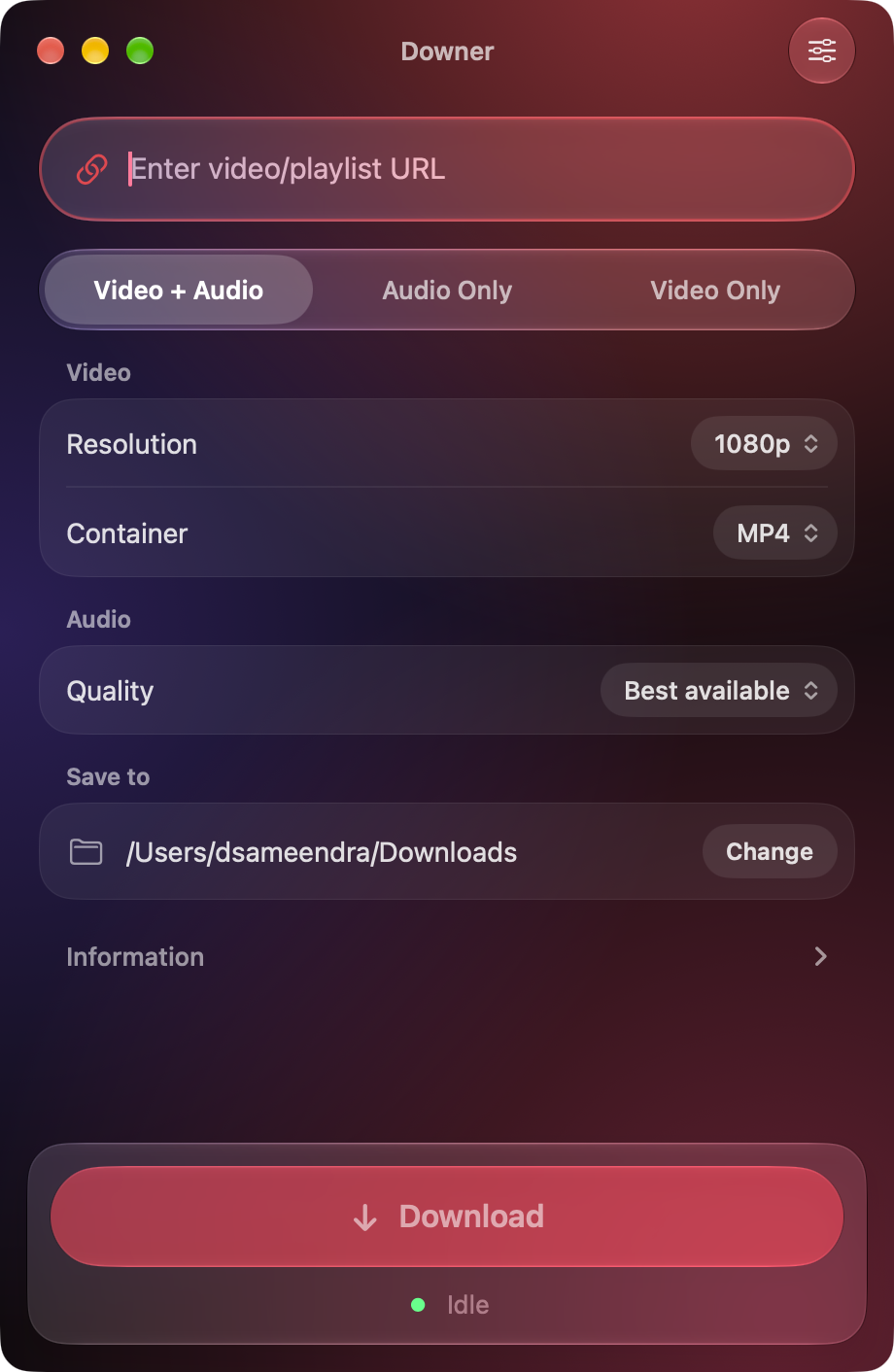
A proper installer
Open the disk image and a window shows Downer next to your Applications folder with an arrow between them. Drag Downer across and you are done. The disk image carries Downer's icon.
What's new in 2.0
- Liquid Glass design throughout: real glass on macOS 26 and later, a material look on macOS 14 and 15, solid surfaces with Reduce Transparency. Dock and tray corners follow the window's own corners.
- Download queue. Paste a link and press Return, then paste the next one while the first is still downloading. Single videos, playlists or a mix: they are looked up, then downloaded one after another in order, each with the settings it was added with.
- Queue tray. Drag the handle up to see every link and every video in a playlist with its own progress. Cancel, remove, retry what failed, or clear what finished.
- Real progress (percentage, speed, time left) in the window, the tray and the menu bar.
- Menu bar icon that fills with progress and shows the queue count (
3/12), a check when done, and an orange dot when something needs attention. - Global shortcut that opens the popover with your copied link already filled in.
- Set up from Settings. Downer finds
yt-dlp,ffmpegandffprobeand installs them for you (with Homebrew, or a directyt-dlpdownload without it). - New layered app icon with dark, clear and tinted looks; Device / Light / Dark appearance and an optional background glow.
- Network errors are retried once automatically. Show in Finder reveals everything a queue produced.
- Updated the shortcut library (KeyboardShortcuts 3.1.0) for better macOS 27 compatibility.
Requirements
macOS 14 or later (Liquid Glass needs macOS 26). Universal: Apple Silicon and Intel.
If macOS will not open it
The app is not signed with a paid Apple Developer account. After dragging it to Applications, run this once in Terminal:
codesign --force --deep --sign - /Applications/Downer.app
xattr -dr com.apple.quarantine /Applications/Downer.app
Then open Settings → Requirements and press Install next to anything missing.
Known limitations
- The queue is not remembered between launches, and downloads run one at a time.
- The macOS 14 and 15 look has had less testing than macOS 26.
- Recording a global shortcut that uses modifier keys was not exercised by hand before release; please report problems (#5).
Checksum
SHA-256 of Downer-2.0.1.dmg:
ab637953688aa3fb3d43e3f6da6f0e079c394a74b624cdd7ef9a57b9d232ee33
Full changelog: v1.1.0...v2.0.1
Downer v1.1.0 (unsiged)
✨ Major UI Overhaul
This release introduces a complete visual redesign of Downer, focused on aesthetics and usability.
- Glassmorphism-inspired design
- Improved layout and spacing
- Adaptive light & dark mode support
- Smooth animations
- Enhanced interactions
Full Changelog: v1.0.0...v1.1.0
Downer v1.0.0 (unsigned)
🎉 Initial release of Downer (unsigned)
- 🎥 Download videos and audio from supported URLs
- ⚡ Native SwiftUI macOS app with menubar integration
- 🧪 Includes support for custom paths, resolutions, formats and quality
- 🧽 Minimalist UI, built to be lightweight
⚠️ Note: This build is unsigned, which means macOS may block it on first launch. Please follow the installation instructions carefully.
Refer to README.md for install instructions, including how to run the unsigned build safely on macOS.