Repository navigation

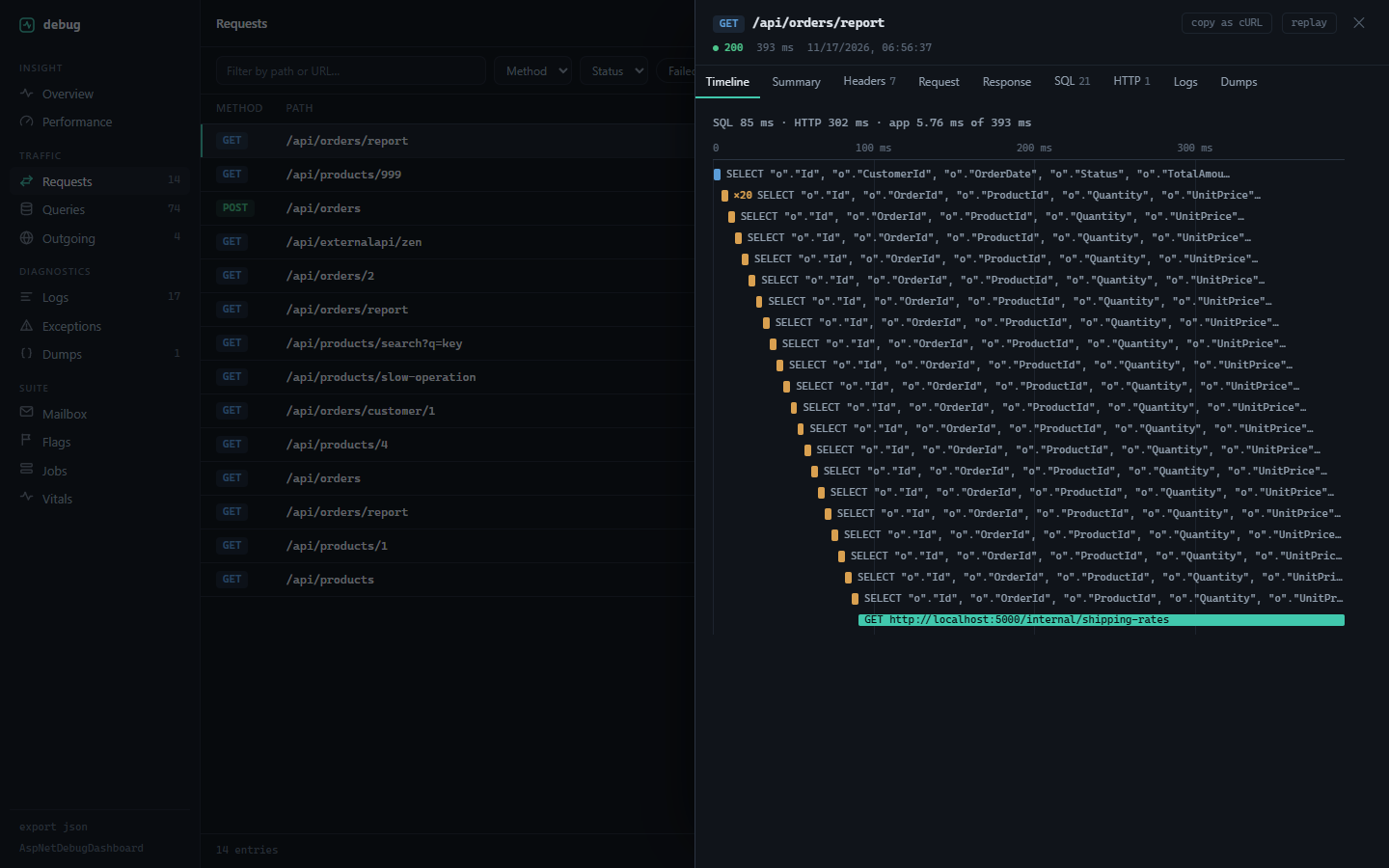
See where a request spent its time, then change it and send it again.
Upgrading
No new options and no setup changes. Entries stored by earlier versions still load; they have no timing offsets, so their detail opens on Summary as before. If you implement IDebugStorage yourself, apply the new DebugFilter.ReplayOf in GetRequestsAsync so replay can find the replayed request.
Added
- Timeline tab, first in request detail. SQL queries, outgoing HTTP calls, logs and dumps on one time axis, with SQL, HTTP and app time totaled above it. N+1 groups (the same query 3+ times) and slow queries are highlighted, an unhandled exception is marked at the end, and clicking a row opens the entry.
- Replay, next to copy-as-cURL. Resends a captured request from the browser with its method, path, headers and body prefilled and editable, then shows the original and the replay side by side: status, duration, SQL queries, outgoing calls. Redacted values, headers the browser won't send and bodies that can't be resent are called out first. Replays never leave the dashboard's origin. Limits are in TROUBLESHOOTING.md.
StartOffsetMson SQL queries, outgoing calls, logs and dumps, andDurationMson requests, queries and calls, both to 0.01 ms. MCPget_requestreturns them, so a coding agent can see where a request spent its time.ReplayOfon requests andGET /api/requests?replayOf=<id>.
Changed
- SQL queries are attached to their request as soon as EF Core reports them and written to storage in the background. The dashboard's own database write no longer adds to the request's time.
- Requests are indexed on
RequestId.
Fixed
- Queries from synchronous EF calls (
ToList(),SaveChanges()) near the end of a request could be missing from it. - With
LogResponseBodieson:- a request that threw broke the developer exception page
- responses over
MaxBodySizewent out empty; past that size the rest now streams straight to the client text/event-streamresponses were held until the handler finished- binary responses were stored as garbled text; they're stored as
[Binary body: N bytes, <type>]
Packages
AspNetDebugDashboard 2.5.0, AspNetDebugDashboard.Mcp 2.5.0. Mailbox, Flags, Jobs, Vitals and Suite are unchanged.
dotnet add package AspNetDebugDashboard --version 2.5.0
Full list in the changelog.