Repository navigation
ScriptWidget for Windows 0.1.0 (preview)

First preview of ScriptWidget for Windows: desktop widgets written in JavaScript and JSX. It runs the same Package 2.0 widgets as the iPhone, iPad, Mac and Android apps.
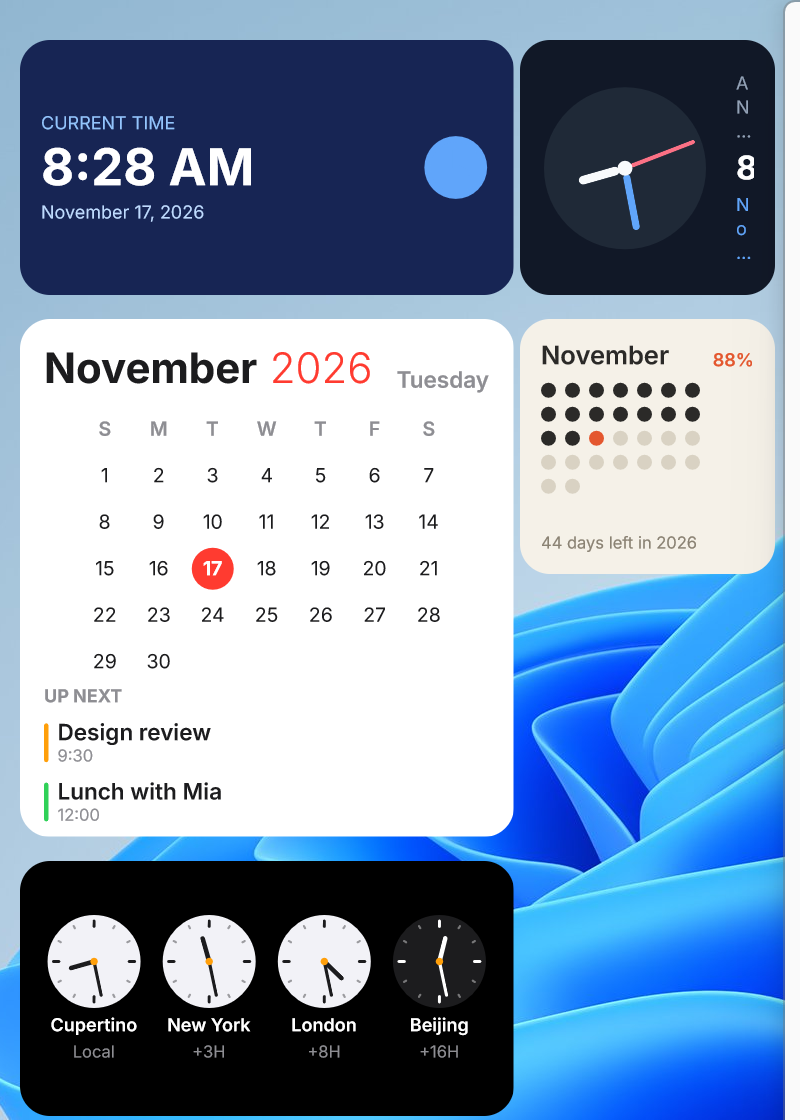
- Small, medium, large and extra-large widgets that sit on the desktop below your other windows, refresh on a schedule and react to clicks
- A management window with your widgets, the bundled templates, a code editor with a live preview, and a reference of the components and APIs
.swtimport and export, to move a widget between devices- English and Simplified Chinese
Requires Windows 11. Download ScriptWidget-0.1.0-x64-setup.exe, or ScriptWidget-0.1.0-arm64-setup.exe for an ARM64 PC, and run it.
The installer is not signed. Windows SmartScreen says "Windows protected your PC"; choose "More info", then "Run anyway". It installs for the current user only, without administrator rights, and can be removed in Settings > Apps > Installed apps. There is no automatic update: run the installer of a newer version over it.
This is a preview:
$device,$system,$storage,$file,fetch,$http,$xml,$dataSourceand$weatherwork. Health, calendar, location, music and the other device data APIs are not implemented on Windows and report[unsupported_platform].- Tested by a person on one x64 PC (Windows 11 build 26200, one display). Both installers were built and checked by the automated install, start, update and uninstall run on x64 and ARM64 build machines; the ARM64 version has not been used on a PC by a person.
- Not yet tried: starting after signing out and in, a second display, displays with different scales.
See ScriptWidget for Windows, what was tested and what is left.
| File | SHA-256 |
|---|---|
ScriptWidget-0.1.0-x64-setup.exe |
b4532b6eb4fa7378cff8720f213536b5bc3f14c9e5085be0df42de3723ce6f79 |
ScriptWidget-0.1.0-arm64-setup.exe |
8e82c9a6c637387625962073a6e842cb486c96f120fccdbc4f0423afb936d328 |