Repository navigation
Guide LeadForge
Many offers — nutra and e-commerce with cash on delivery (COD) above all — are sold through a form: name, phone, "Order". Normally the form lives on the affiliate network's landing, and you only send traffic to their link.
LeadForge lets you host that landing yourself and send the leads to the network through its API:
- You take a landing ZIP (from the network's promo materials, a spy tool, or your own).
- LeadForge analyses it, cuts out the old network's order handler and foreign pixels, and builds a new
order.phpthat sends every lead straight to your network's API, with your click ID. - It adds a phone mask and validation for the country, a localised thank-you page and the click-ID bridge.
- The result is saved as a landing (and, if you want, a matching offer) in the tracker, ready for a campaign.
- Every lead is also stored in the CRM with the exact phone sent to the network and the network's answer — your proof if leads go missing.
Why bother: you control the page (speed, cloaking, A/B tests, your own domain), you see every lead the moment it is submitted, and you can prove "shaved" leads to the network.
LeadForge opens with the ⚡ lightning icon in the top-left switcher (LeadForge · Tracker · CRM).
LeadForge needs PHP landings enabled (the generated
order.phpis PHP). If they are off, LeadForge shows a banner with an Enable in 1 click button; the same switch is in ⚙ → Settings → General.
Drag one or many landing ZIPs onto the drop zone (up to 50+ at once) and press Analyze bundles.
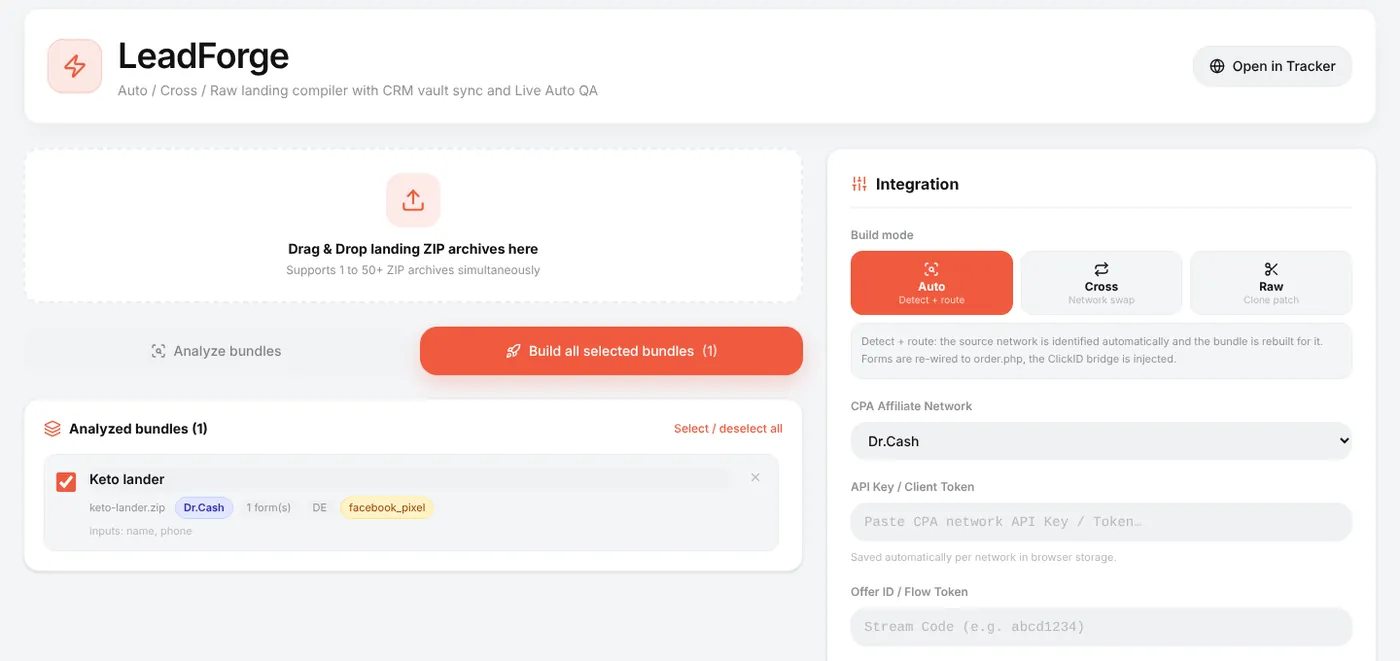
For every archive LeadForge shows what it found: the source network (detected from code signatures — here Dr.Cash), the number of forms and their fields, the GEO, and foreign scripts that will be removed (facebook_pixel, TikTok, Google Analytics, Yandex Metrika, devtools blockers, back-button redirects). The console at the bottom logs every step.
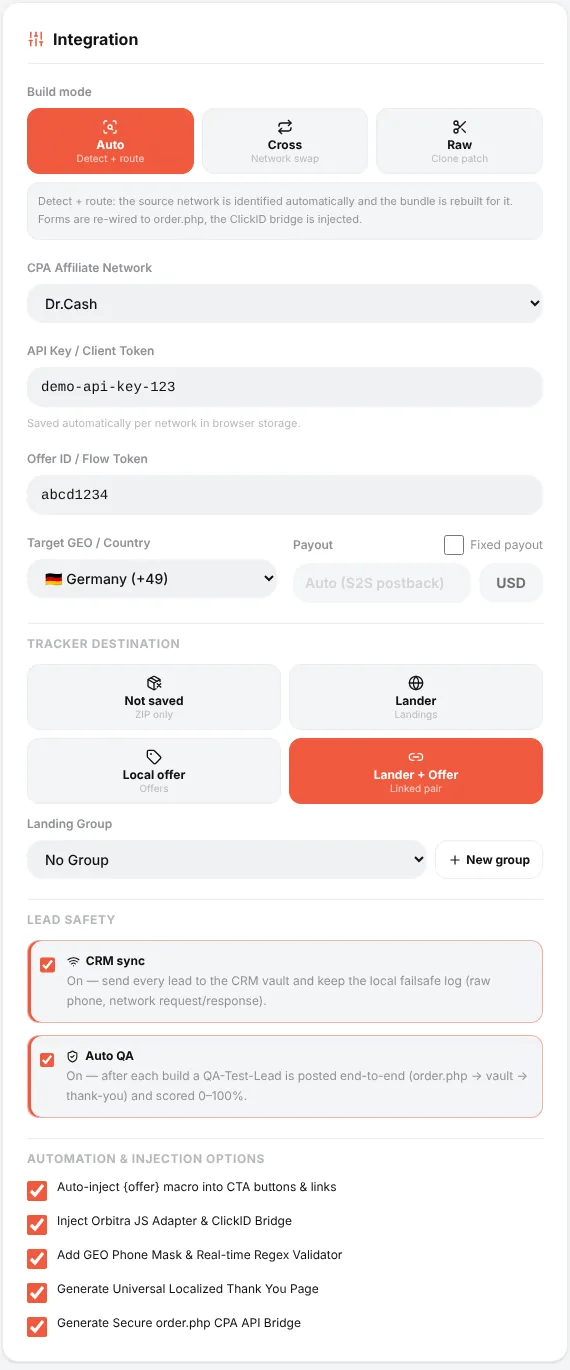
Build mode
| Mode | What it does | When |
|---|---|---|
| Auto | Detects the source network and rebuilds the landing for it: forms re-wired to the new order.php, the click-ID bridge injected |
The landing comes from the same network you work with |
| Cross | Network swap: the old network's handlers (order.php, send.php, api.php…) and their hard-coded keys are cut out, and the landing is re-seated on the network you choose |
A landing of one network, an offer of another |
| Raw | Clone patch: only cleans foreign counters and scripts and injects the click-ID bridge and {offer} macros. No order.php
|
A landing whose button should lead to a normal offer link, not a form |
Network settings
- CPA Affiliate Network — the network that receives the leads. Built-in adapters: Dr.Cash, LemonAD, Webvork, Leadbit, Everad, KMA.biz, TerraLeads, Lucky.online, Ezaff, AdCombo, plus Custom API / Webhook for any network with a POST API. Your own networks from the tracker are listed too and use the custom adapter.
- API Key / Client Token — from the network's API settings. Remembered per network in your browser.
- Offer ID / Flow Token — what the network calls the offer or stream (Dr.Cash: stream code; Leadbit: flow hash…). The placeholder tells you which.
- Target GEO — the country: it sets the phone mask, validation rules, the thank-you page language and the number format sent to the network.
- Payout — leave Auto (S2S postback) to take the real amount from the network's postback, or tick Fixed payout.
Tracker destination — what to save:
| Option | Result |
|---|---|
| Not saved | Only a ZIP to download |
| Lander | A landing in Landings, ready for a Landing + Offer stream |
| Local offer | An offer in Offers that serves the page itself |
| Lander + Offer | Both, linked — the most convenient for a campaign |
Lead safety
- CRM sync (on) — every lead also goes to the CRM vault with the raw phone and the full network request/response, plus a local fail-safe log. Keep it on.
-
Auto QA (on) — after the build a test lead runs the whole chain (
order.php→ CRM vault → thank-you page) and the bundle gets a score from 0 to 100%. QA leads are marked QA-Test and never count in statistics.
Automation & injection options — all on by default: put {offer} into CTA links, inject the JS adapter and click-ID bridge, add the GEO phone mask with live validation, generate the localised thank-you page, generate order.php.
Press Build all selected bundles. The bundle card shows where it was saved and the QA score:
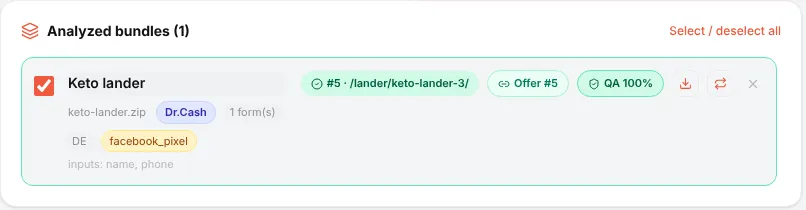
The console tells you exactly what happened — which scripts were removed, which files were generated, the QA steps:
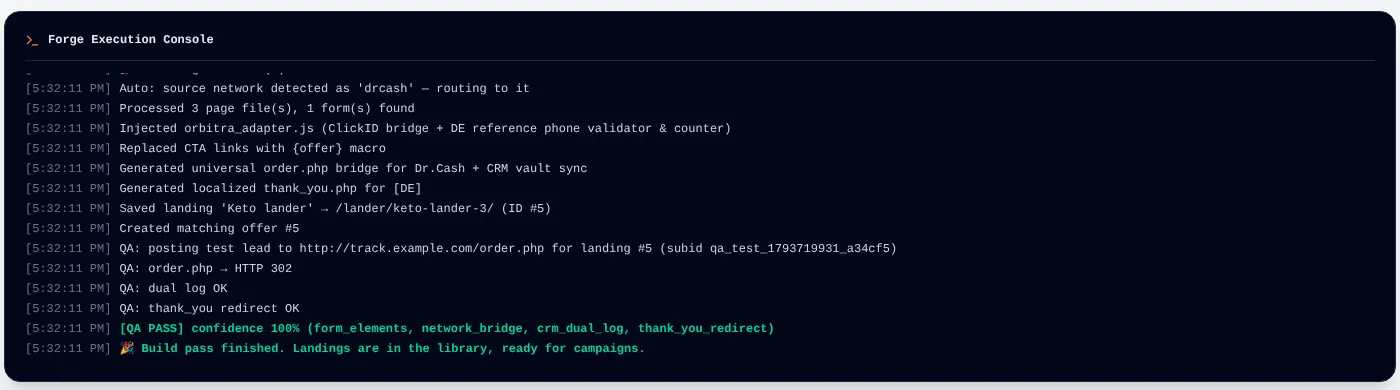
The icons on the card download the prepared ZIP or rebuild the bundle; Re-run Live QA repeats the test. Open in Tracker jumps to the saved landing.
If QA fails, the console names the failing step (for example order_php_http_0 — the tracker could not call its own order.php, usually a domain or SSL problem on the server).
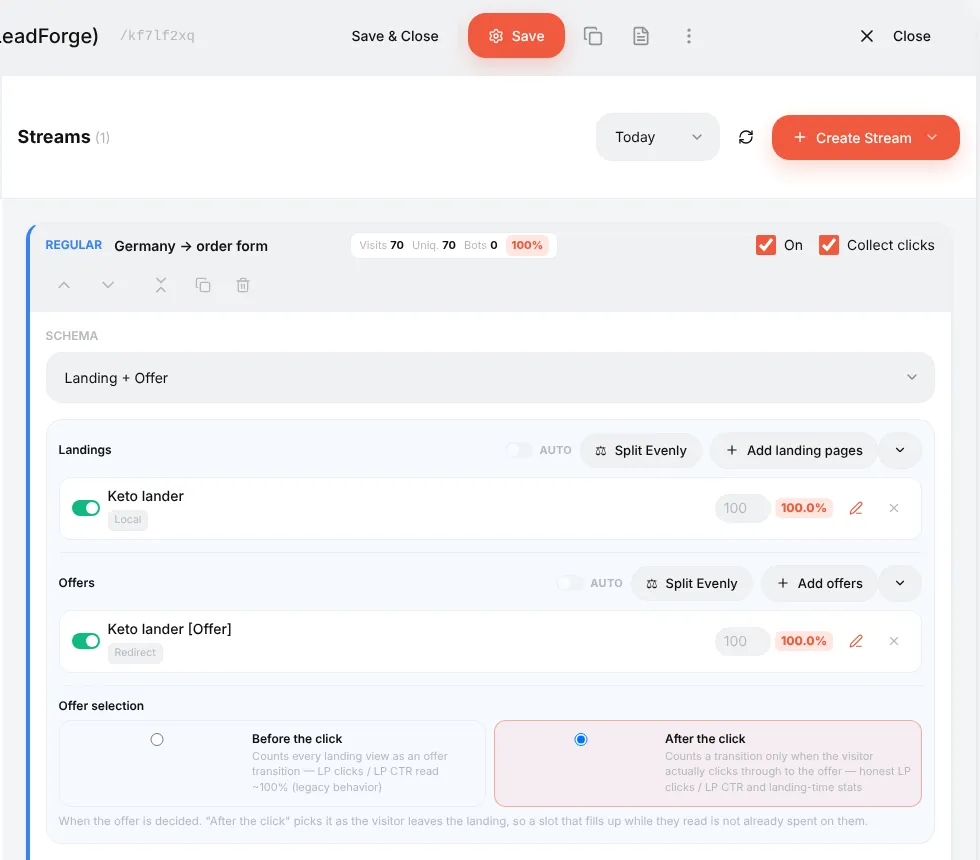
Create a campaign (see First campaign) with a stream Landing + Offer: add the LeadForge landing and the matching offer.
The visitor's path: ad → campaign link → your landing with the order form → order.php sends the lead to the network API with the click ID → thank-you page. At the same moment a lead conversion appears in the tracker and the lead appears in the CRM.
The network decides later whether the lead is approved, rejected or trash. To see that in Orbitra, the network must send postbacks as with any other offer — see Postbacks. The postback updates both the tracker conversion and the CRM lead.
Open the campaign link and submit the form with a test name and phone. Typing /order.php into the browser is not a test: it is a request without a form and without a click, and the tracker answers "Campaign not found".
Reference: Landing pages → LeadForge, LeadForge subid validation.