Repository navigation
Quick Start
Four wires, one zip, a restart.
Power the module from the Pi's 5 V pin (pin 2; the Waveshare modules take 3.3 V as well, a backpack or an integrated module without a contrast trimmer does not), GND to GND, SDA to GPIO 2 (header pin 3), SCL to GPIO 3 (header pin 5). The Wiring page has the diagram and the other buses.
Until the plugin is in Volumio's store, it goes in by hand from the command line. Download the plugin zip, lcd1602_vumeter-<version>.zip, from the releases page and copy it to the player's home directory, with scp or a USB stick:
scp lcd1602_vumeter-<version>.zip volumio@volumio.local:Then, on the player, as the volumio user. The zip stays outside the folder it is unpacked into:
ssh volumio@volumio.local
mkdir lcd1602_vumeter && cd lcd1602_vumeter
miniunzip ../lcd1602_vumeter-<version>.zip
volumio plugin install
Answer yes to Volumio's warning about plugins installed by hand. volumio plugin install compresses the folder it is run in and hands the result to the player's plugin manager, which unpacks it under /data/plugins/system_hardware/lcd1602_vumeter and runs its installer: it checks the I2C bus, the i2c group and the i2c-dev module, writes the display service and the plugin's sudo rule, and enables the service. A second zip inside the folder makes the hand-over fail with mv: target '/tmp/plugins/lcd1602_vumeter.zip': No such file or directory, which is why the zip is unpacked from the parent directory.
Afterwards the folder in the home directory can go: cd && rm -r lcd1602_vumeter.
Once the plugin has been through field testing and Volumio's review, it will be in the store under Plugins, and this step becomes one press of Install there.
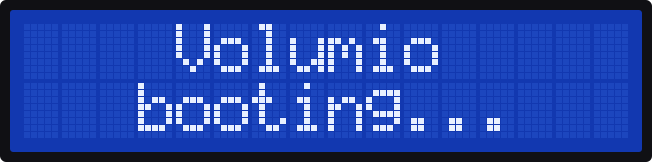
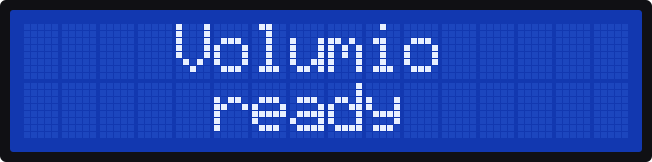
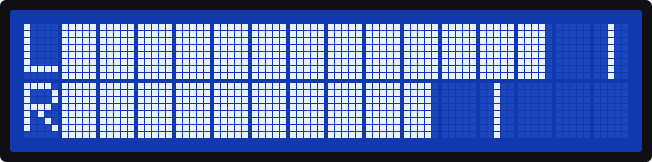
In Volumio, open Settings, Plugins, Installed Plugins, and turn LCD1602 VU Meter on. The audio tap joins the player's output chain when Volumio builds it at start, so the first start after the install shows the player's state but no levels; the plugin says so and offers the restart. After it, play something: the bars move.
The plugin's page under Plugins, Installed has five sections: the connection, the meter, the standby screen, the messages and the RGB backlight. The defaults suit a Waveshare module on the hardware bus; Detect on the connection section names what answers on the bus, Test puts a pattern on the glass.
Troubleshooting goes through it: the bus, the address, the backpack's pin layout, the tap in the chain.