Repository navigation
Releases
Norrsken 0.4.4

Close windows straight from Alt+Tab and Win+Tab: hover a window and click its X, or press Delete on the selected one. The switcher stays open so you can keep tidying.
Norrsken 0.4.3
- Win+Tab is Norrsken's own now: a full-screen overview of all your windows with big live previews. Win+Tab again, Esc or a click on the empty space closes it.
- Alt+Tab shows up even with just one window open.
- New mouse pointers: rounded, with a soft shadow, sharp at any scaling, and the busy ones spin. Pick dark, light or your accent colour in Settings › Customise.
Norrsken 0.4.2
A bug-fix release.
- Opening media from Files no longer gets stuck on Windows' "choose an app" box. Photos, videos and music open straight in Flickerbox, and text in Notes.
- Apps open in front of everything, with focus, whether you start them from the dock, the launcher, Files, a notification or a link.
- Alt+Tab shows up every time, instantly, and stays on top of everything while it's open.
- The dock's Task Manager and Files' "Open in Terminal" now open Norrsken's versions.
Norrsken 0.4.1
Updates now work like they do in proper software.
- Norrsken downloads new versions in the background, checks them, and then asks whether you want to restart to install. If you say later, it installs the next time you sign in.
- Installing shows an update screen with each step, and afterwards Norrsken tells you what's new and offers to restart your PC, just to be safe.
- Settings › Updates shows what's going on: checking, downloading, ready to install, or what went wrong.
This is the first version that updates itself this way, so from here on new releases arrive by themselves.
Norrsken 0.4.0
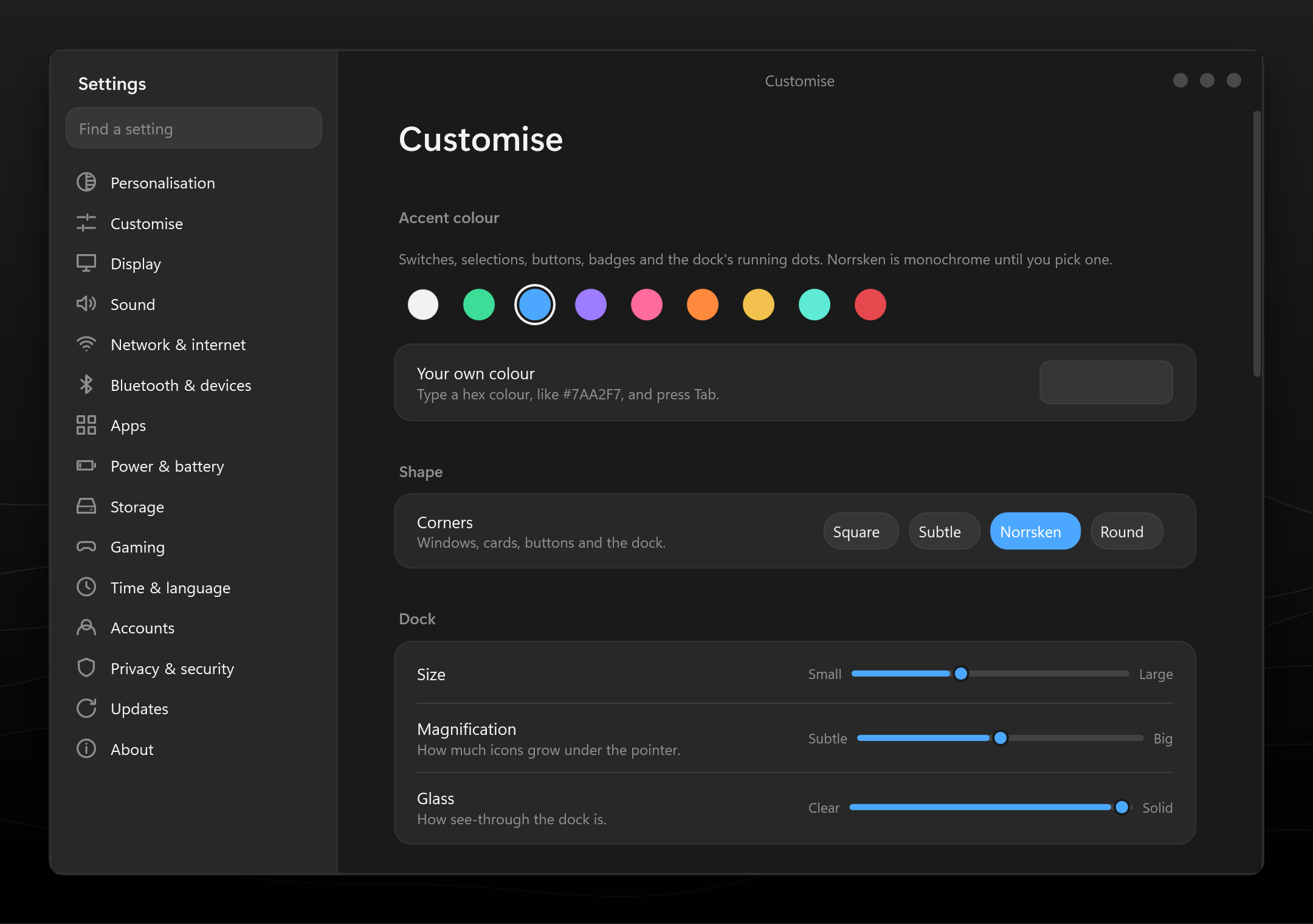
This one's all about making Norrsken yours. If you already have it installed it'll update by itself, or you can go to Settings › Updates › Check now.
New
- A Customise page in Settings: accent colours (eight of them, or any hex code), corner roundness, dock size, how much the icons grow, how see-through the dock is, and how things move (natural, springy, smooth or snappy) and how fast. It all applies right away and fades in.
- Interface sounds. They're off until you turn them on, and you can mute or preview each one, or use your own sounds.
Fixed
- Sound devices and per-app volume stopped working after the first use.
- Files, Notes, the Bin, Settings, Terminal, Task Manager and the screenshot tool could close on an unexpected error. They keep going now.
- A few smaller things: stuck "measuring" labels, the dock's Bin missing deletions on some drives, and open apps not picking up look changes.
Norrsken 0.3.2
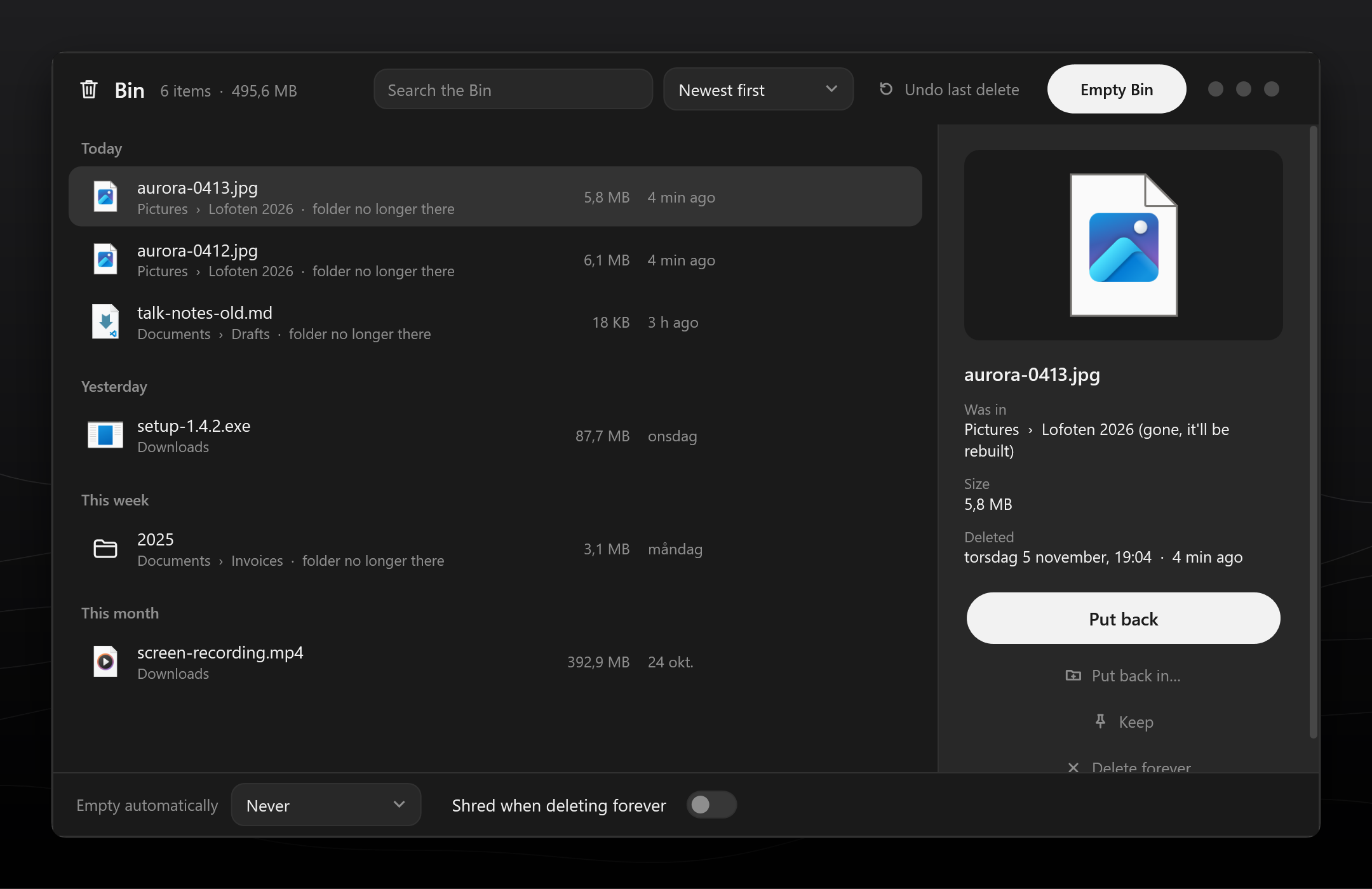
The Bin is here. It sits at the end of the dock: drag files onto it to delete them, or open it to see what you've deleted, sorted by day. Ctrl+Z brings back the last delete, putting something back recreates its folder if it's gone, pinned items survive the automatic clean-up, and you can shred files instead of just deleting them.
Also in this one:
- Sharper icons, especially when they're shown big.
- Apps whose icon is a light square (like Android Studio) no longer lose it.
- Even rows in the launcher, readable file paths in search, and no more app cache folders in the results.
- Now playing shows the app's real name.
- Flickerbox installs and updates more reliably.
Norrsken 0.3.1
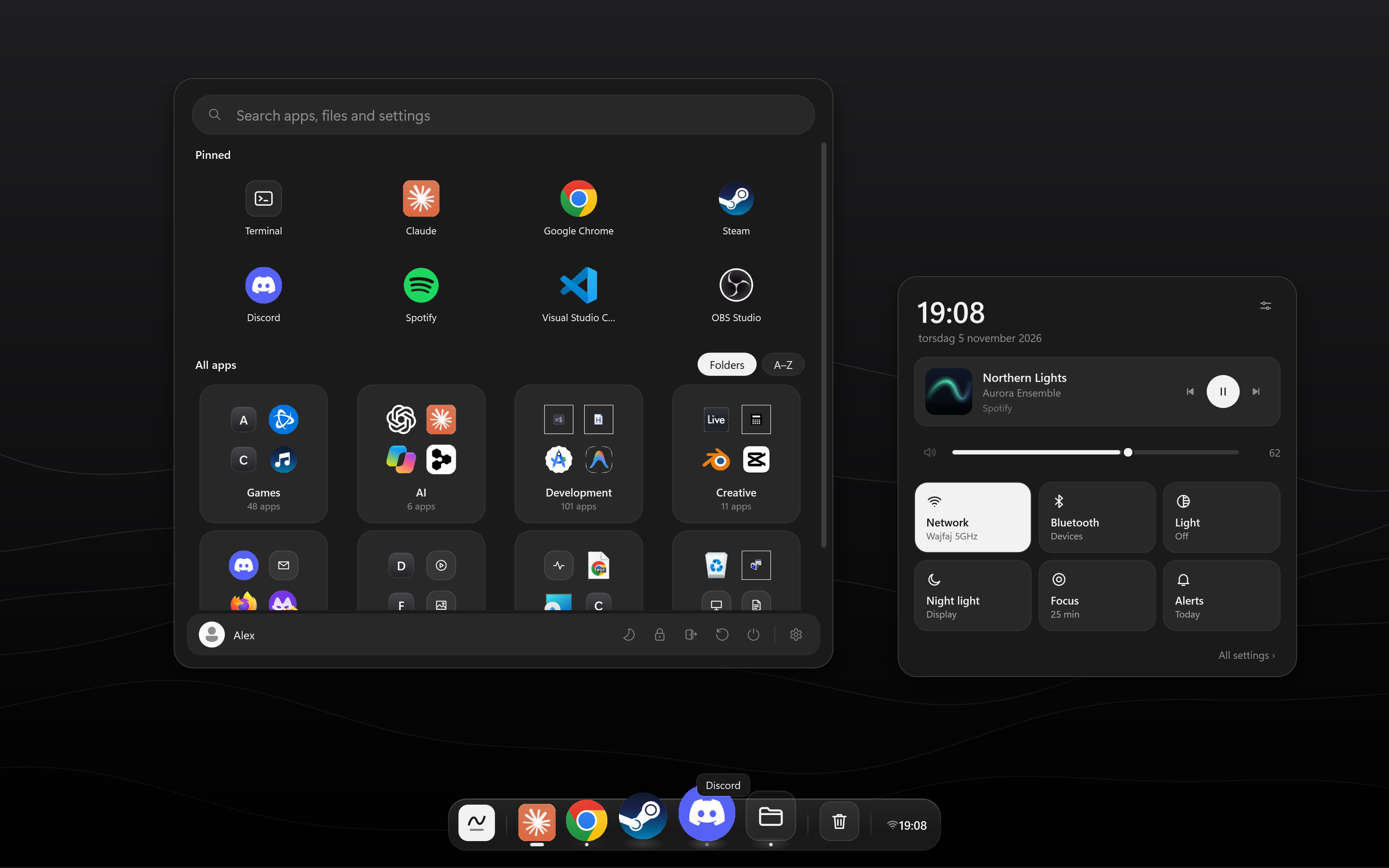
A polish release.
- Norrsken has its own icon now.
- The frames Windows draws around small app icons are gone, and apps with a missing icon get a tile with their first letter instead of a blank page.
- Settings switches don't slide into place every time a page opens anymore.
- Task Manager's graphs look a lot better.
- The selected filter in the launcher is always readable, and the launcher shows your full name.
Norrsken 0.3.0
The first public release. Install it from a Norrsken stick, or with Install Norrsken on the Windows you already have. From here on it keeps itself up to date.
- Animations run at your monitor's full refresh rate.
- Screenshots don't flash white anymore, and the toolbar shows up on the monitor you're using.
- Norrsken's title bars leave apps that draw their own alone (Chrome, Discord and so on).
- Quick Settings can't cover the dock, and the Windows key brings the dock up with the launcher.
- Text boxes match the theme, and Flickerbox shows up in the launcher.
- Norrsken can update itself from GitHub.