Repository navigation
Releases
Automata v0.6.1

Automata v0.6.1
Windows-first, voice-first personal AI companion by HassanTech.
Download
Automata-*-x64.exe— Windows installer (64-bit)SHA256SUMS.txt— checksum for the installer
Verify your download
The installer is not code-signed. Before running it, confirm its SHA-256 matches:
dfa2c007d955bc34ad24896903a4ba6c86b3da957ff1249f5bc57514a95acff7 *Automata-0.6.1-x64.exe
On Windows, check it in the folder you downloaded it to:
certutil -hashfile Automata-*-x64.exe SHA256
Windows may show "Windows protected your PC". Click More info → Run anyway, after the hash above matches.
See CHANGELOG.md for what changed.
Full Changelog: v0.6.0...v0.6.1
Automata v0.6.0
Automata v0.6.0
Windows-first, voice-first personal AI companion by HassanTech.
Download
Automata-*-x64.exe— Windows installer (64-bit)SHA256SUMS.txt— checksum for the installer
Verify your download
The installer is not code-signed. Before running it, confirm its SHA-256 matches:
aa9a1b67203837859fe2dd46145d38d753dcebed22436c8ae85f6a548d4f559b *Automata-0.6.0-x64.exe
On Windows, check it in the folder you downloaded it to:
certutil -hashfile Automata-*-x64.exe SHA256
Windows may show "Windows protected your PC". Click More info → Run anyway, after the hash above matches.
See CHANGELOG.md for what changed.
Full Changelog: v0.5.0...v0.6.0
Automata v0.5.0
Automata v0.5.0
Windows-first, voice-first personal AI companion by HassanTech.
Download
Automata-*-x64.exe— Windows installer (64-bit)SHA256SUMS.txt— checksum for the installer
Verify your download
The installer is not code-signed. Before running it, confirm its SHA-256 matches:
7fe7c78f6dd5b6428b930fb57451190747841b9563c2403ad980842e7c97b6c5 *Automata-0.5.0-x64.exe
On Windows, check it in the folder you downloaded it to:
certutil -hashfile Automata-0.5.0-x64.exe SHA256
Windows may show "Windows protected your PC". Click More info → Run anyway, after the hash above matches.
See CHANGELOG.md for what changed.
Companion v0.4.0 - Voice-First Shell, Real App Icon, MIT Licensed

Companion v0.4.0 — Voice-First Shell, Real App Icon, MIT Licensed
A voice-first Windows desktop companion that does the work instead of describing it. It opens and closes apps, plays music by name, reads your mail aloud, drives media and window state, locks the PC and adjusts display settings — from natural speech, with encrypted local memory and combined reasoning across multiple model providers.
Note: the previous release was
v0.2.0. There was nov0.3.0binary release;v0.3.0was published tomainas documentation work only, sov0.4.0is the first downloadable build sincev0.2.0.
Highlights
A rebuilt, high-end interface
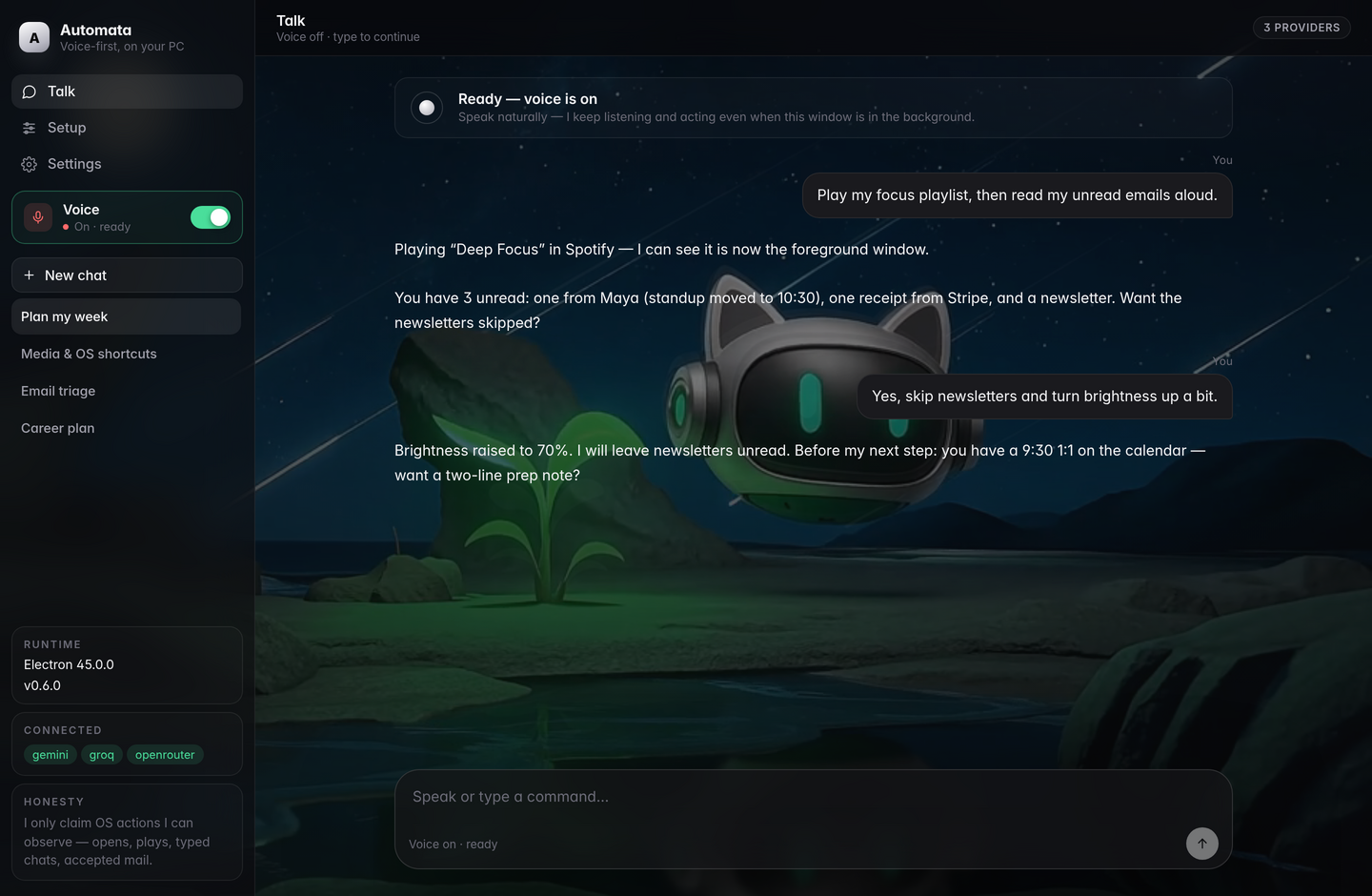
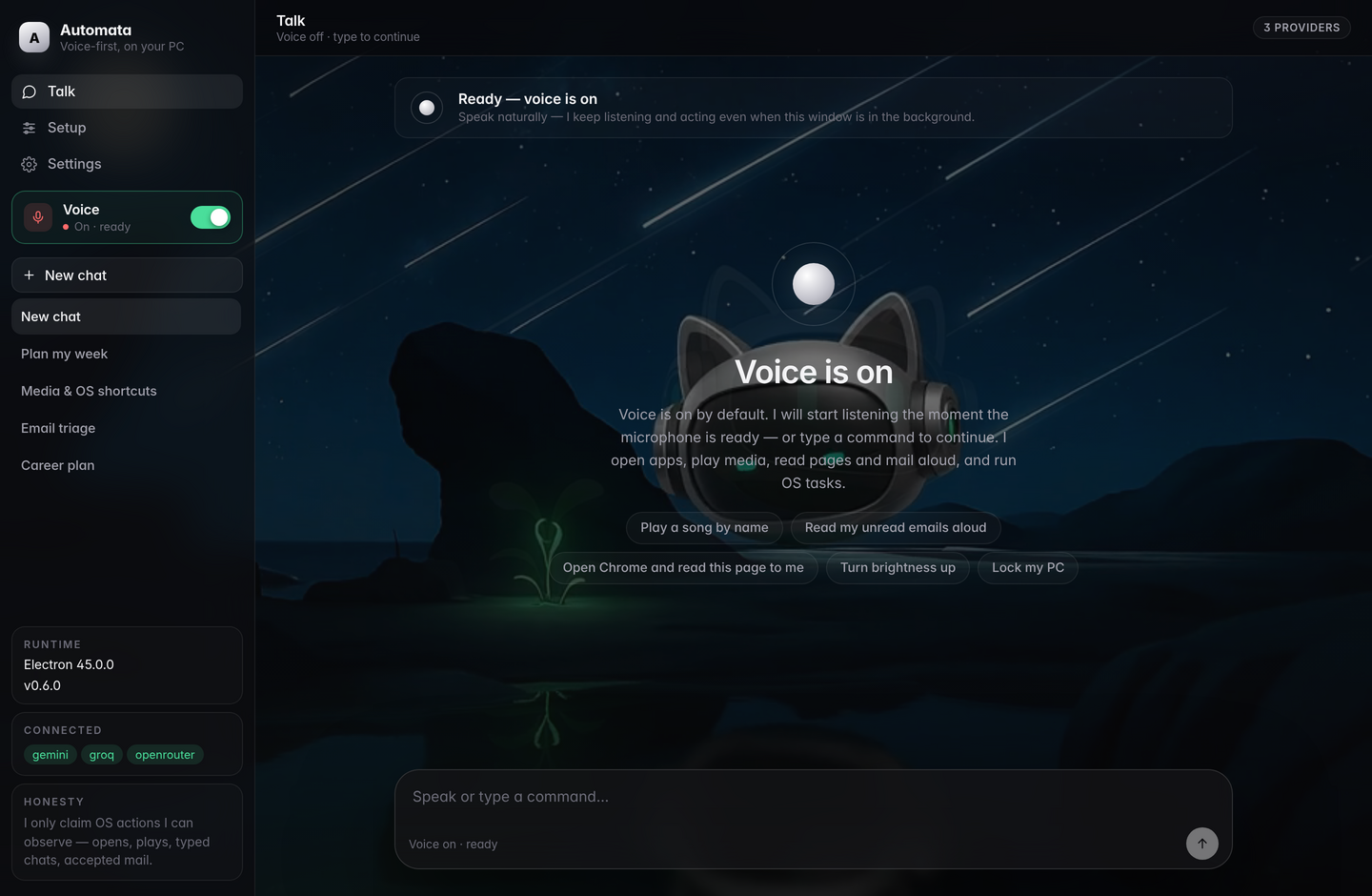
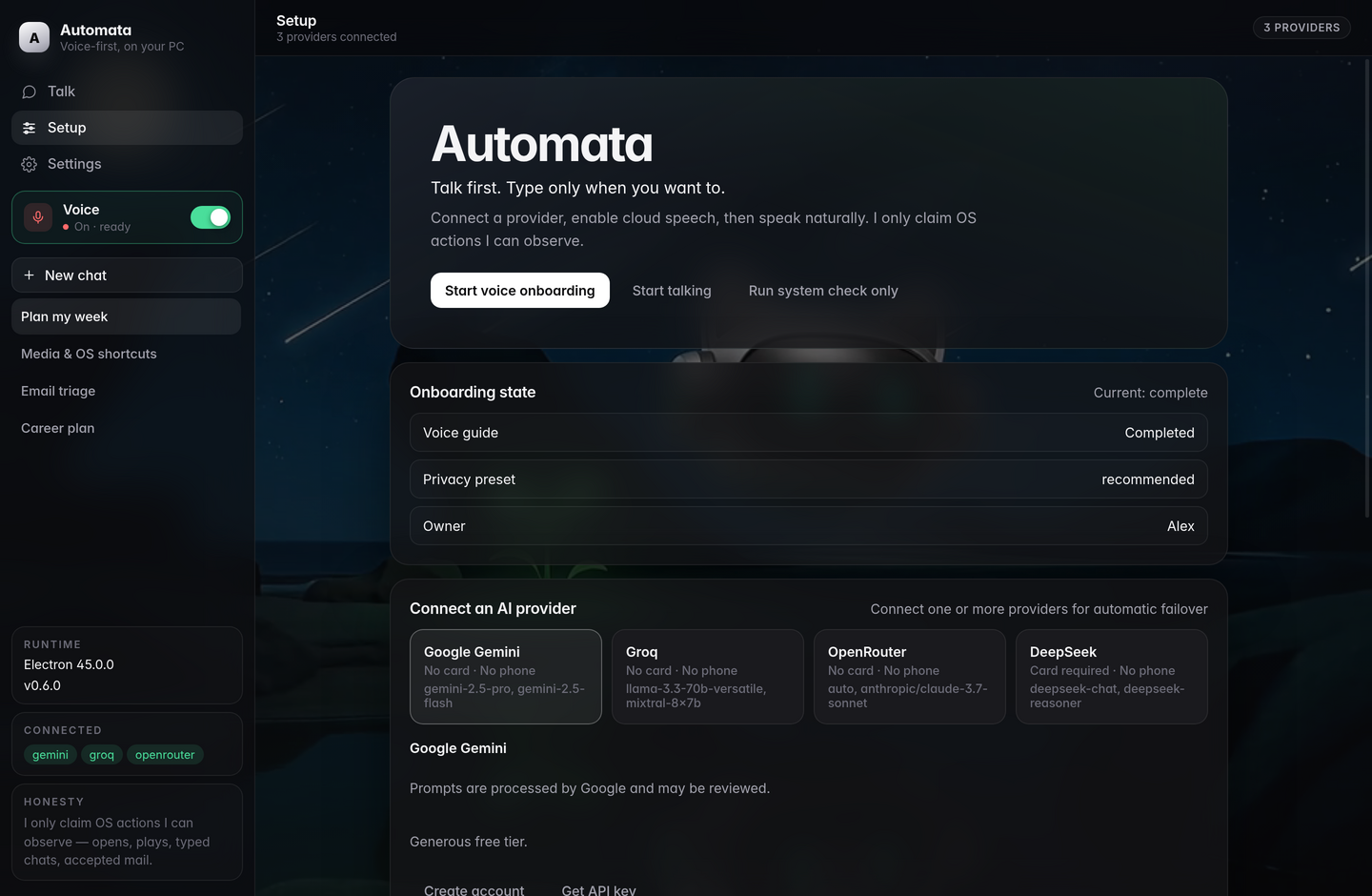
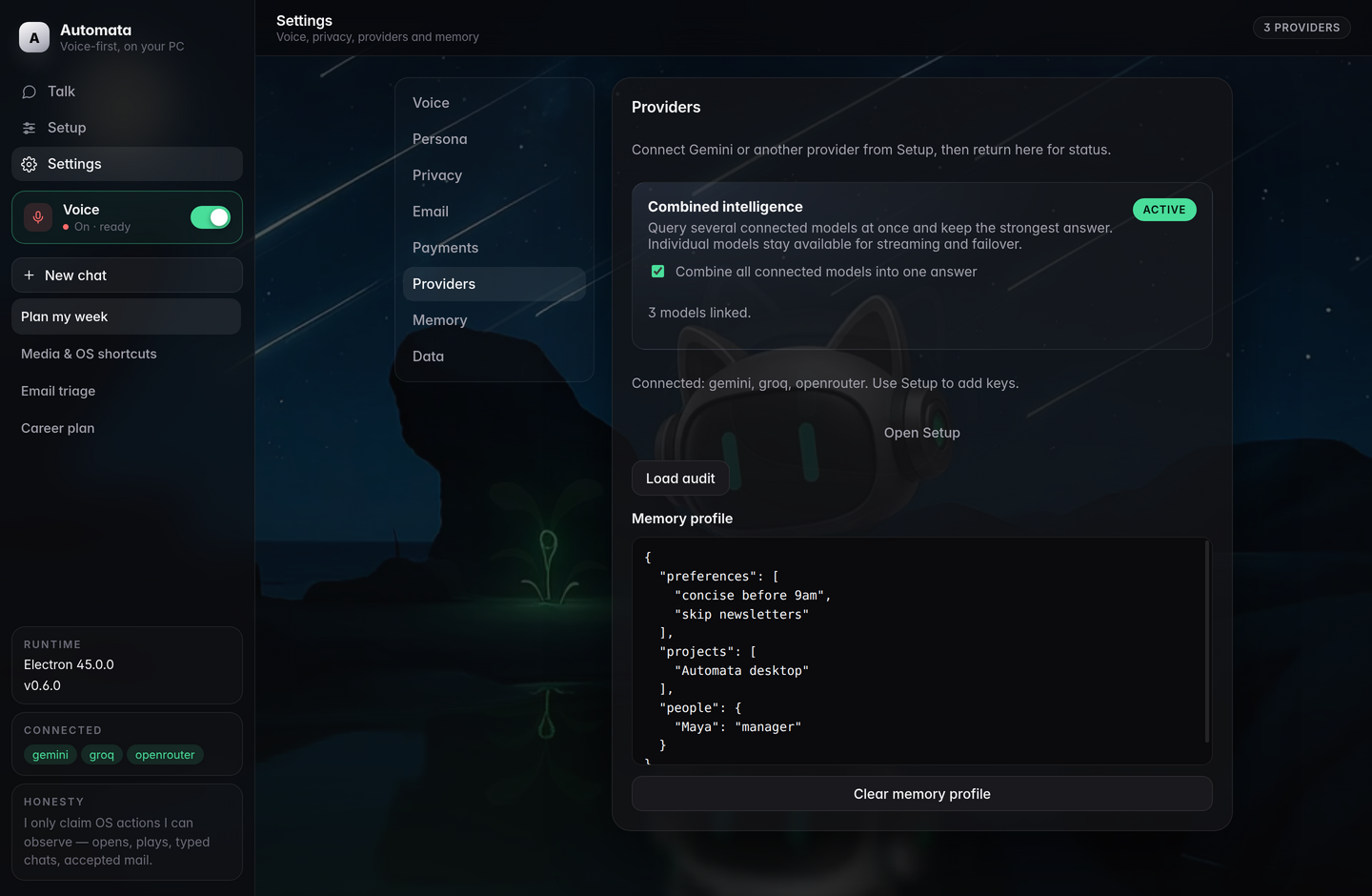
- Persistent left rail: Talk / Setup / Settings, plus New chat, live conversation history with per-chat delete, and runtime, connected-provider and honesty cards.
- New chat surface with an animated voice orb and one-tap prompts for the things people actually ask for.
- Sticky composer — Enter sends, Shift+Enter inserts a newline.
- Reworked design system: near-black surfaces, a single silver accent, mint/amber state colours, and a responsive overlay rail below 960 px.
| Talk — live conversation | Talk — empty state |
|---|---|
 |
 |
| Guided setup | Settings → Providers |
|---|---|
 |
 |
| Settings → Voice | |
|---|---|
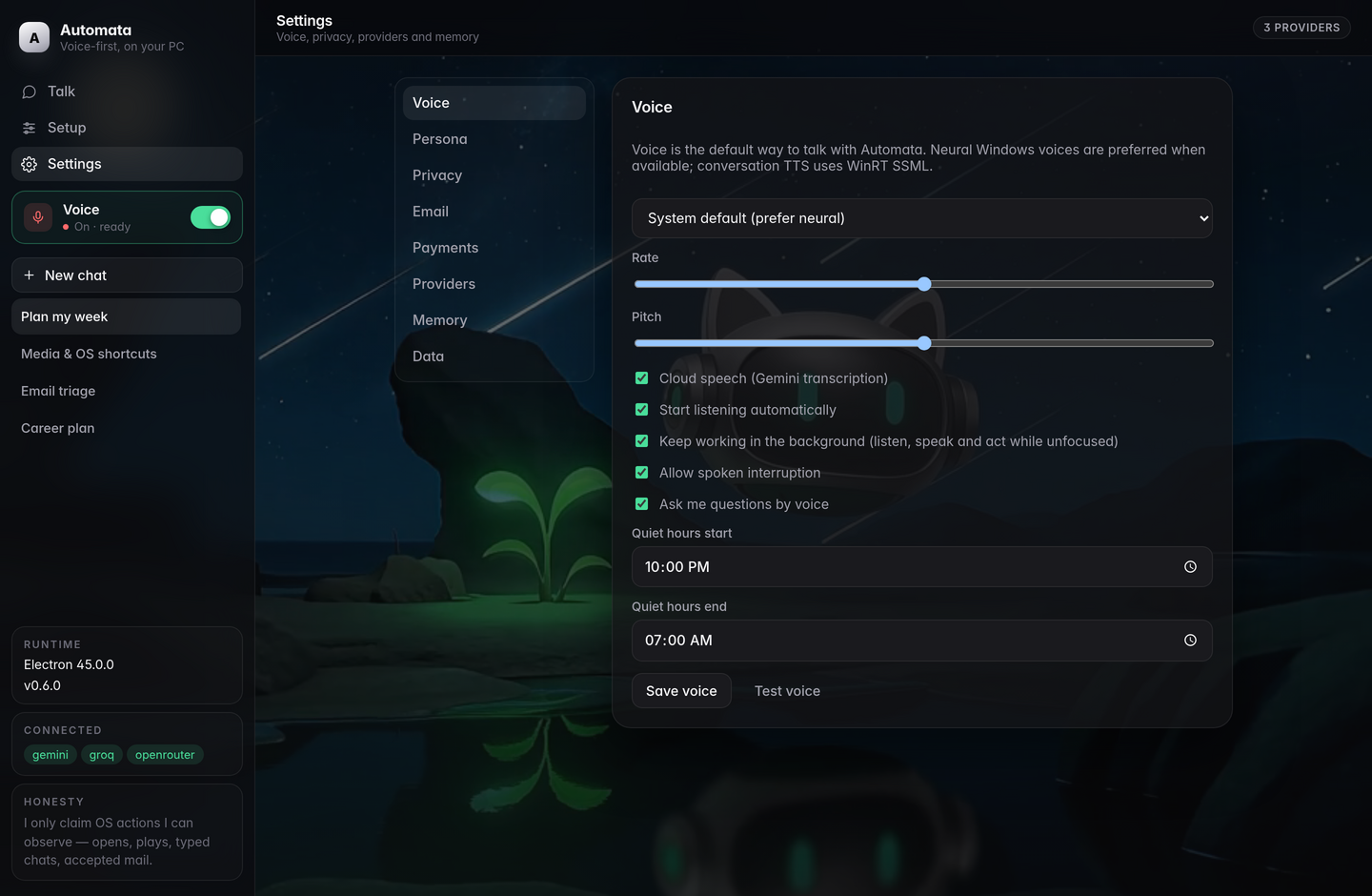 |
Fixed: the composer was pushed off-screen
The app grid declared no explicit row sizing, so it expanded to content height and pushed the composer below the fold on any conversation that had messages. The grid now pins a single row to the viewport and the composer sits inside it — verified by DOM measurement at 1440×940.
Real Windows application icon
resources/icon.png was an SVG with a .png extension, and win.icon pointed at an SVG while no .ico existed in the tree at all. Windows builds were therefore silently falling back to the default Electron icon. This release ships a genuine 512×512 PNG plus a 7-size .ico (16 → 256), wired into win.icon, installerIcon and uninstallerIcon, and included in the packaged file list.
MIT licensed
Added a LICENSE file and set license: "MIT" in all four manifests. Previously the manifests said UNLICENSED and no licence file existed.
Documentation
The README was rewritten for v0.4.0, including the app icon, an MIT badge, a "What's New" section and five screenshots captured from the real production bundle.
Install
Installer (recommended)
Download Companion-0.4.0-x64.exe from the Assets section below and run it. It installs per-user, so no administrator rights are required.
| Artifact | Size | SHA-256 |
|---|---|---|
Companion-0.4.0-x64.exe |
122,527,602 bytes (117 MB) | 57babcd0c988e2750be0cd1ecf7de78282b49ab87be6168411407aa678d0e349 |
To verify on Windows:
Get-FileHash .\Companion-0.4.0-x64.exe -Algorithm SHA256From source
Requires Windows 10/11 (64-bit), Node.js ≥ 22.5 and npm ≥ 10.
git clone https://github.com/hassan200503/personal-companion-bot.git
cd personal-companion-bot/companion

npm install
npm start          # run in development
npm run verify     # lint + typecheck + test + build
npm run package    # produce a Windows NSIS installer
First run
- Connect a model — Settings → Providers → add a Gemini key, or any catalog provider. Free tiers are sufficient to start.
- Combine models (optional) — with two or more providers connected, enable Combined intelligence to merge their answers.
- Set up voice — Settings → Voice → grant cloud speech consent → pick a voice → test.
- Talk — press the microphone in the voice dock, or just type.
Verification
npm run verify runs lint, typecheck, tests and both builds:
| Gate | Result |
|---|---|
| ESLint | 0 errors |
| TypeScript | 0 errors |
| Vitest | 67 files / 539 tests passing |
| Build | app + renderer succeed |
The same verify job runs in CI on windows-latest for every push touching companion/ — see .github/workflows/companion-ci.yml.
Known limitations
These are stated plainly so you know exactly what you are installing:
- Windows 10/11 x64 only. Voice output uses the WinRT speech stack; the packaged helper is a Windows binary.
- You supply your own model API key. The app ships no credentials and has no hosted backend, so there is nothing for the maintainer to bill or rate-limit. Free tiers (Gemini, Groq, OpenRouter) work.
- Cloud speech recognition is consent-gated and off by default. When enabled, audio is sent to the configured provider for transcription and nothing else. Local memory stays on disk in an encrypted SQLite database.
- Narrated dictation into other applications uses synthetic keystrokes (
SendInput), so it types into whatever window currently has focus. The app surfaces this rather than hiding it. - The legacy WhatsApp persona bot is still in
src/at the repository root. It is a separate, unmaintained project and is not part of Companion.
Full changelog
Companion AI v0.2.0 - Full OS Control and Enterprise Production Readiness
Companion AI v0.2.0 — Full OS Control and Enterprise Production Readiness
What's New
29 New OS Control Tools
Full PC automation through natural language and voice:
| Module | Tools |
|---|---|
| System Control | volume, mute, media keys, brightness, lock screen, sleep |
| Window Control | close app, switch app, minimize, maximize, list processes, kill process |
| Text Input | type text, send keys, clipboard read/write/clear |
| File Operations | list, search, copy, move, delete, create folder |
| Web Reading | read any web page aloud (HTML to speakable text) |
| voice/video calling by contact name | |
| Clipboard (Native) | native Windows clipboard via PowerShell |
Natural Language Router
~30 new regex patterns so you can say:
- "set volume to 50"
- "lock screen"
- "close notepad"
- "type hello world"
- "read https://example.com aloud"
- "call John on WhatsApp"
- "list files in Documents"
- "search for *.pdf"
Engine Improvements
- Cognition streaming: AI reasoning output now streams word-by-word
- Byte-size cache eviction: 2MB memory budget prevents unbounded growth
- Conversation lock cleanup: No more leaked locks on conversation deletion
Code Quality
- WhatsApp tool audit field type fix
- normalizeMemoryProfile: secure UUID generation, mutation fix
- whatsapp.call permission registration
Verification
- 515 tests passing (up from 439)
- 66 test files (up from 61)
- 76 new tests added
- 0 TypeScript errors
- 0 lint errors
- Build passing, NSIS installer rebuilt
Version
Bumped to 0.2.0 across root, desktop, and core packages.
Installation
- Download
Companion-0.2.0-x64.exe - Run the installer
- Launch Companion from the Start menu
- Complete the onboarding wizard
- Configure your AI provider key in Settings
Minimum Requirements
- Windows 10/11 (64-bit)
- Microphone (for voice input)
- Internet connection (for AI provider)