Repository navigation
The workshop
The workshop has five pages, in the bar on the left. The top right always shows the active mod, the model and whether the search index is ready.
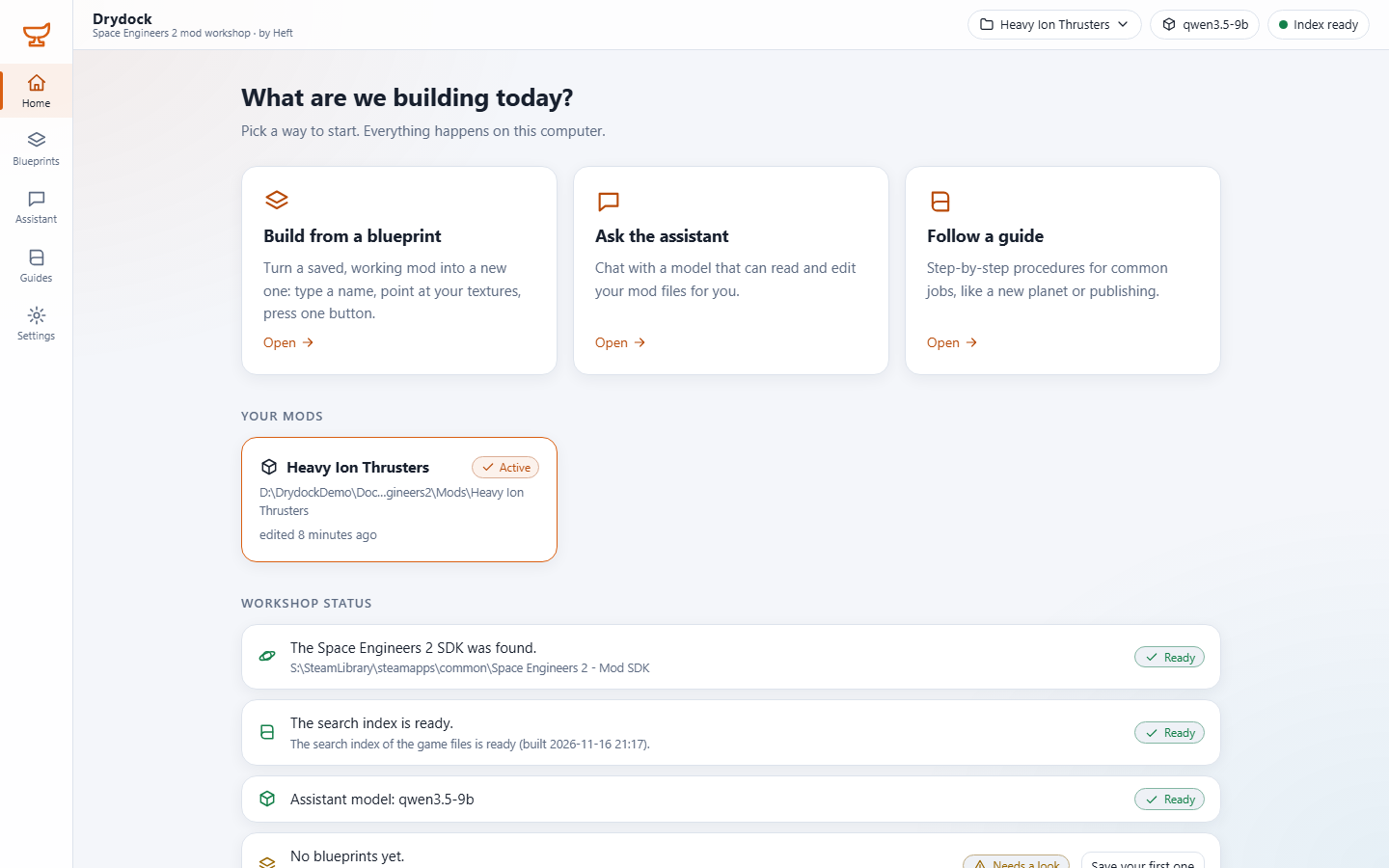
Three ways to start, your mods (click one to make it the active mod), and the workshop's status: the SDK, the search index, the model and your blueprints, each with what to do if it needs a look.
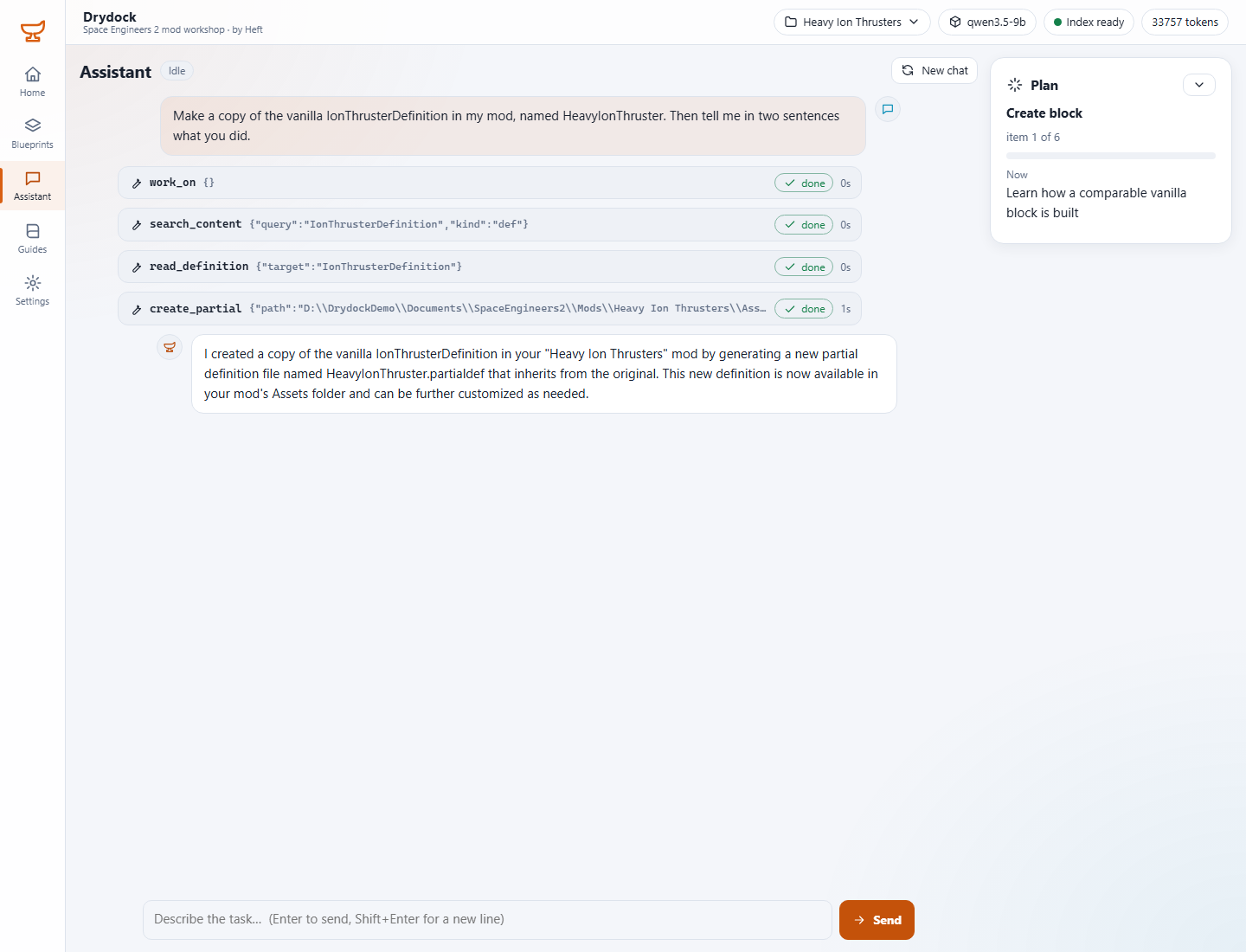
Chat with a model that reads and edits your mod's files through Drydock's tools. Every tool call is shown as a card; click one to see its arguments and result. When the assistant follows a guide, the panel on the right shows its plan and where it is.
You do not need GUIDs: ask for things by name ("the vanilla ion thruster") and Drydock finds them. When the assistant changes a file it changes one value and leaves the rest untouched, and keeps a backup of the old file.
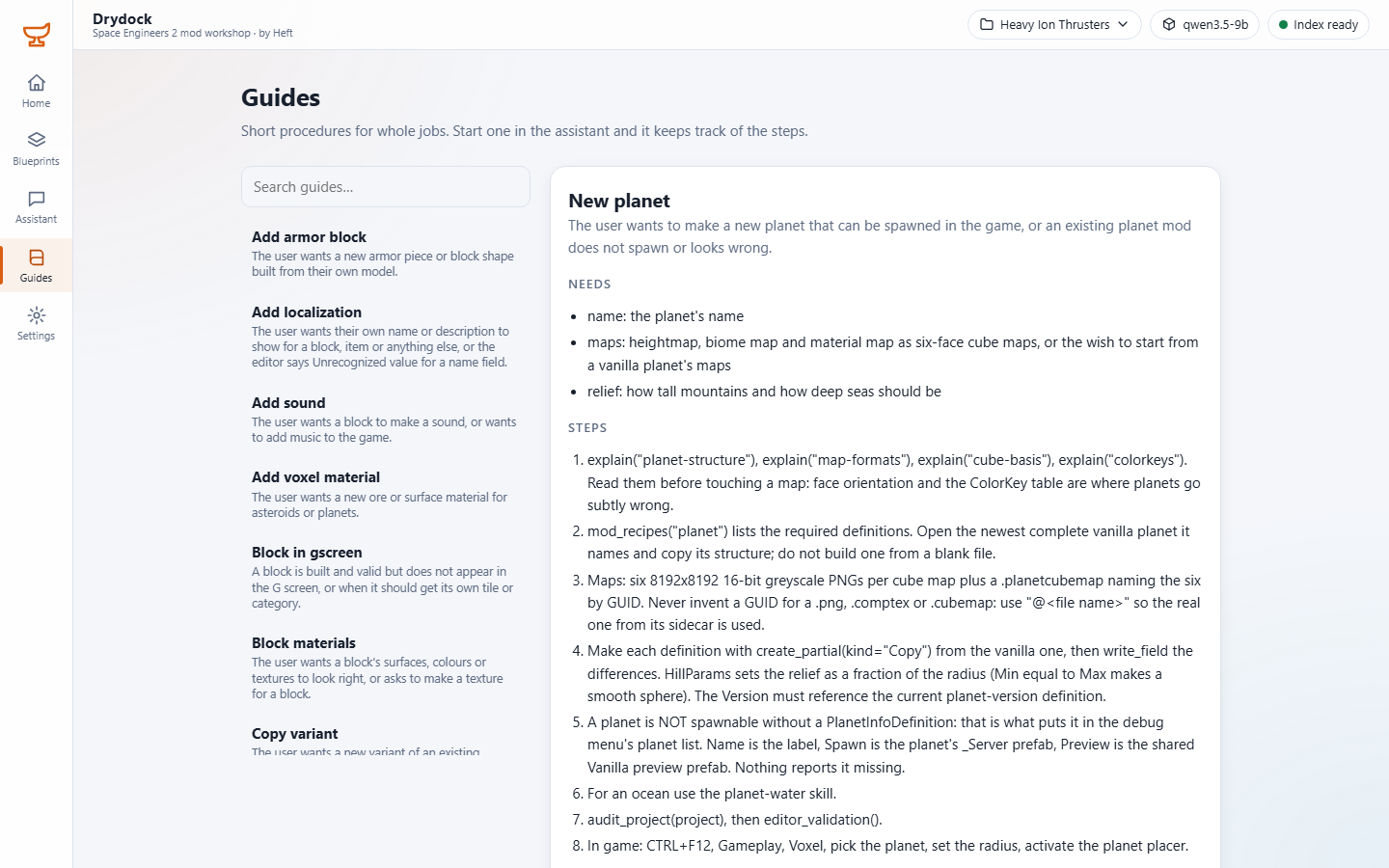
Eighteen step-by-step procedures for whole jobs: a new block, a new planet, planetary water, block sounds and materials, publishing, a mod that loads but does nothing, and more. Each says what it needs from you and lists its steps. Start one from the assistant and it keeps track of the steps for you.
A blueprint is a mod that works, saved as a pattern. Next time you only give a name and a texture folder, and Drydock builds a fresh copy: a new planet from a planet blueprint, a new ore from an ore blueprint.
You start with none. When a mod works in game, save it as a blueprint from this page (or ask the assistant to); building from it is then a four-step wizard: values, textures, where, build.
The model connection (see Connecting a model), the theme (light or dark) and the language.
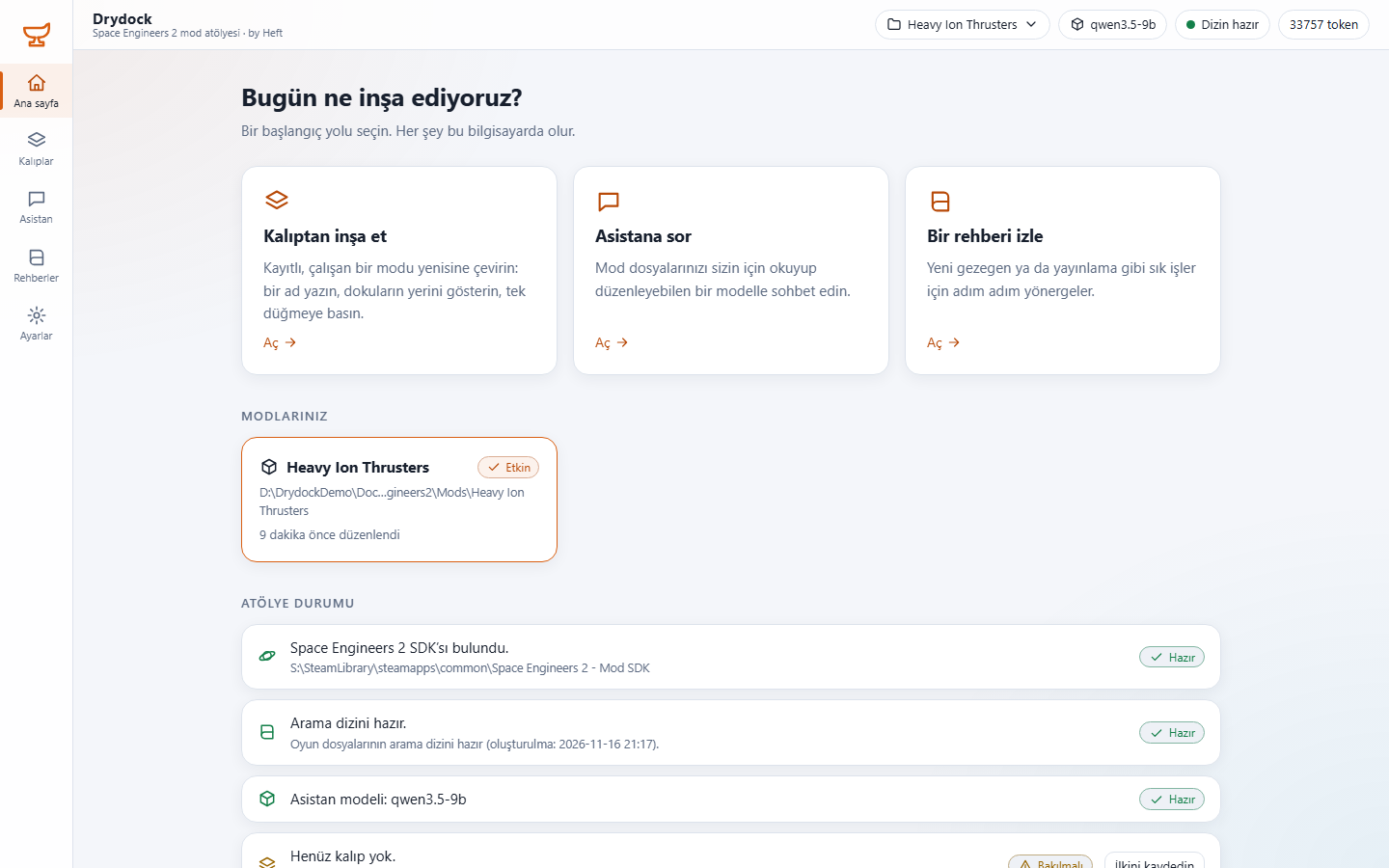
The whole workshop, guides and blueprints included, is in English and in Turkish. It opens in your browser's language and remembers what you pick in Settings. The assistant answers in the chosen language too.