Repository navigation
Releases
DisplayDJ Full 1.2.0

DisplayDJ Full 1.2.0
首次提供应用内更新。在主面板菜单或「设置 → 操作偏好」检查更新。内建屏媒体亮度键交由 macOS 处理;改进菜单弹窗动画和亮度读数布局。
- 匹配 Full 的版本与架构,校验 SHA-256、应用标识、版本和代码签名。
- 先暂存新版,再按原有恢复流程退出并替换;取消退出保留原应用,替换或重新启动失败时尝试恢复旧版。
- 782 项自动测试通过。另用隔离签名测试 App 验证成功替换并重启、取消、拒绝错误校验和、重启失败回滚。
从 1.1.0 或更早版本升级,请手动下载本页的 ZIP 或 DMG。 先恢复外屏并退出旧版,再替换 DisplayDJ.app;如曾将 CLI 复制到 PATH,也请同步更新。Apple Silicon arm64,ad-hoc 签名,未经 Apple 公证。未重新验收所有外屏或最低系统首装。
English: Adds in-app update checks with verified archives and an exit-before-replace workflow, plus popover and brightness readout refinements. Upgrade manually from earlier releases. arm64, ad-hoc signed, not notarized. Swap and rollback were exercised in isolated test apps.
DisplayDJ Lite 0.3.0 — Prerelease
DisplayDJ Lite 0.3.0 — 预发布
首次提供独立的应用内更新,可从「亮度与连接操作说明」检查。Lite 只选取 Lite 发行物,继续独立安装,不需要 Full、CLI 或后台服务。改进菜单弹窗动画和亮度读数布局。
- 校验 SHA-256、应用标识、版本和代码签名,先暂存新版再按原有恢复流程退出并替换。
- 取消退出保留原应用;替换或重新启动失败时尝试恢复旧版。
- 782 项自动测试通过。另用隔离签名测试 App 验证成功替换并重启、取消、拒绝错误校验和、重启失败回滚。
从 0.2.0 或更早版本升级,请手动下载本页的 ZIP 或 DMG。 先恢复外屏并退出旧版,再替换 DisplayDJLite.app。Apple Silicon arm64,ad-hoc 签名,未经 Apple 公证;本次未重复外屏硬件矩阵或最低系统首装验收。
English: Lite prerelease with a separate in-app update stream and verified, staged replacement. Upgrade manually from earlier versions. arm64, ad-hoc signed, not notarized. Swap and rollback were exercised in isolated test apps.
DisplayDJ 1.1.0 — DDC fixes, diagnostics and recovery
DisplayDJ Full 1.1.0
2026-10-29 · 下载 ZIP / DMG 与 SHA-256
修复部分外屏无法读取 DDC 亮度的问题,新增本地诊断导出,并改进唤醒、屏幕插拔与多个控制入口之间的恢复协调。
- DDC 查询修复:IOAV 适配器保留正确的 Get VCP 校验字节,不再漏算源地址。继续检查实际回复的源地址、长度、校验和与目标 VCP,不将无效回复或 Gamma 当作硬件成功。
- 本地诊断导出:在操作偏好中导出 JSON 与文本报告,默认隐藏 UUID、序列号、用户名、本机路径和原始错误内容;只读采集,由用户选择保存位置,不自动上传。
- 唤醒与拓扑更新:作废过期读数和操作意图,保持操作绑定原稳定目标,避免较晚完成的请求覆盖新状态。
- 连接恢复协调:同一用户下,新版 Full、Lite 和 CLI 串行核对完整连接事务,旧恢复责任不覆盖更新的意图。旧版本不参与该协议;Full/Lite 仍分别保存恢复记录。
完整自动测试 773 项通过。Apple M1 / macOS 27.2 / H27T22S(DP→DP)上,已安装 Full 与 Lite 分别经真实界面调节 0% → 5% → 0%,每步通过独立 DDC 命令回读;同源 Release CLI 另完成 0% → 3% → 0% 验证。其他设备与待验范围见发布验证记录。
Apple Silicon arm64;macOS 13 为部署目标;ad-hoc 签名,未经 Developer ID 签名或 Apple 公证。 最低系统与全型号兼容不由当前单机结果推定。提供独立 ZIP、DMG 及各自 SHA-256。
升级前恢复当前外屏并正常退出旧 Full/Lite,再覆盖对应 App;配置、预设与恢复记录沿用原目录。独立复制到 PATH 的 CLI 也需更新;可选后台服务与 App 使用同一版本。替换 ad-hoc App 后,系统可能需要重新确认全局键盘控制的辅助功能授权。不要删除恢复记录来绕过失败。
English
Fixes the Apple Silicon IOAV Get VCP checksum, adds redacted local diagnostic export, and improves stale-request invalidation and cross-process display-connection recovery coordination. Both installed apps passed real H27T22S hardware brightness adjustment and restoration with independent DDC readback. Older versions do not participate in the new connection protocol. 773 automated tests passed; see the validation notes for device-specific limits. arm64, ad-hoc signed, not notarized; macOS 13 deployment target. Restore and quit before upgrading. Previous releases remain available for rollback.
DisplayDJ Lite 0.2.0 — DDC fixes and diagnostics
DisplayDJ Lite 0.2.0 — 预发布
2026-10-29 · 下载 ZIP / DMG 与 SHA-256
本版修复 DDC 硬件亮度查询,增加默认脱敏的本地诊断导出,并改善唤醒、插拔和恢复保护。Lite 继续提供基础亮度与外屏连接控制,保持独立 App、数据和恢复记录。
- 保留源地址参与的 Get VCP 校验字节;严格核验实际回复,失败不自动启用软件调光。
- 从帮助入口导出本地 JSON/文本诊断,不需要 Full、CLI 或后台服务,不自动上传。
- 唤醒和拓扑变化后作废旧读数及过期写入意图,合并刷新并进行有限重试。
- 与新版 Full/CLI 协调完整连接事务;恢复子进程只处理仍属于自身的恢复责任。旧版本不参与协议。
- 断开前确认恢复保护就绪;正常退出前恢复并核验,失败保留记录并取消退出。保留未接入历史屏幕记录,不按复用编号操作其他屏幕。
完整自动测试 773 项通过。已安装 Lite 在 Apple M1 / macOS 27.2 / H27T22S(DP→DP)上,经界面完成 0% → 5% → 0%,独立 DDC 命令确认调节与恢复。当前内核的 Dell 普通断开/重连、物理拔插和 Lite 主进程异常结束后的恢复另有本机记录;不宣称所有异常或所有设备都能自动恢复。详见发布验证记录。
预发布;Apple Silicon arm64;macOS 13 为部署目标;ad-hoc 签名、未经 Apple 公证。 升级或卸载前先恢复当前外屏并正常退出,再覆盖 /Applications/DisplayDJLite.app,不要覆盖 Full。恢复文件位于 App 外,不随覆盖安装删除。见恢复与卸载说明。
English
Fixes hardware DDC query checksums, adds read-only redacted local diagnostics, and improves wake/topology refresh and recovery ownership coordination. The installed Lite app passed H27T22S hardware brightness adjustment and restoration with independent readback. The new connection protocol requires cooperating new versions. Prerelease, arm64, ad-hoc signed, not notarized. Restore and quit before replacing or uninstalling Lite; do not delete recovery records to bypass a failure. 773 automated tests passed; hardware support remains connection-specific.
DisplayDJ 1.0.2 — Updated 2026-10-25
DisplayDJ Full 1.0.2 · 2026-10-25 更新
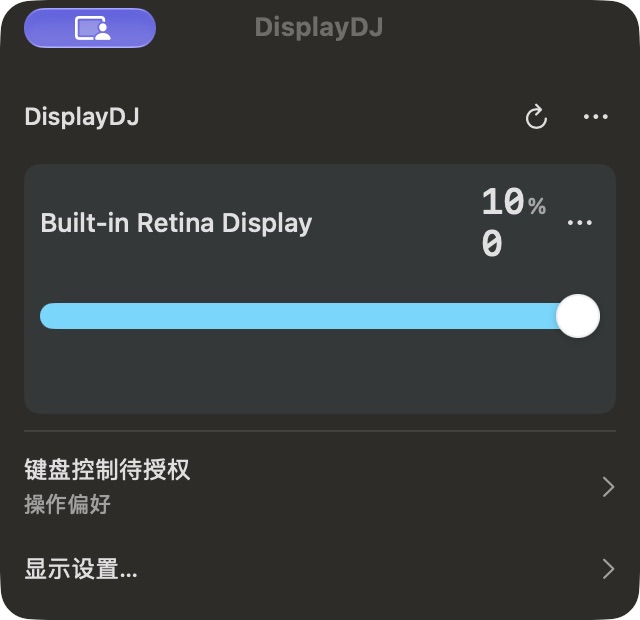
安装包 / Downloads: ZIP · DMG · ZIP SHA-256 · DMG SHA-256
- 交付已选主面板:逐屏亮度卡片、等宽百分比、滚轮/键盘目标、逐屏请求与确认反馈、分组设置。
- 断开前独立确认,提交前核对稳定目标;GUI 退出前恢复并核验当前记录,失败保留记录并取消退出。
- 单色原生刷新图标按下即反馈,短促单次旋转,稍久读取才显示“刷新中”;亮度操作不触发刷新动画,减少动态效果时静止。
- 保留媒体键、固定快捷键、显示设置、预设、独立 CLI 与可选本地服务。
756 项自动测试及隔离 CLI/HTTP smoke 通过;ZIP / DMG 内容、挂载、签名和 SHA-256 通过检查。原生交互与历史设备结果分开记录,不新增外屏兼容承诺。
English: The selected Full interaction design is now included, with stable per-display values and feedback, clearer control targets and settings, explicit disconnect confirmation, restore-before-quit, and faster native refresh-symbol feedback. Full remains the latest stable product.
发布与安装 / Distribution
- Apple Silicon arm64;macOS 13 为部署目标,未做最低系统实体安装验收。
- ad-hoc 签名,未经过 Developer ID 签名或 Apple 公证。不是 universal 构建;保留既有硬件兼容性边界。
- ZIP / DMG 来自同一产品的同一次 Release 构建,各附 SHA-256;升级前恢复当前外屏并正常退出,分别覆盖对应 App,保留恢复记录。
- 2026-10-25 原位更新:维护者明确要求保留版本号、标签名和下载文件名,已下载较早构建的用户请重新下载,并使用本次新
.sha256。
English: Refreshed in place on 2026-10-25 at the maintainer’s explicit request. Existing version numbers, tag names and asset filenames are retained; download again and use the new SHA-256 file if you have an earlier build. Apple Silicon arm64, macOS 13 deployment target, ad-hoc signed and not notarized. Restore current external displays and quit before replacing the corresponding app. Minimum-OS installation, clean first launch and broad hardware support remain unverified.
Tag CI passed · Published ZIP/DMG and SHA-256 files were downloaded again and verified against the exact source build.
DisplayDJ Lite 0.1.0 — Prerelease, updated 2026-10-25
DisplayDJ Lite 0.1.0 · 2026-10-25 预发布更新
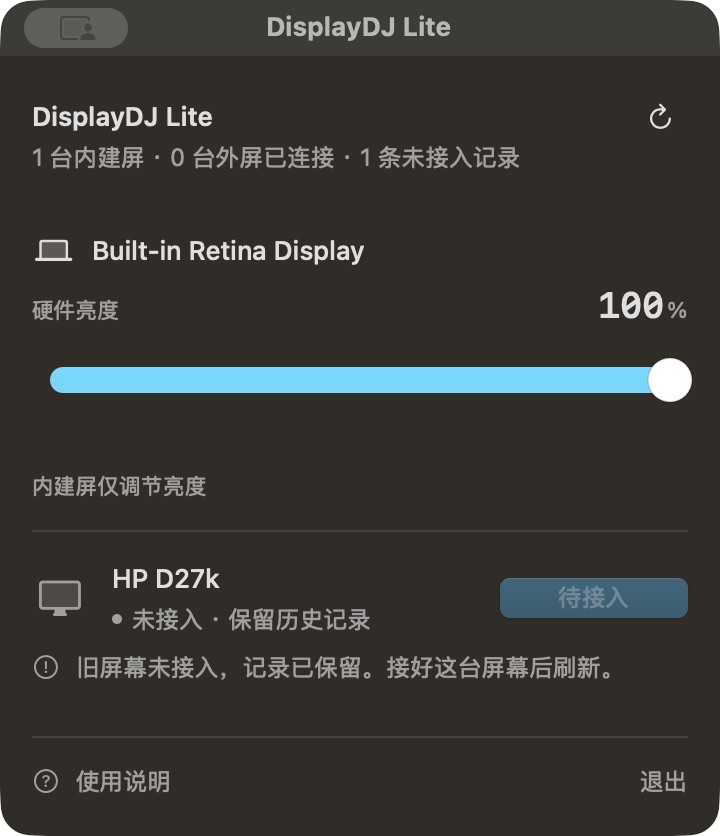
安装包 / Downloads: ZIP · DMG · ZIP SHA-256 · DMG SHA-256
- 新增基础硬件亮度:内建屏原生背光、支持的外屏 DDC;不支持时明确报错,不自动改用 Gamma。
- 等宽亮度数字、原生滑块和键盘调节,逐屏确认/失败/重试;过期结果不能覆盖最新意图。
- 与 Full 共用短促的原生刷新反馈;退出文字不随读取反复变灰,安全退出与异常恢复保护保留。
- 继续提供单台外屏断开/重连、稳定恢复记录和明确确认;不包含 CLI、Gamma、模式或本地服务。
756 项自动测试通过(Lite 50 项),隔离 smoke 与 ZIP/DMG 校验通过。Apple M1 内建屏已通过 Lite GUI 调节、独立读回及精确原值恢复;历史 Dell 重连与异常退出恢复仍单列,不能代替 Lite 外屏 DDC 验收。
English: Lite now includes native built-in brightness and supported external-display DDC brightness, monospaced values, keyboard adjustment and per-screen confirmation feedback. Refresh feedback is faster and quit text is visually stable. Lite remains a prerelease; Full 1.0.2 remains latest stable.
发布与安装 / Distribution
- Apple Silicon arm64;macOS 13 为部署目标,未做最低系统实体安装验收。
- ad-hoc 签名,未经过 Developer ID 签名或 Apple 公证。不是 universal 构建;保留既有硬件兼容性边界。
- ZIP / DMG 来自同一产品的同一次 Release 构建,各附 SHA-256;升级前恢复当前外屏并正常退出,分别覆盖对应 App,保留恢复记录。
- 2026-10-25 原位更新:维护者明确要求保留版本号、标签名和下载文件名,已下载较早构建的用户请重新下载,并使用本次新
.sha256。
English: Refreshed in place on 2026-10-25 at the maintainer’s explicit request. Existing version numbers, tag names and asset filenames are retained; download again and use the new SHA-256 file if you have an earlier build. Apple Silicon arm64, macOS 13 deployment target, ad-hoc signed and not notarized. Restore current external displays and quit before replacing the corresponding app. Minimum-OS installation, clean first launch and broad hardware support remain unverified.
Tag CI passed · Published ZIP/DMG and SHA-256 files were downloaded again and verified against the exact source build.
DisplayDJ 1.0.1
DisplayDJ 1.0.1
手动亮度调节现在优先于已有 Agent 会话;设置窗口和亮度条的交互也得到小幅改善。普通 CLI 仍可独立使用,本地服务按需启动。
主要变化
- 手动调节优先:通过 App、CLI、HTTP 或亮度预设调节某块屏幕后,已有 Agent 会话跳过该屏后续阶段、结束和超时的亮度写入。其他屏幕及保活租约继续按配置处理;新会话从当前亮度建立恢复点。
- 恢复规则更明确:旧会话不能从进程缓存恢复已被用户接管的亮度;重叠会话由最后一个仍持有控制权的会话恢复。直接 CLI 亮度修改保留显式撤销点,服务退出不会撤销手动背光值。
- 脚本能检查实际结果:
agent begin/phase/end --json保留data.session并返回逐屏结果及跳过原因。损坏状态或运行中的旧版服务会拒绝亮度写入。 - 减少无效控制:设置窗口隐藏内建屏、虚拟屏、镜像屏及无法确认稳定身份的屏幕的 DDC 音量/对比度区域。可探测外屏的“不支持”与“不可读取”分别显示,调节按钮保持禁用直到读取成功。
- 直接调节更跟手:亮度条拖动取消弹簧延迟,填充和滑块同步;遵循系统“减少动态效果”,关闭相关过渡与数字滚动,并清理中断的拖动状态。
- 安装说明更清楚:双语 README 优先介绍已安装的独立 CLI、PATH 配置和可选服务;下载入口使用最新 Release。
下载与升级
提供 Apple Silicon arm64 ZIP、DMG 及 SHA-256。App 采用 ad-hoc 签名,未进行 Developer ID 签名或 Apple 公证,macOS 可能阻止首次启动。可在 Finder 中按住 Control 点击 App 并选择“打开”,或前往“系统设置 → 隐私与安全性”允许打开。
升级前,用旧版本结束正在运行的 Agent 任务并停止本地服务,再替换 App;若曾将 CLI 复制到 PATH,也需重新复制包内的 display-cli 和兼容命令 displaydj。App、CLI 和运行中的服务必须使用 1.0.1,并共享同一状态目录。需要服务时,用新 CLI 执行 display-cli serve --detach;若仍提示旧服务,执行 display-cli daemon restart。
配置和亮度预设继续使用原目录。旧版恢复点仍可用于显式 brightness restore;缺少所有权信息的旧恢复点不会在服务退出时自动恢复,新 Agent 会要求先显式恢复或手动接管。不要在存在未完成任务或恢复点时切回旧版本。
全局快捷键需要辅助功能权限。替换 ad-hoc 签名 App 后可能需要重新授权;授权后若未立即生效,请退出并重新打开 DisplayDJ。
验证与边界
- 自动测试共 651 项通过;隔离 CLI/HTTP 烟雾测试不请求硬件写入。
- 本机内建屏实测覆盖正常恢复、跨 CLI 手动接管、后续阶段跳过、会话结束、服务退出保持手动值和显式撤销;结束时恢复原亮度并独立回读一致。
- 本轮没有外屏 DDC 实际写入及 GUI 人工交互验收,未扩大硬件兼容性承诺。最低部署目标为 macOS 13,本机实际验收环境为 Apple Silicon、macOS 27;Intel、最低系统、真实睡眠唤醒和干净用户升级尚未验证。
- 系统设置、显示器实体按键和其他应用的亮度修改不能触发本轮接管检测。Gamma 是软件调光,仍会随驻留进程退出释放,不等同于硬件背光。
行为契约见 手动亮度优先、API;详细证据见 验证记录。历史 v1.0.0 的证据保留在 原发布说明。
最终发布包由 v1.0.1(648dcf6)构建;ZIP 内容一致性、DMG 挂载内容、严格签名和 SHA-256 检查通过。
GitHub CI 已通过:master 检查、v1.0.1 tag 检查。
DisplayDJ 1.0.0
DisplayDJ 1.0.0
DisplayDJ 1.0.0 是首个面向日常使用收口的版本,提供菜单栏 App、可独立运行的 display-cli,以及按需启动的本地 HTTP 服务。
主要变化
- 菜单栏与设置窗口支持内建屏亮度、Apple Silicon 外屏 DDC 亮度、逐屏 Gamma 软件调光、对比度、音量、显示模式和命名亮度预设。
- 快捷键可按“已选中的显示器”或“鼠标所在显示器”动态选择目标;首次启用会引导辅助功能授权,并在返回 App 后重新检查权限。
- 可选择让多台显示器按相同百分点同步调整硬件亮度;默认关闭,单屏失败会单独报告。
- 显示模式切换加入确认与恢复守护,显示器断开/重连记录使用稳定身份并在拓扑变化后重新枚举。
- CLI 与 daemon 增加版本不匹配提示,软件调光接口、恢复状态和错误契约得到补强。
- 新增 arm64 ZIP/DMG 打包、SHA-256 sidecar 和离线包一致性校验。
下载与安全提示
本次提供的 ZIP 和 DMG 仅包含 Apple Silicon arm64 构建。App 使用 ad-hoc 签名,没有 Developer ID 签名,也没有 Apple 公证。因此首次打开时 macOS 可能阻止启动;可在 Finder 中按住 Control 点击 DisplayDJ 后选择“打开”,或在“系统设置 → 隐私与安全性”中确认打开。
全局快捷键需要“辅助功能”权限。授权后若快捷键未立即生效,请退出并重新打开 DisplayDJ。重新下载、替换或重建 ad-hoc 签名的 App 后,macOS 可能要求再次授权。
已知边界
- 最低部署目标是 macOS 13,但本次实际安装与硬件验收在 Apple Silicon、macOS 27 完成;没有 Intel 构建和最低系统版本实测。
- DDC 支持取决于显示器、输入口、线材和转接链路。HP D27k 当前连接验证了亮度与对比度写入、独立回读和恢复;该结果不代表同品牌或其他连接均可用。
- Gamma 是显式的软件调光,需要进程保持效果,不等同于硬件背光;DisplayDJ 不会在 DDC 失败后静默改用 Gamma。
- 断开/重连和显示模式依赖 macOS 私有或设备相关行为,不承诺所有硬件均支持。
- 尚未提供原生亮度媒体键、系统 OSD、连续硬件与软件混合曲线、HDR/XDR 增强、虚拟屏或 EDID 覆写。
DisplayDJ v0.3.0 Preview
DisplayDJ v0.3.0 Preview
This preview adds external display contrast and volume controls, display mode enumeration and selection, named brightness profiles, and matching CLI/HTTP routes. The menu bar app now has a separate display tools window. Its brightness slider shows an inactive, empty track while a reading is unconfirmed after wake; a transient first read failure stays neutral and a repeated failure offers retry.
The menu bar no longer starts or displays the Agent service. display-cli works independently; start the optional local service through the CLI only when HTTP access or state that must outlive a command is needed.
Download and verification
displaydj-0.3.0-macos-arm64.zip: macOS 13+ App withdisplay-cliand compatibilitydisplaydjembedded.- SHA-256:
f1be582db7cf7e505ee734f10c2d8c30373dd8fae2eed6797124503b2df0c883 - The ZIP is ad-hoc signed for local verification. It is not Developer ID signed or notarized. Intel and universal builds are not verified.
The full Swift test suite (594 tests), isolated CLI/HTTP smoke test, ZIP checksum, and local App install checks passed. New DDC contrast/volume writes, display mode changes, and multi-display recovery still need physical device validation. The new display tools window has build and injected-backend coverage, with full visual interaction acceptance still open. See the validation record and changelog.