Repository navigation
NEW FEATURE REQUEST - Ability to Paint Models with Brush Strokes, Free Hand, etc #1778

Replies: 5 comments 5 replies

|
There is a paint feature similar to what's in orca slicer |

|
It does not allow for free hand using the stylus like Orca does. In Orca I can choose circle of Sphere reduce it down to .2 diameter and free hand draw a shape and close both ends. Then I can use the fill tool to fill it in. This is how I can paint eyes, teeth, ears, etc on faces of characters. I can not do that with Layerling as it locks you into a single circle. I can not drag the circle to draw a line etc. So it would be nice to have that feature. |

|
The Paint tool has three modes today: "Fill" (a click fills a face up to its sharp edges), "Circle" (one click lays a round patch of the diameter you set) and "Lasso" (you draw round an area and everything you see inside is painted). Dragging the circle along a line, as in Orca, is not possible yet, and that is a good use case, especially with a tablet pen. @marcus040473 built the Paint tool (PR #1413), so this idea is best with him. For fine details like eyes or teeth, Lasso with a small shape is the closest thing right now. Paint is saved with the body and written to the 3MF, so it arrives in your slicer. layerling stays free thanks to people who chip in – here if you want to support it. |
|
I do texture painting of my models around edges of features using Orca so I guess I'll still have to do that as the Lasso tool does not meet my requirements. I'm hoping one day Layerling will support that capability as I'd love to just have on version of my design files. Currently I have to keep two sets. One the design in Layerling, and the other the Orca colored 3MF file of the design. And yes, I've donated to help keep layerling free :-) Love this tool and the community around it. The fact that you guys constantly improve it and the constant updates is astounding! |
|
Thanks for the clarification. I haven't played a whole lot with that tool
yet, but I'm constantly amazed at the new features that are hanging out
that I didn't notice before.
…On Sat, Nov 14, 2026, 9:04 PM dehart007-eng ***@***.***> wrote:
It does not allow for free hand using the stylus like Orca does. In Orca I
can choose circle of Sphere reduce it down to .2 diameter and free hand
draw a shape and close both ends. Then I can use the fill tool to fill it
in. This is how I can paint eyes, teeth, ears, etc on faces of characters.
I can not do that with Layerling as it locks you into a single circle. I
can not drag the circle to draw a line etc. So it would be nice to have
that feature.
—
Reply to this email directly, view it on GitHub
<#1778?email_source=notifications&email_token=CQMLSA4XUVN6AJDRJ7LZXFL5ZEMLTA5CNFSNUABIM5UWIORPF5TWS5BNNB2WEL2ENFZWG5LTONUW63SDN5WW2ZLOOQXTCOJWGIZTQMRQUZZGKYLTN5XKOY3PNVWWK3TUUVSXMZLOOSWGM33PORSXEX3DNRUWG2Y#discussioncomment-19623820>,
or unsubscribe
<https://github.com/notifications/unsubscribe-auth/CQMLSAY7D46ERMLBIS3XCHL5ZEMLTAVCNFSNUABJKJSXA33TNF2G64TZHMYTGNZTGY3DAMZRGI5UI2LTMN2XG43JN5XDWMJRGMYTCOBZG6QXMAQ>
.
Triage notifications, keep track of coding agent tasks and review pull
requests on the go with GitHub Mobile for iOS
<https://github.com/notifications/mobile/ios/CQMLSA2NMCLTJ7P5P2UJLZL5ZEMLTA5CNFSNUABIM5UWIORPF5TWS5BNNB2WEL2ENFZWG5LTONUW63SDN5WW2ZLOOQXTCOJWGIZTQMRQUZZGKYLTN5XKOY3PNVWWK3TUUVSXMZLOOSVGM33PORSXEX3JN5ZQ>
and Android
<https://github.com/notifications/mobile/android/CQMLSA4DXCGRNFT4J2PN3KT5ZEMLTA5CNFSNUABIM5UWIORPF5TWS5BNNB2WEL2ENFZWG5LTONUW63SDN5WW2ZLOOQXTCOJWGIZTQMRQUZZGKYLTN5XKOY3PNVWWK3TUUVSXMZLOOSXGM33PORSXEX3BNZSHE33JMQ>.
Download it today!
You are receiving this because you commented.Message ID:
***@***.***>
|

|
Hi @dehart007-eng, thanks for the idea, and thanks @henmedia for pointing here! I have built it in my fork; you can try it in the browser: https://marcus040473.github.io/?editor=1 (select a body, then Paint under Surface). Brush: hold the mouse button or the pen down on the body and paint a line. It follows the surface over curves and edges and never comes through on the back of a wall. With a pen or a drawing tablet, the pressure sets the width (a light touch paints down to a fifth of the diameter), so eyes, teeth and fine lines work. A see-through ball under the pointer shows where it paints, and Ctrl + mouse wheel (or [ and ]) makes it larger or smaller.
Magnetic lasso: click roughly round an area, and the line clings to where the surface bends, to the body's outline and to the borders of paint already on it, also to gentle bends like the rim of an eye socket. Smoothing evens the line out (for the normal lasso too), and corners stay. Draw an eye's outline with the brush, then fill it with one round of the magnetic lasso.
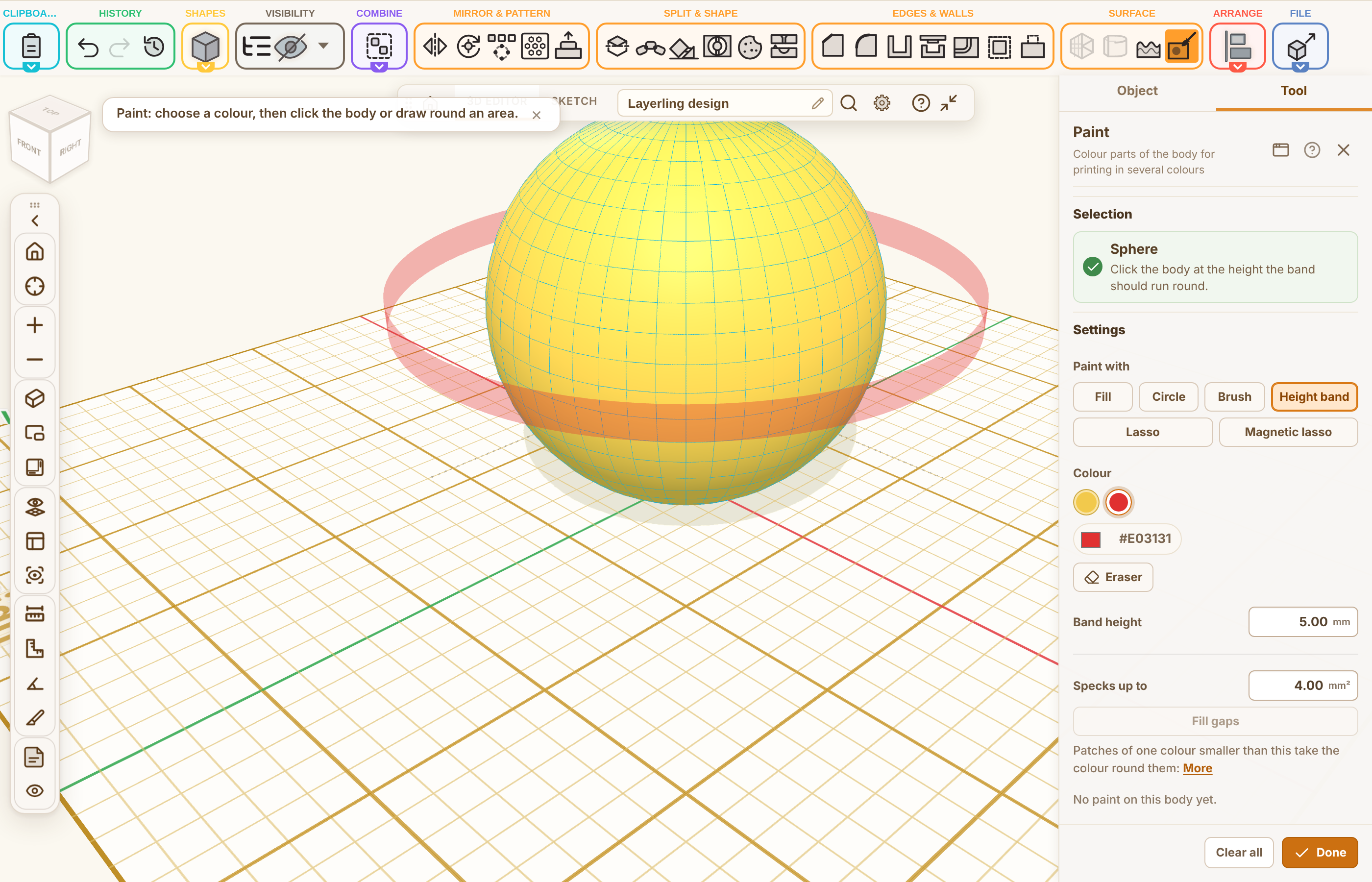
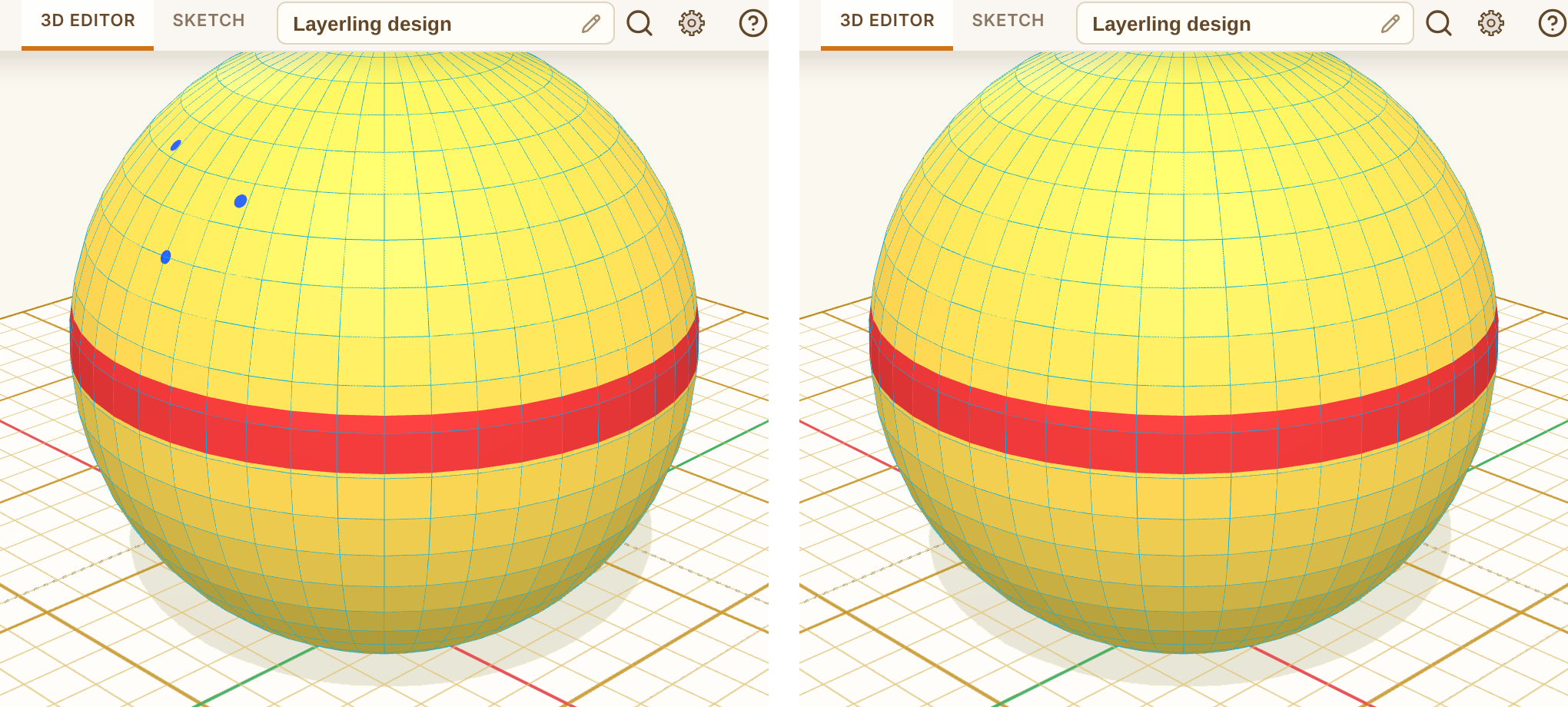
A few more, after a look at the slicers' paint tools: As a ball paints round edges and into hollows too, Height band paints a band level round the whole body, and Fill gaps removes stray specks so the printer changes colour less often.
The paint is saved with the design and goes into the 3MF as painted faces, as before. Since the strokes are cut into the mesh, there is no need to scale the model up for fine details. It would be great if you could try it with your tablet and tell me how it feels. If it works for you, I will offer it to Stefan as a PR. |
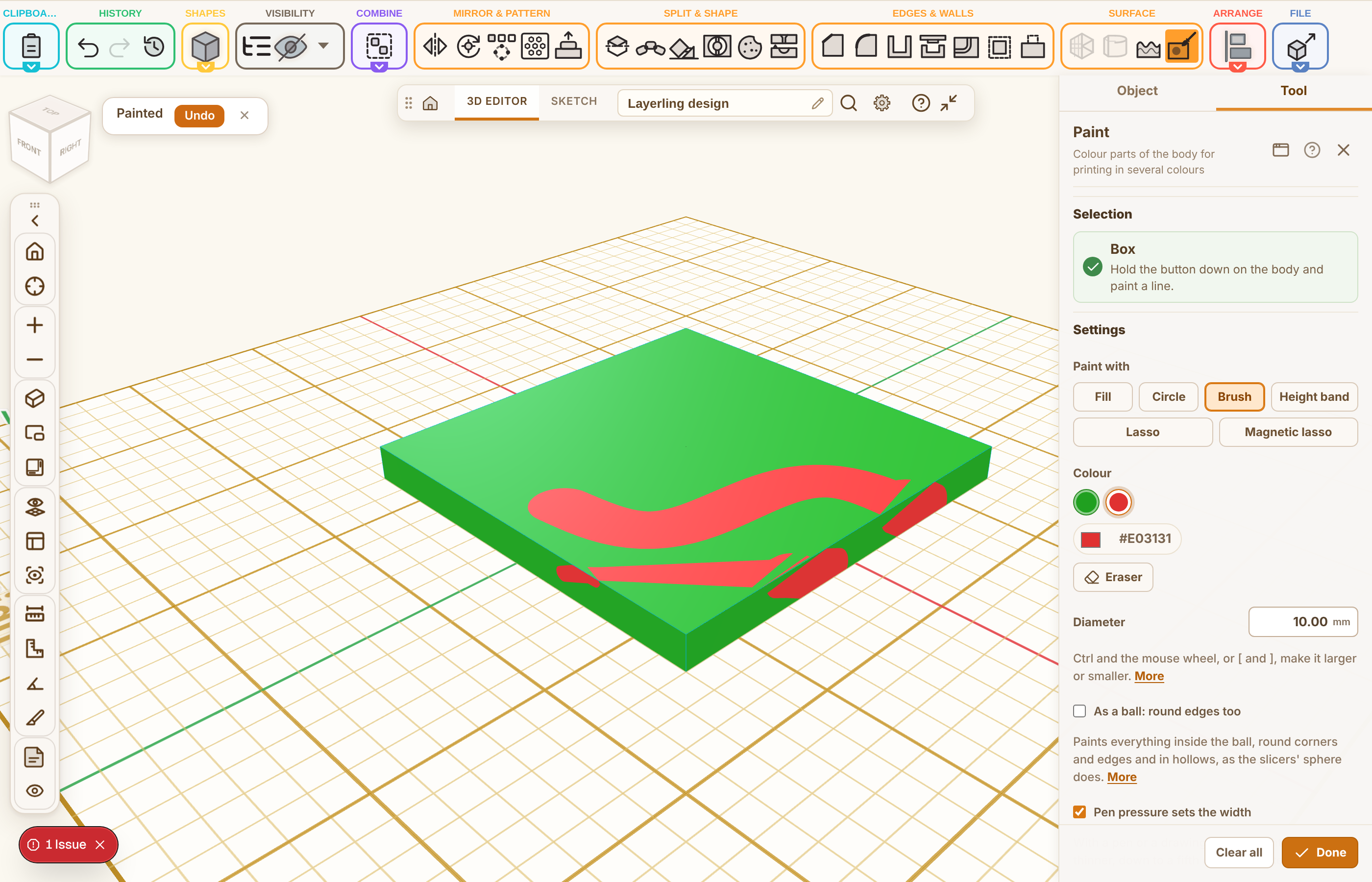
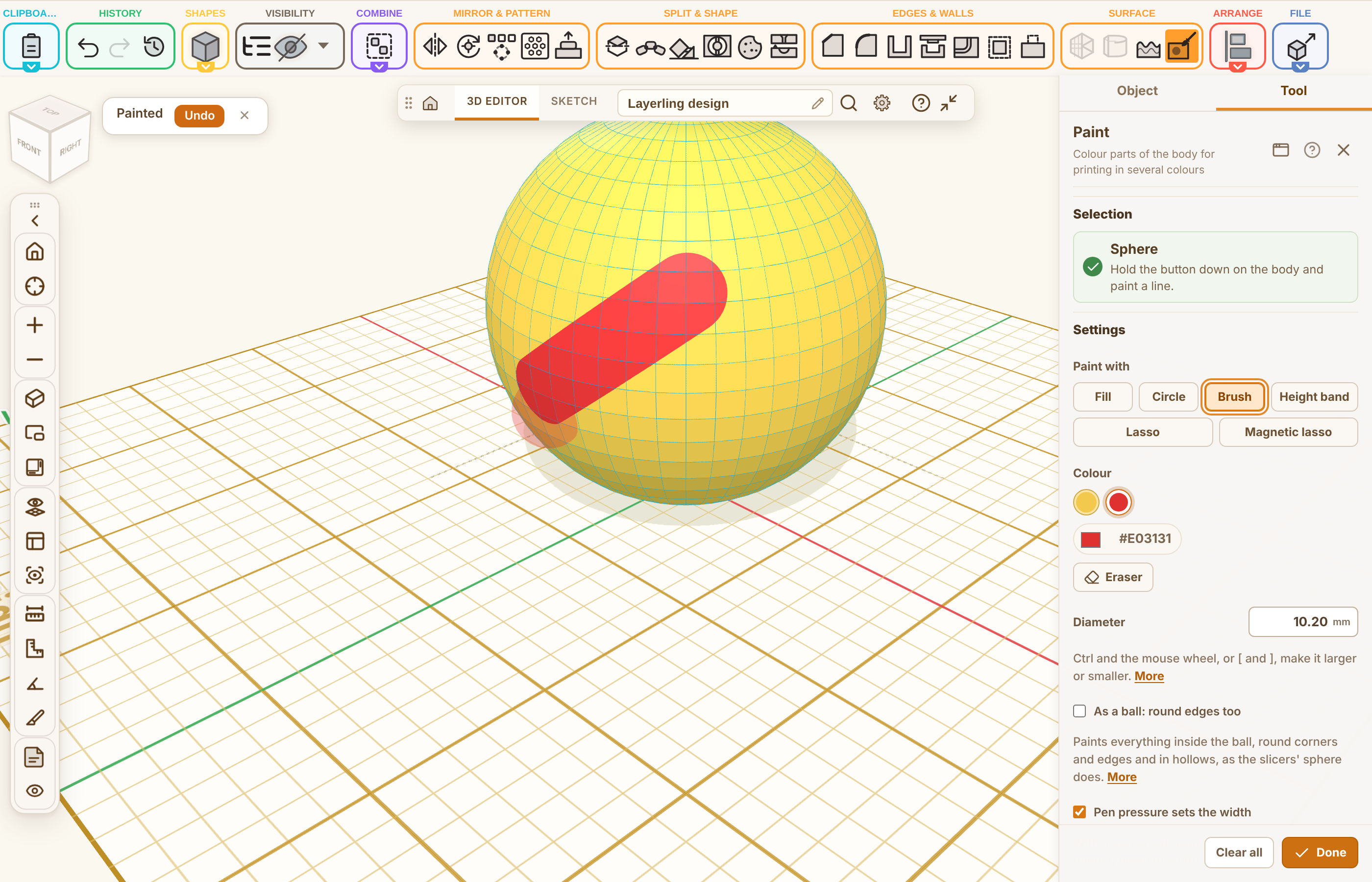
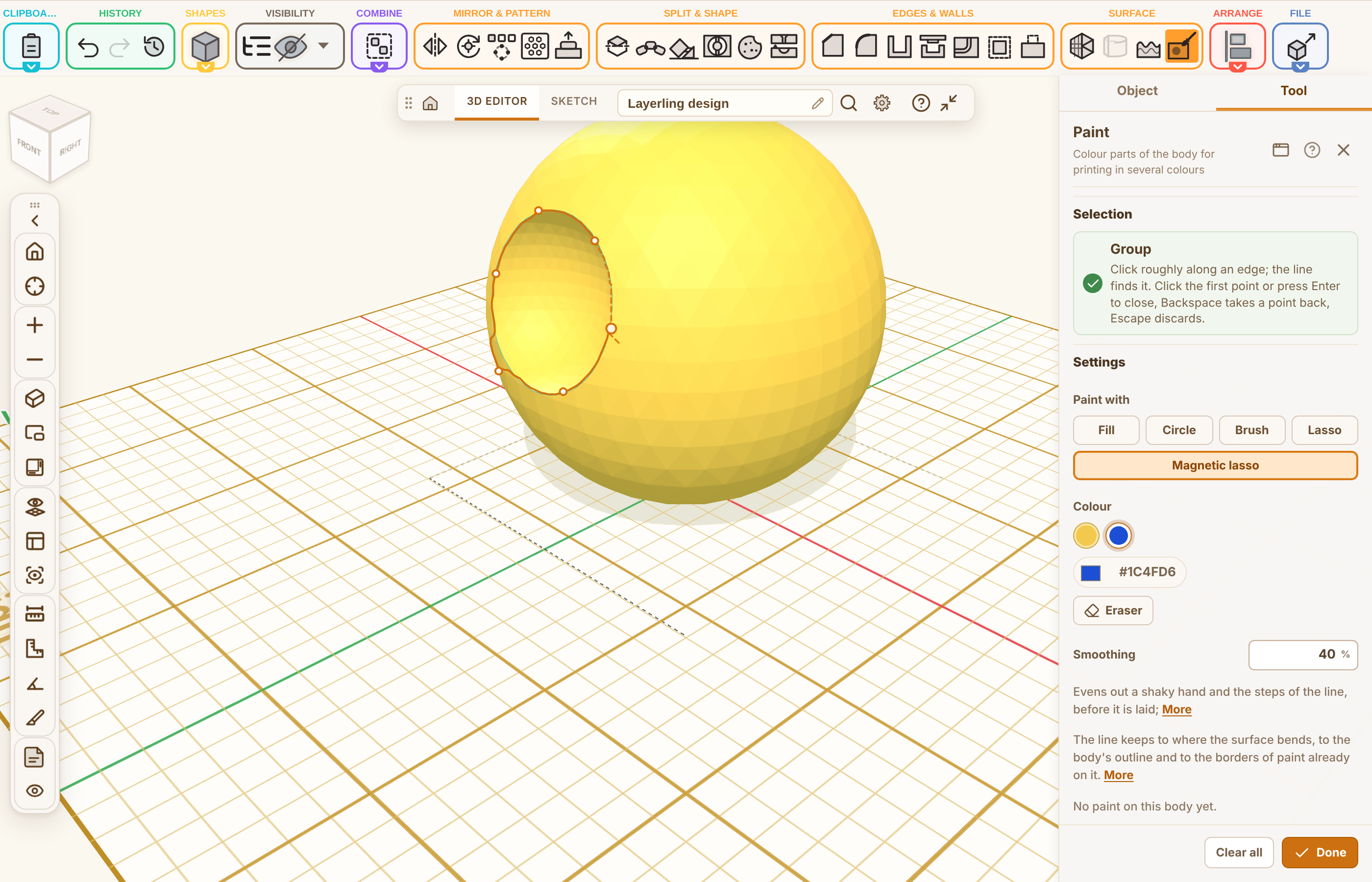
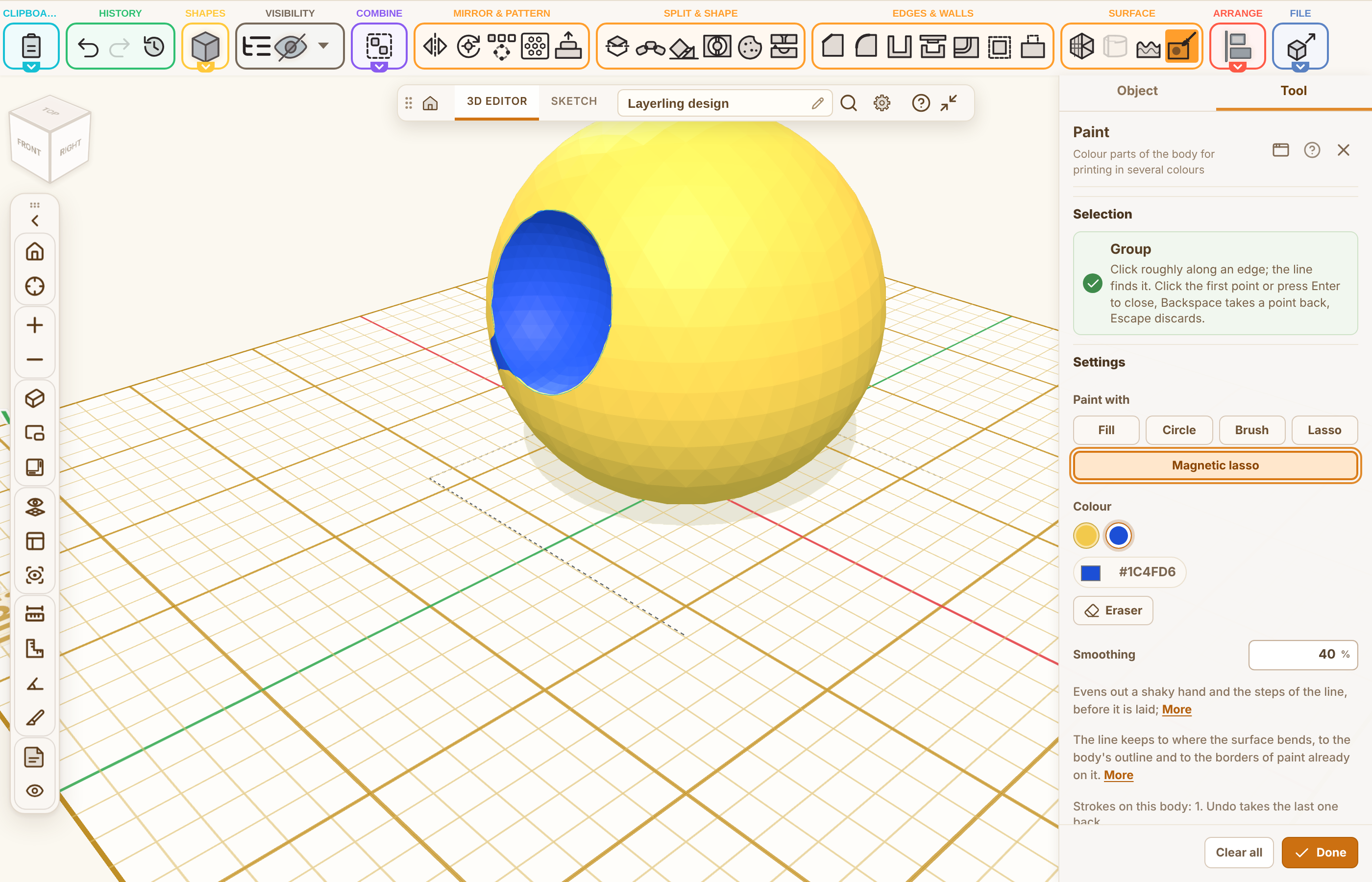
|
Thanks again for the idea, and for trying it out! The freehand painting is now ready as a branch of its own on Stefan's latest version: the brush with pen pressure, the magnetic lasso, smoothing, the see-through ball (Ctrl+wheel), "As a ball" round edges, the height band and "Fill gaps". I'll send it to Stefan as a PR shortly, so with a bit of luck it will be in Layerling itself soon. |
|
@marcus040473 thank you, it is merged (#1948). @dehart007-eng the brush with pen pressure, the magnetic lasso, the height band and "Fill gaps" come with the next update, under Surface → Paint. The colours go into the 3MF as before, so your slicer opens the design with the paint on it and you can keep a single file. |
|
Thanks again for the idea, and for trying it out! The freehand painting is now ready as a branch of its own on Stefan's latest version: the brush with pen pressure, the magnetic lasso, smoothing, the see-through ball (Ctrl+wheel), "As a ball" round edges, the height band and "Fill gaps". I'll send it to Stefan as a PR shortly, so with a bit of luck it will be in Layerling itself soon. Generated by Claude Code |
|
@dehart007-eng the freehand painting is out in 1.169.0: under Surface → Paint there is a brush with pen pressure, the magnetic lasso, smoothing, the height band and "Fill gaps". Thanks again to @marcus040473! |


Uh oh!
There was an error while loading. Please reload this page.
Currently I export my models from Layerling into my slicer "SnapMaker Orca" and then use the paint tool to paint various sections of my models. It would be great to have a paint feature in Layerling that I can paint my models, save as 3MF's and open them in my slicer with the paint scheme intact. Basically removes the extra step of painting it in the slicer and keeping it all in one design program. This will be especially helpful because I use a drawing tablet.
All reactions