Repository navigation

Replies: 3 comments 3 replies

|
Under visibility, there is an Objects list. lt lets you see every object and select them from the list. |

|
@raradek thank you for the idea and the picture. @VZ-studios is right that the Objects list under Visibility selects any object, however deeply it is hidden. Two more ways for a hole inside a body: make the body transparent (T) so you can see and click the hole, or hide it for a moment (Ctrl+H). A second click on the same spot to reach the next object behind is a good idea; I will think about how it fits with dragging. |

|
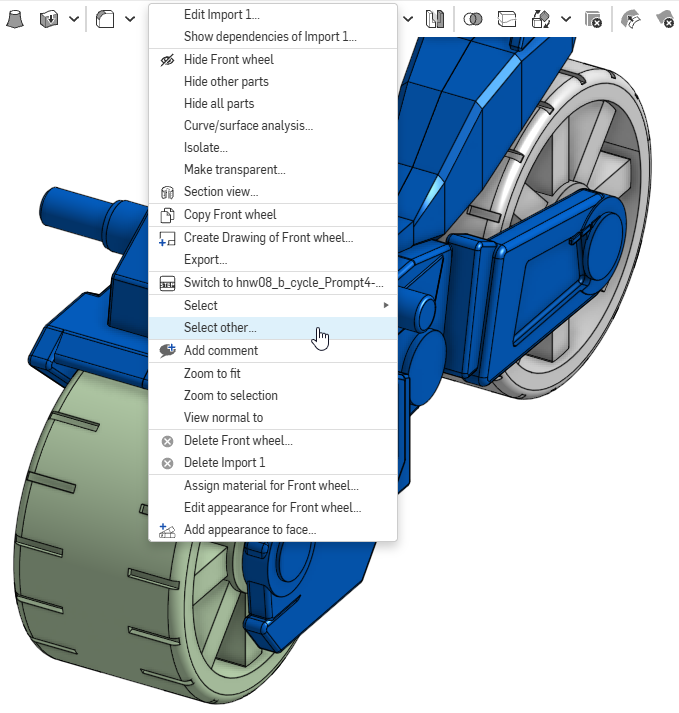
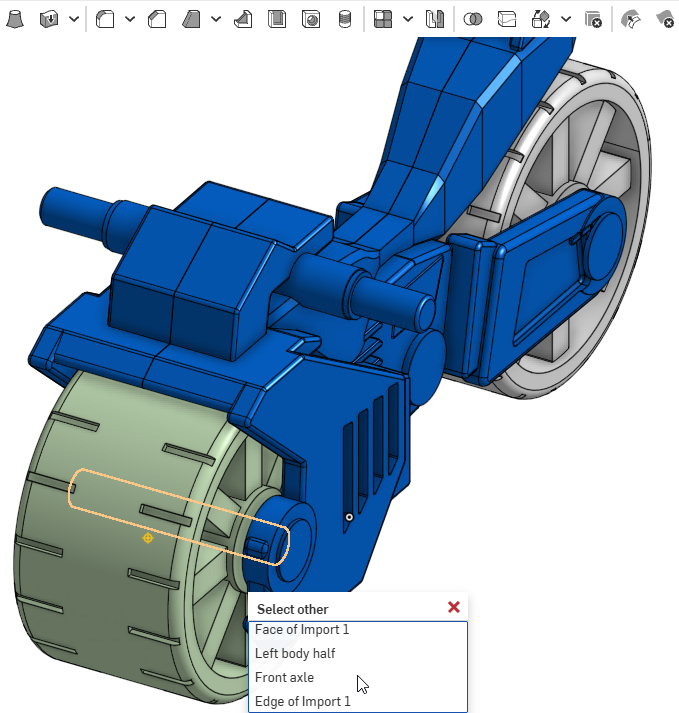
Onshape handles selecting an object that is overlapped several ways. Onshape also has two other ways: keyboard shortcut ~ (tilde); or right-click context menu. Here is an Onshape screen shot of the context menu after after a right-click on the front wheel. This screen shot is after I have clicked "Select other...". I am not sure if all keyboards have the ~ (tilde) key. How to Select Overlapping Objects in Onshape summary: • Context Menu (Right-Click): Position your mouse over the object, right-click, and choose Select Other from the dropdown menu to open a list of everything located behind the cursor. Click the desired item from the list. • Keyboard Shortcut ( ~ ): Hover over the overlapping or intersecting area and press the Tilde/backquote key ( ~ ) |
|
I was curious how Fusion handles selecting overlapped/obscured objects, so I did a search: In Autodesk Fusion, selecting an object that is obscured or overlapped by other geometry is handled primarily through the Select Other loop (also known as the long-click menu).
|
|
@raradek @ssmeier-gmail thank you both, the Onshape and Fusion examples made the choice easy. The right-click menu now has the same: when more than one shape lies under the pointer, it offers Select other…. That lists every shape under the pointer from front to back. The one you point at in the list is outlined in the view, even through the body in front of it, and a click selects it; with Shift it is added to the selection. On a tablet a long press opens the same menu. So a hole inside a block is now one right-click away, without turning the view. I tried it with a bore in a block: the list shows "Block" and "Bore", and the bore is outlined through the block while the pointer is on it. I left out the second click on the same spot to step to the next shape, as it would get in the way of dragging. It will be in the next release. |
|
@raradek @ssmeier-gmail it's in 1.108.0: a right click where several shapes lie under the pointer offers Select other…, which lists them from front to back, outlines the one you point at even through the body in front of it, and selects it with a click (Shift adds it). On a tablet a long press opens the same menu. |


Uh oh!
There was an error while loading. Please reload this page.
It is often desirable to select multiple overlapping objects. An example could be a hole object in a solid. In complex layouts it can be difficult to find a camera angle in which we can click the hole object.
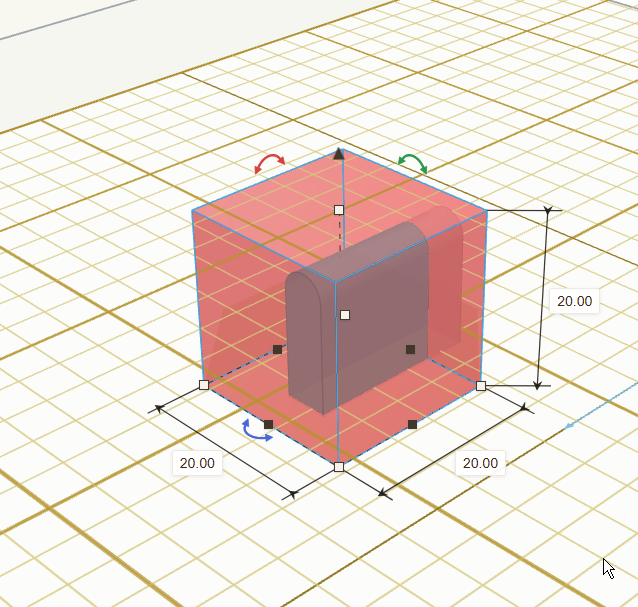
I suggest the following:
For targetting the "hidden" object we could also consider to check whether we click close to its center.
All reactions