Repository navigation

VoxStage 1.1
The first version with an installer: a signed app, notarized by Apple. Download it, drag it into Applications, and choose the models on the first start — no terminal, no account. It is free.
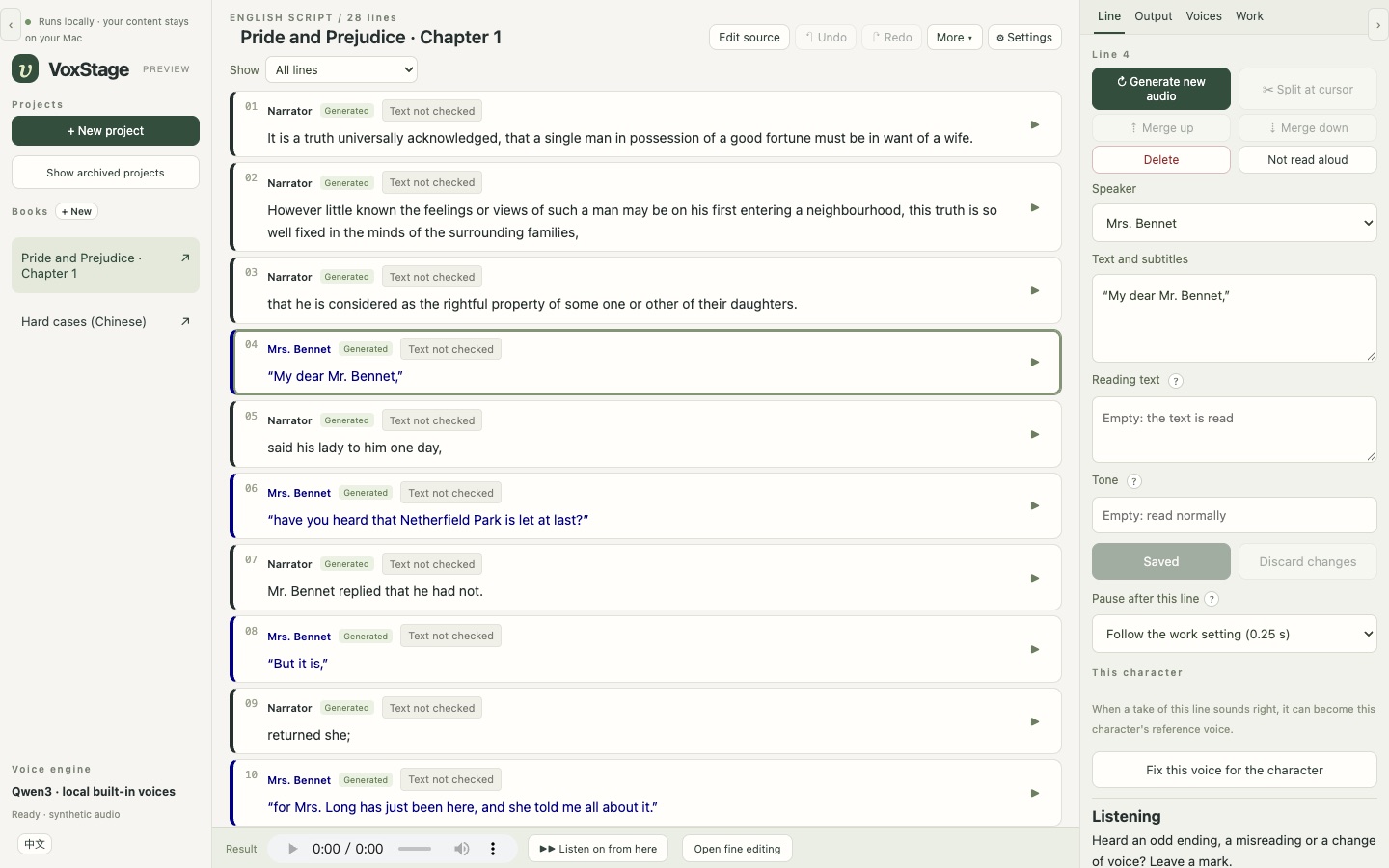
VoxStage is an offline AI audiobook maker and multi-voice text to speech workstation for Apple Silicon Macs. Paste a story or a script as it is written; VoxStage drafts who says each line, gives every character a voice, lets you check and fix every sentence, and exports audio and subtitles. Everything runs on your Mac; your text, voices and audio never leave your computer.
Website and samples: https://houjun.dev/voxstage/ · First run: English · 中文
Install
- Download VoxStage-1.1.0-arm64.dmg below (211 MB).
- Open it, drag VoxStage into Applications and open it.
- The first start suggests a set of models for your Mac's memory and downloads it from Hugging Face: about 8 GB on a 16 GB Mac, about 36 GB on a 32 GB Mac (estimates). Downloads resume after an interruption and every file is checked by SHA-256.
SHA-256 of the disk image:
9e31aa5d1d87ac767eceabc0cba718ec393083330bd67a19830f514214aa2d46
Signed by Developer ID Application: HOUJUN CO., LTD. (B5BHSSN4W6).
Requirements
- Apple Silicon Mac (M1 or later) with macOS 26.2 or later. On an older system the app does not open; running from source there is untested and unsupported.
- 32 GB of memory recommended; 16 GB runs the smaller voice models (estimated, not measured).
- Free disk for the models you choose, on top of about 600 MB for the app.
New since 1.0
- The installer. A self-contained app: its own Python, FFmpeg, llama.cpp and whisper.cpp are inside, so nothing else has to be installed. Projects are kept in
~/Library/Application Support/VoxStage. - Models on the first start. A model page recommends a set by memory, checks free disk space, and downloads, verifies and repairs models without restarting. Only pinned models are accepted.
- Import from an old data folder. If you ran VoxStage from source, Import an old data folder… in the VoxStage menu copies your projects, books and voices in. Nothing is moved or overwritten; a recording you supplied asks for your consent again.
- Group voices in two modes. In unison: one voice in two to four layers that keep the words and timing together. Crowd chatter: several voices overlapping, the longer takes starting first.
- Fixes. Creating a project and cutting clips now work from another device over plain HTTP; five group-voice messages were missing in the English interface.
Known limits
- The installer has so far been verified on the development Mac only (M2 Max, 32 GB; built and tested on macOS 26.6, and started again on macOS 27.2). A fresh Mac and a 16 GB Mac have not been tested. If it fails on yours, please open an issue and say which Mac and macOS you have — that report is the most useful thing you can send.
- There are no automatic updates and the app does not check for them: a new version is a new download.
- The speaker draft is a draft: on the reviewed evaluation texts most scenes needed at least one correction, so plan on reviewing every chapter.
- English and Chinese projects only.
- Subtitle timing is estimated from the audio, not forced alignment; loudness is peak-normalised, not loudness-standard compliant.
- The voices are synthetic: good, not a replacement for a skilled human narrator.
Licences
- VoxStage: GNU AGPL-3.0-only, © 2026 Houjun Co., Ltd. The source of this build is the
v1.1.0tag, and a copy is inside the app with the sources and licences of the bundled FFmpeg, LAME, llama.cpp, whisper.cpp and Python. A commercial licence is available for closed-source or hosted use — see LICENSING.md, contact support@houjun.dev. - Models (Qwen3-TTS, Qwen3 and the speech recogniser): their publishers' own licences, downloaded separately; none are included.
- Default voice pack: synthetic voices with no human recording, shipped under the same terms as the code.
See the responsible-use rules.