Repository navigation
Releases
Releases · hildlabs/openrig-studio
OpenRig Studio 0.2.0

New
- R6. Choose Clip › Rig › R6 in a new clip. R6 has its own system prompt, preview body, Studio preview rig, export and import. Checked in Studio: the preview matches Roblox's playback within 0.0001 studs.
- Your own avatar and other R15 proportions. Clip › Rig › Import selected rig from Studio… reads a rig (Rthro, scaled avatars, your avatar from the Rig Builder) and fits the clip to it: root motion scales, planted feet stay planted, the body stays on the ground. Later requests for the clip are fitted the same way. Rigs can be renamed and deleted in Settings.
- Other AI models. An OpenAI-compatible API provider for DeepSeek, Qwen, Kimi, GLM, OpenRouter, or local models through Ollama or LM Studio. Visual review is skipped for models that can't see images.
- Undo and redo in the editor (Ctrl+Z, Ctrl+Shift+Z, Ctrl+Y).
- The library shows which rig a clip is made for.
npm run benchfor contributors: fixed requests through the real pipeline, with measurements, contact sheets and a replay mode that tests pipeline changes without model calls.
Fixed
- Saving on Windows could fail with "EPERM: operation not permitted, rename …" when a clip was being read at the same time, which happened during generation.
- Planted feet drifted between foot-lock keys, and feet went through the ground between keyframes.
- Loops from model output didn't always end exactly where they started.
- An answer that uses joints the rig doesn't have gets one retry, then a clear error, instead of an almost empty clip.
Security
- Luau injection through clip names, CDN integrity hashes, fonts served locally, and settings that can only be changed on the computer running OpenRig Studio.
Full list: CHANGELOG.md
OpenRig Studio 0.1.0
First public release. OpenRig Studio generates Roblox R15 animations with the AI you already pay for: describe a motion, watch it on a 3D rig, tweak keyframes, compare models side by side and send the result straight into Roblox Studio.
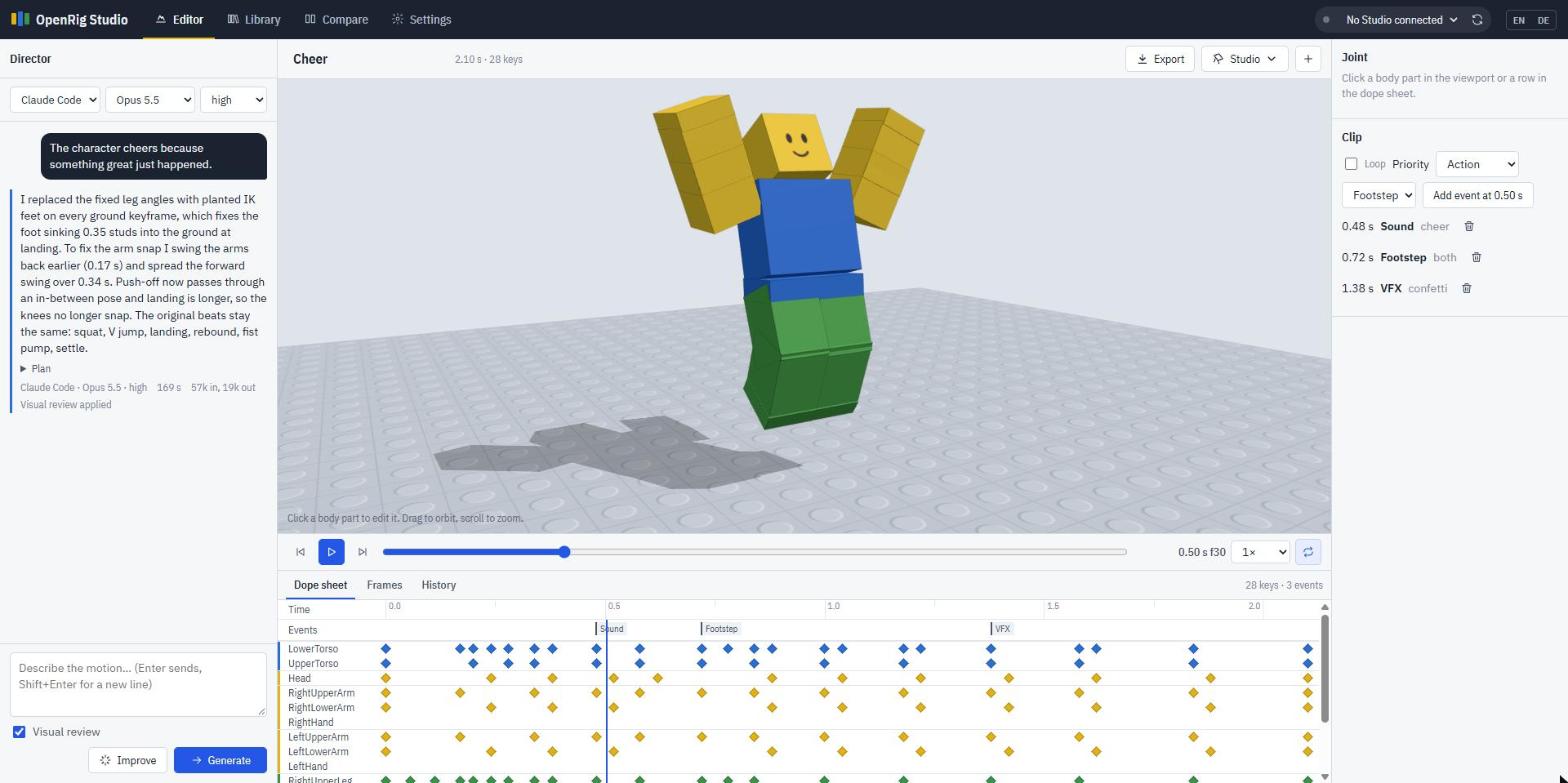
What's in it
- Providers: Claude Code and the Codex CLI on your existing subscription, or Anthropic and OpenAI API keys. Model and effort can be picked per request.
- Editor: 3D preview whose playback matches Roblox Studio, keyframe timeline, chat with full version history.
- Animation pipeline: hand and foot targets (IK), planted feet, automatic grounding, spins and flips, checks for snapping joints and limbs inside the body.
- Visual review: the model can look at a contact sheet of its own draft and fix what it sees.
- Compare: one prompt, several models, results play in sync.
- Library: folders, search, rename, star, bulk export, bulk send to Studio. Five example clips (idle, walk, wave, cheer, jump) are added on first start.
- Roblox Studio bridge through Studio's built-in MCP server: send clips, play them on a preview rig or your avatar in a playtest, import versions refined in the Animation Editor. Without the bridge:
.rbxmxdownload or a Luau snippet. - English and German interface.
Getting started
Needs Node.js 20 or newer.
git clone https://github.com/hildlabs/openrig-studio.git
cd openrig-studio
npm start          # or start.cmd (Windows) / ./start.sh (macOS, Linux)
Then open http://localhost:4330. npm install is only needed for API keys. See the README for details.
The local server listens on 127.0.0.1 only and rejects requests from other websites.