Repository navigation
Releases: hollisorg/iv-downloader
Release list
0.2.2

- New look, matching IV Studio and IV Chat: original download artwork behind the headline and at the
foot of the queue, its mark in the title bar, cream condensed headings and square red switches.
The layout and every control are where they were. - New app icon in the same style.
Windows: IV-Downloader-Setup.exe. Installed copies update themselves.
Mac: Apple Silicon or Intel.
The installers aren't code-signed yet; see the README for the one-time approval on Windows and macOS.
0.2.1
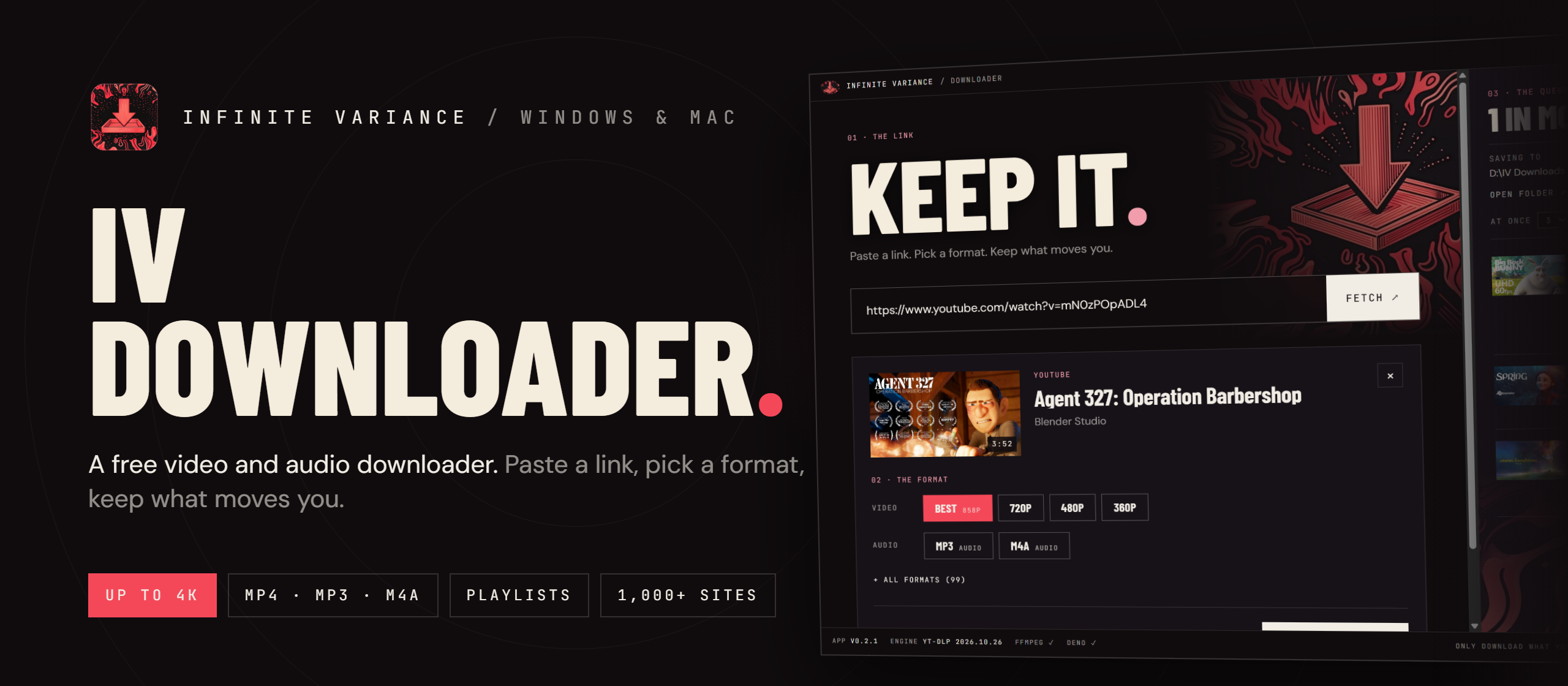
Vimeo links work again, and errors now tell you what to do. IV Downloader is a free video and audio downloader from Infinite Variance. Paste a link from YouTube, Vimeo, X, TikTok, Instagram or 1,000+ other sites, pick a format (up to 4K, or MP3/M4A audio) and keep it. Playlists and channels work too.
Download
| Windows 10 or 11 (64-bit) | IV-Downloader-Setup.exe |
| Mac with Apple Silicon (M1 and later) | IV-Downloader-mac-arm64.dmg |
| Intel Mac | IV-Downloader-mac-x64.dmg |
Not sure which Mac you have? Apple menu → About This Mac. "Chip: Apple M…" means Apple Silicon. macOS 12 or later.
Install
Windows: run the installer. It isn't code-signed yet, so Windows may say "Windows protected your PC". Click More info → Run anyway. Windows copies already installed update themselves to this version.
Mac: open the .dmg and drag IV Downloader into Applications. It isn't signed with an Apple Developer ID yet, so the first open says "Apple could not verify IV Downloader is free of malware". Click Done, open System Settings → Privacy & Security, scroll down and click Open Anyway. You only do this once. The Mac app tells you when a new version is out and links back here.
What's new in 0.2.1
- Fixed: public Vimeo links said "The web client only works when logged-in". They now open without a Vimeo account, including unlisted links and Vimeo playlists.
- Clearer errors: when a link fails, the app says what happened in plain words and what to do next. The original message is still there under Technical details.
- When a site wants you signed in, the error has a Use my login from [browser] picker and a Try again button, so you don't have to find the Sign-in setting yourself.
Full history in CHANGELOG.md. Only download what you have the right to download.
0.2.0
IV Downloader is now on Mac. It's a free video and audio downloader from Infinite Variance. Paste a link from YouTube, Vimeo, X, TikTok, Instagram or 1,000+ other sites, pick a format (up to 4K, or MP3/M4A audio) and keep it. Playlists and channels work too.
Download
| Windows 10 or 11 (64-bit) | IV-Downloader-Setup.exe |
| Mac with Apple Silicon (M1 and later) | IV-Downloader-mac-arm64.dmg |
| Intel Mac | IV-Downloader-mac-x64.dmg |
Not sure which Mac you have? Apple menu → About This Mac. "Chip: Apple M…" means Apple Silicon. macOS 12 or later.
Install
Windows: run the installer. It isn't code-signed yet, so Windows may say "Windows protected your PC". Click More info → Run anyway. Windows copies already installed update themselves to this version.
Mac: open the .dmg and drag IV Downloader into Applications. It isn't signed with an Apple Developer ID yet, so the first open says "Apple could not verify IV Downloader is free of malware". Click Done, open System Settings → Privacy & Security, scroll down and click Open Anyway. You only do this once. The Mac app tells you when a new version is out and links back here.
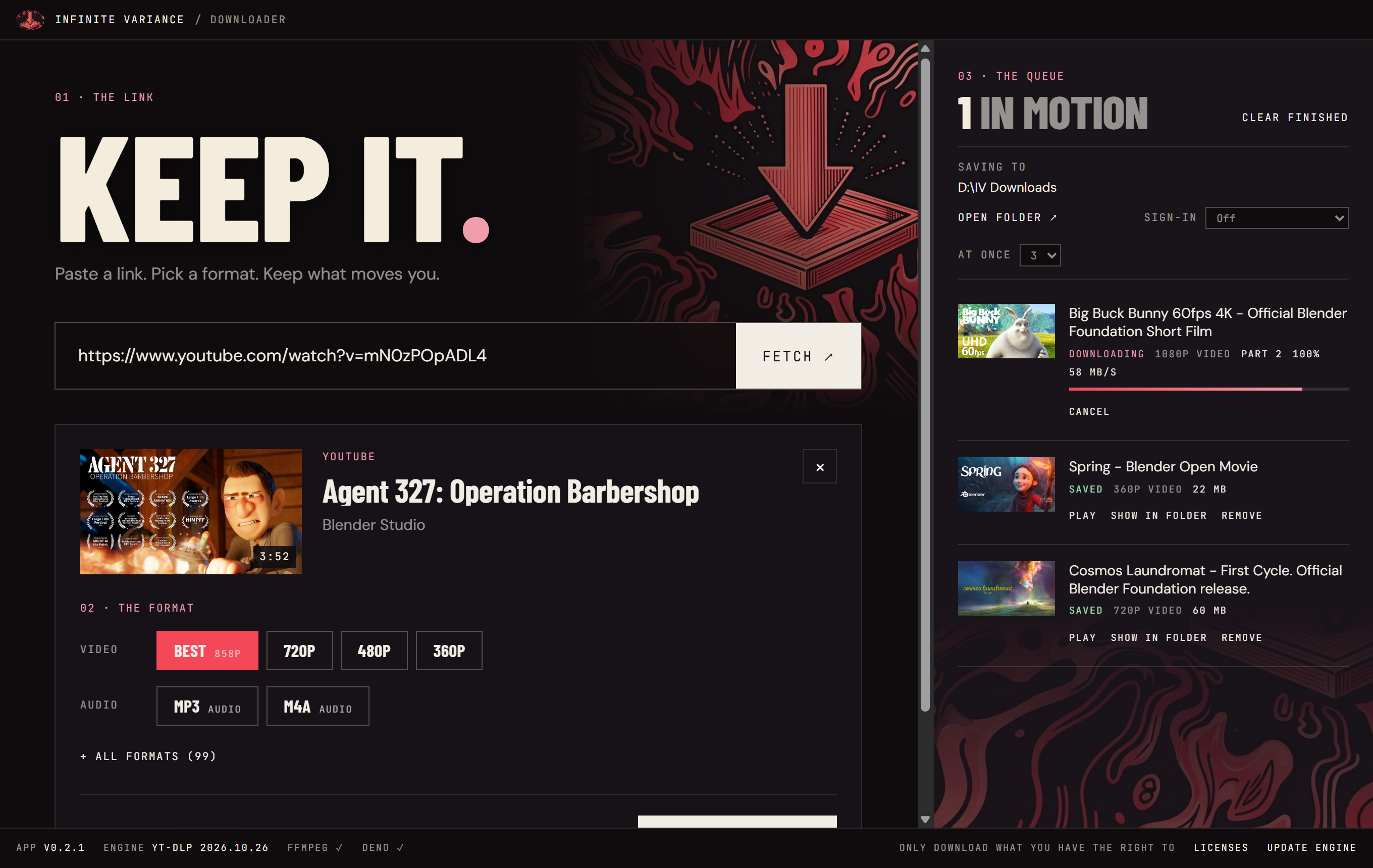
What's new in 0.2.0
- New: macOS app for Apple Silicon and Intel Macs.
- New: Safari sign-in on macOS, for private and members-only videos.
- The first-run engine download no longer fails when GitHub's API limit is reached on a busy shared network (school, office, VPN).
- Fixed: a narrow window showed a sideways scrollbar.
- Fixed (macOS): cancelling a download also stops the ffmpeg step behind it.
Full history in CHANGELOG.md. Only download what you have the right to download.
0.1.2
A free video and audio downloader for Windows from Infinite Variance. Paste a link from YouTube, Vimeo, X, TikTok, Instagram or 1,000+ other sites, pick a format (up to 4K, or MP3/M4A audio) and keep it. Playlists and channels work too.
Install
- Download IV-Downloader-Setup.exe below (Windows 10 or 11, 64-bit).
- Run it. The installer isn't code-signed yet, so Windows may say "Windows protected your PC". Click More info → Run anyway.
- It installs for your user only (no admin needed). Once installed, the app updates itself from this page.
What's new in 0.1.2
- Fixed: Windows showed a blank app icon. The icon is now a classic Windows .ico that Explorer can read.
- New Infinite Variance app icon (0.1.1).
Full history in CHANGELOG.md. Only download what you have the right to download.