Repository navigation
Ownsync 0.1.0

The first release of Ownsync: real-time sync for Obsidian, end-to-end encrypted, through a server you own.
It's early. I'm testing it on my own vault and phone this week, and it will improve quickly over the coming days. If something feels off, open an issue.
What's in it
Sync that feels live. Edits show up on your other devices in under a second. With a note open on two devices, each shows the other's cursor, and undo only takes back your own typing.
Private by design. Every edit is encrypted on your device before it leaves. Only your devices hold the key; your server stores scrambled data and couldn't read a note if it tried.
Offline first. Edit anywhere. Changes merge word by word when you're back. Nothing is thrown away: anything that can't merge is kept as a conflict copy.
Your own server. One click deploys it to a free Cloudflare account. One server holds as many vaults as you like, each with its own key.
Attachments too. Images, PDFs and other files, up to 20 MB each, encrypted in pieces and stored once.
Simple setup.
- Deploy, then enter your setup key on your server's page and add a passkey. The setup key works once, in the first 10 minutes.
- Install Ownsync in Obsidian, press Open in Obsidian on your dashboard, and connect.
- Add a phone by scanning a one-time QR code. Both devices show the new device's ID so you can check it's yours.
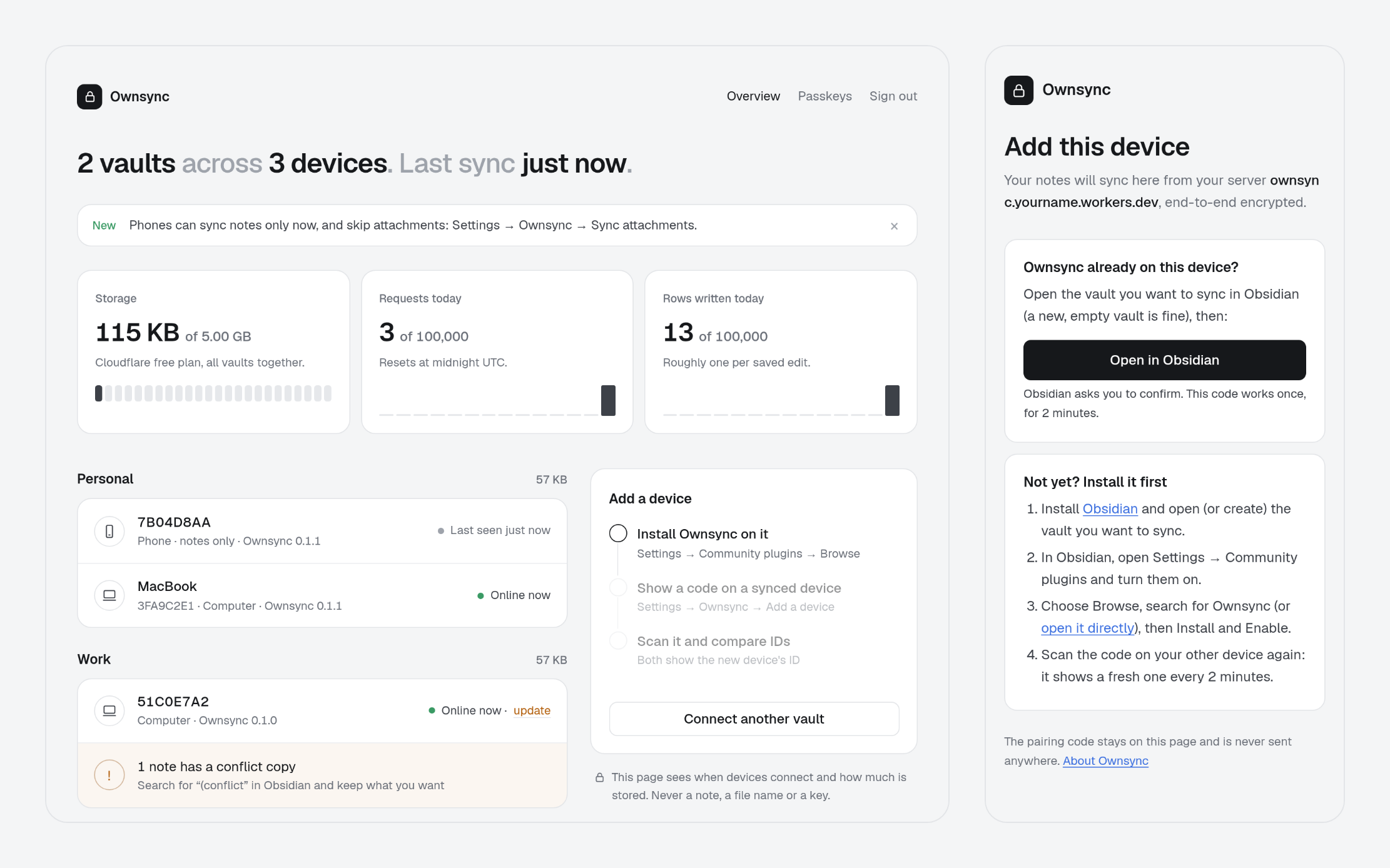
A dashboard. Your devices by their random ID, when each was last online and which version it runs, conflict copies, and how much of Cloudflare's free plan you use.
Lost a device? Remove it, and the vault gets a new key the lost device doesn't have. Lost every device? Your recovery kit brings the vault back.
Tested
- 1,000-note vault in real Obsidian: first sync in 3.0 s, a new device ready in 4.2 s, typing across devices in 65 ms.
- The sync engine imports 10,000 notes in 3.6 s.
- 500,000 random edits, renames, crashes and reconnects across three devices, and not one note lost.
Installing this release
Ownsync isn't in Obsidian's community plugin browser yet; it's on its way. Until then, put the three files below (main.js, manifest.json, styles.css) into <your vault>/.obsidian/plugins/ownsync/, then enable Ownsync under Settings → Community plugins. The setup guide covers the rest.
Coming next
- A listing in Obsidian's community plugins, for a one-click install
- Real-world testing on phones, and on vaults of 10,000+ notes
- Freeing the space of attachments you delete or replace
- Polish from whatever this week's testing turns up