Repository navigation


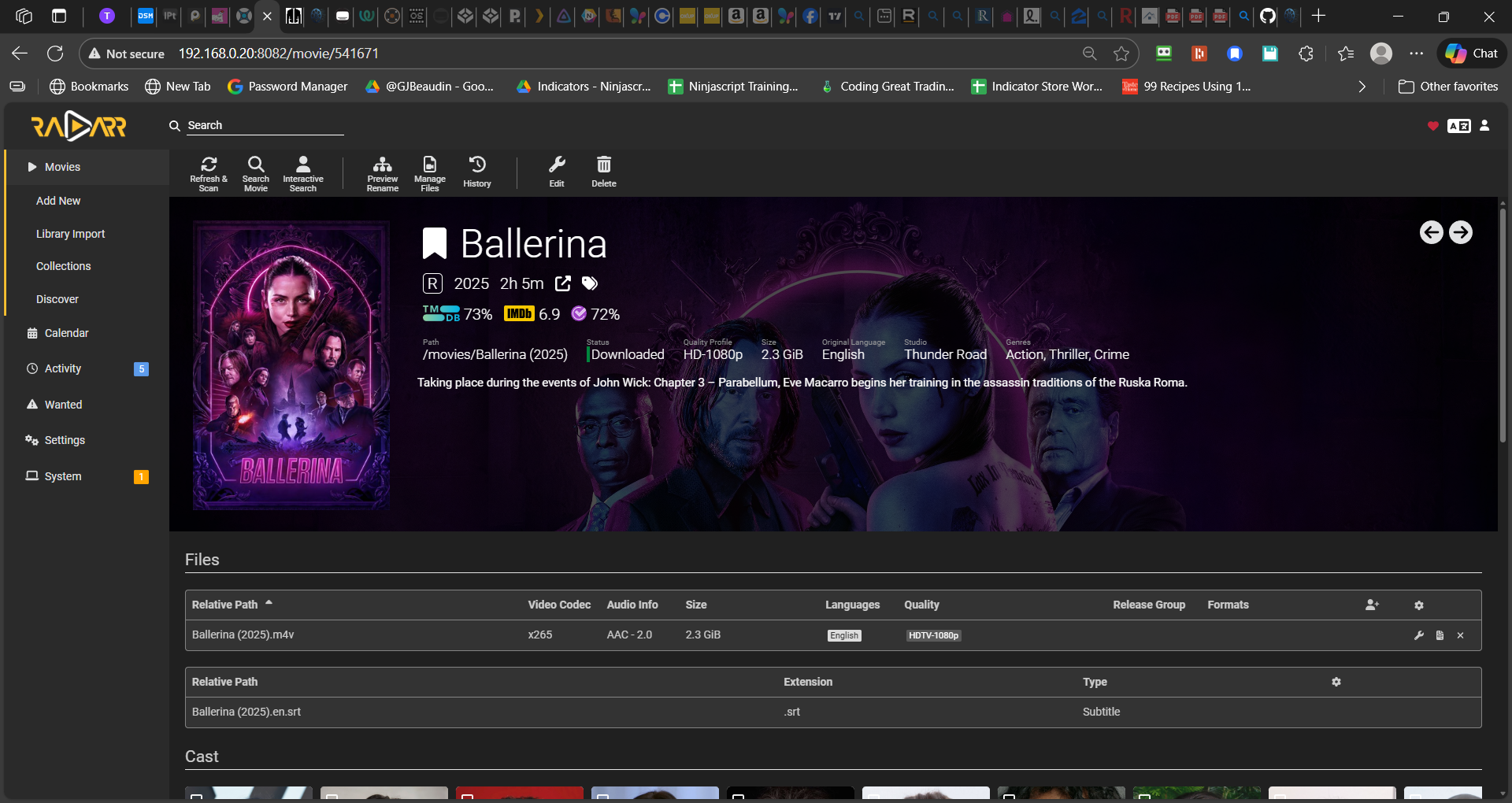
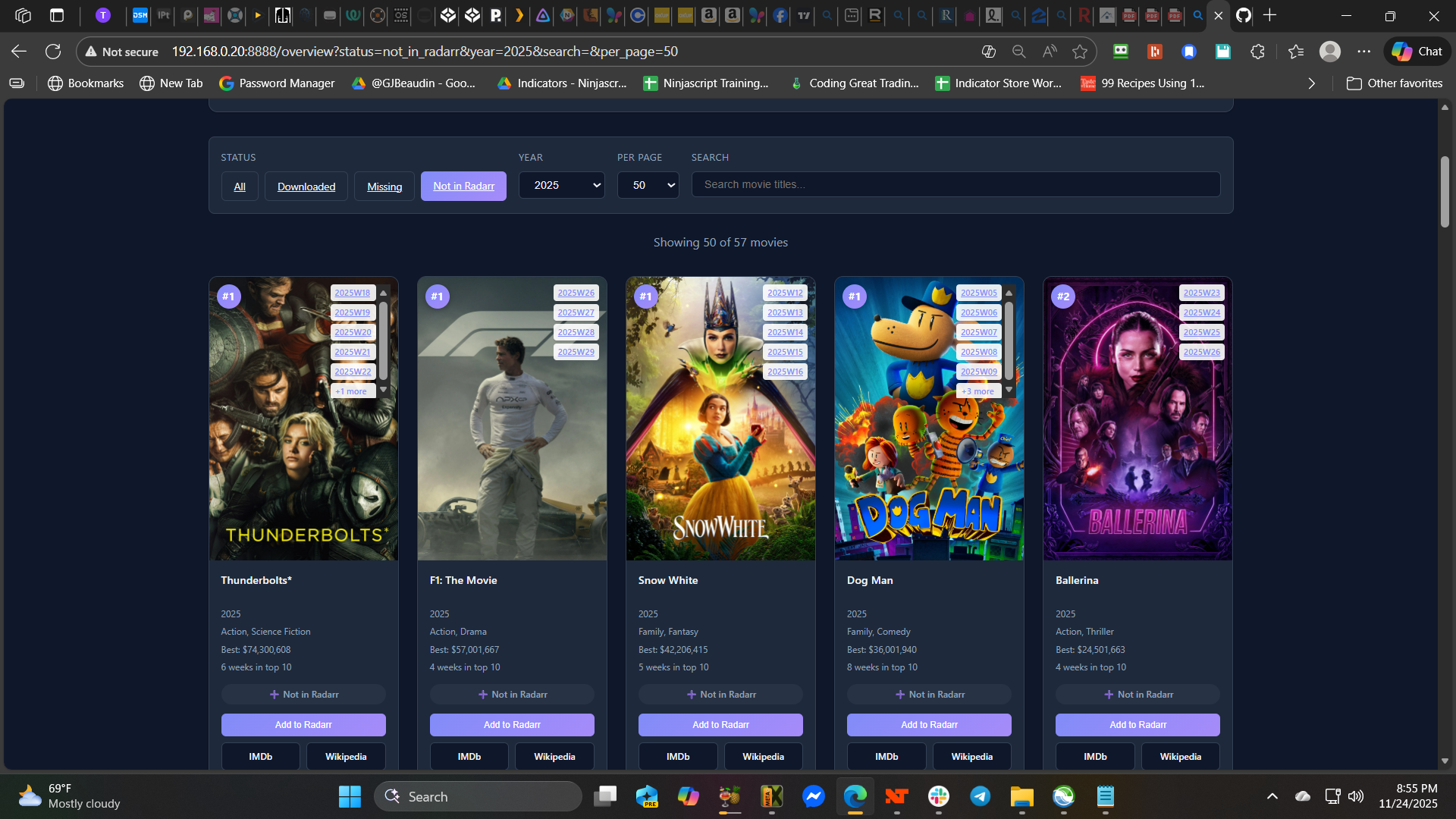 I have many movies that are in Radarr, but they are showing up as not loaded by Boxarr. I have restarted both applications, started/stopped them in docker, etc. Is there a way to manually load them into boxarr after I confirm they are within Radarr? |
Replies: 1 comment

|
Sorry for the very slow answer. In the version you were running, Boxarr had no way to check old weeks against Radarr again. Each week kept the status it had when it was built. So a film that wasn't matched then, or was added to Radarr later, stayed "Not in Radarr" for good. These titles (Ballerina, Thunderbolts*, F1, Snow White, Dog Man) do match when Radarr has them, so old stored weeks are the most likely cause. v1.7.0 added a fix for exactly this. There is a Refresh Radarr Status button at the top of the Movies page, and the same refresh runs after every scheduled update. It checks every stored week against your Radarr library again. If you update to the latest release (v2.2.1) and press it, those films should show their real Radarr status (Downloaded, in Ballerina's case). If a card still says "Not in Radarr" after that, open one of the weeks it charted in and press Regenerate, or use Update Historical Week on the Weeks page. That fetches the week again and matches it from scratch. If it still doesn't link, please post the Boxarr log lines for that week and I'll take a look. |


Sorry for the very slow answer. In the version you were running, Boxarr had no way to check old weeks against Radarr again. Each week kept the status it had when it was built. So a film that wasn't matched then, or was added to Radarr later, stayed "Not in Radarr" for good. These titles (Ballerina, Thunderbolts*, F1, Snow White, Dog Man) do match when Radarr has them, so old stored weeks are the most likely cause.
v1.7.0 added a fix for exactly this. There is a Refresh Radarr Status button at the top of the Movies page, and the same refresh runs after every scheduled update. It checks every stored week against your Radarr library again. If you update to the latest release (v2.2.1) and pre…