Repository navigation
DynamicNotch 1.5.1 – Added Dynamic Island for screens without a cutout and bug fixes

🚀 What's New
- Added dynamic island mode (for displays without cutouts): Full support for Mac computers and monitors without a physical hardware cutout (such as iMac, Mac mini, Mac Studio or external screens).
- Adaptive size for the dynamic Island: All notch widgets and functions (battery, Bluetooth, playback mode, timer, Wi-Fi, VPN, Focus, calendar, and HUDs) have been adapted so that their layout, margins, and fonts match the compact floating layout of the dynamic island.
- Added a backup line for lyrics with two APIs: Improved the search for lyrics. Almost all the lyrics are now available.
- Improved lockscreen text user interface: Redesigned LockScreenLyricsView using a multi-layer mask + blur and added smooth animation of the loading mask with flickering (LockScreenLyricsLoadingView).
- Enlarged background of the illustration: The background of the illustration has been prevented from cropping when rotating on the lock screen, and the panel with the increased size of the illustration frame is now being played.
- Fixed duplication of the settings window: Moved the settings view from a group of windows to a single window scene to eliminate duplication of the settings window and focus issues.
- Improved Animations and Transitions.
💻 Preview
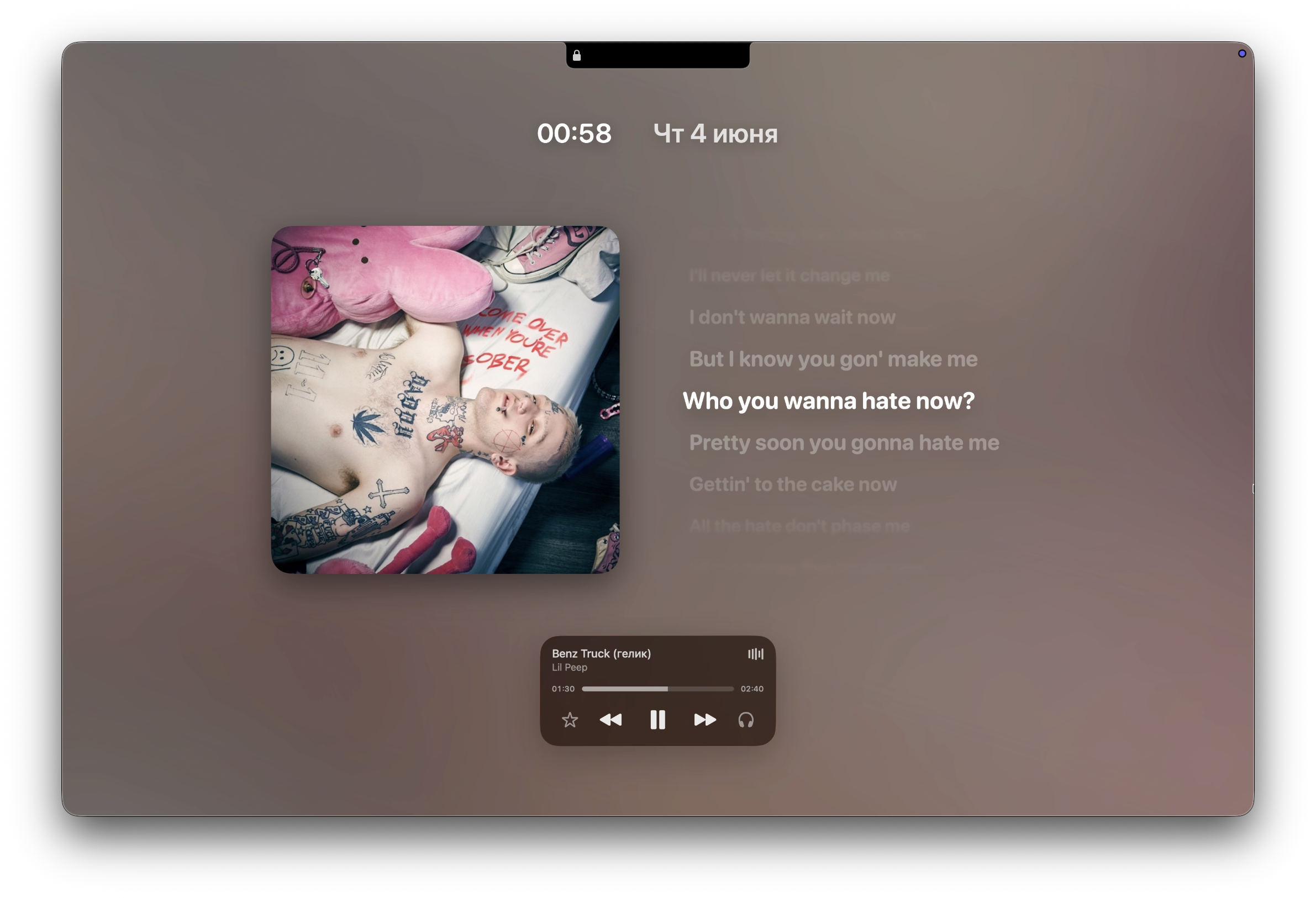
New UI Music Lyrics |
⚙️ Installation Guide (macOS)
Since the app is not yet signed, macOS may block the first launch. Follow these steps:
- Open the DMG file and drag DynamicNotch to the Applications folder.
- In Applications, right-click DynamicNotch and choose Open.
- When the warning appears, click Cancel.
- Open System Settings → Privacy & Security.
- Scroll to the Security section and click Open Anyway.
- Enter your Mac password and confirm by clicking Open.
🛠 Known Issues
- The app is not code-signed yet, so first launch may require manual approval.
- File conversion relies on native macOS capabilities, so some conversions may depend on the source codec and macOS version.
- Lock Screen behavior still relies on private macOS APIs and may differ between macOS releases.
📬 Feedback
- https://github.com/jackson-storm/DynamicNotch/issues
- https://t.me/id10101101
- evgeniy.petrukovich@icloud.com