Repository navigation
Releases
Releases · janehwzn/snugnote
Snugnote v0.1.0: your Notion, on your computer

Snugnote is a free, offline, Notion-style notebook that runs on your own computer. Import your whole Notion workspace and stop paying for a personal notebook.
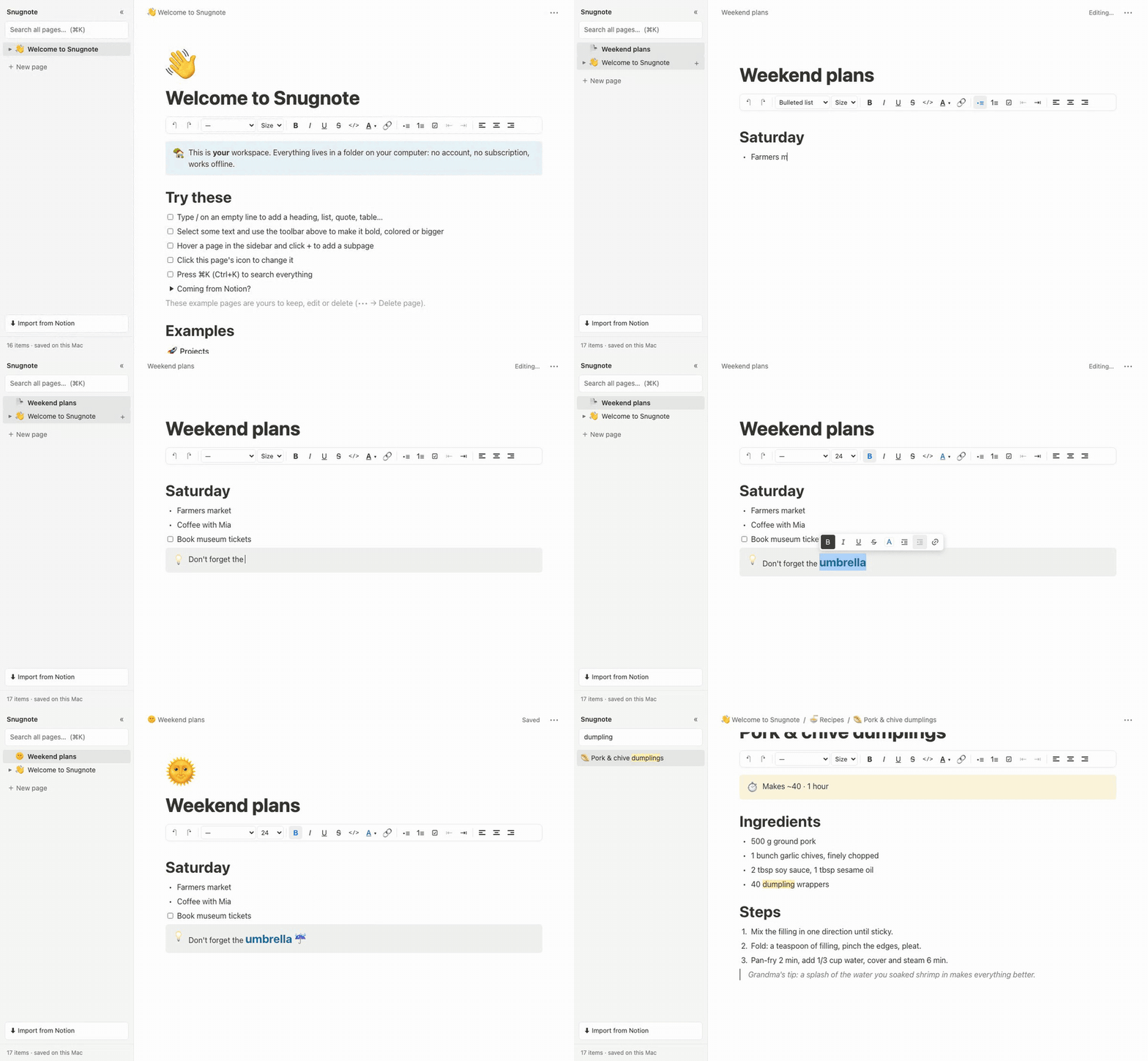
✨ What's in v0.1.0
Bring your Notion workspace
- ⬇ Import from Notion dialog with two options:
- Upload Notion's export .zip (Markdown & CSV). No setup, no account needed.
- Connect your Notion account with a read-only key. Full fidelity (colors, callouts, toggles, icons, covers), with Sync again any time.
- Pages, nested subpages, databases, images and attachments come across. Web-hosted covers and images are saved locally, so everything works offline.
- Re-importing never duplicates pages and never overwrites pages you've edited in Snugnote.
Write like you do in Notion
- Block editor with the
/menu and Markdown shortcuts (#,-,1.,[],>,---) - Headings, bullets, numbered and to-do lists, toggles, quotes, callouts, code, tables, images, dividers
- Formatting toolbar: bold, italic, underline, strikethrough, code, colors, highlight, font sizes, alignment, links, indent
- Nested pages with a sidebar tree, breadcrumbs and emoji icons
- Page styles: Default, Serif or Mono, small text, full width
- ⌘K full-text search, light and dark mode, autosave, trash for deleted pages
Yours, privately
- Runs only on
localhost. No account, no telemetry. - Notes are plain JSON files in a folder you choose (
data-location.txt) - Server and importers use only the Python standard library:
git clone+python3 serve.py
🚀 Get started
git clone https://github.com/janehwzn/snugnote.git
cd snugnote
python3 serve.py
Paying for Notion just to read your own notes? Read How to stop paying for Notion without losing a single note.
🧭 Known limitations
- Databases are read-only for now. Each row's page is editable. Editable rows are next: #1
- Column layouts and embeds display but can't be edited
- Single user, single device by design
🙌 Help wanted
Good first issues: Markdown export (#2), page covers (#3), Windows launcher (#4), shortcuts panel (#5). Questions and ideas are welcome in Discussions.
If Snugnote saved you a subscription, a ⭐ helps other people find it.