Repository navigation
Releases
0.2.1

What's New in 0.2.1 (including 0.2.0)
0.2.1 Fixes
- Replaced all direct inline style assignments with CSS custom properties (
setCssProps) and CSS classes. - Removed calls to deprecated
PluginSettingTab.display()in favor of an internal re-render helper alongsidegetSettingDefinitions(). - Replaced
all: unsetinstyles.csswith explicit button reset properties for CSS lint compliance.
New Layouts & Modes (0.2.0)
- Quarter (
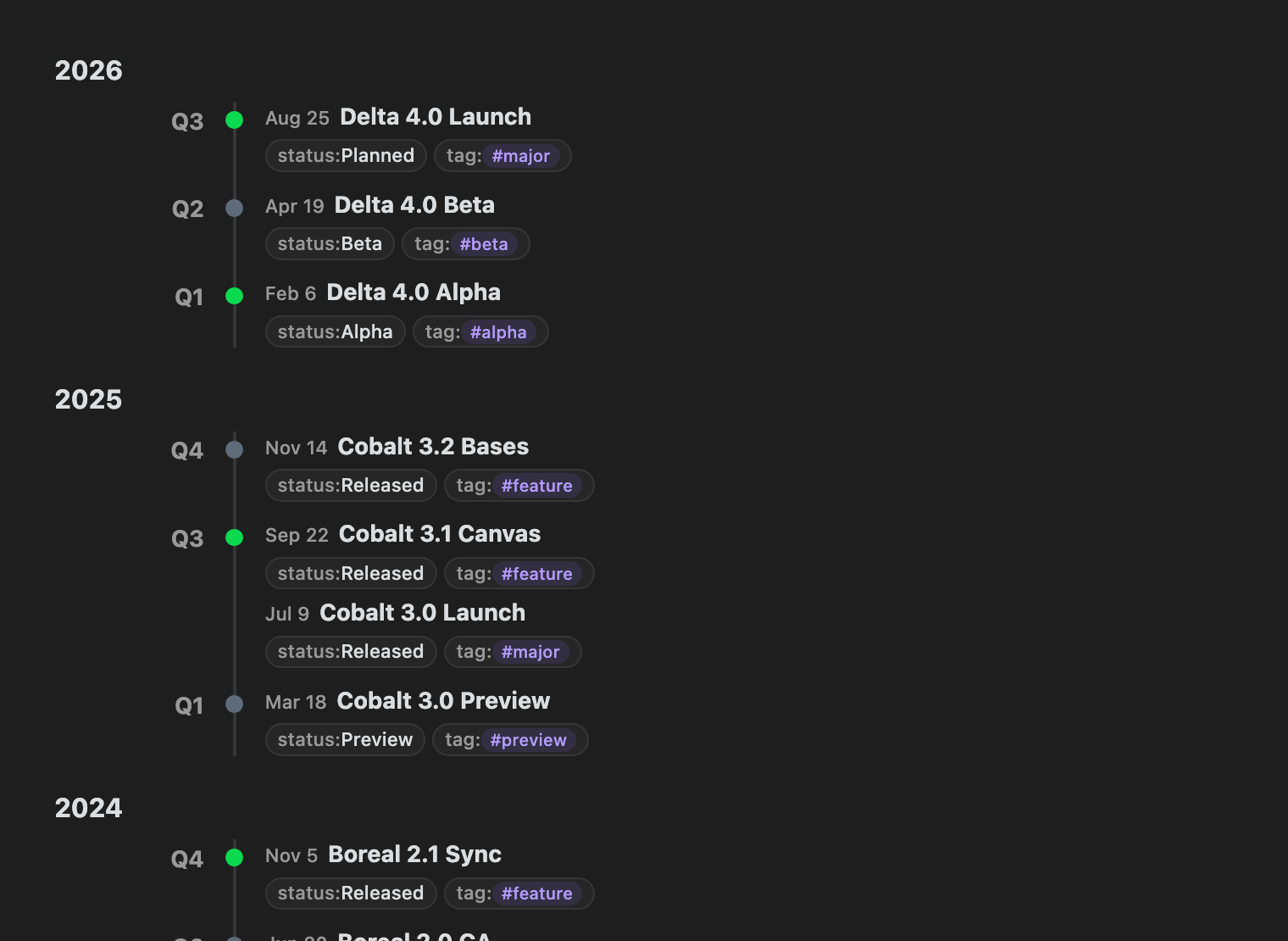
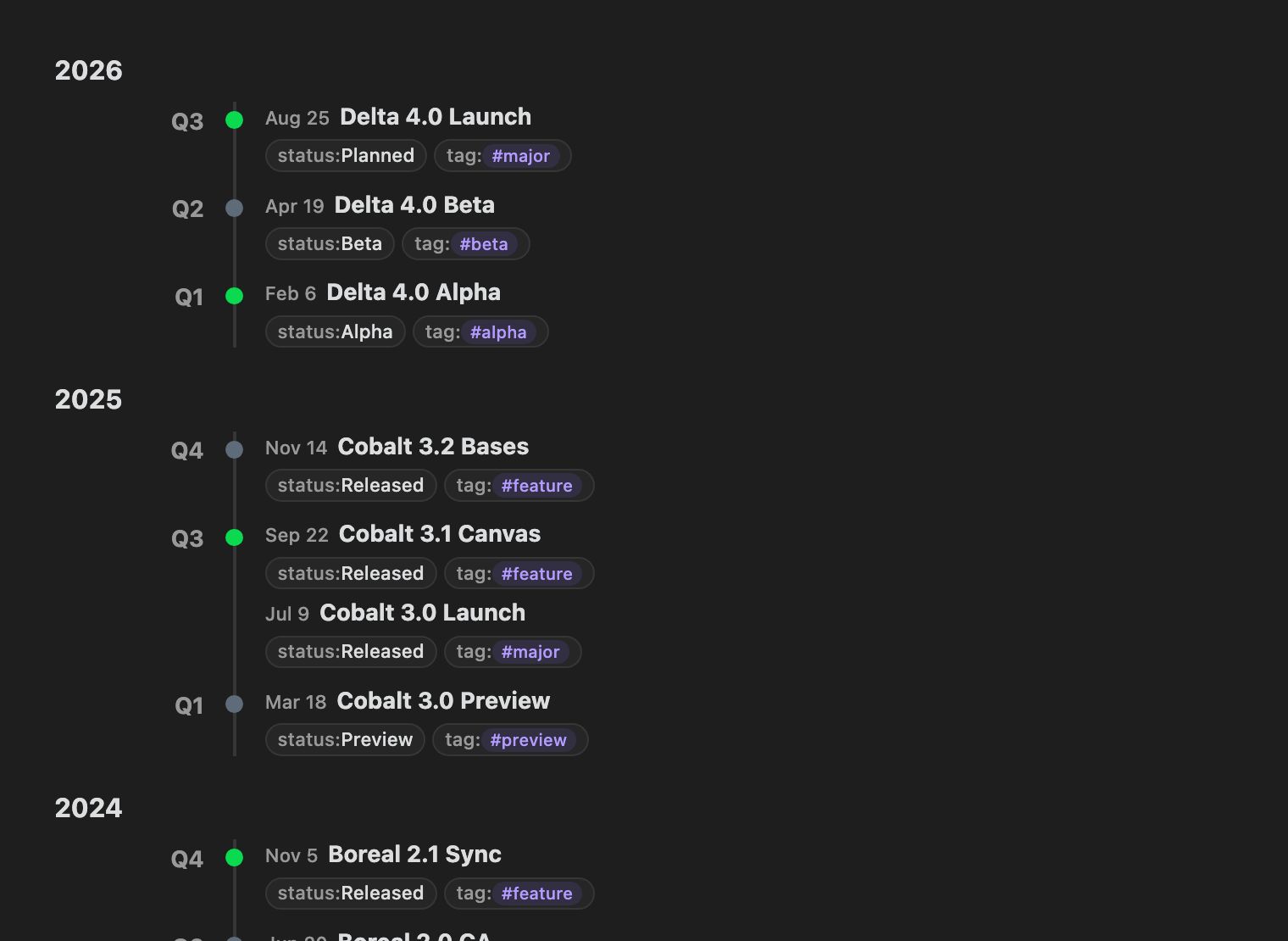
Q1–Q4) and Decade (1990s–2020s) modes alongside Year, Month, and Week. - Vertical spine layout for milestone-style timelines with circular accent nodes.
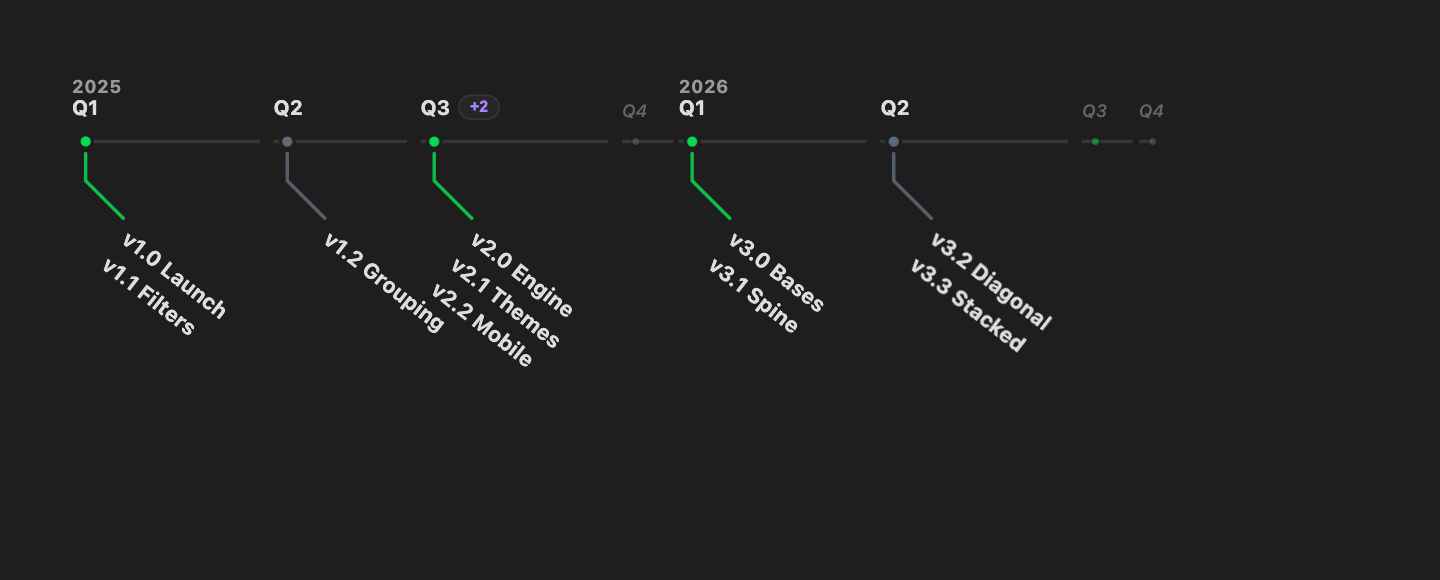
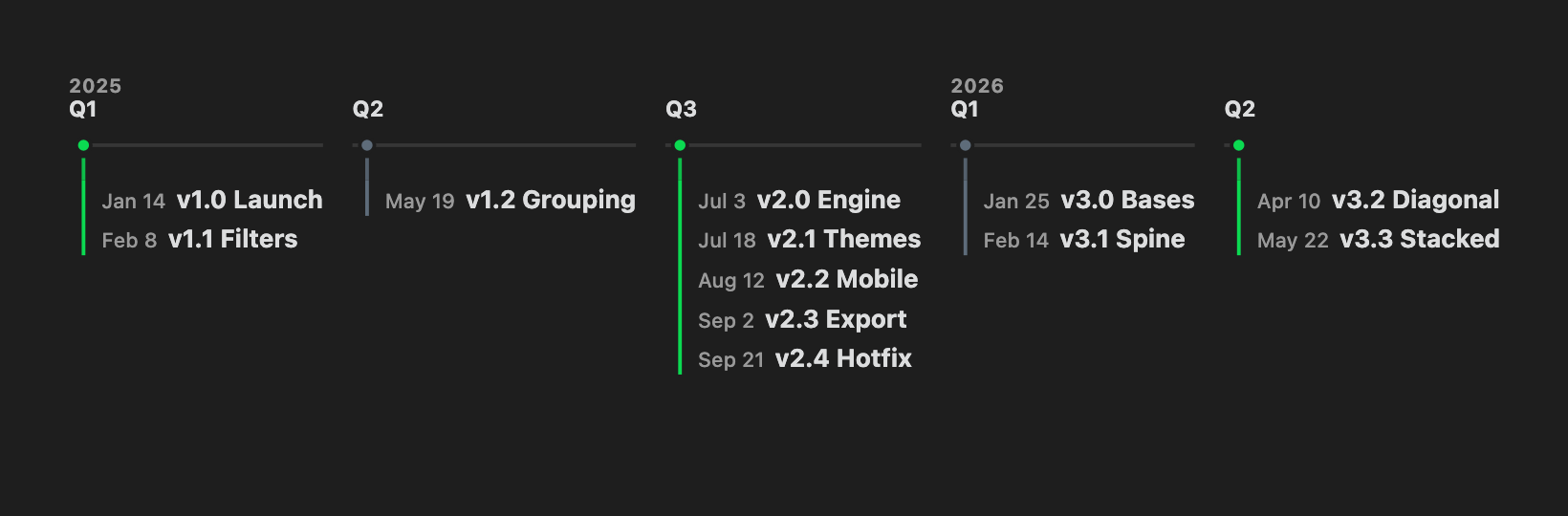
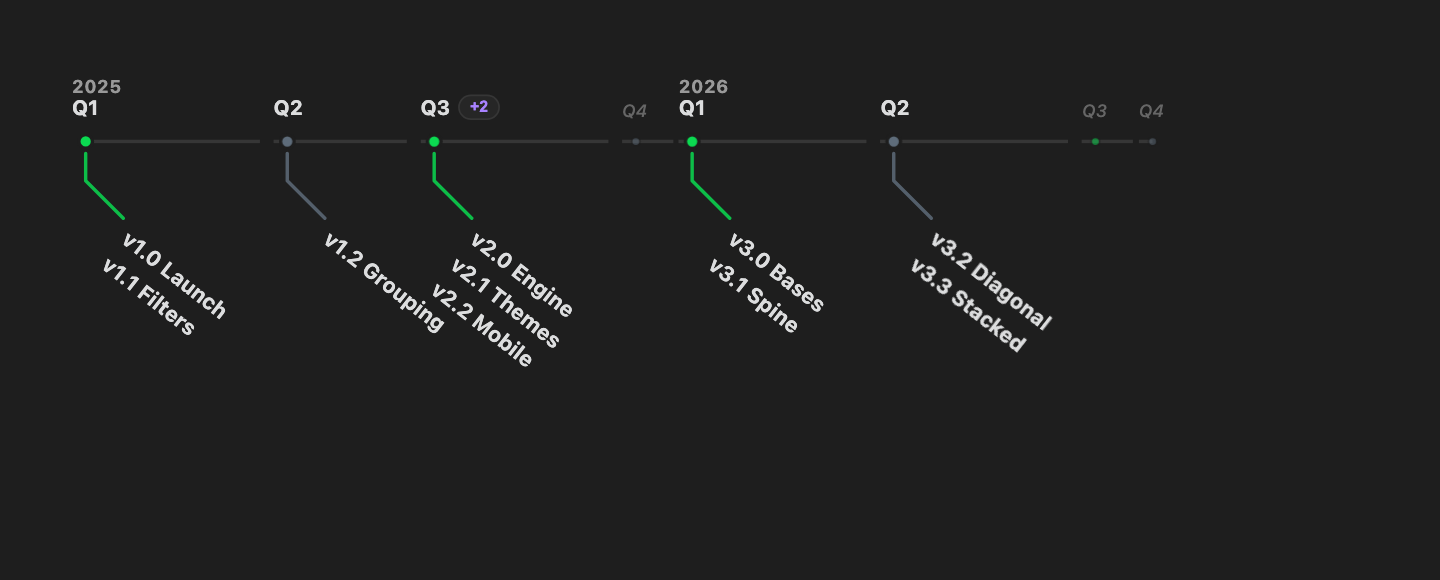
- Horizontal (diagonal) layout with compact axis ticks, bent diagonal leader lines, angled labels, and clickable
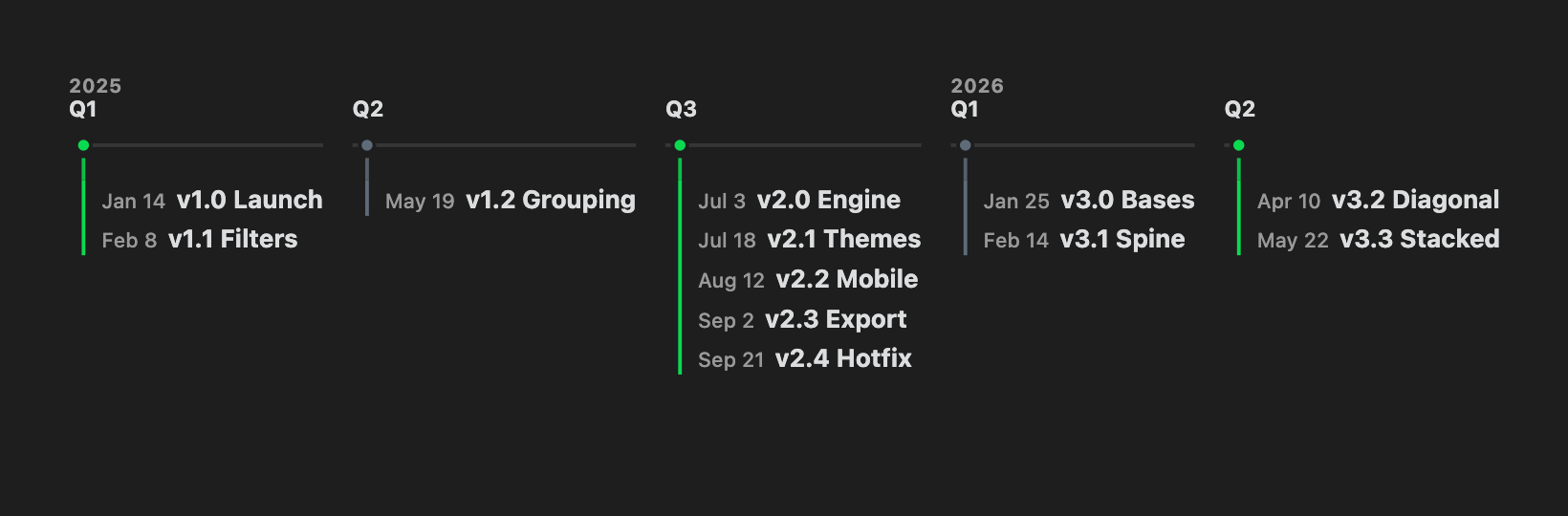
+Npopovers for dense buckets. - Horizontal (stacked) layout combining the compact horizontal axis with clean vertical item stacks.
- Fit horizontal timeline to width toggle to smoothly scale wide horizontal timelines to your pane width.
- Cards item layout & cover image support (
coverProperty) for thumbnails from vault images or URLs.
UX & Features (0.2.0)
- Partial-date awareness: year-only dates (e.g.
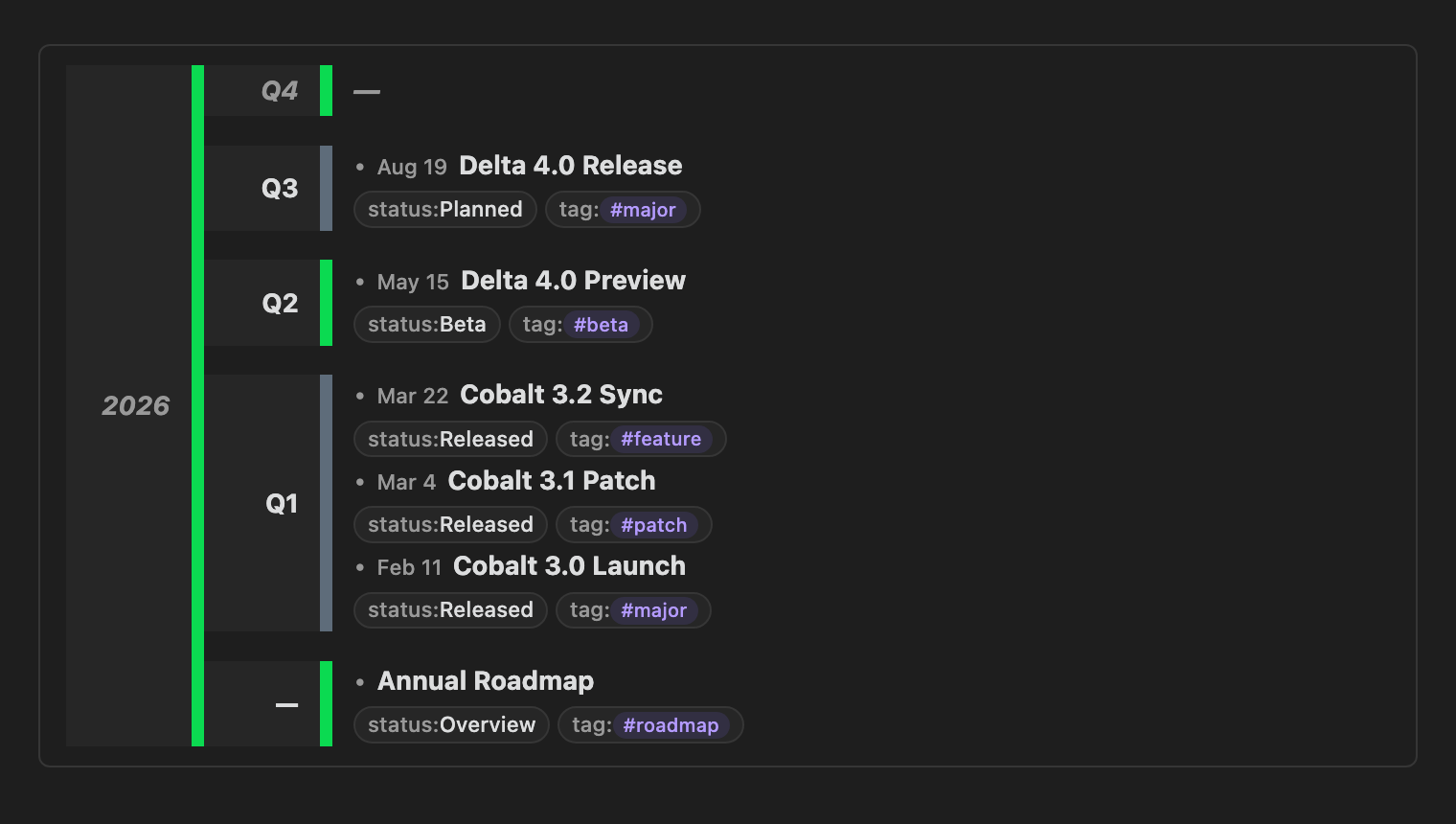
2022) appear in a dedicated year-level—row in Quarter/Month modes instead of being misplaced in January. - Per-item date badges, quick-jump year bar, optional current period highlight (off by default), and property-driven color coding.
- Compact property pills with clickable
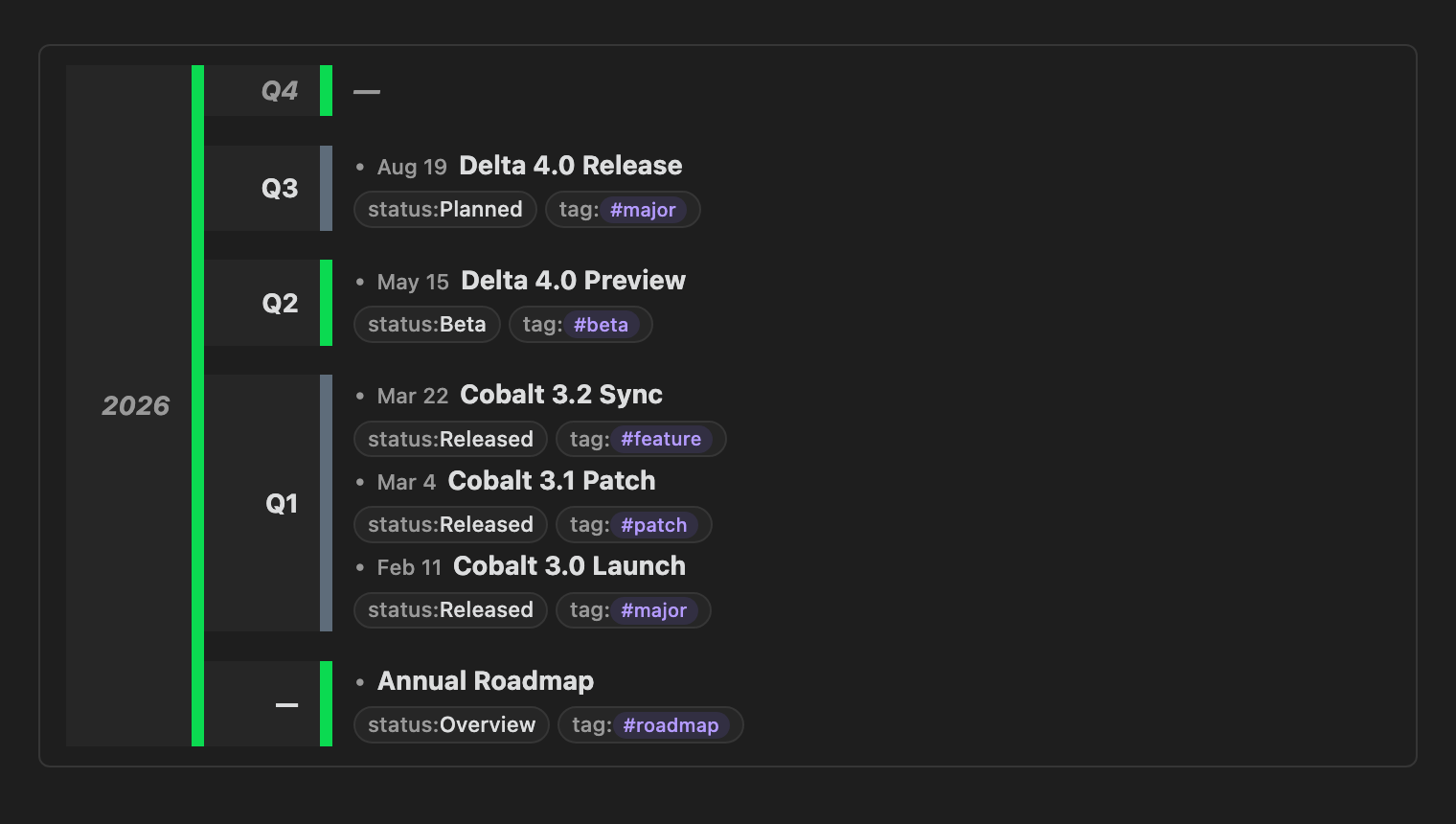
[[wikilinks]]and#tagbadges. - Interactive collapsed gaps: click collapsed empty year or month ranges to expand them inline.
- Native Obsidian interactions: standard click / Cmd+click / middle-click navigation, hover previews, right-click file menu, live settings refresh, theme accent toggle, and native Bases
groupBysections. - Responsive Auto width mode with horizontal scroll fallback for narrow panes and mobile.
Fixes & Improvements (0.2.0)
- Fixed Classic table column sizing,
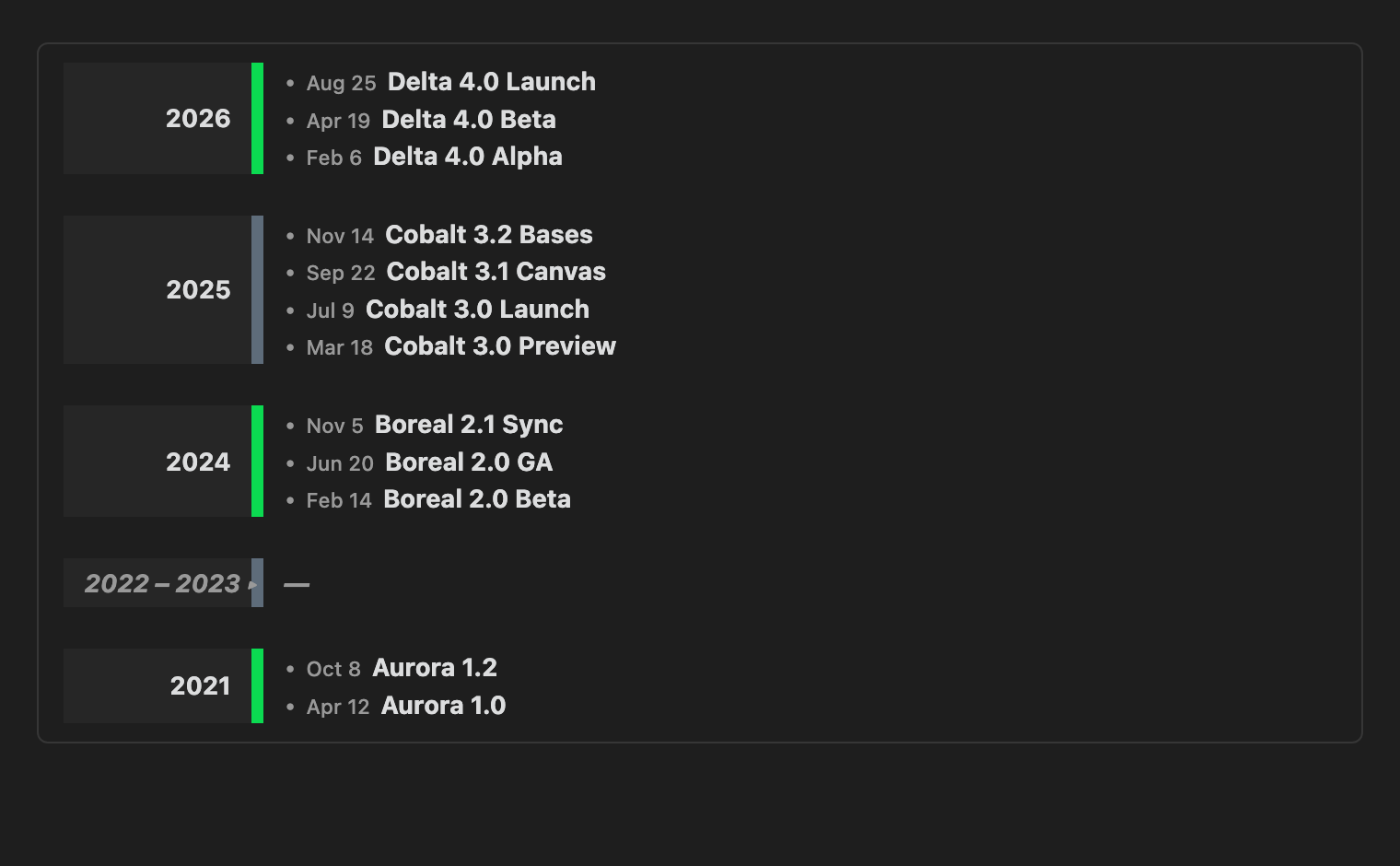
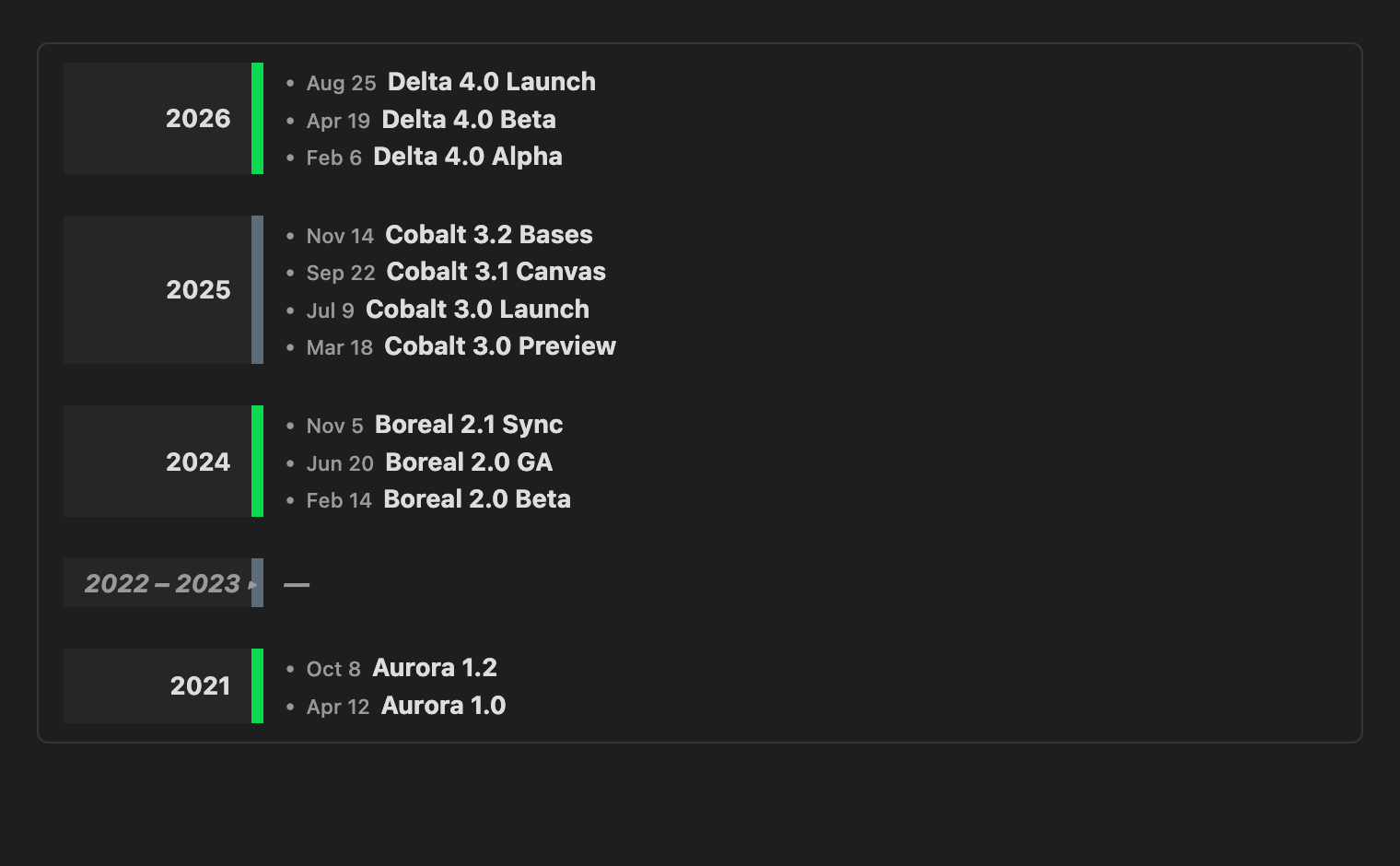
colspanalignment, and removed the empty secondary column / duplicate bar in Year mode. - Fixed collapsed empty year ranges displaying only the start year instead of the full range (e.g.
2022 – 2023). - Fixed
collapseEmptyWeeks+collapseEmptyMonthsinteraction in Week mode. - Fixed
file.ctime/file.mtimenumeric timestamps and timezone-safe ISO date parsing. - Removed bullets from inline layout and flattened Bases view option groups to prevent scroll jumps.
- Replaced
luxonwith zero-dependency date helpers (shrinkingmain.jsfrom ~251 KB to ~57 KB) and passes Obsidian's community linter (eslint-plugin-obsidianmd) with 0 errors and 0 warnings.
Screenshots
Classic table — Year view
Classic table — Quarter view (with property pills)
Vertical spine layout
Horizontal (diagonal) layout
Horizontal (stacked) layout
0.2.0
What's New in 0.2.0
New Layouts & Modes
- Quarter (
Q1–Q4) and Decade (1990s–2020s) modes alongside Year, Month, and Week. - Vertical spine layout for milestone-style timelines with circular accent nodes.
- Horizontal (diagonal) layout with compact axis ticks, bent diagonal leader lines, angled labels, and clickable
+Npopovers for dense buckets. - Horizontal (stacked) layout combining the compact horizontal axis with clean vertical item stacks.
- Fit horizontal timeline to width toggle to smoothly scale wide horizontal timelines to your pane width.
- Cards item layout & cover image support (
coverProperty) for thumbnails from vault images or URLs.
UX & Features
- Partial-date awareness: year-only dates (e.g.
2022) appear in a dedicated year-level—row in Quarter/Month modes instead of being misplaced in January. - Per-item date badges, quick-jump year bar, optional current period highlight (off by default), and property-driven color coding.
- Compact property pills with clickable
[[wikilinks]]and#tagbadges. - Interactive collapsed gaps: click collapsed empty year or month ranges to expand them inline.
- Native Obsidian interactions: standard click / Cmd+click / middle-click navigation, hover previews, right-click file menu, live settings refresh, theme accent toggle, and native Bases
groupBysections. - Responsive Auto width mode with horizontal scroll fallback for narrow panes and mobile.
Fixes & Improvements
- Fixed Classic table column sizing,
colspanalignment, and removed the empty secondary column / duplicate bar in Year mode. - Fixed collapsed empty year ranges displaying only the start year instead of the full range (e.g.
2022 – 2023). - Fixed
collapseEmptyWeeks+collapseEmptyMonthsinteraction in Week mode. - Fixed
file.ctime/file.mtimenumeric timestamps and timezone-safe ISO date parsing. - Removed bullets from inline layout and flattened Bases view option groups to prevent scroll jumps.
- Replaced
luxonwith zero-dependency date helpers (shrinkingmain.jsfrom ~251 KB to ~57 KB) and passes Obsidian's community linter (eslint-plugin-obsidianmd) with 0 errors and 0 warnings.
Screenshots
Classic table — Year view
Classic table — Quarter view (with property pills)
Vertical spine layout
Horizontal (diagonal) layout
Horizontal (stacked) layout
0.1.8

Bug Fixes
- Fixed color settings - Primary and Alternate accent color controls now appear in the declarative settings interface (oops! 🎨)
This is a quick patch for 0.1.7 where color settings weren't showing up at all.
0.1.7
Changes
- Implemented declarative settings API - Plugin settings now searchable in Obsidian's settings interface for 1.13.0+
- Fixed slider controls - Default Width and Default Font Size now have proper min/max/step values
Bug Fixes
- Resolved floating promise warning in settings control handler
- Settings now properly accessible and configurable (turns out, settings are way more useful when you can actually set them! 🎉)
Improvements
- Better settings discoverability through declarative API integration
- All settings controls now match their imperative UI counterparts exactly
0.1.6
Changes
- Added declarative settings API support - Plugin settings now appear in Obsidian's settings search for users on 1.13.0 or later
- Settings are organized into sections (Defaults, Year defaults, Week defaults, Timeline colors) for better discoverability
- Fixed README title - Now correctly matches the plugin manifest name
Improvements
- Enhanced plugin compliance with Obsidian's latest standards
- Better plugin discoverability through settings search integration
0.1.5
Changes
- Renamed plugin ID from
release-timeline-viewtorelease-timeline-base-viewto ensure compliance with Obsidian's plugin directory requirements - All CSS classes, DOM elements, and view-type registrations updated to reflect the new ID
- No changes to functionality or visual appearance — this is a structural rename only
Migration
If you have existing .base files using the old view type, you'll need to update them:
Change:
type: release-timeline-viewTo:
type: release-timeline-base-viewAll existing timelines will continue to work after this update.
0.1.4
Fixes
- Accent bar colors disappearing in reading-mode embeds: Fixed accent-colored bars rendering as transparent when a Base view was embedded in a note viewed in Reading mode. Root cause was Obsidian core's reading-mode table zebra-striping CSS (
.markdown-rendered tbody tr > td:nth-child(2n+2)) overriding the plugin's accent bar background. - Gap-row padding inconsistency in embed source/edit mode: Fixed a subtle case where gap rows between releases picked up unwanted horizontal padding when a Base view was embedded and viewed in Source/Live Preview mode, caused by CodeMirror's table-widget CSS competing on longhand
padding-left/padding-rightproperties.
Code quality
- Removed all
!importantdeclarations fromstyles.css, replacing them with selectors that legitimately out-specify competing Obsidian core and CodeMirror CSS (verified via computed-specificity comparisons, not just visual guesswork). - Resolved all findings from the Obsidian community plugin scanner lint (style-property-assignment via inline styles, forbidden runtime-injected
<style>element, settings heading naming, deprecated API usage, misused-promise violation, unsafe type assignments). - Enabled the community scanner lint ruleset in CI so every push/PR is checked against the same rules the plugin review process uses.
Verified pixel-identical rendering across standalone Base view, embed source/edit mode, and embed reading mode under the Minimal theme.
Full Changelog: https://github.com/jarbochov/release-timeline-view/compare/0.1.3...0.1.4
Release Timeline View 0.1.3
What's Changed
Added
- CI validation workflow (
obsidianmd/obsidian-workflows) that lints, builds, and checks manifest/readme/license compliance on every push and pull request. - Automated release workflow that builds and drafts a GitHub release whenever a version tag is pushed.
Fixed
- Removed an unused, platform-locked
esbuild-darwin-arm64dependency that brokenpm cion any non-macOS/arm64 machine (e.g. Linux CI runners).
Housekeeping
- Retired legacy pre-fork version tags/releases (
1.x,2.0.0,0.1.0,0.1.1) that predate this plugin's current independent version line, which starts at0.12.
0.12
Release Timeline View 0.1.2
- Normalize timeline spacing across standalone Bases and embedded edit/reading views.\n- Add global and per-view font size controls.\n- Scale year and week columns with the selected font size to prevent label overlap.\n- Namespace the plugin id, Bases view type, and DOM/CSS classes to avoid conflicts with the original plugin.\n- Restore accent colors after the namespace update.