Repository navigation
0.2.14

-
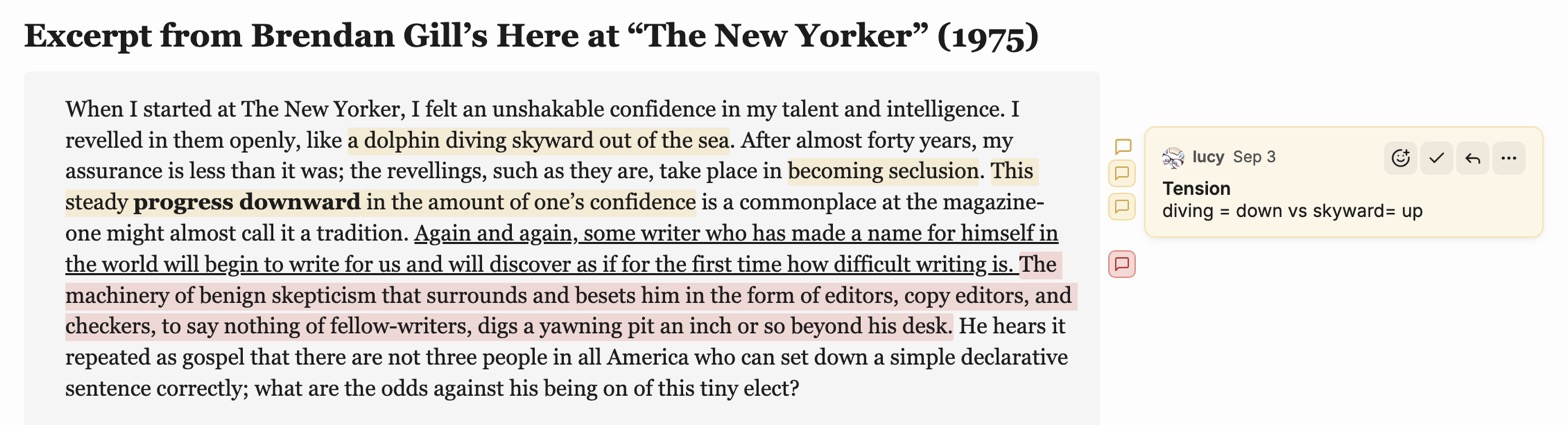
PDF style card view: a third choice next to Default and Compact (status bar, or settings → Comment card view). Like a PDF reader, each comment is a small note icon in its color right next to the text, level with its highlight; hover shows the first line, and clicking the icon or the highlight opens the card beside it as a rounded card in the comment's color with a light shadow. Escape, a click elsewhere, or the icon again closes it. Opening and closing don't animate. Works in Live Preview and Reading view; the sidebar is unchanged.
-
Comments keep the interface font: a note's own font (for example a serif cssclass or snippet) no longer changes the font of its comment cards or of comments in PDF exports.
-
Bold (and other formatting) at the start of a line now shows correctly in Reading view and PDF when it has a comment. A line that starts with the comment marker isn't formatted by Markdown, so
**text**showed its asterisks. New comments put the marker inside the formatting, and existing ones are fixed automatically when you open the note. -
PDF export: crowded comments no longer overlap — only the first comment of a crowded group moves up, and never into the comment above.
-
Faster again: moving the mouse over highlighted text no longer makes the comment margin re-measure every card and repaint highlights each time the hover changes. The sidebar's color chips are rebuilt only when they change.
-
PDF export: a comment near the bottom of a page now starts beside its text and continues on the next page, instead of the whole comment jumping to the next page.
-
PDF export: comments on nearby lines no longer pile up below their text — the group moves up a little so it centers on its highlights, like the comment margin in Obsidian.