Repository navigation
v6.12.8

v6.12.8 (2026-11-02)
Docs: Node runtime | brewcode hooks | installation | placeholders | plan-effort | reminders
What changed for you
- brewcode and brewtools hooks now find Node.js the same way the mods do, so a runtime outside Claude Code's
PATHno longer breaks them. - Without a usable Node.js, these hooks are skipped silently: the brewcode session banner and post-compaction re-anchor, and the brewtools HARD wall notice. You get no error, only one line per plugin per UTC day in
<config dir>/logs/brewmod-node.log(<config dir>isCLAUDE_CONFIG_DIR, default~/.claude).hardmode-guarddoes not use the launcher and is unaffected. - A hung
nodeno longer stalls a hook's lookup: each candidate gets 1 s, then it is killed and the next one is tried.
brewcode, brewtools, brewmod-placeholders, brewmod-plan-effort, brewmod-reminders
Fixed
hooks/run-node.sh: byte-identical in all five plugins. brewcode and brewtoolshooks.jsonnow start every hook through/bin/shand this launcher.- Lookup order, first usable wins: every absolute
PATHentry; nvm ($NVM_DIR, then~/.nvm: default alias, then newest compatible install); Volta ($VOLTA_HOME/bin/node, then~/.volta/bin/node); fnm (roots$FNM_DIR,~/Library/Application Support/fnm,${XDG_DATA_HOME:-~/.local/share}/fnm,~/.fnm:aliases/default, then newest compatible install innode-versions);/opt/homebrew/bin/node;/opt/homebrew/opt/node@*;/usr/local/bin/node;/usr/local/opt/node@*;~/.local/bin/node. - Probe: 1 s per candidate, then killed and skipped; no overall limit.
- Versions: minimum 14.13.1;
X.Y.ZandX.Y.Z-suffixare accepted when the numeric part qualifies. - No Node: exit 0, no output, hook skipped, one log line per plugin per UTC day.
Release gates
Added
validate-release.sh: runs the launcher suite and the newcheck-hook-targets.mjs, which fails when a marketplace plugin'shooks.jsontargets a file it does not ship.check-shards.sh: everynode --testfile must also be in the manual Tests workflow.
Docs
- The log path now reads
<config dir>/logs/brewmod-node.logeverywhere;brewmod-reminderstells you to update throughclaude plugincommands when Node is missing, since/brewtools:plugin-updateneeds Node itself; nvm install hints say nvm must be installed first.
New: Claude Code mods. Type ++r before your request and Claude reviews each significant change, double-checks every finding and fixes only the confirmed ones. Watch it in the console (GIF) · Prompt placeholders
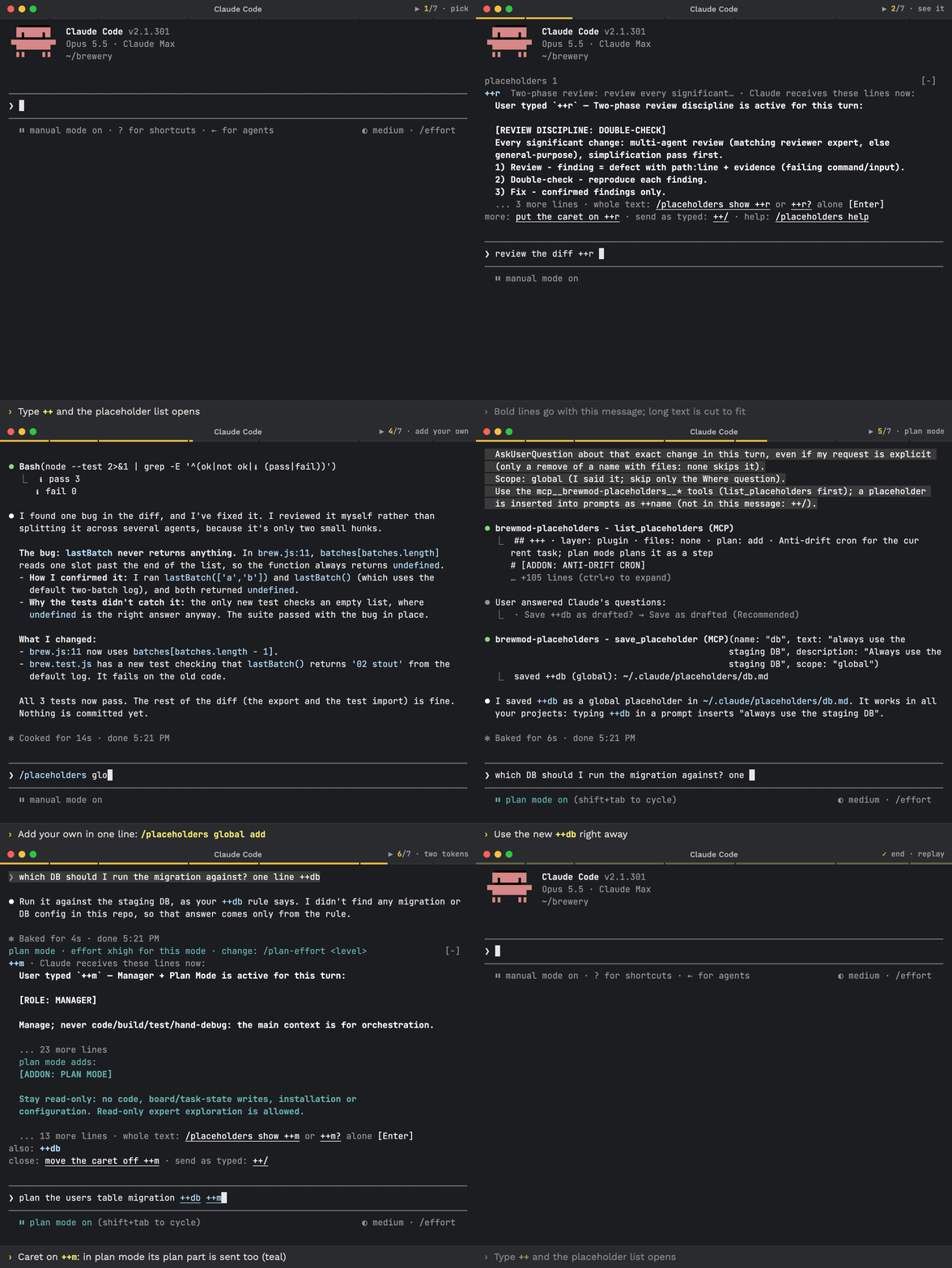
❗ Update Claude Code first: the mods need Claude Code 2.1.301 or newer. Run claude update, restart Claude Code (exit, run claude), check with claude --version.
Update with Claude: paste this prompt into Claude Code
Check `claude --version`. Below 2.1.301 (the mods need it), run `claude update`, then stop and tell me to restart Claude Code and paste this prompt again. Otherwise run `claude plugin list` and note the installed brewcode plugin and mod versions. To update to the latest release (v6.12.8 or newer): if brewtools is installed, run `/brewtools:plugin-update` and show me its report; if not, read https://raw.githubusercontent.com/kochetkov-ma/claude-brewcode/main/UPDATE.md and follow it. Then explain in plain words what changed (the report's "What changed for you", else the sections of https://raw.githubusercontent.com/kochetkov-ma/claude-brewcode/main/RELEASE-NOTES.md for every version newer than the one I had), recommend what I should try first, and tell me to type `/reload-plugins` and, in each project, `/brewcode:setup-status upgrade`.
How to update and use it well: UPDATE.md · Recommended flow
Update by hand (Claude Code):
claude --version
claude update      # if it is older; restart Claude Code afterwards
claude plugin marketplace update claude-brewcode
claude plugin update <name>@claude-brewcode   # once per installed plugin: brewmod-placeholders, brewmod-plan-effort, brewmod-reminders, brewcode, brewdoc, brewtools, brewui
Or run /brewtools:plugin-update: it updates the installed plugins and mods, offers the missing mods and plugins once and prints what changed for you. Either way, finish with /reload-plugins and, in each project, /brewcode:setup-status upgrade (it brings the setups generated there current).
Install (Claude Code 2.1.301 or newer), then run /reload-plugins. A paste-in prompt for the same commands: Install in 30 seconds.
claude plugin marketplace add https://github.com/kochetkov-ma/claude-brewcode
claude plugin install brewmod-placeholders@claude-brewcode   # prompt shortcuts: ++r, ++m, your own
claude plugin install brewmod-plan-effort@claude-brewcode    # higher effort while Claude plans
claude plugin install brewmod-reminders@claude-brewcode      # durable reminders that survive sessions
claude plugin install brewcode@claude-brewcode
claude plugin install brewdoc@claude-brewcode
claude plugin install brewtools@claude-brewcode
claude plugin install brewui@claude-brewcode
Docs: Getting started · Mods · Prompt placeholders · Plan-mode effort · Reminders · brewcode.app