Repository navigation

EzSort v0.4.0
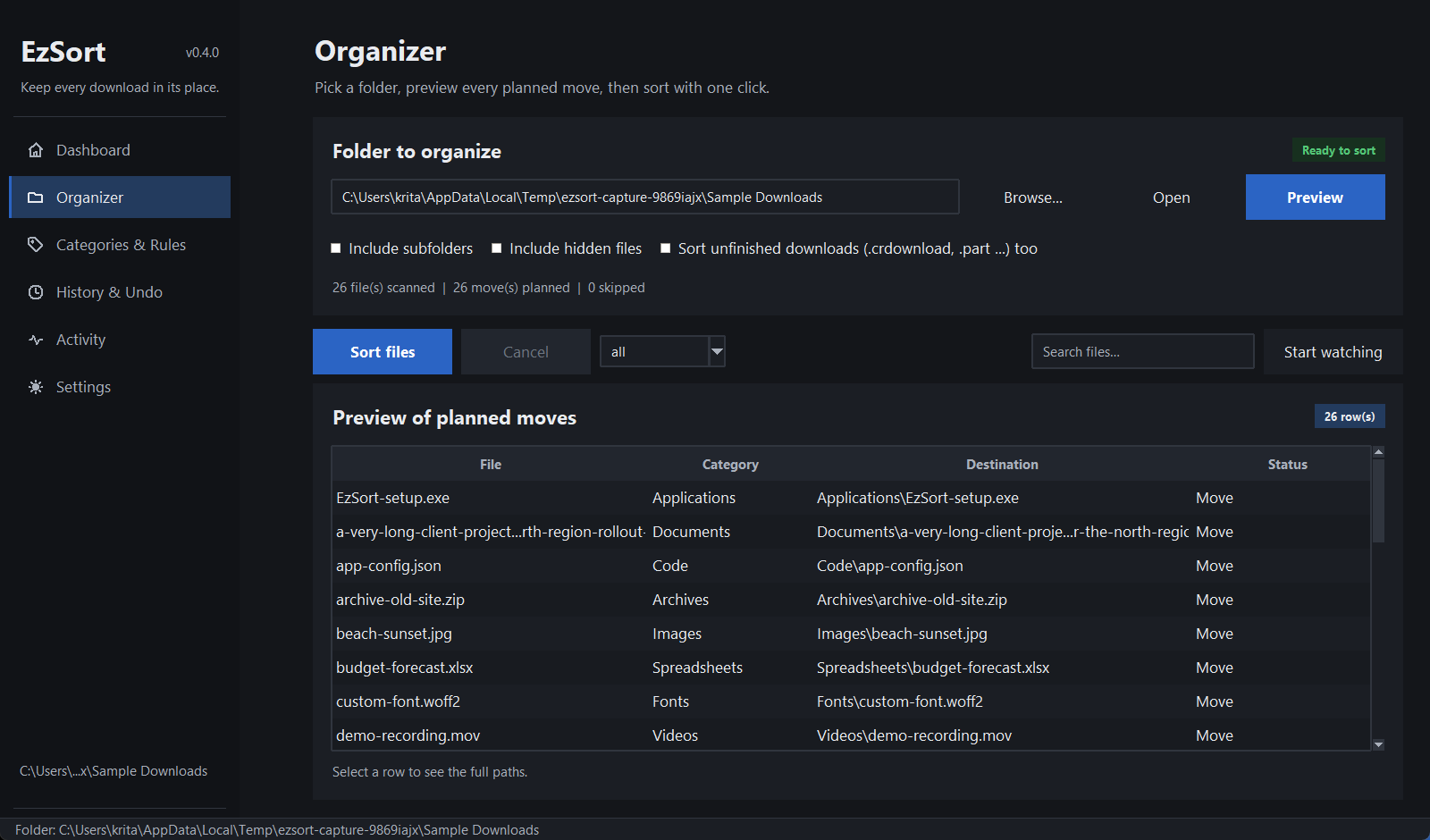
A redesigned desktop experience. The sorting engine, the CLI, and the
on-disk config/history formats keep working exactly as before; the entire
presentation layer, responsiveness, and large-folder performance were
rebuilt.
Highlights
- One design system, two real themes. A single token scale for spacing,
type, radii, and color, with independently tuned warm-slate dark and warm-paper
light palettes. Every text/background pair the UI uses is checked against
WCAG AA in the test suite. - All six pages rebuilt. Dashboard, Organizer, Categories & Rules,
History & Undo, Activity, and Settings now share the same sidebar, page
header, cards, tables, badges, banners, dialogs, toasts, and empty states. - Truthful state everywhere. Statistics, folder badges, table counts,
progress, history rows, and activity entries come from the live engine,
config, history, and activity log. There are no placeholder numbers and no
dead controls. - Responsive at the minimum size. Tables re-proportion columns instead of
forcing the page wider, scrollbars hide themselves when content fits, and
toolbars switch to compact labels at narrow widths. Every page was captured
and inspected at the 1281x851 physical minimum. - Search and filtering. Organizer filters by move/rename/skip and searches
file, category, and destination; History and Activity have live search;
Categories filters by name; Activity has kind chips. - Persistent activity log. The last 500 events survive restarts in
activity.json, v0.3.0 entries load unchanged, and an unreadable file is
moved aside rather than deleted. - Faster large folders. Planning is now O(n), the scanner reuses
DirEntrymetadata, and table inserts avoid a quadratic empty-state check.
A 10k-file preview dropped from roughly 100 seconds to under 10 seconds on
the test machine.
Safety and compatibility
- No files are deleted, overwritten, extracted, or uploaded. Existing files at
a destination are renamed, never replaced. - Undo stays conflict-safe: occupied original paths are skipped and the
remaining work stays in history for a later retry. - Cancellation is per task, so cancelling a scan never stops a sort or watch.
- v0.3.0 config, custom rules, history, and activity files load unchanged.
History additions (status,cancelled,total_planned, undo tombstones)
are additive and old readers ignore them. - A golden test runs the CLI and the GUI against identical synthetic folders
and asserts the resulting file trees match.
Keyboard shortcuts
| Key | Action |
|---|---|
Ctrl+1 … Ctrl+6 |
Jump to a page |
F5 |
Refresh the current page |
Ctrl+F |
Focus the current page's search |
Ctrl+O |
Choose a folder |
F1 |
Show the shortcut sheet |
Enter |
Run a preview from the folder box |
Esc |
Close an overlay / leave search |
Downloads
| Asset | Contents |
|---|---|
EzSort-gui-windows.zip |
Standalone desktop app (EzSort.exe), no Python required |
ezsort-cli-windows.zip |
Standalone CLI (ezsort.exe) |
SHA256SUMS.txt |
SHA-256 checksums for both zips |
Extract a zip and run the executable inside it. Verify a download with:
Get-FileHash .\EzSort-gui-windows.zip -Algorithm SHA256The release build runs the full test suite, builds both executables, and
verifies them end to end (version, real sort, undo, GUI launch, screenshot,
persistence, clean close) before publishing these assets.
Upgrading
pip install --upgrade ezsort for the CLI and module entry points, or replace
your extracted Windows folder with the new zip. Existing configuration and
history are picked up automatically.
Full details: CHANGELOG.md
and docs/DECISIONS.md.